This site is supported by our readers. We may earn a commission, at no cost to you, if you purchase through links.

Your brand-new embroidery machine sits on the table, gleaming with possibility—and maybe a little intimidation. You’ve unboxed it, flipped through the manual that reads like hieroglyphics, and now you’re wondering if you’ve bitten off more than you can chew.
Here’s the truth: learning how to use an embroidery machine for the first time isn’t nearly as complicated as manufacturers make it seem. The secret lies in understanding a few core steps—proper setup, correct threading, and knowing which supplies actually matter.
Once you master the basics of hooping fabric, loading designs, and letting the machine do its magic, you’ll wonder why you waited so long to start.
Table Of Contents
Key Takeaways
- Your embroidery machine success depends on three core elements: proper threading technique, correct fabric hooping with appropriate stabilizer, and matching needle size (75/11 or 80/12) to your specific fabric type.
- Start with quilting cotton and tear-away stabilizer for your first projects since they’re forgiving for beginners, then graduate to knits with cut-away stabilizer once you’ve mastered tension settings and hoop alignment.
- Invest in Embrilliance software ($139) for design management and resizing, water-soluble marking pens for precise placement, and multiple stabilizer types (tear-away, cut-away, water-soluble) to handle different fabric challenges.
- Replace your embroidery needles every 8 hours of stitching, clean lint daily, and always test thread tension on scrap fabric before starting your actual project to avoid costly mistakes.
Essential Supplies for First-Time Embroidery
You can’t just plug in your machine and start stitching—embroidery requires a specific toolkit that’s different from regular sewing. The right supplies make the difference between designs that look professional and ones that pucker, skip, or fall apart after washing.
Embroidery demands a specialized toolkit—the right supplies separate professional-looking designs from puckered, skipped stitches that fall apart after washing
Here’s what you need to gather before you power up your machine for the first time.
Choosing The Right Embroidery Needles
Needles aren’t just needles—they’re the bridge between your embroidery machine and perfect stitches! You’ll want size 75/11 or 80/12 for most projects, matching needle sizes to your fabric types.
Ballpoint needles work magic on knits, while sharp-point versions handle denim and leather. Check your machine compatibility first, then stock up on embroidery-specific needles with larger eyes for thread compatibility. For a professional finish on knit fabrics, pair your ballpoint needle with proper seam finishing techniques using an overlock machine to prevent fraying and stretching.
Replace them every 8 hours to avoid heartbreak! If you’re just getting started, check out this guide on embroidery machine setup and troubleshooting to avoid common beginner mistakes.
Selecting Embroidery Threads and Stabilizers
Once you’ve matched your needles to fabric, it’s time to pick the power duo: thread and stabilizer! Your thread weight matters—40-weight polyester gives you strength and colorfastness, while rayon adds gorgeous sheen. Most modern embroidery machines include built-in tension settings that automatically adjust for different thread weights, making it easier to switch between polyester and rayon without manual tweaking.
For stabilizers, here’s your starter kit:
- Tear-away for woven fabrics and dense designs
- Cut-away for knits (prevents distortion!)
- Water-soluble for delicate, intricate work
Match fabric compatibility with stabilizer types, and you’ll nail tension settings every time. Compact setups benefit most when you pair the right backing with delicate knits—embroidery machines for small spaces handle this balance without sacrificing stitch quality.
Preparing Fabric and Hoops for Embroidery
Your thread and stabilizer won’t work magic if your fabric’s loose or misaligned! Proper hooping keeps fabric tension even across the stitching area, preventing thread breakage and puckering.
Choose hoop sizes that match your design dimensions—too small causes distortion, too large wastes stabilizer. Pre-wash fabrics to remove sizing that affects stability, then pair your stabilizer types with embroidery density for perfect results.
| Fabric Type | Best Stabilizer | Hoop Tension Tip |
|---|---|---|
| Woven cotton | Tear-away | Pull fabric drum-tight |
| Stretchy knits | Cutaway | Gentle but secure grip |
| Delicate silk | Water-soluble | Float, don’t over-stretch |
Must-Have Accessories for Beginners
Beyond your embroidery hoop and stabilizer, a few smart accessories make first projects way less frustrating. You’ll want: If you’re new to stabilizers, check out this guide on how to use embroidery stabilizer to get the basics down before your first stitch.
- Embroidery scissors with sharp, fine points for trimming close to stitches
- Fabric markers (water-soluble pens work great!) to align designs before hooping
- Extra bobbin cases for consistent thread management and tension
- Seam ripper for quick fixes during setup
- Multiple stabilizer types suited to different embroidery supplies needs
Setting Up Your Embroidery Machine
Getting your embroidery machine ready for its first project doesn’t have to feel overwhelming. Once you’ve got your supplies in hand, the actual setup follows a simple, logical sequence that you’ll memorize after just a few rounds.
Let’s walk through the four essential steps that’ll have you stitching your first design in no time.
Placing and Powering Up The Machine
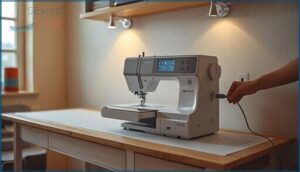
Your workspace is the launchpad for every great embroidery project! Start with machine placement on a sturdy, level table—vibration is the enemy of crisp stitches. Before connecting power, inspect your cord for damage and verify the outlet voltage matches your machine’s specs. Follow the manufacturer’s startup sequence, ensuring your power switch is off first. This simple electrical checks routine prevents costly error codes and keeps you safe.
| Setup Step | What to Check | Why It Matters |
|---|---|---|
| Surface Stability | Level table, non-slip pads, locked legs | Prevents shifting during high-speed stitching |
| Power Connection | Grounded outlet, dedicated circuit, cord condition | Avoids overload and reduces shock risk |
| Workspace Ergonomics | Adequate lighting, comfortable height, clear pathways | Facilitates precise threading and safe operation |
| Initial Boot | Needle/bobbin installed, hoop clearance, test design loaded | Confirms system readiness before project work |
Attaching The Embroidery Foot and Hoop
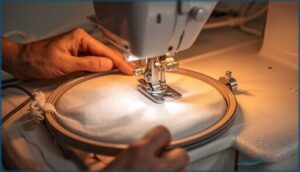
Power down and unplug your embroidery machine first—safety isn’t optional! Remove the presser foot, then snap or screw the embroidery foot onto the shank until it clicks securely.
Next, slide your stabilizer-backed fabric into the inner hoop, lock it with the outer ring, and tighten evenly.
Check embroidery clearance by manually rotating the handwheel—proper hoop alignment prevents needle strikes and ensures perfect machine calibration for your first project!
Threading The Machine and Inserting The Needle
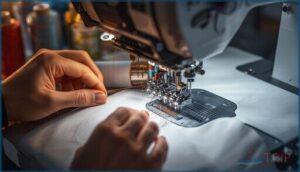
Start with needle selection—insert your embroidery needles fully, flat side back, until they click. Needle alignment matters for proper stitch formation, so thread front to back through the eye.
Now follow your machine’s threading diagram, guiding embroidery thread through each tension disc and guide. Good bobbin management and threading techniques prevent tangles and guarantee balanced thread tension from the start! Finally, wind your bobbin evenly.
Loading and Aligning Your Design

Your embroidery machine needs the right design file format—DST or PES, depending on your model. Load it through your embroidery software, then calibrate the needle’s starting position to match your reference point. Design calibration prevents disaster!
Check that your design dimensions fit the hoop selection you’ve made, and always test stitch alignment on scrap fabric first.
Step-by-Step Embroidery Machine Operation
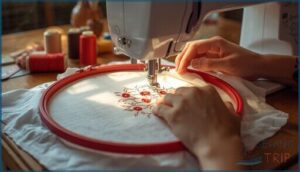
You’ve threaded your machine, loaded your design, and you’re ready to actually start stitching—this is where it all comes together!
The next few steps will walk you through how to secure your fabric, when to use adhesives, and how to monitor the machine while it works.
Let’s break down the process so your first embroidery project runs smoothly from start to finish.
Hooping Vs. Floating Your Fabric
You’ll face one big choice right away: should you hoop your fabric or let it float? Hooping locks everything tight—your fabric and stabilizers stay put, giving you rock-solid embroidery accuracy with consistent fabric tension. Floating skips the hoop entirely, relying on stabilizers and careful handling to prevent shifting.
- Hooping works best for stable, woven fabrics and delivers reliable stitch alignment across multiple designs
- Floating techniques shine with delicate textiles or oversized projects that won’t fit standard hoop sizes
- Stabilizer types matter either way—tear-away backing for hooped work, adhesive spray for floating setups
Your embroidery machine doesn’t care which hooping technique you choose, but your fabric definitely does! Dense designs need that locked-down security hooping provides, while stretchy knits might distort if you crank the hoop too tight.
Using Temporary Adhesives and Marking Tools
Temporary adhesives turn tricky fabric prep into a walk in the park, keeping lightweight materials flat against your stabilizer without the wrestling match. Spray-on temporary stabilizers wash away clean, while water-soluble options release under heat or moisture—just make sure they match your fabric type to dodge staining disasters.
| Tool Type | Best Use Case |
|---|---|
| Spray adhesives | Securing knits and slippery fabrics to stabilizer during hooping |
| Water-soluble markers | Marking placement guides that disappear after washing or stitching |
| Chalk marking wheels | Creating temporary alignment lines you can brush away instantly |
Marking tools help you nail design placement every single time. Air-erasable pens vanish on their own, water-soluble markers dissolve during cleanup, and chalk wheels brush off without a trace. Always test your marking tool on scrap fabric first—some leave sneaky residue that shows up after your embroidery machine finishes its work.
Apply adhesive in thin, even layers and let it get tacky before positioning your fabric. Over-spraying creates sticky buildup on your hoop and machine table, which nobody wants to deal with later. Keep marks light and only where you need them, right in the design area for perfect alignment.
Starting, Monitoring, and Managing Thread Changes
Your embroidery machine will pause automatically for thread changes, giving you a chance to swap colors without drama.
Stop the machine completely, raise the needle to its highest position, then snip the old embroidery thread close to the needle to prevent lint buildup.
Re-thread carefully, checking thread tension guides and needles stay clear, then test on your stabilizer before resuming.
Tips for Smooth and Even Stitching
Once you’ve mastered thread changes, stitch quality depends on five key factors working together. Proper fabric prep and stabilizer selection prevent puckering, while correct thread tension keeps your embroidery thread flowing smoothly. Here’s your checklist:
- Match embroidery needles to thread weight and fabric type
- Test hoop management techniques on scrap material first
- Adjust stitch regulation speed for dense designs
- Monitor tension throughout the project
Top 5 Products for Beginner Embroiderers
You’ve got your machine set up and you’re ready to stitch, but the right tools make all the difference between frustration and fun. I’ve tested dozens of products over the years, and these five consistently save beginners from common headaches.
Let me walk you through the essentials that’ll set you up for success from your very first project.
1. Embrilliance Embroidery Software Thumbnailer

Imagine this: you’ve downloaded 500 embroidery designs, and now you can’t tell which file is which! That’s where Embrilliance Thumbnailer saves the day. This embroidery software creates instant design previews right in your computer’s file explorer, so you’ll see realistic thumbnail images instead of mystery icons.
It works seamlessly with your embroidery machine’s native formats and manages digital organization like a champ. The software integration means no more opening files one-by-one in your digitizing software just to find that perfect butterfly design!
| Best For | Embroidery enthusiasts and small business owners who work with large design libraries and need to quickly identify and organize their embroidery files without opening each one individually. |
|---|---|
| Brand | Embrilliance |
| Primary Use | Design viewing |
| Ease of Use | Easy installation |
| Compatibility | Windows and MacOS |
| Weight | 3.2 ounces |
| Price Range | Budget-friendly |
| Additional Features |
|
- Shows realistic 3D thumbnail previews of embroidery designs directly in Windows Explorer or Mac Finder, saving tons of time when searching through hundreds of files.
- Works with multiple embroidery file formats including.svg and vinyl cutting files, making it versatile for various machine types and design workflows.
- Easy installation process with no physical media required, and integrates seamlessly with existing Embrilliance software for a smooth user experience.
- .EXP files won’t display thumbnails on MacOS Big Sur and Monterey due to operating system limitations, which can be frustrating for Mac users with those formats.
- Some users report installation or registration issues, and the software may not perform consistently across all computer setups or operating systems.
- Design previews can become blurry or unclear over time according to user feedback, potentially reducing the tool’s effectiveness for long-term use.
2. Embrilliance Embroidery Software
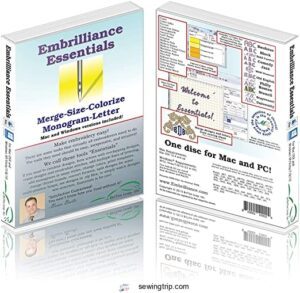
Once you’ve got your design previews sorted, Embrilliance Basics takes your embroidery software editing to the next level. This digitizing software lets you resize embroidery designs with automatic stitch recalculation, so your patterns stay crisp at any size!
You’ll merge multiple files, add lettering using 21 built-in fonts, and even overlap designs while the software removes hidden stitching automatically.
The virtual hoops show exactly how your design fits before you stitch, and thread management features let you adjust colors instantly.
At $139, it’s your command center for design import and customization!
| Best For | Machine embroidery hobbyists who want to customize existing designs with resizing, lettering, and color changes without creating patterns from scratch. |
|---|---|
| Brand | Embrilliance |
| Primary Use | Design editing |
| Ease of Use | Easy to use |
| Compatibility | Windows and MacOS |
| Weight | 1.55 ounces |
| Price Range | $139.00 |
| Additional Features |
|
- Resizes designs automatically while recalculating stitches to maintain quality at any size
- Includes 21 fonts for adding custom text in multiple layouts (monogram, circle, multi-line)
- Shows virtual hoop previews so you can see exactly how designs fit before stitching
- Doesn’t convert images or graphics into embroidery files—you’ll need separate software for that
- Relies heavily on YouTube tutorials instead of comprehensive built-in instructions
- Some users found the $139 price point steep for a basic editing tool
3. Wrights Water Soluble Marking Pen
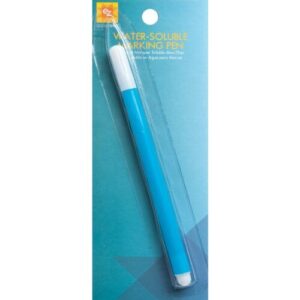
Your embroidery machine needs precise placement marks, and that’s where this EZ Quilting blue marker becomes your secret weapon! The Wrights Water Soluble Marking Pen draws crisp guidelines on fabric for accurate design positioning, working perfectly with your stabilizer and embroidery needles.
Marking techniques are simple—just trace your pattern lightly, then watch the ink removal happen with a damp cloth after stitching! Test fabric compatibility on scraps first, especially with embroidery supplies like delicate threads.
For pen maintenance, cap it tightly between uses to keep the ink flowing smoothly!
| Best For | Quilters, sewers, and embroidery enthusiasts who need temporary fabric markings that wash away cleanly without leaving permanent traces. |
|---|---|
| Brand | EZ Quilting |
| Primary Use | Fabric marking |
| Ease of Use | Simple application |
| Compatibility | All fabrics |
| Weight | Not specified |
| Price Range | Budget-friendly |
| Additional Features |
|
- Water-soluble ink disappears completely with just a damp cloth or quick wash, making cleanup effortless
- Creates clear, visible blue lines on most fabrics for accurate pattern transfer and design placement
- Works great with embroidery hoops and stabilizers to keep your stitching perfectly aligned
- Can’t be used on dry-clean-only fabrics since water removal is required
- Marks may set permanently if you iron over them or launder before washing them out first
- Thick lines or heavy marking might need extra rinsing, and some fabrics may show ghosting if not tested first
4. Dritz Marking Chalk Wheel Kit
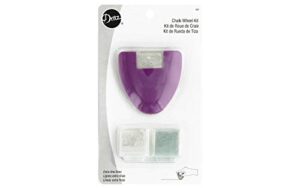
When you need ruler-straight lines for embroidery alignment, this chalk wheel basics tool becomes essential among your embroidery supplies! The Dritz Marking Chalk Wheel Kit rolls crisp guidelines directly onto fabric, working beautifully with your stabilizer and embroidery needles during fabric preparation.
Marking techniques involve gentle pressure along seams and hoop edges—the wheel dispenses fine chalk lines that guide your embroidery machine placement perfectly. Chalk removal happens easily with a slightly damp cloth before pressing, and the kit includes blue and white replacement cartridges for different embroidery thread colors!
| Best For | Sewers, quilters, and embroidery enthusiasts who need precise, removable guidelines for pattern placement, seam allowances, and embroidery alignment on fabric. |
|---|---|
| Brand | Generic |
| Primary Use | Fabric marking |
| Ease of Use | Portable tool |
| Compatibility | Multiple fabrics |
| Weight | 1.12 ounces |
| Price Range | Budget-friendly |
| Additional Features |
|
- Makes extra fine, ruler-straight lines that are thinner than mechanical pencils, perfect for detailed marking and embroidery placement
- Includes replacement chalk cartridges in blue and white so you can choose the best contrast for different fabric colors
- Easy removal with a slightly damp cloth before pressing, leaving no permanent marks on your project
- Some users find it tricky to get the chalk flowing smoothly and may need to tap the wheel gently to dispense chalk
- The lines can appear lighter than expected, making them harder to see on certain fabrics
- Mixed reviews on functionality suggest it may not work well on delicate or very smooth fabrics
5. Sulky Iron On Backing Stabilizer
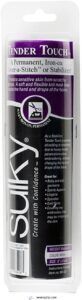
Your embroidery machine delivers impeccable stitches when you pair it with Sulky Iron On Backing Stabilizer. This permanent stabilizer option bonds with iron-on techniques (medium heat, no steam), stretching beautifully with knits and wovens for fabric compatibility across baby clothes and sportswear.
The 8″ by 9-yard roll provides embroidery support without adhesive removal worries since it stays put through washing, and embroidery stabilizers don’t get gentler than this June Berry wonder!
| Best For | Crafters who want a permanent, skin-friendly backing for embroidery on stretchy fabrics like baby clothes, activewear, and lingerie. |
|---|---|
| Brand | Sulky |
| Primary Use | Embroidery stabilizer |
| Ease of Use | Iron-on application |
| Compatibility | Stretchy garments |
| Weight | Not specified |
| Price Range | Mid-range |
| Additional Features |
|
- Stays permanently in place and washes well, so you don’t have to remove it after stitching
- Stretches with knit fabrics and protects sensitive skin from scratchy embroidery threads
- Easy to apply with just an iron at medium heat, and the 8″ by 9-yard roll covers lots of projects
- Hard to tell which side has the adhesive, so you might stick it on backward if you’re not careful
- Sharp corners can lift over time, so you’ll need to round them off for best results
- Permanent backing means you can’t change your mind or reposition it once it’s ironed on
Frequently Asked Questions (FAQs)
How do I clean and maintain my embroidery machine?
Like tuning a guitar before every concert, your embroidery machine needs regular cleaning and machine lubrication to stay pitch-perfect.
Wipe lint daily, oil monthly following maintenance schedules, and troubleshoot tension issues immediately for perfect stitching.
Whats the best fabric for beginners to practice on?
Start with quilting cotton—it’s your best friend for practice materials. This tight-weave fabric stays stable under your embroidery machine, needs minimal stabilizer, and forgives beginner mistakes better than stretchy or loose textiles.
Can I embroider on stretchy or knit fabrics?
Yes, but you’ll need proper stabilizers to prevent fabric distortion. Use tear-away or cut-away stabilizers with stretch needles, adjust thread tension carefully, and always test on scrap knit fabric first.
How do I fix thread breaks during embroidery?
Thread breaks happen when your needle doesn’t match your embroidery thread, when thread tension needs adjustment, or when stabilizers aren’t supporting your fabric properly.
Re-thread completely, check your needle for damage, and test machine calibration settings.
Whats the difference between embroidery and digitizing software?
Embroidery software edits existing designs and handles machine files, while digitizing software creates brand-new stitch data from scratch—like the difference between renovating a house and building one from the ground up!
Understanding the importance of methodological rigor is essential in various fields, including embroidery design.
Conclusion
Think of your embroidery machine like learning to drive—scary at first, second nature soon enough. You’ve got the roadmap now: proper threading, correct hooping, and a stabilizer that keeps everything in place.
The first time you use an embroidery machine, you’ll make mistakes—we all do. But each stitch teaches you something new. So load that first design, hit start, and watch your fabric transform. The hardest part? You’ve already done it.