This site is supported by our readers. We may earn a commission, at no cost to you, if you purchase through links.
A logo that took 45 minutes on one machine might finish in 12 on another—same design, same thread, completely different outcome. That gap surprises most people stepping into machine embroidery for the first time, and it trips up even experienced operators when they’re quoting turnaround times to customers.
Embroidery time isn’t a fixed number you can look up; it’s the result of several moving parts working together. Stitch count, fabric choice, machine type, and your own workflow all pull the final number in different directions. Once you understand what drives the clock, you can predict timelines with confidence and start shaving time without sacrificing quality.
Table Of Contents
- Key Takeaways
- How Long Does Machine Embroidery Take?
- Stitch Count and Design Complexity Explained
- Key Factors That Affect Embroidery Duration
- How Embroidery Machine Type Impacts Speed
- How to Estimate Machine Embroidery Time Accurately
- Realistic Timelines for Common Embroidery Projects
- Tips to Reduce Machine Embroidery Time
- Frequently Asked Questions (FAQs)
- Conclusion
Key Takeaways
- Stitch count is the single biggest driver of embroidery time — a dense 10,000-stitch logo takes roughly 12–15 minutes on a machine, while a full jacket back with 80,000+ stitches can eat up 2–5 hours.
- Every color change on a single-needle machine costs 1–2 minutes, so a 6-color design quietly adds 12 minutes before you’ve shipped a single piece — smart color grouping during digitizing is one of the easiest ways to cut that down.
- Your skill level shapes the clock more than most people expect — a beginner can turn a 10-minute stitch job into an hour once you factor in hooping struggles, threading time, and fixing thread breaks.
- Trim setup time by 20–30% and color-change stops by up to 60% — without touching your design quality.
How Long Does Machine Embroidery Take?
Machine embroidery time isn’t one-size-fits-all — it shifts depending on design size, stitch count, and what you’re stitching on. small patch and a full jacket back live in completely different time zones.
The design file format also plays a role — browsing machine embroidery designs for your specific setup helps you avoid compatibility headaches before you even start stitching.
Here’s a realistic look at what to expect across the most common project sizes.
Average Time for Small Designs (Under 3 Inches)
Small designs under 3 inches feel quick — until you’re actually sitting at the machine. Stitch count, stitch density effect, and hoop and prep time all shape your real turnaround time.
- Stitching runs 4–17 minutes depending on stitch count
- Setup and hooping add 5–20 minutes
- Thread change overhead extends multi-color designs to 30–45 minutes
- Speed setting selection affects quality on delicate fabrics
- Beginner efficiency gap can stretch a 10-minute job to an hour
Remember that design complexity impact can considerably change timing.
Average Time for Medium Designs (T-Shirts, Polos)
Medium designs — think left chest logos on t‑shirts or polos — usually run 3,000 to 10,000 stitches. At 700 SPM, that’s roughly 7–14 minutes of pure stitching. But factor in stabilizer preparation, hooping, and operator workflow, and your realistic turnaround time lands at 20–30 minutes per piece.
Using fusible poly mesh stabilizer helps keep the stretchy polo fabric flat during stitching.
| Step | Time Estimate |
|---|---|
| Stitching (5,000 stitches) | 7–10 minutes |
| Hooping & stabilizer prep | 3–5 minutes |
Average Time for Large Designs (Jackets, Back Pieces)
Large jacket back pieces are a different beast entirely.
With stitch counts ranging from 40,000 to over 80,000, stitch density impact becomes real — expect 1.5 to 3 hours of pure embroidery speed on a commercial machine. Factor in fabric stabilizer prep, hooping, and color change overhead, and your total turnaround time stretches to 2–5 hours per piece.
Machine Vs. Hand Embroidery Time Comparison
When you compare machine embroidery to hand embroidery, the difference is night and day. For example, a machine can stitch a 10,000-count logo in under 15 minutes, while hand embroidery might stretch to 10 hours or more.
A machine stitches in 15 minutes what hand embroidery takes 10 hours to complete
Machines win big on cost efficiency, energy consumption, and production scaling. Hand embroidery, though, offers artistry—if you’re willing to tackle the learning curve.
Stitch Count and Design Complexity Explained
When you’re planning an embroidery project, stitch count and design complexity are the first things to look at. They’re the real drivers behind how long your machine will run.
Here’s what you need to know before you start.
How Stitch Count Directly Affects Stitching Time
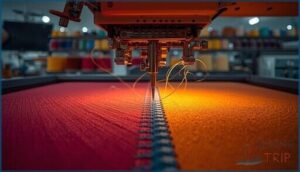
Ever wonder why two designs the same size can take wildly different amounts of time? Stitch count is your main culprit.
A dense fill or complex pattern can easily triple your stitch count, and that ripple effect on timing ties directly into common embroidery machine issues worth knowing.
Every extra stitch adds seconds—especially when you factor in Stitch Density Impact, Underlay Stitch Effects, and Satin Stitch Overhead.
At 800 stitches per minute, a 10,000‑stitch design takes about 12.5 minutes.
Thread Trim Overhead and Multi‑Needle Efficiency also shape embroidery time estimation.
Dense Fill Areas and Their Impact on Duration
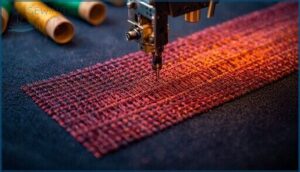
Tackling dense fill areas can really eat up your embroidery time. High Tatami Fill Density means more stitches packed close together, which slows embroidery speed and risks puckering.
For better Stitch Count Optimization and Meander Fill Efficiency, watch out for these three time drains:
- Overly tight stitch density
- Multiple layered fills
- Puckering Prevention slowdowns on tricky fabrics
Color Changes and Thread Trims Adding Extra Time
Every thread change and trim pause adds up faster than you’d think. On a single-needle machine, each manual color downtime runs one to two minutes — and a ten-color design can cost you twenty extra minutes before you’ve sewn a single finishing stitch.
Automated trim speed and needle switching efficiency cut that dramatically. Use a color grouping strategy during digitizing to minimize stops and keep your embroidery time estimation honest.
Key Factors That Affect Embroidery Duration
There’s more to embroidery timing than just hitting “start” on your machine.
Several important factors work together to shape how long each project takes.
Let’s look at what makes the biggest difference.
Design Size and Number of Stitches
Think of stitch count as your embroidery’s heartbeat—every design grows in complexity and time as its size increases. Here’s how it plays out:
- Stitch Ratio Scaling: Larger designs multiply stitches quickly—100,000 for jacket backs.
- Size‑Stitch Correlation: Small logos (under 3") average 1,000–5,000 stitches.
- Incremental Stitch Growth: Each added inch or detail ramps up embroidery time estimation and demands smarter stitch optimization.
Fabric Type and Stabilizer Requirements
Fabric type isn’t just a backdrop—it’s the stage manager for embroidery timing.
The Woven Tear‑Away lets you hoop in under two minutes and zip along at 800 stitches per minute. The Knit Cut‑Away slows things down with extra smoothing and double layers. The Sheer Wash‑Away needs gentle handling, while the Denim Heavy Cut demands deep hoops and layered stabilizer prep for dense designs.
Operator Skill Level and Experience
Your skill level shapes every minute at the machine. A beginner might spend 15 minutes on setup alone — a seasoned operator wraps it in five.
- Hooping Mastery — Beginners take 3 minutes per garment; experts under 30 seconds.
- Threading Speed — Novices need 10 minutes; experienced operators finish in 45 seconds.
- Error Correction — Thread breaks cost beginners 10 minutes; skilled hands fix them in under 2 minutes.
- Batch Setup — Veterans hoop 10 garments in 15 minutes flat.
- Stitch Rate — Experts sustain 750 stitches per minute with almost zero interruptions.
Thread Type and Frequency of Color Changes
Quick hands aren’t the only time‑saver—your thread choice and color changes matter just as much. Polyester Speed Advantage lets you stitch at 900–1100 stitches per minute, while Rayon Breakage Impact slows you down with frequent thread breaks.
Multi‑Needle Switching and Color Change Automation cut delays, especially for designs with many thread colors. Thread Weight Optimization also shaves minutes off dense stitch counts.
How Embroidery Machine Type Impacts Speed
The kind of embroidery machine you use makes a big difference in how fast your projects finish.
Some machines are built for speed, while others focus more on flexibility or ease of use.
Let’s look at what sets them apart and how each option affects your workflow.
Single-Needle Vs. Multi-Needle Machine Efficiency
When you compare SingleHead and MultiHead Embroidery Machines, the difference in embroidery speed is night and day. Multi-needle setups automate thread change speed, slash setup time savings, and boost production throughput—especially on complex designs.
You’ll spend less time on operator supervision and avoid design complexity limits. That’s why turnaround time and embroidery time estimation are much more predictable with multi-needle machines.
How Maximum Machine Speed Influences Stitching Time
Speed vs Quality is a daily balancing act. Crank your machine to 1000 stitches per minute and you’ll cut time, but risk thread breakage and fabric tension limits—especially on dense or complex designs.
Most folks find 600–800 SPM hits the sweet spot for embroidery speed, machine efficiency, and energy consumption, while avoiding ramp-up delays and keeping stitch count on track.
Automated Features That Save Time
Pushing your machine’s speed has limits, but automated features are game‑changers.
Auto Thread Trimming saves minutes on color swaps. Multi‑Needle Color Change keeps the action rolling, while Laser Positioning with magnetic hoops nails your placement fast. Thread Break Detection means less wasted fabric. Combine Auto Needle Threading and embroidery software for quick setup and accurate time estimation—boosting machine efficiency and stitch optimization.
How to Estimate Machine Embroidery Time Accurately
Getting an accurate estimate for machine embroidery time isn’t just guesswork—it’s about using the right tools and steps.
You want a clear picture before you start stitching.
Here’s what you should pay attention to as you plan your project.
Using Your Embroidery Machine’s Built-in Estimator
Most modern machines have a built-in estimator that does the math for you. Load your design, select it on the LCD screen, and hit the preview button.
Brother Innov-is models even flash “Calculating the time required… Please wait” — then give you a real-time progress monitoring display. Stitch count divided by your speed calibration setting equals your estimate, with color-change timing and thread-trim accounting factored in automatically.
Using Embroidery Software to Calculate Project Time
Dedicated embroidery software takes estimation further than any machine panel can. Tools like Wilcom, Hatch, and Sierra use stitch count estimation, software calibration, and speed profile templates to crunch real numbers fast.
Load your design, enter your SPM, and watch real-time preview populate your timeline instantly. Batch scaling algorithms handle full order quantities, and exported time reports keep your production efficiency locked in.
Accounting for Setup, Hooping, and Cleanup Time
Your Embroidery software estimate only tells part of the story.
Embroidery Time Estimation gets real when you add setup: Thread Tension Calibration and Stabilizer Placement Efficiency each eat 2–5 minutes.
Hooping takes 30 seconds with Magnetic Hoop Benefits, versus 3 minutes manually.
Post‑Run Vacuuming and thread trimming add 2–3 minutes.
Operator Prep Streamlining across Embroidery Production turns these small gaps into serious Embroidery Project Planning wins.
Factoring in Thread Changes and Operator Interventions
Thread changes are the hidden time thief in any Embroidery Time Estimation.
On a single-needle machine, each color swap costs 1–2 minutes — a 6-color design quietly adds up to 12 minutes before a single item ships.
Factor in break detection stops and needle maintenance checks, and your Embroidery Production timeline grows quickly.
Pre-threading strategy and intervention logging keep your Workflow Management honest.
Realistic Timelines for Common Embroidery Projects

Every embroidery project is different, but most fall into a handful of common categories that follow predictable time patterns. Knowing roughly how long each type takes helps you plan your schedule and set honest expectations with customers. Here’s a realistic look at what to expect across the most common project types.
Small Patches and Simple Logos
Small patches and simple logos are a great place to start. 2–3 inch patch with around 1,500–3,000 stitches generally runs 15–30 minutes of pure stitching time.
Keep your stitch count low, stitch density light, and thread color changes to two or three — and your turnaround time stays tight. Smart batch setup with consistent hoop size cuts per-patch time even further.
Custom T-Shirts and Polos
most custom orders are where T‑shirts and polos live — and timing depends heavily on design placement accuracy and stitch count estimation.
Here’s what typical machine times look like:
- Left chest logo (3.5 inches): 20–40 minutes including setup
- Medium design (10,000–20,000 stitches): 30–60 minutes per shirt
- Multi-color logo with 3+ color matching techniques: add 2–5 minutes for thread changes
- Fabric pre‑treatment and stabilizer application: roughly 30 extra seconds per garment
- Batch of 12 polos: under 8 hours total with proper thread tension settings and machine maintenance schedule
Design complexity is your biggest time variable.
Hats, Caps, and Structured Items
Hats are a different beast altogether. Curved surfaces, buckram stiffening, and tight front panels mean your cap hooping techniques matter as much as your stitch count. A solid frame selection guide starts here: use a Durkee cap frame (5×4.5 inches) for front logos, or a rotating frame for low‑profile unstructured hats needing structured hat stabilization.
| Hat Type | Estimated Time |
|---|---|
| Simple logo (3,000–5,000 stitches) | 14–21 minutes |
| Complex design (8,000–15,000 stitches) | 31–45 minutes |
Magnetic hoop benefits are real — they slash hooping time by up to 90%. Combine that with multi‑head scheduling across a 12‑head setup, and your turnaround time for 60 caps drops to roughly 90 minutes. Embroidery machine speed is around 600 stitches per minute for softer caps, slower for structured ones. Design complexity does the rest.
Large Jacket Backs and Complex Artwork
Jacket backs are the final test. A full back design sits between 60,000 and 100,000 stitches — meaning 75 to 125 minutes of pure run time before setup.
Stitch Density Optimization, Stabilizer Layering Techniques, and smart Hooping Strategies all shave real minutes off your Turnaround Time:
- Use two cutaway layers for heavy Fabric Choice
- Apply Color Change Management to limit thread stops
- Leverage Multi‑Needle Coordination to batch runs efficiently
Tips to Reduce Machine Embroidery Time
Cutting down embroidery time doesn’t have to mean cutting corners. A few smart habits can shave serious minutes off every project without touching your design quality. Here’s what actually matters.
Simplifying Designs to Lower Stitch Count
Cutting your stitch count doesn’t mean cutting quality. Start with Reduced Underlay — a single run-stitch layer manages most stable fabrics and can drop your count by 15–20%.
Swap dense fills with Satin Conversion on smaller elements, and replace borders with Walking Stitches.
Minimalist Borders and Limited Colors also trim embroidery time noticeably.
Smart design optimization beats running your machine faster every time.
Optimizing Digitization for Faster Production
Good digitizing is where embroidery time is really won or lost. Beyond simplifying designs, smart digitizing embroidery techniques make every stitch count.
Stitch Path Optimization groups same-color elements together, while Jump Stitch Reduction merges travel paths so your machine barely pauses. Pair that with Density Tuning around 0.40mm, proper Underlay Adjustment, and Color Sequencing — and your embroidery software processes the rest efficiently.
Batch Processing Multiple Items Efficiently
Batching your runs is one of the smartest machine embroidery techniques you can use. Group identical designs together through Hoop Grouping, apply Color Sequencing so similar thread palettes run back-to-back, and use Pre-Load Queues to keep your machine stitching without delays.
Multi-Head Scheduling and Operator Parallelism push embroidery production even further.
- Cut setup time 20–30% by grouping identical designs
- Reduce color-change stops 30–60% with Color Sequencing
- Pre-hoop garments while the machine runs
- Use Pre-Load Queues to eliminate file-transfer gaps
- Apply Multi-Head Scheduling for bulk same-design orders
Keeping Your Machine and Workspace Organized
clean shop runs faster — it’s that simple.
Daily Machine Cleaning keeps lint from jamming your bobbin mid-run.
Thread Racks and Stabilizer Bins put every supply within arm’s reach, cutting prep time before hooping.
Organized Digital Design Folders eliminate frantic file searches before thread changes.
Workspace Zone Layout ties it all together, turning machine maintenance and design optimization into natural, time-saving habits.
Frequently Asked Questions (FAQs)
How long does it take to machine embroider?
It depends. A tiny logo might stitch out in under 15 minutes, while a jacket back can run 2–5 hours. Stitch count, design complexity, and machine speed drive every minute.
What software is best for embroidery time estimation?
Hatch Digitizer, Wilcom Runtime Analyst, Sierra SE20, and the Melco Calculator all handle stitching time estimation well. Free online estimators work for quick quotes too.
How do thread breaks affect overall production time?
Thread breaks quietly steal your production time. Each stop costs 2–5 minutes on a single-head machine.
multi-head setups, every break halts all heads — meaning downtime multiplies fast across your entire run.
Can embroidery speed settings damage fabric or stitches?
Yes, running your embroidery machine speed too high absolutely can damage both fabric and stitches. Puckering, thread breakage, and stitch distortion are real risks when you push past safe thresholds.
How does order size impact embroidery turnaround time?
Order size quietly shapes your entire timeline.
A single item can ship in 24–48 hours, while 500-piece runs stretch to weeks.
Batch scaling and setup amortization are the reason economies of scale actually work here.
What maintenance tasks slow down embroidery machine performance?
Skipping Embroidery Machine Maintenance costs you speed. Lint Accumulation, Oil Misuse, Needle Wear, Loose Components, and Outdated Firmware each quietly drag performance down — sometimes by 10–20% per issue.
Conclusion
Every experienced operator knows this truth: how long machine embroidery takes isn’t random—it’s readable. Stitch count, fabric, machine type, and your workflow all follow patterns once you learn to spot them.
You’ve now got the map. Start with one project, track your actual time against your estimate, and close the gap.
The operators who run tight, predictable schedules didn’t get there by guessing. They got there by paying attention—exactly like you’re doing now.
- https://www.maggieframes.com/blogs/embroidery-blogs/how-long-does-machine-embroidery-take-key-factors-realistic-timelines
- https://embroiderylegacy.com/how-long-does-embroidery-take/
- https://www.cre8iveskill.com/blog/embroidery-machine-speed-guide-for-quality-embroidery-design
- https://scalablepress.com/blog/machine-vs-hand-embroidery-how-long-does-embroidery-take-for-each/
- https://inspiredbydime.com/pages/redeem-purchases