This site is supported by our readers. We may earn a commission, at no cost to you, if you purchase through links.
Every great embroidery design starts as a precise map—a digital plan that tells your machine exactly where every thread should land. These machine embroidery patterns transform ideas into movement, guiding the needle to paint with thread, line by line.
Whether you’re stitching a single monogram or layering textures into an intricate piece, the pattern decides how it all comes together. Think of it as the rhythm that keeps your creative vision in sync.
Once you understand how different pattern types and file formats work, you’ll see your embroidery machine as less of a tool and more of a creative partner.
Table Of Contents
Key Takeaways
- Machine embroidery patterns are digital blueprints that guide machines to stitch precise, creative designs using set stitch sequences, colors, and densities.
- Different pattern types like appliqué, monogram, patch, and in‑the‑hoop projects offer options for clothing, décor, and accessories.
- Choosing the right file format (PES, DST, JEF, EXP, VP3) ensures compatibility, clean stitching, and easy editing between software and machines.
- Mastering resizing, color editing, and file transfer unlocks full creative control, turning every embroidery machine into a design partner.
What Are Machine Embroidery Patterns?
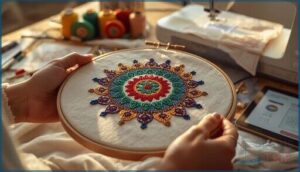
Machine embroidery patterns are digital blueprints that guide your machine to stitch designs with precision and flair. They bring your creative ideas to life, shaping everything from monograms to textured artwork.
For a closer look at how these computerized stitch files work, this guide to automatic embroidery machines breaks down the process from design to finished fabric.
Machine embroidery patterns are digital guides that transform simple stitches into precise, creative designs
Let’s look at what these patterns are, how they differ from hand embroidery, and where they shine in everyday sewing projects.
Definition and Purpose
At their core, embroidery patterns are digital roadmaps guiding your machine to place every stitch with precision. These designs blend Pattern Basics, Stitch Fundamentals, and Design Principles shaped by Embroidery History and modern Machine Capabilities.
For a broader overview of computerized machine embroidery basics, you can see how modern CAD/CAM tools link design, software, and hardware in the embroidery process. They define how digital embroidery comes alive by controlling:
- Stitch sequence
- Color changes
- Thread density
- Embroidery machine file formats
- Overall design flow
How Patterns Differ From Hand Embroidery
Once you’ve seen how digital embroidery follows a set roadmap, it’s easier to compare machine embroidery patterns to hand work.
Machine embroidery designs lock in Stitch Variations, Embroidery Speed, and Thread Options inside embroidery machine file formats, while hand embroidery patterns lean on Design Flexibility, Texture Comparison, and personal choices as you build your own stitching designs and overall look. These contrasts echo the hand vs. machine embroidery characteristics identified by experts over the long development of embroidery machines.
Common Uses in Sewing Projects
Once you understand how stitching designs are mapped out for you, it’s easier to see where embroidery patterns fit into everyday sewing projects. You’ll reach for machine embroidery designs again and again for:
- Clothing Embellishments on T‑shirts, hoodies, and jackets.
- Home Decor accents like pillows, towels, and table runners.
- Quilt Designs, from baby quilts to detailed blanket panels.
- Accessory Making in sewing and crafting, with ITH key fobs, pouches, and luggage tags that show off your favorite Embroidery Techniques.
Types of Machine Embroidery Patterns
Machine embroidery patterns come in many forms, each offering its own creative possibilities. Whether you’re adding texture, color, or personality, there’s a style that fits every project.
For tips on mixing thread textures and mastering stitch types, check out this guide on machine embroidery stitch techniques and styles.
Here’s a quick look at some of the most popular types you can work with.
Appliqué, Monogram, and Patch Designs
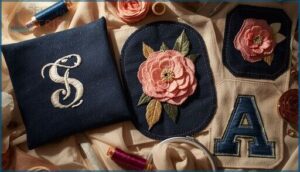
Appliqué, monogram, and patch designs bring personality to your machine embroidery patterns. With the right Applique Tips, crisp Monogram Fonts, and durable Patch Materials, you can create custom embroidery that stands out.
Adjust satin edges through Stitch Editing, match Embroidery Threads perfectly, and explore digital embroidery patterns that balance texture, color, and precision with ease.
In-the-Hoop (ITH) Projects
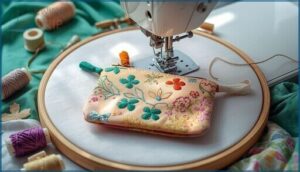
In-the-hoop (ITH) projects let you finish whole items right in the hoop, so your embroidery machine manages both decoration and construction in one smooth flow. With ITH patterns, you can stitch zipper bags, mug rugs, toys, and more as your machine walks you through clear color stops, placement lines, and tack-down steps using the right Hoop Sizes, Fabric Choices, and Stabilizer Types for each piece.
- Explore Project Variations in machine embroidery designs, from flat mug rugs to stuffed softies, all built as in-the-hoop projects with minimal extra sewing.
- Rely on detailed ITH Tutorials bundled with many Machine Embroidery pattern sets, so you know exactly when to place zippers, batting, or backing fabrics.
- Use flexible ITH Patterns that match your hoop sizes and fabric choices, letting your embroidery machine automatically sew seams, outlines, and turning openings for polished Machine Embroidery results.
Seasonal, Floral, and Animal Themes
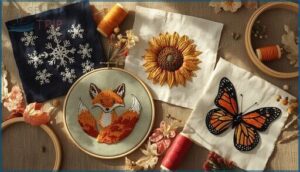
Seasonal, floral, and animal themes give your Machine Embroidery Designs instant story, mood, and Seasonal Crafting Inspiration. With Seasonal Embroidery and Holiday Embellishments, you can rotate motifs like snowflakes, pumpkins, or a stained glass inspired butterfly design to match your décor. Floral Motifs and Animal Designs respond beautifully to Theme Customization, letting you swap Seasonal Colors and build collections that feel curated, not random.
| Theme Type | Typical Motifs | Best Uses |
|---|---|---|
| Seasonal Designs | Snowflakes, pumpkins, pastel eggs | Towels, table linens, Holiday Embellishments |
| Floral Motifs | Roses, sunflowers, modern line florals | Bags, garments, soft home Embroidery Designs |
| Animal Designs | Pets, woodland, cute cartoons | Kids’ projects, pet gear, playful accents |
Inspirational Quotes and Lettering
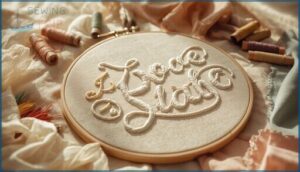
Word art quotes let your Machine Embroidery speak for you, turning simple projects into daily reminders you actually want to read.
If you’re hunting for fresh inspiration, these free stitch patterns and embroidery design ideas make personalizing your projects even easier.
Smart Quote Layouts use bold Font Styles for key words and lighter Text Effects for fillers, supported by tuned Stitch Density and practical Lettering Tips.
When you add these Digital Embroidery Patterns to your Embroidery Design Collection, your new Embroidery Pattern Releases feel personal, polished, and ready to gift.
Digital File Formats and Compatibility
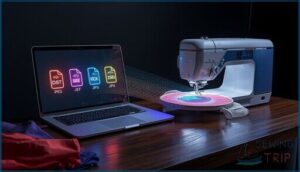
Every embroidery machine speaks its own language, and that language is a file format. Knowing which format works with your machine is the key to turning a great design into a perfect stitch-out.
Here’s what you need to know about the most common formats, how to match them to your machine, and how to make designs your own.
Popular Formats (PES, DST, JEF, EXP, VP3)
Bold moves in Machine Embroidery start with knowing your core file types, because each one shapes how your Digital Embroidery Patterns actually stitch out. PES, JEF, and VP3 act like “native” homes for your Embroidery Designs, holding richer Color Management data and deeper Stitch Editing options for your Digitizing Software and growing Embroidery Design Collection. DST and EXP work more like lean production files, perfect when you need fast File Conversion, clean paths, and efficient Embroidery Pattern Releases across many machines, making Format Comparison a smart habit instead of a guessing game.
- PES: Great for color-rich designs, strong color data and layer control for detailed Stitch Editing.
- DST: Industry workhorse, compact and ideal for bulk runs where consistency and speed matter most.
- JEF and EXP: Reliable daily drivers for Janome, Bernina, and commercial setups focusing on clean results.
- VP3: Modern, flexible structure that enables scaling, rich colors, and sophisticated editing in compatible Digitizing Software.
Matching Patterns to Your Machine Brand
Think of Brand Compatibility as your pattern’s passport, because each machine embroidery brand guards its own borders with Hoop Size Limits, Stitch Capacity, and Machine Specific Designs. You match PES to Brother, JEF to Janome, EXP to Bernina, and VP3 to Husqvarna Viking, then confirm File Transfer Methods so every design actually loads, shows, and stitches.
Editing and Customizing Digital Designs
When you want a design to feel truly yours, embroidery software turns basic machine embroidery files into a playground for Design Resizing, Color Editing, and Stitch Optimization for custom fabric decoration and textile art and design. You use embroidery design resources and Monogram Tools to perfect details, then lean on smart Thread Management so every tweak still stitches clean and professional.
- Resize designs within safe limits so stitch density adjusts, avoiding stiff, bulky areas while keeping shapes crisp.
- Recolor objects with Color Editing tools, matching real thread brands and planning contrast before you ever hoop fabric.
- Add names or monograms with Monogram Tools, curving text, balancing size, and layering it neatly over existing motifs.
How to Use and Download Patterns
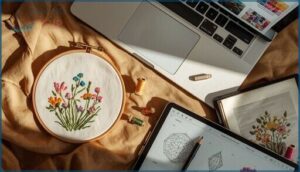
Once you’ve picked a design you love, getting it onto your machine is easier than you might think. A few simple steps will help you save, customize, and prepare your pattern for stitching.
Here’s how to make the most of your downloads and get your project ready to sew.
Instant Download Processes
When you buy unique machine embroidery patterns as instant downloads, you gain control fast because your files become accessible as soon as payment clears through trusted embroidery design resources and marketplaces.
You protect your Purchase Security by checking notes about Digital Rights, Download Limits, and time‑limited links, then you save the ZIP file, complete basic File Extraction, and use your preferred Transfer Methods to move designs into your embroidery software and onto your machine for alternative machine embroidery projects.
Resizing and Adjusting Stitch Density
Once your unique machine embroidery files are downloaded, resizing affects stitch density more than you’d expect. Larger designs need looser spacing to ease fabric tension and prevent thread breakage, while smaller ones require tighter fills. Embroidery software keeps balance by recalculating for smooth stitching across embroidery tools and alternative machine embroidery projects.
- Loose density avoids puckering
- Overly tight patterns cause thread breaks
- Resize effects vary by fabric type
- Test stitches protect machine embroidery products
Adding Custom Colors and Text
Once your stitch density looks right, Color Matching brings the magic, letting you swap thread brands with Thread Conversion charts so your embroidery designs stay consistent on any embroidery machine.
Custom Lettering and Text Editing tools then let you test Font Styles, curve a name around a motif, and build custom fabric decoration that feels like true textile art and embroidery project inspiration.
Essential Tools and Software
Once your colors and lettering feel dialed in, your next power move is building a small toolkit of embroidery tools and systems that keeps every pattern under control. You’ll get the most freedom when you pair strong Digitizing Software, smart Embroidery Editing, and rock-solid Design Management with everyday sewing supplies like stabilizer, hoop, and a well-tuned embroidery machine.
For instance, you might use File Conversion and Wireless Transfer tools to send a resized PES logo straight from your laptop to your hoop without touching a USB drive, then lean on organizing software to tag that same design by client, theme, and hoop size so you can find it again in seconds.
To keep your workflow smooth, focus on four pillars:
- Software that converts artwork into stitch files and handles formats like PES, DST, EXP, JEF, and VP3
- Editors that resize, recolor, and combine designs while protecting stitch density and order
- Converters and managers that handle File Conversion, cataloging, and easy search by theme or size
- Transfer tools that connect your library to your machine with Wi‑Fi or USB, so your patterns are always ready to run
Finding and Selecting Quality Patterns
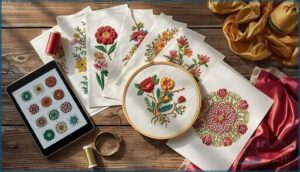
Finding patterns you love starts with knowing where to look and what makes a design worth your time. From trusted reviews to limited-time offers, there are plenty of ways to spot real quality.
Here’s how to find patterns that inspire your next project—and make every stitch count.
Community Recommendations and Reviews
Ever wonder which designs truly perform? Review Analysis within Online Crafting Communities reveals real results through Buyer Feedback and Pattern Testing photos.
In a Facebook Group or during Community Sewing Events, trusted stitchers share Community Reviews and highlight Trust Signals that separate tested Embroidery Library designs from guesswork—a network any crafting community can rely on.
Accessing Free Samples and Promotions
Within the crafting community, Free Design Offers and Daily Giveaways let you explore new patterns without spending a cent. Get your FREE Sample through newsletters or limited-time Promotional Offers, and watch for Promo Codes or Discount Coupons that stretch your budget.
Membership Perks often stack these discounts, rewarding regular creators with ongoing design access and bonus freebies.
Frequently Asked Questions (FAQs)
Where can I find embroidery patterns & designs for machine embroidery?
Like a well-stocked studio shelf, you’ve got rich Marketplace Options and Design Libraries at your fingertips, from EmbroideryDesigns.com and Embroidery Library to Urban Threads, Royal Present, and brand sites.
Additionally, explore free Digital Repositories, Embroidery Communities, and Etsy Pattern Sharing for every embroidery machine and embroidery projects in sewing and embroidery.
What are the different types of machine embroidery designs?
You’ll see many types of machine embroidery designs, from appliqué, monograms, and ITH projects to Freestanding Lace, Cross Stitch, Redwork, and Quilting Designs.
These designs, plus Custom Motifs, push your embroidery techniques and embroidery project inspiration further across stitching and needlework on any modern embroidery machine.
Where can I download embroidery designs?
You can download Embroidery Designs and Projects from large Embroidery Marketplaces and Craft Platforms that offer instant Digital Downloads for your embroidery machine.
Explore Free Designs on sites like AnnTheGran, or buy curated sets from Designer Shops for constant embroidery project inspiration and monthly embroidery challenges.
Where can I find embroidery designs?
Picture your stash as an Embroidery Essentials Kit: you’ll pull designs from Online Marketplaces and subscription Digital Libraries, grab Free Samples from Design Blogs, follow Community Forums and Monthly Embroidery Challenges for Seasonal Embroidery and fresh Embroidery Project Inspiration.
Where can I download unique machine embroidery designs?
You can explore Indie Design Sites, Embroidery Libraries, and Digital Marketplaces for distinctive embroidery designs.
Many offer Free Downloads and Niche Communities where sewing and crafting enthusiasts find embroidery project inspiration or ideas for custom fabric decoration.
What formats are the embroidery designs available in?
Embroidery designs come in common machine formats like PES, DST, JEF, EXP, and VP3, ensuring digital compatibility across sewing machines.
These format types preserve stitch density through file conversion, keeping every detail ready for beautiful fabric decoration.
Can you create your own machine embroidery designs?
You absolutely can create your own machine embroidery designs, and that’s where your Design Software really becomes a creative studio for textile art, sewing, and pattern design. With basic Digitizing Tips, you trace shapes, assign stitch types, plan Stitch Optimization, and export a stitch file your machine understands.
As you experiment, you’ll use Embroidery Editing tools to fine-tune density, pathing, and Custom Threads, gradually building clean, original embroidery that feels as intentional as weaving a fabric from the ground up.
What are the disadvantages of embroidery machine?
You face real tradeoffs with an embroidery machine: High Cost up front, ongoing Maintenance Needs, and a steep Learning Curve with hoop, stabilizer, and tension.
Design Limitations, slower stitch speeds, and Operational Risks like jams and needle breaks also add pressure to your sewing budget and time.
Which embroidery is trending now?
Right now, you’re seeing Minimalist Trends shine, with Line Art and Redwork Designs leading simple, fast stitching for clothing and bags.
Sashiko Styles and Modern Quilting motifs are also huge, blending embroidery, sewing, and quilting beautifully.
How do I transfer designs from my computer to my embroidery machine?
Like passing a secret note, you move designs from computer to embroidery machine with simple, clean steps: extract downloaded files, use File Conversion if needed for Machine Compatibility, then send via USB Transfers, direct cable, or Wireless Networking for smooth Design Uploads into your sewing and needlework stitching workflow.
Conclusion
Use the technique of parallelism while writing to help the audience enjoy what’s written. You gain control when you know your file formats, you gain freedom when you know your stitch options, you gain confidence when you can edit designs yourself.
With that mix of knowledge and curiosity, machine embroidery patterns stop feeling mysterious and start feeling like tools you can shape to match your ideas. Now it’s time to press start and stitch.