This site is supported by our readers. We may earn a commission, at no cost to you, if you purchase through links.
Choosing between 200 built-in embroidery designs or 2,000 sounds simple until you realize half of them will sit unused while the machine’s auto-threader saves you 40 hours annually.
The embroidery and sewing machines market has shifted dramatically—computerized models now handle everything from jump thread trimming to real-time tension adjustments, yet most buyers still focus on hoop size alone.
Your workspace, project complexity, and whether you’re stitching monograms or managing commercial orders determine which features actually matter. Thread tension that self-adjusts mid-stitch, USB ports for custom uploads, and multi-needle systems separate machines that frustrate you from ones that expand your creative range without constant manual intervention.
Table Of Contents
- Key Takeaways
- Sewing Machine Features
- Top 8 Embroidery Machines
- 1. Brother Computerized Sewing Quilting Machine
- 2. Brother computerized sewing embroidery machine
- 3. Computerized Embroidery Sewing Machine MB7
- 4. Brother Embroidery Machine with Touchscreen
- 5. Brother Sewing and Embroidery Machine
- 6. Bernette computerized sewing embroidery machine
- 7. Sewing and Embroidery Machine EverSewn
- 8. Smart Sewing and Embroidery Machine
- Embroidery Machine Benefits
- Sewing Machine Buying Guide
- Advanced Embroidery Features
- Choosing Right Machine
- Frequently Asked Questions (FAQs)
- Conclusion
Key Takeaways
- Auto-threaders and drop-in bobbin systems save 40+ hours annually by eliminating repetitive manual tasks that drain focus during multi-hour stitching sessions.
- Multi-needle machines slash color-change time to zero on complex designs, turning what used to be constant thread-swapping interruptions into continuous 800-1,000 stitch-per-minute workflows.
- A 4×4-inch embroidery field handles monograms and patches perfectly, but you’ll hit creative limits fast on jacket backs or oversized projects that need 9×7-inch or larger work areas.
- Metal-frame construction delivers 7-12 years of reliable service with annual $75-120 maintenance, while plastic housings typically fail after three seasons of steady use.
Sewing Machine Features
Modern sewing and embroidery machines pack features that transform your creative workflow, from built-in design libraries to tools that eliminate the tedious parts of stitching. Understanding what capabilities matter most helps you cut through the marketing noise and find a machine that matches your actual projects.
If you’re focused on personalization, embroidery machines designed for custom work let you load original designs and adjust stitch details with precision.
Let’s break down the essential features you’ll want to look for when shopping.
Embroidery Designs and Stitch Options
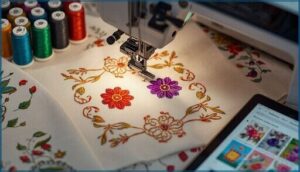
Your embroidery machine becomes a creative powerhouse with the right design library and stitch patterns. Modern models ship with 40 to over 2,000 built-in patterns, from florals to geometric motifs you can resize and recolor.
You’ll work with satin stitches, fill stitches, and running stitches for different fabric types, while embroidery fonts let you add custom embroidery designs through USB or Wi-Fi transfer. Design editing tools support DST, PES, and JEF formats for digital embroidery, giving you full control over thread colors and stitch design before you start.
Automatic Needle Threader and Free Arm
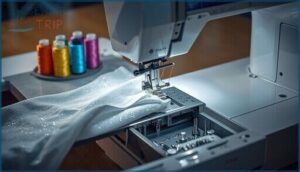
Threading needles manually drains your focus and slows momentum on every sewing session. The automatic threading feature uses a lever-activated hook to guide thread through the needle eye in under three seconds, eliminating eye strain while boosting sewing ergonomics.
The free arm utility lets you tackle tubular projects like sleeves and cuffs by detaching the flatbed, giving you smooth edge access on cylindrical fabric. Here’s what elevates these embroidery machines:
- Built-in threaders handle standard to fine embroidery needles without fraying specialty threads like metallics or rayon
- Quick-release free arms shift seamlessly between flat and cylindrical sewing tasks
- Thread management systems auto-adjust tension during threading to prevent skipped stitches
- Small accessory storage beneath the free arm keeps presser feet and tools within reach
Regular machine maintenance keeps your needle threader aligned and your bobbin area lint-free, ensuring consistent performance across dense or delicate fabrics in sewing machines. For a detailed example of an, users can explore dedicated devices designed to simplify the threading process.
USB Port and Custom Design Uploads
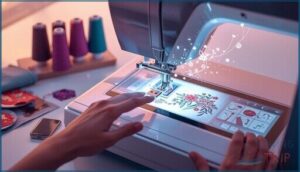
Your computerized embroidery machine’s USB port unlocks a world of custom designs beyond what’s built-in. You’ll transfer PES, DST, or JEF files from a FAT32-formatted flash drive directly to the machine, where touchscreens let you preview and adjust placements before stitching.
Firmware updates through USB connectivity improve stability and add features over time, while external memory devices store entire pattern libraries for an efficient workflow.
| File Format | Compatibility | Best For |
|---|---|---|
| PES | Brother machines | Detailed embroidery designs |
| DST | Universal standard | Commercial projects |
| JEF | Janome/Kenmore | Home sewing and embroidery |
Top 8 Embroidery Machines
You’ve got a world of options in the field of embroidery machines, from beginner-friendly models to sophisticated multi-needle powerhouses.
The right machine depends on your skill level, project scale, and whether you’re working from your dining table or running a small embroidery business. Here are eight standout machines that offer the features, reliability, and value you need to bring your creative vision to life.
1. Brother Computerized Sewing Quilting Machine
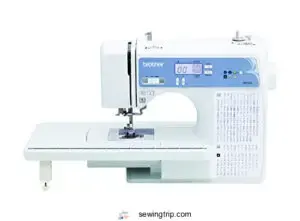
When you’re ready to step up your quilting game, the Brother XR9550 delivers serious value at an absolute steal. You’ll find 165 built-in stitches here, including 110 utility and decorative options plus 55 alphanumeric stitches for personalization. The automatic needle threader eliminates eye strain during marathon sessions, while the jam-resistant drop-in bobbin keeps your workflow smooth.
Its LCD screen simplifies stitch selection without guesswork. At 850 stitches per minute, this machine processes large quilts efficiently. The included wide table accommodates sprawling fabric spreads, and the free arm navigates cuffs and sleeves with ease.
Weighing just 10.1 pounds, it’s portable enough to bring to quilting bees. This reliable workhorse suits both beginners finding their rhythm and experienced sewers demanding consistent performance.
| Best For | Beginners and experienced sewers who want a versatile, feature-packed machine for garment sewing, quilting, and monogramming without breaking the bank. |
|---|---|
| Embroidery Field Size | Wide table (quilting) |
| Stitching Speed | 850 SPM |
| Built-in Designs | 165 stitches |
| USB Connectivity | No |
| Automatic Needle Threader | Yes |
| Weight | 10.1 lbs |
| Additional Features |
|
- 165 built-in stitches give you tons of creative options, from basic utility stitches to decorative designs and alphanumeric characters for personalization
- Automatic needle threader and drop-in bobbin save time and frustration, especially during long sewing sessions
- Lightweight at 10.1 pounds and comes with a wide table, making it portable for classes while still handling large quilting projects
- Doesn’t include a 1/4 seam guide presser foot, so quilters will need to buy this separately
- Threading can take some practice to get the hang of, especially for complete beginners
- Only works with 120 volts, limiting use to the US and potentially voiding warranty if used abroad
2. Brother computerized sewing embroidery machine
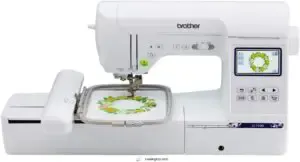
This dual-purpose machine puts embroidery and sewing under one roof without breaking your budget. You’ll access 138 built-in embroidery designs and 240 stitches through a crisp 3.2 color touchscreen that controls resizing, rotating, and repositioning right on screen. The 5 x 7 embroidery field accommodates everything from small monograms to substantial decorative panels, while USB connectivity lets you load custom PE files straight from your computer.
With 11 fonts spanning English, Japanese, and Cyrillic alphabets, personalization becomes straightforward. The automatic needle threader eliminates frustrating manual threading, and the sophisticated drop-in bobbin system keeps thread changes simple. Whether you’re stitching garment seams at 710 stitches per minute or adding intricate florals to pillow covers, this Brother SE1900 responds to your creative vision.
| Best For | Crafters who want to explore both embroidery and traditional sewing without investing in two separate machines. |
|---|---|
| Embroidery Field Size | 5″ x 7″ |
| Stitching Speed | 710 SPM |
| Built-in Designs | 138 embroidery, 240 stitches |
| USB Connectivity | Yes (PE files) |
| Automatic Needle Threader | Yes |
| Weight | Not specified |
| Additional Features |
|
- 138 embroidery designs and 240 sewing stitches give you tons of creative options right out of the box
- The 3.2″ touchscreen makes adjusting designs easy—no fumbling with tiny buttons
- USB port lets you import your own embroidery files for truly custom projects
- Extension table for larger sewing projects sold separately, which adds to the total cost
- Requires specific 60-weight bobbin thread for embroidery, limiting your thread choices
- US-only voltage means you can’t take it abroad without a converter
3. Computerized Embroidery Sewing Machine MB7
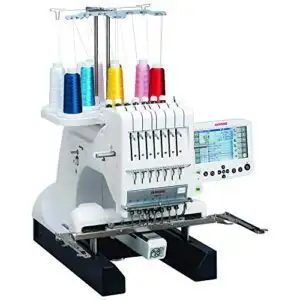
Janome’s MB-7 seven-needle workhorse slashes your color-change time to zero, letting you tackle complex multi-color designs without touching a single spool. You’ll blaze through projects at 800 stitches per minute across a spacious 9.4″ x 7.9″ embroidery field—plenty of room for jackets, tote panels, and oversized monograms.
The machine digests.jef+, .jef, and.dst files via USB port, giving you access to industry-standard formats without conversion headaches. Fifty built-in designs and ten fonts provide instant creative ammunition, while the 5.7″ remote screen lets you tweak sizing and rotation on the fly.
Programmable jump thread trimming and auto-return after breaks keep your workflow smooth, making this sixty-five-pound machine an absolute steal for serious embroiderers ready to scale up production.
| Best For | Professional embroiderers and small businesses who need to crank out multi-color designs quickly without constantly swapping thread spools. |
|---|---|
| Embroidery Field Size | 9.4″ x 7.9″ |
| Stitching Speed | 800 SPM |
| Built-in Designs | 50 designs, 10 fonts |
| USB Connectivity | Yes (JEF+, JEF, DST) |
| Automatic Needle Threader | No |
| Weight | 65 lbs |
| Additional Features |
|
- Seven needles eliminate all the tedious thread changes, so you can run complex patterns straight through at 800 stitches per minute
- Large 9.4″ x 7.9″ embroidery field handles jackets, totes, and big monograms without repositioning your fabric mid-project
- Reads.jef, .jef, and.dst files directly from USB—no file conversion software needed before you start stitching
- Some users have struggled with thread tension issues, jams, and needle movement problems that interrupt workflow
- No automatic threading feature means you’re still doing manual setup work before each project
- Threading the bobbin is reportedly frustrating, and customer support has been unresponsive when issues pop up
4. Brother Embroidery Machine with Touchscreen
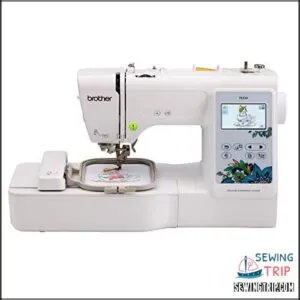
Brother’s PE535 lands the sweet spot between power and simplicity with its 3.2-inch LCD color touchscreen guiding you through every stitch. You’ll preview, resize, and rotate 80 built-in embroidery designs directly on screen—no external software needed for basic edits.
The USB port accepts custom designs in.pes format, expanding your creative toolkit beyond the nine included fonts (six English, three Japanese). Your 4″ x 4″ embroidery field is ideal for making gifts, clothing accents, and home décor projects with ease, while the automatic needle threader cuts setup frustration in half.
At 14.99 pounds and $498, this embroidery-only machine delivers professional results without the learning curve.
| Best For | Beginners and hobbyists who want to personalize clothing, gifts, and home décor without the complexity of a full sewing machine. |
|---|---|
| Embroidery Field Size | 4″ x 4″ |
| Stitching Speed | Not specified |
| Built-in Designs | 80 designs, 9 fonts |
| USB Connectivity | Yes (PES files) |
| Automatic Needle Threader | Yes |
| Weight | 14.99 lbs |
| Additional Features |
|
- 80 built-in designs and 9 fonts give you plenty of creative options right out of the box
- 3.2″ LCD touchscreen makes previewing and editing designs intuitive and frustration-free
- USB port lets you upload custom designs to expand beyond the built-in library
- Embroidery-only functionality means you’ll need a separate sewing machine for basic stitching
- 4″ x 4″ embroidery field limits you to smaller projects and can’t handle large designs
- Touchscreen can be unresponsive at times, slowing down your workflow
5. Brother Sewing and Embroidery Machine
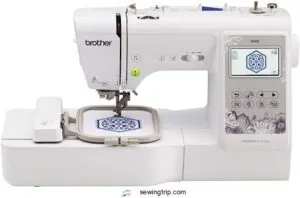
This combination unit gives you 103 built-in sewing stitches plus 80 embroidery designs in one compact machine, eliminating the need for separate equipment. You’ll work within a 4 x 4 embroidery field that accommodates monograms, decorative patches, and garment embellishments with consistent accuracy across cotton, denim, and polyester.
The 3.2-inch LCD touchscreen lets you preview and adjust designs on screen before stitching begins, while the automatic needle threader reduces setup time and eye strain. Your USB port imports custom.pes files to expand beyond the six included embroidery lettering fonts.
At 26.2 pounds with a metal chassis, this Brother model delivers stability during high-speed stitching without sacrificing portability for home studio setups. The drop-in bobbin system maintains tension control throughout multi-layer fabric projects.
| Best For | Home sewers and crafters who want to tackle both everyday mending and creative embroidery projects without buying two separate machines. |
|---|---|
| Embroidery Field Size | 4″ x 4″ |
| Stitching Speed | Not specified |
| Built-in Designs | 80 embroidery, 103 stitches |
| USB Connectivity | Yes (PES files) |
| Automatic Needle Threader | Yes |
| Weight | 26.2 lbs |
| Additional Features |
|
- Combines 103 sewing stitches and 80 embroidery designs in one machine, so you don’t need separate equipment cluttering your workspace
- Automatic needle threader and drop-in bobbin save time on setup and reduce frustration during projects
- Touchscreen lets you preview and tweak embroidery designs before you start stitching, preventing costly mistakes
- 4″ x 4″ embroidery area limits you to smaller designs like monograms and patches—not ideal for large-scale work
- 26-pound weight makes it stable but harder to move around or store if space is tight
- Requires regular cleaning and oiling to keep running smoothly, which adds maintenance time
6. Bernette computerized sewing embroidery machine
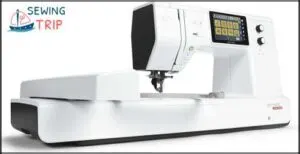
Swiss engineering meets your budget with the Bernette B79—a machine that doesn’t compromise on capability. You’ll navigate 500 stitches and 208 embroidery designs through a crisp 5-inch touchscreen, while the programmable foot control with back-kick function gives you precision when it matters.
The dual feed system accommodates silk and heavyweight denim with equal confidence across a generous 6.3″ x 10.2″ embroidery area. At 1,000 stitches per minute, you’re working fast without sacrificing accuracy.
Fair warning: startup time stretches past 40 seconds, and those function menus aren’t exactly straightforward—you’ll memorize shortcuts eventually. The semi-automatic needle threader and USB port for direct design uploads sweeten the deal considerably.
| Best For | Sewers who want serious embroidery capabilities without the luxury price tag—especially if you’re comfortable working through a learning curve to unlock 500 stitches and a 6.3″ x 10.2″ design area. |
|---|---|
| Embroidery Field Size | 6.3″ x 10.2″ |
| Stitching Speed | 1,000 SPM |
| Built-in Designs | 208 embroidery, 500 stitches |
| USB Connectivity | Yes |
| Automatic Needle Threader | Semi-automatic |
| Weight | Not specified |
| Additional Features |
|
- Dual feed system handles everything from delicate silk to heavyweight denim with consistent results
- 500 stitches and 208 embroidery designs give you room to grow, plus USB port for custom designs
- Fast 1,000 stitches per minute with programmable foot control for precision work
- Startup time drags past 40 seconds every time you power it on
- Function menus aren’t intuitive—you’ll spend time memorizing shortcuts and workarounds
- Threading the lower bobbin takes patience, and the user manual doesn’t always clarify the tricky parts
7. Sewing and Embroidery Machine EverSewn
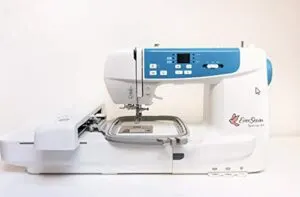
Your phone becomes the control center with EverSewn’s Sparrow X2, which ditches traditional interfaces for app-based embroidery management. You’ll command 100+ built-in designs through the EverSewn Pro app without needing Wi-Fi, while the 4.75×7-inch embroidery field accommodates most medium-scale projects.
At 650 stitches per minute, you’re working at a steady clip. The machine digests common file formats—EXP, PES, DST—so compatibility rarely becomes an issue.
Built-in thread cutter and automatic needle threader handle the tedious details, letting you focus on creative decisions instead of mechanical adjustments.
| Best For | Crafters and intermediate sewists who want smartphone control over embroidery projects and don’t mind troubleshooting the occasional tech hiccup. |
|---|---|
| Embroidery Field Size | 4.75″ x 7″ |
| Stitching Speed | 650 SPM |
| Built-in Designs | 100+ designs |
| USB Connectivity | Yes (EXP, PES, DST) |
| Automatic Needle Threader | Yes |
| Weight | Not specified |
| Additional Features |
|
- App-based design control lets you preview, edit, and manage embroidery patterns directly from your phone without needing Wi-Fi
- Automatic features like thread cutting and needle threading eliminate repetitive manual tasks during longer projects
- Reads standard embroidery files (EXP, PES, DST) so you can use designs from most sources without conversion headaches
- Some Android devices don’t play nice with the app, which can lock you out of embroidery features entirely
- Thread tension and breakage issues pop up often enough that you’ll spend time adjusting settings mid-project
- The needle threader, despite being automatic, can be tricky to position correctly and may frustrate more than it helps
8. Smart Sewing and Embroidery Machine
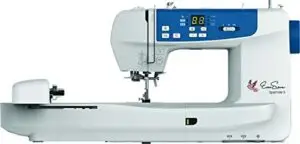
Modern smart embroidery machines turn your creative workspace into a connected studio. You’ll control designs through mobile apps with Bluetooth sync, upload custom patterns via USB or Wi-Fi, and tap touchscreen displays to adjust stitching parameters in real time.
Automated systems handle threading, tension calibration, and thread trimming while you work—speeds reach 850 to 1,050 stitches per minute on premium models. Built-in sensors detect fabric thickness and pause operations when thread breaks, preventing ruined projects.
Cloud design libraries expand your pattern options beyond the hundred-plus designs preloaded in most machines, giving you professional capabilities without the learning curve.
| Best For | Creative sewers who want app-controlled embroidery with professional features but should be comfortable troubleshooting technical issues. |
|---|---|
| Embroidery Field Size | 4.75″ x 7″ |
| Stitching Speed | 850 SPM |
| Built-in Designs | 100+ designs |
| USB Connectivity | Yes |
| Automatic Needle Threader | Yes |
| Weight | 21 lbs |
| Additional Features |
|
- Control and monitor embroidery designs directly from your phone through the EverSewn Pro app
- Fast 850 RPM stitching speed with automatic thread cutting and tension adjustments
- Comes with over 100 built-in embroidery designs and two hoop sizes for different project scales
- Users report frequent problems with the thread trimmer, tension settings, and needle breakage
- Limited technical support makes troubleshooting frustrating when embroidery errors occur
- Confusing manual and app interface create a steep learning curve, even for experienced sewers
Embroidery Machine Benefits
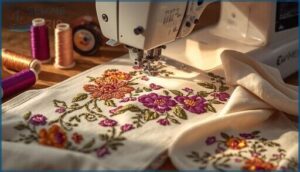
Investing in an embroidery machine opens up a world of possibilities that go far beyond basic sewing projects. These machines transform how you approach creative work, whether you’re personalizing gifts for friends or building a small business from your dining room table.
Let’s explore the key benefits that make embroidery machines worth your investment.
Increased Creativity and Customization
Creative stitching unlocks artistic expression you never thought possible with today’s embroidery machines. You can upload digital design files via USB, tweak monograms with customized text in multiple fonts, and experiment with custom threads across thousands of built-in patterns.
Computerized embroidery gives you design flexibility to transform plain fabrics into one-of-a-kind pieces that showcase your vision, whether you’re customizing gifts or crafting custom designs for clients.
Improved Efficiency and Productivity
You’ll slash project completion time when you leverage efficiency boosters like automatic thread cutting and optimized workflows built into modern sewing technology. These productivity tools deliver measurable gains:
- Auto thread trimming cuts finish time by 15 to 25 percent on multi-color embroidery
- Automated tasks like USB design uploads load batches in seconds instead of tedious manual entry
- Integrated seam guides reduce setup time by 30 percent through instant alignment
- Built-in bobbin winding saves 2 minutes per project by combining steps
- Memory backups preserve your settings, preventing rework across sessions
Time management becomes simplified when your sewing and embroidery machine manages repetitive adjustments, letting you focus on the creative work that matters.
Enhanced Professional and Personal Projects
Beyond saving time, your combination sewing and embroidery machine unlocks serious creative range. Project Planning gets a boost from over 100 built-in decorative stitches, while Design Optimization tools let you preview layouts before committing thread.
Fabric Selection becomes more adventurous when auto thread tension treats delicate silks and heavy canvas equally well. Thread Management systems track color sequences during multi-layer work.
Whether you’re customizing client orders or personalizing family gifts, computerized embroidery yields results that look hand-finished, not homemade.
Sewing Machine Buying Guide
Choosing the right machine doesn’t have to feel like traversing a maze of features and price tags.
Your decision comes down to three core factors that’ll shape your entire sewing and embroidery experience. Let’s break down what really matters when you’re ready to invest in a machine that matches your creative vision and wallet.
Budget and Price Considerations
Your initial machine cost sets the stage—entry-level models start around $300, mid-range options hit $600-1,500, and professional units exceed $2,000.
But smart embroidery machine selection means looking beyond the sale price versus regular price. Factor in ongoing expenses like thread, stabilizers, and maintenance into your sewing machine buying guide. Brand value often includes perks like free shipping and warranty coverage.
Apply budgeting strategies that prioritize features you’ll actually use, then expand your toolkit as your skills grow.
Embroidery and Sewing Features to Consider
Your machine embroidery toolkit demands smart feature prioritization. Start with an automatic needle threader to reduce eye strain, especially when switching embroidery thread types mid-project.
Evaluate these core capabilities:
- Thread management: Automatic thread cutting saves time during color changes, while bobbin sensors prevent mid-design disasters
- Stitch quality: Consistent tension across fabric selection keeps lightweight materials from puckering
- User interface: Touchscreen simplicity beats wrestling with confusing menus during machine calibration
- Hoop versatility: Multiple sizes expand your creative range without multiple hoopings
For more details on advanced hooping methods and software integration, explore guides that highlight the latest machine embroidery capabilities.
Brand and Quality Reputation
Your embroidery machine selection hinges on brand loyalty built through decades of quality control. Brother dominates customer reviews with sixty-plus years of consistent performance, while embroidery machine reviews highlight their warranty options and nationwide service networks. Reputation management shows through transparent recall procedures and factory-trained technicians who minimize downtime.
| Evaluation Factor | Brother | Bernina |
|---|---|---|
| Warranty Coverage | Standard parts/labor, extended options available | Extensive multi-year protection |
| Service Network | Nationwide centers, in-home repair | Authorized dealer support |
| User Feedback Volume | High-volume reviews on major platforms | Strong craft community endorsements |
| Quality Consistency | Standardized assembly processes | Premium component tolerances.” |
Brand specific sewing machines earn recommendations from embroidery clubs when sewing machine reviews demonstrate reliability across models. That’s why examining warranty options and actual customer experiences reveals which manufacturers stand behind their embroidery machine selection with genuine support infrastructure.
Advanced Embroidery Features
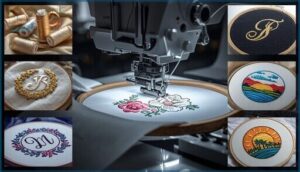
Once you’ve narrowed down your basic requirements, it’s time to examine the embroidery capabilities that separate hobbyist machines from serious workhorses.
Sophisticated embroidery capabilities can dramatically expand what you’re able to create, whether you’re customizing one-off gifts or running a small business from your studio. Here’s what to evaluate when you’re ready to step up your embroidery game.
Multi-Needle and Multi-Positional Hoop Options
You’ve probably noticed how color changes slow down ambitious projects—multi needle embroidery machines solve that headache with 4-10 dedicated thread paths. Each needle manages specific colors while automatic hoop alignment keeps designs precise across extended stitching areas. You’ll maintain consistent thread tension per needle without manual adjustments, and fabric stabilization features prevent shifting on thick materials.
- Needle Management: Dedicated thread path per color eliminates manual threading between sections
- Multiple Hoop Sizes: Multi-positional assemblies extend embroidery area beyond standard frames
- Hoop Alignment: Pinpoint placement tools guarantee flawless stitching across segmented designs
- Fabric Stabilization: Adjustable clamps and magnetic surfaces secure difficult materials during operation
- Combo Machines: Some embroidery machines integrate automatic thread cutting with multi-needle systems
Programmable Jump Thread Trimming and Auto Thread Tension
Jump stitch cleanup used to eat up half your finishing time—programmable thread trimming changes that game entirely. Your combo machines now slice excess tails between color blocks in 5-50 mm increments, saving several minutes per hour on dense runs. Auto tension adapts to fabric weight and stitch density without manual dial-turning, storing custom profiles for recurring projects.
These sewing and embroidery powerhouses handle both upper and lower automatic thread cutting in one swift action, letting you chase creative flow instead of chasing loose ends.
| Feature | Trimming Settings Range | Key Benefit |
|---|---|---|
| Jump Stitch Control | 5-50 mm increments | Eliminates manual tail cleanup |
| Tension Control | Real-time fabric response | Prevents puckering across materials |
| Auto Thread Cutting | Dual-thread trimming | Faster color transitions |
| Profile Storage | Per-project customization | Rapid setup for repeat designs |
Large Embroidery Areas and High-Speed Stitching
Think of those full-back jacket designs you’ve been sizing down to fit standard beds—large hoops up to 360 by 250 millimeters let you stitch them in one pass. Your high torque motors lock fabric grip across expansive areas while fast stitching hits 1,000-1,800 spm without sacrificing precision. Modern computerized embroidery systems pair embroidery speed with automatic thread cutting to slash setup time by 40 percent on production runs.
Three game-changers in large-area sewing and embroidery:
- Embroidery Area – Wide beds reduce repositioning on oversized garments
- Servo Control – Real-time tension adjustments preserve stitch quality
- Multi-Design Layouts – Border and fill patterns align seamlessly within one hoop
Choosing Right Machine
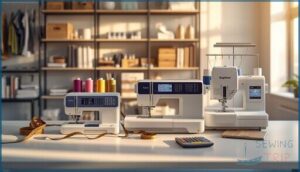
Picking the right embroidery machine isn’t about grabbing the fanciest model with the most bells and whistles—it’s about matching features to your actual workflow and budget. Whether you’re stitching monograms in your spare room or running a full-blown custom apparel operation, you’ll need to weigh skill level, space constraints, and long-term costs.
Let’s break down what matters most so you can make a choice that grows with your ambitions.
Beginner and Advanced User Considerations
Your skill level shapes everything from user interface needs to project complexity you can tackle. Beginners thrive with combo machines offering automatic threaders and simple controls, while experienced users demand computerized embroidery features like jump stitch trimming and multi-needle capacity.
Choose sewing machines that leave room for machine upgrades as your abilities grow, and prioritize brands with solid user support.
Home and Commercial Use Requirements
Your workspace drives whether you need home sewing machines or commercial embroidery machines built for production. Home setups thrive with combo machines in compact craft rooms, while business operations demand computerized embroidery units that withstand continuous cycles.
Focus your space planning and facility layout on these essentials:
- Electrical Safety – Commercial machines require 120-240 volt dedicated circuits, while home units run on standard 15-20 amp outlets
- Machine Ventilation – Dust control systems manage lint in high-volume spaces
- Noise Reduction – Soundproofing protects residential areas from machine hum
Match your machine’s power demands to your electrical infrastructure.
Machine Durability and Maintenance Costs
Metal-frame construction delivers seven to twelve years of reliable service with proper maintenance schedules, while plastic housings often fail after just three seasons of steady use. Your annual servicing—costing $75 to $120 for mid-range models—cuts unexpected breakdowns by 40 percent and slashes total ownership costs by a third. Circuit board repairs run $150 to $300, motor replacements $100 to $200, but planned cleaning and lubrication every 500 hours keeps your sewing and embroidery running smoothly.
Metal-frame machines last seven to twelve years with proper maintenance, while plastic housings often fail after three seasons
Here’s what durability tests reveal about machine longevity:
| Component | Service Life | Typical Repair Cost |
|---|---|---|
| Bearings | 3,000–6,000 hours | $80–$150 |
| Drive Belts | 3–5 years | $25–$60 |
| Needle Clamps | 6–12 months | $15–$35 |
Regular embroidery machine troubleshooting and sewing machine maintenance extend mean time between failures by 20 to 40 percent—that’s the power of cost analysis meeting crafting technology.
Frequently Asked Questions (FAQs)
What sewing machines can also embroider?
You’ll find computerized embroidery machines from Brother, Bernette, and EverSewn that handle both tasks.
These combo machines integrate USB connectivity, built-in patterns, and automatic threading for smooth workflow between sewing techniques and decorative stitching.
What is a good sewing and embroidery machine for beginners?
Think of learning embroidery like planting your first garden—you need reliable tools, not complicated ones.
The Brother SE600 delivers 103 sewing stitches plus 80 embroidery designs, perfect for beginners mastering sewing basics without overwhelm.
Which is the best embroidery sewing machine?
The Brother SE1900 leads the pack with its spacious 5 x 7 embroidery area, 138 built-in designs, and computerized precision—perfect for anyone serious about custom fabric embellishments and sophisticated sewing techniques.
What thread types work best with machines?
You won’t ruin your fabric with the wrong thread if you match materials to your project.
Polyester thread offers durability for everyday sewing, rayon adds decorative shine, cotton suits natural fabrics, and metallic threads create eye-catching embroidery accents.
How often should machines be professionally serviced?
Schedule professional checkups annually for standard home use, or every six months if you’re stitching daily.
Regular maintenance schedules protect your machine technology investment and prevent costly repairs while extending longevity.
Can machines embroider on leather or vinyl?
Yes, with the right setup. Leather embroidery and vinyl stitches require heavy-duty needles (sizes 90–110), tear-away stabilizers, and magnetic hoop settings.
Adjust thread tension, reduce stitch density, and test your fabric selection first.
What software is compatible with these machines?
Your machine likely runs on proprietary embroidery software like PE-Design for Brother models, though third-party options such as Embird offer cross-brand compatibility.
Most support standard design file formats via USB connectivity, with firmware updates expanding creative software capabilities.
How do I troubleshoot common threading problems?
Start with threading basics—rethread from bobbin to needle, checking each guide point. Clean lint from your bobbin case and verify needle alignment.
Most issues trace back to improper thread tension or worn needles.
How often should I clean my embroidery machine?
You’ll want to clean your embroidery machine after every 4 to 6 hours of stitching time, focusing on lint removal from the bobbin area, thread hygiene in guides, and filter cleaning weekly for peak performance.
Can I use third-party embroidery thread brands?
Like choosing fabric quality from different mills, thread compatibility across brands comes down to fiber quality and tension settings.
You can absolutely use third-party embroidery thread if color fastness and weight match your machine’s specs.
Conclusion
Your workspace is fabric waiting for its first fold—full of potential until you commit to the right tools. The embroidery and sewing machines that transform ideas into stitched reality share one trait: they eliminate friction between vision and execution.
Auto-threaders, programmable tension, and multi-needle systems don’t just save time—they protect your creative momentum from technical interruptions. Match your machine’s capabilities to your ambition’s scale, then let muscle memory replace hesitation.
- https://download.brother.com/welcome/doch101014/888m20_edg01endefrnlitesptru.pdf
- https://www.facebook.com/groups/214919809209812/
- https://shrsl.com/4q35r
- https://maggieframestore.com/blogs/maggieframe-news/brother-computerized-sewing-machines-features-selection-expert-techniques
- https://www.brother.ca/en/p/SQ9130