This site is supported by our readers. We may earn a commission, at no cost to you, if you purchase through links.
Walk into any fabric store and ask which sewing machine to buy—you’ll get ten different answers. That’s not because people don’t know what they’re talking about.
It’s because the right machine depends entirely on what you’re making, how often you sew, and what you’re willing to spend.
A beginner quilter and a professional seamstress need completely different tools, even if both call themselves sewers.
A solid sewing machine comparison chart cuts through that noise fast. It lines up the specs, features, and price points so you can stop guessing and start deciding with confidence.
Table Of Contents
- Key Takeaways
- Choosing The Right Sewing Machine
- What to Look for in a Sewing Machine Comparison Chart
- Key Features to Compare in Sewing Machines
- Top Factors to Consider When Buying a Sewing Machine
- Analysis of Popular Sewing Machine Brands
- How to Use a Sewing Machine Comparison Chart Effectively
- Sewing Machine Maintenance and Troubleshooting
- Types of Sewing Machines for Different Needs
- Advanced Features to Consider in a Sewing Machine
- Making an Informed Decision With a Sewing Machine Comparison Chart
- Frequently Asked Questions (FAQs)
- Conclusion
Key Takeaways
- Your skill level, budget, and the projects you actually make should drive every sewing machine decision — not brand hype or feature counts.
- A good comparison chart puts specs like stitch speed, throat space, weight, and user ratings side by side so you can spot real value fast.
- Durability comes down to metal frames, internal metal gears, and motor torque — heavier-built machines tend to last longer under regular use.
- Warranty length and service network reach matter as much as stitch count, since coverage can range from 1 to 25 years depending on the brand.
Choosing The Right Sewing Machine
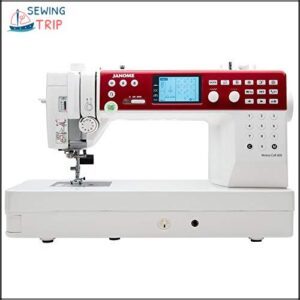
Picking the right sewing machine comes down to three things: your skill level, your budget, and what you actually plan to make.
Once you’ve nailed those three factors, browsing a comparison of sewing machine brands and features can help you see exactly how your options stack up.
A beginner tackling simple hem work doesn’t need 172 built-in stitches.
But if you’re quilting, doing dressmaking, or sewing heavy fabrics regularly, those extra features earn their keep fast.
Machines range from basic $150 models to professional units pushing $2,000 and beyond.
Know your projects first — then the right choice becomes much clearer.
- 172 stitch patterns, dual alphabets, and 9 buttonhole styles give you serious creative range without needing a separate machine
- The 10" throat space and high presser-foot lift make it genuinely capable with quilts, layered fabrics, and medium-weight denim
- Beginner-friendly touches like the auto-threader, LCD screen, and memory banks cut down setup time considerably
- At $2,050, it’s a real investment — and some users have reported stitch skipping, thread-cutter failures, and motor lock-ups that needed servicing
- Weighing in at 24 lbs, it’s not something you’re going to pack up and haul to a sewing class easily
- The manual gets low marks for usability, and useful add-ons like the knee-lift foot aren’t included out of the box
What to Look for in a Sewing Machine Comparison Chart
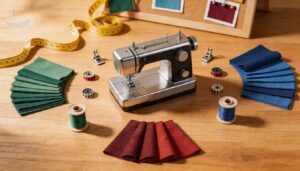
Once you know your skill level and budget, a good sewing machine comparison chart becomes your best tool for cutting through the noise.
Consider features like adjustable stitch width to match fabric types.
The best comparison charts don’t just list prices — they show you price vs value at a glance.
Look for specs like stitch width range, motor power, weight, portability, and feed dog options laid out clearly side by side.
| Chart Element | Why It Matters |
|---|---|
| Screen size and controls | Shows ease of use before you buy |
| Weight and portability | Tells you if it’s a sit-still or go-anywhere machine |
| User ratings | Real-world feedback beats marketing copy every time |
Features to evaluate when buying a sewing machine should always be front and center in comparison charts.
Skip charts that hide specs in fine print or bury user ratings at the bottom.
If a chart makes you work hard to find the basics, move on — a better one exists.
Key Features to Compare in Sewing Machines
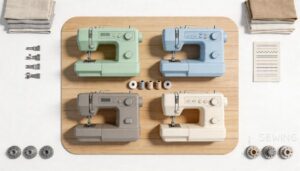
Not all features carry the same weight when you’re choosing a machine. Some make everyday sewing faster and easier, while others only matter for specific projects.
Here are the key ones worth comparing before you decide.
Stitch Options and Speed
Stitch options and speed are where machines really show their differences. Basic models cover straight and zigzag stitches — enough for everyday projects. But mid-range and high-end machines offer serious stitch variety, with some exceeding 1,000 built-in designs.
Zigzag Width Control and Stitch Length Variability let you adapt to any fabric. Speed Limiter Settings help beginners stay steady through tricky seams. Here’s what to compare:
- Stitch options: from 2 basic stitches to 1,000+ designs
- Sewing speed: 600–1,500 stitches per minute depending on model
- Stitch Density Calibration: fine‑tune seam quality for different fabrics
- Thread Tension Dynamics: consistent tension prevents puckering at any speed
Automatic Buttonhole and Presser Feet
Speed gets the seam done — but presser feet and the automatic buttonhole function determine how polished it looks. Buttonhole Foot Types range from basic four-step styles to one-step and Sensor Buttonhole Systems that size themselves using your actual button.
Snap-On vs Screw-On attachment matters too; most modern machines use snap-on feet, but Foot Compatibility Issues arise when shank height doesn’t match.
Here’s what to compare:
- One-step vs four-step buttonhole function
- Sensor buttonhole feet for automatic sizing
- Stabilizer Plate Usage on thick or layered fabrics
- Presser foot selection — walking, zipper, blind-hem, quarter-inch
- Presser foot accessories and snap-on compatibility with your machine
Built-in Needle Threader and Free-Arm Capability
Threading a needle by hand gets old fast — that’s where a built-in needle threader earns its place. Most work by lowering a tiny hook that catches the thread and pulls it through the eye. Needle Height Settings matter here; the needle must sit at its highest point first. Watch Threader Compatibility too, since twin needles and very fine sizes often don’t work with automatic threading.
| Feature | What It Does | Why It Matters |
|---|---|---|
| Needle Height Settings | Places needle for threading | Required for threader to engage |
| Threader Compatibility | Limits by needle type | Avoids damage to mechanism |
| Free-Arm Capability | Removes flat bed extension | Easier access to cuffs, sleeves |
Free-arm capability works the same way — Arm Attachment Types vary, but most machines slide off an extension table to reveal the narrow arm. Arm Positioning Tips: wrap curved fabric around it instead of bunching it flat.
Top Factors to Consider When Buying a Sewing Machine
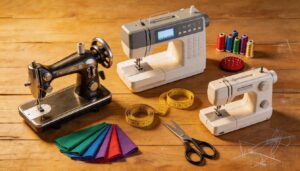
Not every sewing machine is built the same, and the differences really do matter. Before you spend a single dollar, a few key factors will help you cut through the noise.
Here’s what to look at closely.
Durability and Build Quality
machine built to last starts with what’s inside — and what it’s wrapped in. Metal frame construction keeps everything rigid under pressure, so your needle and hook stay aligned through thick denim and heavy canvas.
Here’s what separates durable machines from ones that wear out fast:
- Full metal frames reduce vibration and flex during long sewing sessions
- Machines weighing 15–20 lbs signal heavier, more reliable materials
- Die-cast zinc alloy parts outlast aluminum in daily heavy duty use
- Internal metal gears handle repeated stress better than nylon alternatives
- Strong warranty coverage reflects manufacturer confidence in machine longevity
housing strength protects internal parts from bumps and dust. motor torque keeps needle speed consistent through thick layers without stalling.
Ease of Use and Versatility
A machine that’s easy to use won’t slow you down — it keeps you in the zone. Look for natural controls, a simple interface, and quick stitch change options so you’re not hunting through menus mid-project.
Adjustable stitch length, automatic threading, and multi-function foot compatibility make a real difference. Features like adjustable presser foot selection and an easy-to-use interface let you switch fabrics and tasks without missing a beat.
Brand Reputation and Customer Support
Brand reputation isn’t just a feel-good factor — it’s proof that a company stands behind its machines.
premium Swiss quality and lifetime support speak louder than any ad.
Brother and Singer earn high customer review sentiment scores through strong support response times and wide repair center networks.
Before you buy, check warranty coverage carefully — Singer’s tiered structure and Janome’s authorized service centers reflect real service network reach.
Dealer training programs and warranty transparency tell you exactly what ownership will look like down the road.
Analysis of Popular Sewing Machine Brands
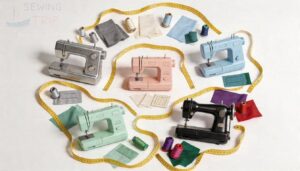
Not all sewing machine brands are created equal, and the right one depends on what you’re making and how much you want to spend. Some brands shine for beginners on a budget, while others are built for sewists who want top-tier performance or specialty features.
Here’s how the most popular brands stack up across three key categories.
Budget-Friendly Choices
You don’t need to spend a fortune to get a reliable machine. Entry-level machines in the $100–$250 price range deliver solid cost-effective features for everyday projects. Brother models like the XR3774 and ST371HD are strong budget-friendly sewing machine options that punch above their weight.
Here’s what you can expect from these entry-level machines:
- Basic stitch selection covering straight, zigzag, and common utility stitches
- Simple controls with easy-to-turn dials — no confusing menus
- Compact design that stores easily and travels to classes without fuss
- Value-added bundles including extra presser feet, bobbins, and beginner guides
These budget picks cover most everyday sewing needs without paying for features you won’t use.
High-End Sewing Machines
Stepping up to a high-end machine changes everything. Premium computerized machines like the Bernina 790 PLUS and Janome Memory Craft 9450 are professional units built for serious work.
You get a Digital Display Interface, LED displays, and automatic needle threaders that cut setup time quickly.
Some flagship models offer AI Stitch Suggestions, Wireless Connectivity, and a Modular Accessory System that grows with your skills.
The Juki TL-2010Q hits 1,500 stitches per minute, handling denim and heavy layers cleanly.
These machines use Eco-Friendly Materials and a refined digital interface — giving you real control over every project.
Specialized Sewing Machines for Quilting and Embroidery
Quilting and embroidery machines play a different game entirely. Models like the Brother SE1900 and Janome Memory Craft 9850 are built around a wide throat space, which keeps bulky quilt construction manageable and flat.
Generous embroidery field — sometimes up to 5 by 7 inches — means fewer hoop changes per design. Stitch regulation keeps your quilt stitching consistent, while a reliable hooping system holds fabric steady for sharp embroidery designs.
Multi-thread capability and USB import round out the embroidery options nicely.
How to Use a Sewing Machine Comparison Chart Effectively
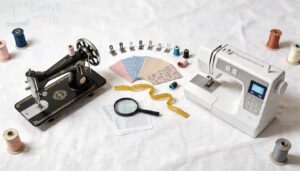
comparison chart only works if you know how to read it. The numbers and labels can feel like alphabet soup at first — but once you understand what to look for, everything clicks.
Here’s how to cut through the noise and use the chart to your advantage.
Interpreting Technical Specifications
Technical specification terminology can feel like a secret code — but once you crack it, you’ll shop with real confidence. Focus on the performance metrics that matter most for your projects.
| Spec | What It Means | Why It Matters |
|---|---|---|
| Stitches Per Minute | Machine sewing speed | Controls project pace |
| Stitch Options | Built-in design count | Expands creative range |
| Thread Tension | Adjustable width control | Ensures clean seam quality |
digital LCD screen simplifies reading these values at a glance. Think of a traceability matrix as your checklist — matching each spec against your actual needs. Version history in product updates also signals how brands improve compliance standards over time.
Prioritizing Features and Budget
Once specs make sense, the next step is matching features to your actual budget. Think of it as a Feature Prioritization Matrix — rank what you’ll use daily first.
| Price Range | Core Features | Best For |
|---|---|---|
| Under $200 | Straight, zigzag stitches | Beginners, repairs |
| $200–$500 | Computerized controls, more stitches | Home sewists |
| $500–$1,000 | Quilting, enhanced durability | Dedicated hobbyists |
A solid Budget Allocation Strategy means choosing value-driven selection over flashy extras you won’t touch. Your sewing machine comparison chart manages the Cost-Benefit Tradeoffs — you just have to be honest about your needs.
Sewing Machine Maintenance and Troubleshooting
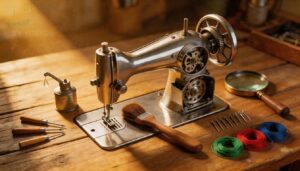
A good sewing machine can last decades — but only if you treat it right. Knowing how to maintain it and fix small problems saves you time, money, and frustration.
Here’s what you need to know to keep things running smoothly.
Regular Cleaning and Maintenance
Think of your machine like good pair of scissors — neglect it and it shows. A simple maintenance schedule keeps things running longer.
After each project, brush lint from the bobbin area. Weekly surface care means a quick wipe-down of the exterior. Monthly oil lubrication on moving parts prevents wear. Good tool care also means cleaning your brush itself.
Consistent upkeep is the real secret to maintenance and longevity of sewing machines.
Common Issues and Solutions
Even a well-maintained machine throws curveballs sometimes. Here’s what to watch for:
- Thread Breakage – Re-thread completely and check tension; old or cheap thread snaps fast
- Skipped Stitches – Swap the needle; a bent or wrong-size needle misses the bobbin hook
- Bobbin Issues – Rewind it evenly and insert it correctly for smooth feeding
- Fabric Feeding Problems – Clear lint from the feed dogs and adjust presser foot pressure
- Needle Problems – Replace dull needles regularly; a burr frays thread before it even breaks
Most maintenance and troubleshooting for sewing machines starts with the basics.
Warranty and Repair Options
Protecting your machine starts long before something goes wrong. Warranty coverage duration varies widely — Singer alone offers 1 to 25 years depending on the model, while Husqvarna Viking covers some machines for up to 20 years. Knowing your warranty length upfront saves real money later.
Know your warranty before you need it — coverage can range from 1 to 25 years depending on the brand
Here’s what to sort out before you need a repair:
- Locate authorized service networks near you before buying.
- Gather claim documentation requirements — keep your receipt and serial number.
- Review parts replacement policies — some brands cover parts but bill labor separately.
- Compare labor cost structures across service plans.
Good service plans and repairability matter as much as stitch count.
Types of Sewing Machines for Different Needs
Not every sewing machine is built for the same job. The right type depends on what you’re making, how often you sew, and the fabrics you work with most.
Here’s a closer look at the main machine types to help you figure out which one fits your needs.
Mechanical Vs. Computerized Sewing Machines
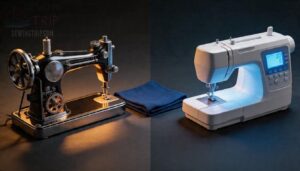
Choosing between mechanical and computerized sewing machines is one of the first decisions a sewing machine comparison chart helps you sort out.
Mechanical machines win on interface simplicity — just dials and levers, no learning curve to speak of.
Computerized machines store preset stitch settings, offer hundreds of patterns, and include helpful features like automatic needle threading and LCD screens.
They do run quieter in some models, but cost more upfront.
Your best fit depends on how much control you want versus how much automation saves you time.
Sergers Vs. Sewing Machines
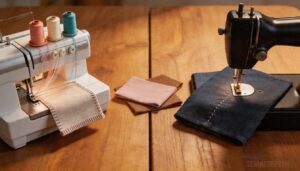
A serger and a sewing machine aren’t rivals — they’re teammates solving different problems.
Here’s how they compare in a sewing machine features comparison:
- Edge Finishing — Sergers use overlock machines to wrap and trim in one pass
- Built-in Cutting — Sergers trim seam allowances automatically; sewing machines don’t
- Thread Consumption — Sergers run 3–4 threads at up to 1,500 stitches per minute
- Differential Feed — Sergers stretch or gather knits with ease
- Stitch Variety — Sewing machines win for buttonholes, zippers, and fabric compatibility
Your sewing machine comparison chart should list both.
Specialized Sewing Machines for Heavy-Duty Use
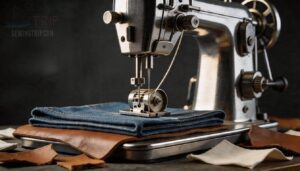
Some fabrics don’t forgive a weak machine. Heavy-duty and industrial-grade options use a heavy-duty frame with high-torque motors to push through denim, leather, and canvas without stalling. Compound feed systems keep thick layers moving evenly, and large bobbins mean fewer stops on long seams. Servo motors give you precise speed control — a real advantage on demanding work.
- Metal frame construction reduces vibration on thick seams
- Compound feed syncs needle, feed dog, and walking foot
- High-torque motors handle heavy fabric handling with ease
- Large bobbins hold more thread for uninterrupted industrial sewing
- smooth speed control offers precise results
Advanced Features to Consider in a Sewing Machine
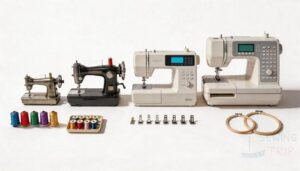
Once you move past the basics, a sewing machine’s enhanced features can seriously change how you work. The right ones save time, reduce frustration, and open up projects you wouldn’t tackle otherwise.
Here are the key features worth paying attention to.
Automatic Threader and Tension Control
Threading a needle by hand is yesterday’s problem. Today’s machines use a hook mechanism design that catches and pulls thread through the eye in one motion. But the magic only works when your thread path alignment is correct — every guide, notch, and tension disc calibration points matter.
Here’s what automatic threading and tension control actually do:
| Feature | What It Does for You |
|---|---|
| Automatic needle threader | Hooks thread through the needle eye instantly |
| Thread path alignment | Routes thread correctly for clean stitches |
| Tension disc calibration | Controls how tightly thread feeds through |
| Fabric thickness adaptation | Adjusts tension automatically between materials |
| Thread breakage prevention | Balances top and bobbin thread evenly |
With automatic tension adjustment, you won’t stop mid-project to retune settings when switching from cotton to denim. Check these features on any Sewing Machine Comparison Chart before buying.
Decorative Stitches and Embroidery Capabilities
Once tension is handled, the real creativity begins.
A larger Stitch Library Size means more decorative stitches to work with — satin, blanket, scallop, and heirloom patterns included.
Embroidery Hoop Options, like 4×4 or 6×10, determine your embroidery area and design scale. Font Variety covers monogramming and labels.
Stitch Editing Tools let you mirror, resize, and sequence.
Match these enhanced decorative stitching and embroidery capabilities to your projects before buying.
Knee Lift and Automatic Needle Threader
Once you’ve matched your stitch library to your projects, comfort features become the next significant improvement.
A knee lift lets you raise the presser foot hands‑free — keeping both hands on the fabric while you pivot corners or reposition. That’s a real win for large projects.
Pair it with a built-in automatic needle threader, and setup becomes faster and less frustrating. Proper threader alignment depends on raising the needle fully first. Together, these sewing machine features comparison points boost stitching efficiency noticeably.
Making an Informed Decision With a Sewing Machine Comparison Chart
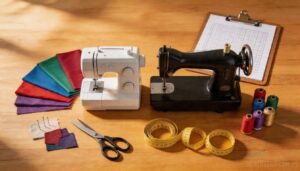
You’ve done the research — now it’s time to bring it all together. A comparison chart gives you a clear picture, but knowing how to act on that information is what separates a confident buyer from a confused one.
Here are the key steps to help you land on the right machine.
Weighing Pros and Cons
Before you finalize anything, run a quick trade-off analysis on what each price tier actually gives you.
| Machine Type | Key Benefit | Main Drawback |
|---|---|---|
| Budget ($150–$300) | Low entry cost | Fewer stitches, basic only |
| Mid-Range ($300–$800) | Strong feature-cost ratio | You may outgrow it |
| Premium ($800–$2,000) | Professional-grade results | Higher upfront investment |
Feature weighting helps here. Ask yourself: which features will you actually use? Decision scoring works the same way — assign priority rankings to your must-haves, then check your sewing machine comparison chart. A computerized model scores high on automation but can cost more to repair. Mechanical machines flip that equation. Evaluating purchasing options this way turns gut feelings into informed buying decisions.
Considering Brand Reputation and Customer Support
Brand reputation matters more than most buyers expect. A machine backed by solid aftersales support saves you real headaches down the road.
Check warranty length, dealer network reach, and customer service hours before committing.
| Brand | Support Highlights | 2024 Rating |
|---|---|---|
| Bernina | Lifetime support, certified repairs | 4.9/5 |
| Brother | 24/7 support, online manuals | 4.8/5 |
| Janome | Premium plans, 25-year warranty | 4.7/5 |
Repair turnaround time and warranty and service access vary widely — so don’t overlook brand reliability when comparing your options.
Finalizing Your Purchase Decision
Your sewing machine comparison chart only works if you act on it. Before you check out, run through this quick checklist so nothing catches you off-guard.
| Purchase Criteria | What to Verify |
|---|---|
| Budget & Shipping Costs | Compare final price across 3 stores |
| Accessory Checklist | Confirm feet, hoops, and cases included |
| Return Policy & Warranty | Know exactly what’s covered |
Use a decision matrix to weigh value comparisons honestly. Set up deal alerts for your top picks — prices shift. Informed buying decisions feel good because they’re built on facts, not guesswork.
Frequently Asked Questions (FAQs)
What are the five classes of sewing equipment?
Equipment falls into five classes: use category (home vs industrial), drive types (pedal, hand-crank, or electric), speed classes, stitch purposes, and bed shapes — each narrowing your choices fast.
What is the most trouble-free sewing machine?
The Brother HC1850 wins on ease of use, low setup time, and strong user feedback scores. It’s light, quiet, and reliable — a solid pick for most home sewists.
How do I compare sewing machines?
Start by asking what you actually sew. That shapes every comparison. Then weigh stitch variety, speed in SPM, build quality, and price-to-value ratio before anything else.
Which sewing machines are featured in a review?
Think of it as a stitch in time — these five machines cover the full range.
You’ll find the Brother HC1850, Brother CS5055, Brother CS7000X, Juki HZL-F300, and Singer 9960 Quantum Stylist reviewed here.
How do I read a sewing machine review?
Most reliable reviews cover stitch consistency across multiple fabrics. Check tension evaluation notes, threading reliability feedback, and fabric compatibility tests. User sentiment and user ratings reveal real-world performance beyond specs.
How big should a sewing machine be?
Aim for a machine that’s 15–18 inches wide and 6–9 inches deep. That table footprint keeps your workspace size manageable. Heavier machines offer stability, while compact ones win on machine portability.
How do I choose the best sewing machine?
Nearly 75% of sewists pick the wrong first machine. Match your skill level, budget, and project needs — then compare stitch options, speed, fabric compatibility, and durability to find your fit.
How much does a sewing machine cost?
Prices range from about $50 for basic mechanical models to over $8,000 for high-end embroidery machines. Most home sewists find their sweet spot somewhere between $150 and $
What are the 5 classification of sewing machines?
Sewing machines fall into five clear classes.
Basic Lock-Stitch and Chain-Stitch Machines handle everyday seams. Specialty Function Machines tackle zippers or buttonholes. Automata and Numerical Controlled Machines automate precision work for production settings.
What is the difference in sewing machines?
Every machine does something different.
Mechanical models handle basic stitches with simple dials, while computerized ones add automation, decorative options, and touchscreen controls — each varying in motor type, fabric compatibility, noise levels, power consumption, and weight portability.
Conclusion
Back in the day, choosing a sewing machine meant relying on word-of-mouth and guesswork. Now, a solid sewing machine comparison chart hands you the clarity you need before you spend a single dollar.
You know your skill level. You know your budget. You know what you’re making.
Line those up against the right specs, and the decision practically makes itself.
Trust the process—and trust yourself to pick the machine that fits your hands.