This site is supported by our readers. We may earn a commission, at no cost to you, if you purchase through links.
The fabric sits there. The needle moves. But nothing feeds through. It’s one of those maddening moments that makes you question everything—including why you own a sewing machine at all.
Here’s the thing: feed dogs not moving is rarely a serious mechanical failure. Most of the time, it’s something embarrassingly simple—a lever flipped the wrong way, stitch length dialed to zero, or a wad of lint packed tight enough to stop those little teeth cold.
few targeted checks will get your machine feeding fabric again, and most take under two minutes.
Table Of Contents
- Key Takeaways
- Why Are Your Feed Dogs Not Moving Fabric?
- How to Raise Your Feed Dogs Back Up
- The Feed Dog Setting: Up or Down?
- Stitch Length and Its Effect on Fabric Feeding
- What to Do When Fabric Still Refuses to Move
- Could Your Fabric Be Causing The Feeding Problem?
- Using a Walking Foot to Fix Fabric Feeding Issues
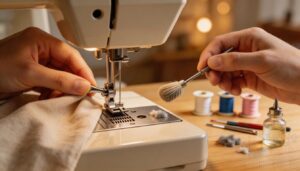
- How to Properly Clean Your Feed Dogs
- Adjusting Presser Foot Pressure for Better Feeding
- When to Replace or Professionally Service Feed Dogs
- Frequently Asked Questions (FAQs)
- Conclusion
Key Takeaways
- If fabric isn’t feeding, the cause is usually simple: feed dogs are lowered, stitch length is set to zero, or lint is blocking the teeth.
- Start with fast checks before assuming damage: raise the feed dogs, set stitch length above zero, clean under the needle plate, and confirm the presser foot is attached and adjusted correctly.
- Fabric itself can be the problem, because thick layers, slippery materials, or the wrong needle plate can overwhelm or reduce feed, and walking foot or stabilizer often fixes that.
- If cleaning and adjustments don’t help, look for worn, bent, or misaligned feed dog teeth, and call a technician when timing or synchronization issues are involved.
Why Are Your Feed Dogs Not Moving Fabric?
Feed dogs that won’t move fabric usually come down to one of a handful of fixable culprits. Most of the time, it’s something simple — and you don’t need a repair shop to sort it out.
A quick look at common sewing machine feed dog problems and fixes can save you a trip to the repair shop entirely.
Here’s what’s most likely causing the problem.
Feed Dog Lever Left in The Down Position
Here’s the thing — that little feed dog lever does a lot.
If your fabric isn’t moving, check whether it’s sitting in the down position.
That single setting disables automatic feeding entirely.
It’s great for free-motion quilting or appliqué placement, but rough for standard sewing.
Three things the down position actually does:
- Disables the feed dog control lever‘s grip on fabric
- Forces you into manual fabric guide mode
- Requires careful needle position safety checks before stitching
Flip it back up and you’re done.
Stitch Length Set to Zero
Once the lever is sorted, check your stitch length dial next.
Zero stitch length stops feed dogs from moving fabric — full stop. It’s useful for knot securing, buttonhole reinforcement, or quilting anchor points, but kills regular feeding entirely. Heavy fabric finish and delicate fabric control both need a positive value.
Zero stitch length stops fabric dead — useful for anchoring, but every regular seam needs a positive value
| Stitch Length | Feed Result |
|---|---|
| 0 | No fabric movement |
| 1.0–1.5 mm | Minimal advance |
| 2.0–2.5 mm | Normal feeding |
Set it above zero and test again.
Lint and Debris Blocking The Teeth
Even with your stitch length dialed in, lint can still kill your feeding. Lint Accumulation Zones — the trailing edges of the teeth — clog quickly, especially with fleece or cotton.
Fiber Type Influence matters too: polyester hides finer debris in narrow gaps.
Don’t overlook Bobbin Debris Transfer or Needle Plate Gap buildup.
A small Cleaning Brush clears it in seconds.
Worn or Damaged Feed Dog Teeth
Sometimes the problem isn’t buildup — it’s damage.
Metal feed teeth wear down over time, and Edge Damage Effects show up fast: rounded edges that can’t grip fabric, skipped stitches, seams that wander.
Tooth Pitch Degradation makes stitch length inconsistent.
Corrosion Impact pits the surface, trapping lint.
Breakage Symptoms include grinding sounds.
Misalignment Diagnosis? Irregular feed marks tell the story.
Feed dog repair or replacement fixes it.
Presser Foot Pressure Set Too High
Too much pressure? Your feed dogs didn’t quit — your foot is fighting them.
When presser foot pressure is cranked too high, Foot Drag Symptoms appear fast:
- Fabric bunches or hesitates instead of flowing forward
- Seam Locking Problems stall thick layers at seam crossings
- Puckering Prevention becomes impossible on lightweight material
- Fabric Stretch Issues distort fine fabric under excessive downward force
- Pressure Adjustment Tools — dial, knob, or screw — restore balance quickly
Make sure the feed dog fixing screws are securely tightened to avoid lateral sway.
How to Raise Your Feed Dogs Back Up
Good news — raising your feed dogs is usually a two-second fix once you know where to look.
Every machine processes it a little differently, but the steps follow the same basic logic. Here’s exactly what to check.
Locating The Feed Dog Lever or Switch
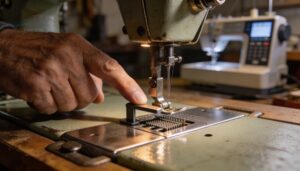
Finding the feed dog lever isn’t always obvious — every machine hides it differently.
On most models, check the right side of the needle plate for a horizontal lever. That’s your feed dog control.
Computerized machines often place a toggle switch on the front panel.
Vintage machines: rear of the bed.
Identifying feed dog lever locations on different machines saves you serious frustration.
Confirming Feed Dogs Are Fully Engaged
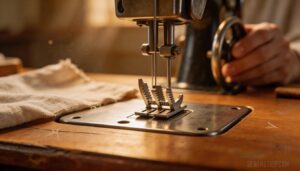
Once you’ve flipped the feed dog lever up, don’t just assume it worked.
Do a quick Visual Needle Plate check — lift your presser foot and look for teeth sitting evenly above the plate.
Run a Hand Wheel Test by rotating slowly and watching for synchronized tooth movement. Then do a Fabric Slip Test using a scrap piece. Listen for steady Auditory Feedback, not grinding. That confirms feed dog engaged.
Turning The Hand Wheel to Reset Position
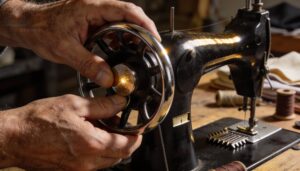
Once the feed dog lever is up, turn the hand wheel slowly counterclockwise toward Top Dead Center. This resets needle bar alignment and brings the feed mechanism to a known reference point.
Watch for the Reference Notch Identification mark on your machine housing — that’s your confirmation.
Smooth rotation means Hand Wheel Lubrication is good.
Grinding? Stop immediately, unplug, and inspect before continuing.
The Feed Dog Setting: Up or Down?
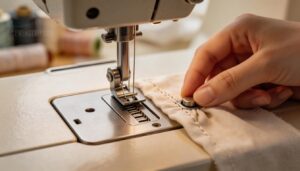
The feed dog setting isn’t just up or down — it actually matters which one you pick and when. Getting it wrong is a surprisingly easy way to ruin an otherwise simple sewing session.
Here’s what you need to know about using that setting correctly.
When to Lower Feed Dogs Intentionally
Sometimes you want the machine out of the driver’s seat. Lower the feed dogs intentionally when doing free motion embroidery, satin stitching, applique quilting, or Boro collage work — anything where your hands steer the fabric.
Use the feed dog lever or drop feed setting to disengage them.
Pair that with spray baste to hold layers steady. You’re in control now.
Correct Setting for Standard Fabric Sewing
For standard sewing, your feed dog lever stays up — always. That’s the default, and it’s non‑negotiable for consistent fabric feeding.
- Stitch length between 2.0–2.5 mm keeps fabric moving steadily
- Proper fabric type matching, thread tension adjustment, and needle size selection all depend on active feed dogs
- Feed dog adjustment only works when the lever is fully engaged
Don’t overthink it. Up means go.
Symbols and Labels on Different Machine Models
Every machine manages icon placement a little differently, but the logic stays consistent. Your feed dog selector switch usually sits near an arrow icon on the needle plate area.
Color coding helps too — red means stop or warning, green or blue signal ready. Safety symbols stand out with bold borders.
When in doubt, check your back panel. Model specific icons make label readability easier than you’d think.
Stitch Length and Its Effect on Fabric Feeding
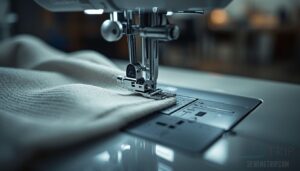
Stitch length does more than change how your stitches look — it directly controls how far your feed dogs pull the fabric with each pass. Set it wrong and fabric barely moves, or doesn’t move at all.
Here’s what you need to know about getting it right.
What Happens When Stitch Length is Too Low
Crank the stitch length too low and your machine starts working against you. Thread Buildup piles up quickly as the needle punches the same spot repeatedly.
You’ll notice Fabric Puckering along seams, Seam Rigidity that won’t flex, and Heat Buildup that frays thread edges.
The feed dog movement slows, the motor strains toward Motor Overload, and adjusting stitch length to prevent fabric slippage becomes urgent.
Recommended Default Stitch Length Settings
Most machines default to 2.5 mm — and honestly, that’s your sweet spot for everyday sewing.
Think of it as home base.
The Lightweight Fabric Range sits around 2.0–2.5 mm, your Medium Weight Default lands at 2.5–3.0 mm, and Heavy Duty Length pushes to 3.5–4.0 mm.
Stretch Knit Settings normally stay near 2.5–3.0 mm.
Get these right, and your feed dogs do their job properly.
Adjusting Stitch Length for Different Fabrics
Once you’ve nailed your defaults, fine-tuning by fabric type makes a real difference.
Knits Stitch Length stays shorter — around 2.0 mm — to prevent tunneling. Leather Stitch Settings drop even tighter for durability. Satin Stitch Adjustment sits mid-range to avoid snags. Velvet Stitch Guidance and Denim Stitch Tuning both reward careful adjusting stitch length to improve feeding, since fabric thickness directly affects how hard your feed dogs work.
What to Do When Fabric Still Refuses to Move
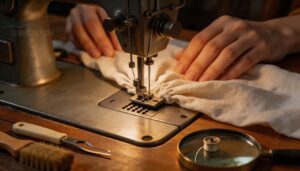
You’ve checked the lever, set your stitch length, and cleaned out the lint — and fabric still won’t budge. At this point, problem is usually hiding somewhere less obvious.
Here’s where to look next.
Checking Presser Foot Attachment and Pressure
Sometimes fix is hiding in plain sight. Check that your presser foot is fully locked — the attachment lock mechanism needs to click into place, not just sit there. A loose foot throws off your presser foot pressure entirely.
Then check your pressure dial settings. Too much pressure pins fabric down and kills movement. Do a quick pressure test stitch to confirm your presser foot pressure adjustment techniques are working.
Incorrect Needle Plate Selection
Wrong needle plate selection quietly sabotages your fabric feeding mechanism. Plate thickness, groove depth, and screw placement all vary by model — and compatibility matters more than you’d think.
Double-check these before moving on:
- Match needle plate selection to your machine model
- Confirm groove depth suits your fabric matching needs
- Verify plate thickness aligns with your feed dog height
- Check screw placement matches your feed dog setting
Re-Threading Top Thread and Bobbin Correctly
Even proper threading gets overlooked when fabric stops moving. Start by raising the presser foot — that releases the tension disks — then rethread the top thread completely.
| Step | What to Check |
|---|---|
| Spool Orientation | Thread feeds clockwise, spool cap secure |
| Thread Path & Take-up Lever | Passes all guides, lever moves freely |
| Tension Disk Clean | No lint blocking disk contact |
| Bobbin Winding & Bobbin Area | Even wind, correct rotation direction |
Could Your Fabric Be Causing The Feeding Problem?
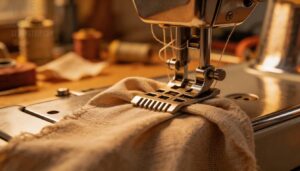
the problem isn’t the machine — it’s what you’re feeding through it.
fight back against feed dogs in ways that look exactly like a mechanical failure.
what to check on the fabric side before you take anything apart.
Thick or Multi-Layered Fabrics Overwhelming Feed Dogs
Stack too many layers, and your feed dogs hit a wall — literally. Heavy material feed fails when fabric thickness limits the teeth’s reach, reducing multi-layer grip.
Needle plate clearance shrinks, and the feed dog height just can’t compensate.
Using a walking foot for thick fabrics solves this fast. It pulls from above while the dogs push from below.
Slippery or Lightweight Fabrics Losing Grip
Silk and satin don’t play nice with standard feed dogs. Their polished surface reduces traction, and fabric slippage prevention becomes your whole game.
Polyester blends are worse — lower friction, less grip.
Grain alignment matters too; sewing off-grain makes sliding worse.
Needle size adjustment and thread tension tweaks help, but surface texturing with washi tape under slippery fabric is often your quickest fix.
Using Stabilizers or Wax Paper for Better Traction
Think of stabilizers and wax paper as your grip tape for slippery fabric — simple fixes that actually work when feed dogs aren’t moving, fabric is driving you crazy.
- Stabilizer Types — match weight to fabric; light for silk, heavy for dense layers
- Wax Paper Application — slide it under slippery fabric; discard after each seam
- Tissue Paper Aid — tears away cleanly; zero residue left behind
- Adhesive Stabilizer Benefits — holds grain alignment on long seams without shifting
- Gripper Mat Usage — non-slip base that boosts feed dog traction instantly
Fabric slippage prevention doesn’t have to be complicated.
Using a Walking Foot to Fix Fabric Feeding Issues
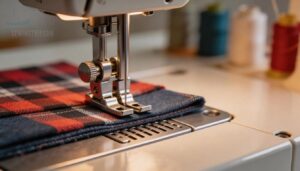
Sometimes your feed dogs just need backup — and that’s exactly what a walking foot is for. It works with your machine to pull fabric through from the top and bottom at the same time.
Here’s what you need to know to make it work for you.
How a Walking Foot Works With Feed Dogs
Your feed dogs handle the bottom — but layered fabrics need help from above.
A walking foot adds Dual Layer Grip by feeding both layers at once through Synchronized Motion with the needle. Its Zigzag Feed Pattern prevents shifting while Even Tension Distribution stops puckering.
The Adjustable Foot Height lets it glide over thick seams without skipping a stitch.
Best Fabric Types for Walking Foot Use
Not every fabric plays nice with feed dogs alone. Heavy denim, canvas upholstery, and quilted cotton with multiple thick layers all beg for a walking foot.
Jersey knit and other layered fabrics shift without one. Even slippery fabric like silk chiffon behaves better with a fabric stabilizer underneath and a walking foot keeping everything synchronized from above.
Installing and Setting Up a Walking Foot
Installing one isn’t complicated, but skipping steps costs you a seam.
Power off first. Remove your current presser foot, then check your machine manual for a Shank Compatibility Check — low shank versus slant shank matters here. Snap the walking foot on securely, then do a Set Screw Tightening to eliminate wobble.
- Confirm Needle Plate Alignment before stitching anything real
- Run a Scrap Stitch Test on similar fabric first
- Do a Foot Clearance Adjustment — make sure the needle clears fully when raised
- Adjust top thread tension down slightly for thick layers
How to Properly Clean Your Feed Dogs
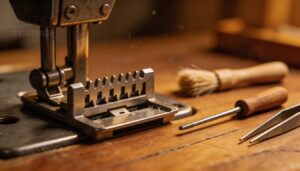
Dirty feed dogs are one of the sneakiest causes of feeding problems — and cleaning them is easier than you’d think. You don’t need fancy equipment, just the right tools and a little know-how.
exactly what you need to get started.
Tools Needed for Feed Dog Cleaning
You don’t need a toolbox — just the right few items.
| Tool | Purpose | Pro Tip |
|---|---|---|
| Brush Types (soft bristle) | Cleaning lint from feed dogs and bobbin area | Never use stiff bristles — they scratch |
| Compressed air canister | Blasts fine dust from tight gaps | Short bursts only |
| Tweezers | Removes stubborn thread tangles | Grip close to the base |
| Microfiber cloth + cleaning solvent | Wipes residue after brushing | Avoid rubber seals |
A basic sewing machine cleaning kit bundles most of these together. Safety gear — glasses and gloves — rounds things out.
Removing Lint From Under The Needle Plate
Start by removing the needle plate — that’s where lint hides best. Use a needle plate brush to sweep debris from each feed dog gap, then shine a flashlight to catch stubborn lint webs near the screws.
A precision vacuum pulls out what brushing misses.
Finish with a solvent wipe to dissolve residue, and check spring clearance while you’re in there.
Clearing Debris From The Bobbin Housing
Bobbin housing lint removal is where most people skip a step — and regret it.
Unplug the machine first; safety precautions aren’t optional here.
Remove the bobbin case, then use your tweezers technique to pull thread fragments from the spring.
A quick compressed air use clears recessed corners.
Routine bobbin care prevents excessive lint and debris buildup that quietly triggers feed dog malfunction.
Recommended Cleaning Schedule for Optimal Performance
Think of cleaning like a tiered system — each level catches what the last one missed.
A Daily Brush Routine keeps surface lint away before it migrates deeper.
Weekly Deep Clean sessions tackle stubborn debris under the needle plate.
Monthly Oil Application prevents stiff movement.
Hit a Quarterly Inspection Schedule to catch wear early.
Track everything with a Cleaning Log Maintenance habit — Excessive Lint and Debris Buildup rarely announce themselves.
Adjusting Presser Foot Pressure for Better Feeding
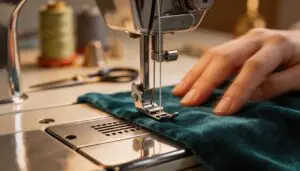
Presser foot pressure is one of those settings that’s easy to overlook — until your fabric starts bunching or barely moves at all. Getting it right makes a real difference in how smoothly your feed dogs can do their job.
what to watch for and how to fix it.
Signs That Pressure is Too High or Too Low
Your machine is telling you something — you just have to listen.
Too much presser foot pressure? Watch for these red flags:
- Fabric puckering or visible ridges on the top surface
- Needle deflection on thick layers from feed dog tension stress
- Excessive machine noise during stitching
- Uneven stitch length across the seam
Too little? Fabric slippage, visible bobbin thread on top, and crooked seams follow quickly.
How to Adjust Pressure on Manual Vs. Computerized Machines
Manual machines put a Manual Pressure Dial right on the body — turn toward plus for more grip, minus for less.
Computerized models move Foot Pressure Fine‑Tuning into a Computerized Pressure Interface menu, where Pressure Preset Selection manages common fabrics automatically.
Higher-end machines even offer Sensor‑Based Pressure Adjustment, reading thickness in real time.
Either way, small changes to feed dog pressure make a big difference.
When to Replace or Professionally Service Feed Dogs
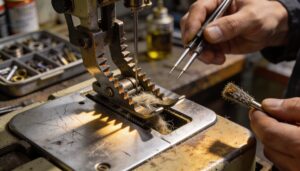
Sometimes cleaning and adjusting just isn’t enough — the feed dogs themselves are done. Knowing when to fix it yourself versus calling in a pro can save you real time and money.
Here’s what to watch for.
Signs of Worn, Bent, or Broken Feed Dog Teeth
Worn teeth don’t announce themselves — they just quietly ruin your stitches. Here’s what to look for:
- Flattened tooth tips that no longer grip fabric reliably
- Microchip edges catching thread and causing skipped stitches
- Missing tooth gaps where fabric slips and bunches
- Corrosion on teeth weakening bite strength over time
- Uneven tooth spacing creating inconsistent, erratic feeding
Any of these signals feed dog wear and tear worth addressing.
DIY Replacement Vs. Professional Repair Costs
Once you’ve spotted feed dog wear, the next step is cost.
DIY feed dog replacement runs roughly 8–25 Euros for standard machines — Parts Pricing Variance is real depending on brand. Professional servicing costs 60–180 Euros, including labor.
Factor in Shipping Lead Times of 2–7 days, Warranty Coverage Differences, and your Total Ownership Cost before deciding which route makes sense.
Timing and Synchronization Issues Requiring a Technician
Some problems go beyond worn teeth.
If your feed dogs move but stitches still skip or nest, suspect Needle Timing or Bobbin Shuttle Timing drift. Shuttle Wear, Lift Synchronization faults, and Control Board Sync errors all affect feed dog synchronization in ways no cleaning brush fixes.
Timing and synchronization issues in sewing machines need a technician — machine timing and feed dog alignment require precision tools you likely don’t have at home.
Frequently Asked Questions (FAQs)
Do feed dogs wear out faster on certain fabrics?
Fabric friction, fatigue, and force all factor in. Yes — denim load stress and quilt batting pressure accelerate feed dog wear considerably.
Knits stretch fatigue and leather slick friction also degrade teeth faster than standard cotton.
How does needle size affect feed dog performance?
Needle size directly affects feed dog performance.
A mismatched needle disrupts Needle Tooth Engagement, causing slipped fabric or skipped feeding.
Match needle to fabric weight to keep Needle Size Sync and feed dog tension steady.
Should feed dogs be lubricated during regular maintenance?
Most machines don’t need direct feed dog lubrication. Always follow Manufacturer Lubrication Guidance — overlubrication risks lint buildup and fabric staining.
Use only the recommended Oil Type Selection from your manual to protect your warranty.
Can feed dog height be adjusted on all machines?
Because apparently every sewing machine attends union meeting—no.
Feed dog height is model-specific: low-end units stay fixed, legacy mechanical lever models vary, computerized menu control models micro-adjust, and industrial screw adjustment gives a wider range.
Conclusion
The irony isn’t lost on me: a sewing machine that can’t sew because it’s too perfect.
But seriously, feed dogs not moving is usually a simple fix. Check your settings, clean out debris, and adjust stitch length.
With these pro tips, you’ll be back to stitching in no time. Don’t let a minor glitch ruin your creative flow. You’ve got this!
Fix it fast with a little patience, and the right guidance on feed dogs not moving fix.
- https://www.craftsy.com/sewing/article/sewing-machine-feed-dogs/
- https://sewfeet.com/presser-foot-pressure/
- https://www.thesewingdirectory.co.uk/presser-foot-pressure-adjustment/
- https://theseamanmom.com/change-presser-foot-pressure-sewing-machine/
- https://www.assembil.com/how-to-start-sewing-exercise-14-01-adjusting-thread-tension-presser-foot-pressure/