This site is supported by our readers. We may earn a commission, at no cost to you, if you purchase through links.
You plug in a fresh design file, watch the needle dance across fabric, and hours later you’re staring at puckered edges or thread nests. Most embroiderers blame their machines when the real culprit is mismatched file formats or sizing gone wrong.
Sewing machine embroidery designs aren’t one-size-fits-all—a PES file won’t run on your Brother, and cramming a large pattern into a small hoop guarantees disaster.
The difference between amateur work and crisp, professional results comes down to choosing designs that match your machine’s language, understanding stitch density, and knowing where to find files that won’t waste your thread or patience.
Table Of Contents
Key Takeaways
- Match your embroidery file format (PES, DST, JEF) to your machine’s brand and verify hoop size limits before downloading any design to avoid puckering, thread breaks, and wasted materials.
- Stitch density and stabilizer selection must align with your fabric type—high density crushes delicate materials while low density leaves gaps, so test settings on scraps first.
- Single designs work for one-off projects, but bundles with commercial licensing offer better value and flexibility when you plan multiple embroidery runs or custom client work.
- Professional results depend on proper fabric preparation, correct thread tension, and using tear-away stabilizers for wovens or cut-away for knits to prevent distortion during stitching.
Types of Sewing Machine Embroidery Designs
Machine embroidery designs come in more varieties than you might expect. Knowing your options helps you work smarter, whether you’re stitching a single motif or loading up an entire seasonal collection.
From simple florals to seasonal holiday motifs, machine embroidery patterns span every style and skill level you can imagine.
Let’s break down the main types you’ll encounter and what makes each one worth your time.
Single Designs Vs. Bundles
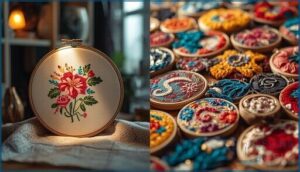
Design cost matters when you choose between single digital embroidery designs and embroidery design bundles. Single motifs give you precision for one project, while bundle savings reward those who plan ahead with custom embroidery digitizing collections at lower per-design rates.
Your purchase strategy depends on:
- Licensing terms — Single files often limit scope; bundles may grant commercial rights
- Motif selection — Solo designs target one vision; machine embroidery designs in packs offer variety
- Project scale — One garment or twelve?
- Budget flexibility — Pay less now or invest for future embroidery design collections
Seasonal and Holiday Collections
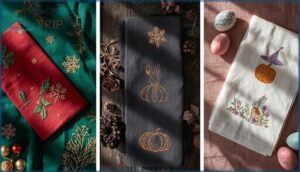
You’ll find Limited Editions that capture each calendar moment in Seasonal Collections built around Holiday Themes like Christmas, Halloween, and Easter. Festive Motifs pair hero patterns with coordinating borders, while Seasonal Colors shift from metallic reds to pastel yellows depending on the occasion.
| Season | Color Palette | Popular Motifs |
|---|---|---|
| Christmas | Deep greens, reds, metallics | Snowflakes, holly, ornaments |
| Halloween | Orange, black, purple | Bats, pumpkins, witches hats |
| Easter | Pastels, blues, pinks | Bunnies, florals, eggs |
These Embroidery Design Collections offer ready-made Gift Ideas across napkins, stockings, and tote bags—perfect for Digital Embroidery Designs that work on multiple projects with quick Embroidery Design Downloads before the season ends.
Commercial and Custom Designs
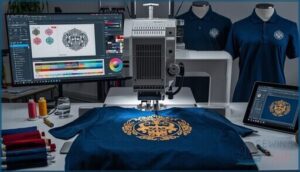
Beyond holiday fun, commercial embroidery designs let you build Brand Identity through Logo Embroidery on Corporate Apparel. Custom Digitizing turns your artwork into production-ready files, while Design Licensing defines how you use purchased patterns. Many embroidery digitizing services offer custom embroidery options customized to your vision:
Working with professionals helps you avoid common embroidery machine stitch problems that can ruin an entire production run.
- Client intake briefs capture audience, fabric, and technique preferences
- Digital mockups show thread colors before the first stitch
- Revision cycles keep projects on budget and timeline
Themed and Specialty Patterns
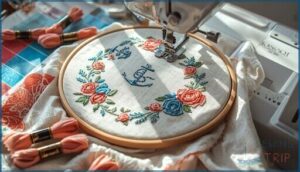
Themed patterns unite motifs like floral or nautical scenes through a cohesive color palette. You’ll find digitized embroidery designs that share a common motif selection across quilts or garments. Pattern customization options let you adjust hoop placement and add monogram layers.
Theme integration works best when you match thread charts to your fabric—designers provide stage-by-stage instructions for smooth embroidery online ordering and project execution.
File Formats and Machine Compatibility
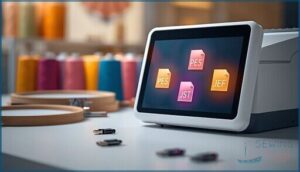
Not all embroidery designs work with every machine—and that’s where file formats come in. Your embroidery machine speaks a specific digital language, so you need designs saved in a format it can read.
Let’s break down the most common file types and how to match them to your setup.
Popular Embroidery File Types (PES, DST, JEF)
Think of embroidery machine formats as the language your machine speaks. PES, used by Brother and Bernina, carries rich color data and metadata storage for intricate digitized embroidery designs. DST stores lean stitch coordinates, delivering production efficiency for industrial runs. JEF, Janome’s format, balances detail with hoop specifics.
Each manages format conversion differently, so understanding their strengths transforms your digital embroidery patterns from downloads into impeccable stitched reality. For more about how these impact machine compatibility, see this detailed guide.
Matching Designs to Your Embroidery Machine
Your embroidery machine’s memory and maximum design width define what files you can actually stitch. Check design scaling limits—resizing beyond safe thresholds distorts details.
Match stitch density to your fabric types so threads don’t shred or pucker. Verify thread colors align with your palette, and confirm machine embroidery designs won’t exceed your hoop area.
Compatibility isn’t guesswork; it’s precision planning. For a deeper look at the basics of machine embroidery, explore how fabric, thread, and software all play a role in choosing or creating the right design.
Multi-Head and Single-Head Machine Support
Your choice between single-head and multi-head embroidery machines shapes production capacity and machine efficiency. Multi-head setups stitch the same machine embroidery designs across several garments at once, boosting embroidery speed for bulk orders. Single-head models suit custom embroidery projects with quick turnarounds.
Head synchronization keeps stitch accuracy sharp, but maintenance costs rise with more moving parts. Match your workflow to your volume goals.
Sizing, Stitch Counts, and Hoop Options
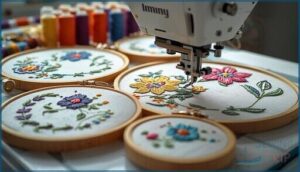
Getting the right fit matters just as much as picking the perfect design. Your machine’s hoop size, the number of stitches, and how dense those stitches are all affect what you can actually create.
Let’s break down what you need to know before you hit that download button.
Available Design Sizes
Your machine embroidery designs need the right fit. Size options range from extra small 0.5 by 0.5 inch baby garment accents to extra large 8 by 12 inch quilt panels.
Design scaling matters for your projects:
- Small formats (1×1 to 2×2 inches) work for patches and tiny details
- Medium designs (4×4 inches) fit shirt collars perfectly
- Large patterns (5×7 inches) transform tote bags
Match embroidery design hoop size to your fabric selection for perfect results.
Stitches and Density Considerations
Density drives every needle punch and stitch pattern in your digital embroidery project. Stitch density balances coverage with fabric stability—too high crushes delicate material, too low exposes gaps. Thread tension adjusts with density changes. Hoop management prevents distortion when counts climb.
Here’s your embroidery optimization roadmap:
| Density Level | Best Fabric Types |
|---|---|
| High | Woven cottons, denim |
| Medium | Canvas, blends |
| Low | Knits, jerseys |
| Variable | Sheer, delicate |
| Custom | Specialty projects |
Pair stabilizers with density settings for impeccable embroidery design resources and stitching patterns that stay crisp.
Selecting The Right Hoop Size
Your frame selection determines whether stitches land perfectly or bunch into frustration. Start beginners with 28 to 36 inch hoops for circular motion that wraps the waist naturally. Taller crafters often need 34 to 42 inch frames for better clearance and embroidery stability.
To ensure the best results, follow these guidelines:
- Measure hoop diameter from inside edge to inside edge, never the outer rim
- Choose heavier tubing for large hoops to prevent wobble during machine embroidery
- Test hoop material and size before investing in embroidery supplies
Browse machine embroidery designs and embroidery online resources at any machine embroidery website to match your frame.
Finding and Downloading Embroidery Designs
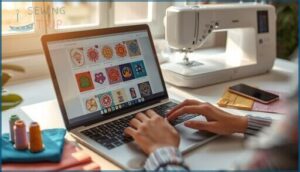
You’ve nailed your design specs and picked the right file format. Now it’s time to find designs that spark your creativity and fit your vision.
Let’s explore where to shop for embroidery files and how to make the most of download platforms.
Online Embroidery Design Marketplaces
You’ll find online embroidery marketplaces hosting thousands of machine embroidery designs across formats compatible with popular brands. Platforms like EmbroideryDesigns.com offer seller tools including creator dashboards, tiered pricing, and design reviews to maintain quality.
Community forums share market trends and digitizing tips, while digital rights policies protect your custom embroidery purchases. The embroidery online community helps you navigate options confidently.
Search, Filter, and Download Features
Once you’ve chosen an embroidery website, you need smart search tips to pinpoint digital embroidery patterns fast. Filter options let you narrow by designer, size, or color to improve embroidery design downloads. Preview features show stitch density and layout before you commit.
The download process delivers multiple file formats, ensuring file compatibility with your machine. Descriptive keywords like “boho floral” bring exactly what you’re after.
Membership Perks and Free Sample Designs
Many platforms reward loyalty through member benefits like design discounts and exclusive access to limited drops. Free trials let you test premium collections before you buy.
You’ll often score a FREE sample—think tropical florals or monograms—to try custom embroidery risk-free. Loyalty rewards stack up fast, unlocking bonus credits and early releases on digital embroidery patterns you won’t find anywhere else.
Essential Supplies for Machine Embroidery
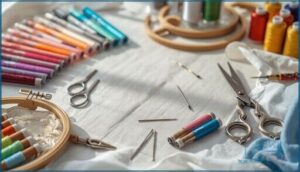
You can’t create stunning embroidery with just a machine and a design file. The right supplies make the difference between professional results and puckered disasters.
Here’s what you need in your embroidery toolkit to bring those digital designs to life.
Threads, Stabilizers, and Backings
Your thread materials make or break embroidery designs. Polyester offers high sheen and colorfastness, while rayon brings bright luster but needs careful tension.
For stabilizer types, tear-away suits woven fabrics and cut-away holds knits through repeated washing. Backing selection depends on fabric weight—light backings prevent show-through on delicate textiles.
Proper fabric preparation with the right stabilizer ensures custom embroidery won’t pucker or distort during stitching.
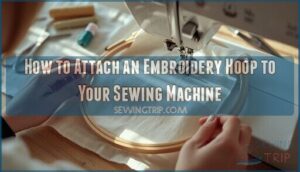
Hoops and Accessories
Your embroidery frames hold fabric taut while the machine works magic. Hoop materials range from lightweight plastic for quick projects to sturdy wood for heavy canvas. Most embroidery machines accept hoops from 4×4 to 8×8 inches.
Match your hoop size to your design dimensions—oversized fabric holders waste stabilizer types and create unnecessary bulk. Quality embroidery patterns demand precise thread tensions across every stitch.
Tips for Preparing Fabrics for Embroidery
Fabric preparation sets the stage for impeccable embroidery designs. Wash your material first to remove sizing that causes puckering. Iron it smooth on low heat, then align the grain with your hoop tension—taut but never stretched.
Match your stabilizer choices to fabric weight, and test thread selection on scraps before committing. These steps prevent distortion and guarantee your textile design shines.
Frequently Asked Questions (FAQs)
Can you do embroidery with a sewing machine?
Yes, you can stitch simple patterns using free motion techniques. Lower feed dogs, guide fabric manually, and pair stabilizers with an open foot.
Results depend on fabric selection, thread choices, and practice with sewing machine limits.
What is the trend in embroidery in 2024?
Bold color palettes and gradient effects dominate 2024 embroidery design trends. Cultural influences and texture trends add dimension with raised stitches.
Digital integration expands through software, while sustainable materials like eco-friendly threads gain traction.
How do you get designs on fabric for embroidery?
Want to turn your ideas into stitches? Download embroidery design files from an embroidery website, load them into your machine, then prepare fabric with stabilizers. The digitizing process converts artwork into stitch settings your machine reads perfectly.
How do I convert an image to an embroidery file?
You’ll need digitizing tools to convert your image into a stitch-ready format. The software maps colors and shapes, then exports embroidery design downloads in formats like PES or DST for your machine.
Can beginners learn machine embroidery easily?
Machine embroidery for hobbyists has a gentle learning curve. Most beginners master embroidery basics within a week using practice projects, proper stitch guidance, and beginner tips from a machine embroidery website offering custom embroidery services and embroidery design inspiration.
What types of fabrics work best?
Picture fabric as your canvas: tight weaves like cotton twill and denim anchor embroidery designs without puckering, while knits demand stabilizer options to keep thread counts precise and textile art crisp.
How do I fix embroidery thread breaks?
Thread breaks? First check your thread tension and replace dull needles.
Adjust hoop tightness, use quality stabilizer, and match needle size to fabric.
Rethread completely and lower machine speed if breaks persist.
Do different machines require special designs?
Every embroidery machine speaks its own language. Your design files must match machine firmware, vector vs bitmap processing, and thread sequence protocols.
PES, DST, and JEF formats carry color stop data that different brands interpret uniquely.
Whats the most common embroidery mistake?
Poor hoop alignment causes fabric puckering and shifted embroidery designs.
Inconsistent stitch tension leads to thread breakage and loopy coverage.
Using wrong stabilizers creates embroidery errors that weaken your custom embroidery digitizing work.
How do I troubleshoot thread breaks during embroidery?
Start by checking thread tension and needle inspection for burrs. Rethread completely, verify your stabilizer choice accommodates the fabric, and confirm proper machine calibration before testing embroidery designs again.
Conclusion
A single stitch out of place can unravel an entire design—but the right file format locks everything into position. Mastering sewing machine embroidery designs means matching digital blueprints to your machine’s dialect, respecting hoop limits, and sourcing patterns that won’t betray you mid-project.
You’ve learned the language. Now every download becomes a calculated move, every hoop placement intentional. Stop guessing. Start stitching with precision that turns fabric into something worth framing.