This site is supported by our readers. We may earn a commission, at no cost to you, if you purchase through links.
Pattern making used to mean hours hunched over a drafting table with paper and rulers. Not anymore. Digital pattern making software now lets you draft patterns in minutes instead of days. You can grade sizes with a single click. And you can visualize how fabric drapes before cutting a single thread.
The shift is massive. Fashion companies have jumped from 40% to 70% software adoption in just five years. The results speak for themselves—15% less fabric waste and pattern workflows that move 5-10x faster.
Whether you’re running a small studio or scaling a fashion brand, the right software transforms how you work. Free tools now rival expensive platforms for basic drafting. Professional CAD systems deliver factory-level precision with AI automation. The question isn’t whether to go digital—it’s which tool fits your needs and budget.
Table Of Contents
Key Takeaways
- Digital pattern software has exploded from 40% to 70% adoption in five years, slashing fabric waste by 15% and accelerating workflows 5-10x faster than traditional methods.
- Free tools like Seamly2D and Valentina now deliver parametric drafting that rivals paid platforms for basic work, while pro systems like CLO3D and Gerber AccuMark dominate factory floors with AI automation and 3D simulation that cuts prototype costs from $1,000 to under $100.
- AI-powered pattern generation now achieves 90%+ accuracy for standard silhouettes and reduces drafting time by 40-70%, with virtual prototyping replacing up to 83% of physical samples.
- The pattern software market is rocketing from $320M to $720M by 2032, driven by sustainability wins where digital tools cut cutting-room waste from 15-20% down to near zero through precision nesting and real-time fabric simulation.
Leading Sewing Pattern Making Software
You’ve got more choices than ever in pattern making software. The right tool can transform how you design and help you work faster with better results.
Let’s look at what’s out there so you can find the perfect fit for your needs.
Overview of Top Pattern Design Tools
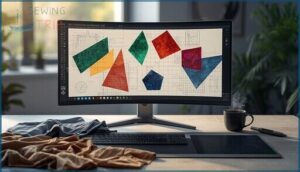
Pattern design software transforms garment modeling from sketch to reality. You’re looking at tools that range from free digital drafting platforms to enterprise fashion tech systems.
These sewing innovation solutions let you create digital pattern making workflows that were impossible a decade ago. Whether you’re mastering sewing patterns at home or building production-ready templates, today’s pattern making software puts precision at your fingertips.
Professional designers often rely on sophisticated fashion design tools to simplify their workflow.
Key Industry Players and Solutions

The industry’s biggest names are reshaping how you design. Gerber AccuMark and Lectra serve over 34,000 customers worldwide, while CLO3D commands the 3D simulation space with stunning cloth physics. Optitex and TUKAcad deliver powerful CAD software for fashion houses both large and small.
Market trends reveal exciting shifts:
- 71% of fashion companies now use CAD software for design processes
- 3D adoption jumping from 40% to 70% market share in five years
- AI-assisted workflows boost pattern making output 5-10x faster
- Digital tools cut fabric waste by 15% through precision pattern making and grading
- Industry software market exploding from $320M to $720M by 2032
The growth of the fashion industry is driven by digital transformation technologies that improve design and production processes.
Comparison of Paid Vs. Free Software

So what’s the real cost difference in digital pattern making software? Professional CAD tools like Gerber and Optitex run $4,000+ yearly, while CLO3D starts around $225 annually. Free open source fashion design options like Seamly2D and Valentina cost nothing but lack factory integration.
Your choice hinges on whether you need industrial-grade pattern making and grading or just solid sewing patterns for personal projects.
Essential Features to Look For

Not all pattern making software is created equal. The right tool can slash your design time in half, while the wrong one leaves you wrestling with clunky interfaces and missing features.
Here’s what separates the game-changers from the time-wasters.
3D Visualization and Garment Simulation
Want to see your designs come alive before cutting a single thread? 3D Fashion Design Software like CLO3D transforms Digital Pattern Making and Grading with powerful Garment Animation and Fabric Simulation.
You’ll preview drape, movement, and fit through Virtual Try-On technology. Digital Prototyping using 3D Modeling cuts sample costs dramatically, while 3D Garment Design catches fit issues early—before they become expensive mistakes.
Custom Fit and Measurement Input
Modern Measurement Tools enable true Custom Fit Clothing through multiple input methods. You can upload Body Scanning data, manually enter measurements, or build Avatar Creation profiles for Fit Modeling.
Parametric Drafting systems like Seamly2D let you define formulas based on body dimensions—change one value and the entire MadeToMeasure Patterns update automatically.
Digital Pattern Making and Grading has never been more precise or tailored.
Auto-Grading and Size Chart Integration
Once you nail your base pattern, Auto-Grading explodes your productivity. Top Pattern Making Software Reviews show that digital Grading Rules let you create entire Size Charts in minutes—not hours.
You get rock-solid Fit Consistency across every size and slash Error Reduction dramatically.
Auto-Grading manages Sewing Patterns, feeds Marker Making, and even syncs Pattern Grading with your tech packs. That’s creative control at lightning speed.
AI and Automation in Pattern Making
Speed changes everything. AI Ethics aside, Machine Learning and Neural Networks now drive Fashion Design Automation that slashes drafting time by 40 to 70 percent. Pattern Making Software Reviews confirm it.
You get:
- Auto-generated patterns from 3D body scans in seconds
- 90%+ accuracy for standard silhouettes without manual tweaking
- Real-time Design Automation that syncs with Digital Pattern Making and Design tools
- Fit personalization that cuts returns by 30%
That’s the tomorrow of Pattern Making—today.
Best Free and Open Source Options

You don’t need a massive budget to start making professional patterns. Free and open source tools have come a long way and they’re now powerful enough for serious work.
Let’s look at the top options that won’t cost you a dime.
Seamly2D: Capabilities and Community
Seamly2D puts open source parametric design right in your hands. This GPLv3-licensed software runs on Windows, macOS, and Linux, turning pattern drafting into formula-driven magic. You’ll draft slopers, add seam allowances, and watch patterns resize automatically when measurements change.
The active community support shines through forums with thousands of views and 56+ GitHub contributors driving digital workflows forward. It’s free, powerful, and built for makers like you.
Valentina: Parametric Pattern Drafting
Valentina brings parametric design to life with curves and formulas that adapt instantly to your measurements. You’ll draft patterns using Draw, Detail, and Layout workbenches—each measurement change ripples through automatically without redrafting.
The dev branch unlocks sophisticated drafting techniques and pattern precision for custom fitting that rivals PatternMaker.
Export to SVG, PDF, or DXF and watch your sewing patterns transform across standard sizing tables or individual measurements seamlessly.
Using Inkscape for Pattern Design
Inkscape transforms your screen into a digital drafting table with powerful vector editing tools that let you scale patterns with pixel-perfect precision.
You’ll trace existing clothing patterns, create custom sewing templates, and manipulate curves using graphic design techniques borrowed from pros.
Set your document to real-world measurements and watch seam allowances snap into place automatically. This free software gives you complete control over every stitch line.
Professional CAD Software for Apparel

If you’re serious about pattern making as a career or you’re running a production line, free software won’t cut it. Professional CAD tools are built for speed and precision at scale.
Let’s look at the heavy hitters that dominate apparel factories and design studios worldwide.
Gerber AccuMark and Factory Standards
Gerber AccuMark dominates factory floors because it speaks the language of mass production. Your patterns translate directly into industrial workflows that cut rooms already know.
The technical requirements aren’t light—you’ll need serious hardware and licensing above $4,000 per seat.
But when pattern accuracy matters for thousands of units, this computer aided design system delivers the precision clothing patterns demand. Factories trust it. Period.
CLO3D and 3D Cloth Simulation
While AccuMark rules factories, CLO3D revolutionizes how you see garments before they exist. This 3D modeling powerhouse lets you watch fabric behavior in real time—virtual prototyping that replaces up to 83% of physical samples. Digital draping shows exactly how cloth moves. Fashion design software finally matches your vision with reality. Brands cut fabric waste by 30% and slash prototype costs from $1,000 to under $100.
CLO3D revolutionizes garment design with real-time fabric simulation that replaces 83% of physical samples and slashes prototype costs from $1,000 to under $100
- Photorealistic cloth simulation validates fit decisions instantly
- Digital fashion workflows compress development time by 50-70%
- Sewing patterns meet 3D visualization in one integrated platform
Optitex, TUKAcad, and Advanced Tools
Beyond CLO’s visual magic, your production needs enterprise muscle. Optitex delivers 95% fit accuracy through 2D-to-3D workflows that slash fabric waste by 15%. TUKAcad powers unlimited grading and marker making at $1,025 per six months—half the cost of competitors.
These CAD platforms automate digital workflows from sketch to factory floor. Pattern accuracy meets fabric optimization. Fashion design software built for scale transforms clothing design into profit.
Trends in Digital Pattern Making

The digital pattern making world is exploding right now. You’re watching massive market growth, game-changing sustainability wins, and a support ecosystem that’s finally catching up to user needs.
Here’s what’s shaping the future of how you’ll design and draft patterns.
Market Growth and Adoption Rates
The pattern drafting software market is exploding. It jumped from 2.5 billion USD in 2025 to a projected 4.2 billion by 2033. That’s 8% annual growth.
Why? Because 71% of fashion companies now use CAD software for design. Technology impact is huge. You’re seeing fashion design software adoption rates skyrocket as 3D tools and cloud platforms make clothing design tools accessible to everyone from solo makers to apparel giants.
Sustainability and Material Efficiency
Digital fashion tools slash fabric waste by up to 30%. AI-assisted marker optimization and eco design layouts cut cutting-room losses from the typical 15–20% down to near zero. Virtual sampling eliminates 80% of prototype fabric waste. That’s circular production in action.
Green manufacturing loves pattern software because tighter nesting and 3D simulation mean you’re using every inch of material. Sustainable fashion practices start at the design file.
Online Support, Tutorials, and User Forums
You won’t find yourself alone when learning pattern software. Community engagement drives skill growth across every platform.
CLO3D offers webinar training and thousands of archived forum support threads. Seamly2D and Valentina thrive on user resources and peer assistance. TUKAcad delivers structured video tutorials.
These communities share sewing patterns and techniques daily, making sewing and pattern making accessible whether you’re starting out or scaling up production.
Frequently Asked Questions (FAQs)
What software is used to create sewing patterns?
You can use CAD software like Gerber AccuMark or CLO3D for professional garment simulation.
Free options include Seamly2D and Valentina for digital drafting. Inkscape works great for pattern design too.
What software is used to design fabric patterns?
Textile printing and digital weaving come alive with CAD systems like Optitex and CLO.
PatternSmith, Seamly2D, Valentina, and Inkscape let you master fabric design.
WildGinger PatternMaster brings pattern drafting to life.
Is there an AI that creates sewing patterns?
AI-powered tools like CLO3D Pattern Drafter and ChatGarment now generate sewing patterns from text prompts or images.
These intelligent design tools use automated grading and digital fabrication to transform your ideas into precise, downloadable patterns instantly.
Is clo3d good for pattern making?
CLO3D excels at pattern drafting with true-to-scale tools and auto-grading that pros trust. You get instant 3D simulation feedback.
Pattern accuracy hits production standards. Big brands rely on it for digital prototyping and faster sample cycles.
Can pattern software import existing commercial patterns?
Most CAD systems accept DXF, PLT, and PDF formats for pattern import directly from commercial retailers.
Digital conversion through digitizing hardware or software compatibility bridges paper patterns into tools like PatternMaker, enabling smooth commercial interoperability across digital fashion workflows.
How do subscription costs compare to one-time purchases?
Most fashion design technology now charges $300–600 monthly, while traditional PatternMaker programs offered one-time purchases.
Budget planning reveals subscriptions exceed $4,000 yearly—expense tracking shows this exceeds old perpetual licenses markedly.
What computer specifications are required for pattern software?
Your CPU requirements and RAM needs vary dramatically based on your goals. Basic 2D pattern work runs smoothly on an Intel i5 with 8 GB RAM, but 3D garment simulation demands powerful graphics cards and 32 GB memory.
Are mobile apps available for pattern design?
Yes, mobile pattern tools exist, but they’re limited. Apps like DartSide let you scan and edit patterns on your phone.
Most serious digital drafting still happens on desktop, though mobile design workflows continue improving rapidly.
How long does learning pattern software typically take?
Wondering how fast you’ll master your new tools? Learning curve varies wildly. Basic pattern software skills take one week with focused practice time.
Full skill acquisition needs months of training duration and consistent user adoption across digital fashion and textiles.
Can pattern software export files for cutting machines?
Most pattern software exports DXF or HPGL files that cutting machines read directly.
Professional tools like Gerber AccuMark and PatternSmith offer automated nesting and smooth CAD conversion tools for factory-floor integration.
Conclusion
The right sewing pattern making software is your launchpad into faster workflows and precision you can feel. Free tools give you the foundation. Pro platforms release factory-grade power.
You’ve seen the options. You know what matters. Now you choose the tool that fits your vision and budget.
Digital pattern making isn’t the future anymore. It’s how you compete today. Pick your software. Start drafting. Watch your designs come alive faster than ever.
- https://www.linkedin.com/pulse/pattern-drafting-software-market-global-edition-0ktpf
- https://www.fashioninsta.ai/blog/best-pattern-making-software-2025-ai-vs-traditional-cad
- https://www.openpr.com/news/4268484/pattern-drafting-software-market-by-type-and-application-valued
- https://www.archivemarketresearch.com/reports/pattern-drafting-software-561320
- https://www.marketgrowthreports.com/market-reports/fashion-design-and-production-software-market-103335