This site is supported by our readers. We may earn a commission, at no cost to you, if you purchase through links.
The wrong cutting mat doesn’t just slow you down—it actively works against you. Fabric shifts mid-cut, rulers hang off edges, and blades drift because there’s nothing stable beneath them. Most sewists pick a mat by grabbing whatever looks reasonable at the craft store, then spend months wondering why their cuts never land quite right.
Mat size controls everything from grain line accuracy to project speed. A mat too small forces constant repositioning; one too large overwhelms your table and eats your workspace.
Knowing what size cutting mat you need removes that guesswork entirely—and the answer depends on three things: your projects, your table, and how you work.
Table Of Contents
Key Takeaways
- The 18×24-inch mat handles most sewing projects — garments, fat quarters, and pattern pieces — without overwhelming your table or your budget.
- Match your mat to your project type: 9×12 for small crafts, 24×36 for quilting, and 36×48 when you’re batch-cutting full fabric widths.
- Measure your table and subtract two inches from each edge — a mat that overhangs is a mat that shifts.
- Self-healing PVC with at least 2 mm thickness keeps your blade off the table and your surface smooth through hundreds of cuts.
Why Cutting Mat Size Matters
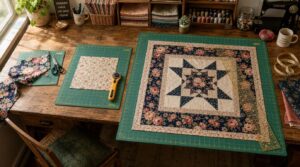
The right mat size does more than just fit your table — it shapes how well your whole cutting session goes.
A mat that’s too small forces you to reposition your fabric constantly — check out how cutting mat size affects rotary cutter performance to find the sweet spot for your projects.
Get the size wrong and you’ll notice it fast: fabric slips, cuts go crooked, and prep takes twice as long as it should. Here’s exactly how size makes the difference.
Cleaner Fabric Cuts
Getting clean fabric cuts starts with the right surface. A properly sized mat keeps your fabric stable, so it doesn’t shift mid-stroke. Grid alignment accuracy helps you line up rulers fast and cut true every time. Self-healing mats reseal after each pass, keeping the surface smooth for consistent fabric glide.
Replace your rotary blade every 10–15 projects — sharp blade maintenance makes every cut count.
Safer Rotary Cutting
Clean cuts also mean safe cuts. A properly sized mat gives your rotary cutter a stable landing zone, preventing the blade from drifting.
Prioritize features like blade guard coverage, blade retraction, and interlocking chucks to secure replacement blades. These elements ensure the tool operates safely and blades stay firmly in place.
Ergonomic grips reduce hand fatigue during use, while blade-locking mechanisms keep the cutter secure between strokes.
Ultimately, cutting mat sizes guide every safe pass, anchoring your work and maintaining precision.
Less Fabric Shifting
Fabric shift ruin precision. A non-slip surface with tacky texture keeps even slippery silks anchored while you cut. Self-healing mats add edge bevels that guide fabric smoothly without bunching. Use magnetic clips or spray baste for extra hold on tricky layers.
- Measurement grids lock your ruler placement
- Cutting mat sizes determine how much fabric stays flat
- A size guide prevents constant repositioning
Faster Sewing Prep
A stable mat doesn’t just protect your cuts — it speeds up your whole setup. Task zoning maximizes efficiency when your fabric cutting station is ready to go. Use a cutting mat size finder to match your mat to your project size selection, ensuring optimal workflow.
Pre-wound bobbins, a tool caddy, batch cutting, and good station lighting all reduce downtime. These organizational elements streamline preparation and execution, minimizing interruptions during critical tasks.
Choosing the right cutting mat size directly enhances your cutting workflow efficiency. By integrating these strategies, you create a seamless, productive environment for precision work.
Most Sewists Need 18×24 Inches
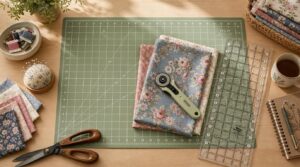
If you’re just starting out, the 18×24-inch mat covers most of what you’ll need without taking over your workspace. It hits a sweet spot that works for a surprisingly wide range of sewing projects.
The 18×24-inch mat hits a sweet spot that handles most sewing projects without overwhelming your workspace
Here’s why so many sewists reach for this size first.
Best Beginner Size
For beginners, the 18×24 inch mat is the smartest affordable entry size you can buy. It’s a lightweight mat choice that doesn’t overwhelm your space or your budget — and it accommodates most starter projects without a fuss.
Its built-in grid also makes it surprisingly easy to align fabric with confidence — something you can explore further in this guide to cutting mats for professional sewists.
- Simple setup guide: unbox, place flat, start cutting
- Beginner mat reviews consistently rank this size highest
- Space-saving design fits most standard tables
- Helps you choose the right cutting mat size from day one
Fits Common Projects
Most sewing projects fall right in the 18×24 inch sweet spot. Garment pieces, fat quarters, and pattern sections all land comfortably within that cutting mat size guide range — no constant repositioning. It accommodates medium to large mats’ worth of fabric layout without crowding your table.
Whether you’re trimming sleeves or squaring up blocks, choosing the right cutting mat size here covers the majority of everyday project planning.
Works With Rulers
The 18×24 mat pairs naturally with standard quilting and sewing rulers. Its measurement grid covers both inches and the metric system, eliminating the need for conversion tables mid-cut.
Corner guides and edge alignment marks ensure precise ruler placement every time, locking tools into position for accurate cuts.
A non-slip backing maintains stability during use, preventing unwanted shifts or slips.
Dual-side durability extends the mat’s lifespan, as measurement markings wear evenly over time.
Easy to Store
The 18×24 size doesn’t just perform well — it stores well, too. Its Lightweight Construction means you can lift it onto a shelf without any hassle. If you prefer a Compact Roll-up, it tucks behind a door or under a bed easily.
A Travel Carry Bag with a Labeling System keeps your portable cutting mat organized and ready. When stored flat, it holds its shape without warping.
Choose Size by Project Type
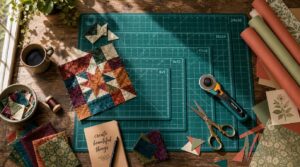
The right mat size depends on what you’re actually making. A quilter and a paper crafter do not need the same setup — and choosing wrong slows you down fast.
Here’s how to match your mat to your project.
Small Crafts: 9×12 Inches
A 9×12 mat punches well above its size for small-scale work. It’s the go-to cutting mat size finder for detail‑heavy DIY projects like appliqué, mini pattern layout, and paper piecing. It also works well for compact 12×12 paper projects that produce several mini folders and pockets.
- Travel Friendly — fits easily in a project bag
- Precision Blade Use — smooth surface keeps cuts clean
- Color Contrast Visibility — high-contrast grid aids tight layouts
- Small Mats — stable on any desktop
- Mess Free Cleanup — a quick wipe restores the surface
Garments: 18×24 Inches
Garment work demands room — and the 18×24-inch mat delivers just that.
It accommodates full bodice pieces, assists Grain Line Alignment, and keeps fabric steady during cutting.
Use it as your cutting mat size guide for muslin test runs and tailor adjustments.
| Feature | Benefit |
|---|---|
| Seam Allowance Guides | Faster pattern layout |
| Medium Mat Size | Fits most home tables |
| Non-slip fabric surface | Cleaner rotary cuts |
Quilting: 24×36 Inches
Scale up from 18×24 when quiltmaking becomes your main focus. A 24×36 mat transforms your workspace by supporting full-block layouts across an entire yard of fabric.
This upgrade delivers yardage efficiency, centered motif placement, and seam allowance control—all without constant repositioning.
It’s your go-to cutting mat size guide for quilt block cutting and multi-layer stacking of coordinating fabrics.
Batch Cutting: 36×48 Inches
Push past 24×36 when high-volume projects fill your cutting table. A 36×48 mat covers 12 square feet of workspace, making wide fabric handling and efficient layout planning straightforward.
- Cuts full 36-inch fabric widths without folding
- Reduced setup time across batch cutting sessions
- Large format cutting for multiple garment pieces simultaneously
- Bulk offcut organization stays manageable on one surface
- Facilitates industrial or high-volume tasks with consistent accuracy
Paper Patterns: A4 to A1
Paper patterns shift the size math entirely. A4 works for small templates, but as your designs grow toward A1, your mat needs to keep up. Use an A3 cutting mat for mid-scale layouts, an A2 cutting mat for larger sheets, and an A1 cutting mat for full poster-size patterns.
Proper grid alignment makes template conversion and scale ratios accurate without guesswork.
Match Mat to Your Workspace
Before you pick a size, take a good look at your actual workspace. The mat needs to fit your table without hanging over the edge or leaving you without room to maneuver.
Here’s what to check before you buy.
Measure Your Table First
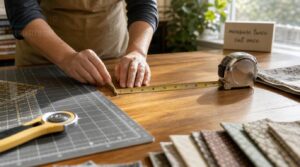
Before you buy, grab a tape measure. Check your table’s length and width at the widest points—those exact measurements tell you exactly what mat size fits.
Also check surface flatness; any warp or wobble throws off your cuts.
Note the height for workspace ergonomics, and record edge clearance to walls or obstacles.
This is your personal cutting mat size finder.
Leave Two-inch Borders
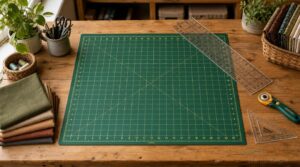
Once you’ve measured your table, subtract two inches from each edge before choosing your mat. That gap is your Border Safety Margin — it keeps rulers from slipping and gives your hands a safe landing zone. Think of it as your Alignment Frame and Ruler Space combined.
- Protects your Durability Reserve by reducing edge wear
- Improves Workspace Fit without crowding your table
- Acts as a built-in Cutting Mat Size Finder for size scalability
Avoid Mat Overhang
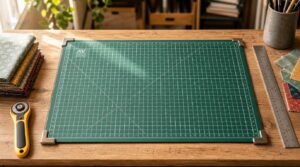
A mat that hangs past your table edge is one of the most common mistakes to avoid in cutting mat selection.
Use a Non‑slip Underside to keep it locked in place, and Clamp Mat Securely at corners when needed. Beveled Edge Design and Clear Border Markings help you stay within bounds. Integrated Corner Cutouts keep everything flush — no shifting, no overhang.
Consider Folding Tables
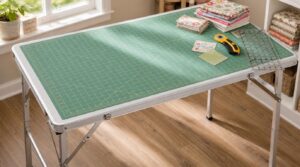
If your workstation isn’t permanent, a folding table can anchor your portable crafting setup beautifully. Look for aluminum-frame models — many 6-foot options weigh under 30 pounds, ensuring portability features stay practical. Strong material construction supports 300 to 600 pounds, providing real table stability.
Check the surface dimensions against your mat size guide before buying to nail your cutting mat selection.
Plan Storage Space
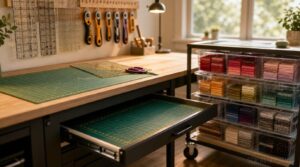
Storage space makes or breaks your workspace organization. Slide cutting mats into under-table drawers or a shallow pull-out tray to store it flat and protected.
Wall-mounted racks keep rulers and tools within reach. Stackable bins with clear labeling sort fabrics by project.
Portable carts with locking wheels handle storage space optimization when your set-up moves. Keep everything accessible, not buried.
Check Thickness and Mat Features
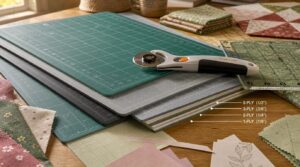
Size isn’t the only thing that matters when picking a cutting mat. Thickness and surface features can make a real difference in how clean your cuts are and how long your mat lasts.
What to look for before you buy—prioritize these aspects to ensure precision and durability.
Choose Self-healing Material
Self-healing mats use PVC layering to close cut marks over time — non-healing hard plastic just grooves permanently. Here’s what makes self-healing cutting mat technology worth choosing:
- Capsule system design releases filler agents into cuts automatically
- Vascular channels distribute healing material evenly across the surface
- Nanofiller integration strengthens the mat between cuts
- Biobased polymers offer eco-friendly options without sacrificing durability
Self-Healing vs. Non-Healing Mats isn’t a close contest for regular use.
Pick 2mm Minimum Thickness
Thickness isn’t just a number — it directly controls blade protection and cutting precision. A 2mm minimum ensures your rotary blade avoids contact with the table while maintaining mat rigidity across the full cutting surface.
Thinner mats compromise edge stability and accessory compatibility, sacrificing performance. Conversely, thicker options increase weight and hurt portability, introducing unnecessary bulk.
At 2mm, you achieve solid cutting surface stability without added weight, striking the ideal balance for functionality and ease of use.
Use Grid Markings
Grid markings do more than decorate the surface — they replace a ruler for most cuts. Look for incremental measurement labels at every inch and centimeter, bold lines with strong grid color contrast, and grid wear resistance to ensure markings remain legible over time.
Horizontal and diagonal markings enhance grid alignment and accuracy across fabric widths.
Double-sided mats introduce visible grid lowlight options — a genuine bonus feature worth having.
Look for Angle Guides
Beyond grid lines, angle guides take your accuracy up a notch. A good adjustable angle guide locks in at 15°, 20°, or 25° with precision locking, ensuring every diagonal cut stays consistent.
Look for blade compatibility with both straight and serrated edges, and prioritize durable materials like aluminum or hardened plastic. These features guarantee longevity and reliability under demanding use.
An ergonomic design is critical for steady handling, reducing fatigue during extended work. This ensures control and precision, even during intricate tasks.
Diagonal and horizontal markings on the mat pair naturally with these angle measurement tools, enabling reliable grid alignment for flawless project execution.
Consider Double-sided Mats
Double-sided mats give you two fresh cutting surfaces in one. Dual grid systems on each face let you flip to a clean side without buying a second mat. Flip-side durability holds up through thousands of cuts per side.
Non-slip backing keeps the mat planted, and an anti-glare surface reduces eye strain. Edge bevel design protects your fabric edges on both sides.
Frequently Asked Questions (FAQs)
What is the difference between A1 and A4 cutting mats?
An A1 cutting mat offers a large surface area with complex grid markings, while an A4 prioritizes portability and compact storage.
The weight difference is significant—A1 mats are heavier and pricier, with greater durability for extended use.
How to choose a cutting mat?
A self-healing PVC mat with edge reinforcement and good color contrast suits most crafters. Choose based on size, material, and project type.
Prioritize material durability, mat grip levels, and machine compatibility before buying.
How often should I replace my cutting mat?
Think of it as a "cut-off" point — most mats last 6–12 months with moderate use. Watch for wear indicators like ridges that won’t close, blade dulling, or visible warping.
Can I use one mat for both fabric and paper?
A self-healing mat manages both fabric and paper well. Watch for fiber debris build-up and use lint-free cleaning after each switch.
Dual-purpose use works best with consistent blade pressure and good ink resistance.
Does mat color affect cutting accuracy or visibility?
Mat color affects both fabric visibility and grid readability more than most sewists expect.
Light gray or blue mats boost color contrast against dark fabrics, while matte finishes reduce lighting glare for sharper optical clarity.
How do I clean and maintain my cutting mat?
Wipe your mat with mild soap and warm water after heavy use. Air dry flat, away from sunlight. Store flat with a protective cover, and inspect regularly for deep grooves.
Are metric or imperial grid markings better for sewing?
Neither is universally better. Metric precision suits European patterns and reduces conversion errors. Imperial familiarity works well for US-based sewing.
Dual-grid benefits both — Dual-grid benefits both — one mat accommodates inches and centimeters without switching tools. One mat accommodates inches and centimeters.
Conclusion
Funny how a quick fabric project turns into a frustrating hour of chasing shifting cloth across a mat that’s three sizes too small. The answer to "what size cutting mat do I need?" was never really complicated—it just required the right questions.
What are you making? How big is your table? How do you actually work? Answer those honestly, match your mat to those answers, and every cut you make from here lands exactly where you intend it.
- https://rhinocuttingmat.co.uk/cutting-mat-sizes-guide-a0-a1-a2-a3/?srsltid=AfmBOopKxEOVytYsbzDhfnsnFPcLjk5qFpNZhSqGzU-MocGFJP_XU4XI
- https://faithandfabricdesign.com/2022/01/tutorial-how-to-choose-the-best-cutting-mat-for-quilting.html
- https://quiltsocial.com/perfect-cutting-mats-which-ones-work-best-for-quilting-and-why/
- https://sherriquiltsalot.com/2021/07/07/how-to-choose-the-right-cutting-mat-for-you/
- https://www.nationalsewingcircle.com/post/sewing-must-haves-all-about-cutting-mats