This site is supported by our readers. We may earn a commission, at no cost to you, if you purchase through links.
Your machine houses a digital library of stitches—dozens or even hundreds of patterns waiting inside the control panel. Built-in stitch selection lets you command every one of them with a dial turn or screen tap, switching from straight seams to decorative edges without rethreading or swapping accessories.
The interface—whether mechanical dial or touchscreen—determines how fast you access each pattern and how precisely you control stitch width and length. Mastering this system unlocks the machine’s full range: utility stitches that construct garments, stretch patterns that adapt to knits, and decorative topstitching that transforms plain fabric into finished work.
Table Of Contents
Key Takeaways
- Built-in stitch selection puts dozens to hundreds of pre-programmed patterns at your fingertips through mechanical dials or touchscreens, letting you switch from construction seams to decorative topstitching without rethreading or swapping accessories.
- Mastering five core stitches—straight, zigzag, buttonhole, blind hem, and overcast—handles 90% of everyday sewing tasks, from basic seam construction to professional edge finishing and stretch fabric handling.
- Matching stitch type to fabric weight and construction is non-negotiable: lightweight materials need shorter stitch lengths to prevent perforation, stretch fabrics demand zigzag or dedicated stretch stitches to maintain elasticity, and heavy fabrics require longer stitches with proper seam reinforcement.
- Your machine’s interface design—whether entry-level mechanical dials or high-end digital controls with firmware updates—directly determines how fast you access patterns and how precisely you adjust stitch width, length, and tension for consistent results.
What is Built-in Stitch Selection?
Built-in stitch selection is the control system that lets you choose and execute different stitch patterns directly from your sewing machine’s interface. Modern machines offer anywhere from 10 to over 200 pre-programmed stitches, ranging from basic utility stitches to complex decorative patterns.
Understanding which essential built-in stitches you’ll actually use helps you choose a machine that fits your sewing style without paying for features you don’t need.
Understanding how this system works—and how it varies across different models—puts you in complete command of your machine’s capabilities.
For a detailed walkthrough on easy sewing machine threading techniques, you’ll find step-by-step guidance that makes the process effortless.
Definition and Functionality in Modern Machines
Built-in stitch selection puts predefined stitching patterns directly on your sewing machine interface. Modern features simplify your workflow through dedicated digital panels and machine controls that let you browse builtin stitches without manual rethreading. The sewing interface delivers:
Entry-level models provide 50–100 preset patterns, while high-end automatic sewing devices offer 500+ stitches with precision thread control and customizable fabric settings.
- Rapid switching between utility and decorative patterns
- Consistent stitch length settings across all selections
- Simplified stitch navigation through touchscreens or control panels
- Automatic thread tension adjustments for selected patterns
- Categorized sewing machine functions by stitch type
Types of Built-in Stitches Available
Your machine offers five core builtin stitches that handle most sewing techniques. Straight stitch executes seams and topstitching with uniform precision. Zigzag stitch provides stretch adaptability and fabric finishing for woven materials. Buttonhole stitch automates closures through multiple-step programming. Overcast stitch mimics serged edges to prevent fraying.
Beyond these essentials, decorative and utility patterns expand your thread choices and machine settings for specialty topstitching, quilting, or embroidery work. Stitch variety transforms basic construction into creative expression.
How Stitch Selection Differs by Machine Model
Stitch selection interfaces vary dramatically across models. Entry-level machines use mechanical dials numbered 1–25, while computerized upgrades deploy touch panels with symbolic icons and preview graphics.
Firmware updates can reorder built-in stitches or add new patterns without hardware changes.
Your machine’s stitch customization capabilities—width ranges, numbering systems, quick-access memory—depend entirely on model generation and brand-specific interface differences.
How Built-in Stitch Selection Works
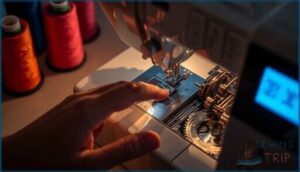
Your machine’s stitch selection system is the control center that translates your button presses into precise mechanical movements. Whether you’re working with a digital touchscreen or a manual dial, the process follows the same basic sequence: you select a stitch number, the machine configures its internal settings, and the mechanism executes the pattern.
Once you understand the mechanics, choosing the right stitch for your fabric type becomes straightforward and intuitive.
Here’s how to navigate your machine’s interface and master the selection process.
Navigating Stitch Selection Panels
Think of the panel as your stitch command center—it maps every builtin stitches option your machine offers. Most panels display numbered icons or thumbnails that correspond to specific patterns, creating a visual stitch guide you’ll reference constantly.
Interface design varies: some machines use touchscreen controls with visual feedback, while others employ physical dials. Learn your panel navigation system, and you’ll switch between stitch selection options without hesitation.
Using Digital Vs. Manual Controls
You’ll face a fork in the road: computerized machines let you dial in stitch length, width, and speed settings through push buttons and digital interface screens, delivering stitch precision with repeatable accuracy. Control panels on mechanical models rely on rotary dials and levers—tactile, immediate, but prone to slight drift during long sessions.
Before you invest in either type, browse these practical tips for choosing sewing machine feet to confirm your machine’s shank system and accessory compatibility.
Digital sewing machine controls cut user error by nineteen percent, streamlining your builtin stitches workflow and sharpening overall user experience. When selecting a machine, consider the importance of advanced sewing features to improve your sewing projects.
Display Screens and Stitch Numbering Systems
Your screen readouts translate stitch codes into real-time visual language—LCD and LED displays show each stitch number before you press the foot pedal. Digital controls give you precise millimeter adjustments for width and length, while firmware updates can add new codes without hardware changes.
Check your stitch guide or stitch chart to decode manufacturer-specific numbering schemes:
- Alphanumeric codes identify each built-in pattern for instant recall
- Icons distinguish utility from decorative stitch families
- Touchscreen menus suggest compatible presser feet and threading paths
Essential Built-in Stitches Explained
Your machine packs dozens of stitches, but only a handful matter for everyday sewing. Understanding these core stitches unlocks 90% of what you’ll actually build—from basic seams to professional hems.
Here’s what each essential stitch does and when you’ll reach for it.
Straight Stitch and Its Uses
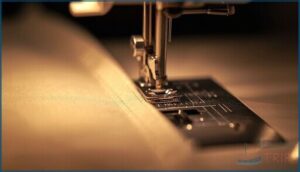
Your sewing machine’s straight stitch forms the backbone of seam construction across all fabric types. This basic stitch selection delivers clean topstitching and secure seams when you maintain proper thread tension.
Set your stitch length between 2.5–3.0 mm for medium-weight fabrics—shorter for lightweight selections, longer for heavier materials.
Master straight stitch fundamentals, and you’ll tackle any project with precision and confidence.
Zigzag Stitch Versatility
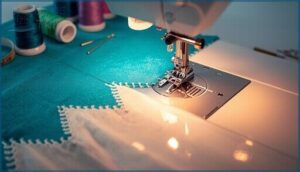
Your zigzag stitch selection unlocks fabric fray prevention and stretch fabric seams in one powerful pattern. Adjust stitch length between 1.5–4.0 mm and width from 0–7.0 mm to control seam reinforcement and zigzag edge finishing.
This stitch accommodates knit fabrics without thread breakage while delivering decorative stitching on woven materials. Match your sewing machine’s thread tension to fabric weight, and you’ll master adaptable seaming techniques instantly.
Buttonhole and Blind Hem Stitches
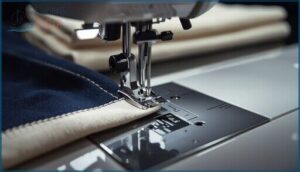
You control garment construction precision when you master buttonhole stitch and blind hem stitch selection. Your sewing machine creates secure button closures with adjustable buttonhole techniques spanning 6–12 mm, while blind hem stitch delivers nearly invisible hem alignment on lightweight fabrics.
Match stitch length to fabric compatibility and monitor stitch tension to prevent puckering. These stitch selection options transform seam finishing from functional to impeccable.
Overcast, Triple Straight, and Specialty Stitches
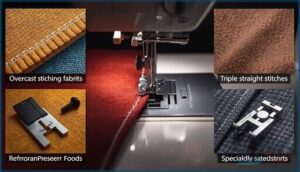
You gain a professional edge when you master overcast stitch selection—it wraps thread around fabric edges like a serger, preventing fraying without trimming.
Triple straight stitch delivers outstanding seam strength through its forward-backward-forward motion, ideal for stretch fabrics and high-stress areas. For best results, understanding the triple straight stitch is key for working with stretchy fabrics.
Pair specialty stitches with compatible presser feet to boost sewing efficiency across woven and knit materials.
Choosing The Right Stitch for Fabric
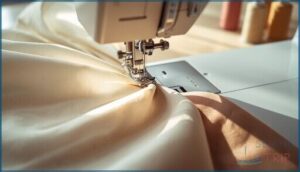
Your fabric dictates which stitch you’ll use—get this wrong and you’ll end up with puckered seams, broken threads, or worse. Different materials demand different approaches, from lightweight silks to heavy denim, and stretch versus woven construction changes everything.
Choosing the wrong stitch for your fabric leads to puckered seams, broken threads, and failed projects
Here’s how to match your stitch settings to whatever fabric lands on your sewing table.
Matching Stitch Type to Fabric Weight
Precision determines success when you match stitch type to fabric weight. Your sewing machine needs proper stitch selection to prevent fabric distortion and seam failure.
- Lightweight fabrics demand shorter stitch length to avoid perforation
- Medium-weight materials perform best with standard straight stitches
- Heavy fabrics require longer stitches and seam reinforcement
- Thread tension adjustments prevent puckering across all weights
Stitch Selection for Stretchy Vs. Woven Fabrics
Stretch fabrics demand narrow zigzag stitch or dedicated stretch stitches to maintain seam elasticity without thread breakage. Woven fabrics perform optimally with straight stitch and proper backtacking.
Your fabric compatibility tests reveal key differences: knits require ballpoint needles and reduced stitch tension control, while wovens need sharp needles and standard tension.
Edge finishing techniques differ markedly—overedge stitches work for stretch materials, while standard zigzag prevents fraying on woven textiles.
Adjusting Stitch Length and Width Settings
After matching your stitch selection to fabric type, you’ll fine-tune machine settings for ideal results. Stitch length controls seam strength and fabric tension—2.0 to 3.0 mm manages most general sewing tasks.
Adjust these sewing machine settings systematically:
- Set straight stitch width to 0 mm for seaming
- Increase zigzag width to 5–7 mm for edge finishing
- Test stitch management on fabric scraps first
- Modify length settings to prevent puckering on knits
- Verify thread control remains consistent throughout
Your fabric testing confirms proper machine settings before final assembly.
Troubleshooting Stitch Selection Issues
You’ll hit a snag with stitch selection sooner or later—it’s part of the learning curve. When your machine won’t respond or displays the wrong stitch, you need a clear troubleshooting path.
Here’s how to diagnose common issues, verify your controls are working correctly, and know when it’s time to call for backup.
Common Stitch Selection Problems
Your machine won’t cooperate when stitch selection goes sideways. Watch for patterns that freeze mid-advance despite button presses, stitch error codes flashing unexpectedly, or fabric puckering from mismatched settings.
Display malfunctions showing wrong stitch lengths contradict your dial settings. Thread tension and needle issues compound these problems, creating uneven feeding that derails your sewing machine troubleshooting efforts before you’ve mastered proper stitch selection and management.
Checking Stitch Display and Controls
Your control panels hold answers when stitches misbehave. Start diagnosing by methodically examining these machine settings:
- Verify the stitch display shows your selected stitch types with accurate stitch length readings
- Test each button on control panels for responsive feedback and proper function
- Monitor error alerts that flag incompatible presser foot or fabric combinations
- Review stitch previews on-screen to confirm your sewing machine selections match project requirements
Display settings reveal mechanical truth.
When to Consult The User Manual or Support
Your machine has limits—recognize them. Routine feature guidance lives in your user manual before you chase phantom problems. Complex error messages demand manual consultation to decode firmware-specific alerts. Hardware warnings and warranty eligibility require official documentation, not guesswork.
When manual steps fail, contact support channels for guided troubleshooting and potential service interventions.
| Issue Type | First Resource | Next Step |
|---|---|---|
| Error codes | User manual | Contact support |
| Feature limits | Official specs | Authorized service |
| Failed fixes | Troubleshooting guide | Firmware updates |
Top Sewing Tools for Stitch Selection
Your machine’s built-in stitches won’t mean much if you don’t have the right tools backing them up. Quality presser feet, reliable thread, and a solid machine form the foundation of stitch selection mastery.
Here are three essential tools that’ll give you the control and precision you need.
1. Brother Metal Sewing Machine
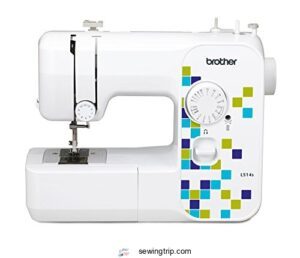
You’ll want a workhorse that won’t flex when you’re layering canvas or leather. The Brother Metal Sewing Machine delivers that stability with an 11.2-pound metal chassis—less vibration means straighter seams on thick fabric handling and upholstery sewing.
Its metal needle plate and feed system advance heavy materials consistently, while the corded electric power source maintains torque for heavy-duty stitching without strain.
Adjust stitch length and thread tension through straightforward machine settings, and the stitch selection panel lets you switch between utility stitches for industrial portability and demanding projects.
| Best For | Sewers tackling heavy-duty projects like upholstery, leatherwork, or thick canvas who need a stable machine that won’t strain under demanding fabrics. |
|---|---|
| Material | Metal |
| Brand | Brother |
| Color | White |
| Weight | 11.2 Pounds |
| Primary Use | Sewing machine |
| Durability | Metal chassis |
| Additional Features |
|
- Metal chassis and internal frame reduce vibration and flex, delivering consistent stitch quality on multi-layer seams
- Corded electric power maintains strong, steady torque for thick materials without overheating during long sessions
- Straightforward controls and good value make it accessible for beginners while handling professional-grade tasks
- 11.2-pound weight makes it less portable than lighter plastic models
- Corded power source limits placement flexibility and may require an adapter for international outlets
- Long-term durability under heavy use isn’t fully proven by all customer reviews yet
2. Framad Sewing Machine Presser Foot Set
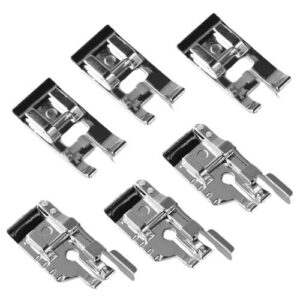
Your stitch selection expands the moment you swap presser foot types. The Framad six-piece set gives you a 1/4” quilting foot with an integrated guide for precise seam allowances, plus an edge joining foot for smooth finishing—both built from durable zinc alloy with transparent soles.
Verify sewing machine compatibility before ordering; these fit low-shank machines from Brother, Janome, and Singer.
Each foot material selection affects fabric handling, so match the overcasting foot to edge finishing techniques and the buttonhole foot to garment construction for best stitch quality.
| Best For | Sewists and quilters who need precision stitching tools for edge finishing, appliqué work, and detailed quilting projects on low-shank machines. |
|---|---|
| Material | Zinc |
| Brand | Generic |
| Color | Silver |
| Weight | Not specified |
| Primary Use | Presser feet accessories |
| Durability | Zinc alloy construction |
| Additional Features |
|
- Six specialized feet cover everything from basic hemming to advanced quilting with precise 1/4″ seam guides
- Durable zinc alloy construction with transparent soles lets you see exactly where you’re stitching
- Works across multiple popular brands including Brother, Janome, and Singer low-shank machines
- You’ll need to verify compatibility with your specific machine model before buying
- Won’t fit all sewing machine brands or shank types, limiting versatility
- No warranty or customer support information provided with the set
3. Gutermann Sewing Thread Set
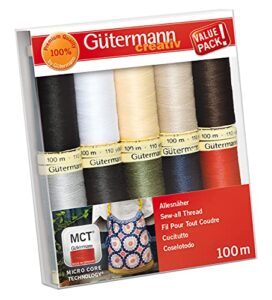
Thread quality determines stitch formation across every built-in pattern you select. The Gütermann polyester set delivers Micro Core Technology in ten colorways—each 100-meter spool feeds through your sewing machine’s tension discs without snapping or bunching.
Thread durability holds up through repeated washing cycles, while color variety covers common fabric suitability scenarios from denim to jersey.
Adjust stitch length and thread tension settings to match thread types: looser tension for delicate weaving, tighter for heavy seams. Thread management starts with reliable spools that maintain consistent diameter throughout sewing compatibility testing.
| Best For | Home sewers who want reliable, all-purpose thread in essential colors for everyday projects like hemming, mending, and basic garment construction. |
|---|---|
| Material | Polyester |
| Brand | Gütermann |
| Color | Popular |
| Weight | 84 Grams |
| Primary Use | Sewing thread |
| Durability | Micro Core Technology |
| Additional Features |
|
- Micro Core Technology creates strong seams that hold up through multiple washes without fraying or breaking
- Ten basic colors cover most common fabric matches, giving you a solid starter collection for your sewing basket
- Works smoothly with different sewing machines and feeds through tension discs without snagging or bunching
- 100-meter spools run out faster on larger projects, so you may need to buy duplicates for quilts or multiple garments
- Price point feels steep if you’re buying in bulk or need several spools of the same color
- Hand-wash-only care instructions limit convenience compared to machine-washable thread options
Frequently Asked Questions (FAQs)
Can I create custom stitch combinations?
Higher-end sewing machines with stitch editing features let you chain multiple stitch patterns into custom stitch combinations. Your machine’s user libraries can save these sequences—entry-level models usually don’t support combo creation.
How do I save favorite stitches?
Most modern machines store your go-to Stitch Memory through dedicated Favorite Settings buttons. Press “Save” after adjusting Stitch Selection, length, and width—transforming manual repetition into instant Stitch Retrieval.
Customization Options vary by model’s Sewing Machine Functions.
What affects stitch quality besides selection?
Your needle quality, thread tension, and fabric prep determine stitch density and formation. Machine maintenance keeps needle movement consistent, while fabric weight dictates proper stitch length for clean, reliable seams every time.
Are decorative stitches suitable for all projects?
No—decorative stitches compromise seam integrity on high-stress areas. Fabric compatibility and stitch tension matter more than visual appeal.
Proper stitch selection prioritizes structural strength over decorative options, especially in garment construction requiring durability.
How often should I clean my machine?
Clean your machine every 4 to 12 hours of sewing or after each project. Heavy fabrics demand more frequent lint removal.
Establish cleaning intervals based on your sewing frequency to prevent jamming and maintain stitch quality.
Conclusion
Think of built-in stitch selection as your machine’s command center—the control that translates intention into thread. Each dial turn or screen tap unlocks patterns engineered for specific tasks: reinforcing seams, adapting to stretch, finishing edges.
You don’t need every stitch memorized, but knowing which pattern solves which problem turns guesswork into precision. Master the panel, match stitch to fabric, and your machine executes exactly what you envision—no compromise, no hesitation.
- https://www.schmetzneedles.com/needle-know-how/
- https://www.singer.com/blog/sewing-tips-and-techniques/understanding-thread-tension
- https://facebook.com/sharer.php?m2w&u=https://help.brother-usa.com/app/answers/detail/a_id/56128
- https://twitter.com/intent/tweet?text=How+to+change+or+select+a+stitch+https://help.brother-usa.com/app/answers/detail/a_id/56128
- https://www.linkedin.com/shareArticle?mini=true&url=https://help.brother-usa.com/app/answers/detail/a_id/56128&title=How+to+change+or+select+a+stitch&summary=How+to+change+or+select+a+stitch&source=https://help.brother-usa.com/app/answers/detail/a_id/56128