This site is supported by our readers. We may earn a commission, at no cost to you, if you purchase through links.
Running a handmade business means juggling dozens of raw materials, tracking batches across multiple sales channels, and somehow keeping your books accurate enough to price products profitably. Most makers start with spreadsheets and quickly discover they’re spending more time updating inventory counts than actually creating.
Craftybase markets itself as the solution built specifically for small-batch producers who need real inventory control without enterprise-level complexity.
This review breaks down how the platform manages material tracking, automates cost calculations, and integrates with your existing sales channels to determine if it’s the right fit for your handmade operation.
Table Of Contents
Key Takeaways
- Craftybase delivers batch-level inventory tracking and automated COGS calculations specifically designed for small-batch makers who sell across multiple channels like Etsy, Shopify, and Amazon.
- The platform eliminates spreadsheet chaos by tracking raw materials from purchase through production to sale, automatically calculating true product costs and profit margins in real time.
- Real users report strong satisfaction with core inventory features and customer support, though setup requires significant upfront time investment and occasional sync delays occur with connected storefronts.
- Four pricing tiers start at $24 monthly with a 14-day free trial, scaling from solo makers to small teams with up to five users and varying order volume limits.
Craftybase Overview for Handmade Businesses
Craftybase is built specifically for makers who craft products in small batches and sell through multiple channels. If you’re tired of wrestling with spreadsheets that can’t keep up with your materials, recipes, and actual costs, this platform offers a different approach.
Let’s look at who gets the most value from Craftybase and what types of handmade businesses it assists.
Who Should Use Craftybase
Craftybase works best for small makers and craft sellers who need real inventory control over physical products. If you’re running a handmade business with multiple suppliers and variable materials, this platform manages the complexity.
You’ll benefit most if you:
- Produce goods requiring batch tracking and accurate product tracking
- Sell across multiple channels needing ecommerce platform integration
- Need COGS calculations for small business financial management
- Want inventory management that syncs with small business operations
Key Benefits for Makers and Sellers
Understanding who fits the platform matters, but what you actually gain makes the difference. You get improved inventory visibility across raw materials and finished products through batch-level tracking. Craftybase streamlines your supply chain with centralized expense tracking and supplier management. The platform enables product pricing strategies through margin analysis and accurate cost of goods sold calculations, driving business growth and operational efficiency for handmade sellers.
| Benefit Category | How Craftybase Delivers |
|---|---|
| Inventory Control | Batch and SKU tracking reduce stockouts and overages |
| Financial Accuracy | Automated COGS and centralized expense tracking |
| Pricing Power | Margin analysis guides profitable product pricing decisions |
Supported Business Types
From hobby sellers to established maker brands, you’ll find the platform fits diverse operations. Sole proprietors and micro businesses running home studios can track inventory alongside small manufacturers producing limited batches.
Artisan sellers on Etsy or Shopify benefit from the same features as artisans managing local market sales. Small makers shifting from spreadsheets gain structured small business management tools designed specifically for handmade sellers.
If you’re just starting out, focus on small sewing project ideas for sale that let you test different platforms without a huge upfront investment.
Inventory Management Features
Craftybase gives you full visibility over every ingredient and finished product in your business. The platform tracks materials from the moment you order them through production and final sale.
You’ll find three core features that handle the day-to-day work of managing your handmade inventory.
These tools pair well with the foundational techniques for making quality handmade clothes that help your finished pieces stand out.
Raw Material and Product Tracking

You can’t price your products accurately if you don’t know what each one actually costs to make. Craftybase tracks raw materials from the moment you source them through your entire supply chain.
You’ll monitor inventory levels in real time and create product recipes that calculate material cost automatically. The system follows each item through its product lifecycle, giving you complete cost tracking without spreadsheets.
Batch and SKU Management
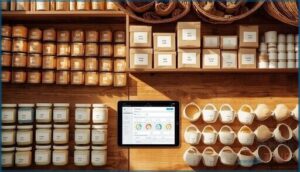
Every handmade business hits that turning point where one product becomes ten variations, and tracking them on paper becomes a nightmare. Craftybase gives you batch tracking and SKU management that manages product variants without losing your mind. You’ll control inventory at the SKU level and streamline stock across all your variations.
A pricing calculator for handmade items helps you see your true hourly rate once you factor in the time spent managing all those variants.
- Assign unique SKUs to each product variant automatically
- Track material control by batch for complete traceability
- Monitor inventory levels across variants in real time
Supplier and Purchase Order Management

Managing suppliers shouldn’t mean juggling spreadsheets and sticky notes. Craftybase centralizes vendor tracking and purchase order management in one system. You’ll create purchase orders directly from the platform, track material sourcing from each supplier, and monitor on-order inventory with expected delivery dates.
Supply chain management becomes straightforward when you can see complete purchase histories and refine inventory based on real supplier data. Effective supply chain management involves using supply chain software to simplify operations.
Bookkeeping and Financial Tools

You can’t price your products accurately without knowing what they actually cost to make. Craftybase manages the financial side of your handmade business with tools that track every dollar you spend and every cent you earn.
If you’re sourcing equipment like a portable sewing machine with case, tracking those upfront costs helps you set prices that actually reflect your investment and protect your margins.
Here’s how it keeps your books clean and your pricing profitable.
Expense and Cost Tracking
Tracking every dollar that flows through your handmade business isn’t optional—it’s survival. Craftybase gives you dedicated expense fields for material costs and overheads per item or project. Here’s what you can track:
- Raw materials, packaging, and shipping costs by category
- Labor tracking entries tied to specific products or batches
- Receipt and invoice attachments for tax compliance and audit trails
- Expense reporting summaries by time period or product line
The platform integrates with e-commerce and accounting tools to automate expense data import, streamlining your bookkeeping workflow. You’ll see production costs and budget planning evolve from guesswork to precision, with cost analysis built into every inventory decision.
Cost of Goods Sold (COGS) Calculation
Accurate COGS calculation separates profitable makers from those burning cash without knowing it. Craftybase automatically computes your cost of goods sold using real-time inventory valuation and cost accounting across all materials and labor.
You’ll get instant profit margins on every product, not estimates. The costing software tracks production costs down to the penny, feeding directly into tax compliance reports and pricing guidance that actually reflects what you spent.
Pricing Guidance and Margin Analysis
Setting the right price can make or break your handmade business.
Craftybase delivers pricing guidance by combining your COGS with labor and overhead into margin calculations that reveal exactly where you’re profitable.
You’ll see real-time profit margins by SKU, test pricing strategies before you commit, and refine revenue forecasting with cost analysis that turns guesswork into data-driven decisions for sustainable profit refinement.
Tax Reporting and Compliance
Tax filing for handmade businesses demands precision you can’t afford to lose. Your bookkeeping solution feeds directly into accounting platforms, tracking business expense tracking and COGS tracking for compliance audit readiness. You’ll maintain record-keeping that covers sales tax obligations and quarterly payments while financial management tools organize receipts and invoices for three to seven years.
| Tax Requirement | Craftybase Support |
|---|---|
| Schedule C reporting | Automated expense categorization |
| Sales tax collection | Multi-jurisdiction tracking |
| Quarterly payments | Real-time profit calculation |
| Audit documentation | Complete purchase histories |
| Employment tax | Contractor payment records |
Platform Integrations and Automation

Craftybase connects with the platforms you already use to run your business. These integrations eliminate duplicate data entry and keep your inventory synced across sales channels.
Here’s how Craftybase links your tools together and automates your workflow.
E-commerce and Marketplace Syncing
With major platforms like Etsy, Shopify, and Amazon, Craftybase’s online marketplace integration connects your sales channels in real time.
Ecommerce integration pulls product listings automatically and reduces manual entry by up to 60%. You’ll see inventory updates flow across all storefronts, while sync status indicators alert you if a connection fails.
Order fulfillment data imports seamlessly, and data mapping keeps SKUs consistent everywhere.
Accounting Software Integration
Beyond marketplace connections, Craftybase’s API connectivity links you directly to accounting interfaces like QuickBooks and Xero. Financial sync pushes sold item revenue and cost data into your accounting and financial management system automatically.
Data mapping assigns inventory transactions to general ledger accounts, while automated reconciliation matches purchase orders with supplier invoices.
You’ll handle expense tracking and cost management without double entry, keeping your business operations management lean and your financial planning accurate.
Automated Data Import and Export
Your inventory management software works harder when data flows both ways. Craftybase manages automated transfers through CSV and Excel export formats, letting you pull inventory levels and purchase orders into external systems. Import templates use field matching to map SKU, quantity, and cost data without duplicates.
You’ll configure:
- Bulk material uploads with data mapping
- Scheduled inventory exports for accounting
- Purchase order imports from suppliers
- Real-time inventory tracking syncs across platforms
Smooth integration means your inventory management runs on autopilot.
Craftybase Pricing, Plans, and User Reviews

Craftybase offers four pricing tiers designed to scale with your business needs. The platform provides a free trial so you can test features before committing to a paid plan.
Real user reviews highlight both the strengths and limitations you should consider before making your choice.
Plan Options and Feature Comparison
Craftybase offers four pricing tiers that scale with your business needs. The Pro plan starts at $24 monthly for one user, while Studio ($39) and Indie ($79) accommodate two and five users respectively. The Business plan costs $119 monthly with five user accounts.
Each tier includes different order line limits and feature access, letting you match your inventory management software investment to your production volume.
Free Trial Details and Limitations
You can test Craftybase risk-free without entering your credit card details during the trial period. The free trial lets you explore inventory tracking and management features designed for small-batch makers.
Craftybase doesn’t offer a free version after your trial ends. You’ll need to select a paid plan to continue using the inventory management system.
Check the cancellation policy before your trial expires to avoid automatic billing.
User Testimonials and Ratings
Real verified users share genuine insights about Craftybase’s impact on their maker brands and small business inventory control. Customer satisfaction trends reveal clear benefits in batch management and time savings for bookkeeping.
User reviews consistently highlight:
- Responsive support and helpful onboarding resources
- Improved efficiency in tracking materials and reducing manual data entry
- Mixed opinions on pricing relative to business growth and scaling needs
Rating analysis shows strong approval for core inventory features.
Pros and Cons Based on Real Experiences
Makers rave about the depth of batch tracking and COGS clarity once you’re up and running. However, implementation challenges surface during setup—catalog configuration takes patience. Some handmade product sales teams report synchronization delays with connected storefronts, creating scalability issues as order volumes grow. Customer support earns praise for responsiveness, yet feature requests around sophisticated reporting remain common among craft business management professionals.
| Strengths | Weaknesses |
|---|---|
| Superior batch and material tracking for small-batch makers | Steep learning curve during initial catalog setup |
| Accurate COGS calculation improves pricing decisions | Occasional sync delays with e-commerce platforms |
| Strong customer support and onboarding resources | Limited sophisticated reporting for scaling businesses |
User satisfaction hinges on your willingness to invest time upfront. If you need bulletproof inventory management solutions for complex recipes and multi-location stock, Craftybase delivers. But if you’re chasing plug-and-play simplicity, expect growing pains before the payoff arrives.
Craftybase rewards upfront effort with bulletproof inventory control, but demands patience over plug-and-play ease
Frequently Asked Questions (FAQs)
How secure is the data stored in Craftybase?
Your business data flows through encrypted TLS connections, safeguarded by server access controls and user authentication protocols. Craftybase maintains cloud-based inventory management security through regular vulnerability updates across their infrastructure.
Is there a way to export data from Craftybase?
Craftybase enables data export through CSV file formats. You can download inventory, product, batch, and SKU data from your account settings.
This export functionality helps simplify data management and business operations across platforms.
How can I backup my Craftybase data?
You can export your Craftybase inventory management data in CSV format and store it in cloud storage.
Set up automated backups through integration platforms to protect your business operations and enable quick recovery planning when needed.
Is there a way to customize Craftybase to fit my business needs?
You can adapt Craftybase through configuration tools that let you customize product templates, add custom field options for data capture methods, and organize workflow optimization with tags—tailoring inventory management to your craft business management needs.
Are there any discounts available for Craftybase?
You won’t find stacks of discount codes, but Craftybase offers a 14-day free trial and potential annual savings.
Check their pricing page or mailing list for occasional promo deals on business management tools for small-batch makers.
Does Craftybase offer mobile app access or functionality?
You won’t find a dedicated mobile app for Craftybase on iOS or Android. Instead, you’ll access the cloud-based inventory management platform through your mobile browser using its responsive design for business productivity on the go.
Can multiple currencies be handled within Craftybase?
Yes, you can manage multiple currencies in your account. Craftybase manages multicurrency support with automatic or manual exchange rates, enabling global trading and accurate financial reporting across different markets for small-batch makers.
How does Craftybase handle product waste tracking?
You can record material wastage through batch entries in Craftybase. The system adjusts inventory quantities, influences product costing, and generates waste reporting by material or time period for better supply chain management and inventory optimization.
What customer support options are available to users?
Craftybase offers email support through a dedicated help desk, live chat during business hours, and a knowledge base with tutorials.
Community forums connect you with other makers for peer advice and solutions.
Is there a limit on inventory items stored?
There’s no published hard cap on inventory items you can store. Storage capacity scales with your plan, though catalog management performance may vary with larger item counts.
Contact support to confirm current data scalability limits.
Conclusion
The best inventory system is the one you’ll actually use daily. CraftyBase review inventory and bookkeeping for your handmade business reveals software that removes guesswork from material costs and product pricing.
You’ll spend less time reconciling spreadsheets and more time building your craft business. The platform won’t make creative decisions for you, but it will show you exactly what each product costs to make and whether your pricing strategy actually generates profit.
- https://help.craftybase.com/article/1167-introduction-to-purchases
- https://craftybase.com/blog/supply-chain-management-software-for-small-manufacturers
- https://x.com/godofprompt/status/1990526288063324577
- https://www.sciencedirect.com/science/article/pii/S0749208123000268
- https://github.com/vinhphunguyen/how-to-write-a-paper/blob/master/how-to-write-paper.out