
This site is supported by our readers. We may earn a commission, at no cost to you, if you purchase through links.
That sound — somewhere between gravel in a blender and a failing engine — means your washer is talking to you. Machines don’t grind without reason, and a washing machine grinding noise is one of the clearest distress signals an appliance can send.
Catch it early, and you’re likely looking at a $20 fix. Ignore it, and you could be shopping for a new unit by the weekend.
The grinding could trace back to a coin trapped between the drum walls, a worn bearing slowly eating itself, or a drive belt that’s lost its grip. Each cause points to a different fix — and knowing which one saves both time and money.
Table Of Contents
Key Takeaways
- When your washer grinds, timing is everything — noise during agitation points to worn agitator dogs or trapped debris, while spin-cycle grinding almost always means failing drum bearings.
- Most grinding issues start with something embarrassingly simple, like a coin wedged between the drum walls, so check for foreign objects before assuming you need expensive parts.
- You can safely diagnose a lot yourself — unplug the machine, rotate the drum by hand, check the pump filter, and look for belt wear — before spending a dime on repairs.
- Once repair costs cross 50% of what a new machine costs, replacement is the smarter move; otherwise, fix it yourself or call a pro depending on whether the problem is a belt swap or a transmission rebuild.
Identify When The Grinding Happens
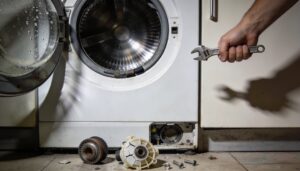
Before you grab a wrench, pay attention to exactly when the grinding starts — because timing tells you almost everything. A noise during agitation points to completely different parts than one that shows up mid‑spin or only when the water drains.
Here’s what each pattern usually means.
Noise During Agitation
If your washer grinds specifically during agitation — not spin, not drain — that noise is telling you something. Think of it as acoustic signature analysis: the when matters as much as the what.
Agitation-only grinding usually points to a worn drum bearing or stray object caught in the tub — the kind of quick washer fix most people overlook until it becomes a much bigger problem.
Three usual suspects:
- Worn agitator dogs slipping during each stroke
- A stretched drive belt or failing motor coupling losing grip under torque
- Debris trapped between the agitator and tub
Trust the timing.
Noise Only on Spin Cycle
Spin noise hits differently. When grinding only shows up at high speed, the drum bearing is the first place to look — drum bearing inspection and replacement often reveal worn races or rust. Belt tension matters too; a slipping belt mimics that same metallic growl. Shock absorber failure and tub seal wear increase the impact of unbalanced loads on machine vibrations. Ensuring the machine is level(https://callduncan.com/washing-machine-noise-during-spin-cycle/) can dramatically reduce spin‑cycle noise.
| Symptom | Likely Cause | Action |
|---|---|---|
| Rhythmic grinding at speed | Worn drum bearing | Inspect and replace |
| Growling under acceleration | Belt tension loss | Check and adjust belt |
| Shaking with grinding | Shock absorber failure | Replace absorbers |
A faulty spin speed sensor can also mask the real spin cycle issue by misreading RPMs. Vibration isolation pads help, but motor overheating from sustained grinding load means you shouldn’t ignore it for long.
Noise During Drain Cycle
Drain noise is its own beast. When grinding kicks in only as water exits, your drain pump is usually the culprit. A pump impeller blockage from coins or hair creates a harsh buzzing. Watch for these signs:
- Pump housing crack causing rattling that worsens with drainage speed
- Tub support corrosion producing scraping as the drum decelerates
- Drain hose kink restricting flow and straining the pump
Check your drain filter first. Obstructions inside the drum, such as coins, can create rattling sounds drum obstructions.
Grinding at Certain Drum Positions
Sometimes the grind only shows up at one spot in the rotation — that’s Drum Angle Resonance at work. A worn spider arm, Support Sleeve Deformation, or Transmission Gear Backlash can cause the drum to wobble just enough to create a metal on metal sound at specific angles.
If the drum turns with difficulty at certain points, check your drum bearings, drum alignment, and Pulley Misalignment Zones.
Burning Smell, Scraping, or Slipping Signs
burning smell changes everything — it’s your washer telling you something’s being destroyed, not just worn.
Electrical Overheat from failing motor windings, Belt Friction from a slipping drive belt, or Transmission Slip from a struggling gearcase all produce distinct odors.
If you notice metal-on-metal scraping alongside belt slippage, or the pulley appears loose, stop the machine immediately.
That smell won’t fix itself.
Common Causes of Washer Grinding
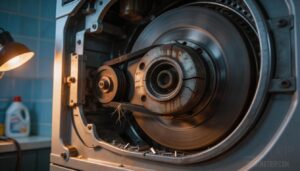
That grinding sound is your washer’s way of waving a red flag, and it usually comes down to one of a handful of culprits.
Some are simple fixes you can handle yourself in under an hour, while others need a bit more attention. Here are the most common causes worth checking first.
Foreign Objects in The Drum
The culprit is often hiding in plain sight — a coin, hairpin, or stray earring that slipped through the door seal and wedged between the inner drum and outer tub. These objects grind against the drum wall with every rotation.
Luckily, most drum noise fixes take under five minutes once you’ve tracked down the stray object responsible.
Run through this quick Pocket Item Checklist before assuming the worst:
- Metal Object Detection: Coins, screws, and bent paper clips are the usual suspects — they jam the drum and create that unmistakable metallic scrape
- Hair Lint Management: Tangled hair or lint roping around the drum baffles drags against the tub surface, producing a softer but persistent grinding
- Toy Piece Prevention: Small plastic toy fragments can wedge between the tubs and worsen with every spin
- Seal Integrity Check: A cracked door seal lets jewelry and small items slip into the gap — inspect it regularly
- Foreign object stuck between tubs: Manual drum rotation while unplugged helps you pinpoint exactly where the friction point is
Diagnosing grinding noises in top-load washers often starts here. Removing foreign objects from the washer drum early prevents costly drum gouging.
Worn Drum Bearings or Spider Arm
If your washer growls louder during high-speed spins, worn drum bearings are likely the cause. The drum spider — a three-pronged bracket linking the drum to the drive shaft — corrodes over time, causing wobble and grinding noise.
Do a quick drum balance check by hand: resistance or scraping points to bearing failure. Seal leak detection matters too, since grease around the rear seal confirms it.
Damaged Drive Belt or Pulley
The drive belt is basically a rubber messenger — it carries power from the motor to the drum. When belt material fatigue sets in, you’ll notice visible belt wear like cracking, glazing, or fraying.
Idler pulley wear and pulley groove damage throw off belt tension, causing grinding or squealing.
Belt misalignment follows quickly. A pulley bearing inspection and belt tension adjustment can confirm whether replacement is overdue.
Broken Motor Coupling
Think of the motor coupling as the handshake between your motor and drum — when it breaks, torque stops transferring and grinding starts.
On direct-drive washers, elastomer fatigue cracks the rubber insert over time, especially when alignment tolerances are off.
Watch for startup vibration and heat near the coupling.
Vibration monitoring and proper seal lubrication extend its life, but motor coupling replacement for direct-drive washers is straightforward with basic tools.
Failing Motor, Transmission, or Gearcase
When the motor, transmission, or gearcase starts failing, grinding noise gets serious fast.
Motor bearing failure produces a low rumble that worsens under load. Gearcase bearing wear adds metallic scraping as shaft alignment drifts.
Transmission fluid issues accelerate gear teeth damage and synchronizer ring wear.
Oil leaks beneath the machine confirm gearcase trouble. At this level, repair costs often push you toward a cost vs replacement decision.
Worn Agitator Dogs in Top-Loaders
Not all grinding comes from deep inside the machine. In top-loaders, worn agitator dogs are a surprisingly common culprit.
These small plastic ratchets sit inside the top-load agitator design’s upper cam, letting it rotate in one direction and lock in the other. When they wear out, the top half spins freely — and that clunking, grinding sound tells you everything.
Safe Checks You Can Do
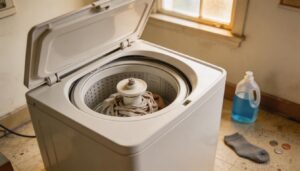
Before you call anyone or order any parts, there are a few simple checks worth doing yourself. None of them require tools, and most take under five minutes.
Here’s where to start.
Unplug The Washer First
Before you touch anything inside that washer, power isolation is step one — no exceptions. Unplug your appliance from the wall outlet, holding the plug itself, not the cord. If outlet’s hard to reach, hit the circuit breaker instead. Safety plug removal and proper cord handling protect you from live current surprises.
- Confirm the outlet is dead with a voltage tester before reaching inside
- Switch off the circuit breaker if the machine is hardwired or awkwardly positioned
- Inspect the cord for scorch marks or exposed wires during pre‑inspection power checks
- Keep your hands dry — always — when handling any internal components
Check Load Balance and Machine Level
With the power off, now check how your machine sits. An unbalanced load or unlevel floor causes more grinding than people expect.
Try Leveling Leg Adjustment first — twist each foot until a spirit level reads true across both width and depth.
Add Anti-Vibration Pad Installation under the chassis for Floor Stability Assessment. Even load distribution across the drum quiets vibration issues fast.
Rotate The Drum by Hand
Once the machine is level, the next step is a simple manual inspection that tells you a lot.
Grip the drum rim firmly — that’s your Grip Position Guidance — and turn it slowly. Before starting, always confirm power disconnect is done and put on Safety Gloves. Use the Hand Rotation Technique to check for:
- Grinding or gritty resistance — possible drum bearing wear
- Wobble during rotation — drum housing alignment issue
- Stiffness at specific locations — classic Obstruction Detection Method finding
- Rotation Resistance Indicators like sudden stops — debris or drum rotation issues
Inspect The Pump Filter and Hose
Next, find the pump filter — usually behind a small cover at the bottom front of the washer. Filter Screen Removal is straightforward: unscrew counterclockwise and pull it straight out.
Check for pump obstruction like coins or hair. Hold the filter up to light — if the Filter Mesh Condition looks cloudy or torn, clean or replace it.
Inspect hoses for any Hose Crack Inspection concerns, tighten every Hose Clamp, and confirm Pump Seal Integrity before reassembling.
Look for Belt Wear and Pulley Wobble
With the filter reinstalled, slide to the back panel — this is where drive belt inspection, alignment, and replacement decisions begin. Run your fingers along the drive belt, feeling for fraying, cracking, or glazing — visible belt wear shows up fast once you know what to feel for. Check drive pulley wobble by spinning it by hand.
- Use a Belt Tension Gauge to confirm proper tension — slack belts slip and grind
- Watch for pulley wobble; excessive Pulley Runout Measurement signals a worn bearing or loose mount
- Confirm Belt Material Compatibility and check Alignment Shim Inspection points — Lubrication Effects from grease contamination cut belt life short
Check for Rust, Oil Leaks, and Loose Parts
While you’re back there, do a quick sweep for trouble signs you don’t want to miss.
Check Rust Inspection Points around the transmission area and frame — surface rust near seals often signals Oil Leak Detection territory. Seal Integrity Checks and Corrosion Prevention keep small problems from turning expensive.
Dark staining under the washer means oil leaking under the washer. Press on brackets for Loose Part Identification; anything shifting causes that metal-on-metal sound, fast.
DIY Fixes for Common Problems
Good news: most grinding issues have a fix you can handle yourself with basic tools and a little patience. You don’t need to be a technician — you just need to know where to look and what to do when you get there.
Here are the most common DIY repairs that stop the noise for good.
Remove Coins, Hairpins, and Other Debris

Coins, hairpins, and buttons are surprisingly destructive once trapped.
Start with tub interior extraction — unplug first, then flashlight the drum interior and manually rotate it, feeling for resistance. Clear drum rim debris by hand or tweezers. Check the agitator junction extraction point and dispenser zone sweep area too, since objects migrate.
A quick belt sheave cleaning and foreign object removal from washer tubs prevents most grinding overnight.
Clean The Drain Pump Impeller
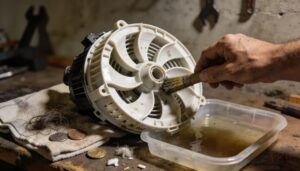
The drain pump is basically the washer’s exit ramp — block it, and everything stalls with an ugly grinding sound.
- Unplug the washer completely before touching the pump.
- Remove the pump filter and drain residual water first.
- Use a small brush for debris extraction tools work: clear hair, coins, and lint from each impeller blade.
- Complete impeller blade inspection for cracks or damage.
- Rinse and dry thoroughly, then confirm your impeller seal check before reassembly — snug the filter cover tight.
Replace Worn Agitator Dogs
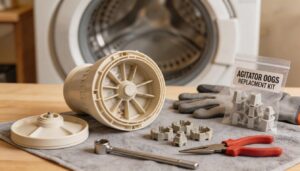
If your top-loader’s upper agitator spins freely while the bottom stays put, worn agitator dogs are almost certainly the culprit behind that grinding agitation cycle noise.
| Step | What to Do |
|---|---|
| Dog Kit Selection | Match the kit to your exact model number |
| Cam Cleaning Procedure | Scrub soap scum off cam slots before installing |
| Tool Requirements | Socket wrench, pliers, safety gloves |
| Installation Tips | Slide dogs in evenly; press bearing clip firmly |
Post-repair testing is simple — run a short rinse cycle and listen.
Realign or Replace The Drive Belt
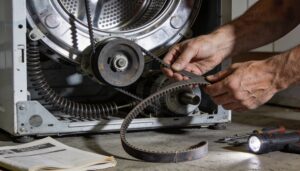
Once the agitator dogs are sorted, check the drive belt — a stretched or misrouted belt is a surprisingly common source of grinding. Start with belt routing verification: follow the exact pulley path from your service manual.
Then do a tension adjustment procedure by hand — too loose and it slips. After installation, always run a post-install noise test to confirm smooth operation.
Tighten or Replace a Loose Pulley
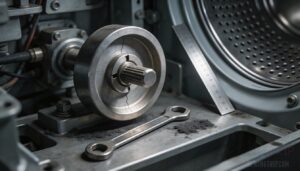
A wobbly pulley is often the culprit after belt work. Check for lateral movement — more than 0.5 mm means trouble.
For set screw adjustment, use the right Allen wrench and tighten gradually, then confirm alignment with a straightedge.
If torque wrench use reveals pulley hub cracks or keyway damage, stop — that’s a riveted pulley swap or full drive pulley replacement, not a tightening job.
Install a New Motor Coupling
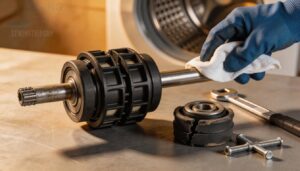
Once the pulley is sorted, check whether the motor coupling is next. This rubber-and-plastic connector links the motor to the transmission — when it cracks, grinding or dead agitation follows quickly.
- Shaft Inspection — clean both shafts, feel for burrs
- Coupling Alignment — seat evenly before tightening
- Mounting Bolt Pattern — cross‑tighten to spec
Nail the Sleeve Fit, and your motor coupling replacement for direct‑drive washers is done right.
Repair Costs and Prevention
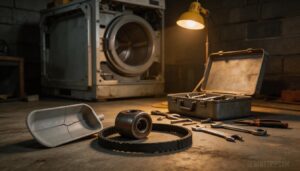
Some fixes are worth doing yourself, but others really do need a professional — and knowing the difference saves you money and frustration. Repair costs vary widely depending on the part, so it helps to know what you’re dealing with before you call anyone.
Here’s what to expect across the most common scenarios.
When to Call a Professional
Some problems are a clear sign to stop and call an appliance repair technician. If you notice a burning odor, an electrical shock sensation, or the machine trips the circuit breaker mid-cycle, don’t reset and retry — that’s motor failure territory.
Knowing when to call a professional appliance technician protects both you and the machine.
If it’s under warranty, always go through warranty service first.
Repairs Best Left to a Technician
Drum bearing replacement, transmission rebuilds, and motor repairs all demand more than basic tools.
A professional appliance technician brings vibration analysis diagnostics using ultrasound equipment, follows lockout-tagout safety protocols, and installs OEM parts with torque specification compliance.
They also handle warranty documentation procedures properly.
Don’t risk voiding coverage or creating a bigger fault, chasing something that genuinely needs trained hands.
When Replacement Makes More Sense
Once repair costs creep past 50% of a new unit’s price — say, 400 euros on a 700-euro machine — replacement wins on long-term costs. Factor in energy savings from modern models, safety compliance with updated wiring standards, and environmental impact from reduced energy draw.
When repair costs exceed half a new machine’s price, replacement is the smarter investment
Warranty expiration seals the case.
Sometimes the smartest repair decision is knowing when not to repair.
Monthly Cleaning and Inspection Routine
Think of monthly maintenance as your early warning system.
Run a tub-clean cycle with bleach or a dedicated cleaner, clear the drain pump filter, and check rubber seals for cracks — that’s your regular cleaning routine for washers right there.
Do a quick Equipment Lubrication check, a Documentation Review of your maintenance log, and inspect vents for dust buildup.
Simple, consistent monthly washer cleaning and inspection routine beats emergency repairs every time.
Pocket Checks and Load Size Tips
Before you toss that load in, do a quick pocket check — a single coin can turn into a grinding nightmare fast.
- Pocket Emptying: Remove coins, keys, and hairpins every time — no exceptions.
- Even Load Placement: Distribute clothes around the drum, not piled in the center.
- Weight Capacity Guidance: Check your machine’s capacity plate and don’t overload the washer.
- Cycle Selection: Match your cycle to your load type — bulky items need the right setting.
- Load Size Calibration: Use load size guidelines and load sensing if your machine has it.
Double-check pockets — it’s the simplest preventive maintenance to avoid washer noise.
How to Prevent Future Grinding Noise
Prevention beats repair every time. Stick to load size guidelines and don’t overload the washer — that alone reduces motor strain substantially.
Build a monthly washer cleaning and inspection routine: check belt tension, run seal inspection on door gaskets, and set vibration dampening pads under the feet if yours shake.
Monitor the motor capacitor and do quick drum alignment checks quarterly.
preventive maintenance to avoid washer noise pays for itself.
Frequently Asked Questions (FAQs)
What would cause a grinding sound?
Oh, nothing dramatic — just coins, worn drum bearings, slipping drive belt, damaged pump seal, or transmission and gearcase failure, troubleshooting gone ignored.
Any one of these turns a quiet laundry day into a metal on metal sound situation.
How to tell if transmission is grinding?
You’ll notice it when shifting feels gritty and the gearcase resists smooth engagement.
A fluid level check often reveals the first clue — low or burnt fluid accelerates gear sync noise and clutch wear signs fast.
Why does my washing machine make a grinding noise?
That grinding noise usually means something’s rubbing, slipping, or trapped where it shouldn’t be — worn bearings, foreign objects, a failing belt, or a loose pulley.
Any of these can turn a normal wash cycle into a metal-on-metal sound fest.
What should I do if my machine makes a grinding noise?
As the old saying goes, a stitch in time saves nine.
Unplug immediately, check for debris, inspect the belt and pump filter, and if it persists, call a certified technician before minor wear becomes a costly repair.
Why does my computer make a grinding noise?
Your computer’s grinding noise usually points to Fan Bearing Wear, a failing Hard Drive Head, PSU Fan Noise, GPU Coil Whine, or Loose Cables Vibration — each producing distinct mechanical wear symptoms worth diagnosing before real damage sets in.
What tools are needed for washer repairs?
You don’t need a massive toolkit.
A solid Screwdriver Set, Pliers and Wrench, Specialised Washer Tools, and Cleaning Diagnostic Tools cover most jobs.
Add Safety Consumables and a multimeter for motor checks.
How often should I inspect the bearings?
Ironically, most people only think about bearing inspection after something breaks. For household washers, check drum bearings every six months.
Watch for vibration spikes, temperature alerts, or roughness when spinning the drum by hand.
Are grinding noises covered under warranty?
Warranty eligibility depends on the cause. Defective parts like bearings usually qualify; foreign objects don’t.
Document when the noise started, file your warranty claim promptly, and let an authorized technician diagnose it first.
Can detergent choice affect washer noise?
Yes, detergent choice matters more than you’d think. Foam buildup, detergent residue from hard water, and wrong formulas can all create drag and friction.
Low-foam, HE-rated detergents keep things running more quietly.
What parts typically wear out fastest?
Drum bearings, drive belts, and pump impellers top the list. Belt tension drops after years of heavy loads. Rubber gaskets, shock absorbers, and the water inlet valve follow close behind.
Conclusion
Imagine your washer’s machine grinding noise as a ticking time bomb—ignore it, and your laundry days (and wallet) face catastrophe. But now you know: that racket might be a trapped coin, a frayed belt, or weary bearings.
Armed with this guide, you’re no longer at its mercy. You’ll spot trouble early, fix simple issues yourself, and call the pros only when necessary.
No more guessing, no more panic. Just clean cycles, quiet spins, and the satisfaction of outsmarting chaos. Your appliance’s peace is your peace.