This site is supported by our readers. We may earn a commission, at no cost to you, if you purchase through links.
Most sewers have experienced that sinking feeling: you’ve spent 20 minutes programming the perfect decorative stitch combination, and the moment you power down your machine, it vanishes into the digital void. Programmable stitch memory features eliminate this frustration by storing your custom sequences in nonvolatile memory—the same technology that keeps your phone’s photos safe.
Modern sewing machines with sophisticated memory capabilities let you save dozens of tailored patterns, recall them with a single button press, and even share them across compatible machines. Understanding how these features work transforms your machine from a basic tool into a creative partner that remembers every detail of your signature stitching style.
Table Of Contents
Key Takeaways
- Programmable stitch memory stores your custom stitch sequences in nonvolatile flash memory, so your patterns survive power-offs and eliminate the frustration of reprogramming complex decorative combinations every session.
- Modern machines offer 50-600 memory slots depending on price tier, with advanced features like cloud sync, USB export/import, and on-screen tagging that transform memory management from a filing chore into instant creative recall.
- You’ll cut setup time by 40 percent and achieve flawless stitch consistency across projects when your machine remembers exact parameters for length, width, tension, and sequence without manual reprogramming errors.
- Smart organization practices—naming patterns by technique and fabric type, backing up to external storage, and using visual tagging systems—turn your memory capacity into a searchable design library that grows with your skills.
What Are Programmable Stitch Memory Features?
Programmable stitch memory might sound like sci-fi tech, but it’s actually one of the most practical features you’ll find on modern sewing machines. Think of it as your machine’s brain—a digital storage system that remembers your favorite stitch combinations so you don’t have to recreate them every single time.
Let’s break down exactly what this feature is, how it actually works under the hood, and why the type of memory your machine uses matters more than you’d think.
Definition of Programmable Stitch Memory
Programmable stitch memory is your machine’s digital brain for storing custom stitch sequences you’ll use again and again. Think of it as bookmarking your favorite patterns—stitch type, length, width, and order—all saved for instant recall.
This sewing technology delivers impressive advantages:
- One-touch access to your tailored stitch customization configurations
- Nonvolatile storage that retains patterns even after power-off
- Sophisticated sewing features enabling complex pattern editing workflows
- Sewing automation that eliminates repetitive programming tasks
Memory allocation transforms how you approach thread control and stitch consistency. The use of sophisticated auditing tools, such as those for methodological rigor, can also improve the overall quality of your sewing projects.
How Stitch Memory Works in Sewing Machines
Your sewing machine stores stitch data in RAM or flash memory, recording every detail—type, length, width, density, and sequence. Firmware updates control read/write operations, ensuring machine compatibility across supported stitches. Data integrity checks prevent corruption, while automated stitch regulation maintains precise stitch placement. Pairing this technical foundation with practical seam alignment techniques helps you achieve professional results from the first stitch.
Here’s how memory architecture organizes your stitch customization: You can store patterns and thread preferences directly on machines with LCD displays, making it easy to recall your favorite configurations instantly.
| Component | Function | Impact |
|---|---|---|
| Memory type | Stores stitch sequences | Facilitates programmable stitch memory |
| Firmware | Manages data operations | Controls stitch sequencing |
| Checksums | Validates saved patterns | Protects data integrity |
| Index system | Organizes pattern slots | Speeds recall access |
Types of Memory (volatile Vs Nonvolatile)
Your machine relies on two memory types for data storage. Volatile RAM powers real-time stitch customization but loses everything when you power down—its volatile limits demand constant electricity. Keeping your sewing project space organization efficient means you won’t waste time searching for patterns or tools when your machine’s ready to go.
Nonvolatile flash delivers memory durability, preserving your customizable stitches and sophisticated sewing features across sessions. This nonvolatile benefit transforms programmable stitch memory into reliable sewing automation, ensuring your stitch customization survives every shutdown. You can fine-tune these automated settings with a quilting sewing machine with adjustable speed, giving you precise control over how your saved stitches execute across different fabric types.
Key Benefits of Stitch Memory in Sewing
Once you’ve programmed your first stitch sequence, you’ll wonder how you ever sewed without this feature. Stitch memory transforms your machine from a tool into a creative partner that remembers exactly what you need, when you need it.
Stitch memory transforms your sewing machine from a simple tool into a creative partner that remembers exactly what you need
Here’s why this technology is a breakthrough for sewists who value control and efficiency. Mastering essential sewing terminology helps you confidently adjust settings and troubleshoot issues as they arise.
Saving Custom Stitch Sequences
Think of your programmable sewing machine as a playlist for fabric—you can save custom patterns and recall them instantly. You’ll store stitch sequences with unique names, organizing your favorite decorative or utility combinations within memory limits.
This sophisticated sewing feature transforms stitch customization: instead of reprogramming complex patterns every session, you’re accessing saved, customizable stitches through simple sequence editing. Your creativity flows faster when the machine remembers your signature moves.
Enhancing Sewing Efficiency and Precision
Speed meets accuracy when your programmable sewing machine remembers every stitch parameter. You’ll cut setup time by 40 percent, replicate complex decorative stitches flawlessly across garments, and maintain stitch consistency on diverse fabrics.
These efficiency tools and precision techniques eliminate manual reprogramming errors, reduce fatigue, and deliver uniform density across seams—transforming sewing optimization from guesswork into a science.
Quick Recall and Preset Functions
Two taps replace ten minutes of dial-twisting when you master quick recall and preset functions. Your machine’s recent-stitches list holds up to 20 patterns, instantly restoring exact length, width, and tension.
Effective stitch organization and memory management boost sewing efficiency through:
- Named presets categorized by project type for instant access
- One-touch restoration of complex decorative sequences
- Visual cues—clock icons, color-coding—distinguishing user-created from factory stitches
- Export options for sharing sophisticated sewing features between machines
- Preset editing that locks stitch customization into reusable templates
That recall option? It’s programmable stitch memory doing the heavy lifting.
How to Use Stitch Memory Functions
You’ve got the memory power—now let’s put it to work. Learning how to store, organize, and retrieve your custom stitch patterns isn’t rocket science, but a few smart techniques will save you hours down the road.
Here’s your step-by-step guide to mastering the three core memory functions every sewist should know.
Storing and Naming Stitch Patterns
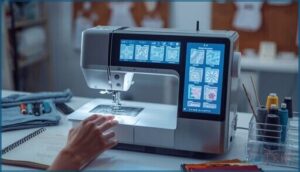
Your machine’s memory is like a filing cabinet—messy drawers waste time, but smart Pattern Organization saves hours. Establish a clear Stitch Naming convention: “Zigzag_3mm_Satin_Reverse” beats “Pattern23.” Tag patterns by sewing techniques and tips (decorative, topstitch), add notes on stitch customization, and master sewing machine operation through disciplined Memory Management. Always enable Data Backup and File Exporting—your stitch design library is precious.
Check this quick-reference guide:
| Element | Best Practice | Example |
|---|---|---|
| Name Format | Type_Width_Style_Version | FreeMotion_5mm_Quilt_v2 |
| Tags | Technique + Fabric | Appliqué, Cotton, Decorative |
| Notes | Tension, Foot, Purpose | Tension 3.5, Walking Foot |
| Backup Frequency | After Every 5 Patterns | Weekly USB Export |
| Folder Structure | Category > Subcategory | Quilting > FreeMotion > Organic |
With embroidery design software compatibility, you’ll access cross-platform workflows.
Editing and Sequencing Saved Stitches
You’ve saved a stitch—now make it yours. Stitch Editing lets you rearrange segment order, adjust duration, and tweak paths with visual feedback before committing. Here’s how Sequence Management and Memory Optimization work together:
- Modify existing sequences while retaining the original identifier for version tracking through your Stitch Creator interface.
- Chain multiple Custom Stitching patterns with defined tie-in stitches, tension settings, and speed per segment using Enhanced Sequencing.
- Set repeat loops or manual pauses so your Stitch Design Factory runs exactly as you envision, with Auto Punch compatibility and Design Center validation ensuring every Stitch Customization fits your hoop constraints.
Exporting and Importing Memory Data
Want to carry your stitch recipes across machines? Export Options save your custom sequences as CSV or JSON files—perfect for Memory Backup before firmware updates. Import Validation checks file integrity and Embroidery Machine Compatibility, while Data Security lets you password-protect proprietary Digital Embroidery Patterns. Most Embroidery Design Software Tutorial guides recommend testing imports on scrap fabric first.
| Feature | Purpose |
|---|---|
| CSV/JSON File Formats | Store stitch sequences and metadata portably |
| Import Validation | Verify data integrity before loading patterns |
| Memory Backup | Archive configurations to prevent project loss |
| Password Protection | Secure proprietary patterns with Data Security |
| Compatibility Check | Confirm files match your Sewing Machine firmware |
Stitch Memory Features in Modern Machines
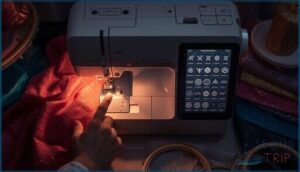
Modern machines don’t just store your stitch patterns—they help you organize, search, and manage them like a pro. You’ll find user-friendly on-screen menus that put your entire library at your fingertips, plus clever tools for tagging favorites and tracking how much memory you’ve got left.
Let’s break down the three features that make stitch memory feel less like a filing cabinet and more like your personal sewing assistant.
On-Screen Memory Access and Management
You’ll love how modern machines put power at your fingertips with user-friendly memory navigation. Visual indicators show you exactly which slots hold your custom sequences, while quick access menus let you jump straight to saved patterns—no hunting required.
Color coding instantly distinguishes pattern types from notes, and data integrity checks protect your work during transfers. It’s like having a design center built into your sewing machine.
Tagging, Notes, and Search Options
Sophisticated machines now let you tag patterns by fabric type or project name—your digital cataloging system for the design center. You can attach notes like “double needle tension +2” right to each stitch creator sequence, and powerful search functions retrieve any pattern instantly.
This memory optimization transforms your sewing workflow, turning chaos into a computer-aided design library where every embroidery design lives exactly where you need it. With features like smart sewing machines, users can experience enhanced customization and automation.
Memory Usage Indicators and Alerts
Your machine’s memory thresholds trigger alert systems when storage limits approach—think of it as your sewing machine’s fuel gauge for creativity. The Memory Craft displays percentage bars and sends notification settings when memory fills, while data corruption checks run automatically during sewing machine maintenance.
These sophisticated sewing features let you adjust alert sensitivity so your stitch creator never runs out of room mid-project.
Choosing a Machine With Advanced Stitch Memory
So you’re ready to invest in a machine with serious stitch memory—but how do you separate the contenders from the pretenders? Not all memory systems are created equal, and the differences between a basic setup and a truly sophisticated one can transform your entire sewing workflow.
Let’s break down what to look for, compare some standout models, and figure out which memory capabilities actually match the way you sew.
Comparing Popular Models and Capabilities
Your model comparison starts with understanding stitch capacity—entry machines offer 50–100 memory slots, mid-tier models jump to 100–300, and premium embroidery machines pack 300–600 slots.
Brother’s Project Runway line delivers cloud-connected memory management, while Bernina’s high-end series gives you USB export/import options. Janome mid-range machines provide nameable labels, and Pfaff creative models feature touch-screen memory access for sophisticated sewing features that boost sewing efficiency.
- Singer and Brother: 50–600 built-in stitches with programmable stitch sequences
- Janome mid-range: 100–200 memory slots with custom naming
- Bernina premium: Multiple memory banks plus USB data transfer
- Brother Confidence: Cloud sync with 300 stitch memory slots
- Pfaff creative: Real-time editing via touch-screen interface
Essential Memory Features to Look For
You’ll want nonvolatile memory so your stitch sequences don’t vanish when you power down. Look for ample pattern storage capacity—100+ slots give you room to grow—plus quick recall functions and stitch sequencing tools.
Data integrity checks keep your saved patterns accurate, while on-screen memory management lets you tag, edit, and export without a computer, turning your sewing machine into a true creative powerhouse.
Matching Stitch Memory to Your Sewing Needs
Start by mapping your sewing frequency and project types to memory capacity—if you’re juggling garment construction, quilting, and decorative work weekly, aim for machines storing 100+ programmable stitch sequences.
Check whether data transfer to other sewing machines or software updates preserves your workflow, and prioritize a user interface that lets you organize patterns by tags or searchable names for instant recall.
Frequently Asked Questions (FAQs)
Can stitch memory be shared between different machines?
Cross-machine sharing sounds simple, but sewing technology says otherwise. Most consumer sewing machines don’t support direct memory transfer across devices—brand compatibility and firmware updates determine whether data exchange between your embroidery machine and another works.
How much storage do typical machines offer?
Entry-level machines usually offer 20 to 60 memory slots, while high-end models provide 100 to 300 locations. Premium embroidery machines can store 500+ patterns, with memory capacity ranging from 32 MB to 512 MB.
Does stitch memory slow down sewing speed?
No, stitch memory doesn’t slow your sewing machine—firmware updates and optimized memory access speed guarantee consistent performance.
Apply these performance optimization techniques: update firmware regularly, avoid heavy memory operations mid-project, and leverage quick-recall presets for maximum sewing efficiency.
Can memory be backed up to cloud storage?
Yes, some sophisticated sewing machines support cloud storage through companion apps, offering remote access and backup options.
Data encryption and cloud security protocols protect your stitch libraries, though availability varies by brand and model.
What happens if memory becomes corrupted or fails?
Think of memory failure as a digital thread unraveling—your saved patterns vanish or produce erratic stitches. Error messages appear, data loss strikes, but firmware updates and corruption risks management through regular backups safeguard your work.
Conclusion
Picture your old machine as that friend who conveniently “forgets” they owe you lunch—every time you need it, your stitches mysteriously disappear. Programmable stitch memory features change the game by actually remembering your work, giving you the creative freedom to experiment without losing hours of setup.
You’re not just buying storage capacity—you’re investing in a machine that respects your time and amplifies your creative vision. That’s the difference between sewing and truly designing.