This site is supported by our readers. We may earn a commission, at no cost to you, if you purchase through links.
Your fabric stops moving mid-seam, but the needle keeps punching away—a maddening freeze that turns a clean project into a crumpled mess.
Nine times out of ten, the culprit sits right beneath the needle plate: the feed dogs. These small, toothed metal bars grip your fabric and pull it through at a controlled rate, making them the quiet engine behind every straight, even stitch.
When they fail, everything downstream fails with them. Sewing machine feed dog problems range from a flipped lever to worn-out teeth, and most are faster to fix than you’d expect.
Table Of Contents
Key Takeaways
- Feed dogs are the toothed bars beneath your needle plate that control fabric movement, stitch length, and grip—when they fail, every part of your stitch quality fails with them.
- Most feed dog problems, including fabric not moving, uneven stitches, and thread bunching, trace back to a misaligned lever, lint buildup, or incorrect height settings—you can fix yourself in minutes.
- Regular cleaning, proper height adjustment, and matching presser foot pressure to your fabric type are the three habits that prevent the majority of feed dog issues before they start.
- If your feed dogs won’t rise after basic troubleshooting, or you’re dealing with broken gears, timing failures, or spring damage, stop and take your machine to an authorized service center—pushing past that point risks deeper damage.
What Sewing Machine Feed Dogs Do
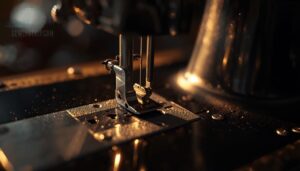
Feed dogs are the unsung workhorses inside your sewing machine — small but mighty parts that do more than most sewers realize. Understanding exactly what they do makes it a lot easier to spot when something’s gone wrong. Here’s a look at the four main jobs they handle.
If your stitches suddenly reverse on their own, it’s worth reading up on why your sewing machine might be sewing upside down — feed dogs are often the culprit.
Fabric Movement Control
Feed dogs are the toothed metal bars beneath your needle plate that control fabric advance rate with every stitch cycle.
They rise through the throat plate, grip the fabric using feed dog grip, and pull it backward in small, precise increments.
Without proper throat plate alignment or correct drop feed activation, you’ll notice fabric not moving or uneven fabric movement — both clear signs that feed dog adjustment is overdue.
Stitch Length Consistency
Every stitch your machine makes depends on the feed dogs advancing fabric at a precise, repeatable rate. When feed dog adjustment is off, inconsistent stitch length follows immediately — you’ll see uneven spacing or sudden gaps along the seam. Proper stitch length control also relies on thread tension balance, needle calibration, and machine timing all working in sync.
Understanding that stitch length measured in mm is essential for aligning feed dog settings can prevent uneven seams.
Presser Foot Partnership
Your stitch length means nothing if the presser foot isn’t doing its job. Foot Pressure Balance is what keeps fabric flat against the feed dogs so every tooth gets a clean grip. Too loose, and the fabric floats. Too tight, and delicate material tears.
- Presser foot pressure controls how firmly fabric meets the feed dogs
- Feed dog height determines how much tooth clears the needle plate
- A Foot Selection Guide helps match feet to fabric type
- The feed dog position lever adjusts engagement for standard or free-motion work
- Foot Fabric Interaction changes with thickness — heavier layers need more grip
Run a Foot Compatibility Check before sewing unfamiliar materials.
Needle Plate Positioning
The needle plate isn’t just a cover — it’s a positioning reference. Needle Alignment ensures the needle enters the fabric through the center of the hole, keeping stitches balanced.
If feed dogs aren’t aligning properly, the plate may be reinstalled off-center.
Always verify Plate Centering after cleaning by running a test stitch on scrap fabric first.
Common Feed Dog Problem Symptoms
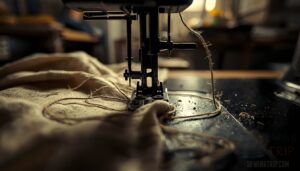
Feed dog problems tend to show up in pretty obvious ways once you know what to look for. Your machine is telling you something every time the fabric stalls, the stitches go haywire, or the thread starts bunching up underneath.
Here are the five most common symptoms that point straight to the feed dogs.
Fabric Not Moving
When your fabric just sits there — stubbornly refusing to move — the culprit is almost always your feed dog position lever or a blockage stopping the feed dogs from gripping. Here’s what’s usually going wrong:
- Upper Thread Tension set too high creates resistance that locks fabric in place
- Bobbin Thread Tension out of balance causes looping that stalls fabric feeding
- Fabric Thickness Issue overloads the dogs, killing forward movement
- Needle Plate Alignment problems block the feed dogs from rising properly
A slippery fabric solution like a stabilizer helps when satin or silk won’t feed consistently.
Uneven or Short Stitches
When stitches come out uneven, feed dog issues are often the first place to look. Worn or dirty feed dogs lose their grip, causing inconsistent fabric advance and Stitch Length Variation across the seam. Check your feed dog height — teeth sitting too low won’t pull fabric evenly.
A Needle Fabric Mismatch or Thread Tension Imbalance can compound the problem fast.
Fabric Bunching Underneath
Bunching under the seam is one of the most frustrating signs that something’s off. Thread Tension Balance is usually the first culprit — when your upper thread pulls too loose or the bobbin sits too tight, fabric gathers beneath the needle plate.
- Check for Needle Plate Gaps or burrs catching thread loops
- Rewind your bobbin to fix thread path interference
- Adjust Foot Pressure for delicate or layered fabrics
- Lower feed dogs aren’t gripping — confirm feed dog alignment
Skipped Stitches
Skipped stitches often point straight to a hook engagement failure — the needle rises, but the hook misses the upper thread loop entirely.
A worn needle or clogged feed dogs can make this worse, so walking through a complete buttonhole troubleshooting guide helps you pinpoint the exact culprit fast.
| Cause | What You’ll See | Quick Fix |
|---|---|---|
| Bent or dull needle | Random skips across seams | Replace needle immediately |
| Poor thread balance | Gaps every few stitches | Rethread and rebalance tension |
| Feed dog misalignment | Skips on thick layers | Check feed dog position lever |
Needle compatibility matters more than most sewers realize. Using the wrong needle for your fabric — say, a universal needle on stretch material — lets the thread shed and skip. Also confirm your fabric feed is consistent; feed dogs not aligning properly can rob the needle of the split-second timing it needs to catch the loop cleanly.
Feed Dogs Stuck Down
When feed dogs won’t raise, your machine keeps running but the fabric just sits there — going nowhere. Check the feed dog position lever first; it may not be fully engaged. Here are five signs your feed dogs are stuck down:
- Fabric stays motionless under the needle
- Stitches skip or space unevenly
- Thread bunches beneath the needle plate
- Lever movement feels stiff or incomplete
- Lint blockage pins the teeth below the plate
Check The Drop Feed Lever
Before anything else, check whether your drop feed lever is in the right position — it’s the quickest fix and gets overlooked more often than you’d think. Most fabric-feeding problems start and end right there. Here’s how to check it properly and confirm your feed dogs are actually doing their job.
Locate The Feed Lever
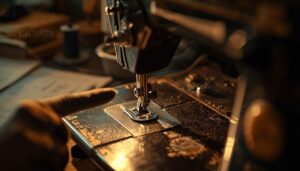
The drop feed lever is usually on the back or side of your machine, near the needle plate. Look for a small slider or switch — sometimes hidden under an access panel.
Many Brother and Janome models place the feed dog switch close to the needle plate screw. If you can’t spot it, your manual’s diagram will show the exact lever position.
Raise Feed Dogs Correctly
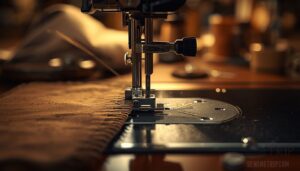
Once you’ve found the feed dog switch, slide or flip it to the raised position. Feed dog alignment matters here — the teeth must protrude evenly on both sides beneath the needle plate.
- Confirm tooth protrusion level is just below the needle plate edge
- Check left and right teeth sit at equal height
- Lower your presser foot before engaging fabric — presser foot timing affects grip
- Run a machine reset sequence if adjustable feed dogs won’t lock in place
- If feed dogs will not raise above needle plate after switching, the lever may not be fully engaged
Turn The Handwheel
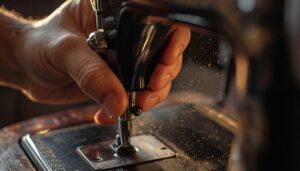
With the lever fully engaged, turn the handwheel one complete 360° rotation clockwise. This lifts the needle bar to its highest point and forces the feed dogs upward through the needle plate.
Watch the take-up lever rise in sync — that confirms the internal linkage is moving correctly.
If the feed dogs don’t stay raised, the lever isn’t fully set.
Test on Scrap Fabric
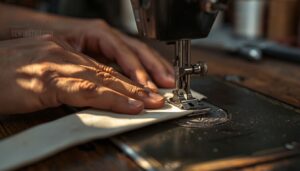
Grab a scrap piece of fabric and place it under the presser foot. Stitch a short seam and watch how the fabric moves.
Feed dog performance shows immediately — steady, even movement means they’re gripping correctly. If fabric slips or bunches, the dogs aren’t engaging. Check for skipped stitches or uneven spacing as quick stitch consistency signals.
Brother SE400 Feed Setting
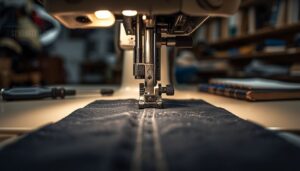
The Brother SE400 uses a 7-point feed dog system, so even small calibration issues affect fabric movement noticeably. After your scrap test, recheck the SE400 feed setting if fabric motion changes between stitches.
Feed dog alignment and height must stay consistent — any shift disrupts SE400 feed performance and throws off your stitch timing entirely.
Clean Feed Dogs and Needle Plate
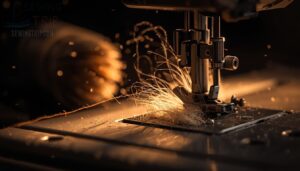
Lint and thread buildup are sneaky troublemakers — they hide under the needle plate and quietly choke your feed dogs until nothing moves right. A quick, thorough cleaning can solve problems that look way more serious than they are. Here’s exactly how to do it.
Lint and thread buildup silently choke your feed dogs — but a thorough cleaning often solves what looks like a serious problem
Unplug Before Cleaning
Before you touch anything inside your machine, turn off and unplug the machine completely. Unplugging prevents accidents — no motor starts, no accidental foot pedal activation, no short circuits from stray metal lint. If your model runs on batteries, remove the battery pack too.
Then wait a minute. Internal capacitors need time to discharge before you safely reach the feed dogs.
Remove The Needle Plate
With the machine unplugged, remove the needle plate using a screwdriver that matches the screw heads — a poor fit strips them fast. Loosen screws fully, then tilt the plate gently toward you.
Keep it parallel to the bed to avoid bending anything. Store screws somewhere safe.
Consult your machine manual if the plate resists — some models use hidden clips.
Brush Away Lint Buildup
Sweeping out lint is the first real step to getting your feed dogs working again. Use a soft nylon brush to clear fibers from between the teeth and surrounding slots.
A vacuum with a brush attachment pulls loosened debris away cleanly. Follow up with a microfiber cloth to catch fine particles.
Test fabric movement on a scrap piece before reassembling.
Clear Thread Jams
A thread nest beneath the needle plate is one of the sneakiest causes of feed dog problems. Follow these steps to clear it properly:
- Cut away visible tangled threads with small scissors before pulling anything free.
- Identify the jam source — bobbin area, shuttle race, or needle plate debris.
- Use a vacuum to extract loosened lint and debris from the fabric path.
- Inspect the needle plate slots for trapped fiber fragments blocking feed dog teeth.
- Run a post-jam test on scrap fabric to confirm even feeding.
Reinstall Screws Firmly
Reinstalling the needle plate screws the right way matters more than most sewists realize.
Use a crisscross sequence — alternate corners rather than going straight around. This distributes even torque across the plate and prevents warping.
Apply firm, steady pressure with a hand screwdriver, snug but never forced.
Uneven seating is a fast track to feed dog problems down the line.
Adjust Feed Dog Height
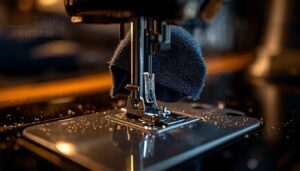
Getting the feed dog height right makes a bigger difference than most sewers expect. Too low and your fabric barely moves; too high and you’re fighting the machine on every pass. Here’s what to check and adjust to get things back in sync.
Correct Tooth Height
Feed dog height works like crown height measurement in dental work — precision matters. If the teeth don’t rise just above the throat plate, your fabric won’t move consistently.
Use your machine’s adjustment lever to set the correct feed dog height setting. The teeth should clear the needle plate cleanly, maintaining proper vertical overlap for reliable fabric grip every stitch.
Free-motion Quilting Settings
For free-motion quilting, drop the feed dogs completely. This lets you guide the fabric freely in any direction instead of letting the machine pull it forward.
Select a free-motion or darning foot, set moderate stitching speed, and match your movement rhythm to the machine’s pace. Use a size 12–14 needle with 50-weight thread to keep tension balanced and stitches even.
Throat Plate Clearance
Once your feed dogs are dropped for free‑motion work, clearance between the teeth and the throat plate opening matters more than most sewists realize. A tight gap causes binding; too wide a gap creates dust collection gaps where lint packs fast.
Check that your needle plate sits flush, with no rocking, before you test the feed dogs at any height adjustment setting.
Fabric Grip Testing
Once the throat plate sits flush, it’s time to test the feed dogs for actual grip performance. Here’s what to check:
- Grip Test Metrics: fabric should advance evenly with no slipping
- Slip Resistance Data: actual movement should match commanded feed
- Test Environment Control: use consistent scrap fabric each time
- Calibration Procedure: one full handwheel turn confirms engagement
When Height is Uneven
Uneven height is a sneaky problem. If one side of the feed dogs sits lower than the other, you’ll notice edge feeding disparity — one edge grips while the other slips.
Run a height calibration test using layered scrap fabric. Watch for uneven stitch lines. Adjustable feed dogs let you correct this before it ruins your project.
Fix Fabric Feeding Issues
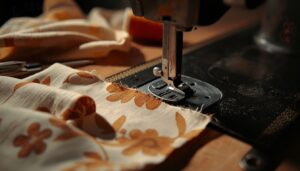
Fabric feeding problems aren’t always about the feed dogs themselves — sometimes the real culprit is how your machine accommodates different fabric types. A few targeted adjustments can make the difference between smooth stitching and a frustrated afternoon. Here’s what to check when your fabric just isn’t cooperating.
Thick Fabric Drag
Thick, heavy fabric can feel like it’s fighting your machine every step of the way.
Fabric grip adjustment is your first move — raise the feed dog height slightly so the teeth bite into the material without stalling.
Pair that with a longer stitch length to reduce drag, and ease your presser foot pressure to let the feed dogs do their job.
Delicate Fabric Snagging
Delicate fabrics like chiffon, silk, and sheer knits snag when feed dogs grip too aggressively. Loosen your presser foot pressure immediately — this is the core fix for this fabric feeding issue.
- Use smooth surface handling to glide fabric gently
- Apply snag-resistant finishes before sewing sheer layers
- Wrap feed dogs with tissue paper for ultra-delicate passes
- Choose gentle sewing techniques with reduced speed
- Inspect teeth; feed dogs stuck low prevent even damage
Presser Foot Pressure
Presser foot pressure works hand-in-hand with your feed dogs — get it wrong, and even perfectly functioning feed dogs can’t save your stitch quality. Too little pressure lets fabric slide freely; too much crushes fibers and causes puckering.
Find your machine’s pressure dial settings and adjust incrementally, testing on scrap fabric until the feed dogs grip evenly without distortion.
Walking Foot Solutions
When feed dogs struggle with thick or layered fabrics, a walking foot is your best fix. It grips fabric from above while the feed dogs work below — a dual feed system that moves every layer in unison.
For precision topstitching, choose a version with open toe visibility to track seam lines clearly.
Always verify foot compatibility before installing.
Stitch Length Adjustments
Stitch length quietly controls how well your feed dogs grip and advance fabric.
Set the stitch length dial too long on lightweight material, and the dogs lose rhythm, creating loose, uneven seams. Too short on heavy fabric, and thread buildup causes drag.
Match length to fabric weight: 1.0–2.0mm for delicate, 3.0–4.0mm for heavy layers.
Identify Worn or Broken Feed Dogs
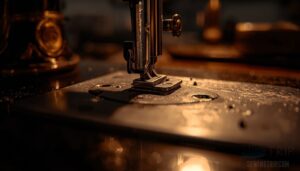
Sometimes the problem isn’t lint or settings — it’s the feed dogs themselves showing their age. Physical wear and damage can quietly sabotage your stitches long before you think to look there. Here’s what to check.
Blunted Feed Dog Teeth
Think of your feed dogs as tiny grippers — when their teeth go dull, fabric slip prevention becomes nearly impossible. Blunted feed dog teeth lose peak height and sharpness, causing uneven stitch spacing and slippage on smooth fabrics like silk.
Inspect for flattened tips; if visible, feed dog replacement restores proper bite and consistent fabric control.
Bent or Cracked Parts
Dull teeth aren’t the only thing that stops fabric in its tracks. Bent or cracked parts can quietly sabotage your machine just as fast.
- Bent tooth tips create uneven pressure, causing skipped or irregular stitches
- Cracked housing elements increase misalignment, trapping lint and accelerating wear
- Damaged linkage springs drop feed dogs mid-operation, breaking your stitch rhythm
Inspect carefully — replacement feed dogs restore control.
Loose Mounting Screws
Bent and cracked parts grab attention — but loose mounting screws often fly under the radar until your feed dogs start wobbling mid-seam. Vibration from powerful stitches gradually backs screws out over time.
Inspect them before large projects, tighten to manufacturer-specified torque, and apply a light threadlocker if your machine allows it. Replace any stripped screws with the exact matching size immediately.
Misaligned Feed Mechanism
Even with screws tight, feed dog drift can throw off your entire feed mechanism. When alignment is off, the teeth don’t rise cleanly through the needle plate holes — they ride at an angle, pulling fabric sideways instead of straight back.
Check Throat Plate Alignment first:
- Misaligned teeth increase thread snag risk along the stitch path
- Cam Synchronization failure breaks the timing link between needle descent and fabric advance
- Linkage Timing issues cause asymmetric tooth motion, visibly skewing seams
Run Alignment Verification by centering the needle and watching the teeth tip through a slow handwheel turn — they should track perfectly through each slot, within a fraction of a millimeter.
Replacement Warning Signs
Old feed dogs wear out over time, and alignment drift is often the last warning before full failure.
Watch for worn or chipped teeth that can’t grip fabric, gear noise during operation, linkage stiffness, and debris accumulation blocking movement.
If feed dogs are dropped and won’t stay raised after troubleshooting, replacement is your next step.
When Professional Repair is Needed
Some feed dog problems go beyond what you can fix at home, and pushing through them only risks more damage. Knowing when to call a professional is just as important as knowing how to troubleshoot. Here are the signs that it’s time to hand your machine over to an expert.
Feed Dogs Will Not Rise
If your feed dogs won’t rise after basic troubleshooting, the problem likely runs deeper than a quick fix. A lever stuck position or cam blockage can stop the adjustment mechanism entirely.
Lint jam removal helps when debris locks the lift, but spring linkage failure requires a technician.
Persistent feed dogs are dropped; issues involving timing gear adjustment need professional service.
Broken Internal Gears
When internal gears crack or break, your feed dogs simply can’t move.
Gear tooth wear rounds the teeth down until they skip under load. Cracked gear teeth fracture from repeated stress at the root, causing sudden drive loss.
Gear alignment issues and meshing surface damage compound the problem fast.
This isn’t a DIY fix — replace gears only through a qualified technician.
Timing Problems
Timing problems run deeper than a stuck lever or clogged teeth. When needle bar sync breaks down, your feed dogs and needle stop working as a team — stitches skew, skip, or vanish entirely.
- Timing belt tension slips on worn pulleys
- Cam follower adjustment drifts from repeated stress
- Gear tooth alignment fails after heavy snagging
- Stitch length timing becomes inconsistent mid-seam
- Machine timing adjustment requires disassembly to correct
Don’t attempt this alone.
Linkage Spring Failure
A broken linkage spring is easy to miss — until your feed dogs drop the moment you raise them.
Spring fatigue builds silently through repeated cycling, with microcracks forming at crimped ends or inner curves where stress concentrates.
Watch for uneven coil pitch, thinning wire, or darkened areas around the spring.
This isn’t a DIY fix — replacement requires precise installation tension and timing reset.
Authorized Service Centers
When DIY troubleshooting hits a wall, an authorized service center is your next move. Technicians are brand‑trained, use genuine manufacturer parts, and their repairs often preserve your warranty.
For Brother machines, use the Authorized Brother Service Center locator on the official site to find certified help nearby.
Don’t risk deeper damage by pushing past your limits.
Frequently Asked Questions (FAQs)
Can feed dogs be replaced at home safely?
Yes — with the right part and a steady hand, home replacement is doable. Match the feed dogs to your model, test alignment on scrap fabric, and check your warranty first.
How often should feed dogs be lubricated?
Oil your feed dogs every 8–12 hours of sewing for home use. Heavy quilting or dense fabrics call for every 4–6 hours. Always use light, colorless machine oil and test on scrap fabric after.
Do feed dogs differ between sewing machine brands?
Yes, feed dogs differ quite a bit between brands. Tooth geometry, material composition, and micro height settings vary by model — and some machines, unlike the Brother SE400, offer differential feed capabilities for stretch fabrics.
What tools are needed for feed dog replacement?
Think of it like a surgeon’s kit — you need the right tools before you cut. Grab a screwdriver set, a matching feed dog assembly, a cleaning brush, compressed air, and lubricant oil.
When were feed dogs first used in sewing machines?
Allen B. Wilson pioneered the four motion feed in the early 1850s, introducing the drop feed system where toothed metal bars rise through the needle plate to grip and advance fabric consistently.
Conclusion
Funny how the smallest parts cause the biggest headaches—feed dogs barely visible beneath the needle plate, yet capable of halting your entire project cold. Now you know exactly where to look and what to do when sewing machine feed dog problems strike.
Check the lever, clear the lint, test the height, and replace what’s worn. Your machine was built to move fabric, not fight it. Give it what it needs, and it’ll run flawlessly.
- https://www.justanswer.com/small-appliance/rkgz1-seems-feed-dogs-not-raising-lowering.html
- https://www.singermachines.co.uk/faq/machine-is-not-feeding-the-fabric.html
- https://en.wikipedia.org/wiki/Dog_(engineering)
- https://www.threadsmagazine.com/2020/02/19/qa-history-of-the-feed-dog
- https://www.youtube.com/watch?v=DxsoN46yGyo