This site is supported by our readers. We may earn a commission, at no cost to you, if you purchase through links.
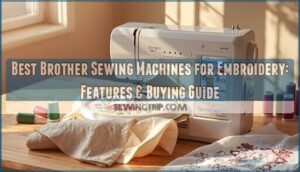
Brother’s embroidery-capable sewing machines have carved out a reputation for delivering professional-grade results without the industrial price tag—a combination that’s transformed home studios and small businesses alike. You’ll find models ranging from the adaptable SE600, which balances 103 stitches with 80 embroidery designs, to the SE2000 that pushes 650 stitches per minute across a generous 5″ x 7″ workspace.
The real breakthrough isn’t just the hardware specs, though. These machines integrate touchscreen editing, automatic threading systems, and wireless design transfer that eliminate the tedious setup work that once kept embroidery in the domain of specialists.
Whether you’re monogramming towels for an Etsy shop or customizing garments for clients, the right Brother model becomes your production partner—not just another piece of equipment taking up counter space.
Table Of Contents
Key Takeaways
- Brother embroidery machines deliver professional-grade features at home-studio prices, with models ranging from the versatile SE600 (103 stitches, 80 designs, 4″×4″ field) to the production-ready SE2000 (650 stitches/minute, 5″×7″ workspace, WiFi design transfer).
- Touchscreen editing, automatic threading systems, and wireless connectivity eliminate tedious setup work that once kept embroidery specialized, turning these machines into true production partners rather than just equipment.
- Choosing the right model depends on matching hoop size to your actual projects, prioritizing automation features that fit your workflow, and understanding whether single-needle versatility or multi-needle speed serves your volume needs.
- Essential accessories like magnetic frames, the Artspira app for wireless pattern transfer, and digitizing software like PE-DESIGN 11 unlock the full creative potential beyond what’s built into the machine itself.
Best Brother Sewing Machines for Embroidery
Brother has built a reputation for delivering machines that combine everyday sewing with professional-grade embroidery capabilities, giving you the creative freedom to tackle everything from monograms to intricate designs.
Whether you’re just starting your embroidery journey or looking to upgrade your current setup, choosing the right model depends on your workspace, budget, and project ambitions.
Here are six standout Brother machines that blend reliability with the features you need to bring your embroidery visions to life.
1. Brother Sewing And Embroidery Machine
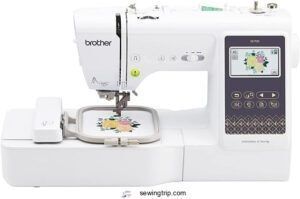
When you’re hunting for a machine that masters both sewing techniques and embroidery artistry, Brother embroidery machines deliver that dual capability without compromise. These sewing and embroidery powerhouses blend precision stitching with creative embroidery tips, giving you control over fabric selection and thread management in one compact unit.
Machine comparison shows Brother stands out with models offering 103 to 760 stitches alongside dozens of embroidery designs. Embroidery machine reviews consistently highlight their user-friendly interfaces and reliable performance, making them ideal for anyone ready to transform fabric into customized art.
Best For: Beginners and hobbyists who want to explore both basic sewing projects and custom embroidery designs without investing in separate machines.
- Combines 103 sewing stitches and 135 embroidery designs in one machine, so you can switch between mending clothes and creating personalized patterns without extra equipment.
- Wireless connectivity and the ArtsPira app let you transfer custom designs straight from your phone or computer to the machine.
- Comes with an auto needle threader and large touchscreen that make setup and navigation simple, even if you’ve never used an embroidery machine before.
- The 4″ x 4″ embroidery field limits you to smaller designs—larger projects like full-size quilt panels won’t fit.
- You’ll need to budget for extras like stabilizer, additional thread colors, and possibly a subscription to Brother’s design platform for more pattern options.
- At around 7-8 kilos, it’s not the lightest machine to move around, and the throat space can feel tight when working on bulkier fabric layers.
2. Brother Computerized Sewing Machine
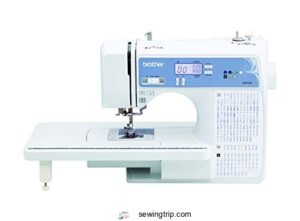
If you’re ready to push past manual controls and embrace sewing automation, Brother computerized sewing machines put digital fabrication at your fingertips. These models feature 165 built-in stitches, automatic needle threading, and an LCD display that transforms computerized stitching into a simplified experience.
The computerized embroidery functions integrate with embroidery software, allowing you to adjust patterns with precision. With machine learning-inspired features like jam-resistant bobbins and programmable settings, Brother embroidery machines deliver consistent results—whether you’re crafting garments or tackling intricate embroidery projects with confidence.
Best For: Sewing enthusiasts and beginners who want reliable automation features like automatic threading and a large stitch library for garment construction, quilting, and everyday projects.
- 165 built-in stitches with LCD display make stitch selection quick and intuitive, plus the automatic needle threader saves time and frustration.
- Includes 8 presser feet and a wide table right out of the box, so you’re ready to handle different fabrics and larger projects without buying extras.
- 25-year limited warranty and jam-resistant bobbin system deliver long-term reliability with fewer mechanical issues than manual machines.
- Not built for heavy-duty work—struggles with thick or dense materials, so it’s best suited for lightweight fabrics only.
- The narrow space between the head and threading area makes simple tasks like changing needles awkward and cramped.
- Reverse button placement feels clunky to some users, which can slow down your workflow during projects that need frequent backstitching.
3. Brother SE600 Sewing Embroidery Machine
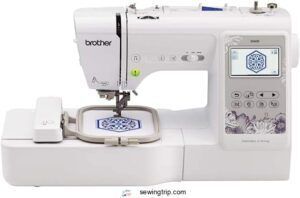
The Brother SE600 strikes a powerful balance between Machine Portability and professional-grade performance. Weighing 26.2 pounds and running up to 710 stitches per minute in sewing mode, this Computerized Embroidery powerhouse delivers 103 built-in stitches and 80 embroidery designs through a responsive 3.2″ LCD User Interface.
Your 4″ x 4″ embroidery field manages diverse projects with reliable Thread Management, while the USB port allows unlimited design imports. Its Fabric Compatibility spans denim to polyester, making this Brother Sewing and Embroidery machine ideal for home studios and small businesses seeking consistent, quality results.
Best For: Home sewers, hobbyists, and small business owners who want a versatile machine that handles both everyday sewing projects and custom embroidery work without breaking the bank.
- Runs at 710 stitches per minute with 103 built-in stitches and 80 embroidery designs, plus you can import unlimited custom designs through the USB port.
- The 3.2″ LCD touchscreen makes it easy to edit designs, change thread colors, and preview your work before you start stitching.
- Automatic needle threader and quick bobbin winding save time, while the 6.4″ workspace handles bulkier fabrics like quilts and denim without slippage.
- The 4″ x 4″ embroidery area limits you to smaller designs, which can be frustrating for larger projects.
- At 26.2 pounds and over 21 inches wide, it takes up serious counter space and isn’t easy to move around or store.
- The 6-month standard warranty is pretty short compared to other machines, and it’s built for home use rather than heavy commercial work.
4. Brother SE2000 Sewing and Embroidery Machine
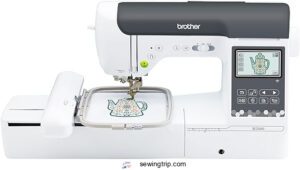
For high-volume creators seeking Machine Comparison insights, the SE2000 elevates Brother Sewing and Embroidery capabilities to new heights. Its 5″ x 7″ workspace and blistering 650-stitch-per-minute Embroidery Speed outpace the SE600, while WiFi-enabled Design Editing through the Artspira app transforms your User Interface experience.
User-friendly Thread Management features—automatic color sort and jump-stitch trimming—slash production time dramatically. This powerhouse blends straightforward controls with professional precision, making Embroidery Machine Selection straightforward for ambitious makers demanding both speed and sophistication in their Sewing Machines arsenal.
Best For: Ambitious sewists and embroiderers who want professional-grade speed and a larger workspace without sacrificing beginner-friendly features.
- Lightning-fast embroidery at 650 stitches per minute with a generous 5″ x 7″ work area that handles bigger, more complex designs than entry-level machines.
- WiFi connectivity and the Artspira app let you send designs wirelessly from your phone or computer, plus you get 50 free patterns to start.
- Smart automation like automatic thread cutting, color sorting, and jump stitch trimming cuts down on tedious manual work so you can finish projects faster.
- At around $2,000, it’s a serious investment that might be overkill if you’re just dabbling or doing occasional small projects.
- No carrying case included, and at over 20 pounds, it’s not exactly portable for classes or sewing groups.
- There’s definitely a learning curve with all the embroidery features, so expect to spend time with tutorials before you’re running at full speed.
5. Brother Sewing Embroidery Machine Combo
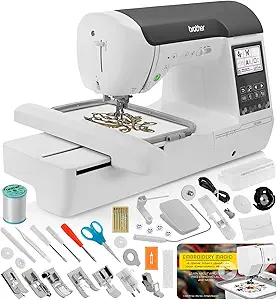
When versatility tops your checklist, Brother’s Combo Machine lineup delivers dual-function prowess that reshapes your creative workflow. Models like the NQ3550W pack 258 embroidery designs and 291 sewing stitches into one unit, with Embroidery Speed reaching 650 stitches per minute.
The User Interface simplifies switching between modes, while automated Thread Management and precision Stitch Quality guarantee professional results.
These Sewing and Embroidery Combos eliminate the need for separate equipment, letting you pivot from garment construction to monogramming without missing a beat—ideal for maximizing studio space and budget.
Best For: Crafters who want both sewing and embroidery capabilities in one machine without buying separate equipment, especially if you’re working with limited space or budget.
- Dual functionality means you can switch from garment sewing to embroidery projects without needing two different machines, saving both money and workspace.
- Fast operation with embroidery speeds up to 650 stitches per minute and sewing speeds up to 850 stitches per minute gets your projects done quickly.
- Loaded with built-in options including hundreds of embroidery designs, sewing stitches, and multiple fonts so you can start creating right out of the box.
- Initial setup and threading requires careful attention to the manual, as improper setup can cause thread looping or other stitching issues.
- Some models have smaller embroidery fields (4″ x 4″ standard), which limits the size of designs you can create in one hooping.
- Business users only get a 1-year warranty compared to the 2-3 years for personal use, which may be a concern for professional sewers.
6. Brother SE2100Di Disney Embroidery Machine
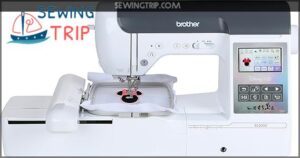
For creators who crave magic in every stitch, the SE2100Di brings 100 royalty-licensed Disney Designs straight to your workspace at $1,699. Its 5″ × 7″ field manages Custom Projects with an Embroidery Speed of 650 stitches per minute, while the 3.7″ touchscreen lets you preview and resize characters before needle meets fabric.
Thread Management stays seamless with automatic cutting, and the Artspira app streams patterns wirelessly—no USB fumbling required.
Machine Maintenance is straightforward: included cleaning tools keep this Disney powerhouse humming through countless DIY Project marathons.
Best For: Embroidery enthusiasts and Disney fans who want official character designs without the hassle of sourcing patterns, plus wireless workflow integration for modern crafting.
- 100 built-in Disney designs featuring Mickey, princesses, and villains—all royalty-licensed and optimized for the 5″ × 7″ hoop, so you can start official projects immediately.
- Wireless design transfer through the Artspira app eliminates USB drives and cable clutter, making pattern imports feel as smooth as scrolling your phone.
- 3.7″ touchscreen with zoom and preview functions lets you edit, resize, and check designs before stitching, cutting down on costly mistakes.
- Some users report difficulty registering the machine or accessing the advertised Disney downloads, with slow customer service response times complicating resolution.
- At $1,699, the price sits high for beginners who may not fully utilize the Disney library or advanced wireless features right away.
- Only compatible with 120V US outlets—using it elsewhere voids the warranty, limiting portability for international users or frequent travelers.
Key Features of Brother Embroidery Machines
Brother embroidery machines stand out because they pack serious technology into easy-to-use designs, giving you control over every stitch without the steep learning curve. Whether you’re just getting started or pushing the limits of what’s possible with thread and fabric, these machines deliver features that turn creative vision into reality.
Let’s break down the key capabilities that make Brother a go-to choice for embroiderers who demand both precision and flexibility.
Built-in Embroidery Designs and Fonts
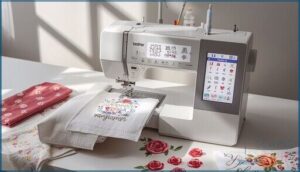
When you’re ready to bring your vision to life, built-in embroidery patterns and font styles set the creative foundation. Brother embroidery machines pack impressive design libraries—from the SE600’s 80 patterns to the VE2300’s 318 options.
You’ll access monogram options, Disney-themed digital patterns, and customization tools that work seamlessly with stitching software, letting you personalize projects without external design and lettering software. The Brother machines offer sophisticated embroidery design options that improve the overall sewing experience.
Large Embroidery Workspaces
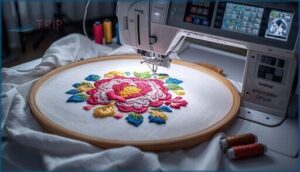
Workspace Optimization transforms how you approach embroidery projects. Brother embroidery machines deliver embroidery fields from compact 4″ x 4″ on the SE600 to expansive 11⅝” x 18¼” on the Aveneer EV1.
The Brother Innov-ís NQ1700E and MultiNeedle Embroidery Machine models offer 8″ x 14″ areas that minimize Fabric Handling interruptions during Quilting Capabilities work, while improved Machine Portability on mid-range options balances workspace with practical storage considerations.
Understanding the maximum hoop sizes is essential for selecting the right machine for specific embroidery needs.
LCD Touch Screens and On-Screen Editing
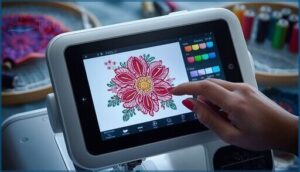
Touchscreen interfaces on Brother embroidery machines give you command over every design detail before the needle hits fabric. Screen Resolution ranges from 3.2 inches on entry models to 10.1 inches on the Stellaire XE2, enabling precise Design Preview and Edit Functions.
Touch Navigation lets you:
- Resize and rotate designs up to ±20° on-screen
- Preview Color Management assignments before stitching
- Drag-and-drop patterns within embroidery areas
- Layer and combine multiple designs instantly
- View stitch sequencing and estimated completion times
Real-time visualization eliminates guesswork, putting creative control directly in your hands.
Automatic Threading and Cutting
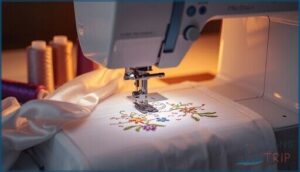
Threading Sensors on Brother embroidery machines eliminate the fumbling you’d otherwise face before stitching begins. Automatic needle threading completes in under 10 seconds, while Needle Calibration adjusts Thread Tension across metallic, polyester, and specialty threads.
Single needle models integrate automatic thread cutting at speeds exceeding one cut per second, synchronized with embroidery sequences.
Fabric Compatibility expands as these sewing and embroidery machines adapt Cutting Speed to delicate silks or heavy canvas, reducing waste and downtime.
Wireless and USB Connectivity
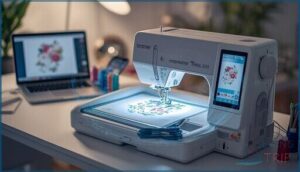
Beyond threading and cutting automation, your connectivity options shape how quickly you can move from concept to completed embroidery. Brother embroidery machines with USB ports accept flash drives instantly, supporting common file formats like.pes and.dst.
Wireless Transfer capability—available on select models such as the SE2000—lets you send designs from your phone or PC. You’ll connect up to 10 machines simultaneously using shared Network Settings, though you should verify connectivity troubleshooting if issues arise.
Choosing The Right Brother Embroidery Machine
Finding the right Brother embroidery machine means matching features to your actual needs, not just chasing the most impressive specs. Your decision comes down to a handful of practical factors that’ll determine whether a machine truly fits your creative goals and workspace.
Let’s break down the key considerations that separate a smart investment from an expensive mistake.
Single-Needle Vs. Multi-Needle Models
When evaluating Brother embroidery machine models, needle configuration determines your production trajectory. Single-needle units excel for projects under 50 monthly pieces, while multi-needle machines—supporting 4 to 16 simultaneous thread colors—transform complex designs through automated thread management and stitch speeds reaching 1,200 SPM.
- Single-needle versatility: Perfect for creative exploration with production costs under $0.30 hourly, delivering needle durability beyond 7 million stitches
- Multi-needle efficiency: Eliminates 50–70% of thread changes, accelerating embroidery size capabilities for commercial ventures
- ROI threshold: Monthly volumes exceeding 150 units justify multi-needle investment through sewing technology and innovation gains
Combination Vs. Dedicated Embroidery Machines
Your choice between combination and dedicated units hinges on workspace needs and project scope. Brother combo machines offer sewing machines functionality plus embroidery at 60–80% lower embroidery costs than dedicated alternatives, fitting compact areas while hobbyists favor their versatility—75% of beginners start here.
Dedicated embroidery machines deliver 650–1,000 stitches per minute and larger design fields, though portability factors demand 30% more floor space.
Multi-needle embroidery machines dominate commercial applications where user preferences prioritize throughput over machine comparison flexibility.
Hoop Sizes and Design Area
Hoop size limits govern what your embroidery machine can actually produce. Brother’s design area spectrum runs from 4″ × 4″ on entry models to 11⅝” × 18¼” on flagship units—the Brother Innovís NQ1700E offers expansive embroidery fields, while the Brother Persona PRS100 extends stitching bounds for commercial runs.
That fabric constraint determines whether you’ll complete a jacket back in one session or stitch piecemeal.
Portability and Machine Size
Machine weight and footprint shape your creative freedom more than you’d expect. Compact designs like the SE2000 at 11.82 lbs slip into storage options without commandeering entire closets, while portable grips and space efficiency turn any desk into a stitching studio. The Brother SE600 weighs 14.3 lbs—light enough to carry between rooms yet stable during high-speed runs.
- Lightweight champions: Brother SE2000 (11.82 lbs) delivers portability without sacrificing embroidery quality
- Compact dimensions: SE2100Di Disney measures just 17.5″ × 12″ × 9.5″, perfect for tight workspaces
- Transport-ready features: Foldable grips and drop-in bobbin systems simplify movement between home sewing machines and workshop setups
Price and Warranty Considerations
Budget planning starts with understanding cost factors: entry-level Brother machines begin at $379.99, while high-end models like the SE2000 reach $989.99. Price comparison reveals combination units offer better value through dual functionality.
Warranty options matter—most include 6-month standard coverage, but registration unlocks free extended coverage up to one year. Premium models feature 25-year limited warranties, and many retailers enhance offers with free shipping and satisfaction guarantees.
Getting Started With Brother Embroidery Machines
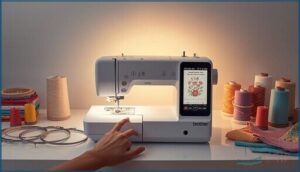
Once you’ve chosen your Brother embroidery machine, the real excitement begins—transforming your creative vision into polished, professional results. Success depends on understanding the fundamentals, from initial setup to design execution.
Here’s what you need to master before launching your first embroidery project.
Setting Up Your Machine
Before you even plug in that USB port or explore the touchscreen, you’ll want a stable workspace—think 39 by 24 inches minimum—to avoid the vibration that spikes stitch errors by 17%. Power requirements usually run 220–240V, so confirm compatibility and use a surge protector.
Thread tension and hoop alignment checks on sample fabric prevent 40% of breakage, while machine calibration sets the stage for perfect embroidery machines performance.
Preparing Fabric and Hoops
Prewashing stretch fabric accounts for up to 8% shrinkage, saving you from post-embroidery distortion. Stabilizer selection matters—lightweight options suit delicates, while medium weights boost tension stability by 42% on stretch materials.
Hoop tension should be drum-tight without stretching, reducing misalignment by 41%. Brother embroidery machines thrive when you float knits on stabilizer, cutting hoop marks by 88% and optimizing sewing technology performance across fabrics.
Uploading and Customizing Designs
Your Brother machine accepts.PES files natively, preserving full color and stitch data across most models. Use the touchscreen to resize, rotate, and adjust colors before stitching—file format conversion ensures digital embroidery designs stay within your machine’s 4×4 or 5×7-inch limits.
Upload custom designs via USB port (FAT32-formatted) or wireless transfer through the Artspira app, which unlocks embroidery software editing and custom font styles.
Tips for Successful Embroidery Projects
Error Prevention starts with smart Project Planning—testing custom designs on scrap fabric detects 99% of digitizing issues before you commit thread to your final piece.
Follow these essentials for successful embroidery projects:
- Thread Management: Replace needles every 8 hours to cut breakage by 18%, and verify tension settings match your fabric type.
- Fabric Selection: Pair cut-away stabilizers with stretch materials to reduce thread breaks by 40%.
- Stitch Optimization: Monitor your embroidery machine’s LCD interface for real-time corrections during decorative stitching runs.
Brother Embroidery Machine Accessories and Software
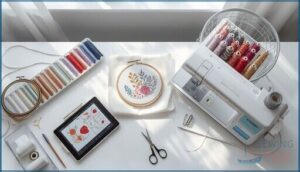
The right accessories and software can release your Brother embroidery machine’s full potential, transforming it from a capable tool into a creative powerhouse. Specialized hoops expand your design possibilities, while wireless apps simplify pattern transfer, giving you greater control over every project.
Here’s what you need to know about the essential accessories and software that’ll take your embroidery work to the next level.
Compatible Hoops and Attachments
Your choice of hoops and embroidery tools transforms what your machine can achieve. Brother offers hoop sizes ranging from compact 4″ x 4″ options for monograms to expansive 11⅝” x 18¼” fields on premium models like the XE2. Magnetic frames—such as Snap Hoop Monster—eliminate hand strain and speed repositioning by up to 73%.
Multi-needle embroidery machines like the Brother Entrepreneur Pro X PR1055X accommodate 8″ x 14″ hoops, while single-needle embroidery machine users benefit from specialty attachments for sleeves, hats, and edge-to-edge fabric handling.
| Hoop Type | Compatible Models |
|---|---|
| 4″ x 4″ Standard | M370, M380D |
| 5″ x 7″ Standard | PE800, SE1900, SE2000, NS2750D |
| 8″ x 14″ Commercial | PR1055X, PR680W, PR1X |
| Magnetic Frames | Most Brother embroidery machines with adapter kits |
Artspira App for Pattern Transfer
Once you’ve selected the right attachments, Artspira transforms how you move patterns to your Brother embroidery machines. This cloud-based app sends designs wirelessly from your smartphone or tablet to any WLAN-compatible model—no USB port required. You’ll store up to 100 designs with Artspira+, convert photos into embroidery data using AI digitization, and receive firmware updates that keep pattern conversion smooth across touchscreen interfaces with automatic thread cutting precision.
- Skip USB drives entirely and send unlimited designs from anywhere in your workspace
- Transform personal photos into stitchable art with AI-powered design digitization
- Manage up to four Brother machines—embroidery, cutting, or printing—from one account
Innov-is F580 Wireless Features
With Artspira streamlining pattern transfer, the Innov-is F580 takes wireless connectivity further. You’ll access 193 built-in embroidery designs across a 180 x 130 mm touchscreen workspace, sending files over your home network without touching a USB port.
Firmware updates arrive automatically, while secure network protocols protect your digital workflow. Automatic thread cutting keeps pace at 650 stitches per minute with zero lag.
Software for Custom Design Creation
PE-DESIGN 11 unlocks custom fonts, thread colors, and stitch creation through its Auto-Digitizing engine, converting photos to embroidery patterns for textile design workflows. You’ll master machine embroidery with Intelligent Color Sort grouping similar threads, while the Stitch Design Factory builds motifs up to 100mm wide.
Third-party digitizing tools like Embrilliance offer cross-platform editing, though Brother’s native software delivers tighter integration with sewing technology for digital embroidery production.
Frequently Asked Questions (FAQs)
Can the Brother sewing machine do embroidery?
Yes, Brother combination models like the SE600 deliver both sewing and embroidery functions. These single needle machines offer built-in embroidery designs, touchscreen editing, and solid stitch quality—perfect for mastering machine embroidery and fabric selection.
Can any sewing machine be turned into an embroidery machine?
Most sewing machines can’t convert to embroidery machines. Only 55% of models accommodate hoops, and manual conversion requires feed dog disengagement, stabilization techniques, and careful thread tension adjustments—skills 72% of users find challenging to master.
Do you need software for Brother embroidery machine?
Most Brother embroidery machines include built-in design editing for basic projects and wireless connectivity or USB file transfer.
However, digitizing tools are essential for converting custom artwork into embroidery-ready formats and sophisticated machine compatibility needs.
Can you machine embroider with a regular sewing machine?
Most standard sewing machines handle free motion embroidery by lowering feed dogs and using fabric stabilizers.
You’ll need stitch control practice, quality embroidery threads, and a darning foot for machine conversion from regular sewing to decorative single needle work.
What is the warranty on Brother embroidery machines?
Coverage generally spans 25 years for the frame, with parts and labor protected for one to two years.
Models like the Brother PE800, PR670E, and NQ1600E include repair services, warranty claims support, and extended coverage options through customer service.
How do I troubleshoot common embroidery machine issues?
Most malfunctions manifest as thread breakage, needle issues, or tension problems—over 60% stem from worn needles or improper threading. Error codes usually signal motor jams.
Regular machine maintenance, plus accessing repair centers or customer service, prevents costly embroidery machine downtime.
Can I cancel or change my Brother machine order?
You can cancel or change your order by contacting customer support before shipment.
Order cancellation may involve fees up to 15%, while modification requests depend on processing status and refund process timelines.
How do I properly maintain my Brother embroidery machine?
Keep your Brother machine running smoothly with Daily Cleaning after each session, regular Oil Maintenance on the hook, proper Thread Management, and Firmware Updates.
Store it covered, and consider Factory trained technicians for complex repairs.
What is the history of Brother sewing machines?
Like a bamboo shoot quietly breaking through stone, Brother’s story began in 1908 as a modest Nagoya repair shop.
Evolving through Japanese innovation and global expansion, it transformed into the creator of advanced machines like the Brother Entrepreneur Pro W PR1060W and Innovís NQ1600E today.
How often should I clean my embroidery machine?
Clean your embroidery machine after each major project and monthly for regular servicing. Oil the hook daily before use.
Schedule professional maintenance annually to guarantee machine longevity and prime embroidery hygiene.
Conclusion
Choosing the right model from Brother sewing machines for embroidery is like finding the perfect creative partner—one that anticipates your needs and keeps pace with your vision. The SE600 offers versatility for beginners, while the SE2000 delivers speed for production work.
Match the hoop size to your projects, prioritize features that eliminate manual setup, and you’ll transform design concepts into finished pieces with confidence. Your embroidery capability isn’t limited by equipment anymore—it’s defined by imagination.
- https://www.maximizemarketresearch.com/market-report/sewing-machine-market/84626/
- https://www.grandviewresearch.com/industry-analysis/sewing-machine-market-report
- https://www.mordorintelligence.com/industry-reports/embroidery-machine-market
- https://www.marketresearchfuture.com/reports/embroidery-machine-market-41422
- https://www.precedenceresearch.com/embroidery-machine-market