This site is supported by our readers. We may earn a commission, at no cost to you, if you purchase through links.
You don’t need a dedicated embroidery machine to create monograms, but the question isn’t whether you can—it’s whether you should. A regular sewing machine manages basic lettering through built-in fonts or free-motion techniques, giving you control over simple projects like personalizing a towel or adding initials to a shirt pocket.
The trade-off hits when you’re monogramming twenty towels for a gift set or producing uniform lettering on jacket backs. Manual methods demand patience, steady hands, and acceptance that each monogram will carry slight variations, while embroidery machines lock in precision at speeds from 600 to 800 stitches per minute.
Your project scale, budget, and tolerance for imperfection determine which path makes sense.
Table Of Contents
Key Takeaways
- You can monogram without a dedicated embroidery machine using built-in fonts or free-motion techniques on regular sewing machines, but you’ll sacrifice speed and consistency—manual methods demand steady hands and accept visible variations, while embroidery machines lock in precision at 600-800 stitches per minute.
- Embroidery machines become essential when you’re handling production runs, corporate orders, or retail projects where automatic thread tension, uniform letter spacing, and multi-needle color switching separate amateur work from commercial-grade results that manual techniques simply can’t replicate.
- Entry-level embroidery machines start around $199 and pay off through operating efficiency when you factor stabilizer costs ($1.50-$3.50 per sheet), thread longevity across multiple projects, and wireless design transfer that turns monogramming into a profitable venture instead of a time-intensive craft.
- Your decision hinges on project scale and tolerance for imperfection—hand techniques suit one-off personalization and heirloom gifts, while machines justify their investment through repeatable accuracy on towel batches, jacket backs, and any volume work where speed and uniformity matter more than artisanal variation.
Do You Need an Embroidery Machine for Monogramming
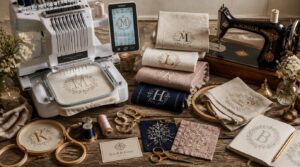
You don’t absolutely need an embroidery machine to create monograms, but your options and results will vary dramatically depending on what equipment you choose. Regular sewing machines can handle basic monogramming with the right techniques, though dedicated embroidery machines open up professional-quality possibilities that manual methods simply can’t match.
If you’re ready to explore dedicated equipment, check out these top embroidery machines for monogramming that balance quality with budget.
Let’s break down the key differences so you can decide what makes sense for your projects and budget.
Differences Between Sewing and Embroidery Machines
You’ll spot the machine comparison right away: embroidery machines hold fabric stationary in hoop systems while stitching decorative patterns, whereas sewing machines move fabric with feed dogs to join seams.
Embroidery units demand stabilizers and specialty threads for precise monogramming, operating at fixed speeds for uniform stitch types. Sewing machines excel at construction work, not the intricate thread management embroidery requires.
If you want to know more about the key differences, learn about the main features of each machine.
Manual Monogramming Techniques Vs. Machine Methods
Manual monogramming builds foundational Skill Development with needles, threads, and stabilizers, giving you Design Flexibility on handkerchiefs or heirloom gifts without upfront machine costs.
Embroidery machines deliver Output Consistency across towel batches and uniform runs, automating thread changes and cutting for high-volume custom embroidery.
Your Cost Analysis shifts when Project Scale demands speed: manual techniques suit one-off artistry, while machines justify investment through production efficiency and repeatable Monogramming Techniques.
When a Dedicated Embroidery Machine is Essential
Consistent monogram alignment demands an embroidery machine when you’re tackling production runs, corporate orders, or retail projects where thread management and embroidery speed separate amateur outputs from commercial-grade results. Multi-needle systems automatically switch colors, maintain monogram precision across fabric types, and eliminate manual threading errors—capabilities that manual methods can’t replicate:
Production runs and commercial projects demand embroidery machines for consistent monogram alignment and automated precision that manual methods simply cannot match
- Automatic thread tension control prevents puckering on delicate fabrics
- Built-in fonts guarantee uniform letter spacing across every monogram
- Embroidery speeds from 600 to 800 stitches per minute accelerate turnaround
- Digital editors resize and rotate designs without re-hooping fabric
- Stabilizer compatibility guides prevent fabric distortion during stitching
When considering what sets a professional setup apart, it’s helpful to review the that support high-quality, efficient results.
Cost and Convenience Considerations
Budget planning shifts from upfront investment to Operating Costs once you calculate thread management, Machine Maintenance intervals, and Time Efficiency gains. Entry-level embroidery machines start around $199, while commercial-grade units push several thousand—but wireless design transfer and automatic threading turn monogramming into a profitable venture when you factor stabilizer costs at $1.50 to $3.50 per sheet and thread spools lasting multiple projects.
Monogramming Options Without an Embroidery Machine
You don’t need a full embroidery machine to add monograms to your projects. Regular sewing machines offer several techniques that let you create customized lettering with the tools you already own.
Here’s what you can accomplish without investing in dedicated embroidery equipment.
Many industrial embroidery machine suppliers offer beginner-friendly models with automated features that simplify the learning curve for home-based businesses.
Using Built-in Fonts on Regular Sewing Machines
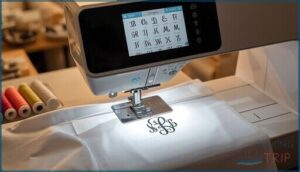
You can create monograms on regular sewing machines by accessing builtin fonts through a dedicated button or menu. Select your font size options, adjust stitch density and thread tension, then confirm monogram alignment before stitching. Fabric selection matters—use stabilizers on lightweight weaves to prevent puckering.
- Light to medium letter sizes usually range from 4 to 24 millimeters tall
- Test stitch density settings on scrap fabric before your final monogram
- Thread color contrast ensures clear legibility on different fabric types
Free-Motion Monogramming Techniques
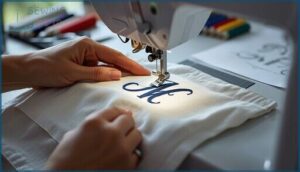
FreeMotion Monogramming allows you to create custom embroidery without an embroidery machine by manually guiding fabric under a zigzag or satin stitch foot. To begin, lower your feed dogs and attach a free motion quilting foot for Needle Guidance. Trace letters with Stitch Control by adjusting fabric speed. Fabric Prep with tearaway stabilizer prevents puckering, while Thread Tension and steady hand movement ensure legible Monogram Designs across woven cotton, knits, or leather.
| Technical Element | Best Practice |
|---|---|
| Stabilizer type | Medium weight tearaway for most fabrics |
| Needle size range | 70/10 to 90/12 depending on fabric weight |
| Thread choice | Polyester for durability, rayon for vibrant color |
| Stitch path strategy | Single continuous line per letter, outline first |
| Monogramming sequence | Start with central letter for balanced spacing |
Limitations of Non-Embroidery Methods
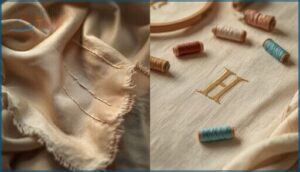
Precision suffers when you skip embroidery machines for monogramming. Fabric stability on delicate textiles drops without proper backing, causing puckering that ruins custom embroidery. Thread tension fluctuations compromise monogram precision, while basic stitches can’t match embroidery machines’ stitch quality. You’ll face five critical design limitations:
- Narrow alphabet size and limited font variety
- Difficult letter spacing adjustments without specialized software
- Restricted color palettes compared to embroidery floss
- Inability to reproduce complex flourishes or motifs
- Poor washability and faster fraying on textile decoration over time
Suitable Projects for Basic Monogramming
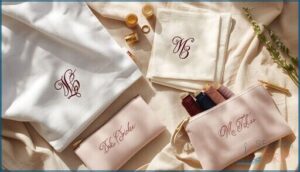
You can tackle monogrammed gifts without sophisticated embroidery machines by starting with approachable projects. Custom towels showcase three-letter initials using a 4×4 hoop, while custom totes feature single-initial designs for easy visibility.
Try embroidered linens like napkins with corner monograms, or monogrammed bags such as cosmetic pouches using compact 2×3 hoops. These custom embroidery projects help you master monogram fonts and custom gifts before investing in professional equipment.
Key Features to Look for in Monogramming Machines
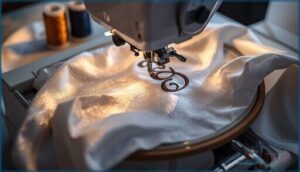
Not all embroidery machines deliver the same monogramming capabilities, and choosing the wrong features can turn your personalization projects into frustrating experiments.
The difference between crisp, professional monograms and amateur results often comes down to four specific machine characteristics that separate entry-level options from serious crafting tools.
Here’s what you need to evaluate before investing your money.
Built-in Monogram Fonts and Letter Styles
You’ll find embroidery machines stock two or three letter monogram styles, covering decorative scripts and serif options customized for initials layouts. Letter Spacing adjusts automatically when you type left, middle, and right locations in three-letter sets, with the center letter sized slightly larger to emphasize that middle initial.
Font Variations include script cursive styles with flourishes and block uppercase options for contrast, expanding your custom embroidery possibilities beyond basic monogramming.
Hoop Sizes and Project Compatibility
Hoop Dimensions determine which projects your embroidery machines can handle, ranging from 4 by 4 inches for pocket logos to 8 by 12 inches for jacket backs.
Multi-Hoop Designs demand alignment marks and firmware that prevents Design Distortion when you piece segments together.
Multineedle models like the Brother SE700 pair larger hoop sizes with Fabric Stability systems, minimizing puckering across denim, knits, and poplin during monogramming runs.
Touchscreen and Design Editing Capabilities
Color touchscreens on embroidery machines like the Brother SE700 put Design Editing under your fingertips, letting you rotate letters, adjust spacing, and preview Stitch sequences before launching a run. Touchscreen Interface layouts display Font Styles and thread colors in real time, so you catch spacing errors or Color Management conflicts early.
On-screen tools mirror embroidery software workflows, which shortens your learning curve and speeds production when you layer digital embroidery design elements into custom monograms.
Design Import and Connectivity Options
Once your touchscreen edits are set, you’ll transfer that digital embroidery design through wireless connectivity—Bluetooth, WiFi, or cloud storage—or plug in a USB drive carrying DST, PES, or VIP design formats. Wireless design transfer from embroidery software to your computerized embroidery machine streamlines file transfer, eliminating cable swaps and keeping your workflow moving.
- USB options accept flash drives for standalone pattern libraries.
- Bluetooth pairs entry-level machines with phones or tablets.
- WiFi networks support real-time design sending from your computer.
- Cloud storage syncs embroidery files across multiple devices instantly.
Top Embroidery Machines for Monogramming
You need a machine that delivers clean, professional monograms without constant troubleshooting or thread tension nightmares. The right embroidery machine balances built-in fonts, hoop versatility, and design editing capabilities with a price tag that won’t crush your budget.
Here are five machines that consistently earn their place in monogramming workshops, from entry-level options to powerhouse models built for serious production.
1. Poolin Computerized Embroidery Machine
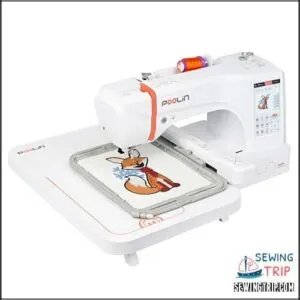
The Poolin EOC06 delivers a 7.9 by 11 inch embroidery field, 200 built-in designs, and 8 lettering fonts for serious monogram work. Its 860 stitches per minute top speed and automatic tension adjustment keep projects moving without constant tweaking.
You get a 7 inch touchscreen for pattern editing, USB connectivity for DST file imports, and automated threading plus trimming to reduce setup headaches.
At 35 pounds, it stays put during high-speed runs while remaining manageable for home-based operations.
| Best For | Home embroiderers who want commercial-grade features like a large hoop, fast stitching speed, and automated threading without the hassle of a full industrial machine. |
|---|---|
| Embroidery Area | 7.9″ x 11″ |
| Display Type | 7″ touchscreen |
| Wireless Connectivity | Yes |
| Built-in Designs | 200 |
| Weight | 35 lbs |
| Material | Metal, Plastic |
| Additional Features |
|
- 7.9″x11″ hoop handles bigger projects than most home machines, so you can embroider jacket backs and large quilt blocks in one go
- 860 stitches per minute with auto tension and thread trimming means less babysitting and faster turnaround on projects
- 7″ touchscreen and USB connectivity make it easy to import custom designs and edit patterns right on the machine
- 35-pound weight makes it tough to move around or store if you’re working in a small space
- Thread breakage issues pop up for some users, though customer support can usually walk you through fixes
- Needs regular maintenance and lubrication to keep running smoothly, which adds another step to your workflow
2. Brother Sewing And Embroidery Machine
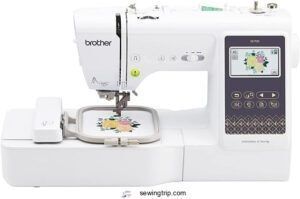
The Brother SE700 combines sewing and embroidery in a single 15.6-pound unit with wireless LAN file transfer and a 4-by-4-inch embroidery field. You get 135 built-in designs, 10 lettering fonts, and a 3.7-inch touchscreen for on-screen editing without external software.
Its automatic needle threader cuts setup time, and USB connectivity lets you import custom monograms through the Artspira mobile app.
This machine manages garments, home decor, and accessories with equal ease, though you’ll purchase threads and needles separately.
| Best For | Hobbyists and home crafters who want to tackle both sewing and embroidery projects without buying separate machines. |
|---|---|
| Embroidery Area | 4″ x 4″ |
| Display Type | 3.7″ touchscreen |
| Wireless Connectivity | Yes |
| Built-in Designs | 135 |
| Weight | 15.6 lbs |
| Material | Metal, Plastic |
| Additional Features |
|
- Wireless file transfer and touchscreen editing let you customize designs without a computer
- Automatic needle threader and built-in designs make it beginner-friendly
- Handles clothing, quilts, and home decor in one compact 15.6-pound package
- 4″ x 4″ embroidery area limits you to smaller designs
- Threading system can be unreliable and frustrating
- You’ll need to budget extra for threads, needles, and any premium design software
3. Poolin Embroidery Machine For Home Use
 View On Amazon
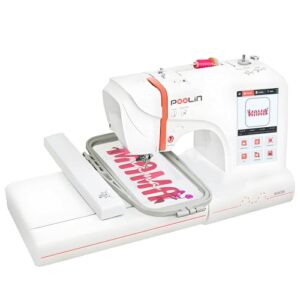
The EOC05V2 delivers a 4-by-9.25-inch embroidery area, 96 built-in designs, and 9 lettering fonts through a 7-inch color touchscreen powered by Institch OS2. You’ll transfer patterns via WiFi or USB in DST format, and the automatic needle threader manages setup while you focus on your project.
At 22 pounds, this embroidery-only machine won’t sew seams, but it stitches monograms at 650 to 700 stitches per minute on shirts, bags, and hoodies. Beginners find the onscreen prompts and LED indicators reduce guesswork during color changes.
| Best For | Beginners who want to create personalized embroidery on small items like shirts, bags, and gifts without needing sewing machine functionality. |
|---|---|
| Embroidery Area | 4″ x 9.25″ |
| Display Type | 7″ touchscreen |
| Wireless Connectivity | Yes |
| Built-in Designs | Included |
| Weight | 22 lbs |
| Material | Metal, Plastic |
| Additional Features |
|
- 7-inch color touchscreen with WiFi transfer makes loading and selecting designs straightforward, even if you’ve never used an embroidery machine before
- Automatic needle threader and LED indicators guide you through setup and color changes so you spend less time troubleshooting
- 4″x9.25″ embroidery area handles most common projects like monograms and small decorative designs at a decent 650-700 stitches per minute
- Embroidery-only design means you can’t use it for any basic sewing tasks like hemming or seam repairs
- Some users report threading issues and needle problems that require trial and error with tension and stabilizer settings
- Limited embroidery area forces you to resize or split larger designs, which isn’t ideal if you want to work on bigger projects
4. Brother Embroidery Machine NQ1700E

With its 6-by-10-inch embroidery field and 850-stitch-per-minute speed, the NQ1700E manages jacket backs and quilt panels without hesitation. You’ll access 258 built-in designs and 13 lettering fonts through a 4.85-inch color touchscreen, editing monograms onscreen before stitching begins.
Wireless transfer moves patterns from your PC to the machine, while automatic thread trimming eliminates jump stitches.
This embroidery-only model weighs 37.3 pounds and includes magnetic sash frames plus BES BLUE software with 199 digitized fonts for Windows users.
| Best For | Experienced embroiderers who need a dedicated machine for large-scale projects like jacket backs, quilts, and professional-looking custom designs. |
|---|---|
| Embroidery Area | 6″ x 10″ |
| Display Type | 4.85″ LCD touchscreen |
| Wireless Connectivity | Yes |
| Built-in Designs | 800+ |
| Weight | 37.3 lbs |
| Material | Plastic |
| Additional Features |
|
- 6×10-inch embroidery field handles bigger projects without re-hooping, and automatic thread trimming saves time by cutting jump stitches for you
- Comes loaded with 258 designs, 13 fonts, plus BES BLUE software with 199 more digitized fonts and 800 additional patterns
- Wireless design transfer and a color touchscreen let you edit and preview monograms before you stitch
- Embroidery-only model means you’ll need a separate sewing machine for regular stitching tasks
- BES software only works on Windows computers, leaving Mac users out
- 37-pound weight and learning curve might intimidate beginners without classes or tutorials
5. Brother Wireless Embroidery Sewing Machine
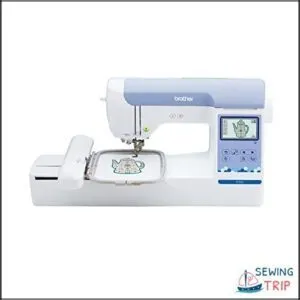
This wireless model pairs a 5-by-7-inch embroidery field with 193 built-in designs and direct connectivity through the ARTSPIRA mobile app. Wireless LAN lets you transfer patterns from your computer without USB cables.
You’ll edit monograms on the 3.7-inch touchscreen, adjusting letter spacing and size before stitching. Color sort and automatic jump stitch trimming simplify production.
At 21 pounds, the machine manages florals and scrollwork alongside custom initials, though some users report quality control inconsistencies requiring warranty support.
| Best For | Home embroiderers who want wireless design transfer and a dedicated machine for custom monograms and medium-sized projects. |
|---|---|
| Embroidery Area | 5″ x 7″ |
| Display Type | 3.7″ touchscreen |
| Wireless Connectivity | Yes |
| Built-in Designs | 193 |
| Weight | 21 lbs |
| Material | Plastic |
| Additional Features |
|
- Wireless LAN and ARTSPIRA app make transferring designs from your phone or computer super convenient
- 5″ x 7″ embroidery field handles larger projects than entry-level machines
- Color sort and automatic jump stitch trimming save time on multi-color designs
- No sewing functionality—it’s embroidery only
- Some users report receiving defective units with quality control issues
- Built-in design library feels a bit outdated style-wise
Frequently Asked Questions (FAQs)
What is the difference between monogramming and embroidery machines?
Think of embroidery machines as full-service design studios—they handle complex multi-color patterns with automatic thread changes.
Monogramming machines target initials using built-in fonts, offering simpler workflows for customized lettering projects.
What is the rule for monogramming?
Traditional monogram order places your last initial in the center and larger, flanked by first and middle initials.
Single-line formats run first, middle, last in equal sizes for a cleaner look.
Can you embroider names with a regular sewing machine?
You can trace or stitch names by hand, free motion, or using built-in fonts—no embroidery unit required. Stabilizers and the right foot transform any machine into a monogramming tool.
Can embroidery machines monogram leather or thick materials?
Most commercial embroidery machines handle leather up to 2 mm thick when you use sharp leather needles, stabilizers, and slower speeds.
Thicker belts or heavy hide require specialized heavy-duty equipment with higher torque.
How long does learning monogramming software typically take?
You’ll master basic lettering in 2 to 6 hours, handle font modifications within 8 to 12 hours, and produce professional-quality monograms in 1 to 3 months with consistent practice.
What thread types work best for monogramming?
Polyester thread delivers strong, colorfast stitching on most fabrics, while rayon adds high sheen for logos.
Cotton offers traditional softness on natural materials, and metallic thread creates decorative highlights with proper tension adjustments.
Can you monogram curved surfaces like sleeves?
Yes, you can monogram curved surfaces like sleeves using shaped hoops, flexible stabilizers, and careful digitizing. Multiple hooping steps, rotary attachments, and proper tension settings prevent puckering and maintain legible stitch alignment around the curve.
Conclusion
Think of monogramming like learning to cook—you can master scrambled eggs with a basic pan, but a stand mixer changes what you’re capable of producing. Whether you need an embroidery machine for monogramming depends on your volume, precision requirements, and budget tolerance.
Hand techniques work for occasional personalization projects, while dedicated machines deliver consistent results when you’re producing multiples or building a business. Match your tool to your ambition, not someone else’s definition of necessary.
- https://goto.walmart.com/c/1942563/565706/9383?veh=aff&sourceid=imp_000011112222333344&u=https%3A%2F%2Fwww.walmart.com%2Fip%2FBrother-SQ9285-Computerized-Sewing-Quilting-Machine-with-150-Stitches-and-Wide-Table%2F372497516
- https://shrsl.com/4q35o
- https://vimeo.com/420405257
- https://avance-emb.com/1501c-classic/
- https://www.maggieframes.com/blogs/embroidery-blogs/best-embroidery-machines-for-beginners-top-picks-and-features