This site is supported by our readers. We may earn a commission, at no cost to you, if you purchase through links.
Cutting one layer of fabric at a time feels methodical—until you’re staring down a quilt project that needs 200 identical squares, or a costume order that won’t wait. Rotary cutters can slice through 4-6 layers of cotton in a single pass, and a well-prepped stack can cut your working time in half.
The catch is that multilayer cutting rewards preparation and punishes shortcuts. Misaligned grain, a dull blade, or a stack that shifts mid-cut turns a time-saver into a pile of mismatched pieces. Get the setup right, though, and you’ll move through fabric the way a deli slicer moves through bread—clean, fast, and consistent.
Table Of Contents
- Key Takeaways
- How Many Layers of Fabric Can You Cut at Once?
- Choose The Right Cutting Tool
- Prepare Your Fabric Before Cutting
- Stack and Align Multiple Fabric Layers
- Stop Layers From Sliding While Cutting
- Step-by-Step Guide to Cutting Multiple Layers
- Cut Multiple Fabric Layers With a Cricut Maker
- Convert and Layer Designs in Design Space
- Keep Your Blades Sharp and Reliable
- Follow Safety Tips for Multi-Layer Cutting
- Frequently Asked Questions (FAQs)
- Conclusion
Key Takeaways
- Match your tool to your stack: rotary cutters handle 4–6 layers of cotton smoothly, while electric scissors top out at 4 layers and hot knives are best kept to 1–2 synthetic layers.
- Before you cut a single layer, pre-wash, press along the grain, and secure your stack with basting spray, pins, and weights — skipping prep is where most cutting mistakes actually begin.
- A dull blade is the quiet culprit behind frayed edges and uneven cuts, so replace it the moment you feel pulling, hear scraping, or need extra pressure to get through your layers.
- Lock in three things — a sharp blade, aligned grain, and a stable stack — and cutting multiple layers stops feeling risky and starts becoming your biggest time advantage on any project.
How Many Layers of Fabric Can You Cut at Once?
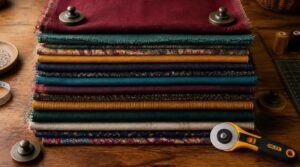
If you’ve ever wondered just how many layers your blade can handle, you’re not alone. The honest answer is "it depends," but that’s not as frustrating as it sounds. Here’s what actually decides your limit.
Factors Affecting Layer Count
A few things decide how many layers you can cut: design complexity, fabric thickness, and your tool’s strength.
Thicker or trickier materials demand extra care, so brushing up on handling difficult fabrics while cutting and sewing can save you a lot of frustration.
- Tighter patterns mean fewer layers
- Heavier fabric limits stack height
- Stabilization keeps grain aligned
Cost considerations, supplier constraints, thermal limits on electric tools, and signal integrity of your cuts all matter—just like material thickness and proper fabric weights with light cotton.
Fabric Thickness Considerations
Once you’ve sorted layer count, material thickness becomes your next focus.
Thickness Measurement uses a gauge—lightweight fabrics run 0.1-0.5mm, heavy denim tops 1.0mm.
Layered Construction, like face fabric plus backing, doubles thickness fast, limiting fabric layering.
| Factor | Effect | Tip |
|---|---|---|
| Fiber Influence | Cotton thinner than wool | Check label |
| Weave Effect | Tight weaves add thickness | Test scrap |
| Moisture Impact | Damp fabric measures thicker | Dry before cutting |
Fiber Influence, Weave Effect, and Moisture Impact all shift your readings.
Always use fabric weights for fabric stabilization—trust me—when cutting multiple layers too.
Tool-Specific Layer Limits
Now that thickness is measured, your tool sets the real limit. A rotary cutter cuts through 4-6 layers smoothly. Electric scissors manage 2-4 thicker layers. Hot knives suit 1-2 synthetic layers. Laser cutters slice multiple layers cleanly. Match blade thickness limits to your stack:
- Rotary cutter capacity: light cotton, 4-6 layers
- Electric scissors layers: fleece, 2-4 layers
- Hot knife limits: synthetics, 1-2 layers
- Laser cutter limits: precise, multiple layers
- Fabric scissors: single layers only
Choose The Right Cutting Tool
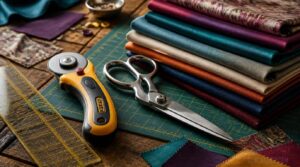
Once you know how many layers you’re working with, the next step is picking the right tool for the job. Different tools handle different fabrics and stack heights, so the wrong choice can leave you with jagged edges or a sore wrist. Here’s a quick rundown of your best options.
Rotary Cutters by Size
Not all rotary cutters are equal. Blade size determines cutting performance and layer capacity.
| Size | Best For | Material Compatibility |
|---|---|---|
| 18mm | Fine details | Lightweight fabrics |
| 28mm | Curves, applique | Delicate layers |
| 45mm | Everyday quilting | Mid-thickness, multiple layers |
| 60mm | Long, thick cuts | Heavy fabrics |
Beyond fabric, heavy-duty rotary cutters are used for clearing thick brush. Choose based on precision cutting needs and handle ergonomics for comfort.
Electric and Cordless Scissors
Electric and cordless scissors are a serious upgrade when you’re cutting multiple layers of fabric and want speed without fatigue.
Most cordless models run on lithium-ion batteries delivering one to three hours of cutting time, so you won’t lose momentum mid-project. Look for variable speed control — it lets you slow down for delicate layers or push through heavier fabric weights confidently.
Hot Knives for Synthetics
Working with synthetic fabrics like fleece, nylon, or sailcloth calls for a tool that cuts and seals in one pass — and that’s exactly what a hot knife does.
For other fabric-cutting investments that pay off over time, this guide to sewing tools worth the splurge breaks down what’s actually worth your money.
Operating between 700 and 1,200°F, it melts edges as it cuts, eliminating fabric fraying instantly. You won’t need a separate finishing step, which saves real time when cutting multiple layers of fabric.
Fabric Shears Vs Rotary Cutters
Choosing between fabric scissors and a rotary cutter comes down to what you’re cutting and how fast you need to move.
Here’s a quick comparison:
- Cutting speed: Rotary cutters win on long, straight cuts through multiple layers.
- Material suitability: Shears handle heavy fabrics like denim better.
- Ergonomic design: Rotary cutters reduce hand fatigue noticeably.
Laser Cutting Machines
Laser cutting machines bring a level of cutting precision that manual tools simply can’t match. A focused beam melts through fabric pieces cleanly, making multilayer fabric cutting almost simple. CO2 lasers handle fabric alignment beautifully across layers.
Safety enclosures and fume extraction keep you protected. Just remember, maintenance calibration and regular lens cleaning are non-negotiable for consistent results.
Prepare Your Fabric Before Cutting
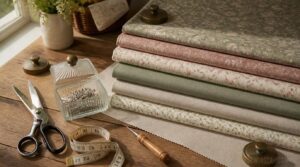
Before you make a single cut, your fabric needs a little prep work — and trust me, skipping this part is where most mistakes begin. The good news is it comes down to just a few simple steps that make everything easier once you’re ready to cut. Here’s what you’ll want to take care of first.
Pre-Washing and Pressing
Before you cut a single layer, pre-wash your fabric first. Skipping this step means your finished pieces may shrink after construction, throwing off your dimensions completely. Use the same water temperature you’d use when laundering the finished item — that’s the key to reliable shrinkage management. Some fabrics need two wash cycles to fully stabilize, so don’t rush it.
Always pre-wash your fabric first, or risk shrinkage that throws off every dimension after construction
Once it’s dry, press while still damp for best results. Damp pressing helps set the grain and flattens out storage wrinkles that pins alone can’t fix. Always press along the lengthwise grain to keep your fabric stable and straight before cutting.
Identifying Fabric Types
Knowing your fabric type before you stack a single layer saves you from cutting disasters. Natural fibers like cotton and linen feel matte and soft, while polyester feels slick and resists wrinkles.
Check the weave too — twill shows diagonal lines, satin has a glossy face, knits stretch noticeably. When in doubt, check the care label.
Sizing Pieces to Your Mat
Once you know your fabric type, cut pieces to fit your mat — commonly 12" x 12" or 12" x 24".
Leave at least a ½" border allowance from each edge so your rotary cutter tracks cleanly without snagging. Respect the fabric grain too, since cutting off-grain throws off seam allowances later.
Stack and Align Multiple Fabric Layers
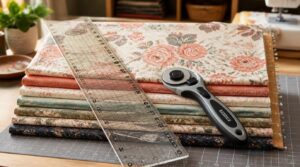
Once your fabric is prepped and pressed, it’s time to bring the layers together the right way. How you stack and align them makes all the difference between a clean cut and a frustrating mess. Here are four key steps to get everything locked in place before your blade ever touches the fabric.
Matching Selvage and Grain
Start every layer with the selvage aligned, because that tightly woven edge tells you exactly where the true grain runs. Lay your fabric pieces so grainlines sit parallel to the selvage, confirmed with a straight ruler.
If the cross grain drifts even slightly, your cut pieces may twist or sag. A quick tug test reveals maximum stability direction instantly.
Using Basting Spray or Adhesive
Once your selvage lines are straight and grain is locked in, it’s time to hold those layers in place before a single cut is made. Basting spray is your best friend here — a few light passes and your fabric stack stays bonded without pins poking through.
Hold the can 6 to 12 inches away and sweep evenly.
Securing Layers With Pins or Clips
Basting spray bonds your layers, but pins and clips are your backup plan. Safety pins (1–2 inches) work well for most stacks, while alligator clips grip thick fabrics without leaving puncture marks. Use stainless steel pins in humid spaces — they won’t rust.
Place them every 1 to 2 inches along edges, and keep a magnetic tray nearby so nothing rolls away.
Adding Fabric Weights
Weights are the unsung heroes of tidy fabric cutting. Place them at corners and center of your stack first — this locks down the most vulnerable lift points. Then work inward.
- Use flat acrylic or metal discs for uniform pressure without indenting layers
- Drape flexible vinyl cords across wide stacks to distribute weight evenly
- Try round magnetic weights on your cutting mat for light, pin-free control
Clean weights regularly so fabric fibers don’t transfer.
Stop Layers From Sliding While Cutting
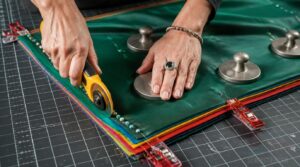
Getting your layers to stay put is the difference between clean cuts and a frustrating mess. Even a well-pinned stack can shift once the blade starts moving, so you need a few extra tricks working in your favor. Here’s what actually keeps everything locked in place.
Brown Paper Underneath Method
Sliding layers are a quiet disaster waiting to happen.
Place a large sheet of brown paper flat on your cutting mat before stacking any fabric. It grips the bottom layer, giving your whole stack something to hold against. When you press down with your rotary cutter, the paper stops that sneaky lateral drift before it starts.
Anti-Slip Mat Tips
A good anti-slip mat does the heavy lifting so your hands don’t have to. Swap your self-healing cutting mat for a FabricGrip cutting mat — its textured surface grips fabric layers from underneath without adhesive.
- Natural rubber backings reduce movement by up to 60 percent on smooth floors
- Waffle and diamond textures increase contact area on wet and dry surfaces
- Studded surfaces anchor stacked layers against lateral drift
- Fine rib patterns work on polished floors without marking them
- Perforated backings prevent moisture buildup that reduces grip over time
Position your mat flat and centered on your table. Clean it regularly with a damp cloth to remove dust that quietly kills traction.
Checking Stack Stability
Before you make a single cut, press down gently on the center of your stack — if any layer shifts or the edges fan out, your center of mass is off. Restack, align the selvage, and redistribute weight evenly. Trust me, sixty seconds of checking saves you a ruined set of pieces.
Step-by-Step Guide to Cutting Multiple Layers
Now that your layers are locked in place, it’s time to actually make the cuts — and how you handle your tool matters just as much as how you set up your stack. A few simple techniques will keep your edges clean and your layers perfectly aligned from the first slice to the last. Here’s what you’ll want to do, step by step.
Proper Tool Grip
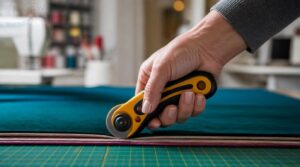
Your grip is the foundation of every clean cut.
For a rotary cutter, use a palm grip technique — place the handle into the fleshy pad of your palm, let your fingers wrap naturally, and position your thumb on the opposite side for steady two-point contact. Keep your wrist in neutral alignment, and avoid squeezing too hard.
Applying Even Pressure
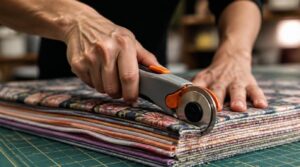
Even pressure is what separates a clean stack cut from a frayed mess. Using your wrist and forearm motion — not just your fingers — distribute force steadily along the rotary cutter’s full blade width.
Keep your steady cutting speed consistent; rushing creates dips. On a self-healing cutting mat, firm, even downward contact keeps every layer honest.
Cutting Large Pieces First
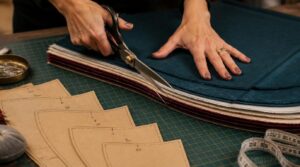
Once you’ve nailed even pressure, think about sequence. Cut large pieces first — this keeps your stack stable and preserves space for smaller cuts in the remaining fabric.
It also protects grain and pattern continuity across dominant areas before you tackle details. Fewer repositions mean less setup time, less shifting, and far less waste.
Using an Acrylic Ruler as a Guide
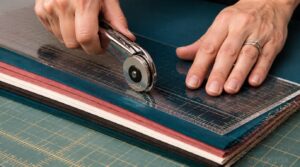
An acrylic ruler does more than keep your line straight — it’s your layer alignment guide and finger guard in one. Its transparent ruler visibility lets you see exactly where your rotary cutter will land, so nothing shifts unexpectedly.
- Non-glare surface keeps markings readable under bright lighting
- Polished acrylic edges prevent snagging on fabric layers
- Grid line legibility helps confirm your angle before cutting
Practicing on Scrap Fabric
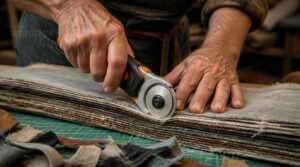
Before you commit to cutting into good fabric, run a few practice cuts on scraps first. Grab leftover pieces that match your actual project fabric — same weight, same weave.
Stack them on your self-healing cutting mat, grip your rotary cutter, and make several passes. You’ll quickly feel whether your pressure is even and your layers are holding steady.
Cut Multiple Fabric Layers With a Cricut Maker
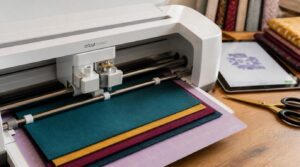
The Cricut Maker takes a lot of the guesswork out of cutting multiple fabric layers, but you’ll want to set things up correctly from the start. A few key steps inside Design Space make the difference between clean cuts and a frustrating mess. Here’s what you need to do before you hit that cut button.
Setting Up Design Space
Think of Cricut Design Space as your project’s blueprint room. Before any cutting begins, open a new canvas and upload your fabric design file. Position your image at least 1/2" from the mat’s edge — this small buffer stops the blade from snagging or skipping mid-cut, trust me.
Choosing Multi-Layer Fabric Settings
Selecting the right material settings in Design Space makes or breaks a multi-layer cut. For two layers of lightweight cotton, choose "Light Cotton, 2 Layers"; bump up to "Light Cotton, 3 Layers" when adding a third.
These settings adjust cutting pressure and blade depth automatically, reducing the risk of incomplete cuts or fabric shifting mid-run.
Positioning Images on The Mat
Place your multilayer image in Design Space at least ½" from the mat edge to avoid skipping or snagging during the cut run.
- Center Image Alignment: match your image’s vertical axis to the mat’s center line
- Light Guide Verification: use a light source to confirm even margins on all sides
- Off-Center Prevention: recheck positioning after any adhesive placement
Once everything looks balanced on your FabricGrip cutting mat, you’re ready to cut.
Convert and Layer Designs in Design Space
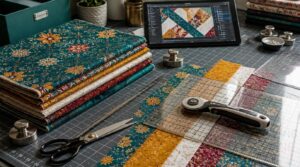
Once your fabric is loaded and ready, Design Space becomes your best tool for turning a flat image into a clean, cuttable design. Getting your files set up correctly makes all the difference between a crisp cut and a messy one. Here’s exactly what you need to do, step by step.
Uploading PNG or JPG Files
When uploading your design, choosing between PNG and JPG matters more than you’d think. PNG uses lossless compression, so it keeps sharp edges and provides transparent backgrounds — essential for multilayer fabric designs. JPG works fine for photos but fills transparency with white.
For cutting mat layouts, always go with PNG to protect clean cutlines.
Using Magic Wand and Convert to Layers
Once your PNG is uploaded, the Magic Wand tool does the heavy lifting. Click any color area, and it selects connected pixels based on your tolerance setting adjustment — lower numbers grab less, higher numbers grab more.
Here’s what to keep in mind:
- Contiguous vs noncontiguous controls whether the selection stays in one zone or jumps across the whole image
- Toggle Sample All Layers when your design spans multiple visible layers
- After selecting, use Convert to Layers to split each element into its own editable layer
- Each layer stays independent, so layer manipulation won’t disturb the rest
- Pair selections with layer mask creation to non-destructively hide or reveal areas
This gives you clean, separated design elements — ready for precise textile cutting.
Editing With Contour, Offset, and Weld
Once your layers are separated, three tools give you real cutting control: Contour, Offset, and Weld.
Contour lets you hide unwanted paths on a shape. Offset adds or shrinks a border around any element — positive values expand outward, negative values pull inward. Weld merges overlapping shapes into one clean cut line, which prevents your Cricut from cutting the same path twice.
Organizing The Layers Panel
The layers panel is your organizational command center. Rename each layer with a clear label — "Cut Line," "Base Fabric," or "Top Design" — so you’re never guessing. Color-code by function to spot elements instantly.
Lock layers you’re done editing to avoid accidental moves. Use sublayers to nest related objects cleanly, keeping your fabric management tight without cluttering the main list.
Keep Your Blades Sharp and Reliable
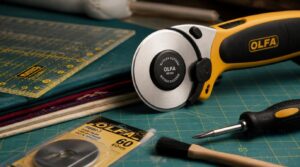
A dull blade is the quiet troublemaker behind frayed edges and uneven cuts — and most people don’t catch it until the damage is done. The good news is that keeping your blades in top shape is simpler than you’d think. Here’s what you need to pay attention to.
Signs a Blade Needs Replacing
Your rotary cutter will tell you when it’s time to quit — you just have to listen.
Increased pulling or snagging, frayed edges, and needing extra pressure are the clearest sharpness decline indicators. You might also notice a dull scraping sound instead of a clean slice, or cuts taking noticeably longer across even Light Cotton 2 Layers.
Replace the blade immediately.
Cleaning Blades Properly
Once you’ve swapped out a dull blade, make sure the new one stays sharp longer with a solid blade cleaning routine. After each use, wipe the blade with a soft cloth dampened with mild soap and water. Then:
- Remove lint with a non-abrasive brush.
- For adhesive residue, use isopropyl alcohol.
- Dry completely within five minutes to prevent rust.
Lubricating Your Machine Regularly
Cleaning keeps blades sharp, but lubrication keeps your machine running smoothly.
Apply sewing machine oil to moving parts every 40–80 hours of light use. For heavy cutting sessions, lubricate more frequently. Use only manufacturer-recommended oil — never mix lubricant types.
A single drop per joint is enough. Over-oiling attracts lint and causes buildup fast.
Follow Safety Tips for Multi-Layer Cutting
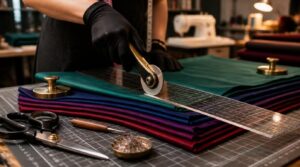
Cutting through multiple layers is satisfying work, but sharp tools and stacked fabric demand your full attention. A few simple habits can keep your hands safe and your workspace running smoothly. Here’s what to keep in mind before you make that first cut.
Safe Cutting Posture and Hand Placement
Your body is your most important tool, so protect it. Stand feet shoulder-width apart, one foot slightly forward, and position your self-healing cutting mat at roughly elbow height.
Shape your guiding hand into a claw grip, keeping fingertips well back from your fabric scissors. Keep wrists straight, aligned with each cut.
Rest every 20–30 minutes — your hands will thank you.
Tool Storage Best Practices
Sharp tools stored carelessly are accidents waiting to happen. Use a dedicated tool chest with labeled drawers — one for fabric scissors, another for rotary cutters, another for Cricut Maker accessories.
Place foam inserts or cushioned liners inside each drawer so blades don’t knock around. For moisture control, tuck a moisture absorber nearby to protect metal edges from rust.
Maintaining a Clear Workspace
A cluttered surface is the enemy of clean cuts. When your sewing workspace gets chaotic, even your best rotary blade work suffers.
- Do a daily desk reset — five minutes to clear scraps, store fabric clips, and wipe your self-healing cutting mat
- Keep only active tools within reach
- Practice surface decluttering tips by returning every tool immediately after use
Frequently Asked Questions (FAQs)
How many layers of fabric can you cut at once?
The answer isn’t one-size-fits-all — it depends on your blade sharpness and fabric weight. For lightweight cotton, four to six layers is a reliable sweet spot with a sharp rotary blade.
Can you cut fabric layers without a cutting mat?
Yes, you can cut fabric layers without a mat. Use a sturdy cutting board or flat table instead. Keep blades sharp, align your layers carefully, and place brown paper underneath to prevent sliding.
How do you fix uneven cuts across multiple layers?
Re-stack and realign your layers, then recut smaller sections rather than forcing the full stack again. Apply light, even pressure and let an acrylic ruler guide your blade straight.
What thread count works best for stacked cutting?
For stacked cutting, aim for a balanced thread count between 200 and Below 180, layers shift and fray. Above 600, the fabric fights your blade rather than yielding cleanly.
Can pattern matching be maintained across layered cuts?
Absolutely — but it takes intention. Lock in grain direction alignment and use layer reference points like stripes or dominant lines on every layer to keep patterns cohesive when pieces are joined.
How do humidity and temperature affect fabric stacking?
Humidity and temperature quietly affect how fabric layers grip each other. Natural fibers like cotton, linen, and wool absorb moisture, causing slight swelling that tightens your stack — but can also curl edges if conditions are uneven.
Conclusion
One misaligned stack can undo an hour of careful prep—but one perfectly cut batch can carry an entire project forward with ease. Once you truly understand how to cut multiple layers of fabric at once, the whole process stops feeling like a gamble and starts feeling like your greatest time advantage.
Sharp blade, aligned grain, stable stack—just those three things do most of the heavy lifting. Trust the setup, and the fabric follows.
- https://www.jozmakesquilts.com/blog-and-tutorials/cutting-fabric
- https://www.trivantage.com/fabric-cutting-tools-guide
- https://www.threadsmagazine.com/project-guides/learn-to-sew/tips-to-lay-out-a-pattern-and-cut-fabric-accurately
- https://mellysews.com/how-to-cut-fabric
- https://www.quiltingboard.com/main-f1/stacking-fabrics-then-rotary-cutting-t97509-3.html