This site is supported by our readers. We may earn a commission, at no cost to you, if you purchase through links.

A plain t-shirt costs a few dollars. Add a sharp embroidered logo, and suddenly it’s a branded product someone pays $35 for. That gap—between blank and finished—is where embroidery machines earn their keep.
But not every machine manages knit fabric well, and t-shirts are nothing but stretch and give, which means the wrong setup will pucker, distort, or skip stitches before you finish your first design.
The difference between clean results and a frustrating mess often comes down to three things: hoop size, stabilization, and stitch speed. Knowing which machines actually deliver on all three saves you from expensive mistakes.
Table Of Contents
- Key Takeaways
- 10 Best Embroidery Machines for T-Shirt Designs
- 1. Brother PE800 Embroidery Machine
- 2. Sew Tech Embroidery Hoops for Brother Machines
- 3. Brother PE900 Embroidery Machine with WLAN
- 4. Janome MC400E Computerized Embroidery Machine
- 5. Janome Memory Craft 500E Embroidery Machine
- 6. Brother Innovis NQ1700E Embroidery Machine
- 7. Brother Persona PRS100 Single Needle Embroidery Machine
- 8. EverSewn Sparrow X2 Sewing Embroidery Machine
- 9. Brother SE1900 Sewing and Embroidery Machine
- 10. Brother SE2000 Computerized Sewing Embroidery Machine
- Key Features to Look for in Shirt Embroidery Machines
- Should You Buy an Industrial Machine for T-Shirts?
- What to Consider Before Embroidering on T-Shirts
- How to Stabilize a T-Shirt for Embroidery
- Best Thread and Needle Choices for Shirt Embroidery
- Do You Really Need Digitizing Software?
- How to Hoop a T-Shirt Correctly Every Time
- Embroidery Machines for T-Shirts Worth Avoiding
- Frequently Asked Questions (FAQs)
- Conclusion
Key Takeaways
- Hoop size, stabilization, and stitch speed are the three factors that separate clean t-shirt embroidery from a puckered, distorted mess — get all three right before you run a single stitch.
- Cutaway stabilizer paired with water-soluble topping is your best defense against knit fabric stretch — tearaway simply can’t hold jersey knits in place the way cutaway can.
- A 5×7 inch embroidery area is the practical minimum for t-shirt work — anything smaller forces constant rehooping and limits what you can actually create.
- Ball-point needles and 40-weight polyester thread are the winning combo for knit fabrics — the rounded tip slides between loops instead of piercing them, and polyester holds color wash after wash.
10 Best Embroidery Machines for T-Shirt Designs
Finding the right embroidery machine for t-shirts doesn’t have to feel like searching for a needle in a haystack. The machines below cover a solid range of budgets, hoop sizes, and skill levels — so whether you’re just starting out or scaling up a small business, there’s something here for you. Here are ten worth a serious look.
If you want a deeper breakdown before committing, this guide to the best embroidery machines for t-shirts walks through what actually matters at each price point.
1. Brother PE800 Embroidery Machine
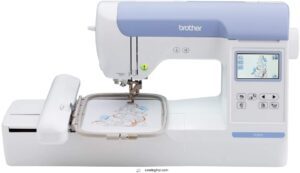
The Brother PE800 is a solid starting point if you’re new to machine embroidery on T-shirts. Its 5" x 7" embroidery area covers most standard chest designs without cropping edges.
The 3.2-inch color touchscreen lets you rotate, mirror, and resize designs right on the machine. You can also import custom files via USB — no laptop required mid-project.
At 650 stitches per minute, it’s not lightning fast, but it’s consistent and quiet.
| Best For | Beginners and hobbyists who want an easy entry into machine embroidery, especially for monogramming and chest designs on T-shirts. |
|---|---|
| Embroidery Area | 5″ x 7″ |
| Weight | 17.6 lbs |
| Material | N/A |
| Connectivity | USB |
| Built-in Designs | 138 |
| Display Screen | 3.2″ LCD |
| Additional Features |
|
- Big 5" x 7" embroidery area gives you room to work without cramping your designs
- The color touchscreen makes editing simple — rotate, mirror, resize right on the machine
- USB import means you can bring in custom designs without needing a computer nearby
- Embroidery only — no sewing functions if you ever need to switch things up
- Locked to 120V US power, so it won’t work overseas without a converter
- On-screen editing is handy but limited; serious customization still needs external software
2. Sew Tech Embroidery Hoops for Brother Machines
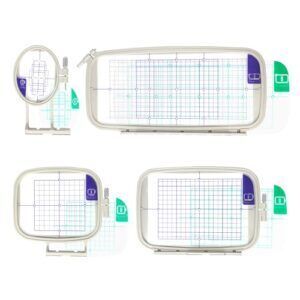
Hoops matter more than most people expect. The Sew Tech Embroidery Hoop Set is a smart companion for your Brother machine, covering sizes like 4×4, 5×7, and 6×10 inches.
Clear grid markings make centering a breeze, and the adjustable metal screw keeps fabric taut to prevent puckering.
It’s compatible with Brother PE, SE, NS, and Innovis series — plus select Baby Lock models. Verify your exact model before ordering, and you’re set.
| Best For | Embroiderers who own Brother PE, SE, NS, or Innovis machines and want a reliable multi-size hoop set to handle a range of project sizes without swapping equipment constantly. |
|---|---|
| Embroidery Area | 12″ x 5″ (hoop) |
| Weight | N/A |
| Material | Plastic |
| Connectivity | N/A |
| Built-in Designs | N/A |
| Display Screen | None |
| Additional Features |
|
- Grid markings make centering fabric quick and accurate — no more guessing
- Comes with multiple hoop sizes, so you’re covered for small monograms and larger designs alike
- The metal screw clamp keeps fabric tight, which goes a long way in preventing those annoying puckers
- Tabs can be a bit finicky and may need some manual pressure to click in properly
- Compatibility isn’t universal — you’ll want to double-check your exact model before buying
- Performance on heavier fabrics like towels is still up in the air
3. Brother PE900 Embroidery Machine with WLAN
Once you’ve sorted your hoops, the next step is pairing them with a machine that can keep up.
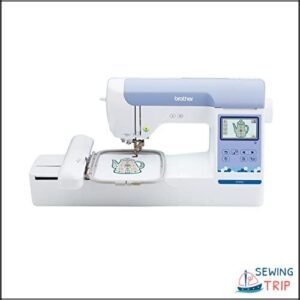
The Brother PE900 with WLAN lets you transfer designs wirelessly from your PC or phone — no USB fumbling required. Its 5" x 7" embroidery field accommodates most t-shirt logos comfortably, and the 3.7-inch touchscreen makes editing on the fly simple. With 193 built-in designs and Artspira app support, you’ve got plenty of creative range right out of the box.
| Best For | Home hobbyists and casual creators who want a dedicated embroidery machine with wireless convenience and room to grow. |
|---|---|
| Embroidery Area | 5″ x 7″ |
| Weight | 21 lbs |
| Material | Plastic |
| Connectivity | USB, WiFi |
| Built-in Designs | 193 |
| Display Screen | 3.7″ LCD |
| Additional Features |
|
- Wireless WLAN lets you send designs straight from your phone or PC — no digging around for a USB drive.
- The 5" x 7" embroidery field is roomy enough for t-shirt logos and most everyday projects.
- 193 built-in designs plus Artspira app support means you’ve got creative options from day one.
- It’s embroidery-only — if you need a machine that can also handle regular sewing, this isn’t it.
- Firmware updates require a USB drive, which isn’t included in the box.
- The Artspira app has a bit of a learning curve, so expect some trial and error early on.
4. Janome MC400E Computerized Embroidery Machine
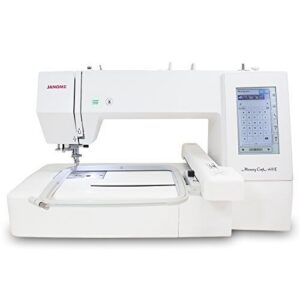
If wireless design transfers are your thing, the Janome MC400E takes a different approach — and it’s worth understanding why. This is a dedicated embroidery-only machine built for precision work, monograms, and larger designs.
It covers a 7.9" x 7.9" embroidery field, runs at 860 stitches per minute, and ships with 160 built-in designs. The LCD touchscreen lets you rotate, resize, and mirror patterns before you stitch a single thread.
| Best For | Embroiderers who want a dedicated machine for detailed monograms, larger designs, and garment personalization — and don’t mind skipping wireless transfers for a rock-solid feature set. |
|---|---|
| Embroidery Area | 7.9″ x 7.9″ |
| Weight | 25 lbs |
| Material | N/A |
| Connectivity | USB |
| Built-in Designs | 160 |
| Display Screen | LCD Touchscreen |
| Additional Features |
|
- 160 built-in designs plus a touchscreen that lets you rotate, resize, and mirror before you stitch — great for getting things just right
- The 7.9" x 7.9" embroidery field gives you plenty of room for bigger, bolder projects
- Auto thread tension and auto-return after breaks means fewer headaches mid-project
- USB imports only accept.jef files, so anything else needs converting first
- No WiFi means you’re physically plugging in every time you want a new design
- Extra accessories and the AcuStitch software can add up fast on top of an already high price tag
5. Janome Memory Craft 500E Embroidery Machine
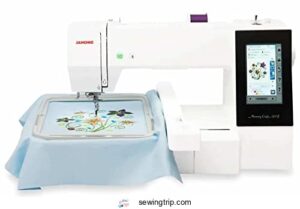
Step up from the MC400E, and the Janome Memory Craft 500E gives you a noticeably larger canvas — a 7.9" x 11" embroidery field that accommodates oversized chest logos and full back designs with ease.
It runs at 860 stitches per minute, includes an automatic thread cutter, and features a 4.5" color touchscreen for on-machine editing. The built-in needle threader and full rotary hook system keep things smooth, even through long production runs.
| Best For | Embroiderers who want to tackle large, high-volume projects like oversized logos or full back designs without the limitations of a basic machine. |
|---|---|
| Embroidery Area | Large capacity |
| Weight | 20 lbs |
| Material | Metal |
| Connectivity | USB, CF Card |
| Built-in Designs | N/A |
| Display Screen | N/A |
| Additional Features |
|
- Big 7.9" x 11" hoop size means you’re not constantly rehooping for larger designs
- Runs fast and quiet at 860 stitches per minute — great for production work
- USB and CF card compatibility makes loading designs flexible and straightforward
- Can’t do any standard sewing — it’s embroidery only, so you’ll need a separate machine for everything else
- File management has a learning curve, especially if you’re new to working with embroidery formats
- Thread and bobbin matching needs to be exact, or you’ll run into errors mid-project
6. Brother Innovis NQ1700E Embroidery Machine
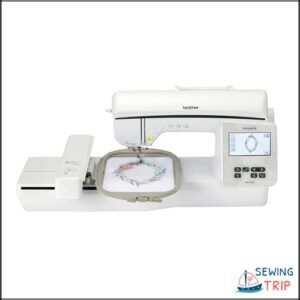
The Brother Innovis NQ1700E is built specifically for embroidery — no sewing functions cluttering the experience, just a focused machine that gets the job done.
Pair it with the right supplies from the start — quality thread sets for hand embroidery and stitching make a real difference in how your finished work looks and holds up.
You get a 6 x 10 inch embroidery area, a 4.85-inch color touchscreen for on-machine edits, and wireless design transfer that cuts the cable chaos. At 850 stitches per minute, it’s not the fastest on this list, but automatic tension adjustment and 258 built-in designs make it genuinely approachable for beginners and small-business decorators alike.
| Best For | Beginners and small-business owners who want a dedicated embroidery machine with a big workspace and easy wireless design transfers. |
|---|---|
| Embroidery Area | 6″ x 10″ |
| Weight | 28 lbs |
| Material | N/A |
| Connectivity | USB, WiFi |
| Built-in Designs | 258 |
| Display Screen | 4.85″ LCD |
| Additional Features |
|
- 258 built-in designs plus access to 5,000 more through IBroidery — you won’t run out of options anytime soon
- The 6 x 10 inch hoop area gives you room to tackle larger projects without constantly repositioning
- Wireless design transfer and a touchscreen interface make the whole process feel surprisingly smooth
- No manual override for the hoop position sensor, which can be frustrating if it acts up
- At 850 stitches per minute, it’s on the slower side compared to other machines in this range
- Some users have reported inconsistencies in build quality depending on where they bought it
7. Brother Persona PRS100 Single Needle Embroidery Machine
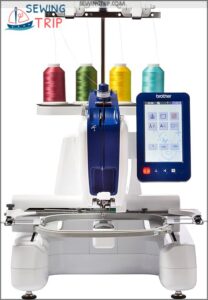
The PRS100 is a single-needle machine built for small-studio embroiderers who want professional results without a commercial footprint. Its tubular free arm lets you slide sleeves, caps, and kids’ garments right onto the machine — no awkward fabric wrestling.
You get an 8 x 8 inch embroidery area, 1,000 stitches per minute, and a vertical bobbin layout that makes thread changes genuinely fast. Just remember: every color switch is manual, so complex multi-color designs take patience.
| Best For | Small-studio embroiderers who personalize caps, sleeves, and kids’ gear in short runs of 3–6 pieces. |
|---|---|
| Embroidery Area | Up to 2″ x 2″ |
| Weight | 68.34 lbs |
| Material | Metal |
| Connectivity | N/A |
| Built-in Designs | N/A |
| Display Screen | N/A |
| Additional Features |
|
- The tubular free arm lets you slip on caps, sleeves, and small garments without any fabric wrestling
- Vertical bobbin access means quick thread changes without removing the hoop
- Compact 18-inch footprint fits comfortably in a home workspace
- Single needle means you’re changing thread manually for every color — multi-color designs take time
- At 68 pounds, you’ll want a second person around if you ever need to move it
- Not built for medium or large production runs, so it’ll bottleneck you if your order volume grows
8. EverSewn Sparrow X2 Sewing Embroidery Machine
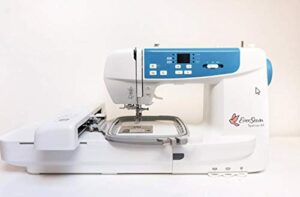
The EverSewn Sparrow X2 is a solid pick if you want sewing and embroidery in one machine without cluttering your workspace. Its 4.75 x 7 inch embroidery area holds medium chest logos and sleeve designs comfortably.
What sets it apart is app-based control — no touchscreen needed, just your phone. You also get 100 built-in designs, electronic tension adjustment for knits, and an automatic thread cutter.
It’s beginner-friendly, though the needle threading takes some getting used to.
| Best For | Beginners, crafters, and quilters who want sewing and embroidery in one machine and prefer managing designs from their phone instead of a computer. |
|---|---|
| Embroidery Area | 4.75″ x 7″ |
| Weight | 20 lbs |
| Material | Metal |
| Connectivity | Bluetooth App |
| Built-in Designs | 100 |
| Display Screen | App-Based |
| Additional Features |
|
- App-controlled design customization — no extra software needed, just your phone
- Comes with 100 built-in embroidery designs and 120 stitch patterns right out of the box
- Electronic tension adjustment makes it easier to work with tricky fabrics like knits
- Needle threading is fiddly and harder than on most comparable machines
- Tension and thread settings are sensitive and often need tweaking mid-project
- Embroidery functions won’t work without a 64-bit Apple or Android device
9. Brother SE1900 Sewing and Embroidery Machine
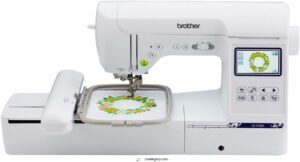
The SE1900 punches well above its price tag. You get a 5" x 7" embroidery field, 138 built-in designs, and 11 fonts — plenty for chest logos and sleeve placements on t-shirts.
The 3.2-inch color touchscreen keeps editing straightforward, and the USB port lets you import custom files without hassle. Automatic needle threading and a drop-in bobbin make setup quick.
It’s a capable combo machine for beginners who want real results without a steep learning curve.
| Best For | Beginners who want to do real sewing, quilting, and embroidery without juggling multiple machines. |
|---|---|
| Embroidery Area | 5″ x 7″ |
| Weight | 22.1 lbs |
| Material | Metal |
| Connectivity | USB |
| Built-in Designs | 138 |
| Display Screen | 3.2″ LCD |
| Additional Features |
|
- Big 5" x 7" embroidery field means less rehooping and more time actually making things
- Touchscreen editing plus USB import makes it easy to use your own designs
- Auto needle threader and drop-in bobbin take the frustration out of setup
- Runs on 120V only, so it’s not an option if you need something travel-friendly or internationally compatible
- Can get pretty loud during embroidery — worth knowing if you’re working in a shared space
- The extension table and some hoops cost extra, and advanced custom work may need additional digitizing software
10. Brother SE2000 Computerized Sewing Embroidery Machine
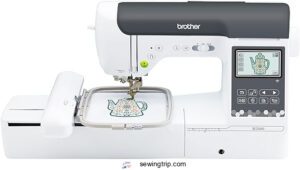
If the SE1900 is the reliable workhorse, the SE2000 is its smarter sibling. You get the same 5" x 7" embroidery field, but with 193 built-in designs, 241 sewing stitches, and wireless LAN connectivity that lets you push designs straight from your computer.
The 3.7-inch color touchscreen feels noticeably more responsive, and automatic jump stitch trimming keeps multi-color t-shirt designs clean without constant manual snipping. It’s a genuine step up for hobbyists ready to do more.
| Best For | Hobbyists and home crafters who want to step up their embroidery game with wireless convenience and a smarter, more intuitive machine. |
|---|---|
| Embroidery Area | 5″ x 7″ |
| Weight | 38 lbs |
| Material | Metal & Plastic |
| Connectivity | USB, WiFi |
| Built-in Designs | 193 |
| Display Screen | 3.7″ LCD |
| Additional Features |
|
- Wireless LAN lets you send designs straight from your computer or phone without fumbling with USB drives
- Automatic jump stitch trimming keeps multi-color projects neat with way less manual cleanup
- The 3.7-inch color touchscreen makes resizing and editing designs feel intuitive and fast
- At 38 pounds, it’s not something you’re hauling to a craft night without serious effort
- The Artspira app’s best features sit behind a paid monthly subscription, which adds up over time
- No dust cover, carrying case, or extension table included out of the box — you’ll need to budget for those separately
Key Features to Look for in Shirt Embroidery Machines
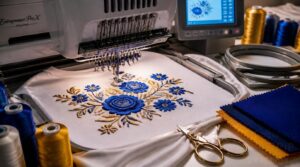
Not every embroidery machine is built the same, and that gap really shows when you’re working on t-shirts. A few specific features separate a frustrating experience from a smooth one. Here’s what actually matters when you’re shopping for the right machine.
Combo Vs. Embroidery-Only Machines
Choosing between a combination machine and an embroidery-only model is honestly one of the first decisions that shapes your whole setup. Combo machines are compact and budget-friendly, but they trade away automatic thread trimming and dedicated tension control.
If t-shirt embroidery is your main focus, an embroidery-only machine gives you cleaner results with less fuss. Additionally, separate machines allow for simultaneous sewing and embroidery to improve your workflow efficiency.
Maximum Embroidery Area and Hoop Size
Once you’ve sorted out machine type, hoop size becomes your next real decision.
A standard 4 x 4 inch hoop works for small chest logos, but a 6 x 10 inch field opens up full-front designs. For t-shirt machine embroidery, look for machines offering at least a 5 x 7 inch embroidery area — anything smaller limits your creative range fast.
Single-Needle Vs. Multi-Needle Machines
Hoop size narrows your options — but needle count determines your pace.
A single-needle embroidery machine processes one color at a time, pausing for every thread swap. A multi-needle embroidery machine pre-threads up to 15 colors, keeping production moving.
- Color change speed — Multi-needle wins every time
- Initial investment cost — Single-needle costs less upfront
- Maintenance requirements — More needles mean more servicing
- Design complexity handling — Multi-needle oversees detailed logos effortlessly
Touchscreen Size and Connectivity Options
Once you’ve nailed needle count, the next decision is how you’ll interact with your machine daily. A larger touchscreen display — think 7 to 10 inches — makes editing designs far less frustrating. You want multi-touch gestures for zooming in on details, plus clear screen resolution so fonts don’t blur.
Wireless connectivity and a reliable USB port keep your design files moving fast.
Should You Buy an Industrial Machine for T-Shirts?
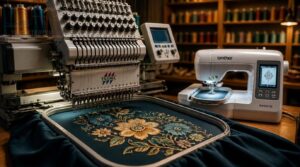
Industrial machines look impressive, but they’re not always the right tool for the job. Before you drop serious money on commercial-grade equipment, it’s worth understanding exactly what you’re getting. Here’s what to evaluate when deciding between commercial and home machines—and when a smaller hoop area actually works in your favor.
Commercial Vs. Home Embroidery Machines
Commercial machines run 1,000 to 1,500 stitches per minute and handle 8 to 24-hour daily shifts without breaking a sweat. Home machines top out around 800 spm and aren’t built for that kind of punishment.
If you’re running a home embroidery business with steady bulk orders, the math on a multi-head commercial setup eventually makes sense.
When a 4 X 4 Hoop Area Makes Sense
Not every design needs a stadium-sized hoop. A 4 x 4 embroidery area genuinely shines for monograms, small logos, and name tags on tees — designs that fit cleanly without rehooping.
- Quick Setup Advantage speeds up small batch runs
- Reduces knit fabric distortion with a smaller footprint
- Cost Effective Production for beginners
- Easier design centering on standard shirts
- Works well for onesies and toddler garments
What to Consider Before Embroidering on T-Shirts
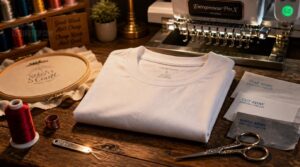
T-shirts look simple, but they fight back — and that’s the part most people don’t expect. Before you run a single stitch, a few things can make or break the whole project. Here’s what you need to get right first.
Fabric Stretch and Knit Challenges
T-shirts push back. Jersey knits stretch under hoop tension, then relax after washing — wrecking stitch alignment. Knit relaxation management starts with prewashing your fabric sample first. Lower needle tension slightly on dense fills for better stitch tension balance and less puckering. A 5×7 embroidery hoop spreads tension better than a 4×4 for hoop size optimization. Match your stabilizer selection criteria to the knit — cutaway is your best bet.
Prewash jersey knits, cut tension on dense fills, and always choose cutaway stabilizer
| Knit Challenge | Recommended Fix | Why It Works |
|---|---|---|
| Fabric stretch distortion | Use a 5×7 hoop | Distributes tension across a wider area |
| Stitch puckering | Lower needle thread tension | Reduces pull on high-stretch zones |
| Post-wash design shift | Prewash and use cutaway stabilizer | Prevents relaxation-related misalignment |
Design Placement and Centering
Getting placement wrong is the fastest way to ruin a great design. Aim for chest center, roughly 3 to 4 inches below the collar, aligned to the wearer’s midline.
Fold the shirt in half to find that vertical center, then mark it with a water-soluble pen before hooping. That simple symmetry check saves you from lopsided results every time.
Hoop Size Vs. Garment Size
Hoop size isn’t just a technical spec — it determines what’s actually possible on a given shirt. A 4-inch hoop suits small logos on infant and toddler shirts, while an 8×12-inch hoop opens up bold chest designs on adult tees.
But even a large hoop loses usable area fast when seams, collars, or shirt stretch push back.
Choosing The Right Thread Type
Thread choice is one of those decisions that quietly makes or breaks your t-shirt machine embroidery results.
Polyester and rayon threads dominate the field for good reason. Polyester wins on colorfastness — it holds thread colors through wash after wash. Rayon offers a beautiful sheen but fades faster.
Match your thread to your goal: durability or appearance.
How to Stabilize a T-Shirt for Embroidery
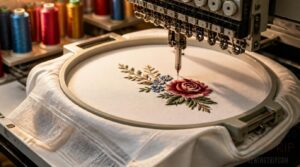
Stabilizing a t-shirt before you embroider is honestly one of those steps that separates clean results from a puckered mess. Knit fabrics stretch, shift, and fight back — so how you prep the fabric matters just as much as the machine you’re using. Here’s what actually works.
Cutaway Vs. Tear-Away Stabilizer
Choosing the wrong stabilizer on a T-shirt can ruin an otherwise perfect design.
Cutaway stabilizer stays permanently behind the fabric, giving knit fibers the long-term support they need. Tearaway, by contrast, gets removed after stitching — great for stable wovens, but risky on stretchy knits.
For dense lettering or large fills, always reach for cutaway.
Using Water-Soluble Topping on Knits
Cutaway manages the bottom layer — but the top layer matters just as much on knits. That’s where water-soluble topping earns its place.
Lay it gently over your hooped fabric before stitching. It keeps stitches from sinking into jersey loops, giving you crisp edges and clean lines. Once you’re done, a light mist of water dissolves it completely.
Adhesive Spray for Non-Fusible Stabilizers
Water-soluble topping covers the surface — but getting your no-show mesh stabilizer to stay flat underneath is a different challenge.
That’s where adhesive spray earns its keep. A water-based formula grips the stabilizer without fusing it to the fabric, so you can reposition before stitching.
Key tips for clean results:
- Hold the can 6 to 12 inches away and apply in short bursts — oversaturation stiffens the fabric
- Always do a fabric test protocol on a scrap first to check for residue or color transfer
- Work with proper ventilation requirements in mind; a mask helps if the label recommends one
Small Hoops for Onesies and Toddler Shirts
Tiny garments need tiny hoops — it’s that simple. A 4 x 4 inch hoop keeps onesies and toddler shirts centered without distorting the knit.
Oversized hoops pull the fabric, throwing off your stitch alignment before the needle even drops. Stick to small, snug placements, and your embroidery machine for small designs will handle the rest cleanly.
Best Thread and Needle Choices for Shirt Embroidery
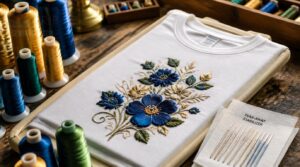
Your stabilizer is doing the heavy lifting, but the wrong thread or needle can still wreck a perfectly prepped shirt. Getting these two choices right is what separates a clean, lasting design from one that puckers, snags, or fades after a few washes. Here’s what actually works for t-shirt embroidery.
40 Weight Polyester Vs. Rayon Thread
Thread choice matters more than most people realize regarding tshirt machine embroidery.
Polyester 40 weight wins on durability — it holds up through repeated washing, resists moisture, and rarely breaks mid-run on dense designs. Rayon 40 weight delivers a softer hand and richer sheen, making decorative embroidery look almost luminous.
Here’s the quick breakdown:
- Tensile strength: Polyester manages high-speed machines with fewer thread breaks
- Color retention: Polyester stays bright longer; rayon can bleed in hot water
- Moisture absorption: Rayon absorbs more, affecting feel and colorfastness in humidity
- Sheen and finish: Rayon looks premium; polyester reads slightly more matte
For the best embroidery machine for shirts — especially knits and hoodies — polyester is the safer, more forgiving pick.
Ball-Point Needles for Knit Fabrics
Switching to a ball-point needle changes everything for machine embroidery on shirts. Unlike sharp needles, the rounded tip slides between knit loops instead of piercing them — no snags, no runs, no puckering.
For T-shirt machine embroidery, sizes 75/11 to 90/14 cover most cotton jerseys and stretch blends beautifully.
Titanium-Coated Needles for Longevity
One upgrade that quietly earns its keep is the titanium-coated needle. The titanium nitride layer boosts coating hardness, cutting needle wear noticeably — especially during long runs on dense shirt designs. You’ll notice fewer skipped stitches on jersey knits and better tip life extension through heat buildup that would flatten an uncoated needle fast.
- Needle wear reduction keeps your stitch quality consistent longer
- Heat resistance properties matter most on high-speed single needle embroidery machines
- Cost efficiency improves because you’re replacing needles far less often
Using Prewound Bobbins to Save Time
Prewound bobbins are a quiet major benefit for machine embroidery on shirts. They skip the bobbin winder step entirely, delivering consistent tension right out of the pack — which means less puckering on knit fabrics.
You’ll get longer thread runs, fewer interruptions, and up to 30% less time lost to bobbin swaps. That’s real labor cost savings per shift.
Do You Really Need Digitizing Software?
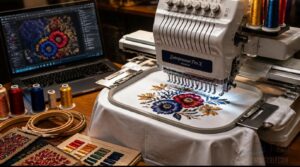
Digitizing software turns your artwork into stitch-by-stitch instructions your machine can actually follow — and yes, it matters more than most beginners expect. The good news is you don’t need to spend a fortune or get a computer science degree to make it work. Here’s what you need to know before picking your first program.
Best Software for Beginner Digitizers
If your best embroidery machine for shirts came with a built-in design studio, you wouldn’t need separate digitizing software — but it doesn’t.
That’s where tools like Embrilliance and Hatch 3 come in. Both offer an easy-to-use Dashboard, Step-by-Step Wizards, and Preview Stitch Simulation so you can see exactly how your embroidery designs land before stitching a single thread.
Free Options Like Inkscape and Ink/Stitch
Not every embroidery journey starts with a paid subscription. Inkscape and Ink/Stitch give you a genuinely capable, completely free path into the digitizing process.
- SVG path conversion turns traced artwork into stitch-ready data
- Exports DST, PES, JEF, and more formats your embroidery machine for t-shirts already reads
- Cross-platform support covers Windows, Mac, and Linux
- Community tutorial resources walk you through common garment embroidery designs step by step
Splitting Large Designs Across Hoop Sections
Sometimes your embroidery design is simply bigger than your hoop. That’s where design segmentation strategy saves you.
Software splits the artwork at natural break points — spots where elements don’t overlap — keeping seams invisible. Aim for 2–5mm hoop overlap between sections, and align each re-hoop using a basting stitch or placement line to keep everything straight.
Supported Embroidery File Formats
Once your design is split and ready, the file format you save it in can make or break the transfer. DST compatibility is the broadest bet — it works on nearly every machine, home or commercial. But it strips most color data, so keep a thread chart handy.
- PES color data stays intact for Brother machines, automating color stops cleanly
- JEF editing tools shine on Janome setups, preserving hoop and layer info
- EXP multi-hoop support suits Melco and Bernina workflows with reliable stitch transfers
- VP3 scalability features let you resize without losing stitch quality — a real win for larger designs
Move files via USB port or, on newer machines, push them wirelessly using Bluetooth capabilities. Your digitizing software usually exports all five formats, so match the format to your machine brand.
How to Hoop a T-Shirt Correctly Every Time
Hooping a t-shirt wrong is one of the fastest ways to ruin a design before the machine even starts. The fabric’s stretch makes it trickier than hooping a stiff woven, but a few simple habits fix most of the common mistakes. Here’s what to do at every step.
Marking Placement With Chalk or Soluble Pens
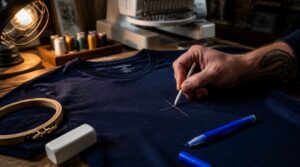
Marking your t-shirt before hooping is the step that separates clean embroidery designs from crooked ones. Use chalk or a soluble pen to mark your placement point directly on the fabric.
| Marking Tool | Best Use Case |
|---|---|
| White chalk | Dark fabric marking |
| Blue soluble pen | Light cotton jersey |
| Broad chalk stick | Large embroidery hoop size |
| Fine-tip soluble pen | Small embroidery designs |
| Colored chalk | Bright or printed shirts |
Chalk color selection matters — white chalk disappears on light shirts. On dark fabric, grab a contrasting color. Watch for dusty chalk residue transferring to your needle; wipe it before stitching. Soluble pen lines fade fast on stretchy knits, so re-mark mid project if the fabric shifts during hooping.
Centering The Design in The Hoop
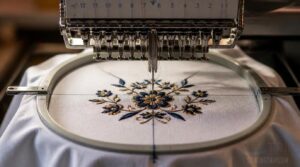
Once your chalk or pen marks are set, centering the design in the hoop is where precision really pays off. Align the design’s central axis with your garment centerline, using your machine’s on-screen grid to confirm coordinates match the hoop center.
Even a few millimeters off can throw the whole embroidery design sideways.
Avoiding Fabric Distortion on Stretchy Shirts
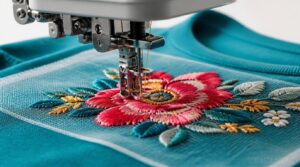
Stretchy shirts fight back. When you hoop a knit too tightly, the fabric stretches in the hoop, then bounces back after removal — leaving puckered, distorted stitches.
Loosen hoop pressure slightly and use a no-show mesh stabilizer underneath. Set your machine to lower stitch density and engage underlay stitches first to anchor the fibers before your top design runs.
Using The Free Arm for Small Garments
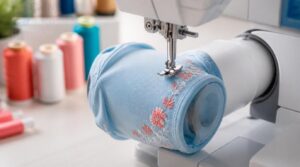
Sliding a tiny onesie or toddler sleeve over the free arm changes everything. Remove the accessory tray, and that cylindrical extension lets tubular garments rotate freely — no bunching, no fighting bulk.
For tight curves on small hems, pair it with a narrow foot. If knit fabric puckers, drop your tension slightly and switch to a ball-point needle.
Embroidery Machines for T-Shirts Worth Avoiding
Not every embroidery machine deserves a spot in your workspace, especially when you’re working with t-shirts. Some models will quietly frustrate you with limitations that only show up once you’re mid-project. Here’s what to watch out for before you spend a dime.
Machines With Too-Small Hoop Areas
A too-small embroidery field is one of the fastest ways to kill your creative ambitions on T-shirts. The smallest standard hoop most machines support is 4×4 inches — and anything under that simply won’t mount due to needle clearance requirements.
That tight embroidery area forces you into design splitting strategies or multiple rehooping passes, adding setup time fast.
Models Lacking Automatic Tension Adjustment
Tension is the silent saboteur of T-shirt embroidery. When your embroidery machine for T-shirts lacks automatic tension adjustment, you’re stuck doing manual tension calibration before every single project.
On stretchy knit fabrics, that’s a real problem — tension stitch issues like looping, puckering, and loose stitches show up fast, and fixing them eats into your production time.
Why Low-SPM Machines Slow Production
Low-SPM throughput is a quiet killer in production. Slower stitching speed means longer cycle times, more idle moments between garments, and compounding delays across a full shift.
Add inefficient motion orbits — the machine repositioning between designs — and you’re bleeding minutes you can’t recover. For any serious commercial embroidery operation, those lost minutes become lost orders.
Frequently Asked Questions (FAQs)
What does automatic jump stitch trimming actually do?
Automatic thread trimming—also called jump stitch trimming—snips excess threads at color changes, handles tail management instantly, boosts production speed, offers trimming configuration options, and slightly reduces stitch density on multineedle embroidery machines for T-shirt embroidery.
How useful are automatic needle threaders for beginners?
Honestly, they’re a game changer—cutting threading time by up to 70%, with visual guidance that builds confidence. An automatic needle threader, paired with an automatic thread cutter, makes any embroidery machine for beginners less intimidating.
What is the ArtsPira app used for?
Artspira works as your mobile design library, pairing with Brother machines for wireless design transfer, AR garment preview, cloud project sync, and file format conversion—turning JPEGs into embroidery-ready designs and files for digitizing software.
Whats the difference between.jef and.jef+ formats?
Picture stitching a hundred t-shirts without a single rehoop—that’s the magic of JEF+. In file size comparison, JEF stays compact for single embroidery designs; JEF+ grows for multi hoop support, preserving design sequence integration.
Do automatic bobbin winders save setup time?
Yes—automatic bobbin winding delivers real setup time reduction, prepping up to 12 bobbins per cycle. That’s a solid winder efficiency gain, cutting labor hours and boosting production throughput for t-shirt embroidery jobs on busy machines.
Conclusion
The right machine changes everything—but only if you pair it with the right stabilizer, needle, and thread for knit fabric. Every embroidery machine for t-shirt designs reviewed here processes stretch differently, and that gap matters at stitch 1,000. Pick the one that matches your hoop size needs and production goals.
Get your tension dialed, topping placed correctly, and your design centered. Do that consistently, and a plain shirt becomes something truly worth paying for.
- https://www.goodhousekeeping.com/home-products/g70419357/the-best-embroidery-machines
- https://www.reviewed.com/home-outdoors/best-right-now/best-embroidery-machines
- https://www.maggieframes.com/blogs/embroidery-blogs/ultimate-guide-to-choosing-the-best-embroidery-machine-in-2025
- https://meissnersewing.com/blogs/inspiration/best-embroidery-machines-2026
- https://goto.walmart.com/c/1942563/565706/9383?veh=aff&sourceid=imp_000011112222333344&u=https%3A%2F%2Fwww.walmart.com%2Fip%2FBrother-SE625-Computerized-Sewing-and-Embroidery-Machine-with-4-x4-Field-Color-LCD-display-280-Embroidery-Designs%2F802986799%3Fwmlspartner%3Dwlpa%26selectedSellerId%3D0%26adid%3D22222222227099665565%26wl0%3D%26wl1%3Dg%26wl2%3Dc%26wl3%3D233125098918%26wl4%3Daud-430887228898%3Apla-384022673680%26wl5%3D9027285%26wl6%3D%26wl7%3D%26wl8%3D%26wl9%3Dpla%26wl10%3D8175035%26wl11%3Donline%26wl12%3D802986799%26veh%3Dsem%26gclid%3DCj0KCQjw9tbzBRDVARIsAMBplx9ytEkNryuolWzNfMWMlOrY9ACnmc1y_eU6HGLjAlphurpOhVlgmf4aAiSaEALw_wcB