This site is supported by our readers. We may earn a commission, at no cost to you, if you purchase through links.
Picking up your first embroidery machine feels a lot like standing in a hardware store aisle—everything looks capable, nothing looks obviously right for you. The market has exploded with options, from entry-level computerized models under $200 to professional multi-needle machines that cost more than a used car.
Most hobbyists end up either underbuying (and hitting limits fast) or overbuying (and never touching half the features). The right embroidery machines for hobbyists thread a needle between those two mistakes—capable enough to grow with you, simple enough to actually use on a Tuesday night. Here’s what’s worth your money.
Table Of Contents
Key Takeaways
- Most hobbyists overspend or underbuy because they skip one key question first: how much you’ll actually sew shapes everything from budget to machine type.
- A bigger embroidery field — 5×7 inches or more — unlocks far more project types than the standard 4×4, so it’s worth prioritizing even on a tight budget.
- Single-needle machines win for beginners on ease and cost, while multi-needle models like the Janome MB7 only make sense if you’re doing high-volume, color-heavy work regularly.
- Routine care — cleaning the bobbin area, oiling the hook, and scheduling a professional service every 12 months — is what separates a machine that lasts a decade from one that frustrates you in year two.
Top Embroidery Machines for Hobbyists
Finding the right embroidery machine comes down to knowing what actually works for hobbyists — not just what looks good on a spec sheet.
A little prep goes a long way, and brushing up on machine embroidery setup and supplies can save you a lot of frustration before your first stitch.
The machines below were chosen with real home use in mind, from ease of setup to how well they handle everyday projects. Here’s what made the cut.
1. Brother Computerized Sewing Embroidery Machine
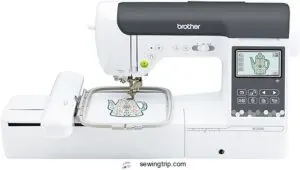
The Brother SE2000 is the kind of machine that earns a permanent spot on your craft table. It manages both sewing and embroidery without missing a beat — 241 built-in stitches, 193 embroidery designs, and a 5×7 inch field that gives you real room to work.
The 3.7-inch touchscreen makes editing feel user-friendly, and the Artspira app adds wireless design transfer. It’s approachable for beginners but capable enough to grow with you.
| Best For | Hobbyists and home sewers — beginners who want room to grow and experienced sewists who want more creative freedom without stepping up to a commercial machine. |
|---|---|
| Embroidery Field | 5×7 inches |
| Touchscreen Display | 3.7 inch |
| Built-in Designs | 193 |
| USB Connectivity | Yes |
| Material | Metal, Plastic |
| Custom Design Import | Yes |
| Additional Features |
|
- Tons of built-in options right out of the box — 241 stitches and 193 embroidery designs means you’re never starting from scratch
- The 5×7 embroidery field is genuinely roomy, great for jackets, bags, and home decor projects
- Wireless transfer via the Artspira app makes moving designs from your phone or PC surprisingly painless
- Threads, stabilizers, and a carrying case are all sold separately, so budget a little extra upfront
- The Artspira app’s best features sit behind a paid subscription, which feels a bit nickel-and-dime-y
- Machine embroidery has a learning curve — beginners should expect some trial and error before things click
2. Brother SE1900 Sewing and Embroidery Machine
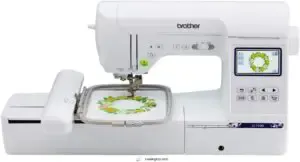
If the SE2000 feels like a stretch budget-wise, the SE1900 lands just a step below — and honestly, it doesn’t give up much. You still get a 5×7 inch embroidery field, 138 built-in designs, and 11 fonts for monograms and labels.
The 3.2-inch touchscreen lets you resize, rotate, and position designs before a single stitch drops. USB import means your design library isn’t limited to what’s built in.
At 22 pounds, it’s sturdy without being a hassle to move.
| Best For | Hobbyists and professionals who want a capable sewing and embroidery combo machine without paying top dollar. |
|---|---|
| Embroidery Field | 5×7 inches |
| Touchscreen Display | 3.2 inch |
| Built-in Designs | 138 |
| USB Connectivity | Yes |
| Material | Metal |
| Custom Design Import | Yes |
| Additional Features |
|
- Big 5×7 embroidery field gives you room to work on larger designs without feeling boxed in
- The touchscreen makes editing easy — resize and rotate before you commit to a single stitch
- USB support means you’re not stuck with just the 138 built-in designs
- No extension table in the box, so you’ll need to buy one separately if you’re doing bigger sewing projects
- Only works on 120 volts, so it’s a no-go if you’re outside the US
- Extra embroidery software and design packs can add up fast
3. Brother Sewing Embroidery Machine Combo
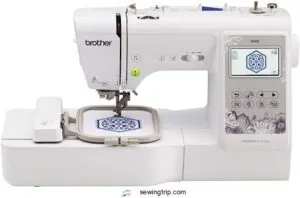
Want one machine that does it all? The combo approach is worth a serious look. Brother’s sewing and embroidery combo units let you switch between full garment sewing and decorative embroidery without swapping machines.
You get a 4×4-inch embroidery field, 80 built-in designs, and 103 sewing stitches — a solid range for a hobbyist. The large color touchscreen keeps setup simple, and the automatic needle threader cuts frustration fast.
It’s a smart pick if counter space is tight but your project list isn’t.
| Best For | Hobbyists and beginners who want the flexibility of both sewing and embroidery in one machine without dedicating a ton of counter space. |
|---|---|
| Embroidery Field | 4×4 inches |
| Touchscreen Display | 3.2 inch |
| Built-in Designs | 80 |
| USB Connectivity | Yes |
| Material | Metal |
| Custom Design Import | Yes |
| Additional Features |
|
- Tons of built-in options — 103 stitches and 80 embroidery designs means you’re not starting from scratch
- The touchscreen and automatic needle threader make it genuinely beginner-friendly
- Handles everyday materials like denim and cotton without breaking a sweat
- The 4×4 embroidery field is pretty limiting if you want to go big with designs
- It’s on the bulkier side, so storage can be a hassle in smaller spaces
- Not built for heavy or commercial use — push it too hard and you’ll wear it out fast
4. Janome Multi Needle Embroidery Machine
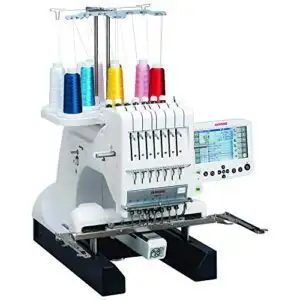
Ready to level up? The Janome MB7 is a seven-needle machine that keeps seven thread colors loaded at once — no stopping to rethread between color changes. It stitches up to 800 stitches per minute and covers a generous 9.4×7.9-inch field.
If you prefer a hands-on setup, pairing it with a sewing machine with foot pedal gives you even more control over stitch speed as you work through complex designs.
The 5.7-inch Remote Computer Screen lets you edit, rotate, and resize designs without touching the machine head.
At $5,969, it’s an investment, but for serious hobbyists doing high-volume work, it pays for itself fast.
| Best For | Serious hobbyists and small business owners who do high-volume embroidery and want to skip the constant rethreading hassle. |
|---|---|
| Embroidery Field | 9.4×7.9 inches |
| Touchscreen Display | 5.7 inch RCS |
| Built-in Designs | Multiple |
| USB Connectivity | Yes |
| Material | Metal |
| Custom Design Import | Yes |
| Additional Features |
|
- Seven needles stay loaded at once, so color changes happen automatically with zero downtime
- The 5.7″ remote screen makes editing designs easy without awkwardly leaning over the machine
- Jumbo bobbin and large stitch field mean fewer interruptions on big projects
- At nearly $6,000, it’s a serious financial commitment that won’t suit casual crafters
- Some users have run into thread jams and tension issues that can be frustrating to troubleshoot
- No automatic threading, which feels like a miss at this price point
5. Bernette Computerized Sewing Embroidery Machine
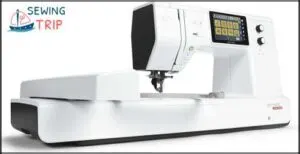
The Bernette b79 is the machine that quietly does it all. Sew garments, piece quilts, and stitch embroidery — without ever swapping units.
It runs up to 1,000 stitches per minute, holds 500 built-in stitches, and offers a generous 260 x 160 mm embroidery field. The 5-inch touchscreen keeps navigation clean, and the included Toolbox software lets you edit designs before they hit fabric.
At $2,299, it’s a serious hobbyist’s workhorse without crossing into commercial-machine territory.
| Best For | Hobbyists and creative sewers who want one machine that handles garments, quilts, and embroidery without needing a separate setup. |
|---|---|
| Embroidery Field | Large area |
| Touchscreen Display | 5 inch |
| Built-in Designs | 500 stitches |
| USB Connectivity | Yes |
| Material | Aluminum |
| Custom Design Import | Yes |
| Additional Features |
|
- 500 built-in stitches plus a Stitch Designer gives you a ton of creative range without feeling boxed in
- The 5-inch touchscreen and dual feed make the whole sewing experience smoother and faster
- Comes with embroidery hoops and Toolbox software right out of the box — ready to go from day one
- The menus can feel overwhelming at first, and the user manual doesn’t always clear things up
- Not great for heavy-duty fabrics or thick layers, so it has limits as a workhorse
- Accessories can be tricky to find, and it needs regular oiling to stay in good shape
6. Brother Embroidery Machine
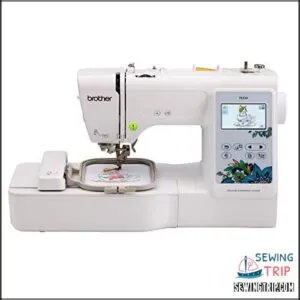
If you’re just getting into embroidery and don’t want to overthink it, the Brother PE535 is a solid starting point. It gives you 80 built-in designs, 9 fonts, and a USB port so you can load your own patterns whenever inspiration hits. The 3.2-inch touchscreen keeps things simple, and at $498, it won’t drain your budget before you’ve stitched a single monogram.
The 4×4 embroidery field is compact — but honestly, that’s plenty for most beginner projects.
| Best For | Beginners who want a straightforward embroidery machine that’s easy to set up and fun to use right out of the box. |
|---|---|
| Embroidery Field | 4×4 inches |
| Touchscreen Display | 3.2 inch |
| Built-in Designs | 80 |
| USB Connectivity | Yes |
| Material | Metal, Plastic |
| Custom Design Import | Yes |
| Additional Features |
|
- 80 built-in designs and 9 fonts give you plenty to work with from day one
- USB port lets you upload custom patterns whenever you want to get creative
- The 3.2″ touchscreen makes navigation easy, even if you’ve never used an embroidery machine before
- The 4×4 embroidery field can feel limiting if you want to tackle bigger projects
- It’s embroidery only — don’t expect it to double as a regular sewing machine
- You’ll need to budget extra for thread, needles, and stabilizer on top of the $498 price tag
7. Poolin Embroidery Machine For Home Use
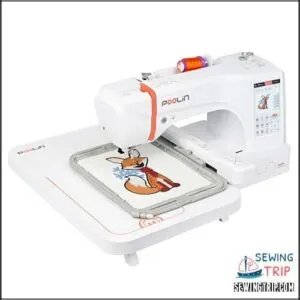
The Poolin EOC06 punches above its weight for a home machine. You get a 7.9×11-inch hoop area — noticeably bigger than most beginner options — plus 200 built-in designs and a 7-inch touchscreen that actually makes editing feel logical and easy to use. USB and wireless connectivity mean you’re not jumping through hoops to load custom files.
It ships with four hoops, thread, bobbins, and stabilizer, so you’re ready to stitch right out of the box. A genuinely complete starter package.
| Best For | Hobbyists and home crafters who want a capable, ready-to-go embroidery machine without a steep learning curve. |
|---|---|
| Embroidery Field | 7.9×11 inches |
| Touchscreen Display | 7 inch |
| Built-in Designs | 200 |
| USB Connectivity | Yes |
| Material | Metal, Plastic |
| Custom Design Import | Yes |
| Additional Features |
|
- Big 7.9×11″ hoop area gives you room to work on larger designs than most home machines allow
- Comes fully loaded — four hoops, thread, bobbins, and stabilizer are all in the box
- Wireless and USB connectivity make transferring custom designs quick and painless
- New users should expect a learning curve before things click
- Threading and machine operation can be tricky at first and may need some troubleshooting
- Not the best fit for very large or highly complex embroidery projects
Key Features to Look for in Hobbyist Embroidery Machines
Not every machine is built the same, and the differences matter more than you’d think. Before you spend a dime, it helps to know which features will actually make your projects easier and more enjoyable.
Here’s what to keep an eye on.
Embroidery Area Size
Think of the embroidery area as your canvas — and size matters more than you’d think. Most hobbyists start with a 4×4 inch stitching space, which accommodates monograms fine but hits design limits fast.
Step up to a 5×7 or 6×10 embroidery field and your sewing boundaries open up considerably. Match your hoop size to your actual projects before committing to any embroidery machine.
For a deeper understanding of how embroidery hoop sizing affects stitch alignment, explore resources guiding your choice.
Built-in Designs and Fonts
A well-stocked built-in library is your embroidery machine’s head start. The Brother SE1900 ships with 138 embroidery designs and 11 embroidery fonts — enough for monogram options, labels, and gifts right away. Here’s what to look for:
- Built-in Designs: Aim for 130+ across florals, borders, and frames
- Embroidery Fonts: Multiple font styles cover script, block, and decorative lettering
- Thread Colors: Preview swaps on-screen before stitching
- Design Editing: Rotate, resize, and combine motifs without extra software
- Custom Uploads: USB ports let you expand beyond stock embroidery designs
To discover more creative options, you can browse a collection of for tailored projects.
User Interface and Controls
A confusing control panel can stop a great project before it starts. That’s why touchscreen navigation matters so much — color LCD touch screens between 3 and 5 inches let you tap through designs instead of fighting button menus. The result? An accessible interface that actually works for you.
| Feature | What It Does | Why It Matters |
|---|---|---|
| Touchscreen Display | Shows design, hoop, and stitch info | Keeps everything visible at a glance |
| Button Layout | Physical start/stop and speed slider | Gives tactile control during stitching |
| Mode Switching | Swaps between sewing and embroidery | Simplifies combo machine operation |
| Error Alerts | Pop-ups for thread or hoop issues | Prevents costly mid-project mistakes |
| Control Panels | Group home, edit, and embroider screens | Reduces setup confusion for beginners |
Connectivity Options
Once your design is ready, you need a clean way to get it into the machine. Most hobbyist machines rely on USB connectivity through a single USB port — plug in a flash drive, and you’re set.
Some newer models, like the Poolin EOC05, offer WiFi transfer and wireless LAN connectivity, sending designs straight from your computer over your home network.
Check file formats before you buy.
Stitching Speed and Performance
Speed matters — but not in the way you might think. Most hobby embroidery machines run between 600 and 800 stitches per minute, and that’s honestly the sweet spot for solid stitch quality and thread tension.
Push machine speed too hard, and vibration reduction becomes a real issue. Multi-needle models with automatic thread cutters and good motor efficiency handle faster runs cleaner, every time.
Single Needle Vs Multi-Needle Machines
Choosing between a single needle and multi-needle machine is one of the first real decisions you’ll make as a hobbyist. Each type has its own strengths, and the right pick depends on what you’re making and how you like to work.
Here’s what you need to know before committing.
Advantages and Drawbacks for Hobbyists
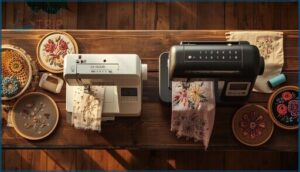
Picking the right embroidery machine comes down to honest self-assessment. Are you stitching the occasional tote bag, or do you have a growing queue of projects? Cost factors and hobbyist needs pull in different directions here.
Choosing the right embroidery machine starts with one honest question: how much do you actually sew?
| Single Needle | Multi-Needle | |
|---|---|---|
| Budget Constraints | Starts ~$300–$600 | Starts ~$3,000+ |
| User Experience | Beginner-friendly | Steeper learning curve |
| Home Embroidery Speed | Slower, manual changes | Near 1,000 stitches/min |
| Machine Comparison | Compact, portable | Bulkier, needs dedicated space |
For beginner embroidery machine users, single needle wins on simplicity. Multi-needle rewards hobbyists ready to level up.
Project Versatility and Fabric Types
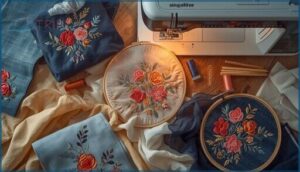
Your machine choice shapes what fabrics you can tackle. Single needle embroidery machines handle quilting cotton, stable knits, and linen beautifully — solid ground for most textile arts projects.
Multi-needle opens material compatibility to caps, jackets, and thick canvas.
| Fabric Types | Stabilizer Options | Thread Choices |
|---|---|---|
| Jersey knits | Cut-away | Polyester 40wt |
| Denim/canvas | Tear-away | Heavy 30wt |
| Organza/sheers | Wash-away | Fine 60wt |
Smart fabric selection drives every embroidery technique forward.
Ease of Use and Maintenance
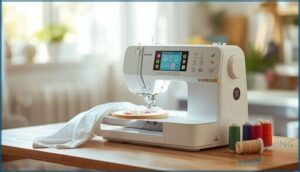
Single needle embroidery machines genuinely win on ease of use. The intuitive interface, automatic thread cutting, and straightforward thread management mean less fiddling and more creating.
Multi-needle machines demand stricter maintenance schedules and machine calibration across every needle bar.
| Feature | Single Needle | Multi-Needle |
|---|---|---|
| Error Detection | Simple on-screen alerts | Complex sensor checks |
| Embroidery Machine Maintenance | Home-friendly | Technician-recommended |
| User Interface | Beginner-ready | Steeper learning curve |
Important Accessories and Maintenance Tips
Getting the most out of your embroidery machine comes down to more than just choosing the right design. The right accessories and a little routine care can mean the difference between a machine that lasts a decade and one that frustrates you after a year.
Here’s what every hobbyist should know.
Essential Hoops, Threads, and Stabilizers
Think of your accessories as the foundation for every stitch. Start with hoops in the right sizes — a 4×4 gets you through small monograms, while a 6×10 opens up towels and bag panels.
Match your thread colors to 40 wt polyester for machine embroidery, pair needle sizes to fabric weight, and choose stabilizer types based on stretch — tear-away for wovens, cut-away for knits.
Routine Cleaning and Oil Application
Skipping routine care is how most embroidery machines die early. Keep yours running smoothly with three simple habits:
- Hook Cleaning — Brush out the bobbin area every few hours of stitching to prevent thread nests and uneven tension.
- Oil Application — Add one drop of clear machine oil to the hook race after cleaning.
- Thread Management — Remove stray threads from tension paths after each project.
Professional Servicing Intervals
Even the most dependable embroidery machine needs a professional once-over — home cleaning only goes so far. Service schedules vary by how hard you run it:
| Usage Level | Recommended Interval |
|---|---|
| Occasional hobbyist | Every 12–18 months |
| Regular weekly use | Every 12 months |
| Heavy/daily use | Every 6 months |
| Long-term storage | Before restarting |
Warranty requirements often mandate annual servicing, so don’t skip it — skipping may void your coverage and shorten machine longevity.
Storage and Longevity Practices
Where you store your embroidery machine matters just as much as how you use it. Good machine maintenance starts the moment you power it off.
- Use a fitted cover for dust protection between sessions
- Store in climate control conditions — 50 to 80°F, ~50% humidity
- Practice power safety by plugging into a surge protector
- Keep thread storage in closed bins away from sunlight
- Remove hoops before moving the machine
Shopping and Usage Considerations for Hobbyists
Picking the right embroidery machine goes beyond specs — it’s about how it fits your space, your budget, and the way you actually work.
A few practical factors can make or break your experience before you even stitch your first design.
Here’s what to think through before you buy.
Size, Portability, and Storage
Most hobby embroidery machines have a compact machine footprint — roughly 18 to 24 inches wide — so they fit on a regular desk without drama. Portable designs, like the Brother PE535, weigh around 15 pounds, making them easy to carry to a class.
Just make sure your workspace clearance includes 6 to 12 inches behind the machine for cords and fabric flow. Smart storage solutions, like wheeled sewing caddies, keep your embroidery machine ready without eating up your whole room.
Budget and Brand Support
Budget planning starts before you buy. Entry-level embroidery machines from Brother run $350–$700, while mid-range combos climb to $2,300.
That price gap matters for home business goals. Brother’s 25-year chassis warranty is hard to beat for long-term value.
Brand loyalty pays off here — authorized dealers often throw in training and setup support, making your embroidery machine selection a smarter investment overall.
Design Uploads and Customization Options
Getting designs onto your machine is easier than it sounds. Most machines accept common file formats — PES for Brother, JEF for Janome — and a USB stick manages the transfer in minutes. Newer models with wireless LAN connectivity let you skip the drive entirely.
From there, the intuitive interface manages design editing, thread colors, and layout adjustments without extra embroidery software.
Troubleshooting Common Embroidery Issues
Even the best embroidery machine throws a curveball sometimes. Knowing what to look for keeps your stitch quality sharp and your projects on track.
- Thread tension imbalance shows as loose loops or bobbin thread peeking through the top
- Fabric puckering usually means your stabilizer isn’t strong enough for the design density
- Registration errors point to loose hooping or light stabilizer
- Needle damage often follows lint buildup or wrong needle size
Frequently Asked Questions (FAQs)
What is the best custom embroidery machine?
For custom embroidery, the Brother SE1900 stands out. It balances machine embroidery features, custom designs, and fabric compatibility in one reliable package — perfect for anyone ready to start their embroidery business journey.
Is embroidery a profitable small business?
Yes, an embroidery business can be genuinely profitable. Small business owners often target 20–50% profit margins, with revenue potential reaching $30,000–$50,000 in year one using smart pricing models and the right embroidery machine.
Can I embroider on leather or vinyl?
Absolutely — leather embroidery and vinyl are both doable on a home embroidery machine.
Use the right needle selection, loosen thread tension slightly, and choose open designs to avoid perforating thicker fabrics.
How long does it take to learn embroidery?
The learning curve depends on your skill level. Beginners usually master basic hand stitches in a few hours, but true stitch mastery across embroidery techniques takes a few consistent months of practice time.
What software works best for creating designs?
Think of embroidery software as your design blueprint. Hatch and Embrilliance offer strong digitizing tools, artwork conversion, and design editing capabilities — making digital embroidery designs easy to create, customize, and transfer to your machine.
Can embroidery machines handle thick or layered fabrics?
Most embroidery machines handle thick or layered fabrics well. Proper needle selection, stabilizer options, and machine settings make the difference.
With the right thread choices and fabric handling techniques, denim, canvas, and quilted layers are manageable.
Are embroidery machines compatible with metallic threads?
Yes, most embroidery machines handle metallic thread well — just lower your thread tension, slow your stitching speed, and swap in a metallic needle. Small adjustments make a big difference.
Conclusion
Over 30 million Americans embroider regularly, yet most beginners abandon their machines within the first year—usually because they bought the wrong one. The right embroidery machines for hobbyists don’t just handle your first project; they grow with your ambition.
Start with what fits your space, budget, and Tuesday-night schedule. Master that machine fully before chasing upgrades. The stitches you’ll create aren’t just decorative—they’re proof that you chose well and stuck with it.
- https://embroideryhooping.com/blogs/articles/don-t-get-trapped-by-a-4x4-hoop-choosing-the-right-beginner-embroidery-machine-brother-pe770-vs-janome-500e
- https://weallsew.com/downloading-and-transferring-embroidery-designs-to-a-usb-stick/
- https://www.hooptalent.com/blogs/news/brother-embroidery-designs-on-usb-complete-transfer-guide-solutions
- https://embroiderylegacy.com/how-to-do-embroidery-machine-maintenance/
- https://www.screenprinting.com/blogs/news/daily-and-weekly-embroidery-machine-maintenance