This site is supported by our readers. We may earn a commission, at no cost to you, if you purchase through links.
Most sewing machines come with a manual that goes straight into a drawer—and stays there until something goes wrong.
That’s when the frustration hits: a tangled bobbin, skipped stitches, tension that won’t cooperate.
The machine isn’t broken; you’re just missing the roadmap.
Sewing machine user guides exist precisely for these moments, translating mechanical mystery into clear, actionable steps.
Whether you’re assembling your first machine or finally learning what half those dials actually do, understanding your machine from the inside out changes everything about how you sew.
Table Of Contents
Key Takeaways
- Your manual isn’t just a backup plan for when things go wrong — it’s the roadmap that turns confusing dials and tension settings into tools you actually control.
- Knowing your machine’s key parts — from the feed dogs to the bobbin hook type — directly shapes the quality of every stitch you sew.
- Most sewing problems, like thread breaks, skipped stitches, and tension disasters, trace back to skipped setup steps that a quick manual check can fix in minutes.
- A simple maintenance routine — cleaning lint every 8–10 hours, oiling the hook race, and replacing needles regularly — keeps small issues from becoming expensive repairs.
Essential Parts of a Sewing Machine
Before you sew a single stitch, it helps to know what you’re actually working with.
A quick look at what goes into making a drawstring bag will tell you exactly which fabrics, tools, and notions you’ll want nearby before you begin.
Your machine has more going on than it looks, and each part has a specific job that affects how your project turns out.
Here’s a closer look at the key components you’ll want to get familiar with first.
Identifying Machine Components
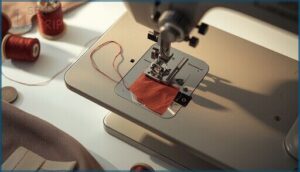
Every sewing machine starts with its bones: the Motor Housing keeps your machine sturdy and cool, while the Spool Pin and Take-up Lever guide your thread’s journey.
The Bobbin Cover lets you peek at thread levels, and Feed Dog Teeth pull fabric along.
Your User Manual or Sewing Machine Instruction is your map—essential for Sewing Machine Maintenance and mastering all Sewing Machine Parts.
Adjusting the thread tension dial ensures balanced stitches.
Understanding Presser Foot and Needle
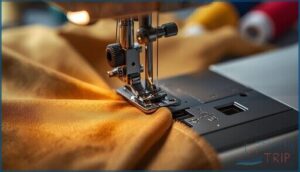
Once you know your machine’s bones, the presser foot and needle become your real control points. Get Needle Selection right — ballpoint for knits, sharp for silk — and your results shift dramatically.
Dial in Presser Foot Pressure for your fabric weight, use Foot Lift Adjustments for thick seams, and explore Specialty Feet for zippers or hems.
That’s where Sewing Machine Operation truly clicks.
Modern machines often feature electronic pressure adjustment for precise control.
Overview of Bobbin and Thread Mechanisms
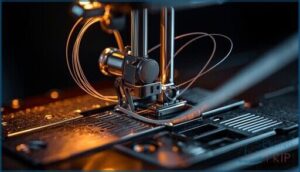
Behind the presser foot, the bobbin and upper thread path do the real work.
Your machine’s Hook Types — rotary or oscillating — determine how thread loops interlock.
Bobbin Styles like Class 15 or M style affect how much thread you carry.
Dial in Thread Tension correctly, and your Sewing Machine Operation becomes smooth.
Your Sewing Machine Instruction Manual maps every path precisely.
Key Features in Modern Models
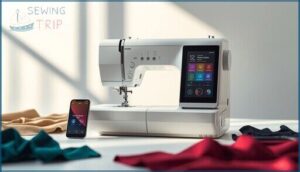
Modern models pack serious power into surprisingly simple interfaces.
An Automatic Needle Threader manages fiddly threading in seconds.
An LCD Touch Screen lets you preview stitches before sewing.
An Automatic Thread Cutter trims threads cleanly at the press of a button.
Variable Speed Control keeps you precise on delicate fabrics.
Some machines even offer App Connectivity — downloading new patterns wirelessly straight to your machine.
Setting Up Your Sewing Machine
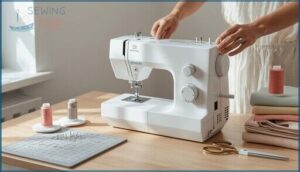
Getting your machine ready is easier than it looks — you just need to follow the right steps in the right order.
From unboxing to powering on, each stage builds on the last.
Here’s what you’ll work through to get everything set up and ready to sew.
Unboxing and Assembling The Machine
Unboxing your machine is step one toward confident sewing. Don’t rush it — a careful setup prevents headaches later. Cut the outer tape, release the paper latches, then lift the styrofoam layer cleanly by hand. Your sewing machine instruction manual is inside — keep it close.
- Box Opening – Cut tape, release latches, lift lid carefully.
- Foam Removal – Pull top layer off; check bobbin area for cardboard inserts.
- Accessory Inventory – Confirm four bobbins, spare needles, presser feet, seam ripper, and dust cover.
- Power Cord Setup – Connect cord to the side port, then plug securely into the wall.
Threading The Needle Step-by-Step
Threading your needle incorrectly unravels everything — literally.
Start with the Presser Foot Lift raised and complete the Needle Position Raise so the eye aligns cleanly. Guide thread through the Thread Take Up Lever, then behind the Needle Bar Guide. Finish with the Final Thread Pull, leaving a 10–15 cm tail.
Your sewing machine instruction and user manual diagrams make each step clear.
Winding and Inserting The Bobbin
Mastering bobbin spindle operation is key to smooth sewing machine operation. Place your bobbin on the spindle, guide thread around the tension disc, and watch for the automatic stop mechanism—no overfilling here.
Use front‑load orientation or top‑drop insertion, depending on your machine. A well-wound bobbin sets the stage, so check your sewing machine instruction manual for model-specific maintenance tips.
Powering on and Initial Settings
Flip the power switch — it’s on the right side toward the back — and your machine comes alive, LED light included.
Plug your foot pedal into its dedicated socket and place it flat on the floor.
Your tension dial starts around 3 or 4, and the stitch selector defaults to straight stitch.
Check your instruction manual to confirm your model’s initial settings before sewing.
Using Sewing Machine Functions
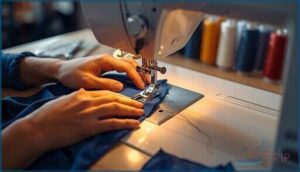
Once your machine is threaded and ready, it’s time to actually use it. Every function has a purpose, and knowing which to reach for makes all the difference.
Here’s what you need to understand to sew with confidence.
Selecting and Adjusting Stitches
Your Stitch Selector Interface is where control really begins. On mechanical machines, a simple dial does the job — turn it, pick your pattern.
Computerized models offer button menus with stitch icons grouped by function.
Stretch Stitch Settings handle knits without seam breakage.
Slow down for Decorative Stitch Speed to keep patterns clean.
Buttonhole Programming and Needle Position Adjustment round out your core Sewing Machine Operation toolkit.
Setting Thread Tension and Stitch Length
Think of thread tension as a handshake between your upper and bobbin threads — too loose or too tight, and everything falls apart. Nail the Upper/Bobbin Balance, and your stitches lock cleanly inside the fabric.
Thread tension is a handshake between threads — too loose or too tight, and everything falls apart
- Set Fabric Tension between 4–4.5 for medium cotton.
- Use Stretch Fabric Tension around 3.5 for knits.
- Lower Decorative Stitch Tension to 3–4 for smooth results.
- Use long Basting Stitch Length (4–7mm) for easy removal.
Operating Feed Dogs and Reverse Stitch
Your feed dogs are the unsung heroes beneath the needle plate — they grip and guide fabric with every stitch.
For Free‑Motion Quilting or darning, use the Drop Feed Lever to drop them out of the way, giving you full Stitch Direction Control.
And always use Reverse Stitch Timing — 3 to 5 stitches — to lock seam ends securely.
Utilizing Built-in Features (e.g., Needle Threader)
Beyond the feed dogs, your machine’s built-in features do the heavy lifting — if you know how to use them.
- Automatic Needle Threader — Lower the presser foot, raise the needle fully, then engage the lever to pull a thread loop through the eye instantly.
- Needle Up/Down Toggle — Press to anchor fabric when pivoting corners.
- Automatic Thread Cutter — Trims both threads cleanly at seam’s end.
Your Sewing Machine Instruction Manual explains each feature in full.
Maintenance and Troubleshooting Tips
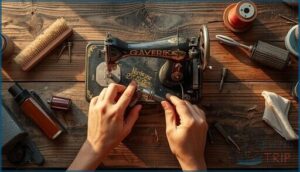
Even the best sewing machine needs a little care to keep running smoothly.
Skipping maintenance is usually how small issues turn into bigger, more frustrating problems.
Here’s what you need to know to keep your machine in great shape.
Cleaning and Oiling Procedures
Keeping your machine in top shape isn’t complicated — it just takes consistency. Follow this Lubrication Schedule to stay ahead of problems:
| Task | Frequency | Tool Needed |
|---|---|---|
| Needle Plate Cleaning | Every project | Small brush |
| Hook Race Oiling | Every 8–10 hours | Sewing machine oil |
| Full Machine Maintenance | Every 5–10 sewing days | User Manual + cloth |
Lint Removal Techniques matter most around the feed dogs. One drop of oil — never WD-40 — keeps your Hook Race running smoothly.
Fixing Thread Jams and Skipped Stitches
Thread jams usually trace back to one thing: a skipped step in your Thread Path Reset. Raise the presser foot before rethreading — always. This opens the tension discs fully.
For skipped stitches, start with Needle Inspection; a bent shaft or wrong size ruins Stitch Timing instantly. Check your Bobbin Tension next, then confirm Feed Dog Alignment is moving fabric — not you.
Adjusting Tension Issues
Getting tension right is the difference between clean seams and a tangled mess. Start with Upper Dial Calibration — your default sits around 4 to 4.5 for everyday cotton. From there, Fabric Specific Settings and Thread Type Impact guide every tweak:
- Lightweight fabrics: dial down to 3–3.5
- Heavy denim: push up to 5–6
- Metallic threads: loosen considerably to prevent snapping
- Bobbin Screw Tuning: only touch it when upper adjustments aren’t enough
Regular Inspection and Care Schedule
A solid Sewing Machine Maintenance routine keeps breakdowns from sneaking up on you. Follow this care schedule:
| Task | Frequency |
|---|---|
| Lint Removal Routine | Every 8 hours |
| Needle Condition Checks | Every 8–10 hours |
| Bobbin Cleaning Schedule | Weekly |
| Feed Dogs Maintenance | Every two weeks |
| Annual Professional Service | Yearly |
Your Sewing Machine Manuals and Service Manuals cover Sewing Troubleshooting and Sewing Maintenance and Repair in full detail.
Accessing and Using Sewing Machine Manuals
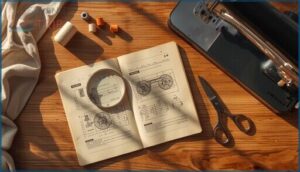
Your manual is the closest thing to a cheat code for your machine.
Whether you’ve just unboxed a brand-new Brother or you’re trying to decode a vintage Singer, knowing how to find and use the right guide makes everything easier. Here’s what you need to know.
Finding Manuals by Brand and Model
Finding your manual starts with one thing: your model number. Here’s where to look by brand:
- Singer Sewing Machine — Check singer.com/support for every model ever made
- Brother Sewing Machine — Visit support.brother.com and browse by series
- Janome — Search janome.com/en/support/manuals for current and retired models
- Third-Party Manual Archives — Manualslib.com covers major brands with free downloads
- Brand-Specific Search Engines — Sewingpartsonline.com provides Model Number Identification across 20+ brands
User manuals, instruction manuals, and service manuals are all searchable once you know your model.
Downloading PDF Guides Online
Your safest bet? Official Brand Sites like Singer, Brother, or Janome — they host verified PDF Manual downloads with clear diagrams and searchable text.
Practice Safe Download Practices by sticking to trusted domains; fake Sewing Machine Manuals can hide malware.
Once downloaded, use Cloud Storage Sync to access your Instruction Manual anywhere, and follow File Naming Conventions like "Brother_LM2_manual.pdf" for easy retrieval.
Interpreting Diagrams and Instructions
Diagrams in your Instruction Manual are a language worth learning. Start with the Symbol Legend — it decodes stitch patterns and thread paths instantly.
Follow Arrow Directions to trace thread flow, and use Part Numbering to cross-reference components in your User Manual. Color Coding highlights tension paths versus needle routes. Once you read Sewing Machine Manuals this way, every diagram clicks.
When to Consult Service and Repair Manuals
Your instruction manual covers the basics — but some problems call for a service manual. Reach for it when you’re dealing with:
- Complex Mechanical Issues like timing misalignment or grinding gears
- Electrical Fault Diagnostics when error codes like E1 appear on your panel
- Component Replacement Procedures for worn needle plates or shuttle hooks
Sewing Machine Repair goes smoother when you match the right manual to the right problem.
Frequently Asked Questions (FAQs)
Can I teach myself to use a sewing machine?
Yes, you absolutely can.
With a good instruction manual, online tutorials, and a few practice projects, the learning curve is manageable.
Skill progression comes naturally as your confidence builds through consistent DIY sewing.
How do I replace a broken needle?
Turn off and unplug your machine first.
Loosen the needle clamp, pull the broken needle straight down, insert the replacement with the flat side back, tighten snugly, then test on scrap fabric.
What fabrics work best for beginners?
Start with cotton quilting or poplin basics — they grip feed dogs well and press cleanly. Linen blends are great too. Avoid silk alternatives early on.
Smart fabric cutting and thread selection make DIY sewing projects far easier.
How often should I clean my machine?
Clean the bobbin area every 8–10 sewing hours.
High‑use schedule users should brush fabric lint buildup daily.
Watch for warning signs like skipped stitches—that’s your machine asking for sewing machine maintenance now.
Can I sew leather with my machine?
Most home machines handle light leather well. Use a leather needle, Teflon presser foot, and set stitch length to 3–4mm. Thick leather demands more power than standard domestic motors provide.
Why does my thread keep breaking?
Thread keeps breaking due to Thread Path Errors, Tension Imbalance, Needle Damage, or Bobbin Quality issues.
Check your threading, rebalance tension, swap the needle, and inspect for Machine Wear to fix it fast.
How do I choose the right needle type?
Match your needle to your fabric first. Ballpoint for knits, sharp for wovens, denim for thick layers.
Size up with heavier thread. Your Sewing Machine Manual’s Needle‑Size Guide covers every Fabric‑Needle Match perfectly.
Can I sew leather on a standard machine?
Yes, leather sewing on a standard machine is possible.
Use leather needle selection, a Teflon presser foot, and stitch length adjustment of 3–4mm.
Polyester thread and walking foot usage prevent skipped stitches.
What accessories work with my machine model?
Your shank height, bobbin class, and needle system determine which Sewing Machine Accessories and Supplies fit safely.
Check your manual for Presser Foot Compatibility, Walking Foot Options, Bobbin Class Matching, and Extension Table Fit before buying.
How do I hem stretchy or knit fabric?
Switch to a ballpoint needle and stretch stitch. Use Stabilizer Tape and a Walking Foot Feed to prevent waves. Twin Needle Hemming adds a clean, professional finish with built-in stretch.
Conclusion
The moment truly understand your machine is the moment everything changes—but that moment only comes if you know where to look.
Sewing machine user guides aren’t just troubleshooting resources; they’re the difference between guessing and knowing, between frustration and flow.
Every dial, every tension setting, every presser foot has a purpose waiting to be unlocked.
Read the guide. Learn the machine. What you create next might just surprise you.
- https://www.wikihow.com/Use-a-Sewing-Machine
- https://www.singer.com/pages/product-manuals-for-singer-pfaff-and-husqvarna-viking-sewing-machines
- https://www.sailrite.com/sewing-machine-part-names
- https://www.bytinymite.com/blog-sewing-for-beginners/master-your-sewing-machine-a-part-by-part-breakdown
- https://kenmoresewingmanuals.com/free-threading-diagrams/