This site is supported by our readers. We may earn a commission, at no cost to you, if you purchase through links.
Getting a pattern to fit right is one of the hardest problems in fashion—and it always has been. The difference between a garment that looks custom-made and one that just looks "close" often comes down to fractions of an inch that hand-drafted patterns can’t reliably hold.
That’s where sewing pattern making software changes everything. The best tools today don’t just digitize your drafts—they grade automatically, simulate drape in 3D, and sync changes across your entire team before you’ve even cut a single toile.
Whether you’re an indie designer working from a home studio or a production team managing hundreds of SKUs, the right software shapes how well your work translates from sketch to sample.
Table Of Contents
Key Takeaways
- Digital pattern software eliminates the guesswork of hand‑drafting by automatically grading your base pattern across a full‑size run in a single export.
- Seamly2D is the strongest free option for beginners and indie designers, offering parametric drafting, custom measurements, and multi-format export with zero licensing fees.
- Professional tools like CLO 3D, Gerber AccuMark, and Optitex justify their cost through 3D fit simulation, fabric physics preview, and production‑ready exports that cut physical sample rounds dramatically.
- Choosing the right software comes down to four practical factors: your sewing goals, pricing model, device compatibility, and whether the platform can scale as your work grows.
Best Sewing Pattern Making Software Compared
Not every pattern tool is built for the same hands. Whether you’re sketching your first bodice or running a full production line, the right software can change how fast — and how accurately — you work. Here’s how the top options stack up across five categories that actually matter.
From free drafting apps to professional-grade suites, exploring the top pattern design software options helps you find the tool that fits your workflow — and your skill level.
Best Overall Platform

When one platform controls digital pattern drafting, automatic grading, and 3D fit preview, your workflow stops fragmenting across tools. SeamScape earns the best overall spot for:
- Cloud-based collaboration with real-time versioning and project sharing
- Integrated drafting suite covering grading, 2D editing, and fit simulation
- Smooth production handoffs via DXF, XML, and PDF export
Every pattern update syncs instantly across devices.
Best Beginner Software
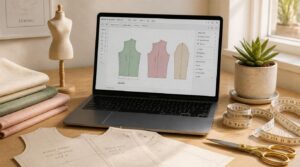
Starting out with digital pattern drafting feels less overwhelming when your software doesn’t demand a manual just to open a file.
Seamly2D is the strongest pick for beginners — its drag-and-drop workspace, built-in sizing charts, and undo history let you experiment freely. Pair it with community forums and video walkthroughs, and you’re never troubleshooting alone.
Best Free Option
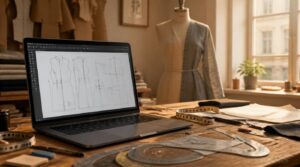
Seamly2D is the clear winner here. It runs on Windows, Mac, and Linux with no licensing fees, offers custom measurements, and exports to PDF, SVG, and PNG. When you hit a snag, an active global community has your back.
It won’t scale to enterprise workflows, but for free pattern making software, nothing comes closer to professional‑grade capability.
Best for Indie Designers

If you’re building an indie fashion brand on your own terms, you need pattern making software that keeps pace without draining your budget.
Look for tools that offer:
- Real-time collaboration for co-designing with contractors
- Affordable monthly licensing with hobbyist or student tiers
- Cloud-based accessibility across devices
- Community plugin ecosystems for grading and drape add-ons
SeamScape checks every box. You might also benefit from an open source virtual whiteboard for collaborative sketching.
Best for Apparel Brands

When your brand is scaling, every inefficiency compounds. That’s why centralized asset management and end-to-end production workflows matter — you can’t afford gaps between design and manufacturing.
Look for tools with refined grading accuracy, 3D virtual fitting, and export options that feed directly into markers and PLM systems. SeamScape controls all of it, cutting physical prototyping while keeping quality compliance standards tight across every size run.
Key Features to Compare Before Choosing
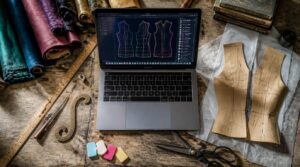
Not every feature matters equally — it depends on how you work and what you’re building. Before committing to a tool, there are five specific things worth checking so you don’t end up with software that fights you instead of helping you. Here’s what to look at.
File format compatibility is one of those details that seems minor until it isn’t — much like understanding how machine embroidery time affects your project planning before you’re already mid-run.
Custom Measurement Drafting
Every garment starts with one decision: how well do you know the body you’re fitting?
Custom measurement drafting builds your pattern around real dimensions — bust, waist, hip, shoulder width, neck — recorded to 1/8-inch precision. Three habits protect your accuracy:
- Use a non-stretch tape, kept level and snug
- Take each critical measurement twice and average
- Have the wearer stand naturally, not at attention
Automatic Pattern Grading
Once you’ve nailed your measurements, grading takes over — scaling your base pattern into a full size run without redrawing a single seam.
Good software uses parametric rule libraries and nearest point logic to shift each point proportionally, preserving silhouette across petite, standard, and plus sizes. SeamScape, for instance, generates automated size runs in one export, cutting development time by over 50%.
2D Pattern Editing
Grading sets your size run — but shaping fit is where 2D pattern editing earns its place. Working directly on flat pieces, you can:
- Polish seam lines using Bezier curve manipulation
- Place points exactly with precision point control
- Shift darts using dart repositioning techniques
- Clean joins with seamline refinement tools
- Mirror changes through symmetric editing workflows
Small adjustments here prevent big fitting problems later.
3D Fit Preview
Cutting a sample just to check fit is an expensive guess. 3D fit preview eliminates that gamble by draping your pattern onto a digital avatar built from real measurements — instantly.
3D fit preview replaces expensive sample cuts by draping your pattern onto a digital avatar instantly
Color-coded ease overlays flag tight spots before you cut a single layer. Fabric drape simulation shows how jersey moves differently from denim. You can test virtual movement across poses and fine-tune in real time.
Export File Formats
What you export matters as much as what you design. The wrong format can stall production or break compatibility entirely.
- DXF export feeds directly into laser cutters and CAD systems
- PDF export locks your layout for printing or archival
- SVG files keep anchor points editable after download
Vector formats scale cleanly; raster files like PNG or JPEG don’t.
Best Free Pattern Making Software
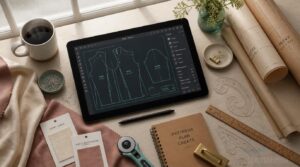
Free pattern making software has come a long way, and a few tools genuinely hold their own against paid options. You don’t need a subscription to start drafting precise, professional-quality patterns. Here are the best free tools worth your time in 2026.
Seamly2D
Seamly2D stands out as one of the most capable pieces of free pattern making software available today. Built on parametric formula logic, it automatically resizes every pattern piece the moment you update a measurement — no redrawing required.
You can mirror symmetrical pieces, store designs as reusable CAD documents, and lean on active community documentation when you hit a wall.
Valentina
Valentina takes a similar approach to Seamly2D but leans harder into vector node manipulation, giving you precise control over every curve and seam line.
It runs on Windows and Linux, works with both millimeters and inches, and lets you save measurement presets for repeated use — a quiet but practical time-saver when you’re drafting multiple sizes of the same block.
Inkscape
Inkscape is a free vector graphics editor — not dedicated pattern design software, but solid for flat work.
Five strengths:
- Vector path editing for seam lines
- Node manipulation precision on curves
- Layer organization by piece
- SVG format utility for export
- Gradient fill techniques for flats
It won’t replace 2D CAD drafting tools, but covers sketching well.
Free Tool Limitations
Free pattern drafting software gets you started, but walls appear fast. Export restrictions often lock you to PDF only — no DXF, no laser‑cutter‑ready files.
Storage caps limit active projects, and feature gating keeps pattern grading or batch tools behind a paywall.
When something breaks, community forums replace real support.
Performance can also throttle on complex multi‑piece drafts.
Best Free Choice
Of all the free options, Seamly2D edges ahead — especially if you’re building a personal workflow from scratch.
- Open-source licensing means no royalty fees when selling or sharing your patterns
- Community-maintained tutorials keep the learning curve manageable for new designers
- Custom measurement inputs let you draft blocks individualized to specific bodies
It won’t replace a professional digital pattern drafting platform, but as free pattern making software goes, it’s the most practical starting point.
Professional CAD and 3D Pattern Software

When your work demands precision at scale, free tools often hit a ceiling fast. Professional CAD and 3D software gives you the grading power, fit visualization, and production-ready exports that serious design work actually requires. Here are five platforms worth knowing.
Gerber AccuMark
When marker efficiency shapes your bottom line, Gerber AccuMark is built to keep pace. This pattern making software for professional garment makers controls 2D drafting, automatic grading, and automated nesting — reducing fabric waste across every run. Virtual prototyping maps your patterns to a 3D avatar before a single cut reaches the floor, tightening your production workflow without extra prototyping cycles.
| Feature | What It Does | Key Benefit |
|---|---|---|
| Automated Nesting | Optimizes piece layout | Cuts fabric waste |
| Auto Grading | Generates size ranges | Saves drafting time |
| 3D Fit Check | Virtual prototyping | Fewer physical samples |
Optitex
Optitex bridges the gap between flat pattern work and fully realized garments. Its 3D garment simulation renders photorealistic fabric behavior — tension, drape, movement — directly from your 2D drafts.
O Cloud keeps designers, pattern makers, and production teams working in one shared environment, with version control and 360-degree file review built in. Pattern grading, seam allowances, and standard format exports handle the technical side without friction.
CLO 3D
CLO3D sets the standard for 3D garment simulation in professional fashion design. You can watch fabric physics simulation respond in real time — drape, stretch, and wrinkle behavior shifting as you adjust pattern pieces.
Digital avatar customization lets you fit across size ranges virtually, cutting physical sample rounds dramatically.
At $50 per month, it’s a serious tool built for designers who think in three dimensions.
TUKAcad
TUKAcad controls the full production pipeline — from pattern drafting to factory floor.
- TUKAdesign modules cover drafting, grading, and digitizing physical patterns
- Automatic marker making optimizes fabric layouts for cutting machines
- Virtual prototyping tests fit across sizes before samples are cut
- Tech pack coordination keeps specs consistent through manufacturing
This fashion design software runs on desktop — standalone or networked.
SeamScape
SeamScape is the only free SaaS tool in this lineup — no installation, no credit card.
| Feature | SeamScape | Typical Pro CAD |
|---|---|---|
| Cost | Free tier | $50–$219/mo |
| Access | Browser-based | Desktop install |
| Grading | Automatic engine | Manual or add-on |
Parametric constraint solving updates every linked point the moment you change one measurement. Real-time collaboration lets your whole team edit simultaneously.
How to Choose Sewing Pattern Software

Picking the right pattern software comes down to more than features — it’s about how well a tool fits the way you actually work. Four practical factors will help you cut through the noise and land on the right choice. Start here before you spend a dollar or download anything.
Match Your Sewing Goals
Before choosing pattern making software, get clear on your goals. They shape which digital fashion tools serve you.
- Define wardrobe needs — daily wear, special occasions, or both
- Set skill milestones — basic pattern drafting before grading
- Measure fit success — ease, dart alignment, and hemline
- Plan capsule collections — five to seven seasonal pieces
- Track garment usage — retire sewing patterns you won’t cut
Compare Pricing Models
Once your goals are set, pricing becomes your next filter.
Pattern making software ranges from free open-source tools to $219/month professional CAD suites. Most SaaS platforms offer a freemium or 30-day trial, so you can test before committing. Annual plans often cut costs compared to monthly billing.
If you’re scaling, ask about enterprise custom quotes — volume and contract length usually negotiate down.
Check Device Compatibility
Pricing sorted, your next check is the device running your software.
Confirm OS and version requirements first — some tools skip Linux entirely, and others need a recent macOS build. If you’re using 3D fit previews, your GPU matters: integrated graphics often won’t cut it. Aim for 8 GB RAM minimum, more if you’re grading full size runs.
Plan Future Upgrades
Hardware sorted, it’s worth thinking one step further: will your software grow with you?
Check whether your pattern drafting software uses modular architecture — platforms built this way let developers push feature upgrades without breaking your existing projects. Ask about API connectivity and whether migration wizards exist for older files. A clear upgrade timeline from the vendor signals a platform that’s actually invested in your future.
Frequently Asked Questions (FAQs)
What is the best free pattern making software?
Seamly2D and Valentina lead the free field. Both deliver parametric drafting with open-source freedom, active community support, and flexible pattern files — no licensing fees, no barriers between your vision and the cut sheet.
What is online sewing pattern designer?
Browser-based drafting lets you build custom garment patterns directly in your browser — no installation needed. Enter your measurements, select style options, and download a print-ready PDF or SVG to cut at home or in your workshop.
What is the best free sewing pattern maker?
FreeSewing tops the free tier. Its open-source licensing means no royalties, ever. Scale custom measurements once and every pattern piece updates automatically — a drafting loop that would have amazed Victorian tailors.
What is pattern design software?
Pattern design software lets you draft, edit, and grade garment patterns digitally — replacing paper and rulers with precision tools that automate sizing, seam allowances, and cutting layouts across every project you build.
What software is used to create fabric patterns?
Dedicated applications like CLO 3D, Illustrator, and Gerber AccuMark cover everything from vector pattern repeats to full CAD software workflows — with AI tools now generating complete patterns from a plain-English prompt in seconds.
How much does Optitex cost per month?
Optitex pricing starts around $39–$100 per user monthly for standard editions, with enterprise bundles climbing beyond $ You’ll need a direct quote from Optitex or a distributor to lock in your exact tier.
How much is Gerber pattern making software?
Gerber AccuMark starts around $389 per month for basic 2D drafting. The TechDesign bundle — adding 3D and PLM tools — runs roughly $599 per month, with enterprise licensing negotiated separately for larger teams.
What software is used to create sewing patterns?
Your options range from free open-source tools like Seamly2D to enterprise CAD software like CLO 3D and Gerber AccuMark, with AI pattern generation services and web-based platforms covering every skill level in between.
What software is used to design fabric patterns?
Fabric pattern design software controls everything from textile repeat creation and vector motif editing to color management workflows and digital print preparation — giving you precise, production-ready control over every motif, colorway, and export.
Is there an AI that creates sewing patterns?
Yes, AI can create sewing patterns. Tools like StitchLift generate complete pattern pieces — seam allowances, grain lines, and construction instructions included — from a plain-English prompt in under 30 seconds.
Image-to-pattern workflows let you upload a photo and receive drafted pieces ready to adjust for ease, darts, and fit. Automated pattern drafting controls grading across sizes simultaneously, so you’re not redrawing every variant by hand.
Conclusion
A handmade draft and a digital pattern might both start as lines on paper, but only one can grade itself across twelve sizes while you sleep. That gap is exactly what the right sewing pattern making software closes.
Free tools get you started. Professional platforms get you consistent.
The one you choose shapes every sample, every fitting, every season after this. Pick the tool that matches where you’re headed—not just where you’re.
- https://stitchlift.com/blog/best-pattern-making-software-for-beginners-2026
- https://www.aims360.com/fashion-business-resources/best-fashion-design-software-for-apparel-brands-aims360-erp
- https://www.onbrandplm.com/blog/pattern-making-software
- https://fashioninsta.ai/blog/best-free-pattern-making-software-2026-build-digital-studio
- https://www.confidentpatternmaking.com/blog/best-software-for-patternmaking