This site is supported by our readers. We may earn a commission, at no cost to you, if you purchase through links.
A 10,000-stitch logo runs about 14 minutes on the machine—but hand it to a beginner, and the total project time stretches past an hour before they’ve trimmed a single thread. That gap between stitching time and real time is where most people get tripped up when planning embroidery work.
The math looks simple on paper, but humidity, thread breaks, hooping fumbles, and color changes all chip away at schedules in ways formulas never show. Knowing how long embroidery takes requires accounting for everything the stitch counter ignores. The numbers ahead give you a clearer picture of what actually drives production time—and how to get more of it working in your favor.
Table Of Contents
- Key Takeaways
- How Machine Embroidery Time is Calculated
- Most Designs Take 10–60 Minutes
- Stitch Count Affects Embroidery Duration
- Machine Type Changes Production Speed
- Setup Adds Extra Project Time
- Color Changes Slow Embroidery Down
- Fabric Type Impacts Stitching Speed
- Frequently Asked Questions (FAQs)
- Conclusion
Key Takeaways
- Stitch count is your most reliable planning tool — divide total stitches by your machine’s SPM to get a baseline, then add 25–40% for real-world slowdowns like thread breaks, hooping, and color changes.
- Setup and color changes often consume as much time as the actual stitching — eight manual color swaps alone can burn 30 minutes before the design finishes.
- Your machine type sets the ceiling: single-needle home machines top out around 1,000 SPM with manual thread changes, while multi-needle and commercial machines automate color switches and run multiple heads simultaneously for a completely different production pace.
- Fabric choice quietly controls your speed — heavy materials like denim slow you to 600 SPM, delicate fabrics like silk drop you to 500 SPM, and curved surfaces like caps demand both slower speeds and simpler designs to avoid distortion.
How Machine Embroidery Time is Calculated
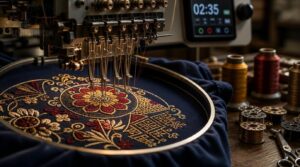
Machine embroidery time isn’t a mystery — it follows a straightforward formula once you know what drives it. A few key factors determine how long any project actually takes, from the math behind stitch counts to what happens between the first needle drop and the last thread trim.
Once you nail down those variables, tools like this machine embroidery time calculator and guide make the estimating process a lot less hit-or-miss.
Here’s how each piece of the puzzle works.
Basic Formula: Stitch Count ÷ Machine Speed
The math behind calculating production time based on stitch count is straightforward. Use the SPM Conversion Formula: divide your stitch count by your machine’s stitches per minute (SPM). For example, a 10,000-stitch design at 700 SPM yields roughly 14.3 minutes of estimated sewing time.
This Linear Time Model scales directly—double the stitches, double the time. This relationship, governed by the Stitch-Speed Ratio, follows a linear trajectory.
Accurate SPM calculation requires knowing motor RPM and reduction ratio.
Why Estimated Time Differs From Real Time
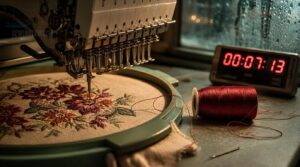
The formula gives you a clean number — but real-world runs never match it exactly. Several things chip away at that estimate:
- Speed variability from servo lag adds small timing shifts mid-run.
- Thread breakage forces stops, especially on dense fills.
- Machine maintenance issues like worn needles or tight belt tension slow output.
- Operator skill affects how fast problems get resolved.
- Environmental factors like humidity can alter fabric tension unexpectedly.
Active Stitching Time Vs. Total Project Time
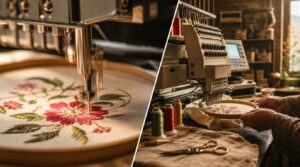
There’s a difference between active stitching time and total project time. Active stitching time refers to the needle-in-motion portion, while total project time includes setup, thread changes, and every non-stitch interval.
Idle Time Analysis often reveals that Downtime Factors — such as hooping, threading, and operator pauses — consume 10–40% of your session. Your Efficiency Ratio depends on design complexity and stitches per minute.
| Time Component | Typical Duration |
|---|---|
| Active stitching | 60–90% of total time |
| Hooping & setup time | 2–5 min per garment |
| Thread changes | 1–2 min each |
| Operator Pause Impact | 1–10 min per incident |
| Post-stitch cleanup | 2–4 min per piece |
Example: 10,000 Stitches at 700–800 SPM
A 10,000-stitch logo at 700 SPM gives you roughly 14 minutes of machine stitching time — bump that to 800 SPM and you’re down to about 12. Simple enough.
But factor in machine warm-up, needle wear, and one or two thread trims, and real production cost climbs closer to 18–20 minutes. That’s your true baseline for estimating embroidery time based on stitch count.
Most Designs Take 10–60 Minutes
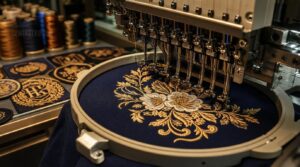
Most projects land somewhere in that 10–60 minute window, and knowing where yours falls makes planning a lot easier.
The range comes down to a handful of design types, each with its own stitch count and production pace.
Here’s how the most common ones break down.
Small Logos and Monograms
Small logos and monograms are the quick wins of machine embroidery — most finish in 10 to 20 minutes. With stitch counts usually under 8,000, the average time for small designs stays short.
Monogram hierarchy keeps letter spacing tight and dominant initials bold, so single-color fidelity holds without extra color changes or thread changes inflating setup time.
Thread tension control and smart scaling considerations keep everything clean.
Medium Chest or Sleeve Designs
Medium chest and sleeve designs generally land in the 20–45 minute range, depending on stitch count and design complexity. A standard left-chest logo sits around 10,000–15,000 stitches—about 14–21 minutes at 700 SPM, plus setup time.
Sleeve Length Options and Cap Height Adjustments affect hooping difficulty, while Sleeve Cap Ease influences stabilizer choice.
Chest Measurement Variance, Hem Finish Styles, and thread colors all push the average time for medium designs higher.
Large Jacket Back Designs
Large jacket back designs sit in a league of their own. A full back piece usually runs 40,000–80,000 stitches, pushing the average time for large designs to 2–5 hours.
Panel stitching, applique integration, and edge finishing all compound stitch count. These techniques demand careful execution to maintain quality and complexity.
Design symmetry and scale adjustments matter significantly. A 10–12 inch centered layout requires precision, as even minor errors become highly visible. The impact of design complexity is real, affecting both aesthetics and production effort.
High-Stitch Designs Over 50,000 Stitches
Once you cross 50,000 stitches, the average time for large designs jumps well past an hour. At 600 stitches per minute, calculating production time based on stitch count is straightforward — 50,000 stitches runs about 83 minutes of active stitching alone.
The impact of stitch count on workflow compounds fast: thread tension demands increase, needle wear accelerates, energy consumption climbs, and quality metrics require closer monitoring throughout the run.
When Projects Take Several Hours
Some projects don’t wrap up in an hour — they’re all-day commitments. An 80,000-stitch jacket back can run 2–5 hours once you factor in delays from thread breaks, quality checks, and machine maintenance.
- Thread Break Management and rethreading delays
- Quality Assurance Checks between color segments
- Machine Maintenance stops to clean lint buildup
Operator Fatigue compounds everything. Design size and complexity affect production time — plan accordingly.
Stitch Count Affects Embroidery Duration
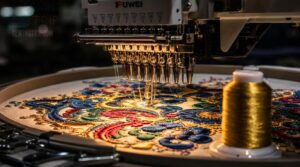
Stitch count is the single biggest factor controlling how long your machine actually runs. Every design decision—from fill density to underlay choices—either adds or removes stitches, and those numbers add up fast.
Understanding how design structure drives your total run time is critical. Strategic choices in layout and stitch patterns directly influence production efficiency, making this insight essential for optimizing workflows.
Why Stitch Count Matters Most
Stitch count is the single biggest lever controlling how long your machine runs. Every stitch is a unit of time — divide total stitches by your machine’s SPM to establish your baseline.
A 10,000-stitch design at 700 SPM takes roughly 14 minutes.
That direct relationship makes stitch count your most reliable tool for pricing, batch size impact, and setting honest customer expectations.
Stitch count is your most reliable tool for pricing, planning, and setting honest customer expectations
Low-Density Vs. High-Density Designs
Density is where two designs that look nearly identical on screen can diverge by thousands of stitches. Low-density designs use open fill patterns — lighter thread consumption, faster run times, and lower cost efficiency impact. High-density designs pack stitches tight, driving up stitch count and slowing production yield.
The dense fill tradeoff hits hardest on complex artwork, where visual sharpness demands precise stitch density and design complexity climbs fast.
Fill Stitches, Satin Stitches, and Underlay
The stitch type shapes your stitch count before the machine even starts. Fill density optimization keeps large coverage areas light and fast-moving.
Satin stitch adds gloss through tight, dense fill columns — satin gloss management keeps thread tension balanced.
Edge underlay strategy and underlay stabilization levels lock fabric down, preventing shifts during high-speed operation.
Stitch angle alignment blends adjacent shapes cleanly, controlling total stitches per minute output while maintaining design integrity.
How Dense Designs Increase Run Time
Dense fill doesn’t just look heavy — it runs heavy. High stitch density creates real mechanical strain: torque load increases, needle deflection rises, and pause frequency climbs with every color block.
Here’s what dense designs actually cost you:
- Thread consumption spikes, forcing more bobbin changes mid-run
- File size delay slows startup on entry-level machines
- Stitches per minute drop as design complexity pushes the servo harder
Estimating Time From Design Size
Size gives you a solid starting point for estimating embroidery time. A 4×4 inch logo averaging 1,500 stitches per square inch yields roughly 9,000 stitches — your area-to-stitch ratio at work.
Apply square-inch scaling across larger designs using that design density factor, ensuring proportional stitch projection stays accurate. Double the area, double the stitches.
Your size-based time multiplier accounts for the rest.
Machine Type Changes Production Speed
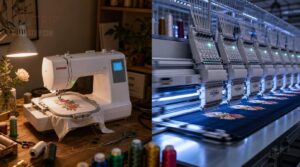
The machine sitting on your desk and the one running in a commercial shop aren’t just different in size — they work at completely different speeds. That gap in output comes down to how each type is built and what it’s designed to do.
Here’s how the main machine categories stack up.
Single-Needle Home Embroidery Machines
A single-needle machine is your starting point — capable, but patient by design. You’re working one color at a time, which means thread changes are manual and add 1–2 minutes each. Setup time, stitch count, and design complexity all stack up fast. Here’s what shapes your run time:
- Thread Compatibility matters — mismatched thread weight causes breaks
- Auto-Threader Benefits cut setup time from 10 minutes to under a minute
- Bobbin Management keeps tension consistent throughout the design
- Software Interface controls how cleanly your design file is transferred
Multi-Needle Embroidery Machines
Multi-needle embroidery machines transform your production pace. With 6–18 needles loaded and ready, Servo Needle Control ensures precise stitch placement, while Parallel Stitching enables uninterrupted multi-color operation.
Thread Inventory remains fully loaded across all needles, enabling Automated Hooping and batch processing to maintain continuous garment movement.
ROI Workflow Tools provide clear tracking of efficiency gains.
| Feature | Single-Needle | Multi-Needle |
|---|---|---|
| Color Changes | Manual, 1–2 min each | Automatic, seconds |
| Stitches Per Minute | Up to 1,000 SPM | Up to 1,200 SPM |
| Batch Processing | One garment | Several simultaneously |
Commercial and Multi-Head Machines
Multihead embroidery machines are the workhorses of the trade, leveraging 6–24 synchronized heads for high-volume output. These systems achieve identical stitch alignment across garments through Head Synchronization and Parallel Stitching, while Industrial Thread Systems ensure uninterrupted needle operation.
Efficiency is further optimized via Conveyor Feeding, which enables seamless batch processing, and Automated Maintenance Alerts that preempt disruptions. Together, these features transform commercial embroidery into a precision-driven production game, prioritizing scheduling and rapid turnaround.
- Run 6–24 heads simultaneously for bulk batch processing
- Head Synchronization ensures identical stitch alignment across all garments
- Conveyor Feeding maintains steady throughput on large orders
- Automated Maintenance Alerts reduce costly mid-run interruptions
Maximum Speed Vs. Real Working Speed
Your machine’s listed max speed is just a starting point. Hardware Speed Limits and Firmware Throttling set the ceiling, but Real World Slowdowns — dense fills, tricky fabrics, Operator Impact — pull your actual throughput well below it.
That Speed Gap often runs 25–40%. Evaluating machine max speed versus real-world performance means accepting that rated machine speed and working speed rarely match.
Why Faster Settings Can Reduce Quality
Speed feels like a win — until the results tell you otherwise. Cranking your machine speed creates real tradeoffs that show up in the finished piece:
- Needle Penetration suffers first — shallow entry leaves light gaps and starts thread fraying at entry points.
- Fabric Distortion increases as rapid feed shifts loosely woven material mid-stitch.
- Stitch Misregistration widens between color zones when timing can’t keep pace.
- Underlay Weakening lets top stitches drift without a stable foundation.
- Thread trims misfire, leaving visible tails on the surface.
The speed vs quality tradeoff is real. Your stitch rate and machine speed settings directly shape quality control outcomes — so dial it back when the fabric demands it.
Setup Adds Extra Project Time
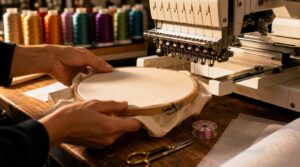
The stitching itself is only part of the process. Before the machine takes a single stitch, you’ve already spent time hooping, threading, and getting everything dialed in — and that prep adds up fast.
Here’s what goes into setup, and how long each step actually takes.
Hooping The Fabric Correctly
Hooping is where most beginners quietly lose time — and quality. Start with center marking so your design lands exactly where you intend. Use hoop size matching to your design footprint, not just your fabric.
Apply the layer sandwich method: stabilizer beneath, fabric on top, flat and taut. Smooth outward using edge wrinkle smoothing, ensuring no folds or creases remain.
Choosing and Placing Stabilizer
Once the fabric is hooped, stabilizer choice becomes your next decision — and it’s not one-size-fits-all.
- Cutaway vs Tearaway: Use cutaway stabilizer for knits and stretchy fabrics; tearaway works on stable wovens.
- Stabilizer for Curves: Caps and curved surfaces need flexible, lighter backing to avoid bulk.
- Stabilizer Adhesive Use: Spray adhesive keeps layers from shifting mid-stitch.
- Layered Stabilizer Stack: High-density designs often need double layers — just watch your Stabilizer Thickness Limits to avoid hooping clearance issues.
- Choosing stabilizers for different fabrics: Heavy fabrics like denim need firm support; delicate materials like silk need dissolvable options.
Stabilizer selection based on material isn’t guesswork — match weight to fabric weight, always.
Threading The Machine
With your stabilizer locked in, threading comes next — and it’s where many beginners lose 10 minutes they didn’t budget for. Nail your Thread Path from spool to needle without a single snag. Check Needle Alignment before anything moves. Tension Calibration and Bobbin Insertion done wrong means thread breaks mid-run — and that costs you time.
| Step | Beginner Time | Expert Time |
|---|---|---|
| Full Thread Path | ~10 minutes | ~45 seconds |
| Bobbin Insertion | ~3 minutes | ~30 seconds |
| Tension Calibration | ~2 minutes | ~20 seconds |
Guide Maintenance keeps friction low between thread changes. A clean path enables automatic thread cutting and reduces every thread trim delay.
Loading The Design File
Once your machine is threaded, loading the design file is the next step—and it’s faster than you’d think if your workflow is clean. Your design file format matters: DST and PES load on almost any machine, but format conversion can stall you if your embroidery software exports the wrong type.
Three things that eat time here:
- Memory constraints — Large files may need splitting before the machine accepts them.
- Checksum verification — The loader confirms file integrity before hooping begins.
- Thread palette mapping — Mismatched colors prompt substitution decisions that add minutes.
Automatic orientation reads rotation flags built into the file, so your design import workflow stays smooth when digitizing is done right. Run a software stitch time calculator before loading—it gives you a real production estimate upfront.
Positioning The Design Accurately
With the file loaded, positioning takes over—and a misplaced design wastes all your prep work. Use your machine’s reference marks to align the design origin with the hoop center, then verify X-Y offsets in the software. Keep edge clearance at least 0.25 inches.
On curved surfaces, magnetic hoops improve consistency. Even micro positioning adjustments of a millimeter can save a rerun.
Beginner Vs. Experienced Setup Time
Setup time is where the learning curve hits hardest. Beginners usually spend 15–30 minutes on hooping, stabilizer selection, threading, and file loading combined. Experienced operators compress all of that to under 5 minutes through workspace organization, tool familiarity, and quick shortcuts built from solid practice routines.
Operator skill level shapes beginner project timelines more than almost any other variable in setup and cleanup considerations for embroidery projects.
Color Changes Slow Embroidery Down
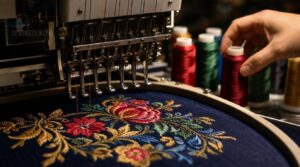
Color changes are one of the most underestimated time drains in machine embroidery. Every stop to swap thread—whether done by hand or by machine—adds up fast across a full design.
Each part of that process affects your total embroidery time.
Manual Thread Changes on Single-Needle Machines
Color change costs you 60–180 seconds — and that adds up fast. Thread tail length matters: trim to 2–3 inches before knotting. A solid knotting technique prevents slippage on those first stitches.
Keep a color cone stand nearby, use pre-wound bobbins, and think about changeover ergonomics.
Six colors mean roughly 12 minutes of pure color change overhead in embroidery before you’ve sewn a single extra stitch.
Automatic Color Changes on Multi-Needle Machines
Switch to multineedle embroidery machines, and color change overhead in embroidery drops dramatically. Each needle manages a dedicated color, enabling seamless production workflows.
Firmware Color Control reads the design file and triggers automatic thread changes mid-run, eliminating the need for rethreading or stopping. This innovation transforms color complexity into a non-issue for production efficiency.
High-end systems complete a full Color Change Cycle in 0.2–0.5 seconds. Needle Mapping Strategies and Multi Needle Routing ensure Auto Color Sync remains smooth, optimizing throughput without sacrificing precision.
Thread Trims and Jump Stitches
Thread trims and jump stitches add up faster than you’d expect. Every programmed trim equals roughly 120 extra stitches in embroidery time. Long Jump Stitch Length increases Manual Jump Cutting at the end, slowing cleanup.
Auto Trim Thresholds help—set them right, and Trim Impact Quality improves noticeably. Sequencing Jump Order during digitizing keeps thread trims minimal, protecting both stitch count and your total embroidery time.
How Many Colors Affect Total Time
Color count hits harder than most beginners expect. A 10-color design can add 2–5 minutes of color change overhead on home equipment — purely from thread changes, not stitching. That’s the High‑Color Penalty in action.
With Color Order Planning and Color Block Consolidation, you reduce stops greatly. These strategies minimize interruptions caused by frequent thread changes, streamlining the embroidery process.
Managing thread changes and color switches in Single‑Needle Machines demands smart color sequencing. Without it, Trim Time Impact compounds rapidly, undermining efficiency.
Digitizing Tips to Reduce Color Changes
Digitizing is where you stop color change overhead in embroidery before it starts. Smart choices at this stage save minutes per run.
- Use Palette Consolidation to merge similar shades into one thread stop
- Apply Gradient Simplification through Color Blocking instead of blended transitions
- Enable Object Mapping to lock color sequences and eliminate redundant stops
- Practice Thread Trim Optimization by grouping color zones during color sequencing
Optimizing digitization for faster stitching through strategic color grouping can cut stops greatly.
Fabric Type Impacts Stitching Speed
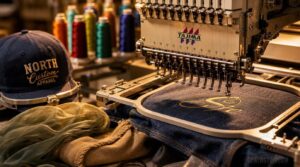
The fabric you’re stitching on has more say over your run time than most people expect. Here’s how each fabric type affects your speed.
Heavy materials slow the machine down.
Delicate fabrics require extra care.
Curved surfaces, like caps, bring their own set of challenges.
Cotton and Standard Woven Fabrics
Cotton is your most forgiving fabric type. Its weave stability keeps designs anchored, while moisture absorption prevents puckering during stitching. Poplin’s handfeel remains smooth under the needle, and mercerized color versions accept dye evenly, ensuring your thread pops.
Always confirm the pre-shrink process is done first — shrinkage after embroidery ruins registration.
At standard machine speed, stitch count and design complexity remain predictable, ensuring tight turnaround times.
Denim, Canvas, and Heavy Materials
Heavy materials like denim and canvas demand a slower pace—expect machine speed to drop to around 600 SPM or less, stretching the run time 1.2 to 1.5 times longer than cotton. To succeed, prioritize three critical steps:
- Use Heavy Duty Needles (size 90–110) with High Ply Threads
- Apply cutaway stabilizer for firm stabilizer preparation
- Dial in Tension Adjustment carefully to prevent skipped stitches
Dense fabric tension resists the needle on every pass, making precise setup essential.
Silk, Tulle, Nylon, and Delicate Fabrics
Delicate fabrics like silk, tulle, and nylon demand a drop to 500 SPM or slower, stretching the run time 1.5 to 2 times longer.
Fine needle selection is crucial here; a sharp microdenier needle minimizes punctures. Use a lightweight backing and water-soluble stabilizer to protect fibers during stitching.
Always run a test swatch calibration first to ensure optimal settings.
Low-heat pressing safeguards delicate fibers post-stitching, preserving their integrity.
Hats, Caps, and Curved Surfaces
Caps are a different beast from flat fabric. Crown panel alignment, buckram stiffening, and visor radius selection all affect how your design sits on a curved surface. These factors demand careful consideration to avoid distortion.
Hat hoop setup alone can introduce distortion if not handled properly. That’s why machine speed drops to 500 SPM max — brim rigidity and hoop distortion correction require patience. Lower stitch counts and simpler design complexity further mitigate these challenges.
Stabilizer Choice and Stitch Quality
Stabilizer isn’t just support — it’s what separates clean results from puckered disappointment. Matching it correctly every time is essential.
- Cutaway vs Tearaway — cutaway for knits and stretch; tearaway for stable wovens
- Wash-Away Benefits — dissolves completely, ideal for delicate fabric types
- Underlay Density Impact — denser underlay improves stitch density and edge definition
- Stabilizer Layering — stack layers for complex, high-count designs
- Ghosting Prevention — correct stabilizer weight stops shadow bleed on dark fabrics
Cleanup After Embroidery is Finished
Once the machine stops, post‑embroidery cleanup starts — and it’s faster than most beginners expect. Stabilizer removal, thread tail trimming, and backside backing are the core steps.
Press from the back to erase pressing marks, then launder with cold water on a gentle cycle.
| Post‑Stitch Task | Time Required |
|---|---|
| Stabilizer removal process | 1–2 minutes |
| Thread tail trimming | 1–3 minutes |
| Pressing marks removal | 2–4 minutes |
Frequently Asked Questions (FAQs)
How long does machine embroidery take?
Most projects run 10 to 60 minutes, but stitch count, machine speed, design complexity impact, and operator proficiency all shape your real turnaround time. Production planning starts with knowing these variables cold.
Is embroidery a cheap hobby?
Oddly enough, embroidery is one of the few hobbies that stays cheap as you get better. Low entry cost, affordable supplies, and reusable materials keep it budget-friendly from day one.
Can embroidery machines run unattended overnight safely?
Some machines can run unattended, but it’s risky without the right setup. Emergency Stop Systems, Heat Monitoring, Remote Alerts, and Safety Enclosures make unattended overnight runs safer.
However, operator intervention is still wise for dense and complex jobs.
How does thread quality affect overall stitching speed?
Thread durability directly controls stitch speed. Consistent diameter maintains tension stability, cuts breakage reduction stops, and limits needle heat buildup — keeping your machine running closer to 750–800 SPM without interruption.
Do embroidery files need conversion between machine brands?
Yes, most of the time. Formats like PES, ART, and VP3 carry proprietary constraints that prevent direct cross-brand use.
Convert through Wilcom or Hatch, then verify palette mapping, density recalibration, and format compatibility before stitching.
How often should embroidery machine needles be replaced?
A dull tool never does sharp work. Change your needle every 8–10 hours. Replacement intervals matter — worn needles cause breaks, skipped stitches, and costly machine maintenance downtime fast.
Can the same design run faster on a second attempt?
Memory Cache Warmup, Stabilizer Settling, and the Operator Learning Curve all work in your favor.
Thread Path Optimization and Needle Height Confirmation are already dialed in — saving real minutes.
Conclusion
A single color change on a single-needle machine adds two to four minutes—multiply that across eight colors, and you’ve spent half an hour before the design even finishes. That’s the hidden math most people miss.
Knowing how long it takes to embroider with a machine means tracking everything: stitch count, setup, fabric, thread changes, and your own experience level. Master those variables, and your project timelines stop being guesses and start being plans.
- https://www.cre8iveskill.com/blog/embroidery-machine-speed-guide-for-quality-embroidery-design
- https://embroiderylegacy.com/how-long-does-embroidery-take/
- https://brbimembroidering.com/determining-how-long-it-takes-to-embroider-a-design/
- https://www.ajstitch.com/embroidery-tips
- https://www.ibaima.com/how-long-does-it-take-to-embroider-a-piece-of-clothing-hat/