This site is supported by our readers. We may earn a commission, at no cost to you, if you purchase through links.
Most tension problems aren’t tension problems at all.
That might sound strange, but after years of teaching sewists how to troubleshoot their machines, I’ve seen the same pattern repeat itself: someone spends twenty minutes fiddling with the dial only to discover their presser foot was down during threading, or a sticker residue on the spool was causing uneven feed. The sewing machine tension dial settings get blamed for everything—puckered seams, loose loops, thread breakage—when the real culprit is hiding somewhere upstream.
Here’s what actually matters: tension is a system, not a single number. The dial controls upper thread resistance, but the bobbin, needle, fabric weight, and even spool orientation all feed into that final stitch. Get one element wrong and no amount of dial-turning will fix it.
Once you understand how these pieces connect, adjusting tension becomes straightforward—and you’ll stop second-guessing every seam.
Table Of Contents
- Key Takeaways
- What Sewing Machine Tension Does
- Best Starting Tension Dial Settings
- Fabric-Based Tension Dial Settings
- Thread and Needle Tension Factors
- Pre-Threading Checks Before Adjusting
- How to Adjust Upper Tension
- How to Check Bobbin Tension
- Signs Tension is Too Tight
- Signs Tension is Too Loose
- Clean, Test, and Service Tension
- Frequently Asked Questions (FAQs)
- Conclusion
Key Takeaways
- Tension problems are usually caused by threading errors, bobbin placement, or needle/spool issues — not the dial itself, so always check those first.
- Balanced stitches lock in the middle of the fabric, with no thread visible on either surface, and that’s your clearest signal that upper and bobbin tension are working together correctly.
- Every fabric weight, thread type, and needle choice shifts how thread moves through your machine, so you need to test on a matching scrap and adjust the dial in small increments before touching your real project.
- Regular cleaning of tension discs and the bobbin case — plus logging settings that work — prevents most recurring tension problems and saves you from repeating the same troubleshooting every time you sit down to sew.
What Sewing Machine Tension Does

Tension is the invisible force that holds every stitch together — get it right, and your seams are strong and flat; get it wrong, and even good fabric fights back.
If your stitches keep looping or puckering, working through these common needle and thread tension problems can help you pinpoint exactly where the balance breaks down.
Get tension right and your seams hold strong; get it wrong and even good fabric fights back
Your machine balances thread from two directions at once, and understanding how that works puts you in control.
Here’s what’s actually happening beneath the presser foot.
Upper Thread Tension Basics
Every stitch your machine makes depends on one key relationship: how tightly the top thread is pulled through your fabric. Upper thread tension controls that pull.
Most machines use a default tension setting of 4 or 5 for straight stitches on medium-weight cotton. The thread travels through tension discs, which apply resistance, then loops around the take-up lever before reaching the needle.
When the pressure is right, your top and bobbin threads interlock inside the fabric — not on either surface.
Bobbin Tension Basics
While upper tension controls the pull from above, the bobbin tension works from below — regulating how freely thread unwinds from the bobbin case.
A small screw on the bobbin case spring controls this resistance. Too tight, and you’ll see puckering or thread breaks. Too loose, and thread nests form underneath. Adjust that screw in quarter-turn increments only.
Balanced Stitch Appearance
When both tensions are right, threads lock in the middle of the fabric — no bobbin thread visible on top, no top thread showing underneath. Run your finger along the seam: it should lie flat with no ridging or puckering.
Flip your test scrap over and compare both sides. Identical thread coverage on each face tells you the stitch is balanced.
Why Tension Settings Matter
That flat, balanced seam you just checked? It only holds because your tension dial is doing its job. Wrong settings distort fabric, weaken seams, and ruin the look of finished work. Here’s what poor tension actually causes:
- Puckering on lightweight fabrics
- Weak seams that separate under stress
- Uneven stitch tension across the seam
- Visible thread loops on either side
- Inconsistent balanced stitches throughout
Best Starting Tension Dial Settings

Before you start tweaking the dial, it helps to know where most machines are designed to begin. For standard straight-stitch sewing on medium-weight fabric, there’s a reliable starting zone that works as your baseline. Here’s what to keep in mind before your first stitch:
Standard Setting 4 or 4.5
On most home machines, tension dial 4 or 4.5 is your reference point — the established starting point before any fabric-specific adjustments. Think of it as your calibrated baseline for conformity verification across projects.
| Fabric Type | Tension Setting | Thread Weight |
|---|---|---|
| Medium cotton | 4–4.5 | Standard 40 wt |
| Polyester mix | 4 | Standard 40 wt |
| Broadcloth | 4.5 | Standard 40 wt |
Start here, then adjust gradually.
Medium Cotton Starting Point
Medium-weight cotton — usually 140 to 215 g/m² — is where most sewists build their confidence. Plain and poplin weaves stitch cleanly at tension 4, with balanced stitches forming on both fabric sides.
Always pre-wash first; shrinkage shifts your seam accuracy. Run a colorfastness test on a small swatch too, especially with mercerized cotton, which holds dye beautifully but can surprise you.
Straight Stitch Baseline
Before anything else, set your tension dial to 4 or 4.5 — the standard straight stitch baseline for most machines.
Follow this sequence:
- Thread correctly with the presser foot down
- Sew test stitches on scrap fabric
- Check both sides for balanced stitches
- Record the setting as your tension reference point
Adjust thread tension only after this.
Test Before Sewing Projects
Never cut into your real fabric until you’ve sewn a test seam first. Grab a scrap with similar weight and weave to your project material, then run a straight stitch at your baseline setting.
Check both sides for balance, verify your seam allowance holds cleanly, and document the tension dial setting that works. That record saves fabric — and frustration — later.
Fabric-Based Tension Dial Settings

Not every fabric plays by the same rules, and your tension dial needs to reflect that. The weight, stretch, and weave of your fabric all pull thread differently, so a single setting won’t work across the board. Here’s how to dial it in for each fabric type you’re likely to work with.
Lightweight Fabrics: 2–4
Delicate fabrics like chiffon and voile demand a tension dial between 2 and 4 — any tighter and you’ll see puckering along every seam.
- Set tension to 2–3 for sheers like chiffon to preserve drape
- Use a fine 70/10 needle to avoid snagging lightweight fibers
- Serge or overcast edges to prevent fraying on summer garments
Always test on a scrap first.
Medium Fabrics: 3–4
Cotton twill, poplin, and brushed poly blends sit in a reliable sweet spot — your tension dial between 3 and 4 controls them cleanly. This medium tension range locks stitches evenly on both sides, which directly prevents seam creep when you’re working multiple layers. A universal needle size 80/12 paired with 40–50 wt thread keeps the balance right.
If tension still fights you after all that, exploring sewing machine repair and calibration fundamentals can help you diagnose whether the issue runs deeper than a simple dial adjustment.
| Fabric Type | Tension Setting | Stitch Length |
|---|---|---|
| Cotton poplin | 3–3.5 | 2.5–3.0 mm |
| Cotton twill | 3.5–4 | 2.5–3.0 mm |
| Brushed poly fabric | 3–4 | 2.5–3.0 mm |
| Cotton-poly shirting | 3–3.5 | 2.5 mm |
| Light jacket fabric | 3.5–4 | 3.0 mm |
Optimizing stitch length to 2.5–3.0 mm keeps penetration consistent — skip stitches usually mean you’ve gone too long. For stabilizing medium hems, a light interfacing strip helps maintain shape without fighting your thread tension adjustment technique.
Denim and Canvas: 3.5–4.5
Heavier materials need more grip. For denim and canvas, set your tension dial between 3.5 and 4.5 — this gives the thread enough pressure to lock through dense layers without snapping.
Lightweight denim, around 3.5–4.5 oz, drapes softly and suits summer garments, but even at low weights, fabric thickness demands consistent tension. Canvas behaves similarly. A size 16/100 needle works with both cleanly.
Stretch Knits: 2–3
Knits play by different rules. Set your tension dial between 2 and 3 — tight tension chokes elastic recovery, leaving seams stiff and puckered.
- Use a ballpoint needle to glide between fibers, not through them
- Run test stitches on scrap jersey before starting
- Choose a zigzag or stretch stitch for seam flexibility
- Keep upper and bobbin tension balanced to avoid loose loops underneath
Adjust for Fabric Layers
Layers change everything. When you stack fabrics, increase tension by half a step to compensate for the added bulk pulling thread downward.
Start with your lightest layer at the base, then build weight gradually upward.
Press between additions to flatten seams before stitching.
Always run test stitches on scrap layers first — what works on one ply rarely holds across three.
Thread and Needle Tension Factors

Your fabric choice only tells part of the tension story — thread weight and needle type quietly shape every stitch you make. Getting these two details right can be the difference between a clean seam and a frustrating afternoon of ripping out stitches. Here’s what to keep in mind before you touch that dial.
Heavy Thread Increases Pull
Thread weight changes everything. When you use a heavier thread, its larger diameter pushes harder against the tension discs, raising resistance on the needle thread path.
- Thick thread knots form bigger bumps inside the fabric
- Pulling force compensation requires a higher tension dial setting
- Heavy thread mass demands longer stitch lengths to reduce bulk
- Thread diameter resistance slows reliable fabric feed
Raise your tension dial gradually to keep stitches balanced.
Fine Thread Needs Balance
Fine thread is more sensitive to tension disc friction than you might expect. Because it’s thinner, even a small shift on the dial can pull it off-center, dragging stitches toward one side of the fabric.
For silk or 60–70 wt thread, stitch center alignment depends on dialing down gradually — half-step increments keep the top and bobbin threads meeting cleanly inside the fabric layers.
Match Needle to Fabric
The needle you choose directly affects how thread sits inside the fabric layers.
- Microtex needles pierce smooth wovens like silk or satin with minimal distortion
- Universal needles handle medium-weight cottons and polyesters reliably
- Ballpoint needles push between knit fibers instead of cutting through them
- Needle size 14/90 suits denim; size 9/70 protects delicate fabrics
Wrong needle choice causes skipped stitches — even when tension settings are correct.
Replace Dull Needles Regularly
A dull needle is often the hidden cause of tension problems. As the needle point geometry wears down, it drags through fabric instead of piercing cleanly — causing skipped stitches, snags, and even increased machine noise.
Replace your needle every 6–8 hours of stitching. That small habit alone prevents thread fraying, reduces breakage, and keeps your stitch quality consistent across every project.
Use Ballpoint for Knits
Knit fabrics need a different approach entirely. A standard sharp needle pierces yarn loops, causing runs — but a ballpoint needle pushes fibers apart instead.
Three things it helps you control:
- Prevents laddering on jersey and interlock
- Reduces skipped stitches and thread breakage
- Keeps stretch and drape consistent after seaming
Pair it with tension set to 2–3 and you’re set.
Pre-Threading Checks Before Adjusting

Before you touch the tension dial, your machine needs to be threaded correctly — because no amount of adjusting will fix a problem that starts at the spool. Many tension headaches trace back to small setup mistakes that are easy to miss. Run through these checks first, and you’ll be working with an honest baseline.
Check Spool Orientation
Before threading, check your spool orientation. Vertical pins feed thread straight down; horizontal pins feed it sideways. Wrong placement causes thread path friction and frays. Use a spool cap to prevent wobble.
| Spool Type | Correct Orientation |
|---|---|
| Vertical pin | Thread feeds anticlockwise |
| Horizontal pin | Thread feeds over-top |
| Cross-wound thread | Use horizontal pin |
| Stack-wound thread | Use vertical pin |
| Mixed spool | Check manual first |
Remove Spool Stickers
That small sticker on your spool can quietly disrupt your entire thread path. Adhesive residue attracts lint, causes uneven rotation, and can transfer gunk onto your thread or fabric.
Peel stickers before mounting the spool, then wipe any sticky film with isopropyl alcohol on a cotton swab. Dry the spool completely, then rotate it by hand to confirm it spins cleanly and smoothly.
Use Every Thread Guide
Every thread guide on your machine exists for a reason. Skipping even one disrupts the machine threading path, shifting thread tension unpredictably before you’ve sewn a single stitch.
Follow your manual’s numbered path completely — spool to take-up lever to needle. Consistent terminology usage in your manual matches each guide’s function, so don’t guess.
Thread With Presser Foot Down
Here’s something many sewists get wrong without realizing it: raise the presser foot before threading, not after.
When the foot is up, the tension discs open, letting thread seat cleanly between them. Thread with the foot down, and the discs stay closed — your thread rides on top instead of inside, causing disc engagement errors that show up as skipped stitches or tension jams from the very first seam.
Insert Bobbin Correctly
The bobbin is just as important as the upper thread.
Frontloading bobbins require threading the case before snapping it into place, while drop-in bobbins simply align with the correct notch.
Either way, the thread must unwind in the right direction — usually clockwise — or your tension will feel inconsistent from stitchone.
A gentle tug on the bobbin thread confirms it’s seated correctly.
How to Adjust Upper Tension
Once you’ve completed your pre-threading checks, adjusting the upper tension dial is surprisingly straightforward. The key is making small, deliberate changes and testing as you go — not turning the dial all the way in one shot. Here’s exactly how to work through it:
Turn Higher for Tighter Tension
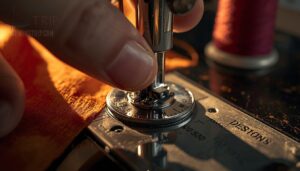
When your upper thread keeps pulling loose, nudge the tension dial higher — this presses the tension discs closer together, increasing the bite on your thread.
Key signs you need tighter tension:
- Loops appearing on the fabric’s underside
- Bobbin thread pulling upward
- Uneven stitch formation
- Loose seams on heavier fabric
- Top thread feeding too freely
Adjust one number at a time, then test.
Turn Lower for Looser Tension

Turning the dial counterclockwise reduces thread pressure — the discs move apart, giving thread more freedom to flow. This is your fix when puckering appears along the seam or the top thread looks visibly strained.
| Fabric Type | Suggested Range | Sign You Need It |
|---|---|---|
| Lightweight silk/chiffon | 2–3 | Puckering along seams |
| Medium cotton/polyester | 3–4 | Thread pulling tight |
| Stretch knits | 2–3 | Skipped or uneven stitches |
Drop the dial one number at a time. Sew a quick test seam, then flip the fabric and inspect both sides before going lower.
Adjust One Number Gradually

One number at a time — that’s the rule. Small, deliberate steps let you see exactly what each change does to your stitch before committing further.
Move the dial in 0.5 to 1 unit increments, then pause.
Keep a quick tension log noting the setting and fabric type. That record becomes your shortcut on future projects, saving you from guesswork every time.
Sew Test Stitches Between Changes

After each dial adjustment, run a short test stitch on your scrap fabric before moving on. A few inches tells you everything — no need to waste a full seam.
- Use a mid-range stitch length typical for your project
- Start with a clean fabric scrap to avoid old lint skewing results
- Stop after a few stitches once the result is clear
- Record the setting alongside the outcome for future reference
That quick pass is how you isolate what changed.
Compare Both Fabric Sides

After each test stitch, flip your scrap over and examine both sides. The goal is simple: stitches locked evenly in the middle of the fabric layers.
If bobbin thread appears on top, your upper thread is too tight. If top thread loops underneath, it’s too loose. Printed fabrics make this easier — the face side shows color and texture more vividly.
How to Check Bobbin Tension
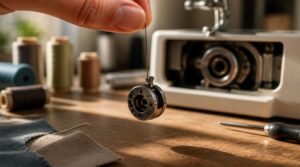
Bobbin tension doesn’t have a dial you can spin like the upper thread — it’s more subtle, and problems there can be easy to mistake for upper tension issues. Knowing what to look for puts you back in control fast. Here’s how to check it properly, step by step.
Identify Bobbin Thread Problems
Bobbin issues often disguise themselves as upper tension problems.
If you see loops on the bottom of your fabric, your bobbin thread is too loose. If the bobbin thread shows on top, it’s too tight.
Check for bobbin orientation errors, uneven winding, or improper bobbin seating first — a worn bobbin case creates unpredictable tension that no dial adjustment can fix.
Side-loading Bobbin Checks
Side-loading bobbins need a specific check most sewists skip: bobbin case seating. Press the case in until you hear a distinct click. If it tilts or feels loose, lateral stability issues will show up as uneven stitches mid-seam.
Make sure the bobbin notch orientation faces the correct direction per your manual, then confirm the thread runs cleanly through the tension slot with no obstructions.
Drop-in Bobbin Checks
Drop-in machines feel more forgiving than side-loaders, but they still need a quick check. Use the visual drop test: hold the case slightly above its seat and release it. A controlled drop of 1 to 2 inches with light resistance means the tension is balanced. If it falls freely, the case is too loose.
- Power off before inspecting
- Clear lint from the bobbin area first
- Release the case and watch the drop distance
- Check for wobble or binding after seating
- Repeat on scrap fabric to confirm
Don’t disturb any factory seal paint on the case — that green or red coating affects friction deliberately. If the bobbin spring feels weak or the case seats unevenly, inconsistent stitches will follow.
Adjust Screws Cautiously
Once you’ve confirmed the bobbin seats correctly, any screw adjustment needs a careful hand. Use the right screwdriver size to prevent cam out — a stripped head makes fine-tuning impossible.
Turn the bobbin tension screw no more than a quarter-turn at a time, then test on scrap. Document your starting position first. Small, incremental adjustment steps protect the mechanism from binding or misalignment.
Avoid Over-adjusting Bobbin Tension
Patience is the real tension adjustment technique here. Over-tightening the bobbin case screw deforms its spring, raising bobbin tension control unpredictably — sometimes permanently.
- Stop adjusting once stitches look balanced on both sides
- Always return to your baseline setting documentation if results worsen
- Confirm balance through scrap fabric testing, not guesswork
Trust small incremental screw turns. Less is more.
Signs Tension is Too Tight
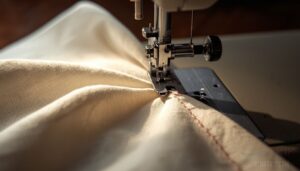
Too-tight tension doesn’t always announce itself right away — it shows up in the work. Your fabric, your thread, and even the feel of a finished seam all send signals worth knowing how to read. Here are the most common signs that your tension dial needs to come down a notch.
Fabric Puckering Near Stitches
Puckering is your machine’s way of telling you the tension is working against the fabric. When upper tension runs too high, thread pulls fibers inward toward the needle line, bunching the seam into tiny ridges.
Dense weaves and layered fabric friction make this worse — the more resistance, the tighter the gather.
Reduce your dial gradually and test on scrap first.
Bobbin Thread Showing on Top
When the bobbin thread creeps up to the fabric’s surface, upper thread tension is usually the culprit — it’s pulling too hard and dragging the lower thread upward. Check for improper bobbin placement first, then inspect for a dirty bobbin case.
A thread weight imbalance between top and bobbin threads can trigger this too. Lower your dial one step and test.
Thread Breaks Repeatedly
Repeated thread breaks are your machine’s way of saying something is off. Excessive tension pressure cracks fine thread mid‑stitch, but a dull needle creating friction or a misrouted thread path can do the same.
Check that your spool rotates freely — improper spool rotation starves the thread path. Low‑quality thread simply won’t survive tight tension calibration.
Drop your dial one step and rethread completely.
Seams Feel Stiff
Stiff seams often point to tension that’s too tight, forcing thread to grip fabric layers rather than glide through them. Dense stitches on thick or multi-layered fabric compound the problem fast.
Drop your dial one step, then press the seam with steam — that combination reveals whether stiffness is a tension issue or just trapped fabric bulk.
Stitches Look Pulled
When stitches look pulled, the top thread is too tight — it drags fabric fibers inward with every pass. Check for lint between tension discs first, since buildup mimics a tightened dial.
A needle too large or thread weight mismatch worsens the pull.
Drop tension one number, and test on scrap before continuing.
Signs Tension is Too Loose
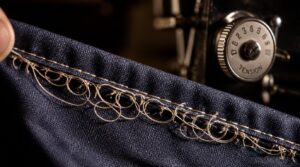
Loose tension leaves its own trail of clues, and they’re pretty hard to miss once you know what to look for. The problem usually shows up on the underside of your fabric first, then works its way into how the whole seam holds together.
Watch for these telltale signs that your tension dial needs to come up a notch or two.
Loops Under The Fabric
When your bobbin thread is too loose, it can’t pull the upper thread down to meet it at the fabric’s midpoint — so loops form underneath instead.
- Loop height increases with lower tension, creating a raised, uneven texture
- Loop density across the fabric affects surface uniformity and stitch strength
- Yarn twist and fiber type influence how badly loops distort under strain
Lower the upper tension dial gradually to correct this.
Top Thread Looks Slack
Slack upper thread is easy to spot — wavy stitches on the fabric surface are the giveaway. This usually means your upper tension is set too low for your fabric weight.
Raise the tension dial by one number and run a test seam on scrap. Check both sides before continuing.
Uneven Stitch Formation
Wavy stitches and inconsistent stitch density across a seam are classic signs that tension is running too loose. You might also notice bobbin zigzag patterns on the underside — threads crossing unevenly instead of locking cleanly at center. On slippery fabrics, fabric creep makes this worse fast.
Check both sides, then raise your dial by one number.
Seams Separate Easily
Loose tension leaves thread unable to grip fabric fibers firmly, and seams pull apart under stress — especially at high-stress points like armholes.
Watch for these three signs:
- Seam edges open under pressure when pulled or pressed
- Low stitch density leaves fibers unanchored, splitting the seam
- Raw seam finish frays fast, worsening separation
Raise your tension dial one number and then retest.
Thread Nests Underneath
Seams separating is frustrating, but thread nests take the problem further — they can jam your machine mid-project.
Thread nesting happens when upper tension is too loose, letting the needle thread loop under the fabric instead of locking with the bobbin. That tangle of thread mounds under the needle plate signals a tension imbalance. Raise your dial one number and retest.
| Symptom | Cause | Fix |
|---|---|---|
| Thread mounds under fabric | Bobbin thread too loose | Re-insert bobbin correctly |
| Loops under seam | Upper tension too low | Raise dial one number |
| Bobbin jam mid-stitch | Severe tension imbalance | Clean area, rethread fully |
Clean, Test, and Service Tension

Sometimes tension problems aren’t about your settings at all — they’re about maintenance. A little regular care goes a long way toward keeping your stitches consistent and your machine running smoothly. Here’s what to do to clean, test, and service your tension system properly.
Clean Tension Discs Regularly
Debris between tension discs is a quiet saboteur — it tightens thread feed without any dial change.
Use a soft nylon brush to dislodge lint every 8–10 sewing hours, then follow with compressed air for stubborn buildup.
Avoid solvents; they leave residue that attracts more lint.
Clean discs feed thread evenly and keep your tension settings reliable.
Remove Bobbin Case Lint
Cleaning the bobbin case starts with unplugging the machine — no exceptions. Release the case latch, lift it straight out, and use a soft-bristled lint brush to sweep the interior cavity.
Fine-tipped tweezers handle stubborn threads near the tension spring. Skip compressed air; it drives lint deeper. Once clean, reinsert until the latch clicks, then hand-turn the handwheel to confirm smooth rotation.
Test on Scrap Fabric
Before touching your final fabric, run a scrap fabric test first. Cut a same-weight swatch and stitch a straight line across it. Then flip it over and look closely — the underside tells you everything.
Watch for these three warning signs:
- Thread nests bunching on the underside
- Seam puckering along the stitch line
- Uneven stitch balance between top and bottom thread
Those results show exactly where your tension needs to go.
Record Successful Settings
When a tension test stitch finally looks balanced, write it down immediately.
Log your upper tension dial setting, bobbin tension, needle size, fabric type, and thread brand together. A simple tension log template keeps everything in one place — and a labeled swatch photo confirms the result visually.
That record saves you from repeating the same trial-and-error next time.
Seek Service if Persistent
If you’ve adjusted, cleaned, and tested across three sessions with no improvement, stop troubleshooting alone.
Timing misalignment and hidden disc wear aren’t fixable with a dial turn — a certified technician can diagnose both through proper sewing machine diagnostics.
Bring fabric samples and a photo of your settings. Post-service, test on multiple fabric types to confirm the fix held.
Frequently Asked Questions (FAQs)
Is 1 the loosest tension on a sewing machine?
On most machines, 1 is the loosest setting, but some models start at Always check your manual, since dial ranges vary by brand. Test on scrap fabric to confirm.
What should the pressure dial be set at regular sewing?
For regular sewing on cotton, set your dial to 3 or 4. That mid-range keeps thread tension balanced without pulling or puckering. Always test on scrap first.
Can tension settings affect decorative or embroidery stitches?
Yes — decorative and embroidery stitches are highly sensitive to tension changes. Stitch density, surface stitch contrast, and embroidery thread compatibility all shift when tension is off, making your decorative stitch patterns look uneven or flat.
How does sewing speed influence thread tension performance?
Sewing faster increases active thread loading, causing the take-up lever to pull thread more rapidly and spike tension within each stitch cycle. High-speed friction between thread and fabric amplifies this effect, making balanced tension harder to hold.
Can humidity or temperature affect sewing machine tension?
Yes — your machine is perfectly calibrated, then a rainy afternoon rolls in and suddenly your stitches look wrong. Humidity and temperature genuinely shift tension by affecting thread elasticity, metal expansion, and static buildup.
Conclusion
Funny how the tension dial becomes everyone’s scapegoat—blamed for sins committed upstream by a backwards bobbin or a skipped thread guide.
Once you stop chasing numbers and start reading your stitches, sewing machine tension dial settings become less of a mystery and more of a conversation. Your machine is always telling you something. Learn its language.
Test on scraps, adjust gradually, and document what works. That knowledge doesn’t expire—it compounds every time you sit down to sew.
- https://madamsew.com/blogs/sewing-blog/how-to-deal-with-thread-tension
- https://www.artisanstitch.co.uk/sewing-machine-tension
- https://www.threadsmagazine.com/2008/11/02/understanding-thread-tension
- https://www.bsewinn.com/blogs/inspiration/tension-adjustment-on-sewing-machine
- https://www.karenbolan.com/blog/20220918