This site is supported by our readers. We may earn a commission, at no cost to you, if you purchase through links.
You buy a design online, load it onto your machine, and nothing lines up right. Colors shift, stitches jump, and the fabric puckers where it shouldn’t. That mismatch usually traces back to one thing: the file format.
Not every format speaks the same language as your machine. A file built for a Brother won’t always behave on a Tajima, and a home hoop can’t handle what a commercial multi-head setup runs daily. Knowing which embroidery format works best for your setup saves you time, thread, and ruined fabric.
Here’s how to match the format to the machine, the project, and the results you want.
Table Of Contents
Key Takeaways
- DST works as the closest thing to a universal embroidery format, running well on Tajima, Brother, Melco, and Barudan machines, though it doesn’t store thread color data.
- PES stores color data right in the file using Brother’s palette, making it the practical choice for Brother machines and small studio work.
- Other machines need their own formats to work right, like JEF for Janome, EXP plus INF and BMP for Bernina, and VP3 for Viking and Pfaff.
- Converting between formats almost always causes problems, since colors can shift, stitch density can change, and underlay settings often need to be redone by hand.
The Best Format Depends on Your Machine
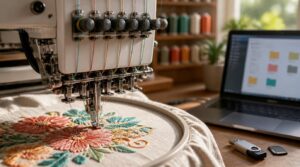
Not every embroidery file works the same way on every machine. Your choice depends on how you plan to use it and what your machine can read. Here’s what to think about before you pick a format.
If you’re weighing your options, this guide to understanding the DST embroidery file format breaks down why it’s the go-to choice for most commercial machines.
Home Versus Commercial Use
Home and commercial embroidery run on totally different scales. Your home machine controls small hoops, simple designs, and fewer than 10 colors, while commercial shops push 20 to 40 colors on multi-head machines built for speed.
Stitch counts, fabric types like denim or canvas, and cost per unit all shift once you move from hobby projects to bulk production runs.
Native Machine Compatibility
Scale matters, but your machine still needs to read the file without a fight.
Direct hoop mapping means the format sends stitches straight to the needle, no translation lag.
- Check firmware update compatibility before buying new software
- Watch device RAM limits on color-heavy designs
- Confirm jump stitch commands transfer correctly
- Match color index encoding to your machine’s palette
- Test native files before bulk runs
Editing Versus Stitching Needs
Testing native files is one thing. What you plan to do with them next is another.
Editing means opening the file to fix node points or stitch order, no fabric touched yet. Stitching is the real needlework, shaped by stitch density balance and fabric pull. Good file cleanup optimization trims redundant stitches before they hit the machine, saving time and wear once stitching starts.
Color Data Requirements
Cleanup means little if colors fall apart on the machine.
Some formats store only stitch indices, not RGB, so thread color mapping matters most:
- Check palette size limits (12–24 stops typical)
- Confirm color accuracy verification before export
- Match thread names to your library
- Note color change limits per design
- Review color blending techniques for shading
DST Versus PES: Which is Better?
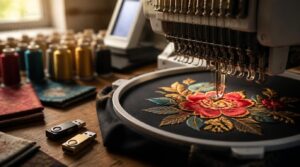
DST and PES are the two formats you’ll run into most. Each one experiences machines, colors, and production differently. Here’s how they stack up against each other.
If you’re weighing which machine fits your workflow, this guide to choosing embroidery machines for professional seamstresses breaks down how format compatibility affects your options.
DST Machine Compatibility
DST is the closest thing embroidery has to a universal language. Tajima DST support runs deep across commercial machines, and Brother DST usage works fine too, though Brother favors PES natively. Melco DST workflow and Barudan DST compatibility round out the list. Janome DST limits show up mainly through USB, where JEF still takes priority. The maximum stitch length is limited to 121 units in DST format, as noted in Maximum stitch length
| Brand | DST Support |
|---|---|
| Tajima | Full |
| Brother | Full |
| Melco | Full |
| Barudan | Full |
| Janome | Limited |
PES Color Retention
While DST leaves color choices to memory, PES stores thread data right in the file, using Brother’s palette with up to 256 color changes. Fade resistance depends on disperse dye chemistry and proper heat fixation.
- Colorfastness testing (AATCC 4-5)
- UV protection coatings
- Cold-wash laundering
- Dye carrier compatibility
- Thread-fabric color matching
Commercial Production Uses
Multi-head machines favor stitch-based files that load fast and run clean across long shifts. Networked production compatibility matters here, since designs travel between stitching software and controllers without conversion loss.
Fewer object properties means better error checking reliability and fewer mis-stitches. File size reduction techniques keep transfers quick, while batch editing efficiency lets engineers adjust density without starting over.
Brother Machine Performance
Brother machines read PES natively, so speed optimization comes built in. Models run up to 850 stitches per minute, with hoop accuracy near 0.5mm.
- Automatic threading cuts setup time
- Jam-resistant bobbins improve fabric grip
- Temperature control steadies thread tension
- Frame design reduces vibration during runs
That combination keeps PES the practical default for home and small studio work.
Conversion Limitations
Going between DST and PES rarely stays clean. Switching either way risks color fidelity loss, since palettes don’t match one to one.
Stitch density changes too, and underlay settings often reset.
| Issue | Effect |
|---|---|
| Metadata | Compatibility errors |
| Thread commands | Get stripped |
That’s why digitizers redo underlay and density by hand after converting.
Compare Popular Embroidery Machine Formats
DST and PES aren’t your only options. Other machines run on their own formats, each built for a specific brand. Here’s how the rest stack up.
JEF for Janome Machines
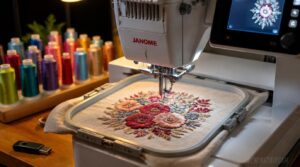
Janome machines run on JEF, plain and simple. The JEF file structure holds hoop coordinates and stitch sequences built for Janome’s system.
JEF controls JEF color mapping too, storing thread data your machine reads during stitch out. That’s why JEF machine compatibility stays strong across most Janome models.
For JEF editing workflows, JEF Plus adds flexibility. JEF USB loading remains the simplest path to the hoop.
EXP for Bernina Systems
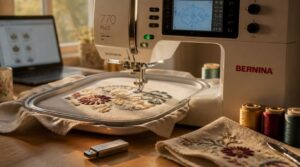
Bernina swaps JEF for EXP, but one file isn’t enough. You need the trio: EXP for stitches, INF for color mapping, and a BMP preview image.
Load all three onto a USB stick for transfer. Got ART files? Run an ART to EXP conversion first in Bernina’s export dialog before saving to your machine.
VP3 for Viking and Pfaff
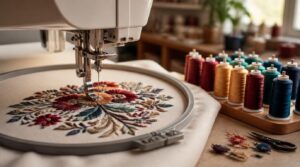
Viking and Pfaff run on VP3, not EXP or JEF. Files organize by ColorBlocks, grouping StitchBlocks per color for clean sequencing.
Each file packs three things:
- Hoop-centered bounds data
- Thread packets with color and weight
- Stitch run paths per block
Edit before stitching, but convert carefully. Moving VP3 to VP4 can shift stitch density or trims.
ART for Bernina Machines
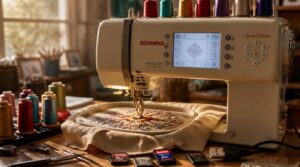
Older Bernina models run on ART, not VP3. The ART file structure bundles stitches, outlines, and thread colors in one file, plus an embedded thumbnail preview for quick ID on the machine.
ARTlink controls ART format conversion to EXP or other compatible types. Check your ART compatibility matrix first, since ART color assignments and stitch counts can shift during transfer.
XXX for Older Machines
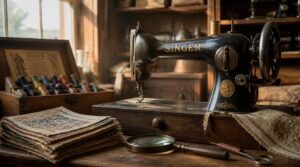
Not every ART or PES machine works right for you. Some vintage Singer models still run on XXX, a stripped-down format built for stitch data simplicity.
Firmware compatibility is limited on these units, so expect color data loss during conversion. DST often works too. Either way, test before conversion, since legacy format support varies by model and stitch counts can shift unexpectedly.
Choose The Best Artwork Format
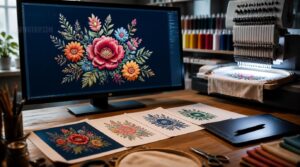
Before a design ever hits the hoop, it starts as artwork on your screen. The format you choose here decides how clean your final stitch file turns out. Here are the top artwork formats you’ll run into and what makes each one useful.
AI for Scalable Logos
A logo built as a fixed image will always fight you at some point. AI tools solve this by building your logo in vector format from the start, so it scales from a favicon to a jacket back with no quality loss.
- Clean lines at any size
- Consistent color across outputs
- Fewer redo requests
That’s real control over your brand.
EPS for Software Compatibility
When your logo needs to move between different design programs, EPS earns its keep. Built on the PostScript language, it holds vector paths, embedded preview images, and ICC color profiles for consistent output.
| Feature | Benefit |
|---|---|
| Vector paths | Sharp resizing |
| ICC color data | Matched thread output |
| Cross-platform support | Works across major software |
SVG for Digital Workflows
Since it’s built on XML code, SVG lets you edit paths and colors with precision no raster file can match. Files stay lightweight, support version control, and enable team-based collaborative editing.
Automation scripts can generate SVGs straight from data feeds, streamlining your digitizing pipeline. Built-in accessibility tags and optimized path data round out why SVG fits modern workflows.
PDF for Vector Artwork
A true vector PDF holds its shape at any size, which makes it a safe bet for logo work. PDF vector editing stays possible in compatible software, and PDF color spaces like CMYK keep thread matching accurate.
Embedding vector art preserves strokes and fills, while PDF typography preservation stops fonts from shifting during handoff.
Match Formats With Embroidery Software
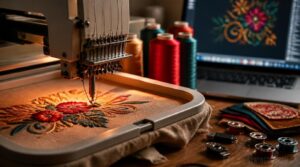
Your artwork format is only half the job. The software you use to convert it matters just as much for a clean result. Here’s how the major programs handle format support.
Wilcom Format Support
Think of Wilcom as your format translator. It exports over 60 stitch formats, including DST and EMB, so you’re never locked out of a machine.
Wilcom EMB editing keeps designs native for reworking. Wilcom simulation tools preview stitching before you sew. Use Wilcom batch export to hit multiple formats at once, and check the Wilcom design preview to catch problems early.
Hatch Export Options
One project, five formats, zero re-digitizing. Hatch controls batch format selection so you export DST, PES, and EXP together, with stitch data and color sequence mapping preserved. You control export folder customization too.
Hatch exports DST, PES, and EXP together in one batch, preserving stitch data and color mapping without re-digitizing
Five things Hatch batch export gives you:
- Multiple formats
- Preserved stitch data
- Color mapping
- Custom folders
- Automated batch scheduling
Brother PE-Design Compatibility
Hatch batches formats. PE-Design works differently, built around Brother’s native workflow.
It saves projects in PE Design native files, keeping every edit intact. The PES export workflow stays smooth, with color data preserved for Brother machines. You can also import DST to PES conversion, mapping stitch commands automatically. Add ScanNCut connection and built-in color mapping tools, and your whole Brother setup stays connected.
Ink/Stitch File Exports
Ink/Stitch runs free inside Inkscape, exporting DST, PES, JEF, VP3, XXX and more through Save As. It builds an EmbPattern first, converting vector paths into stitches with proper color data, then scales pixels to millimeters before writing the file.
Need multiple formats? Use the ZIP export to bundle them together. Preview tools verify stitch paths before you commit to machine output.
Embird Conversion Tools
If Ink/Stitch works with vector files, Embird takes over stitch file management. It runs a format compatibility check across 70+ formats, converts DST to PES or JEF, and keeps stitch data preservation intact.
Batch file conversion saves time on large jobs. Color retention settings hold thread data, and module extension usage adds vector-to-stitch conversion when you need it.
Frequently Asked Questions (FAQs)
Is PES or DST better?
Neither wins outright. PES gives better color accuracy for Brother machines, while DST keeps smaller file size and faster stitching speed across brands. Your machine brand preference should decide, since conversion risks can distort either format.
Which is better, embrilliance or hatch?
It’s practically a battle of digitizing titans. Hatch suits heavier production with automatic tools and higher cost. Embrilliance fits hobbyists better, with flexible lettering, lower pricing, and a customizable workspace for custom projects.
What format does Brother use for embroidery?
Your Brother machine reads Brother PES format natively, storing stitch and color data together. Many models add Brother DST support for cross-brand files.
Older units use the Brother PEC variant, while some software relies on Brother PHC compatibility for smoother Brother file interchangeability.
What format do you use for embroidery?
Your machine picks the format, not you. DST for Tajima-style commercial machines, PES for Brother, JEF for Janome. Match the format to your hardware first, then prep artwork and thread colors around it.
How many colors can an embroidery design include?
Most designs stay around six colors, though simple motifs can use two. Commercial machines push higher counts with multiple color stops, but thread palettes and stitch density limits keep practical designs closer to six or eight shades.
Whats the minimum letter size for clean stitching?
For clean stitching, keep capital letters at 6 mm minimum. Mixed case needs 5 mm, serif fonts need 7 mm, and script styles need 8 to 10 mm to keep letters legible and connected.
Why does negative space cause thread breakage issues?
Tight cutouts force thread through sharp turning points, raising friction and bend stress.
Dense fills next to voids spike tension fast.
Fabric puckering and weak thread-needle pairing add strain, pushing breakage risk even higher near narrow openings.
What are underlay stitches and why are they needed?
Like a foundation under a house, underlay stitches hold everything up. They stabilize fabric, prevent puckering, and build the stitch foundation your top stitches need for smooth, even thread coverage.
How should raster logos be prepared before digitizing?
Sharpen the image to 300 DPI, boost contrast, and strip background noise. Crop tight, then simplify to a limited color palette for clean tracing. Flatten gradients, remove stray pixels, and keep a labeled raster reference for digitizing accuracy.
Conclusion
Funny how every stitching disaster traces back to the same small mistake: the wrong file. Once you match format to machine, that chaos disappears fast.
Which embroidery format works best always depends on your brand, your software, and your goals. DST covers most machines. PES holds color data. JEF, EXP, and VP3 fit their own brands. Pick the right file, and your machine runs clean, your thread holds, and your design stitches exactly as planned.