This site is supported by our readers. We may earn a commission, at no cost to you, if you purchase through links.
The wrong machine doesn’t just slow you down—it costs you clients. A professional seamstress running 15 custom orders a week needs more than a hobbyist-grade setup with a cramped 4" × 4" hoop and no wireless transfer.
She needs a machine that matches her pace, her hoop sizes, and the variety of work landing on her table.
Embroidery machines for professional seamstresses range from reliable single-needle workhorses like the Brother SE2000 to multi-needle powerhouses like the Janome MB7, and the gap between them—in price, output, and capability—is significant.
Knowing exactly where each model earns its place changes everything about how you invest and grow.
Table Of Contents
- Key Takeaways
- Top 10 Embroidery Machines for Seamstresses
- 1. Brother SE2000 Sewing and Embroidery Machine
- 2. Brother SE1900 Sewing Embroidery Machine
- 3. Brother SE700 Wireless Sewing Embroidery Machine
- 4. Janome MB7 Multi Needle Embroidery Machine
- 5. Brother SE600 Embroidery Sewing Machine
- 6. Brother PE535 Embroidery Machine
- 7. Brother SE600 Sewing Embroidery Machine
- 8. Brother PE800 Embroidery Machine
- 9. Janome Memory Craft 500E Embroidery Machine
- 10. Brother PE550D Embroidery Machine Touchscreen
- Professional Features to Compare
- Embroidery Field Size and Maximum Hoop Capacity
- Built-in Stitches, Fonts, and Design Libraries
- Stitching Speed for High-volume Client Work
- Automatic Thread Cutting and Tie-off Functions
- Touchscreen Controls and On-machine Editing Tools
- LED Lighting and Workspace Visibility
- Included Hoops, Tables, and Accessory Bundles
- Single-Needle Vs Multi-Needle Machines
- When Single-needle Machines Suit Professional Seamstresses
- When Multi-needle Machines Improve Production Speed
- Thread Color Changes and Workflow Efficiency
- Flat Embroidery Versus Caps, Bags, and Specialty Items
- Learning Curve, Setup Time, and Maintenance Needs
- Space Requirements for Home Studios and Workrooms
- Connectivity and Design Workflow
- USB Design Imports for Client Files
- Wireless Transfer for Faster Project Setup
- Bluetooth App Integration and Mobile Design Management
- Compatible Embroidery File Formats
- On-screen Editing, Resizing, Rotating, and Positioning
- Software-driven Customization for Monograms and Logos
- Real-time Monitoring to Reduce Production Downtime
- Buying Guide for Seamstress Businesses
- Matching Machine Type to Alteration, Bridal, and Custom Apparel Work
- Choosing Hoop Size for Garments, Quilts, and Merchandise
- Budget Planning for Machine, Supplies, and Accessories
- Evaluating Warranty, Support, and Repair Access
- Calculating Return on Investment for Paid Embroidery Jobs
- Choosing a Machine for Etsy Shops and Local Clients
- Maintenance Routines for Reliable Professional Output
- Frequently Asked Questions (FAQs)
- Conclusion
Key Takeaways
- Single-needle machines like the Brother SE2000 suit modest, varied workloads, while multi-needle machines like the Janome MB7 are built for high-volume, multi-color production where stopping to rethread kills your momentum.
- Hoop size is non-negotiable — a 4"×4" field boxes you into small monograms, while a 5"×7" or larger opens the door to apparel panels, quilts, and bigger logos without constant rehooping.
- Connectivity matters more than most buyers expect — wireless transfer, USB import, and app integration (like Brother’s Artspira) directly cut setup time and keep client files moving smoothly from screen to machine.
- Your real cost of ownership goes beyond the sticker price — factor in digitizing software, accessory bundles, thread subscriptions, maintenance schedules, and a 5–7‑year depreciation window before you commit.
Top 10 Embroidery Machines for Seamstresses
Finding the right embroidery machine can make or break your workflow as a professional seamstress. The options below cover everything from compact single-needle models to high-output multi-needle workhorses, so there’s something here no matter your setup.
Before you invest, it’s worth knowing which embroidery machine brands consistently disappoint professional seamstresses so you can narrow your shortlist with confidence.
Here’s a closer look at ten machines worth your attention in 2026.
1. Brother SE2000 Sewing and Embroidery Machine
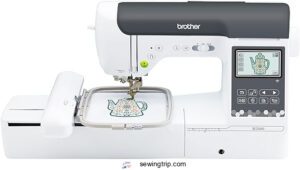
The Brother SE2000 is where serious crafting begins. You get a 5" × 7" embroidery field, 193 built-in designs, and 13 fonts — plenty to handle monograms, apparel work, and custom gifts without reaching for extra software.
The 3.7" touchscreen makes editing straightforward, and wireless design transfer means less time fumbling with cables.
At 850 stitches per minute for sewing and 650 for embroidery, it keeps pace with real workloads.
The Artspira app adds creative range, though the $13/month subscription is worth factoring into your budget.
| Best For | Hobbyists and home crafters who want a capable sewing and embroidery machine that handles everything from monograms to garment-making without needing a separate setup. |
|---|---|
| Embroidery Area | 5″ x 7″ |
| Built-in Designs | 193 |
| LCD Touchscreen | 3.7″ |
| USB Connectivity | Yes |
| Machine Weight | 38 lbs |
| Power Voltage | 120V US only |
| Additional Features |
|
- Generous 5" x 7" embroidery field with 193 built-in designs and 13 fonts — solid creative range right out of the box
- Wireless design transfer and Artspira app integration make getting new patterns onto the machine quick and painless
- Dual sewing and embroidery functions with 241 stitches means one machine covers a wide range of projects
- At 38 lbs with no carrying case, this isn’t something you’re hauling to a crafting class
- The Artspira app subscription ($13/month) adds ongoing cost on top of the machine purchase
- Firmware updates and embroidery setup have a learning curve — expect some trial and error early on
2. Brother SE1900 Sewing Embroidery Machine
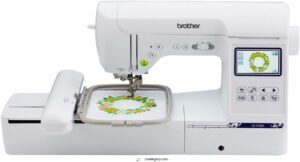
Step up from the SE2000 and you land on the SE1900 — a machine that keeps the same familiar 5" × 7" embroidery field but packs in 240 built-in stitches and 138 embroidery designs.
The 3.2" color LCD touchscreen lets you resize and position designs before a single stitch drops.
You can pull in custom files via USB, which makes client work straightforward.
At roughly 850 stitches per minute, it manages real volume without breaking a sweat.
| Best For | Sewists and embroidery enthusiasts who want a versatile all-in-one machine for monogramming, quilting, and custom design work. |
|---|---|
| Embroidery Area | 5″ x 7″ |
| Built-in Designs | 138 |
| LCD Touchscreen | 3.2″ |
| USB Connectivity | Yes |
| Machine Weight | 22.05 lbs |
| Power Voltage | 120V US only |
| Additional Features |
|
- 240 built-in stitches and 138 embroidery designs give you a ton to work with right out of the box
- The 3.2" touchscreen makes it easy to preview and tweak designs before you commit to stitching
- USB support means bringing in custom files is quick and hassle-free
- You’ll need a separate spindle holder for large thread spools, which feels like an oversight
- Only works with 120V US power — not a great travel or international option
- Some useful accessories like the extension table and magnetic hoop cost extra
3. Brother SE700 Wireless Sewing Embroidery Machine
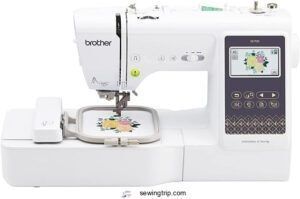
Where the SE1900 keeps things wired, the SE700 breaks free. Wireless LAN connectivity means you can push designs straight from your phone or tablet using the Artspira app — no USB hunting required.
You get 135 built-in embroidery designs, 103 sewing stitches, and a 3.7-inch color touchscreen for on-screen editing.
The 4" × 4" hoop is compact, but at $579.99, it’s a smart pick if wireless workflow and beginner-friendly automation matter more than hoop size.
| Best For | Beginners and hobbyists who want to personalize clothes, gifts, or home décor without fussing over cables or complicated setup. |
|---|---|
| Embroidery Area | 4″ x 4″ |
| Built-in Designs | 135 |
| LCD Touchscreen | 3.7″ |
| USB Connectivity | Yes |
| Machine Weight | 15.6 lbs |
| Power Voltage | 120V US only |
| Additional Features |
|
- Wireless design transfer via the Artspira app makes swapping patterns quick and painless
- Auto needle threading and auto thread cutting take a lot of the frustration out of getting started
- 135 built-in embroidery designs plus a color touchscreen means you can jump right in without buying extras
- The 4" × 4" embroidery area is pretty limiting if you want to tackle bigger logos or wide patterns
- Narrow throat space makes handling large fabric panels or quilts a real struggle
- Wi-Fi setup and Artspira app connectivity can be hit or miss, and some users run into bobbin tension headaches early on
4. Janome MB7 Multi Needle Embroidery Machine
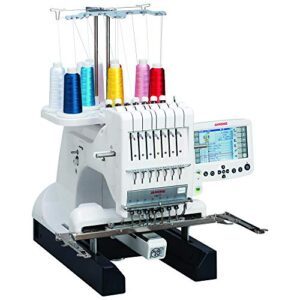
If wireless freedom is your thing, great — but sometimes raw production power matters more. That’s where the Janome MB7 changes everything.
Seven independent needles mean you load all your thread colors once and let the machine run. No stopping, no rethreading mid-project.
The 9.4" × 7.9" embroidery field accommodates medium to large motifs with ease, and the 5.7" Remote Computer Screen lets you resize, rotate, and position designs right on the machine. At $5,999, it’s built for serious output.
| Best For | Small business owners and serious hobbyists who do a lot of multi-color embroidery work and want to cut down on rethreading time. |
|---|---|
| Embroidery Area | 9.4″ x 7.9″ |
| Built-in Designs | Not specified |
| LCD Touchscreen | 5.7″ RCS |
| USB Connectivity | Yes |
| Machine Weight | 65 lbs |
| Power Voltage | Not specified |
| Additional Features |
|
- Seven needles mean you load your colors once and just let it run — huge time saver on complex designs.
- The on-machine screen lets you tweak designs without needing a laptop nearby.
- Large embroidery field and industry-standard file support make it easy to slot into a real production workflow.
- Multiple users have reported jams, gear stalls, and needle alignment issues, which is a real concern at this price.
- Customer support is hit or miss — slow response times and delayed repairs have frustrated owners.
- No automatic needle threading, and the manual isn’t great, so expect a learning curve.
5. Brother SE600 Embroidery Sewing Machine
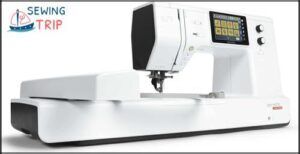
Not every seamstress needs seven needles to get the job done. The Brother SE600 keeps it straightforward — 80 built-in designs, 9 embroidery fonts, and a 4" × 4" field that accommodates monograms and small custom motifs without fuss.
USB import lets you load client files in PES format instantly. The color touchscreen lets you preview, rotate, and reposition before a single stitch drops.
At a fraction of the Janome’s price, it’s a solid starter for custom apparel and Etsy work.
| Best For | Hobbyists and small-business sellers — think Etsy shops, custom apparel, and home-decor projects — who want solid embroidery features without spending big. |
|---|---|
| Embroidery Area | Not specified |
| Built-in Designs | Not specified |
| LCD Touchscreen | Not specified |
| USB Connectivity | Yes |
| Machine Weight | 47 lbs |
| Power Voltage | Not specified |
| Additional Features |
|
- Hands-free operation with the programmable foot control makes longer sessions way less tiring.
- Supports multiple embroidery file formats, so loading your own designs via USB is quick and painless.
- Built-in design editing tools let you preview and adjust motifs right on the touchscreen before you commit.
- Boots up in over 40 seconds every time, which gets annoying fast if you’re jumping in and out of projects.
- No printed manual included — you’re downloading a 170-page PDF, which isn’t great when you’re mid-project and stuck.
- Struggles with heavy fabrics and thick layers, so bag-making or heavy quilting is pretty much off the table.
6. Brother PE535 Embroidery Machine
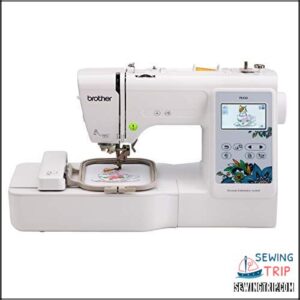
Think of the PE535 as the SE600’s focused sibling — built purely for embroidery, no sewing functions to distract from the craft.
Every feature it packs — including that handy Built-In Tension Window on Brother computerized machines — is there to serve one goal: cleaner, more confident embroidery.
You get 80 built-in designs, 9 fonts, and that reliable 4" × 4" hoop for monograms, crests, and small logos.
The 3.2-inch color touchscreen makes positioning feel natural, and USB import processes your client’s custom files without hassle.
At $515, it’s a practical entry point if embroidery-only work is your lane.
| Best For | Embroidery-focused crafters, monogram enthusiasts, and small business owners who want a dedicated machine without the extra sewing features. |
|---|---|
| Embroidery Area | 4″ x 4″ |
| Built-in Designs | 80 |
| LCD Touchscreen | 3.2″ |
| USB Connectivity | Yes |
| Machine Weight | 15 lbs |
| Power Voltage | 120V US only |
| Additional Features |
|
- 80 built-in designs plus USB import means you’re not stuck with just what came in the box.
- The 3.2-inch touchscreen makes placing designs feel intuitive — drag, drop, done.
- Great starter machine for beginners, with easy threading and solid instructional resources included.
- The 4" × 4" hoop is limiting — anything bigger means re-hooping or skipping the project altogether.
- Embroidery only, so if you ever want basic sewing capability, you’ll need a second machine.
- Custom design work requires separate digitizing software, which can get pricey on top of the $515 price tag.
7. Brother SE600 Sewing Embroidery Machine
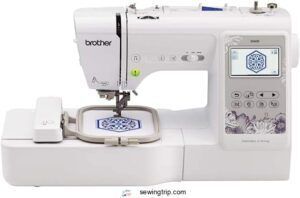
The SE600 is where sewing and embroidery finally meet in one machine — and for seamstresses who do both, that matters. You get 80 built-in designs, 103 sewing stitches, and a 4" × 4" hoop that accommodates monograms and decorative accents cleanly.
The 3.2-inch color touchscreen keeps positioning simple, while USB import brings your client’s custom files right onto the machine.
At 710 stitches per minute, sewing and 400 for embroidery, it’s built for steady, reliable output.
| Best For | Seamstresses and crafters who want one machine that handles both everyday sewing and small embroidery projects like monograms and decorative accents. |
|---|---|
| Embroidery Area | 4″ x 4″ |
| Built-in Designs | 80 |
| LCD Touchscreen | 3.2″ |
| USB Connectivity | Yes |
| Machine Weight | 26.24 lbs |
| Power Voltage | 110V US only |
| Additional Features |
|
- 80 built-in embroidery designs plus USB import means you’re not stuck with just the defaults — bring in custom files anytime.
- The color touchscreen makes it easy to preview and position designs before you stitch, so you waste less fabric.
- Automatic needle threader and jam-resistant bobbin system cut down on setup frustration, especially during multi-color projects.
- The 4" × 4" embroidery area is pretty limiting — anything larger needs to be resized or split up.
- At 26 lbs, it’s a chunky machine that needs a dedicated spot; not something you’re moving around easily.
- There’s a real learning curve switching between sewing and embroidery modes, and performance dips if you cheap out on thread quality.
8. Brother PE800 Embroidery Machine
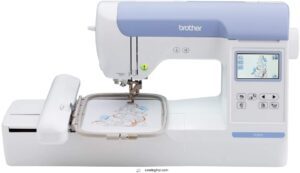
The Brother PE800 is built for embroidery-only work — and that focus shows. You get a 5" × 7" hoop, which opens up quilts, apparel panels, and large monograms without rehooping.
The 3.2-inch color touchscreen lets you rotate, mirror, and resize designs before you stitch a single thread.
With 138 built-in designs, 11 fonts, and USB import for client files, it’s a capable everyday machine.
Just note: it’s 120 V US-only, so don’t plan on traveling with it.
| Best For | Home hobbyists and crafters who want a dedicated embroidery machine with room to tackle bigger projects like quilts, apparel, and personalized gifts. |
|---|---|
| Embroidery Area | 5″ x 7″ |
| Built-in Designs | 138 |
| LCD Touchscreen | 3.2″ |
| USB Connectivity | Yes |
| Machine Weight | 17.64 lbs |
| Power Voltage | 120V US only |
| Additional Features |
|
- Large 5" × 7" hoop means fewer interruptions — great for big designs without constant rehooping.
- The color touchscreen lets you tweak designs on the fly, no extra software needed for basic edits.
- USB import opens the door to thousands of third-party designs from online marketplaces.
- Embroidery only — you’ll still need a separate machine for regular sewing.
- US-only power (120 V), so traveling or relocating internationally isn’t an option without voiding the warranty.
- Imported USB files show up as unlabeled blobs, which makes finding the right design a bit of a guessing game.
9. Janome Memory Craft 500E Embroidery Machine
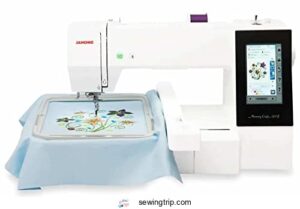
The Janome Memory Craft 500E means serious business — and its 7.9" × 11" embroidery field proves it. That’s a massive canvas for large single designs or multi-motif layouts without rehooping.
At $2,399, you get 160 built-in designs, six monogramming fonts, and a 5-inch color LCD touchscreen for on-machine editing.
Speed tops out at 860 stitches per minute, and the automatic thread cutter keeps your workflow moving.
It’s embroidery-only, so if you need combined sewing functions, keep looking.
| Best For | Home embroiderers and hobbyists who want a dedicated, high-quality machine for decorative projects like gifts, ornaments, and kids’ crafts — without needing sewing functions. |
|---|---|
| Embroidery Area | Multiple sizes |
| Built-in Designs | Not specified |
| LCD Touchscreen | Not specified |
| USB Connectivity | Yes (via conversion) |
| Machine Weight | 20 lbs |
| Power Voltage | Not specified |
| Additional Features |
|
- Metal chassis keeps it sturdy and quiet, so it fits right into a home or shared workspace without driving everyone crazy
- Supports multiple hoop sizes, giving you flexibility that usually costs a lot more at this level
- Quick to set up if you’ve used an embroidery machine before — you can be stitching in minutes
- No sewing functions at all, so it’s a one-trick pony (a great one, but still)
- File transfers via CF card or USB have a learning curve, and bobbin/thread issues can trip up newer users
- Some owners have reported loose screws and motor defects, and warranty support gets tricky with online or cross-border purchases
10. Brother PE550D Embroidery Machine Touchscreen
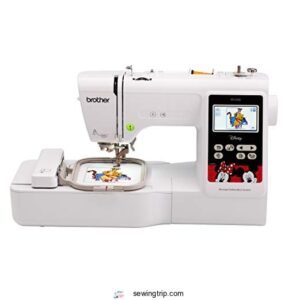
If you’re just stepping into embroidery, the PE550D is your entry point without the overwhelm. It packs 125 built-in designs — including 45 Disney motifs — plus 9 fonts for quick monogramming.
The 3.2-inch color LCD touchscreen lets you preview, resize, and rotate designs before a single stitch hits the fabric. USB import keeps client files accessible.
The 4" × 4" hoop limits larger projects, but for small custom items, it’s a practical, beginner-friendly machine worth considering.
| Best For | Beginners who want a simple, guided way to add embroidery and monograms to small personal items or gifts. |
|---|---|
| Embroidery Area | 4″ x 4″ |
| Built-in Designs | 125 |
| LCD Touchscreen | 3.2″ |
| USB Connectivity | Yes |
| Machine Weight | 24 lbs |
| Power Voltage | 120V US only |
| Additional Features |
|
- 125 built-in designs (including 45 Disney motifs) means you can start stitching right away without needing outside files
- The 3.2-inch color touchscreen makes it easy to preview and tweak designs before committing to fabric
- The automatic needle threader and thread cutter cut down on setup hassle, especially for frequent projects
- It’s embroidery-only — no standard sewing functions, so it can’t replace a regular machine
- The 4" × 4" hoop limits you to small designs; anything bigger means multiple hoopings or a different machine altogether
- Custom designs require PES format, and digitizing software to create them usually runs $1,000 or more
Professional Features to Compare
Not all embroidery machines are built the same, and the differences really show up when you start comparing the features that matter for professional work. Before you spend thousands of dollars, you’ll want to know exactly what you’re getting.
Here are the key features worth checking on any machine you’re considering.
Embroidery Field Size and Maximum Hoop Capacity
Your hoop is your canvas — and size matters more than most beginners realize. Hoop Dimension Limits vary dramatically, from tight 4×4 fields on entry models to the generous embroidery area of a large 5×7 embroidery area on the Brother SE2000.
The Baby Lock Altair 2’s 9.5×14 Field Coverage Capacity dwarfs most competitors. Multi Hoop Expansion, Edge Alignment Precision, and Fabric Tension Management keep large-scale work error-free.
Understanding the usable embroidery field helps prevent design truncation.
Built-in Stitches, Fonts, and Design Libraries
Beyond hoop size, what’s actually loaded on your machine shapes your daily workflow.
Stitch Variety runs deep on professional models — most pack 80-plus built-in designs covering satin, zigzag, and appliqué.
Font Customization lets you adjust sizing with live previews.
Strong Design Catalog options and User-Defined Stitches mean fewer external files.
Solid built‑in design libraries evaluation starts with counting preloaded patterns and embedded software flexibility.
Stitching Speed for High-volume Client Work
Speed is where production efficiency either takes off or stalls. Most professional machines top out around 800–1,000 stitches per minute, but high-speed multineedle embroidery systems push past that when Stitch Consistency, Thread Tension Control, and Feed Rate Optimization are dialed in.
Heat Management and proper Machine Warm-up Time matter too — rushing cold starts invite skipped stitches on commercial embroidery runs.
Automatic Thread Cutting and Tie-off Functions
Once stitching speed is locked in, clean finishes separate amateur work from professional output. Automatic thread cutting processes both top and bottom threads in one action — no scissors, no wasted seconds.
- Heated Wire Cutter melts tails for smooth finishes
- Cutter Sensor Calibration confirms blade position before every cut
- Adjustable Tail Length minimizes waste on dense designs
- Thread Tension Integration syncs cuts with stitch density
- Maintenance Scheduler alerts you before blades dull
Touchscreen Controls and On-machine Editing Tools
Your machine’s touchscreen is where creativity meets control. A large color LCD screen lets you edit on the fly — use Pinch Zoom Gestures to inspect details, tap Design Rotation Controls for exact 1-degree adjustments, and toggle Layer Visibility to isolate appliqué from fill stitches.
The Stitch Count Estimator updates live, Hoop Boundary Warnings catch overruns instantly, and design import via USB keeps your workflow moving without interruption.
LED Lighting and Workspace Visibility
Good LED lighting can make or break your embroidery work. Uniform Brightness across your large embroidery area eliminates shadows that hide misaligned stitches, while Glare Reduction keeps shiny threads from tricking your eyes.
Look for machines offering:
- Energy Efficient LEDs with high CRI (90+) for accurate thread color matching
- Adjustable Task Lighting arms for detail-focused illumination
- Color Temperature control between 5000K–6500K for sharp contrast
- Bright LED lights that deliver 300–500 lux at your massive work table
Included Hoops, Tables, and Accessory Bundles
What comes in the box matters more than most people realize. Most bundles include stainless steel or coated aluminum hoops with Hoop Material Options ranging from 4×4 to 5×7 inches, plus Magnetic Hoop Adapters for non-standard fits.
Stabilizer Sheet Types adapted to cotton and canvas prevent slippage.
Table Height Adjustability on the 24×12-inch aluminum work surface keeps your posture comfortable, while Accessory Bundle Organization bags protect every tool.
Single-Needle Vs Multi-Needle Machines
Choosing between a single-needle and multi-needle machine is one of the biggest decisions you’ll make for your embroidery business. Each setup comes with real trade-offs that affect your daily workflow, turnaround time, and the types of projects you can take on.
Choosing between single-needle and multi-needle defines your workflow, turnaround time, and business potential
Here’s what you need to know before picking your side.
When Single-needle Machines Suit Professional Seamstresses
Sometimes, less really is more. If your boutique order volume stays modest and designs run simple, a single-needle machine fits your world perfectly.
Compact workspace integration means it slides into tight home studios without drama. Low cost entry protects your cash flow, and simplified training gets new staff productive fast.
| Feature | Single-Needle Benefit |
|---|---|
| Quiet Studio Operation | Ideal for client-facing fitting rooms |
| Automatic Needle Threader | Reduces fatigue on small runs |
| Thread Tension Adjustment | Manages delicate to heavy fabrics |
When Multi-needle Machines Improve Production Speed
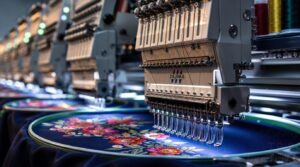
Scale up and multi-needle machines transform your output entirely. With Parallel Needle Sync and Auto Color Sequencing, your designs run without manual stops. High RPM Motors push Continuous Stitch Loops through batch after batch, while Energy Efficient Drives prevent overheating on long runs.
| Feature | Production Benefit |
|---|---|
| High-speed Multineedle Embroidery | Doubles throughput on bulk orders |
| Multihead Machine Operation | Runs parallel garments simultaneously |
Industrial embroidery machine solutions built on multineedle embroidery technology deliver real productivity enhancement in textile manufacturing.
Thread Color Changes and Workflow Efficiency
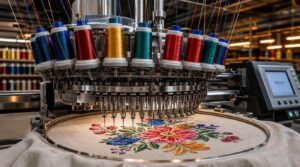
Every color change on a single-needle machine costs you time — sometimes a full minute per swap. That’s where color change automation changes everything.
Multi-needle machines use programmed Quick-Change Stations and Color Sequence Planning to cut downtime dramatically. Pair that with Thread Tension Monitoring and Color Change Logging, and your automated embroidery workflow runs tight and efficiently.
| Strategy | Single-Needle Impact | Multi-Needle Impact |
|---|---|---|
| Palette Organization | Manual per color | Preloaded simultaneously |
| Thread Change Reduction | High frequency stops | Automatic threading engaged |
| Productivity Enhancement | Limited batch output | Continuous uninterrupted runs |
| Color Change Logging | Manual tracking needed | Auto-logged per cycle |
| Color Sequence Planning | Critical to minimize stops | Optimized by machine software |
Flat Embroidery Versus Caps, Bags, and Specialty Items
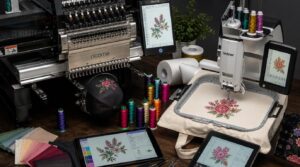
Not all embroidery surfaces play by the same rules.
Flat panels on totes accept standard digital embroidery designs with even tension and strong Wash Durability.
Caps demand specialized Design Digitizing, tighter Stitch Density, and careful Stabilizer Selection to prevent distortion on curves.
| Surface | Machine Type | Key Consideration |
|---|---|---|
| Tote bags | Singlehead | Material Compatibility |
| Caps | Multineedle | Hoop size + density |
| Specialty items | Either | Custom embroidery designs |
Learning Curve, Setup Time, and Maintenance Needs
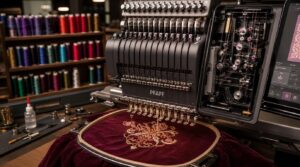
Specialty surfaces demand a lot from your machine — and so does the operator behind it.
Skill Acquisition takes time. Your first Initial Setup on any new machine can take 20–40 minutes, but that shrinks fast with practice.
| Factor | Typical Timeline |
|---|---|
| First full setup | 20–40 minutes |
| Stable thread changes | 5–10 projects |
| Quick setup routine | After week one |
| Preventive Care cadence | Daily + weekly |
| Operator Efficiency peak | 10+ projects |
Automatic thread cutting and an automatic needle threader dramatically cut that ramp-up. Training Resources — built-in guides, tutorials, sample projects — make Ease of use considerations for beginner embroiderers real, not just marketing copy. Maintenance and thread management features keep downtime predictable.
Space Requirements for Home Studios and Workrooms
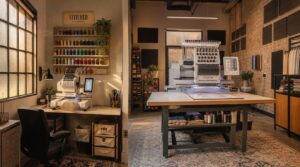
Your machine choice shapes the room you need.
A single-needle fits tighter spaces — even 120 square feet works.
Multi-needle setups demand 180–200 square feet for a massive work table and a large 5×7 embroidery area.
| Factor | Single-Needle | Multi-Needle |
|---|---|---|
| Room Square Footage | 120 sq ft | 180–200 sq ft |
| Ceiling Height | 8 ft minimum | 8 ft minimum |
| Workflow Zoning | 2 zones | 3 zones |
| Electrical Outlets | 4 dedicated | 6+ dedicated |
| Acoustic Treatment | Basic panels | Full corner traps |
Connectivity and Design Workflow
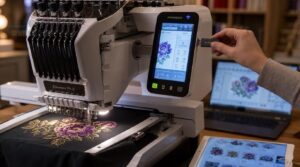
How move designs from screen to machine can make or break your workflow. The right connectivity features save real time — especially when client files keep rolling in.
Here’s what to look for across the top machines.
USB Design Imports for Client Files
USB design transfer starts with getting your drive ready.
Format it to FAT32, drop your digital embroidery designs into a clean folder structure, and stick to DST or PES files — your machine’s USB port won’t recognize JPEG files.
Run a stitch count validation before importing, and use read-only sticks with encrypted USB storage to keep client artwork protected throughout the process.
Wireless Transfer for Faster Project Setup
Once your files are ready, wireless transfer takes project setup to another level. The Brother SE2000 accepts designs wirelessly or via a USB port, using Wi‑Fi Direct for fast, peer-to-peer connections.
Enable Auto-Import Setup so new files land directly on your machine.
Use Encrypted Transfer and File Integrity Checks to protect client artwork.
QoS Prioritization keeps your wireless connectivity stable when your studio network gets busy.
Bluetooth App Integration and Mobile Design Management
Pairing your phone to the Baby Lock Altair 2 opens a whole new level of control. BLE Pairing Security keeps client designs protected during transfer, while App Sync Permissions let you manage exactly what the machine accesses.
The IQ Intuition Positioning App manages Mobile Color Simulation and Live Hoop Collision warnings before you stitch a single thread. Thread Inventory Alerts help you stay stocked and ready.
Compatible Embroidery File Formats
Your machine is only as powerful as the files it can read. Understanding DST vs PES makes a real difference — DST processes industrial format standards without Color Data Embedding, while PES carries full color sequences.
Most top machines support design import across:
- .DST — software compatibility DST for commercial production
- .PES — color-rich digital embroidery technology for Brother machines
- .JEF — reads all professional embroidery formats JEF and DST for Janome
- .EXP — flexible machine embroidery software editing
Use File Conversion Tools to match any Software Compatibility Matrix.
On-screen Editing, Resizing, Rotating, and Positioning
Your touchscreen becomes a design studio the moment you load a file. With touchscreen pattern editing on a high‑definition touch screen, you can drag, scale, and align without touching your computer.
Aspect Ratio Lock prevents distortion during resizing, while Fine Rotation Steps let you dial in 1‑degree increments for sleeve caps.
Pixel Nudging, Live Design Preview, and Edit History Rollback keep every adjustment precise and reversible.
Software-driven Customization for Monograms and Logos
Your monogram work can go from basic to breathtaking with the right machine embroidery software. Software-driven design capabilities give you full control over custom apparel branding:
- Kerning Controls fine-tune letter spacing for balanced monogramming fonts
- Node Editing reshapes curves for signature letterforms
- Palette Management locks brand thread colors across runs
- Layered Design stacks initials with logo embroidery elements
- Auto Color Mapping matches logo colors to your thread palette instantly
Real-time Monitoring to Reduce Production Downtime
Modern machines with real-time monitoring turn downtime from a profit killer into a manageable variable. Sensor fusion tracks vibration, temperature, and stitch output simultaneously, triggering predictive alerts before a fault stops your run.
Alarm thresholds flag slowdowns within seconds, while your live OEE dashboard logs every event with timestamps and root cause codes.
For production embroidery businesses, that kind of downtime analytics means fewer surprises and more finished orders.
Buying Guide for Seamstress Businesses
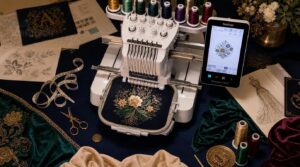
Buying the right embroidery machine for your business isn’t just about specs — it’s about finding what actually fits how you work and what your clients need. A few key factors will make or break that decision, from hoop size and budget to long-term maintenance and ROI.
Here’s what to think through before you commit.
Matching Machine Type to Alteration, Bridal, and Custom Apparel Work
Your work type should drive your machine choice. Single-needle machines handle fabric sensitivity well — perfect for delicate bridal fittings where stitch density matters and client consultation happens nearby.
But, custom apparel creation workflow means juggling color palette management across multiple pieces, a multi-needle setup wins.
Design scale and integrating sewing capabilities with embroidery functions. That’s where top professional embroidery machines of 2026 really separate themselves.
Choosing Hoop Size for Garments, Quilts, and Merchandise
Hoop size shapes what’s possible. A large 5 x 7 embroidery area accommodates most garment logos, but curved garments and quilt block alignment demand more thought.
Use a 10 x 6.3 hoop for banners needing banner edge clearance. Add stabilizer layers to control fabric tension on knits.
Hoop diameter selection directly impacts custom merchandise branding quality and design possibilities.
Budget Planning for Machine, Supplies, and Accessories
Once you’ve nailed hoop sizing, the next question hits fast: what’s this actually going to cost? Start with a realistic Cost Allocation — 60% for machines, 25% for supplies, 15% for accessories, and your Contingency Fund.
Factor in a Depreciation Schedule over 5–7 years.
Bulk Purchasing threads and stabilizers cut costs noticeably.
ROI Calculation matters most — even budget-friendly embroidery machine options under 0 can pay off fast with steady client work.
Evaluating Warranty, Support, and Repair Access
Once your budget is locked in, don’t overlook Warranty Coverage — it’s your safety net when things go wrong mid-project.
- Confirm Support Channels: phone, chat, and email availability
- Ask about Repair Turnaround windows before buying
- Check Parts Availability for your specific model
- Verify whether Onsite Service is included or costs extra
Strong machine warranty and Customer support for embroidery equipment protect your investment and keep production moving.
Calculating Return on Investment for Paid Embroidery Jobs
Before pricing your next job, get honest about what each order actually costs you. Track Material Waste Cost, monitor Labor Efficiency Metrics, and apply Job Costing Accuracy to every run.
Your Throughput Utilization Rate should stay above 75% to drive real productivity improvement. A smart Pricing Tier Strategy — paired with tight cost control — turns even a budget-friendly price point into genuine profit.
Choosing a Machine for Etsy Shops and Local Clients
Whether you’re running an Etsy shop or building local client relationships, your machine choice shapes everything. A budget-friendly price point works when your Pricing Strategy aligns with Order Turnover goals.
Look for built-in designs, strong stitch speed, and Wireless and Bluetooth design transfer capabilities to speed up Design Personalization.
Material Compatibility and smooth Client Communication keep custom merchandise orders coming back.
Maintenance Routines for Reliable Professional Output
Your machine is only as reliable as the care you give it.
Stick to your Cleaning Protocols — wipe needle plates with isopropyl alcohol every shift, brush bobbin areas every two hours.
Follow a Lubrication Schedule: oil moving joints every eight hours.
Run Thread Tension Checks before high-volume sessions.
Confirm Hoop Alignment and schedule Electrical Safety Inspections weekly.
Consistent machine maintenance means fewer breakdowns and more billable hours.
Frequently Asked Questions (FAQs)
Can embroidery machines handle thick or layered fabrics?
Yes, they can.
Industrial embroidery machines use high-torque motors and heavy duty needles to power through denim and canvas. Adjust presser foot pressure, dial in thread tension control, and match your stabilizer types to the layered design.
How do I stabilize stretchy knit fabric for embroidery?
Start with a cut-away or tear-away stabilizer underneath, use a ballpoint needle, and keep moderate hoop tension.
Lower thread tension slightly, and your stitch quality stays clean without puckering the knit.
What thread brands work best for professional results?
Proven picks power professional results: Gütermann Strength holds through high-speed runs, Mettler Tension stays smooth on delicate garments, Madeira Sheen delivers crisp stitch definition, and Aurifil Cotton manages precision accuracy beautifully across multicolor threads.
How long does a typical embroidery machine last?
With proper care, a typical embroidery machine lasts 10 to 25 years. Single-needle models average 10–15 years, while multi-needle industrial-grade units often reach 25 years with consistent service intervals and controlled environmental conditions.
Can one machine handle both embroidery and quilting projects?
Absolutely — many modern machines pull double duty.
With quilt frame integration, presser foot adjustability, and fabric feed management built in, a solid sewing machine combo manages both tasks without breaking a sweat.
Conclusion
The proof is in the pudding—the right embroidery machines for professional seamstresses don’t just complete orders, they build your reputation stitch by stitch.
Whether you’re running a bridal studio, fulfilling Etsy custom orders, or managing high-volume client work, your machine is your business partner.
Match its hoop capacity, speed, and connectivity to your actual workload.
Invest where your workflow demands it, and you’ll turn every project into evidence of what your work is worth.