This site is supported by our readers. We may earn a commission, at no cost to you, if you purchase through links.
Cutting fabric by hand is one of those tasks that sounds simple until you’re forty minutes in, your wrist aches, and your hexagons still aren’t matching up. Precision matters in sewing and quilting—a millimeter off on one piece becomes a centimeter off by the time you’re assembling a full quilt top.
That’s exactly why fabric cutting machines have become serious tools, not just gadgets for enthusiasts.
The market now ranges from simple lever-driven die cutters to digital machines that handle leather, vinyl, and 300-plus materials with software-calibrated accuracy.
Knowing which one fits your workflow separates a smart purchase from an expensive shelf decoration.
Table Of Contents
- Key Takeaways
- Top 8 Fabric Cutting Machines Reviewed
- 1. Sizzix Big Shot Express Die Cutter
- 2. AccuQuilt GO Fabric Cutter
- 3. Cricut Maker 3 Smart Cutting Machine
- 4. Cricut FabricGrip Adhesive Cutting Mat
- 5. Sizzix Big Shot Plus Die Cutting Machine
- 6. Sizzix Big Shot Plus Adapter G
- 7. Brother ScanNCut SDX85S Electronic Cutting Machine
- 8. Silhouette Cameo 4 Bluetooth Machine
- Types of Fabric Cutting Machines
- Key Features to Compare
- Manual Vs Digital Fabric Cutters
- Cost, Maintenance, and Long-Term Value
- Frequently Asked Questions (FAQs)
- Conclusion
Key Takeaways
- Manual die-cutters like the AccuQuilt GO cut up to six fabric layers per pass with zero software setup, making them the fastest path to accurate quilting pieces for most home sewists.
- Digital machines like the Cricut Maker 3 and Silhouette Cameo 4 handle 300+ materials with software-driven precision, but they cost more upfront and come with a real learning curve.
- The sticker price is just the start — dies, blades, and mats add $30–$180 per year, so factor ongoing consumable costs before committing to any machine.
- Matching the machine to your actual workflow — layer capacity, cutting width, portability, and material range — matters more than chasing the most feature-packed option on the shelf.
Top 8 Fabric Cutting Machines Reviewed
Not every cutting machine is built the same, and the right one depends entirely on how you work. These eight machines cover the full range — from simple manual die-cutters to smart digital systems — so there’s something here whether you’re piecing your first quilt or running a serious craft setup.
If you’re just getting started, checking out top-rated sewing machines for beginners can help you figure out where you actually fit in that range.
Here’s what made the cut.
1. Sizzix Big Shot Express Die Cutter
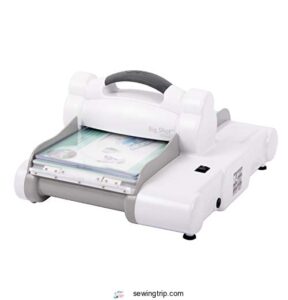
If hand fatigue is slowing you down, the Sizzix Big Shot Express might be exactly what you need.
It swaps the manual crank for a push-button motor, cutting through paper, cardstock, and fabric in one smooth pass.
The 6-inch cutting width keeps it compact at under 10 pounds, and it runs quietly — no complaints from shared workspaces.
It works with most Sizzix dies and embossing folders, though Bigz Plus and Pro dies are off the table.
| Best For | Crafters dealing with hand fatigue, arthritis, or repetitive strain who want fast, consistent cuts without the manual effort. |
|---|---|
| Cutting Width | 6 in |
| Material Types | Paper, cardstock, fabric, metal |
| Power Source | Electric (US/Canada AC) |
| Included Accessories | Extended platform, thin-die adapter, 2 cutting pads |
| Warranty | 1-year (2-year with registration) |
| Primary Use | Die cutting & embossing |
| Additional Features |
|
- Push-button motor does the heavy lifting — great for high-volume projects like cards, invitations, and scrapbook pages
- Runs quietly, so it won’t bother anyone in a classroom or shared workspace
- Works with most existing Sizzix dies and accessories, so switching over from a manual Big Shot is easy
- You have to hold the button down the whole time — there’s no hands-free auto-run
- Not compatible with Bigz Plus or Bigz Pro dies, which limits your options if you already own those
- Some users have reported motor issues and loose power connectors after extended use, with mixed experiences getting support
2. AccuQuilt GO Fabric Cutter
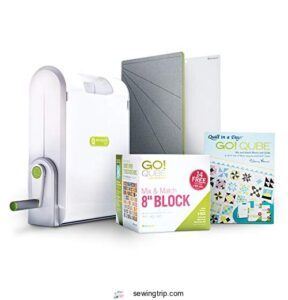
If you want to cut smarter without staring at a screen, the AccuQuilt GO is your machine. It processes up to six layers of quilting cotton in one pass — cotton, denim, batik, flannel, felt, you name it.
The 1/4-inch seam allowance is already built into every die, so your pieces come out ready to sew.
At around 15 pounds, it’s portable enough for retreats.
Users report cutting time drops by up to 90% compared to rotary cutters.
| Best For | Quilters of all skill levels — especially those with hand or shoulder issues — who want faster, more accurate fabric cutting without the hassle of rotary cutters. |
|---|---|
| Cutting Width | 17.01 in |
| Material Types | Cotton, wool, denim, leather, felt |
| Power Source | Manual (hand crank) |
| Included Accessories | 8-in Qube die set, strip cutter, mat, pattern book |
| Warranty | Not specified |
| Primary Use | Quilting & fabric cutting |
| Additional Features |
|
- Cuts up to six layers at once and works with tons of fabrics, from cotton to denim to felt
- Built-in 1/4-inch seam allowance means pieces come out sew-ready every time
- Great for anyone with arthritis or limited grip strength — very little pressure needed
- The upfront cost is pretty steep compared to a basic rotary cutter
- It’s bulky and heavy, so you’ll need a dedicated spot to store and use it
- Some dies can be hard to unpackage, and specialty shapes may be back-ordered
3. Cricut Maker 3 Smart Cutting Machine
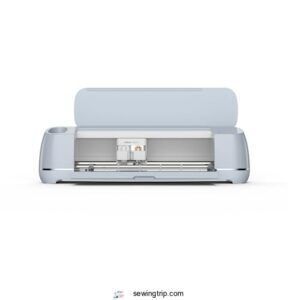
Where the AccuQuilt keeps things analog, the Cricut Maker 3 goes fully digital.
It cuts over 300 materials — fabric, vinyl, leather, balsa wood — using 13 interchangeable tools, including a rotary blade built for woven and knit textiles.
You get twice the cutting speed of older models, 10x the cutting force, and Smart Materials support for mat‑free runs up to 12 feet.
At $427, it’s a real investment, but for mixed-media makers who want one machine doing everything, it earns its counter space.
| Best For | Mixed-media makers, small business owners, and serious crafters who want one machine that handles cutting, engraving, writing, and more across a huge range of materials. |
|---|---|
| Cutting Width | 26.25 in |
| Material Types | 300+ types incl. vinyl, leather, cardstock |
| Power Source | AC adapter (US) |
| Included Accessories | None listed in box |
| Warranty | Not specified |
| Primary Use | Multi-material cutting & crafting |
| Additional Features |
|
- Cuts 300 materials with 13 interchangeable tools — fabric, leather, vinyl, balsa wood, you name it
- 2x faster and 10x more cutting force than older models, with mat-free Smart Materials support for long runs
- Wireless Bluetooth connectivity and a free design app make it easy to set up and use from any device
- At $427, it’s a serious investment — and tools, mats, and materials are all sold separately
- Design Space has a learning curve, especially if you’re new to cutting machines
- A few users report connectivity hiccups and inconsistent cuts in certain areas of the cutting mat
4. Cricut FabricGrip Adhesive Cutting Mat
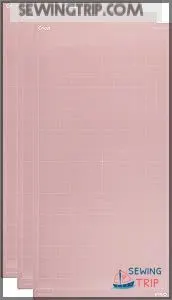
Every great cut starts with a mat that actually holds. The Cricut FabricGrip mat (12" × 24", sold in a 3-pack) is designed for exactly that — light‑grip adhesion that keeps cotton, denim, felt, and canvas locked in place without tearing fibers when you peel them off.
It’s reusable, washable, and built with higher‑density backing to handle real cutting pressure.
One heads-up: it is sticky out of the box, so blot it a few times before your first fabric run.
| Best For | Crafters and sewists who cut a lot of fabric with their Cricut and want clean, consistent results without wrestling their material into place. |
|---|---|
| Cutting Width | 12 in |
| Material Types | Fabric, felt, foam, cardstock |
| Power Source | N/A (accessory) |
| Included Accessories | 3 mats per pack |
| Warranty | Not specified |
| Primary Use | Fabric mat for die cutters |
| Additional Features |
|
- Holds fabric firmly during cuts without leaving residue or tearing fibers when you peel off
- Reusable and washable, so it stays in rotation longer and saves you money over time
- High-density backing handles real cutting pressure across a wide range of materials
- Comes out of the box very sticky — you’ll want to break it in before using it on delicate fabric
- Wears down faster with thick or abrasive materials like fleece or stabilizers
- Cleaning is a bit of a chore; lint tends to get stuck in the surface and takes some work to remove
5. Sizzix Big Shot Plus Die Cutting Machine
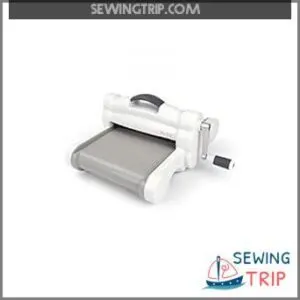
The Sizzix Big Shot Plus is built for crafters who’ve outgrown the standard Big Shot. That 9-inch opening accommodates full 8.5 × 11-inch sheets — no trimming, no compromising your design.
If you’re weighing long-term value, this die cutting machine comparison guide breaks down how the Big Shot Plus stacks up against competitors when you factor in consumable costs.
It’s manual, so there’s no software, no Wi-Fi, no drama. Just steady cranking and clean cuts through fabric, felt, cork, and cardstock.
It weighs around 17 lb, so it stays put on your table. Compatible with Bigz, Thinlits, and Framelits dies — just skip the Pro line.
| Best For | Crafters who regularly work with full-size sheets, quilting fabric, or oversized embossing folders and need a reliable, no-fuss manual cutting machine. |
|---|---|
| Cutting Width | 9 in |
| Material Types | Paper, fabric, felt, cork, balsa |
| Power Source | Manual (hand crank) |
| Included Accessories | Platform, 2 cutting pads, Adapter A & B |
| Warranty | Not specified |
| Primary Use | Die cutting & embossing |
| Additional Features |
|
- Fits full 8.5 × 11-inch sheets with no trimming needed, thanks to the wide 9-inch opening
- Works across a huge range of materials — paper, felt, cork, fabric, balsa wood, and more
- No power or software required, just crank and cut
- At 17 lb with a large footprint, it’s not easy to move around or store in a small space
- Extended use can be tough on your wrist — the crank occasionally kicks back under pressure
- Doesn’t support Sizzix Pro dies, and extra accessories like pads and magnetic plates cost extra
6. Sizzix Big Shot Plus Adapter G
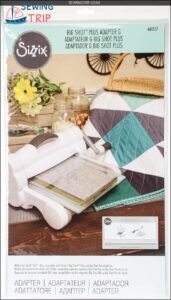
Think of Adapter G as the missing link between your Sizzix Big Shot Plus and your AccuQuilt GO! die collection.
This slim polypropylene shim — model 661517, barely 1/8" thick and under 4 oz — slots right into your cutting sandwich and lets both systems play nicely together.
No extra machine, no guesswork. It’s a smart, low-cost fix if you’re already invested in AccuQuilt dies, but love your Big Shot Plus.
Just note: it accommodates standard-size AccuQuilt dies only.
| Best For | Quilters and crafters who already own a Sizzix Big Shot Plus and want to use their AccuQuilt GO! dies without buying a whole new machine. |
|---|---|
| Cutting Width | 15 in |
| Material Types | Fabric (quilting/apparel) |
| Power Source | N/A (accessory) |
| Included Accessories | Single adapter plate |
| Warranty | Not specified |
| Primary Use | Die adapter for fabric cutting |
| Additional Features |
|
- Bridges two popular die-cutting systems with one cheap, simple piece of plastic
- Incredibly lightweight and easy to add or remove from your cutting setup
- Saves real money compared to buying a separate AccuQuilt machine just for fabric cutting
- Only works with standard-size AccuQuilt dies — bigger dies need a different adapter or the Big Shot Pro
- You still need a Sizzix Big Shot Plus or Pro machine, which is sold separately
- It’s an imported product, so shipping times or import duties could slow things down
7. Brother ScanNCut SDX85S Electronic Cutting Machine
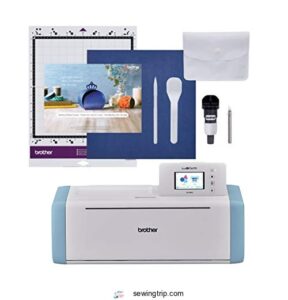
If you want one machine that genuinely works standalone, the Brother ScanNCut SDX85S is hard to ignore.
Its built-in 600 dpi scanner converts hand-drawn sketches directly into cut files — no computer needed.
The Auto-Blade sensor reads material thickness automatically, so you’re not fiddling with settings every time you switch from vinyl to felt.
It cuts up to 3 mm thick across a 12-inch width, includes 251 pre-loaded designs, and connects via Wi-Fi or USB for extra flexibility.
| Best For | Crafters, small business owners, and educators who want a true all-in-one cutting machine that works without a computer or complicated setup. |
|---|---|
| Cutting Width | 12 in |
| Material Types | Paper, vinyl, fabric, foam, balsa |
| Power Source | 120V AC (US) |
| Included Accessories | Auto-Blade, mat, stylus |
| Warranty | Not specified |
| Primary Use | Scanning, cutting & crafting |
| Additional Features |
|
- The built-in scanner turns hand-drawn art into cut files on the spot — no extra hardware needed.
- Auto-Blade detects material thickness automatically, so switching between vinyl, fabric, and cardstock is seamless.
- Quiet operation and offline design editing make it a great fit for classrooms or shared workspaces.
- The standard sticky mat can be too aggressive for delicate materials, so you may need to buy extra mats.
- It’s limited to 120V power, which means it won’t work outside the U.S. without a transformer.
- The footprint is bigger than it looks — the mat can stick out an extra 4–6 inches, so you’ll need a decent amount of desk space.
8. Silhouette Cameo 4 Bluetooth Machine
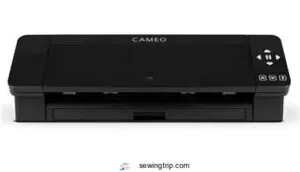
The Silhouette Cameo 4 is the machine that quietly does more than it lets on.
Its dual-motor system manages everything from thin vinyl to 3 mm cardstock, and the AutoBlade 2 adjusts depth automatically — no guesswork.
You get 12-inch cutting width, up to 5,000 g of force, and true mat-less cutting for faster workflows.
Bluetooth keeps your desk clean, and the built-in roll feeder manages long HTV runs without interruption.
Optional rotary blade unlocks fabric cutting without stabilizer backing.
| Best For | Crafters, DIYers, and small-business owners who cut a variety of materials — vinyl, HTV, cardstock, fabric — and want a reliable machine that handles most of the setup automatically. |
|---|---|
| Cutting Width | 12 in |
| Material Types | Vinyl, cardstock, fabric, HTV |
| Power Source | Electric (USB/Bluetooth) |
| Included Accessories | Mat, AutoBlade 2, 100 designs |
| Warranty | Not specified |
| Primary Use | Vinyl, HTV & multi-material cutting |
| Additional Features |
|
- AutoBlade 2 detects and adjusts blade depth on its own, so you spend less time tinkering and more time cutting
- Built-in roll feeder and cross-cutter make long vinyl or HTV runs way smoother — no stopping to reload
- Mat-less cutting saves time and reduces waste on paper and thin cardstock projects
- Silhouette Studio has a learning curve, and some users run into glitches (especially on Mac with print-and-cut)
- Bluetooth can be hit-or-miss out of the box — you might need a dongle to get it working reliably
- Fabric cutting sounds great, but the rotary blade you need for it is sold separately
Types of Fabric Cutting Machines
Not all fabric cutting machines are built the same, and knowing the difference can save you a lot of frustration before you spend a dime. The type you choose shapes everything — how fast you work, how precise your cuts are, and how much setup you’ll deal with every session.
Here’s a breakdown of the five main types worth knowing.
Manual Die-cutting Machines
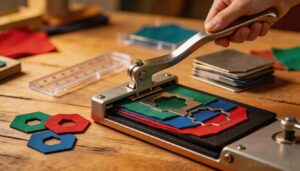
Manual die-cutting machines are the workhorses of the craft room — no software, no Wi‑Fi, just you and the material. Ergonomic lever drives the die bed with steady, even pressure, and die change speed is fast once you know the system.
Layer alignment guides and non‑skid mats handle feed stability well.
Noise levels stay low.
Die compatibility across brands varies, so check before buying.
For larger sheets, consider using flatbed die cutters for increased capacity.
Electric Fabric Cutting Machines
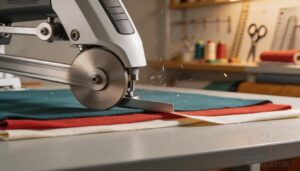
Electric fabric cutting machines are where speed meets serious output. Blade speeds hit up to 15,000 strokes per minute, slicing through multiple layers cleanly. Models like the AccuQuilt Go, Cricut Maker, Brother ScanNCut, and XTool S1 lead the pack with smart user interface design, blade change automation, and firmware updates that keep performance sharp.
- Consistent cuts across six fabric layers without repositioning
- Noise levels stay manageable, generally under 85 decibels
- Energy efficiency improves with variable speed motors
- Blade change automation reduces downtime mid-project
- Firmware updates add new material profiles over time
Digital and Electronic Cutters
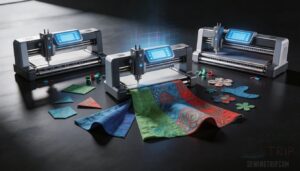
Digital cutters take everything electric fabric cutting machines do and integrate precision engineering. Servo Blade Control keeps tolerances tight — we’re talking 0.1 mm repeatability. Cloud Design Integration and AI Nesting Optimization mean less waste, faster setups.
| Feature | Benefit |
|---|---|
| Material Sensor Calibration | Adjusts blade depth automatically |
| Noise Level Management | Stays under 70 dB |
Cricut Maker, Silhouette Cameo 4, and AccuQuilt Go each leverage digital cutting software to handle complex patterns without extra dies.
Semi-automatic Fabric Cutters
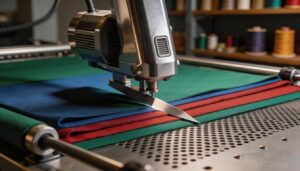
Semi-automatic fabric cutting machines sit right in the sweet spot between manual control and full automation. A motor-driven head manages the repetitive work, while you stay in charge of setup and batch decisions.
Roller Tension Control keeps layers flat, and a Vacuum Bed System prevents shifting mid-cut. Blade Life Monitoring and consistent cutting speed deliver reliable cutting precision across cotton, knits, and blends.
Commercial and Automatic Cutters
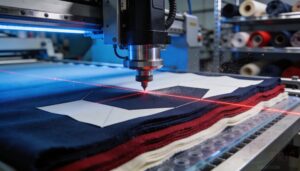
Step up to a commercial or automatic fabric cutting machine, and the game changes completely. These industrial fabric cutters run CNC-controlled gantries over fabric stacks 10–12 layers deep, with Vacuum Bed Technology holding everything flat.
Nesting Optimization software arranges shapes to cut waste dramatically. Add RFID Material Tracking, Automated Tool Change, and Blade Cartridge Life monitoring — and you’ve got a system built for serious, repeatable volume.
Key Features to Compare
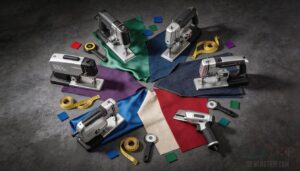
Not all fabric cutting machines are built the same, and the differences really do matter once you’re mid-project. Before you spend a dollar, there are six key features worth sizing up.
Here’s what to actually look at.
Cutting Width and Fabric Layer Capacity
Cutting width and layer capacity aren’t just specs — they’re the difference between a productive session and a frustrating one.
The AccuQuilt GO lets you cut through up to six layers of fabric in one pass, while the Sizzix Big Shot Plus offers a 9" opening for wider pieces.
Need 11½" wide cuts? The Cricut Maker 3 and Silhouette Cameo 4 both deliver.
Match your maximum cutting width to your typical fabric stack height before you buy.
Fabric-only Versus Multi-craft Capability
Some machines only cut fabric — others open a whole creative toolbox.
If you’re juggling projects, multicraft cutting capabilities matter more than you’d think. Multi-Media Software manages material detection automatically, and firmware expansion keeps adding new profiles over time.
Five reasons multi-craft wins:
- Cut vinyl, foam, and leather without switching machines
- Cross-Material Nesting reduces waste across mixed projects
- Fabric cutting automation carries over to non-fabric workflows
- Multimaterial cutting saves real money on accessories
- Warranty coverage often extends to all supported materials
Die, Blade, and Mat Compatibility
Not all dies, blades, and mats play nicely together — and that mismatch can wreck a project fast. Die Shank Sizes and Blade Holder Standards vary by brand, so die compatibility across different machines isn’t guaranteed.
Mat Adhesive Levels, Alignment Mark Systems, and Pressure Calibration all interact.
A rotary blade needs the right cutting mat, and cutting dies demand matched compatibility before you commit.
Portability, Weight, and Storage
When you’re hauling your setup to a quilt retreat, weight and compact footprint matter as much as cut quality. The Silhouette Cameo 4 hits around 4.5 pounds with travel-friendly design, while the AccuQuilt GO weighs about 9 pounds with portable accessories like wheeled totes.
Lightweight construction and smart storage solutions let you bring your portable cutting device anywhere without breaking your back.
Safety Features and Ease of Handling
Sharp blades deserve serious respect. That’s why modern machines integrate Guarded Blade Design and Emergency Stop Integration — stopping operation within 0.2 seconds when something goes wrong.
Non-slip Footprint keeps everything stable on your worktable, while Intuitive Controls and Adjustable Pressure Settings mean fewer mistakes across fabric weights.
Lightweight and portable builds make handling genuinely easy, so ergonomic considerations for quilters using handcranked cutters aren’t an afterthought anymore.
Material Range Beyond Quilting Cotton
Cotton is just the starting point. The right machine manages a full material lineup without flinching:
- Leather Compatibility — carbide blades deliver clean cuts up to 8 N/mm of force
- Denim Layering — mid-range models process 6 sheets with a 2–3 mm blade offset
- Stretch Knit Tension — roller guides keep synthetic fabrics flat and accurate
- Vinyl Suction Mats — high-vacuum systems prevent slipping on faux leather and canvas heavy frames
Manual Vs Digital Fabric Cutters
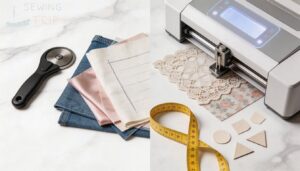
Choosing between a manual and digital fabric cutter isn’t just a preference — it shapes your entire workflow. Each type manages precision, speed, and design flexibility differently, so the right pick really depends on how you work.
Here’s how they stack up across the factors that matter most.
Precision and Repeatability
Both machine types can nail fabric cutting precision — but how they get there differs.
Manual die-cutters rely on mat flatness and force consistency through a spring-loaded platen, holding pressure within ±0.05 MPa. Digital cutters lean on blade calibration and alignment marks in software.
Either way, repeatability tolerances land around ±0.5 mm.
| Factor | Manual Die-Cutter | Digital Cutter |
|---|---|---|
| Repeatability Tolerances | ±0.5 mm | ±0.2–0.5 mm |
| Force Consistency | Spring platen | Force sensors |
| Alignment Marks | Die notches | Software registration |
| Mat Flatness Impact | High | Moderate |
| Blade Calibration Need | Low | High |
Speed for Quilting and Sewing Projects
Precision matters, but so does pace. Electric cutters hit 1.5–6.0 in/s with acceleration profile control, while manual die-cutters depend on your hand speed.
AccuQuilt cuts six layers per pass — serious layer stacking speed for quilting workflow optimization. Blade RPM tuning and nesting algorithms in software like Design Space also trim fabric cutting time savings considerably.
| Factor | Manual Die-Cutter | Digital Cutter |
|---|---|---|
| Layer Capacity | Up to 6 layers | Up to 3 layers |
| Cutting Speed | Hand-controlled | 1.5–6.0 in/s |
| Speed Optimization | None | Nesting algorithms |
Design Flexibility and Custom Shapes
Speed gets you far, but shape variety is where the real gap opens up.
Digital cutters like the Cricut Maker 3 and Silhouette Cameo 4 handle SVG import and adjustable scaling — resize one design to 2, 4, or 6 inches without buying anything extra.
Multi shape nesting lets you arrange several custom pieces on one mat per pass.
Manual die-cutters repeat shapes flawlessly, but custom die commissioning and design take time and money whenever you need something outside your existing collection.
Scan-to-Cut on the Brother ScanNCut turns a hand-drawn sketch into a cut path instantly.
| Feature | Manual Die-Cutter | Digital Cutter |
|---|---|---|
| SVG Import & Digital File Formats | Not supported | Full support |
| Adjustable Scaling | Fixed die size | Unlimited |
| Scan-to-Cut | Not available | Built-in (ScanNCut) |
| Multi Shape Nesting | One die per pass | Multiple shapes, one layout |
| Custom Die Design | Commission required | On-demand via software |
Software Setup and Learning Curve
Custom shapes are thrilling — until software setup stalls your momentum.
Cricut Design Space and Silhouette Studio both require account setup, design import, and tool calibration before your first cut. Manual systems like AccuQuilt GO skip all that. No Interface Navigation, no learning curve.
| Aspect | Digital Cutters | Manual Die-Cutters |
|---|---|---|
| Account Setup | Required | None |
| Interface Navigation | Design Space / Studio | Physical dies |
| Tutorial Resources | Extensive online guides | Printed instructions |
Power, Connectivity, and Device Requirements
Once software setup is behind you, power and connectivity become your next decision point.
Manual die-cutters like the AccuQuilt GO need zero power — no outlet, no firmware updates, fully standalone operation. Digital cutters need continuous power supply options, Bluetooth pairing, or USB connectivity to function.
| Feature | Digital Cutters | Manual Cutters |
|---|---|---|
| Power Required | Yes | No |
| Bluetooth/USB | Yes | No |
| Standalone Operation | Limited | Full |
| Device Needed | Phone/PC | None |
Best Choice for Beginners or Experienced Users
Your user skill level shapes everything here.
Beginners do best with the Sizzix Big Shot Express or AccuQuilt GO — minimal beginner setup, zero learning curve, no software.
Experienced users access serious high‑level customization through the Cricut Maker 3 or Silhouette Cameo 4.
| Factor | Beginner Pick | High‑level Pick |
|---|---|---|
| Tool Accessibility | AccuQuilt GO | Cricut Maker 3 |
| Learning Curve | Low | Moderate–High |
| Beginner Setup | Plug and cut | Software required |
| High‑level Customization | Limited | Extensive |
| Budget Considerations | Lower upfront | Higher total cost |
Cost, Maintenance, and Long-Term Value
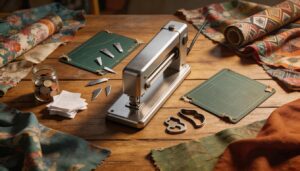
The price tag on a fabric cutting machine is just the beginning. Between replacement dies, fresh mats, and the occasional blade swap, the real cost builds up over time.
The sticker price is just the entry fee — dies, blades, and mats are where the real cost quietly accumulates
Here’s what you actually need to budget for before you commit.
Upfront Machine Price
The base price of a fabric cutting machine tells only part of the story. Entry-level manual cutters start around $60–$120, while mid-range digital models run $250–$500. High-end machines with scanners can hit $1,300.
Add shipping fees ($10–$40 domestic), taxes, duties, and warranty fees — and your actual budget commitment climbs fast. Always factor the full picture before buying.
Ongoing Costs for Dies, Blades, and Mats
Once you buy the machine, the real spending begins. Dies, blades, and mats are ongoing budget considerations for fabric cutting equipment that add up quietly.
Blade sharpening cost stays low since replacements run just a few dollars, but dense fabrics kill edges quickly.
Mat longevity tips like flipping and flat storage help.
Proprietary consumable prices and accessory subscription fees vary by brand — always check die compatibility before committing.
Replacement Accessories and Add-ons
Replacement accessories go deeper than just swapping a blade. Die Set Bundles from AccuQuilt and Sizzix run $60–$180, with individual dies around $10–$25, so die compatibility matters before you commit.
Blade Carbide Edges handle up to 5,000 cuts.
Mat Grip Levels vary — FabricGrip mats come in light, strong, and fabric‑friendly options. Adhesive Sprays revive sticky mats.
Protective Carrying Cases guard everything between projects.
Cleaning and Routine Maintenance
Neglect your machine, and it’ll repay you in miscuts and jammed rollers. Fabric cutting machine maintenance doesn’t need to be complicated — just consistent.
- Wipe surfaces with a dry microfiber cloth after every session for basic dust management.
- Handle mat conditioning every 3–6 months with manufacturer‑approved products.
- Perform sensor cleaning every six months using a lint‑free cloth.
- Schedule quarterly service checks: belt tension, blade lubrication, and electrical connectors.
- Calibrate blade height monthly — auto sharpening systems help, but manual checks still matter.
Durability and Expected Lifespan
How long will your machine actually last? That depends on the build and how you treat it.
| Machine | Expected Lifespan |
|---|---|
| AccuQuilt GO | 5–7 years |
| Cricut Maker 3 | 3–5 years |
| Brother ScanNCut SDX85S | 4–6 years |
| Silhouette Cameo 4 | 3–5 years |
Blade wear rate, gear fatigue, and frame corrosion resistance all factor in. Machines with sturdy metal construction and auto sharpening systems outlast plastic-heavy builds. Mat longevity suffers most from environmental impact — humidity accelerates wear quickly.
Overall Value for Hobbyists and Quilters
Value holds up well when you pick smart. Budget-friendly options like the AccuQuilt GO keep long-term savings real — yearly consumables run just $30–$120.
Accessory investment pays off fast, especially with strong user community support behind major brands. Resale value stays solid too, depreciating only 15–25% annually.
For DIY quilting tools, that’s an honest return on a well-considered buy.
Frequently Asked Questions (FAQs)
What is the best cutting machine for fabric?
Picking the perfect machine depends on your user skill level and project size. For quilters, the AccuQuilt GO Fabric Cutter wins. For versatility, Cricut Maker 3 leads.
What are the different types of fabric cutting machines?
There are five main types: manual die-cut, electric, digital, semi-automatic, and commercial. Each suits different project scales, from hand-cranked quilting dies to fully automated laser cutter systems.
What are common problems with cloth cutting machines?
Blade Dulling, Motor Overheating, Mat Adhesion Loss, Software Crashes, and Alignment Drift are the usual suspects.
Blade maintenance and regular cleaning keep most of these in check before they derail your workflow.
What is the best tool for cutting fabric?
The best tool depends on your project.
For quilting, a die cutter like AccuQuilt cuts six layers cleanly. For custom shapes, Cricut Maker 3 wins.
Scissors still shine on delicate, single-layer work.
Which fabric cutting method is best?
single fabric cutting method wins every time — rotary blade cutters nail edge quality on quilting cotton, while laser cutting manages intricate shapes flawlessly.
Match your method to material compatibility, speed vs accuracy needs, and project scale.
Which type of cutting machine is best?
It depends on your user skill, project scale, and material thickness. Manual suits precision-focused quilters; electric fits high-volume sewists. Noise level and maintenance frequency matter too.
Which Cricut machine cuts fabric the best?
Cricut Maker 3 wins, and it’s not even close. Rotary Blade Performance, Smart Material Speed, Blade Pressure Control, and Design Space Presets make it the undisputed champion of Fabric Cutting Machines.
Can fabric cutters handle patterned or textured fabrics?
Yes, most can — but setup matters. Adjust blade depth for pile height, verify pattern alignment before each run, and use texture-compatible mats for slip prevention.
Pressure calibration keeps cuts clean across fabric types.
How often do cutting blades need replacement?
Blade lifespan isn’t fixed — usage intensity and material wear call the shots. Light fabrics give you 8–12 hours; denim or leather cuts that to 4– Build an inspection routine before each project.
Can multiple fabric types be cut simultaneously?
You can, but it depends on layer compatibility and fabric weight.
Match similar fabrics, dial in your pressure settings, trust your mat grip, and always run a test swatch workflow first.
Conclusion
The right fabric cutting machine can transform your quilting experience, but the wrong one can leave you frustrated. As you weigh your options, remember that precision, versatility, and ease of use are key.
A reliable fabric cutting machine streamlines your workflow, saving time and reducing stress. By investing in the right tool, you’ll open up a world of creative possibilities.
Make an informed decision and start crafting with confidence, precision, and passion.
- https://help.cricut.com/hc/en-us/articles/360009504773-Which-materials-can-I-cut-with-my-Cricut-Explore-and-Cricut-Maker-machine-
- https://download.brother.com/welcome/doch102332/snc35_pl01endefrnlitesptruzhszhtkoja.pdf
- https://www.silhouette101.com/archives/cutting-fabric
- https://dictionary.cambridge.org/us/dictionary/english/crafting
- https://shrsl.com/3q6hr