This site is supported by our readers. We may earn a commission, at no cost to you, if you purchase through links.

The Singer SE340 sits in a sweet spot that most combo machines miss—it delivers genuine embroidery capabilities without the clunky interface that makes you want to throw your manual across the room. You get 200 built-in embroidery designs, a 4×4 hoop, and a touchscreen LCD that actually responds when you tap it. The free-arm design manages cuffs and sleeves without fighting you, and USB connectivity means you’re not locked into the factory patterns.
But like any machine with both sewing and embroidery functions, it has quirks you need to know before you buy. Thread tension issues pop up if you don’t dial in your settings, and the bobbin area demands regular cleaning or you’ll face skipped stitches.
Table Of Contents
Key Takeaways
- The SE340 delivers genuine 4×4 embroidery capability with 200 built-in designs and USB connectivity, but demands precise thread tension dialing and frequent bobbin area cleaning to prevent skipped stitches.
- You get a responsive touchscreen LCD that cuts through menu complexity, plus free-arm design for cuffs and sleeves, making day-to-day operation straightforward once you master the machine’s rhythm.
- Match needle size to fabric weight and test tension on scraps first—the SE340 handles medium-weight wovens and lighter denim well, but heavy fabrics push it beyond its mechanical limits.
- Regular maintenance takes minutes and prevents most problems: clean lint from the bobbin weekly, swap needles every 8-12 hours of stitching, and verify correct threading when skipped stitches or jamming occur.
Singer SE340 Features and Specifications
The Singer SE340 combines sewing and embroidery into one computerized machine that puts serious capability in your hands. You’ll find a touch panel LCD that simplifies control, adjustable stitch settings for precision work, and a free-arm design that handles sleeves and cuffs without a struggle.
Here’s what makes this machine tick and how each feature gives you the flexibility to handle different projects.
Touch Panel LCD and Navigation
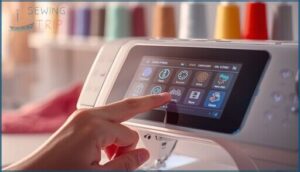
The Singer SE340’s touch panel LCD puts control at your fingertips with immediate response time and high-contrast icon legibility. Screen brightness adjusts for any workspace, while menu shortcuts cut through complexity during sewing machine operation. For users who want similar advanced features in a computerized sewing and embroidery combo, the Brother LB6800PRW Project Runway edition offers a comparable touch-screen interface with built-in design options.
You’ll navigate stitch settings and embroidery modes without hunting through layers of menus. If touch calibration drifts, the built-in diagnostic runs quick adjustments to restore precision and keep your Singer SE340 maintenance simple. When comparing Singer’s interface design to Brother’s menu structure, you’ll notice Singer prioritizes touch-first navigation that reduces the learning curve for new users.
Regular maintenance is essential to prevent methodological flaws that could affect performance.
Built-in Stitch and Embroidery Options
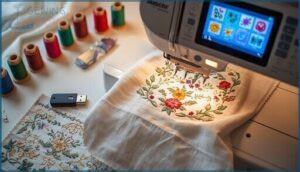
Once you master navigation, you access powerful stitch variety and embroidery patterns through the LCD menu. The Singer SE340 delivers utility stitches for garment construction alongside decorative options perfect for custom embroidery techniques. Design editing lets you rotate, mirror, and combine patterns before stitching, while USB connectivity opens your embroidery machine to external libraries. If you’re comparing embroidery-focused models, the Brother PE525 embroidery machine offers a similar feature set with a slightly different hoop size and design library.
Three standout capabilities set this model apart: For beginners looking to master these tools, comprehensive sewing machine user guides walk through essential accessories and how to use them effectively.
- Built-in embroidery designs accessible through user-friendly selection menus
- Adjustable pattern sizing directly on the LCD screen
- Synchronized speed control for consistent sewing precision across all embroidery techniques
Thread management stays straightforward as you switch between sewing techniques and creative projects. Most computerized sewing machines with foot pedal control also include USB ports for loading custom embroidery patterns directly into memory.
Adjustable Stitch Length and Width
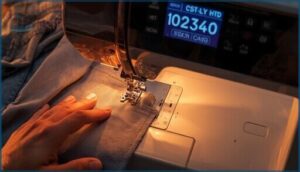
Fine-tuning your seam allowance on the Singer SE340 begins with adjusting stitch length and width controls. These settings are managed through precise increments on the LCD interface, allowing you to match fabric density and achieve the desired finish. Always test scraps first to confirm thread tension and stitch balance before working on final pieces. Short stitches are ideal for heavy materials, while longer stitches prevent puckering on lightweight fabrics.
| Setting | Best For |
|---|---|
| Short stitch length | Dense materials, reinforced seams |
| Long stitch length | Lightweight fabrics, basting |
| Wide stitch width | Zigzag edges, decorative finishes |
Free-Arm and Extension Table
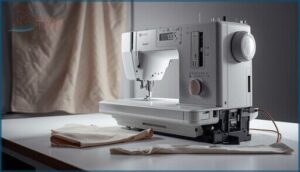
Switch from flat surface to free-arm mode by removing the extension table in seconds. This exposes the cylindrical arm for cuffs, sleeves, and narrow tubular pieces—tasks that become nearly impossible without arm accessibility.
The extension table itself provides stable fabric support for quilting and large projects, expanding your sewing surface and preventing material drag.
Both configurations rely on compatible presser feet and accessory mounting for best performance.
Sewing and Embroidery Performance
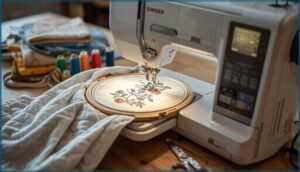
The SE340 manages both everyday sewing tasks and intricate embroidery work with solid precision. Your results depend on selecting the right stitch type, understanding how the embroidery functions operate, and matching thread to fabric.
Here’s what you need to know about its real-world performance across different sewing and embroidery applications.
Straight, Zigzag, and Decorative Stitches
You’ll get the most out of your SE340 by understanding its three core stitch families. Stitch length controls seam density and fabric feed—longer for basting, shorter for delicate work. Adjust stitch width on zigzag to finish edges or add stretch to seams. Thread tension tweaks prevent puckering, and sewing speed affects stitch quality across decorative stitching projects.
- Straight stitches handle construction seams with adjustable length for fabric selection
- Zigzag width accommodates stretch fabrics while preventing fraying
- Decorative patterns require tension and speed adjustments to avoid stitch problems
Embroidery Design Selection and Editing
Precision matters when choosing embroidery designs on the SE340. Use the touch panel to preview patterns, check stitch counts, and confirm hoop sizes for a perfect fit.
Design Editing tools let you resize, rotate, or mirror embroidery designs within the embroidery machine’s limits. Manage colors by swapping threads at set points.
Stick to supported file formats for smooth embroidery software workflow.
USB Embroidery Stick and Pattern Access
Load embroidery designs onto your Singer SE340 using the USB embroidery stick—just insert it into the machine’s USB port and navigate through the touch panel. File compatibility matters: use supported formats like PES or DST for smooth pattern loading.
Organize patterns in the root directory for quick access. If designs don’t appear, reformat your USB stick to FAT32 or check for file corruption during digital storage transfers.
Fabric Compatibility and Results
Fabric types drive your stitch quality and embroidery results on the SE340. Use all-purpose polyester thread on cotton and blends, ballpoint needles for knits to prevent skipped stitches. Medium-weight wovens sew cleanly with 80/12 needles.
Adjust thread tension on scrap samples first—proper fabric handling with stabilizers reduces puckering on delicate materials. Match stitch density to fabric stretch for consistent sewing machine performance.
Ease of Use and User Experience
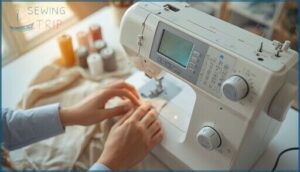
The Singer SE340 won’t overwhelm you with complicated controls or confusing menus. Getting started is straightforward, and most functions work the way you’d expect them to.
Here’s what you need to know about operating this machine day-to-day.
Setup Process and Controls
Power on sequence starts with your Singer SE340 manual’s threading guides. You’ll calibrate the LCD screen first, then follow on-screen prompts. Control navigation uses the home button functions to switch modes and adjust settings.
If you run into threading issues, the instruction manual walks you through each step. Always test your sewing machine on scrap fabric before starting your project.
Beginner-Friendly Functions
Sewing machines can feel overwhelming, but the Singer SE340 takes the guesswork out. User guides on the LCD walk you through Quick Start steps, from threading to simple stitching. Beginner modes let you practice basic stitches without digging through the manual.
- Easy navigation via touch panel reduces button confusion
- Pre-set stitch options eliminate trial-and-error for new sewers
- On-screen prompts guide fabric and tension adjustments
- Automatic tension settings prevent common sewing troubleshooting headaches
Accessory Integration and Presser Feet
Once you’re comfortable with the basics, swapping out presser feet unlocks the SE340’s full range. The quick-change shank accepts standard low-shank presser feet, so you can snap on a zipper foot, buttonhole foot, or embroidery foot in seconds.
Teflon feet help you glide over vinyl and leather without sticking.
Just remember to adjust your foot height when switching between sewing accessories and embroidery modes for consistent results.
LCD Home Button and Menu Navigation
After changing accessories, the LCD display becomes your command center. The home button returns you straight to the main menu—though it won’t save work in progress, so finish your pattern first.
Navigate the touch screen using on-screen arrows to scroll through stitch options and settings. The instruction manual shows each button function clearly, making interface design straightforward even during machine maintenance or sewing machine troubleshooting.
Maintenance and Troubleshooting Tips
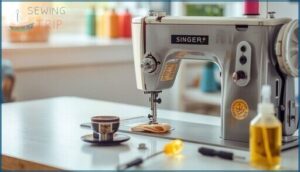
Your Singer SE340 runs best when you keep it clean and address small problems before they turn into bigger headaches.
Regular maintenance takes just a few minutes and prevents most common stitching issues.
Here’s what you need to know to keep your machine in top shape and troubleshoot problems quickly.
Cleaning The Bobbin and Lint Removal
Lint buildup under your bobbin case can wreck stitch quality fast. Pull out the bobbin and use a small brush to clear thread fragments and dust from the housing. Wipe the shuttle race with a lint-free cloth, then reseat the bobbin correctly.
Test a few stitches on scrap fabric to confirm smooth operation. Clean this area every few projects to prevent headaches down the road.
Thread Tension and Needle Issues
Thread tension problems and needle damage often go hand in hand on your sewing machine. If you’re seeing skipped stitches or puckering, check your tension dial first—make small adjustments and test on scrap fabric.
- Replace dull or bent needles immediately to prevent thread breakage
- Match needle size to fabric weight for better stitch quality
- Inspect the needle plate for snags that catch thread
Wrong needle type ruins fabric compatibility fast.
Regular Maintenance Checklist
Every week, tackle machine cleaning and bobbin maintenance to keep your SE340 running smoothly. Drop a bit of pivot point lubrication on metal joints quarterly, and swap needles every 8–12 hours of stitching. Follow this sewing machine maintenance schedule to prevent thread and needle issues:
| Task | Frequency |
|---|---|
| Clean lint from bobbin area | Weekly or every 8–10 hours |
| Check needle plate for burrs | Monthly |
| Apply light machine oil | Every 6–12 months |
| Inspect belts and drive gears | Quarterly |
| Professional servicing | Every 12–24 months |
Thread management and needle maintenance keep your troubleshooting guide visits rare.
Common Problems and Quick Fixes
Most problems trace back to thread issues or bobbin problems that you can fix in minutes. When thread tangles at the needle plate, rethread the upper path and check your tension adjustment. Skipped stitches signal a dull needle—swap it immediately.
For machine jamming or stitch errors, clean the bobbin case and verify correct threading. This troubleshooting guide covers fabric and stitch problems without needing machine maintenance and repair.
Included Accessories and Compatibility
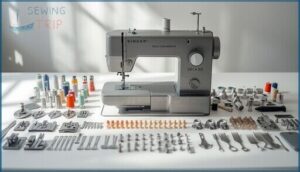
The Singer SE340 comes with a solid set of accessories right out of the box, plus it’s compatible with a range of add-ons you can grab later.
Understanding what’s included and what works with your machine helps you get the most out of every project.
Here’s what you need to know about the feet, tools, and extras that work with the SE340.
Standard and Optional Presser Feet
Your Singer SE340 comes with a standard presser foot for everyday sewing, but swapping in optional foot accessories unlocks serious stitch precision across different fabrics. The right sewing attachments let you tackle zippers, hems, and decorative work without fighting the material.
- Zipper foot – Slides close to zipper teeth for clean, professional installations
- Walking foot – Feeds thick layers evenly, perfect for quilting or slippery fabrics
- Blind hem foot – Guides fabric for invisible hems on pants and curtains
Match your presser foot types to your sewing techniques and you’ll see immediate improvements.
Embroidery Unit and Hoop Options
Your Singer SE340 embroidery unit snaps onto the machine bed in seconds, giving you access to intricate embroidery designs without complicated unit installation. The included hoop sizes usually range from 4×4 to 5×7 inches, letting you scale patterns to fit your project.
Use the embroidery foot for design precision, and remember that hoop materials must grip fabric firmly during stitching—loose hoops cause misalignment fast.
Hard Cover, Bobbins, and Tools
Your Singer SE340 arrives with protective cases, bobbin types, and tool kits that keep everything organized. The hard cover shields your sewing machine during storage, while plastic bobbins let you prep multiple thread colors.
Your accessory bundles include lint brushes, screwdrivers, and seam guides—essential sewing accessories and tools for quick troubleshooting. Check your manual’s packing list to confirm what’s included.
Compatible Software and Upgrades
Your SE340 accepts embroidery files via USB transfer when you format drives correctly and follow the directory structure. Firmware updates arrive through Singer’s support portal—back up your designs first to avoid data loss during installation.
Software compatibility lists show which third-party design editing programs export stitch files your computerized embroidery machine recognizes. Check upgrade paths regularly to keep your sewing machine current with new formats.
Frequently Asked Questions (FAQs)
What is the difference between Singer Legacy SE300 and SE340?
You’ll notice right away the SE340’s embroidery hoop opens wider than the SE300, letting you tackle bigger designs.
The touch panel responds faster, and you get more built-in patterns plus better USB compatibility.
What is the best singer model?
No single Singer model rules them all—your best match depends on your home sewing needs and budget-friendly options.
Compare features like built-in stitches, best embroidery features, and motor reliability across sewing machine reviews before choosing.
Can a Singer sewing machine do embroidery?
Yes, certain Singer models handle embroidery with a dedicated embroidery unit and software. The Singer SE340 sewing and embroidery machine includes an embroidery unit, offering embroidery basics while recognizing stitch limitations compared to high-end embroidery machines.
Is Singer sewing machine still in business?
The iconic brand endures through licensed distributors and corporate partnerships worldwide. Singer sewing machines remain available today, maintaining their business operations and product support through regional arrangements that preserve the Singer legacy across modern sewing machine lines.
What is a singer legacy se300 sewing & embroidery machine?
The Singer Legacy SE300 is a computerized combo machine that pairs everyday sewing with built-in embroidery patterns, a touch LCD, and USB design loading—ideal for hobbyists ready to tackle stitching and decorative projects.
What’s the difference between singer legacy se300 & se340?
The devil’s in the details: the SE340 packs built-in embroidery patterns with digital navigation, while the SE300 sticks to simpler mechanical sewing controls—making upgrade paths and feature sets distinctly different between these Singer Legacy models.
How many stitches does a singer legacy se300 have?
The exact stitch count for Legacy models like the SE300 isn’t publicly confirmed by Singer.
Most sources list 60 to 99 built-in stitches, but you’ll need the official manual to verify the precise sewing capacity.
What features do you get with a singer legacy se300?
You get built-in stitch options, integrated embroidery patterns with USB design transfer, adjustable stitch length controls, an LCD touch panel for navigation, plus a free arm and extension table for varied sewing projects.
Can the SE340 handle heavy fabrics like denim?
You can tackle lighter denim with the right needle and thread tension adjustments, but heavy denim pushes the Singer SE340 beyond its sweet spot.
Fabric stabilization and frequent maintenance help prevent motor strain on thick materials.
What is the maximum embroidery hoop size supported?
The Singer SE340’s embroidery area maxes out at 5 x 7 inches with standard hoops. Hoop compatibility depends on your embroidery unit—larger optional hoops work if your machine accommodates them.
Conclusion
The Singer SE340 won’t hold your hand through every hiccup, but it gives you the tools to work through them. Keep the bobbin area clean, dial in your tension settings, and you’ll get consistent results across both sewing and embroidery projects.
The learning curve flattens quickly once you understand the machine’s rhythm. For sewers ready to expand their skillset without overspending, this combo unit delivers the capabilities you need with straightforward mechanics you can actually troubleshoot yourself.
- https://www.embroiderymachine.biz/
- https://academichelpexpress.blog/2024/08/please-use-the-bulleted-points-and-the-rubric-below-to-guide-your-work-your-pa/
- https://x.com/godofprompt/status/1990526288063324577
- https://www.sciencedirect.com/science/article/pii/S0749208123000268
- https://pmc.ncbi.nlm.nih.gov/articles/instance/9553038/bin/pone.0275964.s005.docx