This site is supported by our readers. We may earn a commission, at no cost to you, if you purchase through links.
You’ve spent half an evening crawling around the floor, matching A4 corners and coaxing stubborn tape into place. Meanwhile, your fabric sits untouched, waiting for the real work to begin. If you’re nodding along, you’re definitely not alone.
The old ways demand patience, but a sewing projector changes everything—unrolling pure possibility right onto your cutting table.
Before you leap at the promise of instant patterns and precision cuts, read this before buying a projector for sewing patterns. There are game-changing features, frustrating pitfalls, and some wild surprises you won’t want to miss.
Table Of Contents
- Key Takeaways
- Why Use a Projector for Sewing Patterns
- Essential Features in Sewing Projectors
- Choosing The Right Projector for Your Space
- Top 7 Projectors for Sewing Patterns
- Projector Setup for Sewing Pattern Projection
- Calibrating and Using Digital Sewing Patterns
- Common Challenges and Expert Solutions
- Frequently Asked Questions (FAQs)
- Conclusion
Key Takeaways
- Switching to a sewing projector eliminates tedious printing and taping, letting you project digital patterns directly onto fabric for faster, cleaner prep.
- The right projector should offer high brightness (2,000+ lumens), accurate image calibration, and flexible throw distance to ensure crisp, true-to-size patterns in any sewing space.
- Careful setup—including secure ceiling mounting, a flat matte surface, and regular calibration—is key to maintaining pattern accuracy and avoiding distortion or scaling errors.
- Embracing digital patterns with cloud storage, layered file support, and smart organization streamlines your workflow and gives you instant access to any size or style you need.
Why Use a Projector for Sewing Patterns
If you’re tired of the old paper-and-tape routine, a projector might just change how you sew for good. There are plenty of reasons why more sewists are making the switch.
Let’s break down what makes this approach such a breakthrough.
Eliminate Printing and Taping
Paperless crafting isn’t just a buzzword—it’s a bold move toward real sewing efficiency. By using digital sewing patterns and pattern projection, you dodge the mountain of printing and taping. Here’s why you’ll never want to go back:
Paperless crafting transforms sewing into pure efficiency by ditching printing and taping in favor of seamless digital pattern projection
- No wasted paper
- Eco friendly workflow
- No tape or scissors for prep
- Fabric savings upfront
- Instant access to digital patterns
This approach to sewing also improves overall text analysis skills by streamlining the workflow.
Faster and More Accurate Fabric Cutting
Cutting efficiency isn’t just a catchphrase—it’s a genuine freedom you feel with sewing pattern projection. One push of a button, and your digital sewing tools lay out precise lines on the fabric. You can align, magnify, and fine-tune with accuracy tools built for sewing precision.
This method maximizes fabric savings and ensures sharp, optimized cuts every single time. By utilizing sophisticated study guide resources, sewers can improve their skills and achieve professional results.
Eco-Friendly and Cost-Saving Benefits
Once you lock in those accurate cuts, you’re slashing more than just fabric—you’re taking a clear stand against waste. Projector sewing leans hard into Eco-Friendly and Paperless Sewing Techniques.
Less paper, more sustainable materials, and real cost savings in your pocket. That’s the smart intersection of Waste Reduction, Green Manufacturing, and stylish, Eco-Friendly Sewing Practices.
Growing Trend Among Home Sewists
If there’s one thing shifting fast in the Sewing Community, it’s how Home Sewing now blends Sewing Technology with flair. You’ll spot more folks swapping cluttered patterns for Pattern Projection right on fabric. Why’s this trend catching fire? Check out the top reasons:
- Less mess
- Instant pattern access
- Precise Fabric Cutting
- Community-driven tips
- Room for new creativity
Essential Features in Sewing Projectors
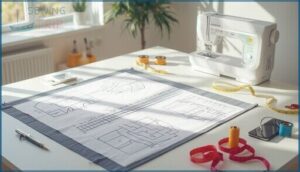
You need a projector that keeps up with your sewing ambitions, not one that holds you back. Let’s look at the key features that set the best models apart. Each one plays a role in making your sewing setup smoother and your results sharper.
Brightness (Lumens) for Room Lighting
Think your old desk lamp is bright enough? Think again. Lumen Ratings make or break projector clarity for sewing rooms—especially under daylight. Aim for 2,000–3,000 lumens for everyday use; crank it up to 3,500+ in bright rooms.
The right Brightness Settings paired with smart Projection Surfaces and good Color Accuracy keep every fine line crisp, no guesswork required.
Throw Distance and Projection Size
Across any sewing table, a solid grasp of Throw Distance and Projection Calculations puts you in the driver’s seat. Ultra Short Throw or Short Throw models work wonders in tight quarters, scaling your pattern big and bold without wasting space.
Careful Image Scaling and Display Calibration guarantee precision—follow the Projector Selection Guide and keep that Throw Ratio dialed in for spot-on results.
Keystone Correction and Focus Adjustment
Imagine this: perfect pattern lines start with sharp focus and straight projection. Keystone Calibration and Lens Shift Adjustment turn what could be a wonky mess into crisp, true-to-size layouts, no matter your table angle.
Prioritize Focus Precision—manual rings or auto systems—so every curve stays sharp.
Short Throw or Ultra Short Throw? Both demand proper Projection Alignment to dodge Image Distortion.
Connectivity Options (Wi-Fi, USB, Etc.)
Tired of juggling cables and cards just to bring your designs to the cutting mat? Modern sewing projectors offer a buffet of connectivity options—Wi-Fi for wireless pattern imports, speedy USB transfer for offline work, Bluetooth pairing for hands-free tools, and cloud integration for instant updates. Don’t ignore HDMI, either—it’s your safety net when WiFi throws a tantrum.
- Wireless Connectivity (Wi-Fi)
- USB Transfer convenience
- Bluetooth Pairing and controls
- Network Sharing & Cloud Integration
Choosing The Right Projector for Your Space
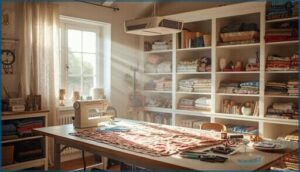
Every sewing room is different, so the projector you pick should fit your space—not just your wish list.
Before you buy, think through where and how you’ll use it. Here’s what you need to think about next.
Assessing Sewing Room Dimensions
Let’s get real—Room Size makes or breaks your projector setup. In a tight Sewing Space, know your Projection Distance and map out at least 3 square meters.
Bright Lighting Conditions? You’ll want higher lumens. Don’t sleep on Wall Texture either—a smooth matte finish means crisper lines.
Proper Sewing Room Organization ensures you don’t end up wrestling with shadows or clutter.
Ceiling Height and Mounting Considerations
A wobbly projector overhead isn’t just annoying—it wrecks your sharpest pattern lines. Dial in your Ceiling Clearance: aim for 6–8 feet between your CeilingMounted Projector and the mat for proper Projection Angles.
Get real with these essentials:
- Adjustable Mounting Options matter for alignment
- A Universal Ceiling Projector Mount adds flexibility
- Secure safety tethers to prevent disaster
- Check Throw Ratio and Short Throw for tight spots
Workspace Illumination and Surface Type
You’ve tuned your mounting—now let’s tackle Illumination Standards and Projection Surfaces. Layer your Sewing Room with smart Lighting Controls: 3000–4000 lumens rating keeps patterns clear, even on busy days. Matte, low-gloss projection surfaces (think: white or light gray) sharpen edges and kill glare.
Surface Reflectance and thoughtful Ambient Management aren’t just details—they’re the backbone of impeccable Sewing Space Organization.
Power Source Preferences
Power Options aren’t just about plugging in and hoping for the best—think Outlet Safety, Voltage Requirements, and Energy Efficiency before you even hang your Projector.
AC power is king for reliability, but Battery Life matters for Portable Projectors or backup needs.
For maximum convenience, look for Wifi or Bluetooth Wireless Connectivity, and USB-C options that simplify cable chaos in creative spaces.
Top 7 Projectors for Sewing Patterns
Choosing the right projector can be a game changer for your sewing setup. Below you’ll find seven standout options worth your attention. Let’s see which one might fit your sewing space best.
1. Portable Full Hd Home Projector
![[Built in Apps & Auto Focus/Keystone] B0BG2GFCGD](https://sewingtrip.com/wp-content/uploads/2025/12/built-in-apps-auto-focuskeystone-b0bg2gfcgd-300x300.jpg "Read This Before Buying a Projector for Sewing Patterns: Expert Guide 2025 1")
Demand precision? The Portable Full HD Home Projector delivers clear pattern lines thanks to crisp 1080p display quality and reliable image stability—even if your sewing nook keeps changing.
You’ll appreciate throw distance flexibility for large pattern pieces, plus auto keystone correction that makes projector calibration a breeze. Unlike some fussy short throw or mini projectors, this portable design manages real sewing rooms with shifting light.
Projector reviews praise how quickly you can get started—just place, power up, and project patterns directly onto fabric.
Best For: Home sewists or crafters who want an easy-to-use projector that quickly displays crisp patterns in changing room conditions.
- Clear 1080p display keeps pattern lines sharp, even on fabric.
- Auto focus and keystone correction make setup fast and frustration-free.
- Flexible throw distance covers big pattern pieces and different spaces.
- Keystone auto-correction can be a little touchy for fine pattern alignment.
- Not ideal for very bright rooms or commercial-grade projects.
- Lens cap is loose and projector may not read all external hard drives.
2. Portable Full Hd Mini Projector
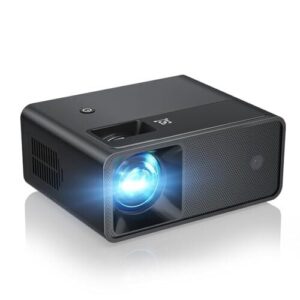
Craving flexibility? Portable Full HD Mini Projectors pack a punch in tiny bodies. Don’t let their size fool you—modern mini projectors deliver an HD display sharp enough for crisp pattern outlines and fine seam allowances.
Choosing models with upwards of 1,500 lumens ensures solid visibility, especially for cutting lines on light fabric. Most feature ultra short throw capabilities, so you can work inches from the table edge.
Portable devices mean your next burst of sewing accuracy is always at hand wherever inspiration strikes.
Best For: Makers, sewists, and creatives who need a lightweight, full HD projector they can easily move between home, studio, and travel spots.
- Crisp 1080P full HD support with uniform brightness for accurate pattern projection.
- Ultra-portable, easy to set up, and connects to nearly any device via HDMI or USB.
- Excellent for home cinema, sewing rooms, presentations, or outdoor movie nights.
- No WiFi or Bluetooth, and cannot stream Netflix, Prime, or Hulu content.
- Limited brightness may struggle in sunny or brightly lit spaces.
- Slight fan noise and no built-in battery mean you always need an outlet and good airflow.
3. Portable Mini Cookie Projector Device
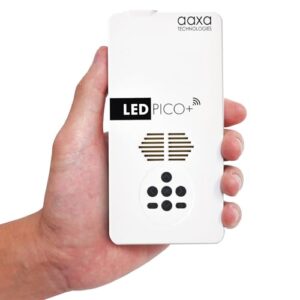
Here’s a secret weapon for nimble makers—portable mini projectors designed for cookie decorating but perfect for precise pattern work. Lightweight, battery-powered, and boasting a sharp 1080p display, these mini projectors are champions for weaving new life into sewing accessories.
With keystone correction, ultra short throw optics, and a decent lumens rating, you can project sharp lines even in daylight. Quick projector calibration means your next pattern leap is minutes away, wherever your creativity strikes. Talk about freedom packed in a mini device!
Best For: Makers who want a lightweight, high-res projector for cookie decorating, sewing, or pattern transfers on the go.
- Sharp native 1080p image and portable for use anywhere.
- Wireless screen mirroring and versatile input options make setup easy.
- Built-in battery offers true cordless flexibility for short sessions.
- Battery lasts only 2.7 hours and there’s no battery indicator.
- Won’t stream protected content like Netflix or Prime Video.
- Some users report reliability and durability can be hit or miss.
4. Epson High Brightness Projector System
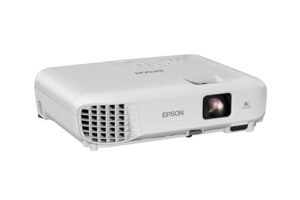
Precision meets practicality with the Epson Powerlite 475W and other top models from Epson Projectors. Thanks to a generous lumens rating and flexible brightness settings, your patterns stay crisp in any light.
Display quality soars with 1080p native resolution, while an ultra short throw design means you won’t be fighting shadows. Image calibration is a breeze—lens shift and keystone correction lock in perfect alignment.
Set it up, tweak your angles, and watch your pattern lines pop with professional clarity, no paper required.
Best For: Crafters, educators, and professionals who need sharp, flexible projection for patterns, presentations, or entertainment in a variety of lighting conditions.
- Vivid, bright images even in rooms with moderate ambient light
- Flexible setup with lens shift, keystone correction, and versatile connectivity
- Ultra short throw design minimizes shadows and fits tight spaces
- HDMI cable and carrying case are not included
- May not suit extremely large venues or very bright environments
- Some users report issues with video playback and sound quality
5. Benq Projector Carry Case Protector
Let’s talk Projector Protection on the move. The Benq Projector Carry Case Protector is your best bet if you’re wrangling the BenQ MW632ST or other short throw projectors for sewing pattern projection.
Built for travel safety, this case’s molded compartments keep every accessory organized and ready to go—no more hunting for your remote or tangled cords. Water-resistant and padded for impact, it’s a must-have storage solution whether you’re storing your Sewing Pattern Projector at home or carrying it to your next workshop.
Best For: Educators, hobbyists, and frequent travelers looking to safely transport and organize BenQ short throw projectors and their accessories.
- Durable, water-resistant design protects against bumps and spills.
- Molded compartments and built-in organizers keep everything in place.
- Lightweight and portable, making travel hassle-free.
- Only fits certain BenQ projector models like the GV31 and GV50.
- Not immune to heavy impacts or submersion in water.
- Size and weight may be bulky for some users.
6. Smart Outdoor 4K Projector System
![[1000 ANSI/Google Store/Voice Control] 4K B0DZ72JTGZ](https://sewingtrip.com/wp-content/uploads/2025/12/1000-ansigoogle-storevoice-control-4k-b0dz72jtgz-300x300.jpg "Read This Before Buying a Projector for Sewing Patterns: Expert Guide 2025 5")
Think outdoor projection is a gimmick? Think again. The Smart Outdoor 4K Projector System brings advanced sewing technology to your garden, patio, or pop-up studio—no glaring sun or shadowy corners required.
With 1,500+ ANSI lumens, HDR10, and razor-sharp 4K support, you get pattern visibility and projection accuracy even at dusk.
Built-in smart calibration and ambient light detection adjust your image on the fly. It’s efficient pattern projection in open air, with wireless casting and short throw flexibility you won’t believe until you use it.
Best For: Makers, quilters, and sewing enthusiasts who want crisp, high-contrast pattern projection outdoors—even at dusk or in tricky ambient light.
- Exceptional pattern clarity with 4K support, HDR, and bright 1,500 ANSI lumens for evening or shaded setups
- Fast wireless pattern sharing and voice controls reduce setup time so you spend more time making, less time fiddling
- Smart calibration and auto keystone keep lines sharp and true with minimal manual tweaking
- Not ideal for direct sunlight or bright midday conditions—twilight and shade work best
- Some learning curve for calibration and remote features, especially for first-time users
- Android platform can lag; adding a streaming stick like Roku may yield smoother performance
7. Alvar Ultra Bright Home Projector
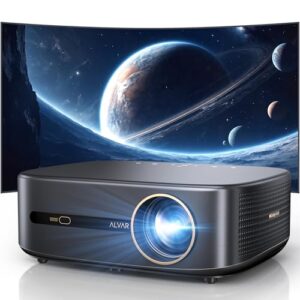
The Alvar Ultra Bright Home Projector is the powerhouse you want when image quality can’t be left to chance. We’re talking 4,000 ANSI lumens—enough brightness to fight back daylight and make every sewing pattern line crystal clear.
It nails projection distance with flexible throw options, and projector calibration is painless thanks to keystone adjustment and manual focus. You get ultra short throw technology, perfect for smaller spaces, along with sophisticated brightness settings so your pattern projection stays sharp no matter the task.
Best For: People who need crystal clear patterns and ultra-bright visuals in both small sewing rooms and larger, well-lit spaces.
- Exceptionally bright at 4,000 ANSI lumens for daylight use.
- Flexible throw and alignment features make setup easy in any space.
- Sharp 1080p native resolution keeps pattern lines and details crisp.
- Manual focus and adjustment may take extra time to get right.
- Designed mainly for pattern projection, so may not have top-tier streaming features.
- Higher brightness might come with more noticeable fan noise.
Projector Setup for Sewing Pattern Projection
Getting your projector set up the right way makes all the difference in your sewing routine. There are a few key steps to nail before you can start projecting your patterns onto fabric.
Here’s what you’ll need to think about next.
Ceiling Mounting and Secure Installation
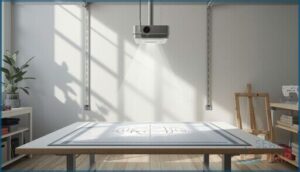
Want a projection that never slips or shifts? Invest in a sturdy ceiling bracket with secure fastening designed for your projector’s weight capacity. Short throw or ultra short throw models thrive with stable mount stability—no more wobbles.
Ceiling mounting reduces vibration, cuts out distractions, and grants you full control. Solid installation today means fewer headaches and perfect patterns tomorrow.
Calibration Tools and Methods
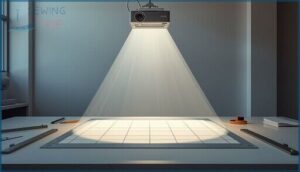
A rock-solid ceiling mount sets you up for success, but the real power move is calibration. Pattern projection never lies—line up your tools and let your projector shine:
- Lens Shift for smooth realignment
- Keystone Correction that erases distortion
- Trustworthy color accuracy for every fabric
- Grid calibration keeps measurements razor-sharp
- Weekly checks maintain impeccable projection mapping
Creating a Flat Cutting and Projection Surface
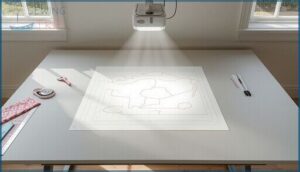
After calibration, don’t let a bumpy surface throw off your aim. A flat cutting area transforms pattern projection accuracy and makes fabric alignment a breeze. Surface preparation is everything—matte white masonite or PVC boosts clarity, keeping seam allowances honest.
Here’s a quick reference on sewing surfaces:
| Surface Type | Key Advantage |
|---|---|
| Matte Masonite | Top light diffusion |
| PVC Panel | Crisp pattern lines |
| Cutting Mat | Easy blade slides |
| Painted MDF | Durable for years |
| Edge Guide | Seam precision |
Connecting Devices and Managing Cables
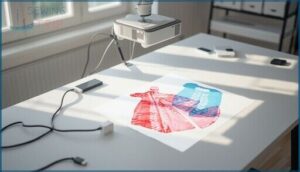
Once your projection surface is set, mastering cord organization is next. Good cable management keeps your sewing spot safe—no more tripping on stray HDMI lines or power cords.
Plug in with a centralized power strip, and neatly route cables along the edge out of your workspace.
Embrace wireless connectivity—WiFi, even Bluetooth—where possible, to declutter and keep signal quality strong.
Calibrating and Using Digital Sewing Patterns
Before you can cut a single piece of fabric, you’ll need to get your digital sewing patterns set up just right. There are a few important steps that make the difference between smooth sailing and total frustration.
Here’s what you should know before you get started.
Pattern File Formats (PDF, SVG, A0)
Ever get bogged down by messy, hard-to-scale sewing patterns? Digital file formats are your ticket out of that paper chaos. For smooth pattern projection, keep these at the top of your list:
- PDF Patterns: universal file compatibility and easy format conversion
- SVG vector graphics: perfect for crisp scaling and editing
- A0 digital storage: ideal for large-format pattern projection
No more paper jams.
Scaling Accuracy and Grid Overlays
Precision isn’t a luxury—it’s the baseline you deserve when working with digital sewing patterns. With projection calibration dialed in and grid alignment locked tight, projectors for sewing eliminate the mystery from scaling factors and pattern projection.
Digital overlays and live accuracy metrics let you see line-for-line if your sewing pattern projector is truly in sync. That’s the real power of sewing technology trends.
Using Layered Patterns for Multiple Sizes
Layered Pattern overlays are a breakthrough for real-world sewing. Want Multi Size Projection without printing three versions of a pattern? Toggle size layers in your PDF sewing patterns—no more second-guessing Digital Scaling.
With Size Grading built right in, your Sewing Pattern Projector delivers instant, color-coded Pattern Overlay for every body, slashing cutting time and keeping your workflow sharp.
Cloud Storage and Pattern Organization
Digital sewing runs on organization. When you store PDF Patterns in secure cloud libraries, you get real-time Data Synchronization, built-in Pattern Backup, and easy cross-device access.
Smart File Organization—naming, tagging, separating drafts—simplifies retrieval during project sprints.
Cloud Security keeps your Sewing Pattern Design safe, turning your digital library into a high-powered, modern workspace for serious sewing technology users.
Common Challenges and Expert Solutions
Nobody said mastering projector sewing would be smooth. Like any new tool, it comes with a handful of quirks that can catch you off guard.
Here’s what to watch for and how to handle the most common snags.
Pattern Distortion and Scaling Errors
Nothing throws you off like discovering your pattern pieces don’t match—even though you swear the projector was dead-on. Lens distortion and projection errors creep in fast, especially if your setup isn’t perfectly flat or your fabric warps.
Careful image calibration, checking scale accuracy, and knowing the limits of keystone correction are your reality check for crisp, reliable sewing patterns every time.
Visibility in Daylight and Ambient Light
Ever tried chasing pattern lines through daylight glare, only to have them vanish? You’re not alone. Daylight Visibility will make or break your setup.
Dial up Brightness Settings—aim for at least 2,000 lumens—and master Ambient Light Control. Matte Projection Surfaces boost Image Quality like magic, while high Resolution and good Color Accuracy keep Short Throw Projectors razor-sharp, even under tough lighting.
Aligning Patterns for Large Fabric Pieces
Taming Fabric Alignment across a wide table is no guessing game—it’s a technical dance. To master Large Scale Cutting with Pattern Projection, try this:
- Use Grid Overlay for reference points.
- Rely on sharp Projection Calibration.
- Secure fabric edges.
- Double-check pattern lines for Pattern Distortion.
- Prioritize flat, stable surfaces to keep your Sewing Patterns crisp.
Maintaining Measurement Accuracy
Flat fabric alone won’t cut it—tight measurement tolerances demand respect. Every sharp pattern projection risks scaling errors if you skip smart Calibration Methods.
Projection drift can sneak in, throwing off your lines month to month. Make quarterly accuracy audits your habit.
Utilize grid overlays and reference squares to catch hidden errors—the unsung heroes of modern sewing technology for reliable pattern projection and impeccable fabric cutting.
Frequently Asked Questions (FAQs)
What is a sewing projector?
A sewing projector is an imaging device that beams digital patterns straight onto your fabric. With this technology, you skip paper, tracing, and taping—just instant pattern projection for sewing, sharper cuts, and vastly quicker workflow.
Should you buy a sewing projector?
Looking to boost sewing efficiency, cut costs, and go eco-friendly? A projector for sewing brings serious pattern accuracy and a faster setup.
If you value user experience and want fabric projection freedom, pattern projection is worth considering.
How do I start sewing using a projector?
First, nail your Sewing Room Setup and prep a stable surface.
Run Projector Calibration with a test square, manage Digital Pattern files, and use smart Projection Techniques.
Fabric Preparation and accurate pattern projection turn digital sewing into smooth fabric cutting.
How does a file projector differ from other projectors used in sewing?
Ever wonder why file projection stands out in sewing technology? Unlike generic sewing displays, file projectors focus on image fidelity and tight pattern calibration, delivering accurate sewing patterns without distortion. They’re the secret sauce in next-gen projection technology.
What kind of projector do I need for sewing patterns?
You’ll want a projector that delivers high sewing resolution and crisp pattern clarity on fabric. Prioritize adjustable image brightness, display calibration features, and native 1080p for detail.
Focus on projector types that support smooth sewing with projectors in your space.
How to set up a projector for patterns?
Set up your projector by mounting it for proper Projector Alignment above a matte Projection Surface.
Handle Cable Management, prep your workspace for Screen Preparation, and run Image Calibration—essential steps for accurate Sewing Patterns when sewing with projectors.
What do I need to look for when buying a projector?
Look for projector brands known for crisp image quality, a high lumens rating (2,500+ for brightness), flexible throw distance, adjustable keystone feature, and a reliable throw ratio.
Mini and short throw projectors often suit sewing rooms best.
What is a Ditto pattern projector?
It’s no accident the Ditto pattern projector is everywhere in Digital Sewing circles—this mini projector brings bold Projector Accuracy and easy Pattern Calibration, projecting Sewing Patterns right onto your fabric for fast, precise Fabric Projection and cutting.
What are the top projector brands for sewing?
Top picks from experienced sewists include Epson for 4K performance, BenQ for reliable color, Optoma for portability, and ViewSonic for flexible throw options.
Anker Nebula Mini Projector also shines in Projector Reviews for Sewing Tech newcomers.
How do you maintain a sewing projector?
Like a master tailor tending cherished shears, you’ll want routine Projector Cleaning, Vent Cleaning, Filter Maintenance, and Calibration Checks.
Regular Lamp Replacement and minimal Keystone Correction keep your Sewing Projector sharp—protecting Lamp Life and your investment in sewing technology and tools.
Conclusion
If you rush in blind, picking the wrong sewing projector is like sewing a parachute with your eyes closed—wildly risky and oddly tempting. But with these must-knows at your fingertips, you’ll dodge frustration, own your setup, and create with the freedom you crave.
Seriously, read this before buying a projector for sewing patterns—your fabric (and sanity) will thank you. Now, go ahead and turn your sewing table into the most powerful creative space in the house.