This site is supported by our readers. We may earn a commission, at no cost to you, if you purchase through links.
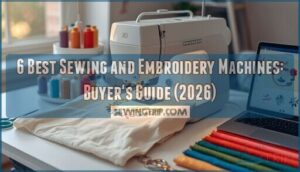
Your machine jams mid-stitch on a custom logo you’ve been perfecting for two hours. The thread tension goes haywire. The bobbin runs out during a delicate monogram. These aren’t rare disasters—they’re Tuesday afternoon when you’re working with the wrong equipment.
The best sewing and embroidery machine doesn’t just prevent these headaches; it transforms how you approach textile projects, whether you’re stitching heirloom quilts or launching a small embroidery business. Choosing the right model means understanding which features actually matter for your workspace, your skill level, and the specific projects you tackle week after week.
Table Of Contents
Key Takeaways
- The right combination machine balances dual priorities: you need solid sewing fundamentals (20+ built-in stitches, automatic needle threader, adjustable tension) alongside powerful embroidery capabilities (4×4 to 6×10 inch hoops, 400-850 stitches per minute, automatic thread cutting).
- Your workspace dimensions and project types determine machine selection more than feature lists—garment sewing demands 850-1100 stitches per minute with strong presser foot pressure, while quilting requires adjustable embroidery areas and drop feed mechanisms for fabric control.
- Brother models consistently dominate the market by delivering wireless design transfer, responsive touchscreens, and reliable warranty coverage that turns breakdowns into quick fixes, though you’ll pay $549-$1,399 depending on hoop size and built-in design libraries.
- Regular maintenance prevents costly repairs: remove lint from the bobbin area every 8-12 hours, replace needles every 8 hours of sewing, and verify your brand offers accessible service networks with genuine replacement parts shipped within 2-5 days.
What to Look for in Sewing and Embroidery Machines
Shopping for a combination machine means juggling two sets of priorities at once—you need solid sewing basics and powerful embroidery capabilities under one hood.
Before you commit, check out this detailed comparison of computerized embroidery machines to see how combo models stack up against standalone units.
The right features can make the difference between a machine that grows with your skills and one that collects dust in six months. Let’s break down what actually matters when you’re comparing models, starting with the sewing essentials that form your foundation.
Essential Sewing Features to Consider
A solid foundation in sewing technology starts with adaptable stitch quality—look for machines offering at least 20 built-in stitches including straight stitch, zigzag, and blind hem. Automatic thread cutting saves time between seams, while adjustable thread tension (ranging 0-5) ensures fabric compatibility from delicate silks to heavy denim. Sewing speed control, automatic needle threaders, and drop-in bobbins make these sewing features essential according to sewing machine reviews.
- Automatic needle threader reduces eye strain and frustration during thread changes
- Free arm design lets you tackle cuffs, sleeves, and hems without awkward repositioning
- Built-in LED lighting illuminates your needle plate for precise stitching in any workspace
- Quick bobbin winding system keeps projects moving without constant interruptions
- Quiet operation under 70 decibels means late-night sewing won’t disturb your household
For added peace of mind, choose a sewing machine with sturdy construction, as outlined in.
Key Embroidery Features to Look For
Once you’ve mastered basic sewing, embroidery features separate hobbyists from serious creators.
Computerized embroidery machines deliver color accuracy through precise thread tension control, while embroidery speed ranging 400-850 stitches per minute balances quality with productivity. The embroidery area determines your canvas—most machines offer 4×4 to 6×10 inch hoops.
Automatic thread cutting eliminates manual snips, and stitch density settings between 0.4-0.8 mm guarantee professional fills without fabric damage.
Understanding your production volume requirements can help you choose a machine that keeps up with both your current projects and future growth.
Available Designs and Customization Options
Your design libraries determine creative freedom—entry-level sewing embroidery machines include 100-300 built-in embroidery designs, while high-end models pack over 1,000 motifs covering floral, geometric, and seasonal patterns.
Custom uploads via USB or Wi-Fi accept DST, PES, and EXP formats for textile design flexibility. On-device editing tools let you resize, rotate, and mirror designs before stitching, with machine embroidery software enabling density adjustments that prevent puckering on delicate fabrics.
Font Patterns and Monogramming Capabilities
Beyond decorative patterns, monogramming features enable personalization—most sewing and embroidery machines include 5-15 font styles ranging from serif classics to flowing script monogram styles.
Look for adjustable font sizes from 0.25 to 4 inches to match garment openings, variable stitch density settings that prevent thread buildup on thick fabrics, and custom uploads accepting TTF formats for unlimited embroidery effects.
Factors to Consider Before Buying
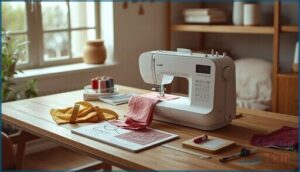
Before you hand over your hard-earned cash, you need to think beyond the machine’s features and consider how it fits into your actual life.
The right embroidery machine depends on your workspace, the types of projects you’ll tackle, and the support you’ll get after purchase. Let’s break down the practical factors that separate a smart investment from buyer’s remorse.
Workspace and Portability Considerations
Your bench setup matters just as much as the machine itself. Most home sewing machines need a 24 by 18 inch desk with 6 inches of clearance for fabric flow, while machine weight ranges from 12 to 23 pounds for portable models.
Here’s what to measure:
- Desk space for the embroidery area and touchscreen access
- Storage options like built-in compartments for presser feet
- Travel cases that fit cabin baggage dimensions (22 by 16 by 12 inches)
- USB port and cord placement relative to your outlet
- Ergonomic design features like carrying grips and adjustable stands
Compact units under 15 pounds won’t strain your back when you relocate between rooms or workshops.
Type of Projects and Machine Suitability
Project planning drives machine selection more than any feature list. Before you invest, map your embroidery scaling needs and fabric selection range—garment sewing demands 850 to 1100 stitches per minute, while quilting and embroidery projects require adjustable areas from 6 by 4 inches to 8 by 12 inches for design adaptation and stitch optimization across DIY crafting projects.
| Project Type | Machine Requirements |
|---|---|
| Garment sewing and clothing production | Fast stitch rate (850-1100 stitches/min), strong presser foot pressure up to 15 newtons |
| Home quilting and decor embroidery | Adjustable embroidery area (6×4 to 8×12 inches), drop feed mechanism for fabric control |
| Heavy canvas or denim work | High torque motor, zigzag widths from 1.0 to 6.0 millimeters for decorative stitches |
| Free motion quilting projects | Darning stitch option, 7-piece feed dog system for stable feeding on slippery materials |
Brand and Warranty Importance
Your machine investment hinges on solid brand reputation—Brother, Baby Lock, and Janome consistently deliver quality controls and structured firmware updates. Check warranty terms (1 to 5 years) covering mechanical defects, and confirm access to local repair services using genuine parts.
Customer support networks with authorized technicians keep your embroidery machine running when projects demand reliability, not downtime.
Speed Options and Stitch Quality
Speed settings from 600 to 1200 stitches per minute let you balance embroidery precision with throughput, but stitch density and thread tension must adapt to each fabric interaction.
Slower speeds (200–400 SPM) suit dense appliqués and delicate fabrics, while medium-weight wovens handle higher rates without skipped stitches. Look for sewing machines and embroidery machines offering micro-step speed adjustments—50 SPM increments give you fine control over sewing stitches and embroidery features.
Top 6 Best Sewing and Embroidery Machines
After sorting through features and specs, I’ve narrowed it down to six machines that consistently deliver quality results. Each one brings something different to the table, whether you’re just starting out or you’ve been stitching for years.
Here’s what made the cut and why these models stand out from the crowd.
1. Brother Sewing And Embroidery Machine
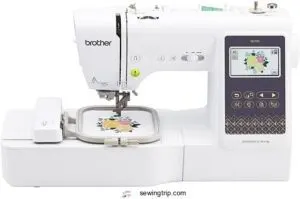
Brother SE700 bridges the gap between casual crafting and professional embroidery work. This 15.6-pound machine delivers 135 built-in designs and 10 fonts through a responsive 3.7″ touchscreen, while wireless LAN lets you beam custom patterns from your phone via Artspira.
You’ll work within a 4″ x 4″ embroidery field—compact but sufficient for monograms, patches, and small motifs. The auto needle threader saves setup time, though some users find it temperamental. At this price point, you’re getting dual-purpose functionality without the industrial footprint.
| Best For | Hobbyists and home sewers who want to tackle both everyday sewing projects and small custom embroidery without investing in two separate machines. |
|---|---|
| Built-in Stitches | 135 designs |
| Screen Type | 3.7″ touchscreen |
| Embroidery Field | 4″ x 4″ |
| Wireless Connectivity | Yes |
| Weight | 15.6 lbs |
| Needle Threader | Auto needle threader |
| Additional Features |
|
- Wireless file transfer through Artspira app makes adding custom designs dead simple
- Touchscreen interface keeps you from hunting through confusing button menus
- Auto needle threader handles the fiddly work when it cooperates
- 4″ x 4″ embroidery area rules out larger designs like full jacket backs
- Needle threader works great until it doesn’t—some users report inconsistency
- You’ll need to budget extra for threads, specialty needles, and any design software beyond the basics
2. Singer Sewing And Embroidery Machine
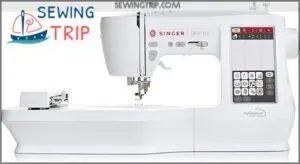
Singer’s 15.5-pound workhorse packs 250 sewing stitches and 150 embroidery designs into a metal-and-plastic frame measuring 19″ x 8″ x 12″. The 7-inch color touchscreen outshines Brother’s smaller display, while MySewnet Wi-Fi lets you control the machine from your phone—though connectivity hiccups frustrate some users.
You get automatic needle threading and a top drop-in bobbin for quick thread swaps. Just know that thread breaks and limited hoop sizes plague certain batches, and Singer’s customer support lags behind Brother’s responsiveness.
| Best For | Sewists who want a feature-packed machine with embroidery capabilities and smartphone control, as long as they’re prepared to troubleshoot occasional connectivity and threading issues. |
|---|---|
| Built-in Stitches | 250 stitches |
| Screen Type | 7″ touchscreen |
| Embroidery Field | Not specified |
| Wireless Connectivity | Yes (MySewnet) |
| Weight | 15.5 lbs |
| Needle Threader | Automatic needle threader |
| Additional Features |
|
- 250 stitches and 150 embroidery designs give you tons of creative options for any project
- Large 7-inch touchscreen makes navigation easier than smaller competitor displays
- Automatic needle threader and top drop-in bobbin speed up setup and thread changes
- Thread breaks, needle breaks, and bobbin tangles happen more often than they should
- Wi-Fi connectivity can be unreliable, and the MySewnet app doesn’t always connect smoothly
- Limited hoop sizes and underwhelming customer support leave you stuck when problems arise
3. Singer Quantum Stylist Sewing Machine
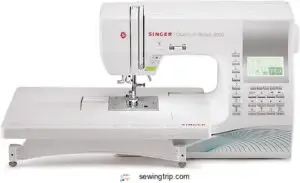
If embroidery isn’t on your radar, the Singer Quantum Stylist 9960 delivers pure sewing power with 600 built-in stitches and 13 automatic buttonhole styles. The color LCD screen simplifies stitch selection, while the automatic needle threader and thread trimmer eliminate tedious hand work.
At $549.99, you’re paying for a responsive DC motor and wide throat space—perfect for quilting thick layers. Just expect a learning curve; the 14.6-pound machine demands manual-reading before you tap into its full potential.
| Best For | Sewers who want a feature-packed machine with tons of stitch variety for quilting, garment-making, and home décor projects without needing embroidery functions. |
|---|---|
| Built-in Stitches | 600 stitches |
| Screen Type | Top drop-in display |
| Embroidery Field | No embroidery |
| Wireless Connectivity | No |
| Weight | 14.6 lbs |
| Needle Threader | Automatic needle threader |
| Additional Features |
|
- 600 stitches and 13 buttonhole styles give you creative freedom for almost any sewing project
- Automatic needle threader and thread trimmer save time on repetitive tasks
- Wide throat space and powerful DC motor handle thick fabric layers easily
- Steep learning curve—you’ll need to study the manual to unlock all features
- Heavier at 14.6 pounds, so not the easiest to move around
- Some users report the automatic needle threader can be finicky to use
4. Brother Embroidery Sewing Machine
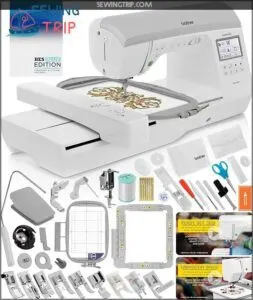
When you need true hybrid capability, the Brother NQ3550W steps up with 291 built-in stitches and a generous 6 x 10 embroidery field—ideal for jacket backs and home decor.
The 3.67 color touchscreen lets you resize and rotate 258 built-in designs, while wireless connectivity and the included BES BLUE software (Windows only) grant access to 800+ patterns and 199 fonts. At 49.9 pounds, this machine won’t wander during high-speed runs, though new users should budget time for the manual.
| Best For | Experienced sewers and embroiderers who tackle large projects like jacket backs, home décor, and custom apparel and want both sewing and embroidery in one machine. |
|---|---|
| Built-in Stitches | 291 stitches |
| Screen Type | 3.67″ LCD touchscreen |
| Embroidery Field | 6″ x 10″ |
| Wireless Connectivity | Yes (WLAN) |
| Weight | 49.9 lbs |
| Needle Threader | Included |
| Additional Features |
|
- Extra-large 6″ x 10″ embroidery field handles bigger designs without re-hooping
- Includes BES BLUE software with 800 designs and 199 fonts for serious creative flexibility
- Wireless connectivity and color touchscreen make editing and transferring designs effortless
- BES software only works on Windows, leaving Mac users out
- 49.9-pound weight makes it difficult to move or transport
- Steep learning curve for beginners with no prior embroidery experience
5. Brother Disney Sewing Embroidery Machine
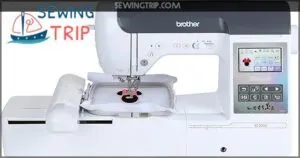
For Disney fans craving themed projects, the Brother Disney 100th Anniversary model bundles 100 downloadable Disney patterns with 241 built-in stitches and 13 embroidery fonts across a 5 x 7 embroidery field.
The Artspira mobile app lets you create custom designs and transfer them wirelessly, while the 3.7 touchscreen controls on-screen editing. At 38.6 pounds, it’s portable enough for classes, though some buyers report slow registration for the Disney design code and occasional repackaged units.
| Best For | Disney enthusiasts and embroidery hobbyists who want themed designs alongside versatile sewing capabilities for custom projects and monogramming. |
|---|---|
| Built-in Stitches | 241 stitches |
| Screen Type | 3.7″ touchscreen LCD |
| Embroidery Field | 5″ x 7″ |
| Wireless Connectivity | Yes (Artspira) |
| Weight | 38.6 lbs |
| Needle Threader | Included |
| Additional Features |
|
- 100 Disney embroidery patterns plus 241 stitches give you tons of creative options right out of the box
- Artspira app makes designing and transferring custom patterns easy with wireless connectivity
- 5×7 embroidery field with color sort and jump stitch trimming handles detailed work efficiently
- Registration issues can delay access to the Disney design library
- Some customers receive used or repackaged machines instead of new ones
- Slow customer service response times when problems come up
6. Brother Computerized Sewing Embroidery Machine
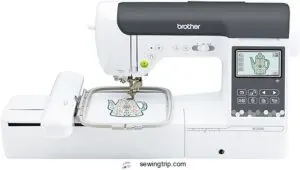
If you want wireless design transfer without themed characters, the Brother SE2000 delivers 241 sewing stitches, 193 embroidery designs, and 13 monogramming fonts across a 5 x 7 field.
The Artspira app streams 50 free patterns and lets you create custom embroidery from photos, uploading via wireless LAN or USB. Its 3.7″ touchscreen guides on-screen editing, color sort, and automatic jump stitch trimming. At $1,399.99, you get reliable wireless connectivity, though threads and stabilizers cost extra.
| Best For | Sewists who want wireless design transfer and a solid mix of built-in stitches and embroidery patterns without paying extra for licensed character designs. |
|---|---|
| Built-in Stitches | 241 stitches |
| Screen Type | 3.7″ touchscreen |
| Embroidery Field | 5″ x 7″ |
| Wireless Connectivity | Yes (LAN) |
| Weight | 38 lbs |
| Needle Threader | Included |
| Additional Features |
|
- Wireless LAN and Artspira app let you send custom designs from your phone or computer without plugging in cables
- 241 sewing stitches and 193 embroidery designs give you plenty of creative options right out of the box
- Automatic jump stitch trimming and color sort save time on multi-color embroidery projects
- No carrying case, extension table, or embroidery supplies included—you’ll need to buy those separately
- Artspira app requires a subscription fee that some users find steep
- Only works with US voltage (120V), so international users need a converter
Comparing Sewing and Embroidery Machine Features
You’ve seen the top machines, but now it’s time to compare what actually matters when you’re ready to buy.
The right combination of features can make or break your embroidery experience, whether you’re stitching logos on team uniforms or adding custom designs to quilts.
Here’s what separates a frustrating purchase from one that’ll have you creating professional-quality work right out of the box.
Hoop Sizes and Embroidery Area
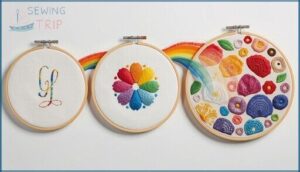
Hoop size basics determine what you can actually create on your machine—not every embroidery area is created equal. When reading embroidery machine reviews, pay attention to these critical factors that affect your embroidery features and final results:
- 4×4 hoops yield about 3.9×3.9 inches, perfect for pockets and monograms
- 5×7 hoops provide roughly 4.9×6.9 inches for logos and medium designs
- 8×12 hoops offer 7.9×11.8 inches for jacket backs and large quilts
- Fabric tension must stay consistent across larger embroidery areas to prevent puckering
- Stitch density planning prevents thread breaks in broad, flat designs
Smart hoop selection for your sewing and embroidery machines directly impacts project success and production speed.
Wireless and USB Design Upload
Modern sewing and embroidery machines deliver designs through USB ports or wireless connectivity, with USB 2.0 transferring at 12 to 480 megabits per second while USB 3.0 cuts loading times further.
File management systems organize patterns by name, date, and stitch count, making retrieval simple. Wireless transfers use Bluetooth or Wi-Fi direct with encryption for data security, though firmware updates often improve upload speeds and format compatibility across embroidery features.
Touchscreen Navigation and Controls
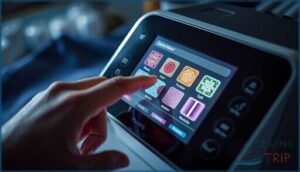
Your fingertips control every stitch when sewing and embroidery machines feature full-color LCD touchscreens ranging from 3 to 10 inches. Brother and other manufacturers refine navigation tools through labeled icon grids and haptic feedback that confirms each selection with subtle clicks.
- Menu systems divide sewing and embroidery functions into dedicated sections with breadcrumb trails preventing confusion in nested settings
- Screen protectors and anti-glare coatings maintain readability under bright studio lighting while ergonomic design angles reduce wrist strain
- Navigation tools include grid overlays for precise design placement and real-time stitch simulation before you start embroidering
Automatic Thread Cutting and Tie-Off
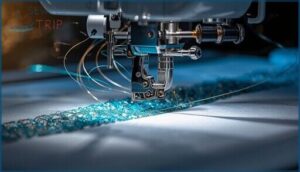
Automatic thread cutting saves hours across hundreds of seam finishes when solenoid-driven blades or wire cutters trim top and bottom threads instantly. Brother sewing and embroidery machines pair this with automatic tie-off sequences—short lock stitches that prevent unraveling before the blade replacement cycle begins.
Cutter maintenance demands regular lint removal and periodic blade replacement, while embroidery integration synchronizes cuts at color stops without interrupting dense fill areas.
Maintenance and Support for Embroidery Machines
Your embroidery machine is only as good as the proper maintenance you put into it, and that’s where manufacturer support become deal-breakers.
The difference between a machine that runs smoothly for years and one that frustrates you after six months often comes down to cleaning habits, warranty coverage, and access to replacement parts. Here’s what you need to know to keep your investment running like new.
Cleaning and Regular Maintenance Tips
Your sewing and embroidery machine performs best when you treat it like the precision tool it is. Regular upkeep prevents costly repairs and keeps stitch quality consistent across every project you tackle.
- Lint removal from the bobbin area every 8 to 12 hours prevents thread jams and feed dog buildup
- Needle replacement every 8 hours of sewing ensures clean fabric penetration without snags
- Thread care includes cleaning tension discs before projects and storing spools away from sunlight
- Machine oil tips: apply single drops to designated joints monthly, wiping excess to avoid fabric staining
Customer Support and Warranty Services
Breakdowns happen, but strong warranty coverage and responsive support turn frustrations into quick fixes. When you’re evaluating any sewing and embroidery machine, prioritize brands like Brother that back their products with accessible service networks and clear warranty claims processes.
When buying a sewing and embroidery machine, prioritize brands like Brother that offer strong warranty coverage and responsive support networks to turn breakdowns into quick fixes
| Support Feature | What You Get | Response Time |
|---|---|---|
| Live chat assistance | 24/7 troubleshooting and warranty claims | Immediate |
| Email support | Non-urgent technical questions | 1 business day |
| Phone hotline | Urgent repairs and warranty issues | Business hours |
| Authorized service centers | In-person diagnostics within 50 miles of metro areas | 7–14 days for repairs |
Most manufacturers cover defects in materials and workmanship for 12 months, with some extending embroidery module coverage to 24 months. Registration within 30 days activates your coverage, and claims submitted through official portals usually receive evaluation in 3–5 business days. For your sewing machine comparison research, check whether the embroidery machine buying guide mentions genuine replacement parts, local repair options, and customer feedback on claim turnaround—these details separate reliable brands from those that leave you stranded mid-project.
Accessory and Parts Availability
Once you’ve sorted out warranty claims, the real test is whether you can actually get the parts when you need them. Major brands stock presser feet and embroidery hoops within 2–5 days, while bobbins and needles ship next-day from regional distributors across North America and Europe.
- Spare parts like belts and screens arrive in 2–5 days from authorized centers
- Accessory timelines vary—common hoops ship fast, specialty kits take 2–6 weeks
- Consumable availability keeps bobbins, stabilizers, and thread in stock year-round
Check cross compatibility before ordering third-party accessories, since locking mechanisms and hoop sizes differ between models.
Frequently Asked Questions (FAQs)
What is the best sewing and embroidery machine combo?
The Brother SE1900 stands out as the best combo, delivering 850 stitches per minute, a flexible 5×7 inch embroidery field, and exceptional stitch quality through its all-metal needle plate and steel frame construction.
Which is the best embroidery sewing machine?
Finding the perfect combo machine feels like hunting for a unicorn—but the Brother SE1900 delivers.
With a 5×7-inch embroidery area, 138 built-in designs, automatic threading, and precise stitch precision, it balances sewing speed with embroidery techniques beautifully.
What is the best sewing machine for embroidery?
The best sewing machine for embroidery combines excellent stitch quality, user-friendly interface, reliable thread management, and adjustable embroidery speed.
Top combo machines offer durability, varied hoop sizes, and smooth transitions between sewing and embroidery functions.
How to prepare the sewing machine for embroidery?
Getting your needle, thread, and hoop in fighting shape means selecting the right stabilizer, threading with embroidery-specific floss, hooping fabric tautly, and calibrating tension settings before that first stitch drops.
Is brother a good machine to sew & embroider?
Yes, Brother delivers solid sewing quality and embroidery accuracy across models like the Brother SE
Their machines combine reliability with intuitive features, making them excellent choices for beginners through experienced users seeking consistent performance.
Which sewing machine is best?
Your ideal sewing machine depends on your projects and budget.
Brother models dominate user reviews for versatility, while specialized embroidery machines excel at decorative work.
Compare features against your fabric selection and sewing techniques.
What is the best embroidery sewing machine to buy?
For most users, the Brother SE1900 stands out as the best embroidery machine to buy, balancing sophisticated features, reliable stitch quality, and intuitive embroidery software that facilitates multiple needle types and design customization.
Can embroidery machines also sew?
Most embroidery machines handle basic straight stitches in sewing mode, though they won’t match dedicated sewing machines for garment construction.
True combination units deliver machine versatility, balancing embroidery features with reliable sewing capabilities and stitch quality.
Is singer or Brother better?
Both brands excel in different areas—Brother leads with computerized features and larger accessory bundles, while Singer emphasizes heavy-duty construction and simpler interfaces.
Your choice depends on whether you prioritize sophisticated technology or mechanical durability.
Is Janome or Brother better?
Both brands deliver quality results, but Janome often wins on machine durability and stitch quality with metal frames, while Brother excels at user interface simplicity, warranty coverage, and budget-friendly sewing and embroidery options.
Conclusion
Your next project will test whatever machine sits on your workbench—intricate monograms, heavyweight canvas, or production-volume orders all demand equipment that won’t quit mid-stitch.
The best sewing and embroidery machine for your workspace balances hoop capacity against your actual square footage, stitch variety against your realistic skill trajectory, and upfront cost against long-term maintenance accessibility. Choose based on what you’ll create tomorrow, not what impressed you in a showroom today.