This site is supported by our readers. We may earn a commission, at no cost to you, if you purchase through links.
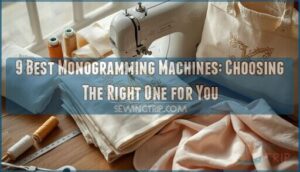
You can’t put a price on the moment someone’s face lights up when they receive a towel, tote bag, or baby blanket with their initials perfectly stitched across it. That personal touch transforms ordinary items into treasured keepsakes, and it’s exactly why monogramming has exploded from a niche craft into a thriving cottage industry.
Whether you’re launching a side hustle or finally upgrading from hand-embroidering everything, choosing the best monogramming machines means traversing a maze of needle configurations, hoop sizes, and price points that range from a few hundred to several thousand dollars. The right machine becomes your creative partner, handling intricate lettering while you focus on building your brand or delighting your family.
Table Of Contents
- Key Takeaways
- Types of Monogramming Machines
- Key Features for Monogramming Success
- Choosing The Right Monogramming Machine
- Top 9 Monogramming Machines Reviewed
- 1. Brother Computerized Sewing Embroidery Machine
- 2. Janome Commercial Embroidery Machine
- 3. Brother Embroidery Machine
- 4. Brother Embroidery Machine PE800
- 5. Singer Quantum Stylist Sewing Machine
- 6. Singer Legacy Sewing Embroidery Machine
- 7. Brother Embroidery Machine PE770
- 8. Janome Memory Craft Embroidery Machine
- 9. Brother Sewing Embroidery Machine Combo
- Maintenance Tips for Monogramming Machines
- Frequently Asked Questions (FAQs)
- Conclusion
Key Takeaways
- Match your monogramming machine to your actual skill level and project volume instead of chasing premium features you won’t use, starting with dedicated units for letter work or combo machines if you need both sewing and embroidery.
- Prioritize practical specs like embroidery area size (4×4 to 5×7 inches for most projects), built-in fonts (at least 10), and design import options (USB or Wi-Fi) over flashy extras that don’t affect your daily workflow.
- Budget for the total cost of ownership including thread, stabilizers, replacement needles, and annual maintenance (75 to 150 dollars), not just the machine’s sticker price, which ranges from 400 dollars for entry models to over 1500 dollars for commercial-grade equipment.
- Keep your machine running smoothly with routine cleaning every 8 to 12 hours of use, proper lubrication of moving parts, and dust prevention through covered storage and sealed thread containers.
Types of Monogramming Machines
Not all monogramming machines are built the same, and knowing which type fits your needs can save you time, money, and a lot of frustration.
Whether you’re starting out or upgrading, choosing the right embroidery machine for personalization starts with understanding what features actually matter for your projects.
Some machines focus solely on embroidery work, while others pull double duty as sewing machines. Let’s break down the four main types you’ll encounter so you can figure out which one makes the most sense for your projects.
Dedicated Monogramming Machines
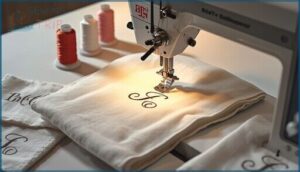
Dedicated monogramming machines are built for one thing: fast, impeccable letter work. You’ll get 8 to 15 monogram font styles right out of the box, including script and block options.
These single-needle units focus on monogramming speed and fabric compatibility, handling cotton, polyester, and blends with precision. They’re perfect if you’re running a small embroidery business or cranking out customized gifts without the complexity of full embroidery setups.
For more details on important features and machine types, consider exploring additional resources.
Combination Sewing and Embroidery Machines
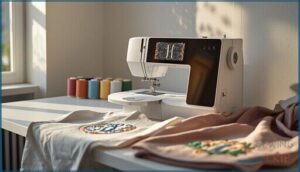
If you want sewing and monogramming under one roof, combination sewing and embroidery machines deliver serious value. Brother SE1900 and similar models let you stitch garments, then add monograms without swapping equipment—fabric compatibility is strong across cotton, polyester, and knits.
- Machine integration keeps your workflow tight, switching from construction to embellishments in minutes
- Thread management systems with automatic cutting save you constant manual trimming
- User interface touchscreens make design placement and sizing super easy
You’ll get 50 to 100 built-in fonts and patterns, plus USB design import for custom work. It’s especially important to take into account when selecting the best model for your needs.
Multi-Needle Monogramming Machines
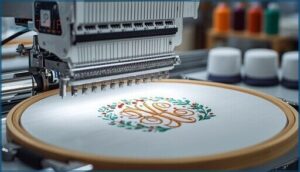
Multi-needle embroidery machines step up the game with 6 to 16 independent needles that handle color synchronization automatically—no manual rethreading between hues.
You’ll see commercial embroidery quality with embroidery areas exceeding 12 by 12 inches, automated thread management, and hoop alignment guides for precise placement.
Thread Calibration and stitch optimization keep consistency locked in, while quick-change frames and cylinder arms tackle hats and curved surfaces effortlessly.
Computer-Connected Monogramming Machines
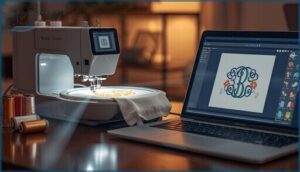
USB ports on machines like the Brother SE1900 bring computerized embroidery power to your workspace, enabling direct design editing and firmware updates without adapters.
Wireless connectivity and laser alignment guides simplify monogramming software workflows, while thread management sensors prevent costly errors.
You’ll transfer custom fonts instantly, preview stitch density on screen, and adjust tension settings through integrated controls that keep creative momentum flowing.
Key Features for Monogramming Success
Not all monogramming machines are created equal, and the features you choose can make or break your projects.
You’ll want to focus on the essentials that actually affect your results, from font variety to embroidery space. Let’s look at the key features that separate basic machines from the ones that’ll give you professional-quality monograms every time.
Built-in Fonts and Embroidery Patterns
Your monogramming machine’s font library is where personalization takes flight. Look for machines offering at least 10 built-in fonts with script and block styles for varied monogramming.
Premium models support TrueType and OpenType fonts, letting you import system fonts directly. Pattern editing tools, adjustable stitch options, and design customization features transform basic embroidery patterns into one-of-a-kind creations customized to your vision.
Maximum Embroidery Area and Hoop Sizes
Your embroidery area defines the largest design you can stitch without rehooping. Most home monogramming machines offer 4×4, 5×7, or even 8×12 inch hooping systems, directly controlling your stitch density and fabric tension.
Bigger hoop size limits mean you’ll tackle jacket backs and oversized monograms in one pass, while magnetic hoops and design scaling features keep alignment crisp across any embroidery field you choose.
Touchscreen and Customization Capabilities
A crisp touchscreen display puts every customization tool at your fingertips—no fumbling through cluttered menus. Modern embroidery machines feature 3.5 to 10 inch color screens that let you preview machine embroidery designs, adjust font options, tweak stitch density, and align hoop placement before you even thread the needle.
Split-view modes on sophisticated monogramming machines let you edit while watching live simulations for impeccable customized apparel creation.
Design Import Options (USB, Wi-Fi, File Formats)
Think of design import as your creative lifeline—it’s how fresh Machine Embroidery Designs reach your monogramming machine. USB Connectivity and Wireless Transfers both deliver Digital Embroidery files, while File Formats like PES, DST, and JEF determine compatibility with your Embroidery Software.
Smart Import Options to master:
- USB Port transfers supporting common embroidery formats
- Wi-Fi modules for cable-free uploads from tablets
- Design Security features protecting your custom creations
Automatic Needle Threading and Thread Cutting
You’ll save serious time with Auto Threading and Thread Cutting built into your Monogramming Machine. Automatic Needle Threading uses a small hook to guide thread through the eye—no squinting required.
Thread Management improves when cutting precision trims excess after each color change, while proper Needle Alignment ensures the threader seats correctly. Check Thread Tension regularly, and your Sewing Machine runs smoother, faster, and frustration-free.
Choosing The Right Monogramming Machine
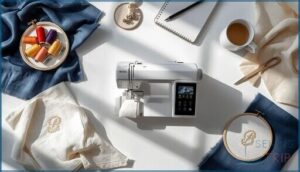
Picking the right monogramming machine isn’t about finding the most expensive model or the one with the most bells and whistles. It’s about matching the machine to your actual needs, your space, and what you’ll realistically use it for.
The best monogramming machine matches your actual needs and workspace, not the flashiest features or highest price tag
Let’s break down the key factors that’ll help you make a smart choice without second-guessing yourself later.
Matching Machine Type to Skill Level
Your skill assessment drives every decision when choosing the right embroidery machine. Beginners need sewing machines for beginners with simple user guidance and preset monogramming techniques that guarantee stitch quality and error prevention.
Intermediate users benefit from adjustable machine calibration, while experienced sewers require multi-needle models and design import for complex work. Match your current abilities to the monogramming machine’s features for long-term success.
Assessing Workspace and Portability Needs
Once you’ve matched your abilities to the right machine, you need to measure your actual workspace. Compact sewing machines under 20 inches wide fit most craft rooms, but multi-needle units can demand 24 to 40 inches of horizontal space.
Portable models weighing 10 to 25 pounds let you move between rooms, and a USB port allows quick design transfers without rearranging your entire setup.
Budget Considerations for Monogramming Machines
Your workspace is ready, so now it’s time for honest budget planning. Cost analysis reveals entry-level monogramming machines start around 400 to 800 dollars, mid-range models hit 800 to 1500 dollars, and commercial-grade options exceed 1500 dollars.
Price comparison across monogramming machine reviews shows five critical expense tracking categories:
- Upfront purchase cost dictates your baseline capabilities
- Thread and stabilizer supplies run 5 to 20 dollars per yard
- Replacement needles and hoops add 25 to 150 dollars annually
- Software updates and font packs cost 20 to 60 dollars each
- Professional maintenance services require 75 to 150 dollars biannually
Embroidery machine buying guide experts confirm financial savings come from matching features to actual projects, not chasing every bell and whistle.
Evaluating Dealer Support and Warranty
Beyond price tags, your monogramming machine investment hinges on dealer response and warranty claims. Authorized service networks acknowledge requests within 24 hours and schedule repairs in 2 to 5 business days. Most embroidery machine warranties cover 1 to 5 years, but support quality varies wildly.
| Coverage Factor | Standard Tier | Premium Tier |
|---|---|---|
| Warranty Duration | 1–2 years | 3–5 years |
| Dealer Response Time | 3–5 business days | 24–48 hours |
| Loaner Machines | Rarely offered | Available for 1–3 day outages |
| Parts Availability | 3–7 business days | Next-day in urban areas |
Check monogramming machine reviews for real repair options before buying.
Top 9 Monogramming Machines Reviewed
You’ve narrowed down what you need in a monogramming machine, so now it’s time to look at specific models that deliver. Each machine below brings something different to the table, whether that’s professional-grade speed, beginner-friendly features, or the perfect balance of price and performance.
Here are the top nine monogramming machines that can handle everything from simple initials to complex custom designs.
1. Brother Computerized Sewing Embroidery Machine
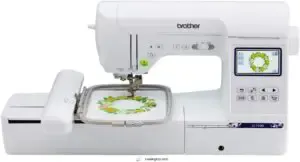
The Brother SE1900 is your gateway to combining everyday sewing with monogramming in one multifaceted machine. You get 11 embroidery fonts and 138 built-in designs, plus a generous 5 x 7 embroidery field that accommodates everything from small monograms to larger custom projects.
The 3.2 color touchscreen makes accessing your options super easy, and you can import custom designs via USB to expand your creative possibilities. At 22 pounds, it’s portable enough to move around your workspace without straining your back.
| Best For | Crafters and sewing enthusiasts who want to handle both everyday sewing projects and custom embroidery work without buying separate machines. |
|---|---|
| Built-in Designs | 138 |
| Built-in Fonts | 11 |
| Screen Type | 3.2″ LCD touchscreen |
| USB Port | Yes |
| Embroidery Field | 5″ x 7″ |
| Weight | 22 lbs |
| Additional Features |
|
- 138 embroidery designs and 240 sewing stitches give you tons of creative options right out of the box
- Large 5″ x 7″ embroidery field handles bigger projects than most combo machines
- USB port lets you import custom designs so you’re not stuck with just the built-in patterns
- Extension table sold separately, which feels like something that should come standard
- Requires specific 60-weight bobbin thread for embroidery, adding to your supply costs
- Only works with US voltage (120V), so it’s not an option if you move internationally
2. Janome Commercial Embroidery Machine
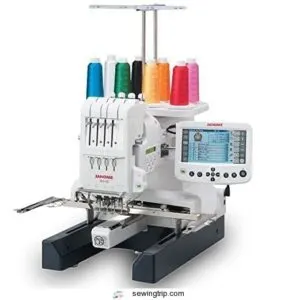
The Janome MB-4S steps up your monogramming game with four needles that let you tackle multicolor designs without constant thread swaps. You get 10 fonts for monogramming and 50 built-in designs, all managed through a large 5.7 remote screen that simplifies editing and resizing on the fly.
This 65-pound commercial-grade machine runs at speeds up to 800 stitches per minute, and its extra-large bobbin cuts down on stops for refills. The auto thread cutter and USB port simplify your workflow, though you’ll want a dedicated space since it runs loud.
| Best For | Small business owners and serious hobbyists who need to produce multicolor embroidery and monogramming projects quickly without manually changing thread colors. |
|---|---|
| Built-in Designs | 50 |
| Built-in Fonts | 10 |
| Screen Type | 5.7″ Remote Screen |
| USB Port | Yes |
| Embroidery Field | 9.46″ x 7.88″ |
| Weight | 65 lbs |
| Additional Features |
|
- Four-needle setup lets you work through multicolor designs without stopping to rethread
- Extra-large bobbin means fewer interruptions to refill thread during long projects
- Fast 800 spm speed with auto thread cutter speeds up production time
- Loud operation means you’ll probably need a separate workspace away from living areas
- Four needles might not be enough if you regularly work on complex designs with lots of colors
- Manual lacks clear USB instructions, so expect some trial and error loading custom designs
3. Brother Embroidery Machine
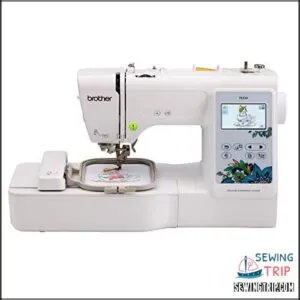
Compact yet capable, the Brother PE535 gives you 80 embroidery designs and 9 fonts to work with right out of the box. You can upload custom patterns through its USB port and preview them on the 3.2-inch color touchscreen before you stitch.
At just under 15 pounds, you’ll easily move this machine between projects, and its 4 x 4 embroidery field accommodates most monogramming jobs. The easy needle threading system speeds setup, though you’ll need to buy embroidery thread and stabilizer separately.
| Best For | Hobbyists and small business owners who want to personalize clothing, gifts, and home decor with professional-looking embroidery. |
|---|---|
| Built-in Designs | 80 |
| Built-in Fonts | 9 |
| Screen Type | 3.2″ LCD touchscreen |
| USB Port | Yes |
| Embroidery Field | 4″ x 4″ |
| Weight | 14.99 lbs |
| Additional Features |
|
- 80 built-in designs and 9 fonts give you plenty of creative options right away
- USB port lets you import custom designs and expand beyond the preloaded patterns
- Lightweight at 15 pounds and compact enough to store easily or take to crafting events
- Embroidery-only functionality means you’ll need a separate sewing machine for fabric work
- 4 x 4 inch embroidery area limits you to smaller projects like monograms and patches
- Touchscreen can be frustratingly unresponsive during use
4. Brother Embroidery Machine PE800
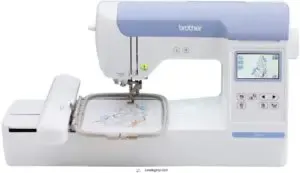
With a 5 x 7 inch embroidery field, the Brother PE800 opens up room for larger monograms and multi-line lettering that smaller machines can’t handle.
You’ll get 138 built-in designs and 11 font styles, including English, Japanese, and Cyrillic options for adaptable personalization.
| Best For | Home embroiderers who want a mid-sized machine that can handle larger projects like towels, bags, and multi-line monograms without the complexity of industrial equipment. |
|---|---|
| Built-in Designs | 138 |
| Built-in Fonts | 11 |
| Screen Type | 3.2″ LCD touchscreen |
| USB Port | Yes |
| Embroidery Field | 5″ x 7″ |
| Weight | 17.64 lbs |
| Additional Features |
|
- 5″ x 7″ embroidery area gives you room for bigger designs and lettering that smaller machines can’t accommodate
- 138 built-in designs and 11 font styles (including Japanese and Cyrillic) offer plenty of creative options right out of the box
- Large 3.2″ LCD touchscreen with step-by-step tutorials makes it beginner-friendly while still being capable enough for experienced users
- Limited on-board editing means you’ll need to prepare more complex designs on a computer before transferring them
- Designs imported from USB can be hard to identify on the screen, making it tricky to find what you’re looking for
- Hoops aren’t compatible with other Brother models like the PE770 or SE400, so you can’t share accessories if you upgrade or have multiple machines
5. Singer Quantum Stylist Sewing Machine
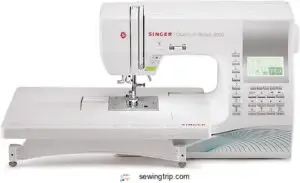
If you need versatility beyond pure embroidery, the Singer Quantum Stylist 9985 delivers 960+ stitches and six alphabet styles through a color touchscreen. You can adjust stitch width and length on screen, mirror or elongate designs, and rely on automatic thread trimming to speed up monogramming runs.
The sturdy metal frame accommodates thick fabrics with ease, and the large extension table facilitates bigger projects. At $549.99, it’s a smart pick for sewers who want monogramming capabilities without sacrificing traditional sewing functions.
| Best For | Sewers who want extensive stitch variety and monogramming features without investing in a dedicated embroidery machine. |
|---|---|
| Built-in Designs | 600 stitches |
| Built-in Fonts | 1 |
| Screen Type | LED display |
| USB Port | No |
| Embroidery Field | N/A |
| Weight | 14.6 lbs |
| Additional Features |
|
- Over 960 stitches and six alphabet styles give you tons of creative options for personalization and decorative work
- Color touchscreen makes adjusting stitch settings quick and intuitive compared to button-based interfaces
- Automatic thread trimming saves time on projects with lots of color changes or monogramming
- Limited throat space can feel cramped when working on larger quilts or bulky projects
- The automatic needle threader works inconsistently and frustrates some users
- So many features and stitches require time with the manual before you can use everything effectively
6. Singer Legacy Sewing Embroidery Machine
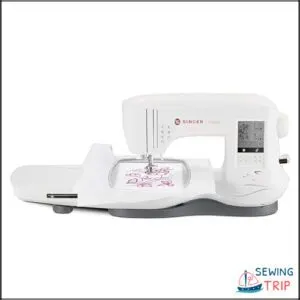
The Singer Legacy SE300 merges sewing and embroidery with a modern touchscreen, making personalization super easy. You get 250 built-in stitches, 200 embroidery designs, and six alphabet options for monogramming.
The extra-large embroidery area accommodates bigger projects, and the 700-stitches-per-minute speed keeps you moving. Auto tension and a built-in thread cutter simplify routine tasks, while USB design transfer lets you import custom files.
With its drop-in bobbin system and snap-on presser feet, this combination machine balances flexibility and precision for serious monogramming work.
| Best For | Sewers who want to tackle both garment construction and personalized embroidery projects without switching between two separate machines. |
|---|---|
| Built-in Designs | 200 |
| Built-in Fonts | 6 |
| Screen Type | LCD touch screen |
| USB Port | Yes |
| Embroidery Field | Not specified |
| Weight | 20.5 lbs |
| Additional Features |
|
- 250 stitches and 200 embroidery designs give you tons of creative options right out of the box
- Automatic tension and thread cutter take care of the fussy stuff so you can focus on your project
- USB transfer lets you bring in custom embroidery designs from your computer
- Some users report thread jamming and breaking issues that interrupt workflow
- The black and white LCD screen makes it tough to preview colorful embroidery designs accurately
- At 20.5 pounds, it’s pretty heavy and takes up serious counter space
7. Brother Embroidery Machine PE770
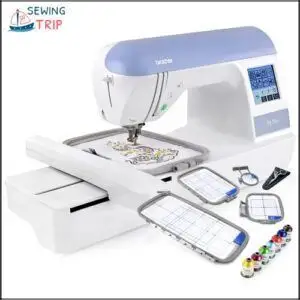
The Brother PE770 delivers a spacious 5 x 7 inch embroidery field that opens up serious possibilities for larger monograms on jackets, totes, and home décor. You get 136 built-in designs, six lettering fonts, and a USB port for importing custom files.
The backlit LCD touchscreen lets you rotate, mirror, and scale designs before stitching, while auto needle threading and thread cutting handle tedious tasks. At 650 stitches per minute, it keeps pace with ambitious projects, and built-in memory stores your favorite designs for quick recall.
| Best For | Home embroiderers and small business owners who need a dedicated machine for larger custom designs on jackets, bags, and home décor projects. |
|---|---|
| Built-in Designs | 125 |
| Built-in Fonts | 9 |
| Screen Type | 3.2″ LCD touchscreen |
| USB Port | Yes |
| Embroidery Field | 4″ x 4″ |
| Weight | 24 lbs |
| Additional Features |
|
- Spacious 5″ x 7″ embroidery field handles bigger designs that smaller machines can’t accommodate
- USB port and built-in memory make it easy to import and save custom patterns
- Automatic needle threader and thread trimmer eliminate tedious manual steps
- Embroidery-only machine means you’ll need a separate sewing machine for regular stitching
- Small 2.7″ screen can be difficult to read and navigate for detailed design work
- Requires separate software and potentially extra hoops to unlock its full potential
8. Janome Memory Craft Embroidery Machine
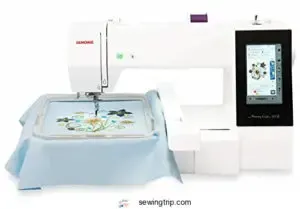
The Janome Memory Craft stands out with an embroidery-only design built for speed and precision. You get a massive 7.9 by 11 inch field that accommodates complex monograms without constant rehooping, plus multiple built-in fonts you can adjust right on the touchscreen.
Auto thread cutting and jump stitch trimming keep your workflow smooth, while USB and Wi-Fi options let you load designs without fussing with cables. It’s quiet, fast at high stitch counts, and comes with four hoops to tackle any project.
| Best For | Experienced embroiderers who want a dedicated machine that handles large, intricate designs quickly without constant babysitting. |
|---|---|
| Built-in Designs | 136 |
| Built-in Fonts | 6 |
| Screen Type | 2.7″ LCD touchscreen |
| USB Port | Yes |
| Embroidery Field | 5″ x 7″ |
| Weight | 16.31 lbs |
| Additional Features |
|
- Huge 7.9 by 11 inch embroidery field means less rehooping on big projects
- Auto thread cutting and jump stitch trimming save tons of time on complex patterns
- Quiet operation with fast stitching speeds makes it pleasant to use for hours
- Needle threader takes some getting used to at first
- Instructions could be more detailed for troubleshooting
- May need to buy extras like a CF card reader depending on your setup
9. Brother Sewing Embroidery Machine Combo
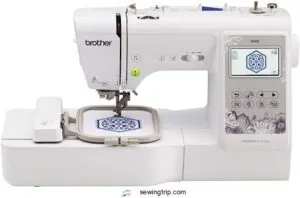
If you need both sewing and embroidery, this Brother combo packs 103 built-in stitches and 80 embroidery designs into one 26-pound machine. You get six monogramming fonts, a 4 by 4 inch embroidery field, and a 3.2 inch LCD touchscreen that makes selecting patterns super easy.
Automatic needle threading and thread cutting speed up setup, while USB connectivity lets you add custom designs. It processes denim and polyester without struggle, runs quietly, and works great for beginners tackling mending, simple projects, or customized gifts.
| Best For | Hobbyists and beginners who want a single machine for both everyday sewing projects and custom embroidery work like monogramming and personalized gifts. |
|---|---|
| Built-in Designs | Pre-loaded |
| Built-in Fonts | Pre-loaded |
| Screen Type | Not specified |
| USB Port | CF card |
| Embroidery Field | Includes 4 hoops |
| Weight | 20 lbs |
| Additional Features |
|
- Combines 103 sewing stitches and 80 embroidery designs with automatic needle threading and thread cutting for quick, frustration-free setup
- 3.2″ LCD touchscreen and USB port make it easy to browse built-in patterns or import custom designs
- Handles multiple fabrics (denim, cotton, polyester) quietly and smoothly, even if you’re just learning
- 26 pounds and fairly bulky, so you’ll need dedicated storage or counter space
- 4″ x 4″ embroidery area limits you to smaller designs—not ideal for large-scale or commercial projects
- Needs regular cleaning and oiling to keep running smoothly over time
Maintenance Tips for Monogramming Machines
Your monogramming machine is an investment that’ll serve you well for years, but only if you take care of it.
Regular maintenance isn’t complicated, and it makes the difference between a machine that hums along beautifully and one that starts skipping stitches or jamming.
Here’s what you need to do to keep your machine running like new.
Routine Cleaning and Lubrication
Consistently maintaining your monogramming machine keeps it running smoothly for years. You’ll want to lubricate moving parts every 8 to 12 hours of use, applying light machine oil only to manufacturer-recommended points like presser foot bar joints.
Mark your maintenance logs to track each session and lubricant types used. Wipe away excess oil to prevent lint buildup and guarantee your embroidery machine maintenance routine stays on schedule.
Preventing Dust and Thread Buildup
Beyond routine lubrication, dust prevention keeps your embroidery machine features performing at their best. Store threads in sealed containers and cover your monogramming machine when idle to block airborne particles from reaching hooping systems.
- Wipe thread paths with a lint-free cloth after each project to remove fiber fragments
- Clean hoop grooves with a light brush to prevent fabric shifts
- Replace prefilters at entry points to block dust before it enters
- Maintain 40-50% humidity in your workspace to reduce lint shedding
Ensuring Longevity and Optimal Performance
Staying ahead of issues through machine calibration and preventive maintenance extends your monogramming machine’s service life by years. Schedule routine checks with authorized technicians who track performance metrics like stitch consistency and tension accuracy.
Invest time in user training to master proper hooping and error reduction techniques. When you compare embroidery machine features during sewing machine reviews, prioritize models with strong support for embroidery machine selection.
Frequently Asked Questions (FAQs)
How to decide what embroidery machine to buy?
Your embroidery needs are the compass guiding your machine selection. Consider project scale, budget planning, skill level, and user reviews during comparison.
Match features to your creative vision, not marketing hype.
Which is better Tajima or Happy Japan embroidery machine?
Tajima commands higher resale value and dealer support with sturdy multi-needle configurations, while Happy Japan offers lower upfront costs and intuitive interfaces.
Your choice depends on budget versus long-term service networks.
Who makes the best commercial embroidery machines?
Industrial models from Tajima lead commercial embroidery production with 1200-stitch-per-minute speed and 24-needle configurations.
Melco and Ricoma deliver excellent machine quality for embroidery business needs, while Brother balances stitch accuracy with affordability.
What is the best embroidery machine for home use?
For beginners, the Brother SE1900 delivers exceptional stitch quality and user reviews praise its budget-friendly price.
You’ll find home embroidery easier with built-in fonts, while machine comparison shows it outperforms pricier embroidery machines.
How to know which embroidery machine to buy?
You might feel overwhelmed by choices, but buyer tips simplify machine comparison. Focus on stitch quality, user reviews, and budget planning.
Match your monogramming needs—embroidery machines or sewing and embroidery combos—to your creative vision.
What machine do you use to monogram?
You can use a dedicated embroidery machine like the Brother PE800 or Janome MB4S for professional use.
Or combination models like the Brother SE1900 for home monogramming with design transfer and color changes.
What is the difference between embroidery machine and monogram machine?
Think of it this way: an embroidery machine creates full decorative designs with complex stitch types, while a monogramming machine zeroes in on letter-based personalization using specialized fonts and faster thread management for initials.
Is it difficult to learn machine embroidery?
Machine embroidery has a modest learning curve—you’ll master thread tension, stitch density, and fabric selection within weeks.
Most embroidery machines feature easy-to-use interfaces, and embroidery for beginners becomes second nature with practice on simple monogramming projects.
How do you know when to change thread colors on a monogram machine?
Like an artist swapping brushes mid-masterpiece, your embroidery machine signals color changes automatically when designs shift.
Watch for on-screen prompts, audible beeps, or thread depletion—these embroidery hacks guarantee superior stitch quality and monogram tips success.
Can I also do regular sewing jobs on a monogram machine?
Yes, most combination monogramming machines handle regular sewing tasks when switched to basic stitch modes.
You’ll get standard hems and seams, though heavy fabrics may need dedicated sewing machine features for best results.
Conclusion
The smallest details—a monogram’s curve, a thread’s tension—create the biggest impressions on customers and loved ones alike.
Your success in choosing best monogramming machines hinges on matching features to your actual workflow, not chasing specs you’ll never use. Start with a machine that fits your current skill level and budget, master its capabilities completely, then scale up when demand requires it.
That disciplined approach transforms casual stitching into a signature craft that earns respect and revenue.
- https://en.wikipedia.org/wiki/Embroidery
- https://embroideryonline.com/?aff=95
- https://www.eversewn.com/sparrow-x2
- https://www.bernette.com/en-US/models/bernette-79
- https://goto.walmart.com/c/1942563/565706/9383?veh=aff&sourceid=imp_000011112222333344&u=https%3A%2F%2Fwww.walmart.com%2Fip%2FBrother-SQ9285-Computerized-Sewing-Quilting-Machine-with-150-Stitches-and-Wide-Table%2F372497516