This site is supported by our readers. We may earn a commission, at no cost to you, if you purchase through links.
Most beginners grip the foot pedal like a gas pedal on a highway—pressing hard, hoping for straight lines, and getting tangled thread instead.
Speed control for beginners isn’t about going slow forever; it’s about understanding that your machine reacts to pressure the way a car reacts to the accelerator.
Lost control before the seam even starts.
Right speed changes depending on what’s under the needle—silk forgives nothing, denim demands patience, and cotton sits comfortably in the middle.
Machine translates foot pressure into stitch quality, everything clicks into place.
Table Of Contents
- Key Takeaways
- Why Speed Control Matters for Beginner Sewists
- How a Sewing Machine’s Motor Controls Speed
- How to Use a Foot Pedal for Speed Control
- How to Use The Speed Slider on Your Machine
- How Different Fabrics Affect Your Sewing Speed
- Common Sewing Speed Problems and How to Fix Them
- Speed Control Tips Every Beginner Should Practice
- How to Choose a Beginner Sewing Machine With Speed Control
- Top 8 Products for Speed Control Learning
- Frequently Asked Questions (FAQs)
- Conclusion
Key Takeaways
- foot pedal works like a car’s gas pedal — gentle, gradual pressure gives you control, while jamming it down causes uneven stitches and fabric problems.
- Different fabrics demand different speeds, so silk and satin need your slowest setting, denim needs patience at the mid-range, and cotton sits comfortably in the middle.
- speed slider acts as a safety cap on your machine’s motor, letting you set a maximum speed limit before you even touch the pedal — use it every time, not just when things go wrong.
- Speed control is a skill you build gradually through short, consistent practice sessions, and muscle memory—not rules—is what eventually makes smooth stitching feel natural.
Why Speed Control Matters for Beginner Sewists
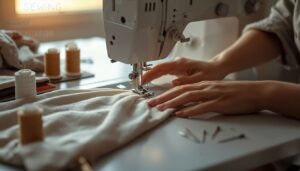
Learning to sew is a lot like learning to drive: control comes before confidence. Before you touch the pedal or slider, you need to understand why speed matters in the first place. Here are five reasons mastering your pace will change the way you sew.
Understanding how your sewing machine’s foot pedal controls speed is the first step toward sewing with both precision and ease.
In sewing, as in driving, control always comes before confidence
Speed Affects Stitch Quality
Because every stitch depends on timing, sewing speed control shapes the quality you see in your seams.
- Stitch Timing Consistency
- Thread Tension Balance
- Fabric Shifting Risks
- Needle Heat Damage
Uneven speed disrupts your sewing rhythm, causing Stitch Density Variation and shaky tension. Smooth speed management protects your fabric handling, keeping stitches even from start to finish.
Slower Speed Improves Straight Lines
Once your tension settles, your hands take over the next job: keeping that seam straight. Slower speed means less lateral movement, so your hands guide fabric instead of fighting it.
Feed rate stability improves, needle penetration stays consistent, and reduced seam inertia stops sudden drifts. This sewing speed control habit builds real precision, one of the simplest beginner sewing tips for straighter lines.
Safety Benefits of Going Slow
Straight seams matter, but safety matters more. Slow stitching gives you reaction time to stop before a snag becomes a snapped needle or jammed thread.
- Prevents fabric misfeeds before they jam
- Lowers needle deflection risks on shifting layers
- Keeps thread tension stability steady
- Reduces fabric puckering near the needle
- Lets you use the speed limiter confidently
That’s the heart of sewing safety for any beginner.
Different Fabrics Need Different Speeds
Going slow keeps you safe, but the right speed also depends on what’s under your needle.
Managing fabric tension changes with every material: cotton sews smoothly at moderate speed, while silk and satin need slower stitching to avoid slipping.
Knits require stabilizing stretch knits at low speed to prevent skipped stitches, and sewing heavy layers like denim demands mid-range speed for stitch quality.
Speed Confidence Builds Over Time
Think of speed control as a skill you earn, not one you’re handed. Muscle memory develops gradually, and short daily practice sessions build smoother transitions faster than occasional long ones.
Tracking your tempo during practice helps you notice real progress.
As your confidence grows, your hands, feet, and fabric all start working together naturally.
How a Sewing Machine’s Motor Controls Speed
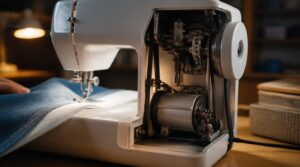
Your sewing machine’s motor is doing more work behind the scenes than most beginners realize. A few core principles explain exactly why the needle speeds up, slows down, or struggles through thick fabric. Here’s what’s actually happening inside your machine.
How Voltage Affects Motor RPM
Every sewing machine hides a small DC motor, and voltage is what tells it how fast to spin. More voltage means more RPM, fairly proportionally, while less voltage slows things down. Too much voltage risks overheating; too little causes stalling. That’s why stable voltage matters for:
- Consistent stitch speed
- Reliable torque under fabric load
- Long-term motor health
What PWM Duty Cycle Does
How does your foot pedal create smooth speed rather than just on or off? The answer is PWM duty cycle, which switches power on and off rapidly to set the average voltage reaching your motor. Arduino platforms provide 8‑bit PWM resolution for fine‑grained speed control.
| Duty Cycle | Effect on Motor |
|---|---|
| 25% | Slow, gentle stitching |
| 50% | Moderate, steady speed |
| 90% | Near full sewing speed |
Higher duty cycles mean greater effective power delivery and faster speed control.
How Load Slows The Motor Down
Push thick denim under the needle, and you’ll feel your machine fight back. That’s mechanical load at work: motor torque rises to match it, speed dips, and current draw climbs as back EMF falls.
- Heavier fabric raises load-induced heating
- Friction between layers adds resistance
- Torque-speed equilibrium settles lower
Ease your pedal pressure here for steady, reliable speed control.
How to Use a Foot Pedal for Speed Control
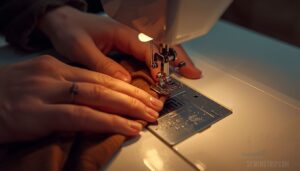
Your foot pedal is the real engine behind every stitch, controlling speed the same way a gas pedal controls a car.
Like driving, good control comes from building skill in stages, not rushing straight to full speed.
Follow these five steps, and you’ll move from your first cautious tap to smooth, confident sewing.
Step 1 — Sit in The Right Position
Good posture is the foundation of sewing confidence, long before your foot ever touches the pedal. Sit centered with spine support from the chair, shoulders low to release shoulder tension, and elbows bent near 90 degrees for proper elbow alignment.
| Body Part | Correct Position |
|---|---|
| Eyes | Eye level with the needle |
| Back | Straight, chair-supported |
| Feet | Flat, dominant foot near pedal |
This sewing posture facilitates smooth foot placement for beginners learning sewing ergonomics.
Step 2 — Place Your Foot Correctly
Think of your foot pedal as the steering wheel of your stitching, where small adjustments matter most.
Rest the ball of your foot on the pedal, with your heel grounded on the floor for quick micro-adjustments. Keep your ankle relaxed, not stiff, and balance pressure between ball and arch.
This foot posture facilitates steady fabric feeding and sharper hand‑eye coordination.
Step 3 — Practice The Gentle Tap
Once your foot is properly placed, try a brief, controlled tap — just one to two seconds of light pressure. This starts the stitch without jerking the fabric forward.
Keep your ankle relaxed throughout; tension here causes stuttering. Practice on a 4-inch scrap square, timing each tap with the needle drop to build consistent, reliable pedal pressure control.
Step 4 — Build a Steady Medium Speed
Once you’ve got that gentle tap down, it’s time to hold a steady medium speed — roughly 50 to 70 percent pedal depth. Press smoothly and keep that pressure constant, like holding a car at a steady cruise. Here’s what to practice first:
- Sew a straight 20-inch line without changing pedal pressure midway.
- Complete a 4-inch square, keeping corners crisp by slowing slightly before turning.
- Measure your seam allowance afterward to check for consistent spacing throughout.
Pedal pressure consistency is what separates wobbly stitches from clean, even seams.
Step 5 — Ease Into High Speed
High speed is the final gear — earned, not rushed.
Once medium speed feels natural, begin adding gradual pedal pressure in small increments, pausing mentally between each increase. Machine inertia means your speed rises smoothly rather than jumping, so trust the process. Avoid speed surges by holding pressure steady, which prevents fabric puckering and keeps your stitch consistency clean throughout the seam.
How to Use The Speed Slider on Your Machine
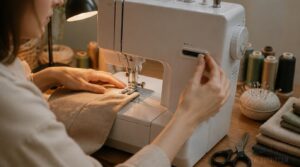
The speed slider is one of those features that quietly makes a huge difference, especially when you’re still finding your rhythm. Most beginners overlook it, but it’s basically a safety cap that keeps your machine from running faster than you’re ready for. Here’s how to put it to work for you, starting from the basics.
What The Speed Slider Actually Does
The speed slider on your sewing machine directly adjusts how much power reaches the motor, acting like a volume knob for your needle speed.
Moving it up increases the motor’s effective voltage, which raises the RPM and stitch rate.
Slide it down, and your machine slows instantly, giving you precise, tactile control over every seam without touching the pedal.
Starting at The Lowest Setting
Before you touch your fabric, set the speed slider to its lowest position — this is your starting baseline, not a limitation. At this setting, the motor receives minimal power, giving you slow, deliberate needle movement that lets you verify thread tension and stitch formation without rushing.
Beginners build genuine muscle memory here, learning pedal pressure control before speed ever becomes a consideration.
Moving Up to Medium Speed Safely
Once you’ve built comfort at the lowest setting, nudge the speed control slider one step higher. Aim for medium speed — roughly 60–80% of the slider’s range — where the motor holds a steady 600–900 RPM. Think of it like easing a car from first gear into second: controlled, not rushed.
Follow these four steps:
- Press the pedal with pedal pressure consistency — smooth, not jabbing
- Watch for stitch evenness as fabric resistance management kicks in
- Sit upright; ergonomic posture benefits your control noticeably
- Test a scrap piece, checking stitch stability before your real seam
How Different Fabrics Affect Your Sewing Speed
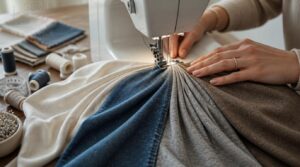
Not all fabrics play by the same rules, and your speed choices need to match what’s actually under your needle. The texture, weight, and stretch of a fabric will tell you exactly how fast — or slow — you should be going. Here’s how to read each type and adjust your speed accordingly.
Cotton and Beginner-Friendly Fabrics
Cotton is a great starting point for beginners because it’s forgiving and easy to control. It breathes well, wicks moisture, and softens with each wash. A slow-to-medium speed keeps your stitches even. Wrinkles are common, so press seams as you go.
| Feature | Cotton Trait | Speed Tip |
|---|---|---|
| Breathability | High airflow | Medium speed works well |
| Moisture wicking | Absorbs sweat | No speed adjustment needed |
| Wrinkle tendency | Wrinkles easily | Slow speed, press often |
Denim and Heavy Canvas Layers
Denim and heavy canvas are among the toughest fabrics you’ll feed through a sewing machine. Sew slowly to maintain control through thick layers.
- Fabric weight ranges from 12–20 oz per square yard
- Slow-to-medium speed prevents needle breakage
- Canvas layers resist stretching and hold shape
- Denim’s indigo fades beautifully with wear
- Air dry both fabrics to preserve fiber strength
Knits and Stretchy Fabric Types
Stretchy knits behave nothing like denim — they move with you, which means your machine needs to move carefully with them. Slow speed is essential here, since faster stitching stretches the fabric as it feeds through, distorting your seam.
Jersey knits curl at the edges, while interlock fabric stays more stable, giving you a little more control during stitching.
Silk, Satin, and Slippery Materials
Silk and satin demand your slowest speed — think of them as driving on ice. Their smooth, glossy surfaces slip easily under the presser foot, pulling seams off course.
Use a fine needle, size 60/8 or 70/10 to avoid snags.
Slow, steady stitching keeps slippery fabric aligned and protects that delicate sheen you’re working so hard to preserve.
Quilting With Multiple Fabric Layers
Quilting is a step up from working with a single layer. You’re now managing a quilt sandwich — top fabric, batting, and backing — all moving together under the needle.
Use a 90/14 or 100/16 quilting needle and engage your walking foot to keep all layers feeding evenly. Set your speed slider low and stitch steadily.
Common Sewing Speed Problems and How to Fix Them
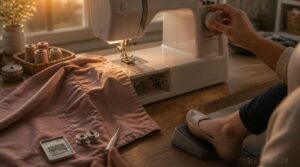
Even experienced sewists run into speed hiccups, so don’t feel discouraged when something goes sideways. Most problems have a straightforward fix once you know what’s causing them. Here are the four most common speed issues beginners face and exactly what to do about each one.
Problem 1 — Machine Runs Too Fast
If your machine bolts forward the moment you press the pedal, the first thing to check is your speed control slider. Move it toward the turtle icon to cap the motor’s maximum RPM before sewing another stitch — that single adjustment often solves overspeed immediately.
Problem 2 — Machine Won’t Speed Up
If the speed slider is already set to maximum but your machine still won’t respond, the problem likely runs deeper.
Faulty foot pedals are a common culprit — a worn or dirty pedal simply can’t register full depression.
Also check for worn drive belts, voltage supply fluctuations, fabric binding the feed dogs, or a failed motor transistor limiting power output.
Problem 3 — Speed Changes Suddenly
Sudden speed changes are unsettling, especially when your stitch was finally looking even.
This usually comes down to pedal sensitivity issues, where small toe movements trigger large RPM jumps, or a worn pedal connection sending inconsistent signals.
Common causes include:
- Sudden RPM surges from abrupt pressure changes
- Fabric resistance spikes confusing the motor’s control system
- Thread tension shifts breaking rhythm mid-seam
- Control system overshoot briefly saturating the PWM signal
Practice smooth, progressive pedal presses and check your pedal wiring for clean connections.
Problem 4 — Speed Drops on Thick Fabric
Thick fabric is like driving uphill — your engine works harder just to maintain the same pace. When fabric load resistance climbs, the motor draws more current to push through dense layers, causing speed drops, you can feel mid‑seam.
Slow down deliberately, trim seam bulk beforehand, and use a walking foot to keep mechanical load steady.
Speed Control Tips Every Beginner Should Practice
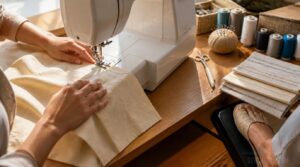
Good habits are what separate a frustrated beginner from someone who actually enjoys the process. A few simple practices, repeated consistently, will make speed control feel natural instead of stressful. Here are the ones worth building into every sewing session from the start.
Always Start Stitching at Slow Speed
Think of slow speed as your sewing safety net. Starting at slow speed lets your hands and eyes work in sync before the fabric moves far.
This prevents skipped stitches, steadies thread tension, and keeps seam alignment accurate from the very first stitch. Consistent slow starts also build the muscle memory every beginner needs for clean, confident sewing.
Use The Slider Even When Confident
Even after gaining confidence, the speed control slider remains one of your most reliable tools for sewing precision. Reaching for it consistently — not just during tricky moments — is what separates developing sewists from truly deliberate ones.
- Use the speed limiter to cap RPM before starting new fabrics
- Practice micro adjustment moves to train muscle memory gradually
- Test fabric tension with small slider shifts on every new material
- Keep stitch length precision consistent by hovering at familiar settings
- Build error reduction habits by defaulting to slow and steady first
Match Needle and Foot to Fabric
Using the wrong needle is like wearing the wrong shoes — it changes everything. A size 70/10 sharp needle suits lightweight cotton, while denim needs a 90/14 or 100/16.
Pair ballpoint needles with knits to prevent snags.
Match your presser foot to fabric weight too, and your stitches will stay clean, consistent, and controlled.
Stop and Reposition Before Turning Corners
Corners are where beginners lose control — so stop before you turn.
Ease off the pedal, let the needle pierce the fabric at the corner point, then lift the presser foot. Reposition your fabric flat against the throat plate, lower the foot, and resume slowly. This pause gives your machine’s motor time to respond cleanly.
How to Choose a Beginner Sewing Machine With Speed Control
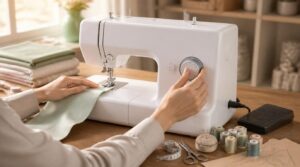
Picking your first sewing machine doesn’t have to feel overwhelming, especially once you know what actually matters for speed control. A few key features make a real difference in how quickly you’ll build confidence at the machine. Here’s what to look for before you buy.
Foot Pedal Vs Speed Slider Controls
When choosing a beginner sewing machine, deciding between a foot pedal and a speed control slider comes down to how you naturally prefer to control movement.
Foot pedals offer proportional pedal control through tactile feedback, letting you ease in gradually.
Sliders cap maximum RPM, creating a predictable, consistent sewing rhythm — ideal when precision matters most.
Features Beginners Should Prioritize
Once you’ve picked your control style, the right features make all the difference.
A responsive speed slider and soft start capability let you ease into each stitch without sudden lurges.
Look for automatic needle threading and a beginner-friendly interface to reduce setup frustration.
Integrated H-bridge safety and clear pedal feedback keep your machine protected while you’re still learning the ropes.
Portability and Workspace Fit
A good beginner sewing machine doesn’t just stitch well — it fits your life. Look for a compact footprint design under 16 inches wide, a lightweight build between 10 and 20 pounds, and integrated storage features that keep accessories tidy.
- Carrying grips make room-to-room moves simple
- Vibration dampening feet protect lightweight tables
- Foldable accessories shrink storage size instantly
Top 8 Products for Speed Control Learning
Once you’ve got a handle on the basics of speed control, having the right learning tools can make a real difference in how quickly your skills develop. The products below aren’t all sewing-specific, but each one teaches you something valuable about controlling speed, power, and precision — lessons that translate directly to the sewing machine.
Here are eight worth knowing about.
1. Advanced Engine Management Tuning Guide
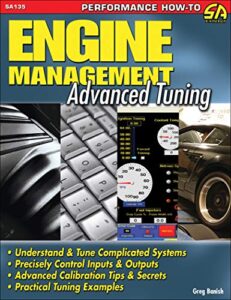
The Professional Engine Management Tuning Guide by CarTech is a focused 128-page manual priced at $25.99, covering ECU calibration, fuel maps, ignition timing, and data logging in practical detail.
While it targets experienced hobbyists rather than complete beginners, it’s a solid reference if you’re ready to understand how speed and load interact inside a motor‑driven system — knowledge that transfers surprisingly well to understanding why your sewing machine behaves differently under varying fabric resistance.
| Best For | Experienced hobbyists and professional tuners who already understand gasoline engine fundamentals and want to sharpen their ECU calibration and dyno tuning skills. |
|---|---|
| Language | English |
| Format | Print book |
| Price | $25.99 |
| Page Count | 128 pages |
| Publication Year | 2007 |
| Skill Level | Experienced hobbyists |
| Additional Features |
|
- Covers the full tuning workflow — from ECU inputs and sensors to building custom fuel and ignition maps — with real equations, graphs, and step-by-step dyno procedures
- Includes hands-on software tutorials for widely used platforms like HP Tuners and EFI Live, making it immediately practical
- At $25.99 for a focused 128-page manual, it’s an affordable deep-dive compared to broader (and pricier) automotive references
- Leans heavily on Ford and GM examples, so tuners working with Subaru or other platforms may find the specifics less applicable
- Published in 2007, meaning some ECU architectures and modern software features won’t be covered
- Not beginner-friendly — readers without a solid engine foundation will likely struggle to get much out of it
2. Connected Car Security Guide

The Automotive Cybersecurity guide by Wiley takes a different angle entirely. At $29.22 for 272 pages, it covers how connected vehicles defend against wireless threats, from Bluetooth to cellular networks.
Understanding how electronic systems handle load, signal interference, and real-time feedback mirrors the same logic behind why your sewing machine responds differently under varying fabric resistance. It’s a technical read, but the underlying principles of system control under variable conditions quietly reinforce how motors behave.
| Best For | Automotive security engineers, OEM teams, and penetration testers looking to systematically assess and harden connected vehicle systems against wireless and cyber-physical threats. |
|---|---|
| Language | English |
| Format | Print book |
| Price | $29.22 |
| Page Count | 272 pages |
| Publication Year | 2020 |
| Skill Level | Security professionals |
| Additional Features |
|
- Covers a wide range of wireless attack vectors (Bluetooth, Wi-Fi, GSM/Cellular) with practical tool setups and hands-on techniques
- Includes real-world case studies, checklists, and downloadable resources that make it easy to build your own test environment
- Provides a structured framework for threat modeling, risk documentation, and communicating findings to stakeholders
- Assumes prior knowledge of networking, security tools, and automotive systems — not beginner-friendly
- Content is based on vehicle technology as of 2020, so newer platforms and protocols may not be covered
- Some techniques (like rogue BTS or Evil Twin Wi-Fi) carry legal restrictions that limit how and where they can be practiced
3. BeaconDesi Mini RC Drift Car
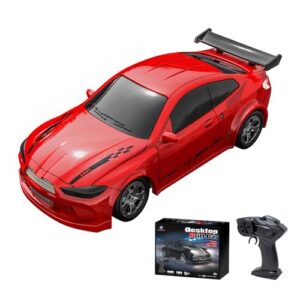
Few learning tools make throttle control more instinctive than a physical RC car. The BeaconDesi Mini RC Drift Car puts proportional speed control directly in your hands, letting you feel exactly how gradual input creates smooth, predictable movement.
That same muscle memory — resisting the urge to go full throttle immediately — transfers directly to your foot pedal technique at the sewing machine.
At 1:64 scale, it fits your desktop and charges fully in about 30 minutes.
| Best For | Beginners and casual hobbyists who want a fun, low-stakes way to build throttle control instincts indoors. |
|---|---|
| Language | English |
| Format | Physical toy |
| Price | Not specified |
| Page Count | N/A |
| Publication Year | Not specified |
| Skill Level | Ages 8 and up |
| Additional Features |
|
- Charges in just 30 minutes via USB-C and runs for 20 minutes, so you’re back to playing fast
- Two interchangeable body shells let you switch up the look or race a friend with a matching set
- Compact 1:64 scale fits on a desk or tabletop, making it easy to drift anywhere indoors
- Hard plastic wheels struggle on anything but smooth surfaces, limiting where you can actually use it
- Battery life caps at around 20 minutes, so extended play sessions mean a lot of waiting around
- It’s not hobby-grade, so experienced RC drivers may find the performance too basic pretty quickly
4. Adaptive Car Suspension Control
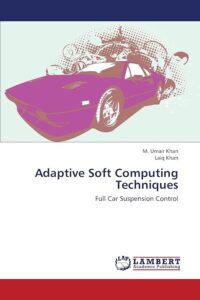
Understanding how a system constantly adjusts to changing conditions is a skill that applies directly to your sewing practice. Adaptive Car Suspension Control is an 188-page academic text covering how vehicles automatically balance comfort and stability by reading real-time feedback and adjusting response levels accordingly.
That same principle — sense, compare, adjust — is exactly what you’re building when you learn to read your fabric and respond with the right pedal pressure.
| Best For | Graduate students and automotive engineers who want a solid theoretical foundation in vehicle suspension control systems and dynamics. |
|---|---|
| Language | English |
| Format | Print book |
| Price | $87.00 |
| Page Count | 188 pages |
| Publication Year | 2013 |
| Skill Level | Graduate engineers |
| Additional Features |
|
- Covers the full spectrum of suspension types — passive, semi-active, and active — in one focused resource
- Strong academic depth makes it well-suited for graduate coursework or research reference
- At 188 pages, it’s concise enough to read cover-to-cover without being overwhelming
- Published in 2013, so it may miss more recent developments in suspension technology and control algorithms
- Leans heavily theoretical with limited real-world case studies or hands-on implementation guidance
- Only available in print, with no e-book option for digital access
5. Total Control Motorcycle Technique Guide

Think of the Total Control: High Performance Street and Track Riding Techniques by Lee Parks as a masterclass in deliberate, confident control — just applied to a motorcycle instead of a sewing machine.
This 192-page guide breaks technique into progressive steps, covering cornering, throttle management, and rider confidence.
The same mindset — slow down, commit to each input, build consistency — translates directly to how you approach pedal pressure and fabric handling at your machine.
| Best For | Motorcyclists at any level who want to sharpen their riding technique with a structured, physics-based approach — whether they’re commuting daily or pushing limits on the track. |
|---|---|
| Language | English |
| Format | Print book |
| Price | Not specified |
| Page Count | 192 pages |
| Publication Year | 2015 |
| Skill Level | Intermediate riders |
| Additional Features |
|
- Covers all the fundamentals that matter most — cornering, braking, throttle control, and even the mental side of riding — in one well-organized package
- Progressive, modular structure means you can work through it at your own pace and revisit specific skills as needed
- Applies across a wide range of bike types, so it’s useful whether you’re on a sport bike, adventure tourer, or cruiser
- The focus leans heavily toward sport and performance riding, which may feel less relevant if you’re primarily a cruiser or touring rider
- No video or interactive content to go along with the text, so visual learners may find some techniques harder to absorb
- All instruction is in English, which limits accessibility for non-English speakers
6. Ford EFI Engine Control Guide
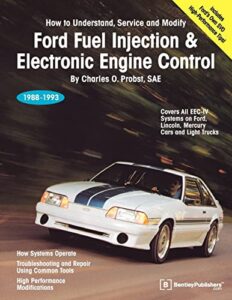
The Ford Fuel Injection & Electronic Engine Control guide might seem like an unlikely recommendation here, but its core lesson — precise signal management — maps surprisingly well to sewing. This 454-page manual explains how Ford’s EEC-IV system uses PWM-controlled injector pulses to regulate engine output with consistency; the same principle your sewing machine’s motor controller uses to maintain smooth speed.
Understanding that speed control is a system, not a guess, helps you trust the process at your machine.
| Best For | Mechanics, automotive tuners, and DIY enthusiasts working on 1988–1993 Ford vehicles who want a deep understanding of the EEC-IV fuel injection and engine control system. |
|---|---|
| Language | English |
| Format | Print book |
| Price | $49.95 |
| Page Count | 454 pages |
| Publication Year | 1993 |
| Skill Level | Mechanics and DIY owners |
| Additional Features |
|
- Co-authored with Ford Racing engineers, giving you genuine insider knowledge you won’t find in generic repair manuals
- Over 400 pages packed with 500 photos and illustrations make complex sensor functions and system interactions much easier to follow
- Thorough diagnostic guidance and step-by-step service procedures are a real asset for accurate troubleshooting and repairs
- Performance-tuning advice is dated and light on dyno-tuning data, so serious tuners may find it lacking
- The writing style is dense and technical, which can make it slow going if you’re looking for quick answers
- It’s not a traditional repair manual — it leans heavily on theory, so don’t expect fast, straightforward fix-it procedures
7. Road Rage Detox Guide

Sewing fast without control is a lot like driving fast without brakes — and that’s exactly the mindset the Road Rage Detox guide tackles. At $16.95 for 74 pages, it teaches practical techniques like the Cognitive Block and Emotional Audit to interrupt reactive impulses.
At your machine, those same impulses rush you into speed mistakes. Practicing deliberate, calm restarts when frustration spikes keeps your stitching steady and your confidence intact.
| Best For | Commuters and frequent drivers who struggle with stress, frustration, or aggressive reactions behind the wheel and want practical, easy-to-use tools to stay calm on the road. |
|---|---|
| Language | English |
| Format | Print book |
| Price | $16.95 |
| Page Count | 74 pages |
| Publication Year | Not specified |
| Skill Level | All drivers |
| Additional Features |
|
- Offers concrete, quick-action techniques like the Cognitive Block and Emotional Audit that you can actually use in the moment
- Affordable and concise at $16.95 for 74 pages — easy to read and apply without a big time commitment
- Addresses root triggers like entitlement and fear, not just surface-level behavior, so the changes can actually stick
- At 74 pages, it’s fairly short and may not go deep enough for anyone dealing with serious anger or anxiety issues
- Results depend heavily on how consistently you practice the techniques — it’s not a passive fix
- Not a replacement for therapy or professional mental-health support if the underlying issues run deeper
8. Beginner Flying Models Handbook

Learning to control speed — in the air or at your machine — follows the same principle: start slow, build confidence. The Beginner Flying Models Handbook covers eight essential speed control topics, emphasizing gentle throttle starts and gradual acceleration to prevent instability.
That advice translates directly to your sewing practice. When you ease into each seam instead of rushing, your stitches stay even and your fabric doesn’t slip.
| Best For | Hobbyists and beginners who want to build and fly model airplanes from scratch, with room to grow into competition-level building. |
|---|---|
| Language | English |
| Format | Print book |
| Price | $19.95 |
| Page Count | 240 pages |
| Publication Year | 2015 |
| Skill Level | Beginners to advanced |
| Additional Features |
|
- Covers a wide range of power types — rubber, electric, CO₂, micro R/C, and compressed air — so you’re not locked into one style
- Practical tips for reducing weight and extending flight time by 25–40% give even simple builds a real performance edge
- Step-by-step graphics make complex techniques approachable, even if you’ve never built a model before
- Some supplier info and technical details are out of date, so you may need to cross-reference with current sources
- Certain sections lean on the companion book Rubber Powered Model Airplanes, which means you might end up needing to buy both
- The author’s wordy writing style can slow things down, and as a used copy, there may be minor wear or notes inside
Frequently Asked Questions (FAQs)
Can I put a speed controller on any motor?
Not quite. Motor type determines compatibility — brushless motors need a dedicated three-phase controller, while simple brushed DC motors work with basic DC speed controllers. Always match your controller to your specific motor type.
When should I downshift to control speed?
Downshifting isn’t relevant to sewing machines — they don’t have gears. Speed control comes from your foot pedal pressure and the speed slider on your machine.
How do cruise control systems actually work?
Think of cruise control as your car’s autopilot on the highway. It reads your actual speed, compares it to your target, then automatically adjusts the throttle to hold that speed steady — no foot required.
Whats the ideal speed for fuel efficiency?
Most vehicles hit peak fuel efficiency between 45 and 65 mph. Above 65 mph, aerodynamic drag rises sharply, and every extra 5 mph beyond that costs you progressively more fuel.
How do I handle speed on steep hills?
On steep hills, lower your gear early and keep a steady cadence. Shift before the grade steepens, not during. Weight distribution and smooth braking keep you stable going up or down.
Are there legal consequences for driving too slowly?
Yes, driving too slowly can carry legal consequences. Maryland fines drivers $90–$150 for impeding traffic, while Georgia adds license points. Nebraska enforces a 40 mph freeway minimum.
Can I sew without using the foot pedal?
Yes, you can sew without a foot pedal. Many machines offer a start/stop button or speed slider as alternatives, letting you control stitching hands-free with consistent, manageable speed.
How do I stop my thread from bunching up?
Re-thread your machine completely, from the spool down to the needle, and check the bobbin is seated correctly. Most bunching comes from a missed guide or loose bobbin tension.
What stitch length works best for beginners?
For beginners, 5 mm stitch length is the sweet spot. It prevents puckering on light to medium fabrics, gives you steady control, and leaves room to adjust shorter or longer as needed.
Should I backstitch at the start of every seam?
Yes, backstitch at the start of every seam. It locks your stitches in place so the thread doesn’t unravel when fabric moves. Two to four stitches is all you need.
Conclusion
Rome wasn’t built in a day, and neither is the steady hand of a confident sewist. Speed control for beginners is less about memorizing rules and more about building a conversation between your foot, your machine, and your fabric.
Start slow, stay deliberate, and let each seam teach you something the last one didn’t. When the pressure finally clicks, you won’t just sew straighter lines—you’ll trust yourself to handle whatever material lands under your needle.