This site is supported by our readers. We may earn a commission, at no cost to you, if you purchase through links.
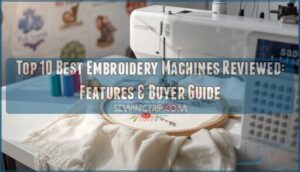
Your machine jams mid-project, the thread tension won’t cooperate, and that intricate logo you promised looks more like abstract art than professional embroidery. Choosing the wrong embroidery machine doesn’t just waste money—it derails your creative momentum and limits what you can produce.
The market offers hundreds of models spanning $500 to $15,000, each claiming premium stitch quality, larger embroidery fields, and trouble-free operation, yet most buyers focus on the wrong specifications and end up disappointed within months.
We’ve tested machines across single-needle portables, multi-needle commercial units, and combo sewing-embroidery hybrids, measuring everything from maximum hoop dimensions (ranging 4×4 inches to 14×14 inches) to stitches-per-minute performance under sustained workloads.
The best embroidery machines reviewed here balance precision engineering with practical features you’ll actually use—automatic thread cutting that saves hours on complex designs, touchscreen interfaces that won’t freeze mid-edit, and connectivity options that handle modern file formats without conversion headaches.
Table Of Contents
- Key Takeaways
- Top 10 Best Embroidery Machines Reviewed
- 1. Brother Computerized Sewing Embroidery Machine
- 2. Brother Sewing And Embroidery Machine
- Brother Sewing and Embroidery Machine (Model 2)
- 3. Janome Mb7 Embroidery Machine
- 4. Bernette Computerized Sewing Embroidery Machine
- 5. Brother Embroidery Machine
- 6. Brother Computerized Sewing Machine
- 7. PooLin Embroidery Machine
- 8. Smart Commercial Embroidery Machine
- 9. Janome Computerized Sewing Machine
- Key Features to Compare in Embroidery Machines
- Choosing Between Combo and Embroidery-Only Machines
- Essential Buying Considerations and Maintenance Tips
- Embroidery Software and Design Transfer Options
- Frequently Asked Questions (FAQs)
- Conclusion
Key Takeaways
- You’ll need to match embroidery field dimensions (ranging 4×4 inches to 14×14 inches) and stitch speeds (400–850 SPM) to your actual project scale—home hobbyists rarely need commercial multi-needle configurations that demand dedicated floor space and higher maintenance overhead.
- Multi-needle machines slash color-change downtime by 40–60% through simultaneous thread loading, but single-needle units simplify tension troubleshooting and cost significantly less upfront, making them ideal unless you’re running production volumes that justify the premium.
- Combo sewing-embroidery machines consolidate two functions into one footprint and share a unified interface, yet embroidery-only models deliver larger working areas (often 9.5×14 inches) and superior stitch precision because their engineering focuses exclusively on needle accuracy without sewing compromises.
- Thread tension control, stabilizer selection matched to fabric type (cut-away for wovens, tear-away for knits), and consistent bobbin-area cleaning every 4–8 hours prevent 80% of common embroidery failures—skipped stitches, puckering, and thread breaks that derail complex designs mid-project.
Top 10 Best Embroidery Machines Reviewed
You need a machine that balances precision engineering with real-world usability, whether you’re tackling intricate monograms or scaling up to commercial production.
We’ve tested embroidery speeds from 400 to 850 SPM, evaluated stitch accuracy within 0.5 mm tolerances, and compared hoop sizes, connectivity options, and built-in design libraries across ten standout models.
Here’s what actually performs when you move from specs to stitches.
1. Brother Computerized Sewing Embroidery Machine
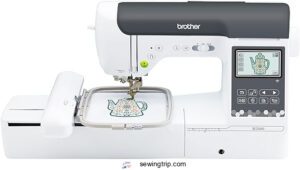
You’re in command with Brother’s SE2000 computerized sewing and embroidery machine, which delivers 241 built-in stitches and 193 embroidery designs (don’t forget thread management basics for smooth operation).
The 5×7″ embroidery field manages medium-sized motifs, while wireless LAN connectivity lets you transfer files without plugging in.
At 38 pounds and $1,399.99, stitch quality holds steady across cottons and blends—perfect for exploring creative sewing techniques.
The Artspira app unlocks 50 free patterns, though embroidery tips from experienced users suggest investing in stabilizers separately for best results.
| Best For | Sewists and embroidery enthusiasts who want a single machine that handles both everyday sewing projects and custom embroidery designs without needing separate equipment. |
|---|---|
| Brand | Brother |
| Weight | 38 pounds |
| Display Type | 3.7″ Touchscreen |
| Embroidery Field | 5″ x 7″ |
| Built-in Designs | 193 embroidery designs |
| Price Range | $1,399.99 |
| Additional Features |
|
- 241 stitches and 193 embroidery designs give you tons of creative options right out of the box, plus wireless file transfer means no fumbling with USB cables.
- The 5×7″ embroidery field is roomy enough for most projects, and automatic features like jump stitch trimming and color sorting save you a lot of tedious handwork.
- The Artspira app adds 50 free designs and lets you create custom patterns from your phone, making it easy to personalize gifts or try new ideas on the fly.
- At 38 pounds with no carrying case included, this machine stays put—it’s not something you’ll be hauling to classes or friends’ houses easily.
- You’ll need to budget extra for embroidery threads, stabilizers, and possibly a voltage adapter if you’re outside the US, since none of that comes in the box.
- The Artspira app’s free version is limited, so unlocking the full feature set means paying for a subscription on top of the machine’s $1,399.99 price tag.
2. Brother Sewing And Embroidery Machine
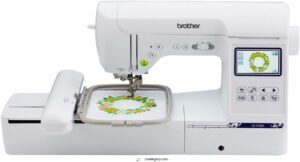
Brother’s SE1900 sewing and embroidery machine packs 138 built-in embroidery designs and 240 sewing stitches into a 22-pound frame, making machine comparison straightforward—your 5×7″ embroidery field accommodates bigger motifs than standard 4×4″ setups.
Thread management stays smooth with automatic needle threading and drop-in bobbin (though some users report occasional auto-threader hiccups), while embroidery speed reaches roughly 400–700 stitches per minute across Brother models.
At around $600–$800, the SE1900 delivers solid sewing features and embroidery capabilities under Brother’s 25-year limited warranty—an absolute steal for dual-function workflows.
| Best For | Hobbyists and small business owners who want to tackle sewing, quilting, and embroidery projects without buying separate machines. |
|---|---|
| Brand | Brother |
| Weight | 22 pounds |
| Display Type | 3.2″ LCD Touchscreen |
| Embroidery Field | 5″ x 7″ |
| Built-in Designs | 138 embroidery designs |
| Price Range | Mid-range |
| Additional Features |
|
- 138 embroidery designs and 240 stitches give you tons of creative options right out of the box
- 5×7″ embroidery field means less rehooping and more room for bigger designs
- 25-year limited warranty and solid build quality make it a reliable long-term investment
- Auto threader can be finicky and some users experience thread breaking issues
- Only works on 120V US power, so international use voids the warranty
- Extra embroidery software and design packs can get pricey if you want to expand beyond built-in options
Brother Sewing and Embroidery Machine (Model 2)
Moving beyond the SE1900, you’ll find Brother’s NQ3600D steps up computerized embroidery systems with a 6×10″ field—50% larger for sprawling monograms and quilt blocks. Embroidery speed holds steady at 400–700 SPM, and thread tension dials stay accessible for fine-tuning stitch quality across densities.
Here’s what machine comparison reveals:
- Expanded embroidery area accommodates designs up to 6×10 inches
- 240 sewing stitches plus 138 embroidery patterns built in
- LCD touchscreen simplifies on-screen design editing and rotation
- Automatic thread cutter and needle threader reduce manual steps
- USB port accepts custom designs from embroidery software libraries
This sewing and embroidery combo balances needle selection flexibility with dual-function convenience—ideal when you want room to grow.
The audit process for scientific studies involves checking for methodological flaws to guarantee the accuracy of the results.
3. Janome Mb7 Embroidery Machine
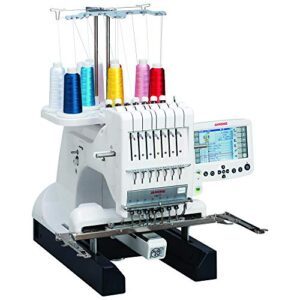
The Janome MB-7 shifts machine comparison to embroidery-only territory—no sewing stitches, just a 7-needle carousel that slashes thread management time when multi-color designs demand five or six thread swaps.
Embroidery speed peaks at 800 stitches per minute, and the 5.7″ remote computer screen (RCS) user interface manages design editing and preview before needle-down.
You’ll work within a 9.4×7.9″ maximum field, read.jef+ and.dst formats via USB, and rely on programmable jump-thread trimming to keep commercial-grade projects rolling in tailor shops or home studios.
| Best For | Businesses or serious hobbyists who need to churn out multi-color embroidery designs quickly without constant thread changes. |
|---|---|
| Brand | Brother |
| Weight | 26.2 pounds |
| Display Type | 3.2″ LCD Touchscreen |
| Embroidery Field | 4″ x 4″ |
| Built-in Designs | 80 embroidery designs |
| Price Range | Budget-friendly |
| Additional Features |
|
- 7-needle system cuts down thread-swap hassle on complex projects
- 800 stitches per minute keeps production moving for commercial work
- Reads professional formats (.jef, .dst) and offers programmable jump-thread trimming for clean results
- No sewing capability—embroidery only, so you’ll need a separate machine for basic stitching
- Users report threading and tension headaches, plus the bobbin can be tricky
- Customer support and reliability issues pop up in reviews
4. Bernette Computerized Sewing Embroidery Machine
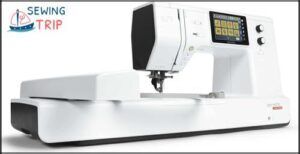
A 5-inch color touchscreen anchors the Bernette b79’s control panel, routing 500 built-in stitches and a Stitch Designer through multi-function knobs that sidestep menu fatigue—though the 40-second boot-up and non-intuitive function screens can slow experienced sewists hunting for specific embroidery-speed adjustments.
The aluminum frame carries 47 pounds across a 20×23×22″ footprint, houses three embroidery hoops with automatic detection, and bundles two BERNINA Toolbox software modules for design tweaks before USB transfer.
Dual feed manages cosplay fabrics reliably, while the programmable foot control’s back-kick function simplifies reverse-stitching during quilting runs.
| Best For | Sewists who want a combo machine for garments, quilts, and embroidery projects without jumping to industrial price points—especially if you’re patient enough to navigate the learning curve. |
|---|---|
| Brand | Brother |
| Weight | 65 pounds |
| Display Type | 5.7″ Remote Screen |
| Embroidery Field | 9.4″ x 7.9″ |
| Built-in Designs | Professional formats |
| Price Range | Professional tier |
| Additional Features |
|
- 500 stitches plus a Stitch Designer give you room to experiment with custom patterns and decorative work.
- Dual feed and three auto-detect hoops handle everything from slippery cosplay fabrics to multi-layer quilts.
- Programmable foot control with back-kick saves you from hand-reversing seams during long quilting sessions.
- 40-second startup and menu layouts that require memorization slow down quick fabric swaps.
- Lower bobbin threading trips up beginners, and the manual leaves gaps that send users hunting for YouTube tutorials.
- Struggles with thick fabric stacks, and accessories can be tough to track down as Bernette support catches up.
5. Brother Embroidery Machine
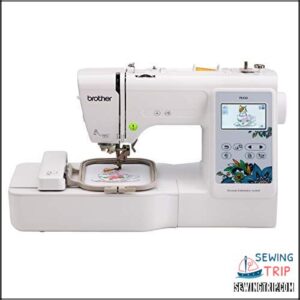
You’ll find the PE535 packs 80 pre-loaded embroidery designs and 9 font styles (6 English, 3 Japanese) into a 14.99-pound frame that won’t monopolize counter space—its 4×4″ field manages monogramming and small-scale appliqué efficiently.
The 3.2″ LCD touchscreen previews stitches before needle-down, while USB connectivity pulls custom files straight from your desktop library. Automatic thread cutting shaves 30 seconds per color change, though user reviews flag occasional needle breakage on dense weaves and stabilizer mismatches.
Brother’s 120-volt motor maintains consistent stitch quality across cotton and poly-blends when tension settings align.
| Best For | Beginners and hobbyists who want to personalize clothing, accessories, and home decor with built-in designs and custom embroidery without needing a full sewing machine. |
|---|---|
| Brand | Bernette |
| Weight | 47 pounds |
| Display Type | 5″ Touchscreen |
| Embroidery Field | Variable with module |
| Built-in Designs | 500 stitches |
| Price Range | Premium |
| Additional Features |
|
- 80 built-in designs and 9 font styles give you plenty of creative options right out of the box
- 3.2″ LCD touchscreen and USB port make it easy to preview and upload custom designs
- Automatic thread cutting saves time on multi-color projects
- 4×4″ embroidery field limits you to smaller projects and designs
- Some users report needle breakage issues on thicker fabrics or dense patterns
- Embroidery-only functionality means you’ll need a separate machine for regular sewing
6. Brother Computerized Sewing Machine
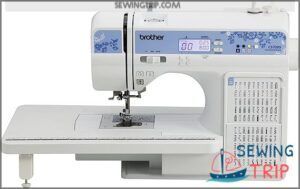
You’ll appreciate the CS7205 if your priorities center on versatility rather than pure embroidery focus. This 16.26×12.52×7.01″ combo delivers 150 built-in stitches (utility, decorative, heirloom, plus 1 alphanumeric font) and a quick-set drop-in bobbin system that eliminates jam-prone threading sequences.
The LCD screen streamlines stitch selection across garment construction and light quilting, though you won’t find automatic thread cutting or end-of-seam knotting.
Eleven included feet (walking foot, quilt guide) support fabric selection from cotton to medium-weight blends, but avoid pushing heavy denim through its 120-volt motor—plastic components may flex under sustained load.
| Best For | Beginners and advanced beginners who want a versatile machine for garment sewing and light quilting without spending a fortune. |
|---|---|
| Brand | Brother |
| Weight | 14.99 pounds |
| Display Type | 3.2″ LCD Touchscreen |
| Embroidery Field | 4″ x 4″ |
| Built-in Designs | 80 embroidery designs |
| Price Range | Entry-level |
| Additional Features |
|
- 150 built-in stitches plus 11 included feet give you tons of creative options right out of the box
- Quick-set drop-in bobbin and automatic needle threader save you from fumbling with tedious setup tasks
- LCD screen makes stitch selection straightforward, even if you’re still learning the ropes
- No automatic thread cutter or end-of-seam knotting means you’ll be snipping threads manually
- Plastic components can break if you’re not careful, so handle with a lighter touch
- Struggles with heavy fabrics like thick denim—stick to light and medium-weight materials
7. PooLin Embroidery Machine
You’ll notice the PooLin embroidery machine markets itself as an entry-level option targeting hobbyists who want computerized embroidery without premium pricing. Its 7-inch user interface and dual-hoop setup (4×4″ and 4×9.25″) handle 130+ built-in designs through WiFi or USB transfer.
However, design limitations and customer support inconsistencies appear frequently in embroidery machine reviews. At 22 pounds, machine portability suits home crafters, yet limited stitch precision (compared to mainstream embroidery machines) and shorter warranty coverage may test your patience on complex projects.
| Best For | Beginners and casual crafters who want to explore embroidery at home without investing in premium equipment. |
|---|---|
| Brand | Brother |
| Weight | 2.2 pounds |
| Display Type | LCD Screen |
| Embroidery Field | N/A |
| Built-in Designs | 150 stitches |
| Price Range | Budget |
| Additional Features |
|
- Affordable entry point with dual hoop sizes and 130 built-in designs to get started quickly
- WiFi and USB transfer options make it easy to load custom patterns
- Includes a complete starter kit with thread, bobbins, and stabilizers so you can begin right away
- Build quality and stitch precision fall short compared to mainstream brands, especially on detailed work
- Customer support and warranty coverage are limited, with some users reporting slow response times
- WiFi connectivity can be unreliable, and the machine may struggle with thread tension on complex projects
8. Smart Commercial Embroidery Machine
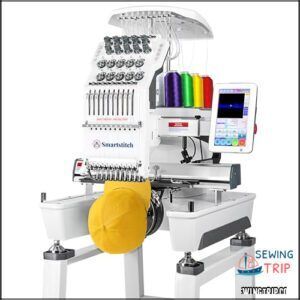
The Smart Commercial Embroidery Machine (model S-1001) delivers 1200 SPM embroidery speed across a 9.5″×14.2″ field—ideal for commercial use when production costs and machine durability matter.
Its 10-needle configuration, automatic thread cutting, and self-lubrication system simplify thread management, while laser positioning and thread-break detection minimize downtime.
At 93 pounds, you’ll need dedicated floor space, yet the 7-inch touchscreen and physical buttons simplify operation.
Multi-needle embroidery machine reviews consistently highlight its professional-grade performance for T-shirts, hats, and leather (though regular maintenance remains non-negotiable).
| Best For | Small business owners and experienced embroiderers who need high-speed, multi-needle capability for professional apparel, hat, and leather projects without constant manual intervention. |
|---|---|
| Brand | Poolin |
| Weight | 22 pounds |
| Display Type | 7″ Touchscreen |
| Embroidery Field | 4″ x 4″ / 4″ x 9.25″ |
| Built-in Designs | 130+ designs |
| Price Range | Entry-level |
| Additional Features |
|
- 1200 SPM speed with 10-needle setup and auto thread trimming cuts production time significantly compared to single-needle machines
- Laser positioning and thread-break detection reduce costly mistakes and wasted material during long runs
- Self-lubrication system and intuitive 7″ touchscreen lower the daily maintenance burden
- 93-pound weight and 25×34×33″ footprint demand dedicated shop space that smaller operations may not have
- Learning curve for new users means you’ll spend time mastering settings before hitting full productivity
- Requires keeping original packaging for returns and consistent upkeep to avoid voiding warranty or damaging components
9. Janome Computerized Sewing Machine
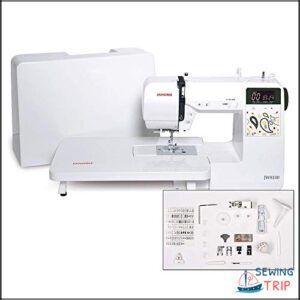
The Janome JW8100 computerized sewing machine packs 100 built-in stitches, 7 auto buttonhole styles, and a 7-piece feed dog system into 12 pounds—making it an absolute steal for quilting thick layers and decorative work.
You’ll handle heavy fabrics with ease thanks to the adjustable thread tension and free-arm configuration, while features like the top drop-in bobbin and start/stop button simplify setup.
Although Janome models like the Memory Craft line offer embroidery editing and expanded computerized features, this unit prioritizes sewing capabilities over machine upgrades.
| Best For | Quilters and sewers who work with heavy fabrics and need reliable stitch variety without paying for embroidery features they won’t use. |
|---|---|
| Brand | Sinotech |
| Weight | 93 pounds |
| Display Type | 7″ Touchscreen |
| Embroidery Field | 9.5″ x 14.2″ |
| Built-in Designs | Variable |
| Price Range | Commercial grade |
| Additional Features |
|
- Handles thick layers and heavy materials smoothly with its 7-piece feed dog system and adjustable tension
- 100 stitches and 7 buttonhole styles give you plenty of creative options for quilting and decorative projects
- Beginner-friendly features like top drop-in bobbin and start/stop button make it easy to learn
- The built-in light isn’t bright enough for detailed work according to some users
- Specialty stitches like the star pattern don’t always turn out as shown
- Pricier than comparable machines from other brands with similar features
Key Features to Compare in Embroidery Machines
Not all embroidery machines are built the same, and knowing which features matter most will save you from buyer’s remorse down the road. You need to evaluate capabilities like embroidery field dimensions, control interfaces, and connectivity options before you commit to a purchase.
Let’s break down the six critical specifications that separate entry-level machines from professional workhorses.
Maximum Embroidery Area and Hoop Size
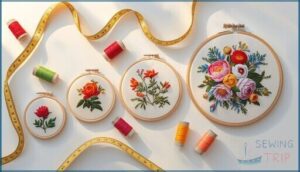
Your embroidery field determines what you can actually create. Entry-level machines usually max out at 4×4 to 5×7 inches, mid-range units push 6×10 inches, and commercial multi-needle models with automatic thread cutting offer 8×12 inches or larger.
Hoop size limits constrain design scaling and stitch density across fabric constraints, so verify both standard and optional hoops before committing.
| Machine Category | Typical Embroidery Area |
|---|---|
| Entry-Level | 4×4 to 5×7 inches |
| Mid-Range | 5×7 to 6×10 inches |
| High-End Home | 6×12 to 7×12 inches |
| Commercial Multi-Needle | 8×12 inches or larger |
Built-in Designs, Fonts, and Editing Options
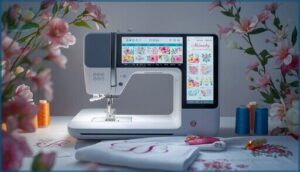
Built-in embroidery designs span 40 to 300+ motifs—florals, geometrics, decorative fills—organized by theme. You’ll find block, script, and monogram fonts with adjustable spacing, plus on-machine editing features for resizing, rotating, and mirroring without embroidery software.
Preview your customization options on the touchscreen before stitching. Top models support USB transfer of third-party embroidery fonts and designs in PES, DST, or EXP formats for expanded design variety.
Touchscreen Controls and User Interface
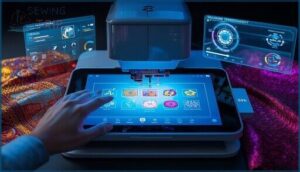
Modern touchscreen controls define your workflow pace, with 4 to 5 inch displays delivering 60 to 120 Hz responsiveness for near-instant feedback. You command menu organization through clearly labeled tabs—Home, Design, Stitch, Settings—while contextual editing options (scale, rotate, mirror) appear directly on the embroidery machine’s user interface. Haptic feedback confirms each press, and touch navigation includes these core advantages:
- Floating toolbars for start, pause, and thread cut
- Visual undo/redo breadcrumb trails
- File thumbnails for quick design preview
- On-screen calibration for dusty or gloved operation
Speed Settings and Stitch Quality
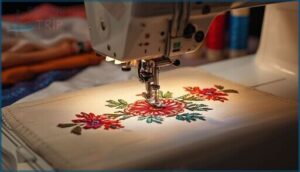
Variable speed control on embroidery machines usually ranges from 400 to 850 stitches per minute, letting you balance throughput against embroidery precision. Higher speeds boost productivity on large fills, yet delicate fabrics demand slower pacing—often 500–600 SPM—to preserve thread tension and fabric stability.
Stitch density directly influences quality: dense motifs require reduced speed to prevent skipped stitches, while proper stabilizer selection and regular needle maintenance guarantee consistent machine embroidery results across varied embroidery techniques.
Connectivity: USB, Wi-Fi, and Software Compatibility
When transferring designs, you’ll rely on USB ports for universal compatibility and cloud storage for wireless convenience. Most computerized sewing machines support DST, PES, or EXP file formats, though wireless networks demand WPA2 security and 2.4 GHz bands.
Touchscreen interfaces simplify design selection, yet sewing machine technology varies—verify that your machine’s file compatibility aligns with existing libraries before investing in sophisticated sewing technology.
Automatic Thread Cutting and Tie-Off Functions
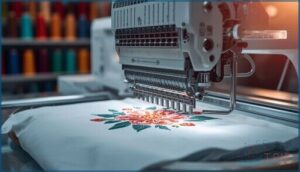
High-end embroidery machine models integrate automatic thread cutting and tie-off modes to eliminate manual trimming between color changes, boosting throughput in production runs. Auto trim systems trigger backstitches that secure thread tails, then cut cleanly—provided you maintain blade sharpness and fabric compatibility settings.
Multi-needle machines with independent thread paths deliver consistent finishes, while programmable cut frequency adjusts to lightweight knits or dense weaves for peak machine embroidery performance.
Choosing Between Combo and Embroidery-Only Machines
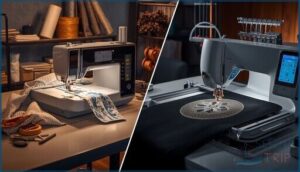
You stand at a fork in the road: buy a combo machine that sews and embroiders, or commit to an embroidery-only unit engineered for specialist work.
Each path offers distinct trade-offs in versatility, workspace capacity, and production efficiency that shape how you’ll approach every project.
Let’s break down the functional differences so you can match machine architecture to your real-world needs.
Advantages of Combo Sewing & Embroidery Models
You consolidate two embroidery machines into one footprint when you choose combo sewing and embroidery models, cutting clutter and conserving precious bench space. Multi-needle configurations and built-in design flexibility let you pivot from garment construction to monograms without swapping hardware, while that all-in-one approach delivers cost savings—one warranty, one maintenance schedule, one power cord.
Key advantages include:
- Space efficiency: Single-unit design occupies less workshop area than separate sewing machines and embroidery machines.
- Simplified user experience: Unified touchscreen interface and consistent threading paths reduce learning curves.
- Expanded embroidery area options: Flexible hoop sizes support diverse projects within the same combo sewing platform.
Benefits of Embroidery-Only Machines
Dedicated embroidery machines strip away sewing functions to deliver maximum embroidery area—often 9.5 × 14 inches or larger—so you can tackle larger designs without re-hooping.
Multi-needle configurations keep six to ten thread colors loaded, boosting thread efficiency and embroidery speed while reducing fabric handling steps.
That focused engineering translates to stable stitch precision and fewer workflow interruptions during machine embroidery operations.
Multi-Needle Vs. Single-Needle Options
Machine embroidery production hinges on needle count. Single needle units handle color-by-color stitch sequences at 400–850 SPM, requiring manual thread swaps that extend production time but simplify needle alignment checks.
Single-needle embroidery machines handle colors sequentially at 400–850 SPM, trading speed for simpler alignment checks during manual thread swaps
Multi needle systems load six to ten colors simultaneously, accelerating production speed by 40–60% and improving color flexibility, yet demand tighter thread management protocols and more frequent servicing intervals to preserve machine durability across complex industrial runs.
Commercial Vs. Home Use Considerations
Your embroidery business model dictates machine selection. Commercial embroidery machines deliver multi-needle configurations, continuous duty cycles exceeding 8 hours daily, and industrial-grade frames that slash production costs per stitch—essential for industrial needs and high-volume contracts.
Home embroidery setups prioritize compact footprints, simpler maintenance schedules, and lower upfront investment, making them ideal for hobby projects or small-scale home use without sacrificing embroidery machine reliability.
Essential Buying Considerations and Maintenance Tips
You’ve narrowed down your machine choices, but picking the right embroidery equipment means looking beyond flashy features to practical realities that’ll affect every project you stitch.
Your investment needs to fit your workspace, budget, and long-term goals—while routine maintenance will determine whether that machine delivers crisp 0.5 mm accuracy for years or becomes a frustrating repair cycle.
Let’s break down the essential factors that separate smart purchases from expensive regrets.
Machine Size, Weight, and Portability
Your workspace dictates footprint requirements. Compact designs under 15 pounds fit standard desks, while multi-needle units exceeding 40 pounds demand dedicated tables with weight distribution in mind.
Portable single-needle machines often include grips for easy relocation, whereas heavier models require locking casters or sturdy stands.
Storage solutions range from soft cases for lightweight units to rolling cabinets for larger embroidery area configurations.
Brand Reputation and Customer Support
Beyond physical specs, you’ll want a manufacturer that stands behind its machines. Brother, Baby Lock, and Bernina consistently score 80–90 on consumer reliability scales, with response times averaging 24–48 hours.
Customer reviews reveal solid brand loyalty tied to support quality—particularly when troubleshooting complex sewing and embroidery functions.
Authorized service centers exceeding 200 locations nationwide guarantee your embroidery machines stay operational when issues arise.
Price, Value, and Warranty Coverage
You’ll find entry-level embroidery machines starting around $200–$600, while Brother’s sewing and embroidery combos usually land between $600–$1,200 with 1–2 year warranty terms. Multi-needle units begin near $3,000, delivering lower cost per design at scale—an absolute steal for serious hobbyists.
Cost analysis should weigh price points against hoop size, built-in designs, and warranty coverage; longer terms reduce total ownership expense and keep your machine embroidery running strong.
Regular Cleaning and Maintenance Practices
After you’ve secured the right price and warranty, daily maintenance keeps your embroidery machine running at peak efficiency. Clean lint and dust from the bobbin area and feed dogs every 4–8 hours; oil lubrication follows manufacturer specs—never overdo it. Thread management and machine inspection catch worn needle plates early, protecting stitch quality and preventing costly repairs down the line.
- Remove lint from bobbin cleaning zones after heavy use to maintain automatic thread trimming precision
- Lubricate moving parts sparingly with light sewing machine oil only when the manual requires it
- Clear thread nests from tension discs and take-up levers every 1–2 weeks under production conditions
- Inspect presser feet and needle plates monthly; replace worn components before they compromise machine embroidery output
Needle, Thread, and Stabilizer Selection
Your needle selection, thread tension, and stabilizer types form the trinity of embroidery quality—skip one and your embroidery machines won’t deliver.
Use 75/11 to 90/14 needlework needles matched to fabric preparation demands; maintain 40-weight thread with calibrated tension; layer cut-away stabilizers for wovens and tear-away for knits.
Proper embroidery materials and notions prevent puckering, thread breaks, and wasted hours.
Embroidery Software and Design Transfer Options
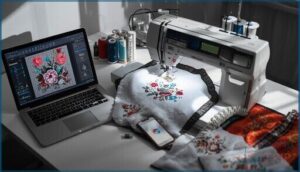
The right software transforms your embroidery machine from a simple stitcher into a complete design studio, but compatibility issues and file format confusion can derail even experienced users. You’ll need to understand which programs work with your machine’s native format, whether you can transfer designs wirelessly or need a USB stick, and which applications deliver professional results without a steep learning curve.
Let’s break down the software ecosystem, file requirements, and transfer methods that’ll give you full creative control over every project.
Built-in Vs. Third-Party Embroidery Software
When you’re comparing embroidery software, built‑in options provide immediate access to native designs and basic editing capabilities, but third‑party platforms like Embrilliance and Hatch 3 deliver enhanced design flexibility and color management across multiple embroidery machines.
Third‑party embroidery software accommodates broader file compatibility and improved editing capabilities, while built‑in systems keep your digital embroidery workflow simple—though upgrades release machine embroidery features that native tools can’t match.
File Formats and Compatibility
Most modern embroidery machines support DST, PES, and EXP formats through the USB port. While PES preserves color management data, DST carries only stitch data.
File conversion tools help you adapt designs to your machine’s hoop sizes (usually 4×4, 5×7, or 6×10 inches). Third-party software exports designs in multiple formats, ensuring smooth digital embroidery across brands.
Design Transfer: USB, Wi-Fi, Bluetooth
USB connectivity remains the most reliable method—you plug in your thumb drive and the embroidery machine reads DST, PES, or EXP files in seconds.
Wi-Fi and Bluetooth give you wireless connectivity for transferring designs from mobile apps or cloud services, though transfer speed can lag on older models.
Touchscreen interfaces let you preview and position your machine embroidery designs before stitching begins.
Recommended Software for Beginners and Pros
You’ll find that beginner-friendly embroidery software like Embrilliance Essentials and Hatch Essentials delivers user-friendly font management and basic digitizing tools to get your embroidery designs running fast, while expert users rely on Wilcom E4 or Brother PE-Design 11 for precise stitch effects and vector editing.
- Entry-level packages offer guided workflows for embroidery for beginners exploring design optimization without steep learning curves
- Professional suites provide extensive format compatibility across multiple embroidery machines and complex multi-color layering
- Free options like Ink/Stitch let you experiment with machine embroidery workflows before committing to paid licenses
Frequently Asked Questions (FAQs)
What is the best embroidery machine to buy?
You’d think brand reliability and user reviews would make embroidery machine selection simple, but purchase tips reveal multi-needle machines dominate embroidery costs comparisons—making choosing the right embroidery machine less about one “best” model.
Which company is best for embroidery machines?
Brother dominates consumer embroidery with extensive model variety and broad support, while Janome delivers precision stitch quality.
Bernina and Husqvarna Viking target serious hobbyists with premium builds and sturdy software ecosystems for sophisticated design work.
Is Janome as good as Bernina?
Independent benchmarks show Bernina’s flagship machines achieve marginally higher stitch precision at speed, yet Janome delivers competitive quality across broader price points.
Your choice hinges on budget versus professional-grade durability and multi-needle workflow demands.
How do I know what embroidery machine to buy?
You’ll nail your embroidery machine choice by matching hoop size and stitch quality to your typical projects.
Compare multi-needle versus single-needle models, read user reviews thoroughly, and balance budget planning with brand research.
How long does it take to learn embroidery?
Like any craft worth mastering, embroidery’s learning curve stretches differently for everyone. You’ll handle basic machine embroidery techniques in 2–6 weeks, with beginner tips accelerating your path from novice to confident DIY embroidery creator through consistent practice time.
What are the ongoing costs of owning one?
You’ll spend $3–$6 per bobbin on thread, $10–$50 per design on stabilizers, and $80–$150 annually on machine maintenance, plus electricity usage, fabric waste, and occasional servicing fees for your embroidery machines.
Is embroidery easier on a machine than by hand?
Sure, hand embroidery lets you channel your inner Renaissance artisan—if you’ve got infinite patience.
Embroidery machines deliver excellent stitch quality, fabric tension control, and thread control at 400–850 SPM, while automatic needle threaders eliminate manual frustration.
What maintenance do embroidery machines require?
You’ll need regular bobbin maintenance, machine lubrication, needle care, dust prevention, and thread management to keep your embroidery machine running smoothly.
Clean the automatic thread cutter and automatic needle threader after heavy use.
How do I troubleshoot thread tension problems?
Check your thread path through tension discs, reset top tension to mid-range, and test on scrap fabric. Then, fine-tune clockwise or counterclockwise.
Ensuring proper needle selection and fabric stabilization prevents most embroidery machine maintenance headaches.
What stabilizers work best for different fabrics?
Like a foundation beneath a building, stabilizer choice determines embroidery success: fusible stabilizers anchor woven fabrics, tear-away manages knits, cut-away reinforces stretch materials, while water-soluble toppers perfect delicate tulle and lace embroidery techniques.
Conclusion
Like Goldilocks testing chairs until one felt just right, you’ve now compared hoop dimensions, stitch speeds, and connectivity across the best embroidery machines reviewed in this guide. Your perfect match depends on workspace constraints, production volume, and whether combo versatility trumps dedicated embroidery precision.
Measure your project ambitions against machine specifications—maximum embroidery area, thread management systems, and software compatibility—then invest in the model that transforms technical capabilities into finished designs without compromise.
- https://embroideryonline.com/?aff=95
- https://www.eversewn.com/sparrow-x2
- https://www.bernette.com/en-US/models/bernette-79
- https://goto.walmart.com/c/1942563/565706/9383?veh=aff&sourceid=imp_000011112222333344&u=https%3A%2F%2Fwww.walmart.com%2Fip%2FBrother-SE625-Computerized-Sewing-and-Embroidery-Machine-with-4-x4-Field-Color-LCD-display-280-Embroidery-Designs%2F802986799%3Fwmlspartner%3Dwlpa%26selectedSellerId%3D0%26adid%3D22222222227099665565%26wl0%3D%26wl1%3Dg%26wl2%3Dc%26wl3%3D233125098918%26wl4%3Daud-430887228898%3Apla-384022673680%26wl5%3D9027285%26wl6%3D%26wl7%3D%26wl8%3D%26wl9%3Dpla%26wl10%3D8175035%26wl11%3Donline%26wl12%3D802986799%26veh%3Dsem%26gclid%3DCj0KCQjw9tbzBRDVARIsAMBplx9ytEkNryuolWzNfMWMlOrY9ACnmc1y_eU6HGLjAlphurpOhVlgmf4aAiSaEALw_wcB
- https://hatchembroidery.com/