This site is supported by our readers. We may earn a commission, at no cost to you, if you purchase through links.
The difference between a clean, precise cut and a jagged edge often comes down to one tool. A good die cutter machine doesn’t just save time—it changes what you can make.
Craft technology has moved fast. Today’s machines handle everything from delicate paper to thick leather, with cutting forces ranging from 50 grams for vinyl up to 4 kilograms for tougher materials. Some run on Bluetooth and read SVG files straight from your laptop. Others need nothing more than a hand crank.
That range is exactly why picking the right one matters. The ten machines below cover every budget, material, and skill level—so you can cut with confidence from day one.
Table Of Contents
- Key Takeaways
- 10 Best Die Cutter Machines
- 1. Silhouette Cameo 4 Cutting Machine
- 2. Cricut Cuttlebug Compact Die Cutter
- 3. Silhouette Portrait 4 Vinyl Cutter
- 4. Bira 9 Inch Adjustable Die Cutter
- 5. AccuQuilt Go Fabric Cutter
- 6. Spellbinders Deep Sea Die Cutter
- 7. Sizzix Big Shot Pro Die Cutter
- 8. Mint Cricut Explore Air Cutter
- 9. Cricut Maker Cutting Machine
- 10. Gemini Junior Portable Die Cutter
- Die Cutter Machine Buying Guide
- Manual Vs Electronic Die Cutters
- Cutting Size and Material Compatibility
- Best Die Cutters for Sewing
- Software, Dies, and Accessories
- Portability, Storage, and Workspace
- Performance, Precision, and Durability
- Choosing Your Best Die Cutter
- Frequently Asked Questions (FAQs)
- Conclusion
Key Takeaways
- The Silhouette Cameo 4 is the strongest all-around pick — it cuts fast, works wirelessly, and handles everything from vinyl rolls to mixed media without constant tweaking.
- Your machine type (manual, electronic, or digital) matters more than brand — it determines your learning curve, material range, and whether you’ll need software at all.
- Hidden costs like replacement blades, cutting mats, and optional subscriptions can quietly double your budget, so factor those in before you buy.
- Match the machine to your main material — the AccuQuilt GO wins for fabric and quilting, while the Cricut Maker handles the widest range of tough materials like leather and balsa wood.
10 Best Die Cutter Machines
Finding the right die cutter can make or break your next project, so the machine you choose really does matter. This list covers ten models that stand out in 2026 — from budget-friendly manual cutters to feature-packed digital machines. Here’s what made the cut.
Whether you’re a beginner or a seasoned crafter, the best die cutting machines reviewed here offer something for every skill level and budget.
1. Silhouette Cameo 4 Cutting Machine
The Silhouette Cameo 4 is the die cutter that serious crafters keep coming back to. It cuts three times faster than older models and detects your blade automatically — no manual adjustments needed.
The built-in roll feeder feeds vinyl and heat‑transfer material up to 10 feet long, while matless cutting via Smart Cutting technology keeps your workflow smooth.
Bluetooth connectivity means you can position it anywhere in your workspace, not just next to your computer.
| Best For | Crafters and small-business owners who regularly work with vinyl, heat-transfer material, or mixed media and want a fast, wireless cutter that handles both sheet and roll formats. |
|---|---|
| Power Source | Electric |
| Max Cut Width | 12 in |
| Connectivity | Bluetooth |
| Portability | Moderate |
| Material Support | Vinyl, fabric, cardstock, wood |
| Skill Level | Intermediate |
| Additional Features |
|
- Automatic tool detection takes the guesswork out of blade setup, so you spend less time fiddling and more time cutting
- The built-in roll feeder supports up to 10 feet of continuous cutting — great for high-volume vinyl or HTV projects
- Bluetooth connectivity lets you place it anywhere in your workspace, not just tethered to your computer
- Bluetooth isn’t always plug-and-play and may need a separate dongle to work properly
- The software has a learning curve, and getting clean, accurate cuts often takes some trial and error upfront
- The plastic build feels less sturdy than older Cameo models, and customer support can be hit or miss
2. Cricut Cuttlebug Compact Die Cutter
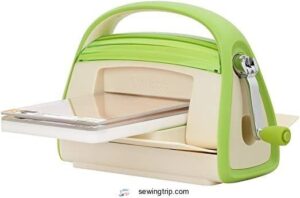
Not every crafter needs software, Bluetooth, or auto-blade detection. Sometimes you just want to cut and go.
The Cricut Cuttlebug Compact is exactly that — a manual die cutter that runs on hand pressure alone. No power outlet, no setup screen. It folds flat for storage, grips your work surface with a built-in suction base, and ships ready to use with A and B cutting pads plus a flower embossing folder.
Perfect for card making, scrapbooking, or crafting on the move.
| Best For | Hobbyist crafters who want a simple, portable die cutter for card making, scrapbooking, or on-the-go projects — no power or software needed. |
|---|---|
| Power Source | Manual |
| Max Cut Width | 8 in |
| Connectivity | None |
| Portability | High |
| Material Support | Paper, cardstock, fabric |
| Skill Level | Beginner |
| Additional Features |
|
- Works with Cricut and third-party dies and embossing folders, so your existing supplies are good to go
- Folds flat with a pop-up handle, making it easy to take to crafting classes or store in tight spaces
- Dual-function design lets you cut, emboss, or do both in a single pass
- Suction base can lose grip on certain surfaces, leading to wobble mid-project
- Maximum paper width of around 8 inches rules it out for full-size stationery or larger projects
- Plate C (the thin-die plate) isn’t included and has to be bought separately
3. Silhouette Portrait 4 Vinyl Cutter
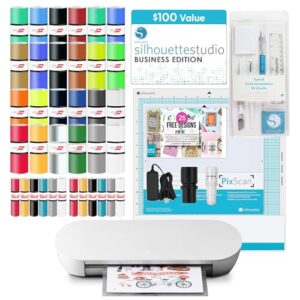
If you liked the Cuttlebug’s simplicity but want to take on digital designs, the Portrait 4 steps things up without overwhelming you.
It cuts up to 8.5 inches wide and controls long rolls — up to 54 inches in a single pass. Bluetooth and auto tool recognition mean less setup fuss. The built-in optical sensor makes print-and-cut jobs accurate. Silhouette Studio software is included, and it runs matless on most vinyl and cardstock.
| Best For | Hobbyists and small business owners who want to move from manual crafting into digital cutting without a steep learning curve. |
|---|---|
| Power Source | Electric |
| Max Cut Width | 9 in |
| Connectivity | Bluetooth |
| Portability | High |
| Material Support | Vinyl, HTV, cardstock, fabric |
| Skill Level | Intermediate |
| Additional Features |
|
- Cuts a wide range of materials — vinyl, heat-transfer vinyl, cardstock, fabric, and thin plastics — making it versatile for apparel, decals, and signage
- Bluetooth connectivity and quiet operation (~50 dB) keep your workspace clean and low-stress
- Comes ready to go with included vinyl sheets, HTV, and Silhouette Studio Business Edition software
- The 9-inch cutting width can feel limiting if you’re working on larger projects
- Stock cutting mats lose their grip fairly quickly, adding to your ongoing costs
- The software has a learning curve, and getting blade settings right often takes some trial and error
4. Bira 9 Inch Adjustable Die Cutter
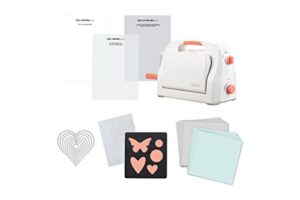
The Portrait 4 goes digital — the Bira 9 Inch Adjustable Die Cutter goes back to hands-on control, and that’s exactly the point.
With a 9-inch opening, it processes acid-etched dies, steel-rule dies, and embossing folders. The height-adjustment gear system sets roller tension fast, no guesswork needed. When you’re done, the frame folds flat and the crank detaches. Suction cups keep it locked on your table while you crank.
| Best For | Crafters and hobbyists who want hands-on, manual control for cutting and embossing cards, invitations, and scrapbook projects in a compact workspace. |
|---|---|
| Power Source | Manual |
| Max Cut Width | 9 in |
| Connectivity | None |
| Portability | High |
| Material Support | Paper, cardstock, light fabric |
| Skill Level | Beginner |
| Additional Features |
|
- Height-adjustment gear system makes roller tension changes quick and easy, no trial-and-error required
- Folds flat and detaches the crank handle for storage, making it easy to tuck away or take to workshops
- Suction-cup base keeps the machine firmly in place while you work
- The 9-inch opening caps your project size — larger formats will need a different machine
- Not built for thick materials like chipboard or hot-foil plates
- Some die and embossing folder combinations may need extra fine-tuning to get the pressure just right
5. AccuQuilt Go Fabric Cutter
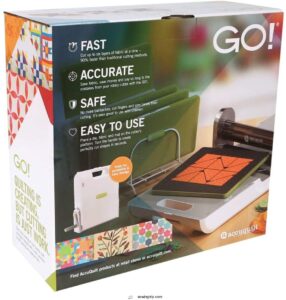
Quilters, this one was built for you.
The AccuQuilt GO Fabric Cutter (Model 55100) cuts up to six layers of 100% cotton in a single pass — no electricity needed. It runs 90% faster than rotary cutters, which means less time at the table and more time at the machine.
The aluminum frame folds flat for easy transport. At around 15 pounds, it travels to guild nights without complaint.
It ships with a 3-piece die set and cutting mat.
| Best For | Quilters who want to cut fabric faster and more consistently — especially those with arthritis, joint pain, or anyone who spends a lot of time at the cutting table. |
|---|---|
| Power Source | Manual |
| Max Cut Width | Die-dependent |
| Connectivity | None |
| Portability | High |
| Material Support | Fabric, cotton, flannel |
| Skill Level | Beginner |
| Additional Features |
|
- Cuts up to six layers of cotton in one pass, slashing prep time by up to 90% compared to scissors or a rotary cutter
- No electricity required, so it’s easy to pack up and bring to guild meetings or quilting classes
- Reduces repetitive strain on hands, wrists, and back — a real plus for quilters dealing with limited mobility
- Additional dies and replacement cutting mats are sold separately, which adds to the upfront $379.99 price tag
- The roller can feel stiff for users with shoulder or wrist issues, and may occasionally need a second pair of hands
- Shape options are locked to whatever dies you own — no flexible sizing like you’d get with a rotary cutter and ruler
6. Spellbinders Deep Sea Die Cutter
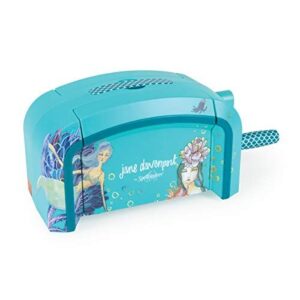
The Spellbinders Deep Sea Die Cutter (Model JD-031) is a solid steel center machine built for mixed-media crafters who need both cutting and embossing from one device. Jane Davenport’s custom teal graphics give it a distinctive look, but the real story is its VersaCut technology — consistent pressure across thick and thin materials alike.
It works with Spellbinders etched dies and Sizzix Bigz dies. The kit includes two cutting plates, an embossing plate, and an embossing mat right out of the box.
| Best For | Mixed-media hobbyists and small-business crafters who want a single machine that handles both precise cutting and embossing across a wide range of materials. |
|---|---|
| Power Source | Manual |
| Max Cut Width | Die-dependent |
| Connectivity | None |
| Portability | Moderate |
| Material Support | Paper, fabric, metal, balsa wood |
| Skill Level | Intermediate |
| Additional Features |
|
- VersaCut technology delivers consistent pressure whether you’re cutting delicate paper or tougher materials like thin metal and balsa wood
- Comes ready to use out of the box with two cutting plates, an embossing plate, and an embossing mat included
- Compatible with both Spellbinders steel cut dies and Sizzix Bigz dies, giving you plenty of creative flexibility
- Cutting plates can warp with heavy use, and replacement plates aren’t easy to find
- Very thin dies (like Thinlettes) may be hard to run through and could get damaged in the process
- Accessories are model-specific, so sourcing third-party parts requires extra compatibility checks
7. Sizzix Big Shot Pro Die Cutter
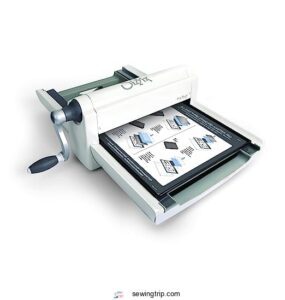
For crafters who mean business, the Sizzix Big Shot Pro is built to match. Its 13-inch wide opening accommodates full-size 12×12 projects — scrapbook pages, quilt pieces, wedding stationery — without trimming your ambitions down.
Pair it with a sewing machine table designed for classroom and group settings to keep your workspace as organized as your projects are ambitious.
The all-metal frame weighs roughly 44 lb, so it stays exactly where you put it. That’s a real advantage if hand strength is an issue.
It cuts, embosses, and works across the entire Sizzix die library in a single pass.
| Best For | Serious crafters and hobbyists who regularly work on large-format projects like scrapbooking, quilting, or wedding stationery and need a powerful, stable machine built to last. |
|---|---|
| Power Source | Manual |
| Max Cut Width | 13 in |
| Connectivity | None |
| Portability | Low |
| Material Support | Paper, cardstock, foam, chipboard |
| Skill Level | Advanced |
| Additional Features |
|
- The 13-inch wide opening handles full 12×12 projects in one pass — no piecing together or compromising on size
- Heavy all-metal construction keeps the machine planted in place, which is especially helpful for anyone with limited hand strength or arthritis
- Compatible with the entire Sizzix die library, so it cuts, embosses, and works across a huge range of materials and designs
- At nearly 44 lb, it’s a commitment — you’ll need a dedicated, sturdy workspace because moving it around isn’t practical
- Key accessories like extra sliding trays and larger cutting pads are sold separately, which can quietly add up in cost
- First-time users may find the learning curve steep, since figuring out the right die and shim combinations takes trial and error with little guidance from the manufacturer
8. Mint Cricut Explore Air Cutter
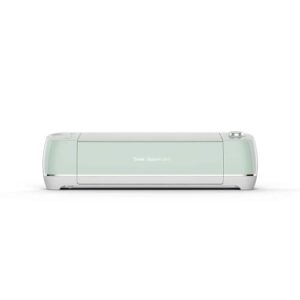
The Mint Cricut Explore Air is the machine for crafters ready to go wireless and move fast. Bluetooth connectivity means no cord tethering you to your desk — just sync it to your phone or computer and cut.
Design Space runs on iOS, Android, Windows, and Mac, so your workspace travels with you. The Smart Set dial processes over 100 materials automatically, adjusting blade depth without guesswork.
Vinyl stickers, iron-on shirts, cards — it processes them cleanly up to 12 inches wide.
| Best For | Hobbyists and small-business owners who want a wireless, versatile cutting machine that handles everything from vinyl stickers and iron-on designs to paper crafts and fabric projects. |
|---|---|
| Power Source | Electric |
| Max Cut Width | 12 in |
| Connectivity | Bluetooth |
| Portability | Moderate |
| Material Support | Paper, vinyl, fabric, HTV |
| Skill Level | Beginner |
| Additional Features |
|
- Bluetooth connectivity means you can control it from your phone or computer without being tied down by cords
- The Smart Set dial automatically adjusts settings for 100 materials, so there’s no guesswork when switching between vinyl, cardstock, fabric, and more
- Works with up to six interchangeable tools — blades, pens, scoring wheels, foiling tips — making it a true all-in-one craft machine
- Design Space requires an internet connection for full functionality, so offline use is pretty limited
- Ongoing costs add up fast — replacement blades, cutting mats, materials, and an optional subscription for premium fonts and images can get pricey
- The print-and-cut feature maxes out at 6 × 8 inches, which means larger projects need workarounds or multiple passes
9. Cricut Maker Cutting Machine
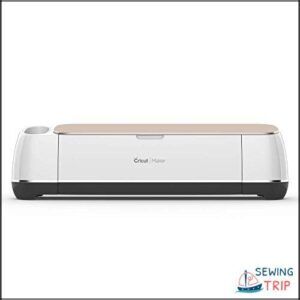
The Cricut Maker is where cutting power meets creative range. With up to 4 kg of cutting force — ten times what the Explore series delivers — it slices through thick leather, balsa wood, and matboard without hesitation.
Its Adaptive Tool System accommodates 13 interchangeable tools, including the rotary blade for fabric and the knife blade for denser materials. Design Space controls pressure and depth automatically, so you spend less time adjusting and more time creating.
| Best For | Crafters and makers who work with a wide range of materials — from delicate fabric to thick leather and wood — and want a single machine that can handle serious cutting projects at home. |
|---|---|
| Power Source | Electric |
| Max Cut Width | 12 in |
| Connectivity | Bluetooth |
| Portability | Moderate |
| Material Support | Paper, fabric, leather, matboard, wood |
| Skill Level | Intermediate |
| Additional Features |
|
- Handles 300 materials with up to 4 kg of cutting force, including dense stuff like matboard, balsa wood, and leather that lighter machines can’t manage
- The Adaptive Tool System’s 13 interchangeable tools (rotary, knife, scoring, foiling, and more) make it incredibly versatile across sewing, decor, and paper crafts
- Design Space automatically adjusts pressure and depth settings, keeping the learning curve manageable even for complex projects
- Specialty blades like the knife and deep-cut tools cost extra on top of the machine itself
- Unlocking the full Design Space library means paying for a Cricut Access subscription — that’s an ongoing cost to factor in
- It depends on a stable internet connection, so server outages or weak Bluetooth signal (keep it within ~15 ft) can bring your project to a halt
10. Gemini Junior Portable Die Cutter
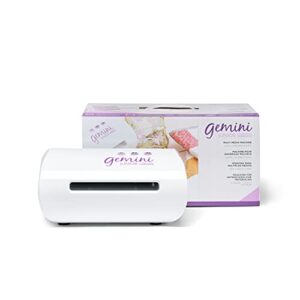
The Gemini Junior punches well above its size. This compact electric machine cuts and embosses in about 10 seconds, handling cardstock, vinyl, fabric, foil, and leather without a single crank. Its 6 in × 9 in platform delivers edge-to-edge pressure that most manual machines can’t match at this footprint.
It’s built for crafters who want speed without a large setup. Pause and reverse controls keep you in command, and the included plates get you cutting straight out of the box.
| Best For | Beginners and crafters with limited space who want a fast, electric alternative to manual die-cutting machines. |
|---|---|
| Power Source | Electric |
| Max Cut Width | 6 in |
| Connectivity | Wired only |
| Portability | High |
| Material Support | Cardstock, vinyl, foil, fabric |
| Skill Level | Beginner |
| Additional Features |
|
- Cuts and embosses in about 10 seconds with edge-to-edge pressure across a 6 × 9 in platform — no cranking required
- Pause and reverse controls give you precise handling, even with intricate or multi-layer dies
- Compact and portable, making it easy to take to classes or pack away between projects
- The plastic and magnetic shims tend to warp after limited use, so replacements may be needed sooner than expected
- High pressure can leave impressions on thinner plates and may be too aggressive for very thick dies
- The machine runs loud, and getting the plate sandwich wrong can cause jams or slipping during embossing
Die Cutter Machine Buying Guide
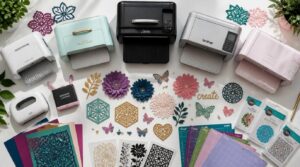
Picking the right die cutter comes down to knowing what actually matters for your projects. A few key factors will steer you toward the machine that fits your workflow, budget, and skill level. Here’s what to look at before you buy.
Best Use Cases
Knowing your main use unlocks the right machine instantly.
- Card making & scrapbooking — fine detail cuts with interchangeable blades
- Fabric & quilting layouts — fabric-friendly blades with low vibration
- Classroom projects — safe, beginner-friendly setups with starter dies
- Event signage — large cutting areas for thick cardstock
- Home crafting — compact machines for quick project turnover
Machine Type Comparison
Three machine types dominate the market: manual, electronic, and digital. Manual die cutting machines use a hand-crank — no power needed, full tactile control. Electronic die cutting machines automate that pressure with a motor, cutting faster and more consistently. Digital cutters go furthest, reading SVG files through software and guiding a motorized blade with near-surgical precision.
Your use case decides the winner.
Budget Range
Once you know your machine type, price becomes the real filter.
Entry-level manual cutters start around $25–$75 — solid for card stock and simple shapes.
Mid-range electronic models run $150–$350, where most crafters find the sweet spot.
Professional machines climb to $400–$1,000.
Watch for hidden costs: mats, blades, and dies add up fast.
Learning Curve
Spending more money doesn’t automatically mean faster results. Your machine type matters here — manual cutters like the Cricut Cuttlebug have almost no interface to learn, while digital machines need software practice.
Most beginners hit their stride after 5 to 8 hours of hands‑on sessions. Short, focused practice runs beat long, exhausting ones every time.
Long-term Value
Value compounds over time. A machine backed by strong brand reputation and genuine product innovation keeps pace with your growing skill set — and holds its resale value longer. Look for durable gear construction, a meaningful warranty, and a brand that regularly expands its blade and software environment. That’s what separates a smart buy from a costly mistake.
Choose a machine backed by innovation and durability — that’s what separates a smart buy from a costly mistake
- Machine durability reduces replacement costs
- Broad accessory ecosystems support creative growth
- Longer warranties signal manufacturer confidence
Manual Vs Electronic Die Cutters
Choosing between manual and electronic die cutters comes down to how you work and what you make. Each type brings something different to the table — from the simplicity of a hand-crank to the precision of software-driven cutting. Here’s a closer look at what sets them apart.
Manual Machine Benefits
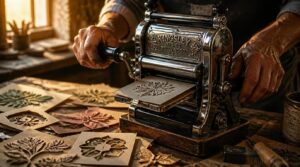
There’s something honest about a handcrank die cutter that no screen can replicate. You feel the material yield under pressure. That tactile feedback tells you immediately if something’s off — no error message needed.
| Benefit | Why It Matters |
|---|---|
| No software | Cut instantly, anywhere |
| Low maintenance | Fewer parts, fewer problems |
| Precision control | You adjust mid-cut |
| Cost accessibility | Lower entry price |
For startups, the lower purchase price of manual machines can be a game‑changer.
Manual operation puts mastery in your hands.
Electronic Machine Benefits
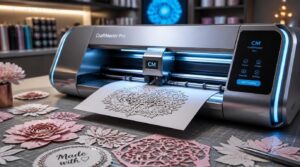
When you switch to an electronic die cutter, the game changes fast. Precision automation controls blade pressure and positioning for you, delivering clean cuts every single time — no guesswork, no manual adjustment mid-run.
| Feature | Benefit |
|---|---|
| Repeatable settings | Identical cuts across every batch |
| Real-time feedback | Know exactly when something’s off |
Error recovery routines mean a jam won’t derail your whole session.
Digital Cutter Benefits
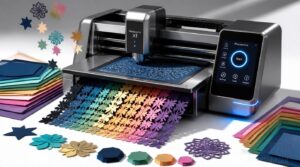
Digital die cutting machines don’t just cut faster — they think smarter. Workflow automation controls tool paths, material nesting, and job queues without you touching a thing, so production speed climbs while material waste drops.
| Feature | What It Does |
|---|---|
| Design incorporation | Pulls SVG files straight into cut instructions |
| Cutting consistency | Repeats identical cuts across every batch |
Precision cutting means your tenth piece looks exactly like your first.
Power Source Needs
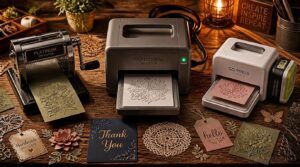
Power source matters more than most crafters realize. Manual die cutters need no electricity at all — just your hand on the crank.
Electric and digital models pull 110–240V AC power, drawing up to 200 watts during active cutting.
A few portable units run on lithium-ion batteries, offering 2–4 hours of cordless use before needing a recharge.
Best User Match
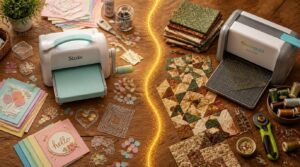
The right machine is the one that fits your workflow — not just the one with the most features.
| User Type | Best Match |
|---|---|
| Beginners & budget crafters | Cricut Cuttlebug |
| Fabric & quilting enthusiasts | AccuQuilt GO |
Matching user needs to machine type saves money and frustration long-term.
Cutting Size and Material Compatibility
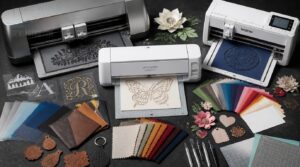
Knowing your machine’s cutting limits before you buy can save you a lot of frustration down the road.
The right die cutter needs to handle your specific materials — whether that’s delicate vinyl or thick leather — and fit the scale of projects you actually make.
Here’s what to look for across five key areas.
Maximum Cutting Width
Every inch matters when you’re sizing up a die cutter. The maximum cutting width tells you how large a design you can cut in a single pass — no repositioning, no guesswork.
A 9-inch opening accommodates full A4 sheets with room to breathe, while a 6-inch opening suits smaller, detail-focused work.
Wider machines also demand more workspace clearance on both sides.
Fabric Cutting Ability
Cutting fabric is where a die cutter either earns your trust or loses it. Blade sharpness matters more here than anywhere else — a fresh blade delivers up to 15% cleaner edges on cotton, keeping fibers intact without fraying.
Stabilize your fabric before cutting. Even slight shifting causes misalignment. For knits or silks, use adhesive mats.
Vinyl and Paper Cutting
Vinyl and paper are where most people start — and where the details really matter. Vinyl force settings usually range from 50 to 350 grams, so dialing in the right pressure for your material prevents tears and skipped cuts. Adhesive vinyl holds up for up to five years indoors before fading, making it a smart choice for stickers and decals.
Transfer tape is non-negotiable when moving cut vinyl. Without it, your design shifts and distorts before it reaches the final surface.
Paper is more forgiving. Most die cutting machines handle up to 300 gsm cardstock cleanly — just use a lighter blade and reduced force. For paper crafting and sticker making, scoring instead of cutting creates clean fold lines without slicing all the way through.
Leather and Wood Support
Paper forgives most mistakes. Leather and wood don’t.
When you cut thick leather or balsa wood, you need a machine built for the job — specifically the Cricut Maker or Silhouette Cameo 4. Leather-faced holders grip the material, absorb cutting vibration, and distribute pressure evenly so your die lands clean every time without crushing delicate surfaces.
Mat Thickness Limits
The mat under your material does more work than most crafters realize. Most standard mats handle up to 2 mm thick, but push them past that consistently and they degrade fast — taking your blade longevity down with them. Test a small scrap first. That one habit protects both your mat and your blade on every run.
Best Die Cutters for Sewing
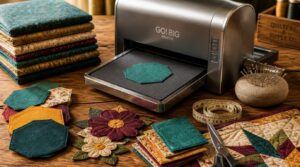
Sewing projects demand precision that a great die cutter can actually deliver. Whether you’re cutting quilting blocks, appliqué shapes, or layered fabric stacks, the right machine saves you serious time and frustration. Here are the key features to look for when sewing is your main focus.
Quilting Fabric Cuts
Quilting demands precision, and die cutters built for fabric change what’s possible.
The AccuQuilt GO cuts 90% faster than rotary cutters, giving you clean, square edges on woven fabric without the fatigue.
Pair it with a marked cutting mat and acrylic ruler alignment, and every piece stays true — block after block, layer after layer.
Appliqué Shapes
Cut appliqué shapes with a die cutting machine, and every motif — floral, geometric, seasonal — comes out identical. Fusible web stabilizers bond shapes to your base fabric before stitching, stopping shift and pucker.
Layer contrasting textures for depth, then finish edges with a satin or blanket stitch to lock everything down cleanly.
Pattern Piece Cutting
Every sewist knows the frustration of cutting pattern pieces by hand — slight shifts in the fabric, grain lines drifting off course, notches landing a millimeter short. A die cutter removes that guesswork entirely.
Grain line alignment stays consistent because the machine holds each cut to the same precise path, and fabric nesting efficiency means your pattern pieces make the most of every inch of cloth.
Layered Fabric Accuracy
When you cut through multiple fabric layers, even a 0.3 mm stitch offset can throw off an entire seam.
- Measure thickness at 10 points per sample
- Keep layer deviation under 0.8 mm total
- Check edge alignment within 0.4 mm
- Test interlayer slip resistance before cutting
- Reject panels with air pockets or feathering
The AccuQuilt GO optimizes layered fabric accuracy best.
Time-saving Features
Time spent on setup is time stolen from sewing. That’s why automated material detection and quick blade swaps — under 60 seconds, no tools needed — matter so much.
The AccuQuilt GO cuts 90% faster than rotary cutters, and preloaded template libraries let you skip repetitive layout work entirely.
Batch production becomes smooth when your machine controls calibration and you manage creating.
Software, Dies, and Accessories
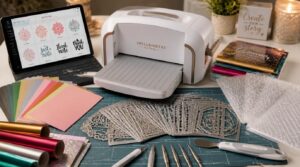
The right accessories can make or break your die cutting experience. From design software and SVG file support to cutting mats, specialty blades, and embossing folders, what comes with your machine—or what you add to it—shapes every project you’ll create. Here’s what to know before you buy.
Design Software Compatibility
The design software behind your machine shapes what you can actually make. Most modern die cutters support cloud-based design platforms, letting you send projects directly from any browser — no cable needed. Native drivers cover Windows 10 and macOS Big Sur or later, and rolling firmware updates keep everything running smoothly without manual installs.
Look for perpetual vs subscription licensing before you buy.
SVG File Support
SVG files are the industry standard for digital die cutting.
Because they’re vector-based, shapes stay razor-sharp whether you’re cutting a 1-inch charm or a 12-inch border — no pixelation, ever.
Your machine reads the file’s XML structure directly, which means you can open an SVG in a text editor and tweak paths, colors, or dimensions before importing.
Cutting Mats
Your cutting mat is the unsung partner of every clean cut. Self-healing PVC mats reseal after each pass, keeping the surface flat and your blades sharp longer.
For precision work, look for high-contrast grid lines with dual inch/centimeter scales — small details that save real time.
Store mats flat, away from sunlight, and clean with mild soap to prevent warping.
Specialty Blades
Your mat keeps things flat — your blade decides what’s possible.
Carbide-tipped blades outlast plain steel under repeated high-speed passes. Razor-edge micro-grind geometry delivers clean cuts on thin materials with almost no burring. Hook blades give you control on curves. Piercing-point relief bevels stop snagging on tough surfaces. Hollow ground profiles glide through layered materials cleanly.
The Silhouette Cameo 4’s single-tap auto blade with automatic tool detection removes all the guesswork.
Embossing Folders
Two thin plastic plates — that’s all an embossing folder is.
Yet sandwiched around 80–110 lb cardstock with cutting plates and the right pressure, they transform flat paper into textured art.
Damask, geometric, seasonal snowflakes — the pattern styles go deep.
For greeting cards, scrapbooks, or framed décor, folders paired with your die cutting machine open up a whole new dimension.
Portability, Storage, and Workspace
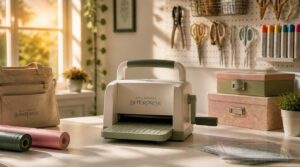
Where you craft matters just as much as what you create. Die cutters come in a range of sizes and designs, so finding one that fits your space — and your life — makes all the difference. Here’s what to know about footprint, portability, and storage before you commit to a machine.
Machine Footprint
Before you buy, measure your workspace — die cutters usually span 16 to 24 inches in length and 12 to 18 inches wide.
- Leave 1–2 inches on each side for mat removal
- Allow 3–6 inches behind for cables
- Plan for a sturdy, level surface to handle the weight
- Keep a 24-inch turning radius for corner placement
Folding Designs
Folding designs turn a bulky machine into a portable craft station that tucks away when you’re done. Some models compress their footprint dramatically — deployable panel folding can reduce stored volume by up to 90 percent.
That’s real studio space saving without sacrificing cutting power. Look for hinged frames and foldable design features that collapse flat for shelf or cabinet storage.
Travel-friendly Options
Taking your crafting on the road doesn’t mean leaving your tools behind. Compact Travel Kits bundle a portable cutting machine, dies, mats, and a storage pouch — all under 5 pounds for carry-on packing.
- Lightweight carriage units weigh under 15 pounds
- Battery life management offers 2+ hours cordless
- International plug compatibility covers US and European standards
Craft Room Storage
A well-organized craft room turns chaos into control. Vertical shelving from floor to ceiling keeps your machines, mats, and supplies visible without eating up floor space.
Pair that with a wall pegboard for scissors and blades, and your most‑used tools stay within reach.
Rolling carts tuck neatly under tables when you’re done, keeping your cutting footprint clean and ready.
Setup Space Needs
Your setup space shapes how well you actually work. Die cutter stations need 24 to 36 inches of clearance in front for loading materials, plus a 60-inch-wide cutting zone for larger mats.
Four non-negotiables before you set up:
- Stable, dust-free surface at comfortable working height
- Surge-protected power strip within reach
- Task lighting between 300 and 500 lumens overhead
- Ergonomic seating with adjustable back support
Performance, Precision, and Durability
Getting the best results from your die cutter comes down to how it performs when it matters most. The details below break down the key factors that separate a machine that lasts from one that doesn’t. Here’s what to look for across cutting force, speed, blade accuracy, gear construction, and warranty coverage.
Cutting Force
Every die cutter relies on cutting force to push a blade cleanly through material. That force has three components — primary, passive, and regenerative — but the primary force does most of the work.
Depth of cut drives it hardest; go deeper, and resistance rises fast. Harder materials demand more pressure.
Good lubrication lowers friction, easing the load considerably.
Speed Settings
Cutting force gets you through the material — but speed settings determine how cleanly it happens.
- Low speed protects delicate materials and extends blade life
- Medium speed suits most everyday cutting projects
- High speed works best on thicker stock with secured material
- Turbo mode boosts motor RPM but can reduce precision on intricate designs
- Variable speed control lets you adapt mid-project without stopping
Blade Accuracy
Speed gets you through material, but blade accuracy decides whether your cuts are clean or ragged.
Edge geometry and bevel precision determine how a blade enters a corner and exits without tearing. Even small manufacturing inconsistencies cause blade runout — where the tip wobbles mid-cut, pulling your line off course on detailed shapes.
Gear Construction
The gears inside your die cutter do more work than most people realize. Hardened steel gears resist wear across thousands of cutting cycles, while steel alloy shafts paired with precision bearings keep everything turning without wobble or drift.
Rigid aluminum housings lock gear alignment in place, so your cuts stay consistent long after the machine’s first use.
Warranty Coverage
A solid warranty tells you as much about a machine as its specs do. Three-year limited coverage, like the Sizzix Sidekick offers, signals real manufacturer confidence.
Watch the exclusions closely — blade wear and mat damage usually aren’t covered.
Keep your proof of purchase ready, because claims require serial numbers and documentation before any repair or replacement moves forward.
Choosing Your Best Die Cutter
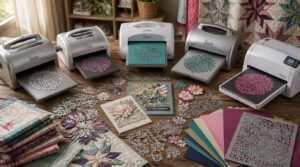
Every crafter’s needs are different, and the right die cutter depends on what you’re actually making. Whether you’re on a tight budget, deep into quilting, or just starting out, there’s a machine built for exactly where you are. Here’s a closer look at the top picks across five key categories.
Best Overall Choice
The Silhouette Cameo 4 earns its spot as the best overall die cutting machine — and it’s easy to see why.
- 1,400–2,000 lbs cutting force cuts paper, cardstock, and thin foil cleanly
- SVG and PNG support connects seamlessly with your design software
- Auto shutoff and blade housing keep every session safe
Its magnetic alignment tools and 1–2 year warranty make it a smart long-term investment.
Best Budget Choice
The Cricut Cuttlebug is every beginner machine dream come true — under fifty dollars, no power outlet needed, and ready to cut right out of the box.
| Feature | Detail |
|---|---|
| Operation | Manual hand-crank |
| Material Limit | Cardstock up to 200gsm |
Clean it monthly, oil it every six months, and it’ll carry your greeting cards and scrapbook projects for years.
Best for Quilting
The AccuQuilt GO is the clear winner for quilting. Its dies are sized to standard quilt blocks — 6-inch and 8-inch shapes — so every cut matches your pattern exactly. Layered fabric accuracy is built in through factory-matched dies and stabilized mats. You spend less time trimming and more time piecing.
Five reasons quilters love it:
- Cuts 90% faster than rotary cutters
- Produces perfectly consistent shapes every pass
- Portable design fits any sewing room
- Compatible dies cover common quilt block patterns
- Includes a mat and die right out of the box
Best for Crafts
When your projects refuse to stay in one lane, the Cricut Maker keeps pace. It works with over 100 materials — cardstock, vinyl, leather, and lightweight wood — so your die cutting machine grows with your ambitions.
Rotary and knife blades are included, making fabric appliqués and intricate scrapbooking cuts equally clean. For serious crafters chasing variety, it delivers.
Best for Beginners
Starting fresh doesn’t have to feel overwhelming. The Cricut Cuttlebug earns its place as the top pick for beginners — its manual die-cutting simplicity means no software, no setup headaches.
- Compact starter kit includes cutting pads and an embossing folder
- Easy-to-use interface design with a straightforward hand-crank operation
- Budget-friendly die cutter that grows alongside your crafting workflow
Frequently Asked Questions (FAQs)
Does Cricut require a subscription?
No, Cricut doesn’t require a subscription. Cricut Design Space is free to use. Cricut Access is optional at $99/month, unlocking 5 million images and fonts — but basic cutting works without it.
Is it worth paying more for a Cricut or a Silhouette machine?
Both brands reward the investment differently. Silhouette offers deeper software control and wider cuts. Cricut wins on accessories and resale value. Choose based on whether you prioritize design freedom or long-term platform support.
Do you need a printer to use a Cricut machine?
No, you don’t need a printer. For vinyl decals, fabric, and cardstock, a Cricut cuts straight from Design Space without one. Only Print Then Cut projects — like stickers — require a printer.
Do I need a computer to use a vinyl-cutting machine?
Most vinyl cutters need a computer to load designs and send cut commands. Some models offer onboard firmware or mobile app support, letting you cut simple shapes without a full desktop setup.
How difficult is it to set up a software-based machine?
Think of setup like learning a new recipe — a little prep goes a long way. Most software-based machines need driver installation, device pairing, and a quick calibration run before your first cut.
How much do online templates cost to download?
Single templates from a design library usually cost $5 to $20.
Bundles drop that to $1–$5 per file.
Free trials exist but often include watermarks or limited template downloads.
Are die cutting machines safe for children to use?
Die cutting machines can be safe for kids with adult supervision. Look for enclosed blade guards and automatic shutoff features. Always keep hands clear of cutting zones and inspect blades before each session.
What is the difference between Cricut and Sizzix?
Cricut is a digital die cutter that follows vector files through software. Sizzix uses physical metal dies pressed by rollers. One demands a screen; the other just needs your hands.
Is a Cricut the same as a die cut machine?
Not exactly. A Cricut is a digital cutting machine that uses software and motorized blades to cut custom shapes. Traditional die cutters use physical metal dies and often require a hand crank.
What are the disadvantages of a die cutter?
The main disadvantages are upfront investment costs, ongoing expenses for custom dies, blade wear, and a real learning curve. Hardware can also depreciate quickly, making the price-to-features ratio tricky to justify long-term.
Conclusion
The right best die cutter machine doesn’t just improve your craft—it completely transforms what your hands can create. Every project you’ve been putting off because the cuts felt too tricky? That machine controls it.
Whether you’re quilting precise fabric shapes, carving vinyl graphics, or building intricate paper layers, the right tool makes the difference between struggling and flowing.
Pick the one that matches your materials and your budget. Then cut something you’re proud of.
- https://altenew.com/blogs/paper-crafting-inspiration-and-tips/which-die-cutting-machine-should-i-buy
- https://www.iqsdirectory.com/articles/die-cutting.html
- https://www.gminsights.com/industry-analysis/die-cutting-machine-market
- https://www.jennifermcguireink.com/2018/12/die-cutting-machine-review.html
- https://acottageintheforest.com/manual-vs-digital-die-cutting