This site is supported by our readers. We may earn a commission, at no cost to you, if you purchase through links.
You’re staring at a $400 machine that promises to handle both your everyday sewing projects and custom embroidery work—no need to choose between two separate devices cluttering your workspace. The Brother SE625 sits at that sweet spot where serious hobbyists and small business owners need versatility without the price tag of industrial equipment.
With 103 sewing stitches, an 80-design embroidery library, and a 4×4-inch embroidery field, this computerized combo machine targets sewers ready to break free from single-function limitations.
Real-world ratings hover around 4.2 to 4.5 stars across major retailers, but specifications alone don’t tell you whether the SE625 delivers smooth performance or frustrating quirks when you’re midway through a project.
Table Of Contents
Key Takeaways
- The Brother SE625 delivers 103 sewing stitches and 80 embroidery designs in a single $400 machine, eliminating the need for separate equipment while maintaining a 4.2-4.5 star rating across major retailers.
- The 4×4-inch embroidery field caps your design work at 3.94 inches of actual stitch accuracy, forcing you to subdivide larger projects or stick with compact logos and monograms instead of sweeping designs.
- You get USB import capability for unlimited custom patterns in PES format, automatic needle threading, and 710 stitches per minute, but the machine won’t read DST or JEF files without conversion.
- Brother backs the SE625 with a 25-year chassis warranty, one year on the machine, and five years on electronics, plus multiple support channels including phone, live chat, and authorized service centers.
Brother SE625 Key Features
The Brother SE625 packs serious capability into a single machine—no need to choose between sewing and embroidery when you can break free from limitations.
You get computerized precision with a touchscreen interface that puts full creative control at your fingertips.
Here’s what this machine brings to your workspace.
4×4 Embroidery Area
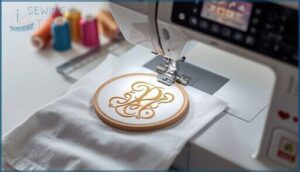
The Brother SE625 embroidery field maxes out at 4×4 inches—technically 100 by 100 millimeters, or about 3.94 inches of actual stitch accuracy. That hoop size limit shapes your entire approach: you’ll nail compact logos, monograms, and small quilt blocks, but forget sweeping chest designs without multi hooping.
Design scaling becomes critical—anything over 3.9 inches triggers field errors, forcing you to subdivide larger embroidery designs into segments or stick with computerized embroidery patterns built for this embroidery machine’s constraints. Understanding the embroidery machine capabilities is essential for peak performance.
80 Built-in Embroidery Designs
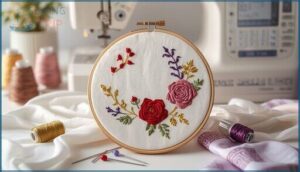
You’ll find 80 embroidery designs stored internally—floral motifs, Greek appliqué borders, holiday graphics, plus six font styles in small, medium, and large scales. Design customization happens on-screen: rotate patterns 90 degrees, reassign thread colors, and combine embroidery patterns with lettering for monograms.
The Brother SE625 lets you preview stitch editing and color sequences before the needle drops, turning computerized embroidery into point-and-stitch simplicity for sewing and embroidery projects. The machine’s capabilities can be further enhanced by exploring the embroidery machine features.
103 Built-in Sewing Stitches
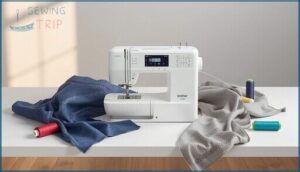
Your sewing arsenal expands with 103 built-in stitches on this computerized sewing machine—straight seams, zigzags, eight auto-sized buttonholes, stretch stitches for knits, and decorative patterns. Adjust stitch width and length on-screen for precise fabric selection and tension control. Save custom settings so your favorite sewing techniques stay dialed in.
For quilting projects, check out these baby quilt sewing tips to master tension settings and thread selection across multiple fabric layers.
From basic thread management to sophisticated embroidery machine work, the Brother SE625 manages stitch customization without fuss.
For users who want similar versatility in a larger workspace, the Brother LB6800PRW offers expanded features with the same reliable support infrastructure.
3.2 Color LCD Touchscreen
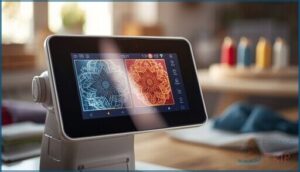
Navigate every design, setting, and stitch through a 3.2″ Sew Smart Color LCD touchscreen—your command center for the Brother SE625 computerized sewing and embroidery machine.
Screen calibration delivers sharp visuals under any workshop light, so color accuracy on embroidery previews matches your thread choices.
Many computerized sewing machines with LCD display now offer similar calibration features to help you see true-to-life colors before the first stitch.
The user interface puts touchscreen navigation and embroidery machine features at your fingertips, no fumbling with dial menus.
The Brother HC1850 sewing machine review highlights how its intuitive LCD screen simplifies switching between 130 built-in stitches and custom embroidery designs.
USB Design Import Capability
Beyond the 80 factory presets, your Brother SE625 unlocks unlimited custom patterns through its built-in USB port—drop.pes, .phc, or.dst files onto a FAT32-formatted drive and watch your digital sewing vision materialize. Design size limits cap at 4×4 inches; stitch count errors trip when files run too dense.
Import workflow optimization beats File Format Issues: always convert before plugging in, and those USB Drive Tips? Dedicate one stick, eject safely, skip subfolders.
For hands-on walkthroughs and troubleshooting steps specific to your machine, check out the Brother HC1850 sewing and quilting guide.
Sewing and Embroidery Performance
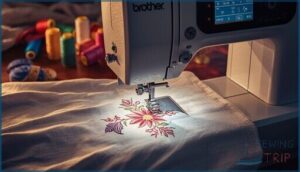
The SE625 doesn’t just look good on paper—it’s built to handle real workload demands without breaking a sweat. You get precision where it counts, automation that cuts setup time, and enough speed to keep your workflow moving.
Here’s what drives performance when you’re actually running fabric through this machine.
Computerized Stitch Selection
Forget the old stitch dial—the Brother SE625 brings computerized sewing machines into a new era with its 3.7-inch Sew Smart color touchscreen sewing interface. You’ll navigate utility and decorative sewing stitches through dedicated on-screen keys, while stitch editing lets you adjust width, length, and mirror patterns instantly.
Pattern combination and needle guidance icons keep your embroidery machine workflow uninterrupted, with thread management previews showing exactly what you’re about to create.
Maximum Sewing Speed
At 710 stitches per minute, your Brother SE625 motor performance outpaces most entry-level computerized sewing machines—but raw speed means nothing without control. The sewing speed control slider lets you dial back for thread tension precision or push full throttle on long seams, transforming sewing efficiency:
- Variable speed control prevents thread breaks on delicate fabrics
- Maximum speed cuts project time on straight construction seams
- Reduced pace improves stitch quality during detailed appliqué work
- Start/stop button allows pedal-free sewing technology operation
True sewing machine mastery comes from knowing when to floor it and when to ease off.
Real mastery isn’t about speed—it’s knowing exactly when to push the pedal and when to pull back
Automatic Needle Threader and Thread Cutter
Your Brother SE625 automatic needle threader works through a spring-loaded lever that pushes a hook through the needle eye—but only when you’ve threaded every guide and raised the needle to its highest position. The automatic thread cutter button trims both threads after stitching stops, though embroidery machine jump stitches won’t self-trim.
Threading issues? Check needle alignment and trim thread ends clean before activating. Regular cutter maintenance prevents frayed cuts on your sewing machine.
Included Presser Feet and Accessories
Your box contains seven quick-change presser feet—zigzag, buttonhole, button sewing, overcasting, monogramming, zipper, and blind stitch—plus the essential 4×4 embroidery hoop.
Brother SE625 sewing accessories include four bobbins, needle set, seam ripper, cleaning brush, and accessory pouch for machine storage. The embroidery machine CD holds 200 extra designs beyond built-in patterns.
Sewing notions cover core garment construction without extra accessory kits.
Embroidery Capabilities and Design Options
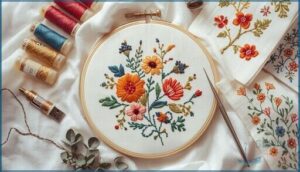
The SE625 gives you creative freedom right out of the box with 80 designs already loaded in memory. You can expand your options by importing patterns through the USB port, but the 4×4-inch embroidery field sets clear limits on project size.
Here’s what you need to know about the machine’s design capabilities and how to work within its boundaries.
Built-in and Additional Embroidery Designs
You won’t need to hunt for design inspiration right out of the gate—this machine loads you up with 80 embroidery patterns already sitting in memory, ready to stitch the second you power on. But here’s where it gets interesting: you can expand beyond those preloaded embroidery designs by importing custom patterns via USB.
- Embroidery File Formats: Brother SE625 reads.pes files
- Design Editing Software: Not included—sold separately
- Thread Color Options: On-screen preview before stitching
- Embroidery Pattern Library: Additional designs available on CD
Embroidery Hoop and Field Size
That embroidery field caps out at exactly 100 mm × 100 mm—marketed as 4×4 inches but actually 3.94 × 3.94 inches of stitchable area. The included embroidery hoop physically measures about 5.3 × 5.0 inches, but design placement must stay inside that tighter boundary or the Brother SE625 throws errors.
Larger hoops won’t expand your embroidery machine’s carriage limits—hoop compatibility doesn’t override hoop size limits.
Importing Designs via USB
Getting fresh embroidery designs onto your Brother SE625 is dead simple once you’ve nailed the USB Drive Compatibility basics. Your Digital Sewing workflow relies on the USB Port Connectivity—plug a FAT32-formatted stick into the USB port, and you’re golden.
Design Transfer Workflow essentials:
- Download embroidery designs to your computer
- Extract compressed files; grab the 4×4.PES version
- Copy to your FAT32 USB drive
- Safely eject, then insert into the machine’s USB port
- Navigate folders on-screen to load Embroidery Designs
Embroidery File Management becomes straightforward after your first run—no Embroidery Software required for simple imports.
Compatible File Formats
Once your USB drive is loaded, format matters. The Brother SE625 natively reads .PES and.PES10 Embroidery Files—no format conversion or embroidery software needed for data transfer. This Sewing-Embroidery Combo simplifies digital crafting tools for rebels who won’t waste time.
| File Extensions | Compatible? |
|---|---|
| .PES / .PES10 | Yes |
| .DST | No |
| .JEF | No |
| .EXP | No |
Stick with sewing formats your machine understands, and you’ll own every Embroidery Designs project.
User Experience and Ease of Use

You want a machine that doesn’t fight you every step of the way. The SE625 throws out the rulebook on complicated setup and confusing interfaces, giving you control from the first stitch.
Here’s what actually matters when you’re sitting down to create.
Setup and Beginner Friendliness
Initial Threading on the Brother SE625 feels less like a puzzle and more like following a color-coded treasure map. Most users report success within minutes, thanks to clear Manual diagrams and numbered pathways. Here’s what makes Bobbin Setup and Needle Preparation surprisingly smooth for beginners:
- Quick-set bobbin drops in from the top—no fumbling underneath
- Automatic needle threader manages the eye-straining work
- Printed Onscreen Guidance walks you through each step
- Speed slider lets nervous first-timers crawl before they sprint
The Users Guide and Quick Reference Guide deliver straightforward instructions that actually match what beginners see on their machines, making Sewing and Quilting for Beginners achievable from day one.
On-Screen Tutorials and Guides
Your 3.7‑inch Touchscreen Navigation displays context‑specific icons and clear Error Messages that block operation when threading is incomplete—keeping you from sewing disaster. Tap the Onscreen Help key for step‑by‑step diagrams right on the LCD.
Brother’s Online Solution portal hosts Tutorial Videos covering embroidery setup, while the Manual and Users Guide provide reference when you need deeper answers than a Quick Reference Guide offers.
Maintenance and Troubleshooting
Regular Machine Maintenance keeps your SE625 running smoothly: clear lint from the bobbin area and needle plate with a small brush to prevent Thread Tension drift and Sensor Problems.
When Bobbin Issues trigger early “low bobbin” Error Messages, rethread completely and verify you’re using the correct plastic bobbin spec.
For persistent Embroidery Machine Maintenance challenges—jamming, breakage, tension failures—reach out to Customer Support or invoke your Product Warranty for Technical Assistance.
Tips for Common Sewing Tasks
Master buttonholes by loading your button sewing foot, selecting Auto Buttonhole mode on the LCD, and letting the SE625 measure and stitch in one smooth pass—no guesswork, no hand-marking seam lines.
For quilting tips, lock your Thread Tension at 4, choose a walking foot from your Sewing Notions kit, and align Fabric Selection with your Sewing Patterns—this Sewing Machine manages layers like a dream, freeing your Crafting and Design vision.
Warranty, Support, and Value

You’re not just buying a machine—you’re investing in long-term protection and support that backs up your work. Brother covers the SE625 with one of the strongest warranties in the category, and they’ve built multiple ways for you to get help when you need it.
Here’s what you actually get when things go wrong, what real users think, and how the price stacks up.
25. Year Limited Warranty Details
The Brother SE625 Product Warranty Information covers one year on the machine, five years on electronic components, and 25 years on the chassis. Coverage Periods require original purchase proof.
Warranty Exclusions include needles, presser feet, and routine wear items like needle threaders.
For Warranty Claims, contact authorized Service Centers at 1-800-521-2846. You’ll handle shipping costs, but Repair Options include free parts and labor during valid coverage.
Customer Support Channels
You’ve got multiple paths to get Technical Assistance Resources when you need them. Phone Support runs 1-877-BROTHER (Monday-Friday, 9am-9pm ET), backed by Live Chat during the same hours. Email Assistance connects you to specialized teams for warranty questions.
- FAQ Sections organize by problem type (sewing, embroidery, errors)
- Customer Service Options include Authorized Service Centers at 1-800-521-2846
- Downloadable Manuals and guides live on the support portal
- Technical Forums aren’t official, but Product Warranty Information requires direct contact
User Ratings and Reviews
You’ll find 4.2–4.5 star Customer Feedback across major retailers—about 75% of buyers rate it 4 or 5 stars. Review Analysis shows beginners love the touchscreen and automatic features, while Rating Trends reveal complaints about the 4×4 hoop size.
User Satisfaction holds steady long-term when expectations match a mid-range Sewing Embroidery Combo. Buyer Insights confirm it’s solid for hobbyists, not production work.
Price Trends and Purchase Options
Expect to pay $350–$650 new at major retailers like Walmart and Joann—Price Comparison shows $500 or less hits the sweet spot. Refurbished Options drop costs further with 30-day returns.
Budget Planning? Check Facebook Marketplace for unopened units below store tags. Retail Availability stays strong across channels, so lean on Discount Strategies and compare before you buy this Computerized Sewing Technology gem.
Frequently Asked Questions (FAQs)
What is a brother se625 2 in 1 sewing machine?
You’re getting the best of both worlds here—this computerized sewing and embroidery machine lets you tackle garment construction and decorative stitching without switching equipment.
The SE625 delivers 103 built-in stitches, 80 embroidery designs, and a 4×4-inch work area through its color LCD touchscreen, making it a flexible SewingEmbroidery Combo for home decor projects and creative crafting ideas.
What are the Brother SE625 Embroidery Designs?
You get 80 preloaded embroidery designs—florals, borders, holiday motifs, and geometric patterns—plus built-in lettering fonts.
Resize, rotate, mirror, and edit thread colors on-screen, or import Brother-compatible PES designs via USB.
Where can I buy a brother se625?
You can buy the Brother SE625 through online retailers, local dealers, auction sites, refurbished options, and the secondhand market.
Brother sewing machines remain available via specialty shops and home sewing communities nationwide.
Is the brother se625 a different color?
Yes—the Brother SE625 uses a gold faceplate, while the SE600 has silver and the SE630 has blue. These cosmetic differences help distinguish models with otherwise identical specifications and performance.
Are brother se600 and se625 the same machine?
The Brother SE600 and SE625 share identical mechanics, stitches, and embroidery capabilities.
Your main difference? Faceplate color and 200 bonus CD designs with the SE625—purely cosmetic variants of the same core machine.
How do I upload images to my brother se625 machine?
You can’t simply telegraph images to your Brother SE625—first convert them into.pes embroidery files using design software, copy to a FAT32 USB drive, then import through the machine’s USB port.
How big can you embroider on Brother SE625?
Your embroidery area maxes out at 4×4 inches—that’s the stitch boundary on this embroidery machine.
Multi hooping lets you split larger embroidery designs across sections, but each pass respects that 4×4 embroidery field limit.
What file type is Brother SE625 embroidery?
Most embroidery machines speak their own dialect—yours runs on PES format. You can also load PHC and DST files, though PES delivers the best design compatibility and stitch density for your embroidery patterns and embroidery software workflow.
Can you use your own designs on a Brother se600?
You can load custom designs onto the SE600 through its USB port.
Your patterns need PES format—created with digitizing software like Embrilliance—and must fit the 4×4 hoop size limitations for computerized embroidery success.
Is the Brother se600 good for beginners?
You’ll find the SE600 masters the learning curve with on-screen tutorials, automatic threading, and variable speed control—earning consistent beginner praise in sewing machine reviews, though its 4×4 hoop eventually feels limiting.
Conclusion
You can’t have your cake and eat it too—unless you’re working with the Brother SE625. This combo machine breaks the mold by delivering genuine dual functionality without forcing you to sacrifice workspace or budget.
It won’t replace dedicated industrial equipment, but for creators ready to explore both sewing and embroidery without juggling two devices, the SE625 delivers that rare combination of accessibility and versatility that actually lives up to its promise.
- https://www.reddit.com/r/Machine_Embroidery/comments/r4xllr/looking_to_buy_brother_se600_but_dont_know_if_its/
- https://support.brother.com/g/s/id/htmldoc/mfc/mfc240c/use/html/ug/intro1_5_5.html
- https://brothermobilesolutions.com/warranty/
- http://www.brother-usa.com/support/CustServ.aspx
- https://download.brother.com/welcome/doch101011/888m20_om02en.pdf