This site is supported by our readers. We may earn a commission, at no cost to you, if you purchase through links.
Picking the wrong embroidery machine is a frustrating—and expensive—lesson most people learn once. The wrong hoop size, a missing file format, or a speed that can’t keep up with your workload turns a promising creative investment into a dusty shelf decoration.
The market ranges from lightweight combo machines like the Brother PE545 at 14 lbs to seven-needle workhorses like the Janome MB7 at 65 lbs, and every feature in between carries real trade-offs. Knowing what to look for in an embroidery machine before you buy saves you from chasing specs you don’t need while missing the ones you do.
Table Of Contents
- Key Takeaways
- Top 9 Embroidery Machines to Consider
- 1. Brother SE2000 Computerized Sewing Embroidery Machine
- 2. Brother SE1900 Sewing Embroidery Machine
- 3. Brother SE700 Sewing Embroidery Machine
- 4. Janome MB7 7 Needle Embroidery Machine
- 5. Bernette B79 Sewing Embroidery Machine
- 6. Brother PE535 Embroidery Machine Touchscreen
- 7. Brother PE545 Wireless LCD Embroidery Machine
- 8. PooLin EOC05 Large Touchscreen Embroidery Machine
- 9. EverSewn Sparrow X2 Sewing Embroidery Machine
- Choose The Right Machine Type
- Check Hoop Size and Projects
- Compare Essential Embroidery Features
- Review Connectivity and Maintenance Needs
- Frequently Asked Questions (FAQs)
- Conclusion
Key Takeaways
- Hoop size makes or breaks your projects — a 4×4 suits monograms and patches, but apparel and home décor work really calls for a 5×7 or larger.
- Choosing between a combo machine and a dedicated embroidery-only unit matters more than any single spec, since dedicated machines win on stitch quality and speed every time.
- Multi-needle machines like the Janome MB7 cut rethreading time dramatically, but single-needle models are the smarter starting point if you’re still learning the ropes.
- Connectivity (Wi-Fi or USB), file format compatibility (PES, DST, JEF), and a regular cleaning schedule are what keep your machine running well long after the purchase.
Top 9 Embroidery Machines to Consider
Finding the right embroidery machine comes down to knowing what actually matters for your projects. The nine machines below cover a solid range of budgets, skill levels, and use cases. Here’s what made the cut.
Each pick reflects what budget-conscious embroidery shoppers actually prioritize—value over specs, reliability over flashy features.
1. Brother SE2000 Computerized Sewing Embroidery Machine
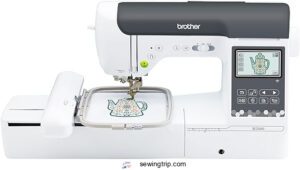
The Brother SE2000 is a solid all-in-one pick if you want sewing and embroidery in one machine. Its 5" x 7" embroidery field accommodates most standard designs comfortably, and the magnetic hoop makes setup fast. You get 193 built-in embroidery designs, 241 sewing stitches, and Wi-Fi connectivity for transferring custom patterns. Automatic thread trimming keeps things moving.
At 38 pounds, it’s not a travel machine — but at home, it earns its counter space.
| Best For | Home sewers and hobbyists who want a versatile machine for both everyday sewing and embroidery personalization without switching between separate units. |
|---|---|
| Embroidery Field | 5″ × 7″ |
| Machine Weight | 38 lb |
| Display Type | 3.7″ LCD |
| Connectivity | Wireless LAN + USB |
| Built-in Designs | 193 |
| Machine Type | Sewing + Embroidery |
| Additional Features |
|
- Wi-Fi connectivity and the Artspira app let you design on your phone and send patterns straight to the machine — no cables needed.
- Automatic jump stitch trimming and Advanced Color Sort cut down on busywork so you spend more time creating and less time fussing.
- 241 sewing stitches plus 193 built-in embroidery designs gives you a lot to work with right out of the box.
- At 38 pounds, it’s not going anywhere easily — don’t expect to pack this up and haul it to a sewing class.
- No dust cover, carrying case, or extension table included, so you’ll likely need to budget for accessories.
- Full Artspira app functionality may require a paid subscription, and firmware updates need a USB drive that isn’t included.
2. Brother SE1900 Sewing Embroidery Machine
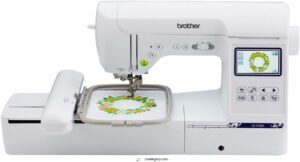
If the SE2000 feels like more machine than you need, the Brother SE1900 is worth a look. It weighs just 15.6 lbs — genuinely portable — and still gives you a 5" x 7" embroidery field.
You get 138 built-in designs, 240 sewing stitches, and a USB port for importing custom files. The 3.2-inch touchscreen manages basic on-machine edits.
At $1,038.95, it’s a capable combo machine for home projects without the bulk.
| Best For | Home sewers and small-business creators who want a solid combo machine with embroidery and sewing in one, without needing a dedicated commercial setup. |
|---|---|
| Embroidery Field | 5″ × 7″ |
| Machine Weight | 22.1 lb |
| Display Type | 3.2″ LCD |
| Connectivity | USB |
| Built-in Designs | 138 |
| Machine Type | Sewing + Embroidery |
| Additional Features |
|
- 138 built-in designs and 240 stitches give you plenty to work with right out of the box
- The 5" x 7" hoop is genuinely roomy — fewer re-hooping headaches on bigger projects
- USB import makes it easy to run client-specific designs without extra hardware
- The automatic needle threader can be finicky, especially with the embroidery foot attached
- It’s loud — not great if you’re working in a shared space or apartment
- Advanced design work still needs outside software; the on-machine editing is pretty basic
3. Brother SE700 Sewing Embroidery Machine
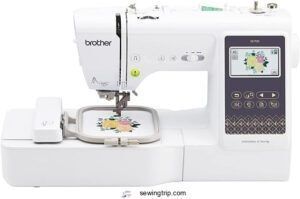
Step up from the SE1900, and you land on the Brother SE700 — a wireless-capable combo machine priced at $579.99. It’s surprisingly full-featured for the cost.
You get 135 built-in embroidery designs, 103 sewing stitches, and Wi-Fi connectivity through Brother’s Artspira app. The 3.7-inch LCD touchscreen manages on-screen editing, and the automatic needle threader and thread cutter keep things moving.
The trade-off? You’re working with a 4 x 4 inch hoop. Great for monograms and patches — less ideal for bigger projects.
| Best For | Beginners who want to sew and embroider without buying two separate machines — especially those who love personalizing smaller items like bags, pillows, or apparel. |
|---|---|
| Embroidery Field | 4″ × 4″ |
| Machine Weight | 15.6 lb |
| Display Type | 3.7″ LCD |
| Connectivity | Wireless LAN + USB |
| Built-in Designs | 135 |
| Machine Type | Sewing + Embroidery |
| Additional Features |
|
- Wi-Fi and the Artspira app make it easy to pull new designs straight from your phone
- Auto needle threader and thread cutter save time and cut down on frustrating setup moments
- 135 built-in embroidery designs and 103 stitches give you plenty to work with right out of the box
- The 4 x 4 inch hoop is limiting — anything bigger and you’ll outgrow it fast
- Some users run into needle breakage and tension issues, which can interrupt your workflow
- Wi-Fi setup can be finicky, and the included instructions don’t always make it easier
4. Janome MB7 7 Needle Embroidery Machine
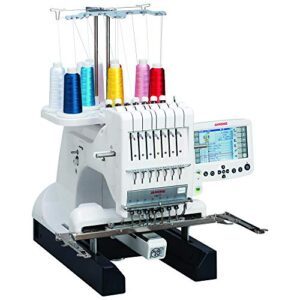
Want to skip the constant rethreading? The Janome MB7 is built for exactly that. Its seven-needle system lets you load seven thread colors upfront — no stopping mid-design.
You get a generous 9.4" × 7.9" embroidery field, a jumbo bobbin, and a 5.7-inch screen for on-machine editing. At $5,999 and 65 lbs, it’s a serious commitment — but for small-business embroidery work, the productivity gains are hard to argue with.
| Best For | Small-business owners and serious hobbyists who regularly tackle multi-color embroidery projects and want to cut down on rethreading time. |
|---|---|
| Embroidery Field | 9.4″ × 7.9″ |
| Machine Weight | 65 lb |
| Display Type | 5.7″ RCS |
| Connectivity | USB |
| Built-in Designs | Not listed |
| Machine Type | Embroidery Only |
| Additional Features |
|
- Seven needles mean you can load all your thread colors upfront and let the machine run — way less stopping and starting.
- The on-machine screen lets you resize, rotate, and tweak designs without ever touching a computer.
- That jumbo bobbin and large embroidery field make it a solid workhorse for hats, garments, and detailed patterns.
- At $5,999 and 65 lbs, this is a big investment — in both money and floor space.
- No automatic needle threading, and thread tension can be finicky, which means wasted thread and manual fiddling.
- There are enough user reports of thread jams and mechanical issues to make reliability a real concern before buying.
5. Bernette B79 Sewing Embroidery Machine
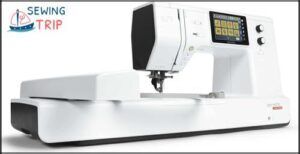
At $2,299, the Bernette B79 sits comfortably between hobbyist and semi-pro territory. You get a 6" × 10" embroidery field, 500 built-in stitches, and 208 embroidery designs — plenty to keep you busy. The 5-inch touchscreen makes editing and previewing designs genuinely easy.
If you’re drawn to that big screen experience, Brother sewing machines with large touchscreen displays offer a range of options worth comparing before you commit.
It’s a combo machine, so sewing and embroidery live in one body. Fair warning: the menu system has a learning curve, and the startup takes over 40 seconds.
| Best For | Hobbyists and intermediate sewists who want one machine that handles both embroidery and everyday sewing — especially those into quilting, home décor, or cosplay. |
|---|---|
| Embroidery Field | Not specified |
| Machine Weight | 47 lb |
| Display Type | 5″ LCD |
| Connectivity | Not specified |
| Built-in Designs | Not listed |
| Machine Type | Sewing + Embroidery |
| Additional Features |
|
- Big 9-inch throat space gives you room to work with larger fabrics without constantly repositioning
- The programmable foot control and semi-auto threader save real time on repetitive or multi-step projects
- Built-in help menus and stitch libraries make it approachable if you’re still learning the ropes
- The menu system has a steep learning curve, and the printed manual is basically nonexistent — you’re downloading a 170-page PDF
- Startup takes over 40 seconds, which gets old fast if you’re jumping in and out of sessions
- Tension and bobbin issues pop up for some users, and replacement parts aren’t always easy to track down
6. Brother PE535 Embroidery Machine Touchscreen
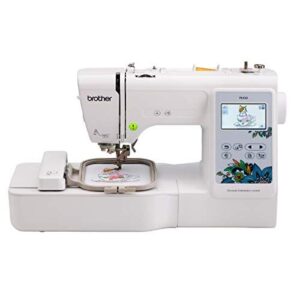
The Brother PE535 is a dedicated embroidery-only machine priced well under $300 — an absolute steal for beginners who don’t need sewing functions. Its 4×4 inch embroidery field suits monograms, patches, and small motifs perfectly. You get 80 built-in designs, 9 fonts, and a 3.2-inch color touchscreen for drag-and-drop editing. USB import keeps custom designs within reach.
At just 15 lbs, it’s genuinely portable. The one catch? If your projects grow beyond 4×4, you’ll need to re-hoop.
| Best For | Beginners who want an easy entry into embroidery for small projects like monograms, patches, and personalized gifts. |
|---|---|
| Embroidery Field | 4″ × 4″ |
| Machine Weight | 14.99 lb |
| Display Type | 3.2″ LCD |
| Connectivity | USB |
| Built-in Designs | 80 |
| Machine Type | Embroidery Only |
| Additional Features |
|
- 80 built-in designs and 9 fonts give you plenty to work with right out of the box
- The 3.2-inch color touchscreen makes positioning designs simple, even if you’ve never touched an embroidery machine
- Lightweight at 15 lbs and compact enough to store or take to a class
- The 4×4 inch hoop is limiting — anything bigger means re-hooping and extra planning
- It’s embroidery only, so you can’t use it for regular sewing projects
- Custom lettering beyond the built-in fonts usually requires third-party digitizing software, which adds cost
7. Brother PE545 Wireless LCD Embroidery Machine
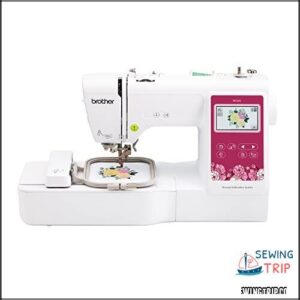
Step up from the PE535, and you’ll find the PE545 adds wireless — a genuinely useful upgrade. It shares the same 4×4 embroidery field and 3.7-inch color LCD touchscreen, but now you can send designs straight from your phone via the Artspira app or over Wi-Fi. You still get USB import too.
It weighs just 14.07 pounds, runs 135 built-in designs and 10 fonts, and tops out at 400 SPM. Beginner-friendly without feeling limiting.
| Best For | Beginners and hobbyists who want to personalize clothing, accessories, or household items and love the convenience of designing from their phone. |
|---|---|
| Embroidery Field | 4″ × 4″ |
| Machine Weight | 14.07 lb |
| Display Type | 3.7″ LCD |
| Connectivity | Wireless LAN + USB |
| Built-in Designs | 135 |
| Machine Type | Embroidery Only |
| Additional Features |
|
- Wireless connectivity lets you send designs straight from the Artspira app — no cables, no hassle
- 135 built-in designs and 10 fonts give you plenty to work with right out of the box
- Beginner-friendly touchscreen with drag-and-drop positioning and built-in tutorial videos
- Embroidery only — if you want to sew, you’ll need a separate machine
- The 4"x4" hoop is fine for small projects but won’t cut it for larger designs
- Wireless features require a stable Wi-Fi connection, and the machine is US-only (120V)
8. PooLin EOC05 Large Touchscreen Embroidery Machine
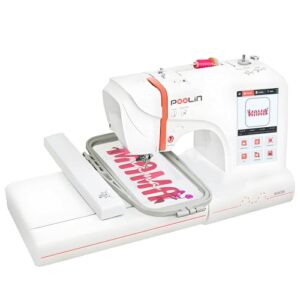
The PooLin EOC05 is a dedicated embroidery-only machine — no sewing functions, just clean stitching focus. Its 7-inch color LCD touchscreen runs Institch OS2, letting you drag, rotate, and resize designs like you’d on a tablet.
The 4×4 and 4×9.25-inch hoops cover everything from small monograms to longer apparel designs. At 22 pounds, it’s manageable.
Wi-Fi and USB connectivity, plus free InStitch software, make design transfers straightforward from Mac or iPad.
| Best For | Beginners and home-based small-business owners who want a dedicated embroidery machine without the learning curve of combined sewing functions. |
|---|---|
| Embroidery Field | 4″ × 9.25″ |
| Machine Weight | 22 lb |
| Display Type | 7″ LCD |
| Connectivity | Wi-Fi + USB |
| Built-in Designs | Not listed |
| Machine Type | Embroidery Only |
| Additional Features |
|
- The 7-inch touchscreen running Institch OS2 makes navigating designs feel intuitive — almost like using a tablet.
- Built-in Wi-Fi and free InStitch software mean you can send designs wirelessly from your Mac or iPad without fussing with cables.
- The 4×9.25-inch hoop is genuinely roomy, so you can tackle longer designs on shirts or bags without constant re-hooping.
- It’s embroidery only — if you ever need to sew or quilt, you’ll have to buy a separate machine.
- If thread runs out mid-job or a thread lock fails, you have to restart that segment from scratch, which can be frustrating on longer projects.
- The free InStitch software covers the basics, but serious custom design work will likely push you toward paid third-party software.
9. EverSewn Sparrow X2 Sewing Embroidery Machine
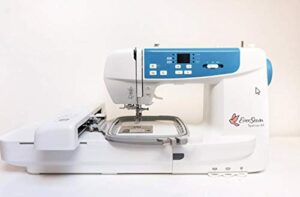
The EverSewn Sparrow X2 is a combo machine that pulls double duty — sewing and embroidery in one compact unit. Its standout feature is app-based control via any 64-bit Apple or Android device, no Wi-Fi required. You get a 4.75 x 7-inch embroidery area, 100 built-in designs, and automatic thread trimming.
At 20 pounds, it’s easy to move. Just know the tension settings are sensitive and needle threading takes patience.
| Best For | Beginners, crafters, and quilters who want an all-in-one sewing and embroidery machine they can control right from their phone. |
|---|---|
| Embroidery Field | 4.75″ × 7″ |
| Machine Weight | 20 lb |
| Display Type | Mobile App |
| Connectivity | App-based |
| Built-in Designs | 100 |
| Machine Type | Sewing + Embroidery |
| Additional Features |
|
- App-based control makes design customization simple — no clunky software needed
- Comes loaded with 100 embroidery designs and 120 stitch patterns right out of the box
- Lightweight enough at 20 pounds to move around easily, with two hoop sizes included
- Tension settings are touchy and need frequent tweaking to get things just right
- Threading the needle is more of a hassle than it should be compared to similar machines
- You’ll need a 64-bit Apple or Android device to unlock the embroidery features — no getting around it
Choose The Right Machine Type
The type of machine you pick shapes everything — what you can make, how fast you work, and how far you can grow. Not every machine fits every stitcher, and that gap matters more than most buyers expect. Here’s what to look at before you commit.
Combo Vs Dedicated Machines
Think of it like choosing between a Swiss Army knife and a chef’s knife. A combo unit operates sewing and embroidery on one shared surface — great for hobbyists. A dedicated embroidery machine focuses purely on stitch-out quality, larger hoops, and uninterrupted speed.
If embroidery is your main goal, dedicated wins every time. You might also consider magnetic hooping systems to help prevent fabric distortion.
Single-needle Vs Multi-needle
Once you’ve settled the combo-vs-dedicated question, the next split is single needle vs. multi-needle.
A single needle embroidery machine manages one thread at a time. The Color Change Process means stopping, rethreading, and restarting — manageable for small projects, but tedious for anything complex.
Multi-needle machines hold six to ten threads simultaneously. Thread Management becomes almost automatic, and Production Speed jumps dramatically.
| Factor | Single Needle | Multi-Needle |
|---|---|---|
| Number of Needles | 1 | 6–10 |
| Initial Investment | Lower | Higher |
| Learning Curve | Gentler | Steeper |
For embroidery only projects with multiple colors, multi-needle wins on efficiency. Single needle suits beginners perfectly.
Home Vs Business Use
The way you’ll use your machine shapes everything — from budget to features.
- Home use suits 2–3 projects weekly, quieter under 60 dB operation, and simple built-in tutorials
- Business use demands 5–15 weekly projects, professional-grade durability, and certified service centers within 50 miles
- Warranty terms extend up to 5 years on commercial machines
- Power supply demands differ too — business setups often need surge protection
Portability and Machine Weight
Weight matters more than most buyers expect. The EverSewn Sparrow X2 at 14 lbs and Brother SE2000 at 15 lbs are easy one-person carries.
The Janome MB7 hits 52 lbs — you’ll want a rolling cart for that one. Anything above 40 lbs generally needs two people or a dolly to move safely.
Beginner-friendly Configurations
Starting out doesn’t have to mean fumbling through settings. Most beginner-friendly machines include a step-by-step wizard that walks you from power-on to first stitch.
Features like Quick Start Presets, guided hoop selection, and an automatic needle threader take the guesswork out early. Error Tolerant Mode quietly manages tension issues before they become thread breaks.
Check Hoop Size and Projects
Hoop size might not sound exciting, but it determines what you can actually make. A machine that only fits a 4×4 hoop will stop you cold when you want to embroider a full jacket back or a large pillow cover. Here’s how the most common hoop sizes break down — and what each one lets you do.
4 X 4 Hoops
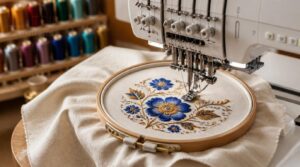
The 4 x 4 embroidery hoop is the entry point for most beginners. Your actual hoop field dimensions land around 3.93 inches square — smaller than the hoop itself. That gap matters.
Nail your design centering using the machine’s alignment grid, and always match your stabilizer selection to your fabric. Knits need tear-away; wovens do better with cut-away.
5 X 7 Hoops
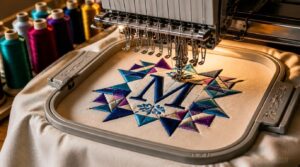
Stepping up to a 5 x 7 hoop opens the door to designs you simply can’t squeeze into a 4 x 4. Think full monograms, logo embroidery, and quilt blocks — all within reach.
Here’s what makes the 5 x 7 work so well:
- Hoop alignment precision keeps placement within 0.5 mm, so your design lands exactly where you intend.
- Stabilizer selection guide matters here — cut-away for dense fills, tear-away for lighter fabrics.
- Design scaling tips help you resize and reorder motifs to fit the embroidery area cleanly.
- The hoop installation process is quick, often just seconds with a snap-release mechanism.
- Hoop material options include anti-slip grips that prevent fabric shifting mid-stitch.
Your embroidery machine features like sensor-based alignment checks and on-screen editing make the 5 x 7 upgrade surprisingly smooth.
Large Embroidery Fields
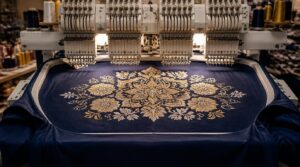
Once you outgrow a 5 x 7, large embroidery fields change everything. Fields up to 12 x 18 inches let you stitch full jacket backs in a single pass — no rehooping, no alignment headaches. That alone cuts production time by up to 40 percent.
Large embroidery fields up to 12 x 18 inches let you stitch full jacket backs in one pass, cutting production time by 40 percent
With the right embroidery hoop and stabilizer combo, your designs stay smooth and gap-free across every inch.
Apparel and Home Décor
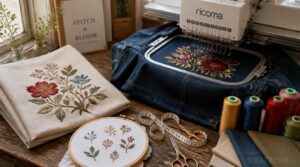
Apparel and home décor each demand something different from your embroidery machine. Cotton twill and denim handle dense stitching beautifully on jackets and caps, while polyester blends keep colors sharp on pillows and curtains.
Match your hoop size to the project — a 5 x 7 covers most apparel, but larger home décor pieces need room to breathe.
Future Project Growth
Think about where your projects are headed — not just where they are now. The global embroidery market is growing steadily, fueled by customization demand and sustainable upcycling trends. A machine with a larger embroidery area, strong connectivity, and an expandable design library will grow with you, not against you.
Compare Essential Embroidery Features
Once you’ve settled on the right hoop size, the next step is figuring out which features actually make a difference in your finished work.
Some specs sound impressive on paper but won’t matter much for your projects — others are genuine time-savers you’ll use every single day. Here are the five features worth paying close attention to.
Stitch Speed and Accuracy
Stitch speed makes a bigger difference than most people expect. Home machines commonly run 600 to 1,000 SPM, while commercial models push past 1,200.
But raw speed means nothing if your stitches shift. Needle synchronization and thread tension control keep everything locked in at higher tempos — without them, you’ll deal with thread nests and skipped stitches fast.
Built-in Design Library
Speed gets the headlines, but a solid built-in design library does the quiet heavy lifting. Most machines load 80 to 700+ embroidery patterns straight into memory — no internet needed.
- Library Categories cover florals, monograms, animals, and geometric borders
- Design Metadata tells you stitch count, hoop size, and fabric type
- Search Filters narrow results by size, density, or complexity
- User Favorites let you tag and retrieve go-to designs instantly
- Library Updates arrive via firmware or USB, expanding your collection over time
On-screen Design Editing
A great built-in library saves time, but on-screen editing capability takes full control. With touchscreen gestures like pinch and drag, you can move, resize, or rotate designs directly on the color LCD screen — no computer needed.
Real-time preview shows stitch density as you edit, and undo/redo functions mean mistakes don’t cost you fabric.
Automatic Thread Cutting
Once you’ve nailed your design layout, you’ll want the machine to handle cleanup automatically. A good automatic thread cutter trims both top and bobbin threads the moment a stitch sequence ends — no scissors, no fuss.
The mechanism uses a built-in blade system positioned right near the needle bar. That tight placement keeps cycle time short.
Needle Threading Assistance
Threading a needle by hand is one of those tiny frustrations that adds up fast. With a single needle machine, you’re re-threading often — every color change means manual work.
That’s why automatic needle threaders matter more than people expect. A built-in threader manages that in seconds, protecting both your time and your eyes.
Review Connectivity and Maintenance Needs
Once you’ve nailed down features, connectivity and maintenance are what separate a machine you’ll love from one that collects dust. How your machine talks to your devices — and how you care for it — matters more than most buyers expect. Here’s what to look at before you commit.
USB and Wi-Fi Transfer
How you get designs onto your machine matters more than most people realize.
- USB port transfers are wired, consistent, and low-latency — ideal for large files.
- WiFi connectivity lets you send patterns wirelessly from a phone or computer.
- Wireless LAN mode connects your machine to a home router for network access.
- Cable vs wireless: USB 3.0 hits up to 5 Gbps; Wi-Fi works best for smaller files.
- Firmware update process is often handled directly over USB, keeping your machine current.
File Format Compatibility
Not every embroidery file plays nicely with every machine. The three formats you’ll encounter most are PES, DST, and JEF — each tied to specific brands. Brother reads PES natively; Tajima machines prefer DST.
If your design arrives in the wrong format, many machines include built-in conversion tools, and firmware updates can expand that list over time.
Embroidery Software Support
Good embroidery software does more than store patterns — it becomes your creative control center.
Auto digitizing features convert bitmap images into stitch-ready files without manual tracing. Cloud sync integration keeps your designs accessible across devices. Color palette mapping links design colors to real thread brands. Look for version control workflow tools that archive every revision automatically.
Stabilizers and Thread Quality
The materials you choose matter as much as the machine itself. Your stabilizer selection guide starts with one rule: match the stabilizer to the fabric, not the design. Use tear-away stabilizer on wovens, cut-away on knits, and water-soluble on sheers. Fabric stabilizer compatibility directly affects stitch registration and puckering.
Thread weight impact is equally critical. Stick to 40-weight rayon or polyester for clean coverage and reduced thread breakage. Thread twist effects influence how smoothly thread feeds through the needle — poor twist means lint buildup and skipped stitches. Run colorfastness testing after washing to confirm your design holds up long-term.
Cleaning and Upkeep Schedule
Think of your embroidery machine like any workspace — skip regular cleaning and performance quietly suffers. Clean lint from the needle plate and bobbin case every 8 to 10 hours of use. Keep a cleaning log documentation habit to track sessions and catch issues early.
- Wipe down your machine’s surface and embroidery hoop after each project
- Check automatic thread cutting mechanisms for trapped thread fragments weekly
- Log maintenance dates to stay consistent
Frequently Asked Questions (FAQs)
What to consider when buying an embroidery machine?
Picking the right machine is no small stitch-up. Focus on hoop size, stitch speed, USB connectivity, and automatic thread cutting. Factor in budget, warranty coverage, and your typical project scale before committing.
How to choose the right embroidery machine?
Start with your project goals. A monogram hobby needs a 4×4 hoop, while apparel work calls for a 5×7 or larger. Match hoop size, ease of use, and budget before anything else.
Can embroidery machines handle leather or thick materials?
Yes — with the right setup. Use 90/14 to 100/16 leather needles, lower your stitch speed, reduce stitch density, and back your project with a cut-away stabilizer. Magnetic hoops help keep irregular leather shapes secure.
How loud are embroidery machines during operation?
Most embroidery machines run at 60 to 70 decibels — about as loud as a normal conversation. Multi-needle models push closer to 80 dB, so hearing protection isn’t overkill in busy workspaces.
Do embroidery machines require special electrical outlets?
Most embroidery machines run on a standard household outlet — 120V in North America, 230V elsewhere. For heavy-use setups, skip the surge protector and use a proper stabilized power supply instead.
Whats the learning curve for complete beginners?
It feels like climbing Everest at first — but it isn’t. Most beginners get comfortable within a few days. Daily 15–30 minute sessions make a real difference, and automatic needle threaders cut early frustration fast.
Can you embroider on pre-made garments easily?
Absolutely — with the right prep, it’s very doable. Pre-wash garments first, choose your stabilizer carefully, and nail your hooping method for clean results every time.
Can embroidery machines handle leather or vinyl materials?
Leather and vinyl aren’t off-limits — they just demand more respect. Use leather needles (size 80/12–90/14), slow your stitch speed, and add cutaway stabilizer underneath to keep things from shifting or tearing.
How long do embroidery machine needles typically last?
Plan on replacing your needle every 6 to 8 hours of stitching. Metallic threads and dense fills wear them out faster. Skipped stitches or thread breaks? That’s your cue to swap immediately.
What warranty coverage do embroidery machines usually offer?
Most machines offer 1–2 year warranties covering parts and labor. Electronics often get 2–3 years. Needles and presser feet aren’t covered — those are consumables. Always check if on-site service is included.
Conclusion
The right machine doesn’t chase your ambitions—it keeps pace with them. Knowing what to look for in an embroidery machine means matching real specs to real projects: your hoop size, your file formats, your workload. Skip the features you’ll never use and invest in the ones you’ll rely on every single day.
The nine machines covered here each earn their place for different reasons. Pick the one that’s built for exactly where you’re headed.
- https://hoopingstation.com/tr/blogs/articles/top-3-embroidery-machine-models-for-2025
- https://www.maggieframes.com/blogs/embroidery-blogs/janome-embroidery-hoop-sizes-ultimate-2025-guide-for-precision-and-efficiency
- https://www.thesewingstudio.co.uk/pages/embroidery-machine-buyer-guide
- https://ricoma.com.au/blog/home-embroidery-machine-business-ultimate-guide-to-choosing-using-profiting-in-2025
- https://swpea.com/blogs/machine-embroidery-blogs/understanding-hoop-sizes-machine-embroidery