This site is supported by our readers. We may earn a commission, at no cost to you, if you purchase through links.
Sewing with a projector cuts your prep time in half—no printing, no taping, no hunting for the right page. But the shift only works if your pattern file is built for projection.
A standard PDF designed for home printing won’t give you clean lines on a wall or ceiling. You need layered files with calibration grids, bold markings, and unfolded pieces.
More designers offer these now than ever, from major pattern companies to small indie shops and free community resources. Here’s where to find them.
Table Of Contents
Key Takeaways
- Projector-ready patterns aren’t just regular PDFs — they’re built with layered sizes, calibration grids, and bold lines so you can cut straight from fabric without printing a thing.
- You can find quality projector files from big names like Jalie and Love Notions, indie designers, Etsy shops, and community spreadsheets — all offering instant downloads with format details listed up front.
- Free options are real: brand websites, Facebook groups like Projectors for Sewing (35k+ members), and open-source tools like FreeSewing and PDFStitcher can get you started at zero cost.
- Before you buy any pattern, confirm it includes a projector file, check that the format works with your software, and read the license — free patterns sometimes carry stricter rules than paid ones.
Where to Get Projector Sewing Patterns
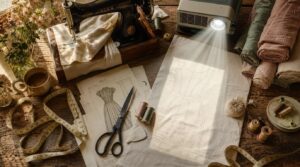
Finding projector-ready sewing patterns is easier than you might think — the options have grown significantly in recent years.
Whether you’re just starting out or upgrading your setup, this complete guide to buying a projector for sewing patterns helps you choose the right tool with confidence.
From big-name pattern companies to indie designers and community-built lists, there’s something for every style and skill level.
Here’s where to look first.
Sewing Pattern Companies With Projector Files
Some pattern companies have made brand file consistency and license transparency a real priority. Jalie, Love Notions, Pattern Emporium, and Amelia Lane Designs all bundle digital pattern files with every sale — no hunting required.
Their online pattern marketplace listings show file formats upfront, cover an international size range, and flag support responsiveness through buyer reviews.
Check online directories of pattern designers with projector files to compare update frequency before you buy. For detailed quality standards, see the 5‑star rating system.
Indie Designers Offering Projector-ready Downloads
Indie designers take things a step further. Many offer direct download access the moment you pay — no waiting. You’ll often find color key guidance, custom size scaling, and even video tutorials built right into the package.
Responsive support is standard with most. Check online directories of pattern designers with projector files to find indie creators who bundle projector files alongside traditional print-at-home pieces.
Etsy Shops Selling Projector Sewing Patterns
Etsy is a solid next stop. Shops here lean into smart pricing strategies — most projector-ready patterns run $4–$20. Before buying, check these five things:
- Title says "projector file" or "projector-ready"
- Bundle options include A0 and layered sizes
- Customer reviews confirm accurate scaling
- Shop branding shows clear preview images
- Support channels and licensing terms are listed
Pattern Marketplaces With Instant Downloads
Beyond Etsy, dedicated pattern marketplaces elevate the online pattern shopping experience. They provide instant download speed post-checkout, royalty-free licenses, and currency support for global buyers. Many platforms also host seasonal discounted sales on fashion patterns.
These marketplaces further enhance functionality through features like bulk purchase discounts and analytics tools, as outlined below:
| Feature | What You Get |
|---|---|
| Bulk Purchase Discounts | Save on pattern bundles |
| Marketplace Analytics Tools | Track bestsellers easily |
| Royalty-Free Licenses | Sew and sell freely |
| Instant Download Speed | Start cutting immediately |
Community Lists of Projector-friendly Designers
Don’t overlook what the sewing community has already built for you. Member-maintained resources — think Sasha Sewist forums and crowdsourced designer indexes with community voting systems — catalog projector-friendly designs by format and garment type.
You’ll find designer contact templates, tagging standards guides, and cross-platform list sync tools all in one place. These resources streamline access to essential tools for projector users.
These lists cover sewing pattern companies offering projector files and free projector-ready sewing patterns, plus designer guidelines you can trust. Leverage these community-driven indexes to navigate options efficiently.
Best Pattern Companies With Projector Files
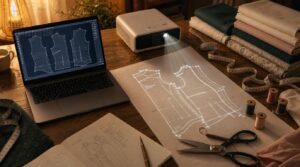
Some pattern companies have done the heavy lifting for you — projector files included, no workarounds needed.
A handful of names keeps coming up in the sewing community for good reason. Here are the ones worth knowing.
Jalie Projector Sewing Patterns
Jalie is a standout sewing pattern company offering projector files, with 202 layered, projector-ready files covering sizes from kids to adults up to a 61-inch bust. Their Color-Coded Grading simplifies Rapid Size Swapping mid-cut.
Each file includes:
- Custom Fit Adjustments across bust, waist, and hip
- Vector Editing Workflow via standard PDF or vector tools
- Cross-Platform Compatibility on Mac and Windows
Ellie & Mac Projector Files
Ellie & Mac’s Single-PDF Workflow keeps things clean — one file, projection-ready, no paper involved.
Pair it with free sewing templates and printable patterns online to keep your entire project — from screen to stitch — completely paperless.
Their Color-Coded Layers enable Instant Size Switching during cutting, while Glossy Fabric Contrast is managed through thick, dark lines integrated into every projector file.
Calibration guides ensure precise grainline alignment, and User Tutorial Resources guide setup.
Their digital pattern distribution model allows free re-downloads anytime.
Love Notions Projector Patterns
Love Notions builds projector files that actually respect your workflow. Download them straight from your customer portal downloads — no hunting required.
- Bold line visibility keeps every cut line sharp on fabric
- Sizing toggle interface lets you isolate your size fast
- Style detail fidelity stays intact across XS–XXXL
- Pattern-specific tutorials walk you through calibration before you cut
Pattern Emporium Projector Files
Pattern Emporium brings serious structure to projector sewing with their projector-ready files, featuring color-coded sizes to eliminate squinting for your line. A dedicated tutorial series guides you through grainline alignment and setting up the Pattern Projector web app, ensuring seamless integration into your workflow.
Their software compatibility guide removes guesswork, while responsive customer service keeps you on track. These resources combine to provide a frictionless experience, addressing technical hurdles proactively.
Additionally, the Pattern Emporium community actively shares free projector files, offering valuable bookmarks for expanding your creative toolkit.
Sew Sweetness Bag Patterns for Projectors
Sew Sweetness is a strong pick if bags are your thing. Their projector ready files offer a solid variety of bag styles—from the Satellite to popular tote designs—with optimized projected line thickness for clean cuts on any surface.
Bundle pricing options keep costs down, while their tutorial video resources guide you through grainline alignment and fabric compatibility tips step by step.
Little Lizard King Kids’ Projector Patterns
Little Lizard King delivers digital sewing patterns for kids‘ clothes, covering sizes 12 months to 14 years, with solid projector file specifications and grainline alignment built in.
- Embroidery options including rainbow motifs on tops and dresses
- Interactive tutorials walk you through each step
- Holiday collections refresh the lineup seasonally
- Size key system keeps multi-size layers manageable
- Instant downloads via a smooth online pattern shopping cart experience
Apple Tree Sewing and Amelia Lane Designs
Rounding out this list, Apple Tree Sewing and Amelia Lane Designs bring something distinct to the table.
Apple Tree leans into whimsical kidswear with playful themes, while Amelia Lane shines through bold fabric collaborations and seasonal fabric drops.
Both brands run sew‑along showcases and brand blog spotlights that tie projector file specifications and grainline alignment directly into their tutorials.
| Feature | Apple Tree Sewing | Amelia Lane Designs |
|---|---|---|
| Focus | Whimsical kidswear | Bold fabric collaborations |
| Projector Support | PDF with scale guides | Indie bundled formats |
| Community Engagement | Sew‑along showcases | Brand blog spotlights |
Free Projector Sewing Pattern Sources
You don’t have to spend a dime to start sewing with a projector. Several brands, communities, and tools offer free projector-ready patterns — you just need to know where to look.
Here’s where to find them.
Free Pattern Sections From Sewing Brands
Several sewing brands quietly offer free projector-ready sewing patterns right on their websites — no hunting required. These patterns serve as marketing incentives, giving you a real taste of their drafting style.
Look for:
- Seasonal releases tied to new fabric collections
- Sample garment showcases across beginner skill levels
- Projector files with calibration grids included
- Platform hosting under a dedicated "Free Patterns" tab
Facebook Groups Sharing Projector Pattern Recommendations
Beyond brand websites, Facebook groups are where real projector sewists hang out. The Projectors for Sewing group has over 35,000 members swapping Group Setup Tips, Member Gear Reviews, and Pattern Licensing Alerts.
| What You’ll Find | Why It Helps |
|---|---|
| Live Projection Q&A | Fix calibration issues fast |
| Trend Spotting | Discover projector-friendly designs early |
| Free projector-ready sewing patterns | Save money instantly |
| Digital pattern alterations for projector use | Skip the guesswork |
Community Spreadsheets of Projector-ready Patterns
A community-maintained spreadsheet — built by sewists, for sewists — might be your fastest shortcut. Member Mary H. compiled nearly 150 projector-friendly pattern companies.
The spreadsheet includes tagging conventions by garment type, version tracking for updates, and contribution guidelines that keep entries accurate.
You’ll find a user rating system, data-export formats, and more to enhance usability.
It also provides direct links to free projector-ready sewing patterns for smooth digital pattern projection.
Open-source Projector Sewing Pattern Repositories
Several open-source repositories host free sewing patterns under GPL or Creative Commons licenses, enabling users to modify and redistribute them freely. These platforms prioritize accessibility and collaboration within the sewing community.
Freesewing stands out as a leader, offering made-to-measure patterns with integrated GitHub collaboration, detailed contribution guidelines, and standardized templates. Its tools empower users to create and adapt patterns with precision.
Freesewing leads open-source sewing with made-to-measure patterns, GitHub collaboration, and precision tools for all
The Pattern Projector web app complements these ecosystems, providing calibrated, projector-friendly designs at no cost. This integration bridges digital pattern creation with physical crafting, eliminating financial barriers for enthusiasts.
Free Tools for Converting PDF Patterns
Converting a regular PDF pattern into a projector-ready file doesn’t have to cost a thing. These free tools get the job done:
- PDFStitcher – merges multi-page tiling into one large file
- Pattern Projector – manages no-account conversions instantly
- PDF to SVG converters – retain vector quality through export
- Batch processing tools handle multiple pages at once, though be mindful of batch processing limits
- PNG exporters – deliver transparent PNG output for clean projection
Free projector-ready sewing patterns become even more accessible when you use these tools to add projector files to your PDF sewing patterns, enhancing your workflow for sewing projects.
How to Check Free Pattern Licensing
Free doesn’t always mean "use however you want." Verify license terms on the download page before proceeding. Identify allowed uses—whether restricted to personal projects or permitting sales of finished items. Check attribution rules to confirm if credit is required, and spot prohibited uses like redistribution.
Document license files alongside your project files to avoid confusion later. This ensures compliance without guesswork, maintaining clarity on permissions and restrictions.
What Projector Pattern Files Include
Projector pattern files aren’t just digital copies of paper patterns — they’re built specifically for how projection works. Each file comes packed with features that make cutting faster and more accurate.
Here’s what you’ll usually find inside.
Layered Pattern Sizes
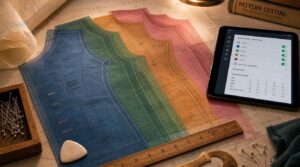
Most projector files use a layered system — one file holds every size, and you switch visibility to isolate yours. No more reprinting because you grabbed the wrong sheet.
- Color-coded lines separate each size clearly
- Size layer selection takes seconds in any PDF viewer
- Grading consistency keeps proportions true across the full range
- Petite and tall adjustments are often built right in
Large Margins for Projection
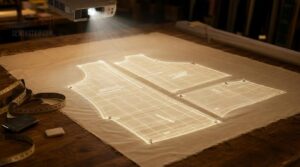
Wide margins aren’t just extra space — they’re your safety net. edge buffer space absorbs keystoning compensation without pushing critical seam lines off the fabric.
Margin consistency across all sizes keeps your alignment tolerance tight, so seam allowance visibility stays accurate from the hip to the hem.
| Margin Feature | What It Does |
|---|---|
| Edge Buffer Space | Prevents pattern lines from cropping during projection |
| Keystoning Compensation | Absorbs angle distortion at projection edges |
| Margin Consistency | Keeps scale proportional across all sizes |
| Alignment Tolerance | Reduces drift when repositioning the projector |
| Seam Allowance Visibility | Keeps allowances fully visible near piece edges |
Enlarged Labels, Lines, and Fonts
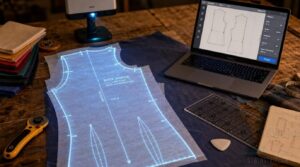
Margins handle the edges — but labels, lines, and fonts are what keep you cutting accurately once you’re in the zone.
Good projector files follow tight label size standards and font pairing rules:
- Labels scale 20–30% larger for clear reading at distance
- Bold strokes on major lines; secondary lines stay 30% thinner
- Sans-serif fonts reduce stroke ambiguity under projection
- Color contrast guidelines push traceability up by 40%
- Label orientation tips align text to grainlines, not guess-work
Metric and Imperial Calibration Grids
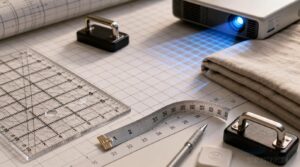
Once your labels read clearly, scale accuracy becomes the next thing to nail. Good projector files include dual-scale layers — metric or imperial — so you can toggle between them without guessing. Grid tolerances are tight, and material stability prevents drift during long cutting sessions. Software integration automatically processes distortion compensation.
| Feature | Metric | Imperial |
|---|---|---|
| Grid Spacing | 1 cm | ½ inch |
| Tolerance | ±1 mm | ±1/32 inch |
| Scale Check | 10 cm box | 4-inch box |
Unfolded and Mirrored Pattern Pieces
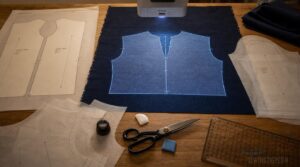
Quality projector files include unfolded and mirrored pattern pieces, which means less fuss and less guesswork in fabric waste reduction.
- Fold line alignment keeps symmetrical pieces accurate every time
- Nap direction matching prevents visible misalignment on directional fabrics
- Mirror layout tricks eliminate manual flipping during cutting
- Unfolded piece scaling shows the full shape at once
- Mirrored pattern pieces are labeled for correct garment placement
Grainline Direction and Alignment Marks
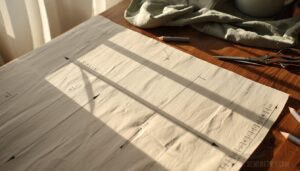
Good projector files go beyond just showing the full shape — they also lock in grainline direction so every pattern piece sits correctly on your fabric. Clear grainline orientation and alignment notches guide your pattern layout with precision.
Misreading the grain, fabric drape is affected quickly. Watch for bias grain usage markings as well; they are easy to miss but critical for fit.
File Formats Such as PDF, SVG, AI, and EPS
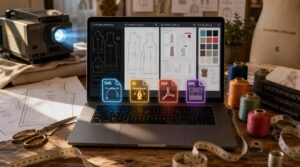
Projector files come in four main formats—each with a distinct role. SVG’s vector scalability ensures sharp, resize-friendly projection, while AI files enable full editing control for quick alterations. EPS excels in clean color management for complex designs, and PDF security protects purchased files.
For free projector-ready sewing patterns, SVG and PDF patterns remain the most versatile and widely used formats.
How to Choose Projector Patterns
Not every projector pattern is worth your time or money. Before you buy, a few quick checks can save you from a frustrating download. Here’s what to look for.
Confirm Projector Files Are Included
Don’t assume projector files are included — always check.
Check the product description for clarity on what’s included in the download. Verify file enumeration or download size before purchasing.
Some designers also send a confirmation email attachment after purchase.
When in doubt, search for a projector tag in the listing or ask the seller directly.
Check Format Compatibility Before Buying
Check software compatibility before you buy. Projector files come in formats like AI, SVG, and EPS, each with varying OS support and vector scalability. If your setup can’t open the required file extensions, the pattern becomes useless.
Confirm font embedding is intact to ensure labels display correctly.
Always match the pattern file format to your tools first.
Look for Clear Scale Calibration Options
Scale accuracy makes or breaks your cuts. Look for patterns with an embedded scale bar and contrast calibration marks — these let you verify projected size at a glance. A toggleable measurement grid eliminates guesswork, while some designs include color-coded scale references and calibration checksum verification for added confidence.
Good projector calibration isn’t optional; it’s your first step. Precision in setup ensures every measurement aligns with real-world dimensions, transforming preparation into flawless execution.
Choose Patterns With Unfolded Pieces
Unfolded pieces are a quiet revolution for projector sewing. When every section lies flat, you gain:
- Seam allowance clarity — check edges instantly without unfolding anything
- Fabric waste minimization — nest pieces efficiently before cutting
- Notch indicator guides — alignment marks are visible across the full layout
- Pattern hacking flexibility — alter individual sections freely
- Educational layout insight — see exactly how pieces relate before you sew
Review Size Range and Garment Type
Verify the size range covers your measurements before purchasing patterns. Many lines offer inclusive sizing from XS to 3XL, with extended size options reaching 4XL. Always confirm the garment category coverage, as women’s, men’s, and children’s patterns are not interchangeable.
Check for fabric-specific fit notes and ensure grading consistency across sizes. Prioritize patterns with size selection boxes that are easy to toggle, streamlining the process of identifying your fit.
Read Licensing Terms for Personal Use
Once you’ve confirmed the size range fits, read the license. Most projector patterns allow personal, non-commercial use only — Commercial Triggers kick in the moment you sell finished garments.
Watch for Modification Limits, Attribution Requirements, Geographic Restrictions, and Time Limits buried in the fine print. Free projector-ready sewing patterns sometimes carry stricter rules than paid ones, so don’t skip this step.
Save Updated Downloads From Pattern Designers
Once licensing is sorted, don’t let updated files slip through the cracks. Many designers quietly add projector files to existing purchases—so use version tracking and expiration reminders to catch those updates.
Enable automatic re-download where available, and always keep a local backup to stay current.
Regularly check your order history; updating purchased patterns ensures you can download new projector files without repurchasing.
Frequently Asked Questions (FAQs)
Can I use a projector for sewing patterns?
Yes, you can. A projector replaces printed pattern pages by casting full-size pieces directly onto your fabric. It saves time, cuts paper waste, and lets you switch sizes instantly.
How do I get a projector for sewing patterns?
Pick a short-throw or pico projector — the Apeman LC350 is a solid budget-friendly option. Check brightness, mounting solutions, and connectivity options to match your workspace before buying.
Are there free sewing patterns with projector files?
Free projector-ready sewing patterns do exist. Check brand free sections, Reddit sewing threads, and Facebook groups for seasonal free releases with direct download links.
Pattern clarity standards vary, so preview files before cutting.
What is projector sewing?
Projector sewing skips paper entirely. You display a digital pattern overlay straight onto your fabric, then cut.
This setup offers real-time resizing, clean fabric alignment, and serious paper waste reduction — all in one efficient system.
Can I use a PDF file with a sewing pattern projector?
Most PDF sewing patterns work with a projector. Some need a projector-specific file to align correctly. Check that yours includes scale calibration and large fold lines before you cut.
Can I use any projector for sewing patterns?
Not every projector works well for sewing. Sharp contrast and 1080p resolution matter more than brightness. Short-throw models save space. Minimize keystone adjustment to keep pattern edges true.
What kind of projector do I need for sewing?
You don’t need anything fancy. A short throw projector with 2500+ lumens, 1080p resolution, and HDMI connectivity covers most setups. Match your throw ratio to your ceiling height, and you’re ready.
What is a projector file pattern?
A projector file pattern is a layered vector document built for scale accuracy and projection workflow.
It holds design metadata, size lines, and calibration grids — so you cut directly from fabric without printing anything.
What is the pattern projection method?
The pattern projection method uses structured light to map surface geometry.
It projects Gray Code and phase shift patterns, then reads deformations via depth triangulation and calibration geometry to reconstruct accurate 3D shape data.
Can projector sewing patterns be resized easily?
SVG and AI files resize without distortion using uniform vector scaling. Always verify with calibration reference squares to confirm seam allowance preservation.
Size factor consistency across all pieces keeps your cuts accurate.
Conclusion
Every sewing room in the world is ditching paper patterns right now—and for good reason. Once you know where to get sewing patterns for projectors, the whole process clicks into place.
Bookmark a few trusted designers, confirm the file format works with your setup, and check licensing before you cut. The right source saves you time on every single project.
Pick one, download it, and get to work.
- https://www.ellieandmac.com/blogs/blog/the-awesomeness-of-e-ms-projector-patterns?srsltid=AfmBOoqi9qpxpbrKxitBNFlhDQpCeXP_DmqWHLB-t1ASS6WTsvrlJe9P
- https://www.engadget.com/2006-08-29-how-to-make-a-custom-projector-screen.html
- https://www.soundcore.com/blogs/projectors/how-to-make-a-projector-screen
- https://www.lovenotions.com/projector-sewing-making-it-work-in-the-space-youve-got
- https://patternemporium.com/?srsltid=AfmBOopaClhtNXe8eXULTdhThiHdHIPdqylUvFb3OEjDl9sikvCX1nRE