This site is supported by our readers. We may earn a commission, at no cost to you, if you purchase through links.
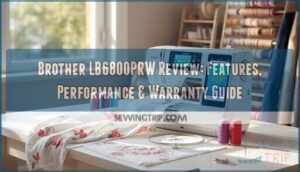
Most sewing machines force you to choose: dedicate your workspace to a solid sewing workhorse, or invest in an embroidery-only setup that sits idle between monogramming projects. The Brother LB6800PRW breaks that compromise with a compact footprint that houses 67 sewing stitches and 70 embroidery designs, all controlled through a touchscreen that won’t leave you hunting through printed manual pages.
This combination machine delivers the precision you need for both garment construction and decorative work, backed by automatic features that eliminate threading frustrations and a 4″ x 4″ embroidery field that manages everything from shirt pockets to quilt blocks.
Whether you’re upgrading from a basic mechanical model or adding embroidery capabilities without sacrificing sewing performance, understanding what this machine actually delivers—and where it shows its limitations—determines if it’s the right tool for your creative vision.
Table Of Contents
Key Takeaways
- The Brother LB6800PRW combines 67 sewing stitches and 70 embroidery designs in one compact machine, eliminating the need for separate equipment while delivering touchscreen control and automatic threading that streamline both garment construction and decorative work.
- You’ll work within a 4″ x 4″ embroidery field that handles shirt pockets and quilt blocks effectively, though this size limitation means wall hangings and larger projects require different equipment.
- The machine includes practical automation features like one-step buttonholes, quick-set bobbin system, and built-in thread cutting that reduce setup time and manual adjustments across both sewing and embroidery functions.
- Brother backs this dual-function machine with a 25-year limited warranty, comprehensive support resources including downloadable guides and phone assistance, plus a complete accessory package that gets you stitching immediately without additional purchases.
Brother LB6800PRW Key Features
The Brother LB6800PRW packs serious capability into one compact machine. You’ll find dual functionality that covers both precision sewing and creative embroidery work.
Here’s what powers this combination machine and sets it apart from single-purpose models.
Sewing and Embroidery Functions
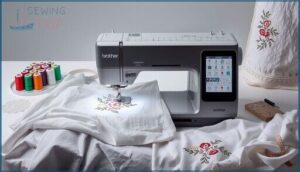
You’re getting a true two-in-one powerhouse with the Brother LB6800 sewing and embroidery machine. Switch effortlessly between garment construction and decorative embroidery without changing equipment.
The integrated embroidery machine functions let you tackle thread management and fabric compatibility in one workflow, while the sewing machine manages everything from basic seams to complex projects. Machine maintenance stays simple, and embroidery software compatibility expands your creative reach. Sewing speed adjusts to your rhythm.
The Brother LB6800PRW also benefits from sophisticated methodological rigor in its design and testing process.
Built-in Stitches and Designs
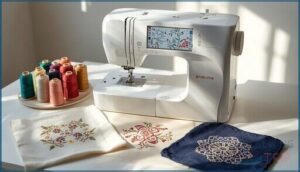
Your creative arsenal includes 67 builtin sewing stitches and 70 builtin embroidery designs that transform ordinary fabric into art. This embroidery machine gives you serious embroidery library depth for pattern creation, while stitch customization lets you adjust width and length instantly.
Design editing tools mirror and rotate motifs with precision. Thread management becomes straightforward when you’re working with such variety—utility stitches handle construction, decorative options add flair, and your embroidery designs cover floral to geometric patterns.
LCD Touchscreen Interface

The Brother LB6800PRW LCD touchscreen puts total command at your fingertips—no hunting through button mazes. Touchscreen navigation flows smoothly whether you’re using your finger or stylus, while screen responsiveness adjusts to light taps for stitch selection and design placement.
Interface design groups sewing and embroidery functions logically, and visual feedback confirms every adjustment you make:
- Quick-access icons for start, pause, speed control, and tension
- Context-sensitive help appears when you tap info symbols
- Grid and alignment guides assist precise fabric positioning
- Warning prompts prevent accidental design deletion or stitch reordering
Design Import via USB
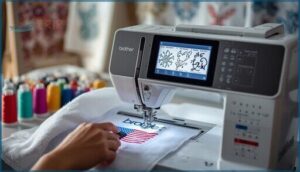
Beyond touchscreen navigation, USB design transfer unlocks unlimited embroidery potential on your Brother LB6800PRW. The USB port accepts DST and EXP file formats, letting you import designs without computer connectivity headaches.
Position, rotate, and mirror imported files using the design editing tools, then manage your embroidery file management library directly on-screen.
If USB connectivity issues arise, reformat your drive to FAT32—most sewing machine features depend on proper formatting.
Sewing Performance and Capabilities
You’ll find the LB6800PRW delivers solid performance across everyday sewing tasks. The machine manages stitch adjustments, buttonholes, and specialty techniques without unnecessary complexity.
Here’s what you can expect from its core sewing capabilities.
Stitch Variety and Adjustment
You’ll master precision with 98 stitch functions spanning utility, decorative, and heirloom work. Adjust stitch length and width through the LCD touchscreen to match fabric weight—from lightweight silk to medium canvas.
Thread tension dials balance needle and bobbin threads, preventing loops and skips. Needle control settings fine-tune penetration depth, while stitch density parameters affect fill coverage across embroidery and sewing modes.
These fabric settings deliver consistent results whether you’re topstitching denim or creating delicate appliqués.
Buttonholes and Twin Needle Use
Choose from 10 one-step automatic buttonholes—stitch density and length adjust to fabric weight, reinforcing edges with satin stitches.
Twin Needle Tips: thread both needles through separate guides, select compatible stitch width, and test on scrap fabric.
Stability matters—use interfacing under buttonhole zones and slower speeds with heavier materials.
This sewing machine balances fabric stability with needle threading precision for embroidery machine versatility.
Free Arm for Cuffs and Sleeves
Slide the free arm’s cylindrical surface under cuffs and sleeves—you’ll guide tubular sections with both hands for stitch consistency around curves. Before feeding fabric, fold and press edges, then test on scrap material to verify tension and feed dog performance.
Clean lint from beneath the arm regularly—proper arm maintenance prevents snagging on delicate Brother LB6800PRW projects while fabric guidance stays smooth and controlled.
Quick-Set Bobbin System
Drop pre-wound bobbins straight into the Brother LB6800PRW’s QuickSet Bobbin System—no looping, no fuss. This sewing machine feature streamlines bobbin management and maintains thread tension across diverse stitches, so sewing efficiency never breaks stride.
Pair it with the automatic needle threader for rapid setup. Clean the bobbin area weekly to prevent lint buildup, and always use approved bobbin types to keep your Bobbin Work Kit running smoothly.
Embroidery Functions and Design Options
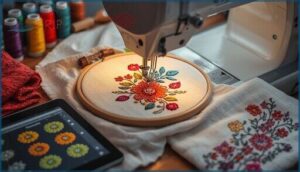
The LB6800PRW transforms creative vision into finished embroidery through a combination of built-in designs and flexible customization tools. You’ll work with a 4″ x 4″ embroidery field that accommodates 70 factory-loaded designs, 5 lettering fonts, and 120 frame pattern combinations.
Here’s how the machine manages design manipulation and compatibility with external sources.
Built-in Embroidery Designs
Your Brother LB6800PRW unlocks 70 built-in embroidery designs right out of the box, spanning floral, geometric, and holiday motifs perfect for sewing and embroidery projects. Design editing happens directly on the LCD—rotate in 1-degree increments, mirror designs, or resize within your embroidery area.
Here’s what sets this machine apart:
- Instant access to designs without embroidery software
- Color palettes and stitch optimization preset for each design
- On-screen preview before stitching begins
- Thread management guidance with suggested color stops
- USB port for importing iBroidery.com designs later
4 X 4 Embroidery Area
Your embroidery margins expand to a generous 4×4 embroidery area—roughly 4 inches square—giving you room to craft monograms, decorative patches, and multi-color lettering with the Brother LB6800PRW. Hoop alignment and fabric stabilizers keep your fabric taut, while design scaling ensures imported iBroidery.com files fit perfectly within bounds.
Run a quick preview on the LCD before final stitching—you’ll catch any clipping or misalignment early and save thread.
| Prep Step | Tool/Material | Purpose |
|---|---|---|
| Stabilizer selection | Tear-away or cut-away | Prevents puckering |
| Hoop alignment | 4×4 hoop | Centers design |
| Stitch density check | Test fabric scrap | Confirms clarity |
Design Rotation and Mirroring
Once you’ve centered your embroidery motif, rotating it 90, 180, or 270 degrees unlocks fresh symmetry options—flip designs horizontally or vertically for mirrored effects without altering stitch alignment.
Design editing happens in the embroidery menu before you commit to the hoop, so preview each rotation and check for any directional fill shifts. Rotation limits stay within that 4×4 frame, preventing cropping surprises.
Compatibility With IBroidery.com
After perfecting your design’s orientation, you’ll want fresh embroidery patterns—iBroidery.com offers thousands. Your Brother LB6800PRW accepts USB-transferred designs, but file format issues can derail your project. Before downloading:
- Verify DST or PES format support through your sewing machine’s computer connectivity menu
- Run compatibility checks on design dimensions against the 4×4 hoop limit
- Confirm licensing restrictions won’t block embroidery design software imports
Format support varies, so test one inexpensive pattern first.
User-Friendly Features and Accessories
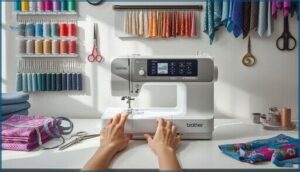
The Brother LB6800PRW doesn’t just deliver powerful stitching—it’s built to make your workflow smoother from the first thread to the final cut.
You’ll find thoughtful design touches that eliminate common frustrations, along with a complete accessory package that sets you up for success right out of the box.
Here’s what makes this machine genuinely easier to use day after day.
Automatic Needle Threader
Threading a needle used to be a test of patience—now it’s smooth. The LB6800PRW’s threader mechanism automates this tedious step using a lever-assisted system that guides thread through the needle eye in seconds. Your sewing machine technology advances when needle alignment stays precise and threading issues disappear.
| Feature | Benefit |
|---|---|
| Lever-Assisted Threading | Reduces manual threading time markedly |
| Visual Confirmation | Ensures threading completion before sewing |
| Standard Needle Compatibility | Works with domestic sewing machine needles |
| Minimal Maintenance Tips | Clean lint regularly for consistent performance |
Proper threader calibration depends on correct needle alignment and routine cleaning of the thread path—simple maintenance that keeps your sewing technology and accessories performing flawlessly for years.
Built-in Thread Cutter
Once needle threading becomes automatic, your next time-saver arrives: the built-in push-button thread cutter positioned near the needle area. This Automatic Thread Cutting feature snips upper and bobbin threads cleanly between seams, boosting workflow efficiency without manual scissors.
Your Sewing Machine Technology and Accessories remain reliable with routine maintenance—keeping your Brother Sewing Machine performing like new.
- Thread Type Compatibility: Works with polyester, cotton, and metallic threads when tension settings match.
- Cutter Blade Replacement: Inspect blades quarterly; replace if fraying occurs.
- Thread Cutter Maintenance: Clean lint buildup weekly for consistent performance.
- Cutter Effectiveness Optimization: Proper threading tension prevents blade wear and ensures clean cuts.
Included Sewing Feet and Tools
Your LB6800PRW ships with essential Sewing Accessories—buttonhole, zipper, and blind-stitch feet snap onto the low-shank Presser Bar for fast changes. Foot Compatibility with the Quick-Set bobbin and automatic threader amplifies Sewing Technology efficiency, while specialty embroidery feet support digitized designs with precision.
Accessory Storage keeps Crafting Tools organized: seam ripper, lint brush, and screwdriver guarantee Tool Maintenance routines stay simple.
Project Runway Rolling Luggage
Project Runway rolling luggage transforms your Brother LB6800 into a portable studio. Storage options accommodate thread spools, stabilizer, and the Grand Slam II Package accessories, while reinforced wheels deliver luggage durability across airports and workshops.
Travel compatibility meets airline cabin limits, though color variants remain limited. Warranty coverage mirrors the sewing machine’s terms—verify retailer specifics before purchase.
Manuals, Support, and Warranty
You won’t be left fumbling through guesswork with the LB6800PRW. Brother backs this machine with thorough documentation, multiple support channels, and one of the strongest warranties in the industry.
Here’s what you get when you need help or answers.
Downloadable User Guides
You’ll find extensive user documentation available for download on the LB6800PRW support site. Each guide comes in PDF format, covering setup, troubleshooting tips, and maintenance procedures customized to your machine.
Manual updates reflect firmware changes, so check for the latest version. User feedback indicates these printer user guides simplify complex operations, making user documentation and support accessible when you need it most.
Instructional Materials and CD
Your LB6800PRW ships with instructional materials on CD and as digital downloads. CD content includes the device manual, tutorial videos, and embroidery walk-throughs—perfect for hands-on learners.
Electronic manual updates appear on Brother’s site, keeping your user documentation current with firmware changes. While older PCs handle CD content fine, you’ll find manual updates and user guides more reliable as downloadable PDFs for long-term access.
Online and Phone Support
When technical issues arise, you can contact support through live chat during business hours, email with 1–2 day response times, or phone assistance for immediate help.
Brother’s Online Solution Center hosts troubleshooting guides, technical support documents, and downloadable manuals.
Phone support runs 9:00am to 9:00pm Eastern—perfect for urgent customer support needs. Have your model number and serial ready before you reach out.
25. Year Limited Warranty
Your Brother machine carries a 25-year limited warranty that starts from your original purchase date. The first year covers parts, labor, and accessories, while electrical components get two-year coverage.
Brother backs your machine with a 25-year limited warranty covering parts, labor, and accessories in year one, plus two years on electrical components
You’ll need proof of purchase for warranty claims and must use authorized repair options. Brother limits liability to replacement costs, and warranty statements exclude damage from misuse.
Extended coverage plans are available through technical support documents on the Brother printer manual portal.
Frequently Asked Questions (FAQs)
How long does it take to embroider a design?
Embroidery time varies widely—simple designs finish in 5–15 minutes, while dense, multi-color patterns can take 30–60 minutes or longer. Design complexity, stitch count, and your fabric prep all impact speed.
What is the maximum embroidery speed?
Your machine runs at a maximum embroidery speed of 400 mm/s, delivering 1,200 stitches per minute.
This stitch rate ensures machine efficiency across embroidery designs while maintaining proper thread tension, regardless of design complexity or embroidery techniques you’re using.
Does it have automatic thread trimming?
You’ll discover automatic thread trimming built into the LB6800PRW’s control panel. This sewing efficiency feature cuts both needle and bobbin threads instantly, giving you precise needle control and simplified trimming options between seams.
How many hoops are included?
Your package includes one 4″ x 4″ embroidery hoop for standard embroidery area projects.
Additional accessory hoops and larger machine bundles are available separately, giving you expanded sewing accessories options beyond the built-in accessory storage.
Does it have WiFi connectivity?
No, your Brother LB6800PRW lacks WiFi Settings or Wireless Connectivity. Computer Connectivity happens through USB Connections only—transferring designs requires physical cable attachment. Technical Documentation confirms the Sewing Machine uses port-based Online Integration, not Network Options or Internet Capabilities.
What type of fabric works best for embroidery?
Cotton muslin and broadcloth deliver stable weaves perfect for beginners, while polyester blends resist shrinkage.
Always pair your fabric choices with matching stabilizer options and thread selections—pre-washing prevents puckering and ensures your embroidery materials perform flawlessly.
How do I clean and maintain the machine?
Unplug your sewing machine before cleaning. Remove lint from the bobbin area after each project, wipe surfaces with a damp cloth, and apply oil lubrication to moving parts per your user manuals’ troubleshooting guides for proper maintenance.
Can I use metallic or specialty threads?
Yes, you can. Thread Compatibility matters—use sharp needles (80/12 or 90/14) with Metallic Tips and adjust Embroidery Settings.
Specialty Yarns need looser tension and stabilizers for Thread Management during Sewing and Embroidery work.
What stabilizer should I choose for my project?
Your fabric and embroidery density drive your stabilizer types decision. Lightweight wovens thrive with tear-away options, while knits demand stretch-compatible choices.
Match hoop sizes and thread tension to fabric selection for impeccable textile art results.
How do I troubleshoot thread tension issues?
Start by rethreading your entire sewing machine, including the upper thread through all guides and ensuring the bobbin is correctly seated. Test on scrap fabric, then adjust needle tension incrementally.
Replace bent needles and clean lint from tension discs to achieve balanced stitches.
Conclusion
Picture your workspace where embroidery hoops shift to sleeve hems without rearranging furniture or swapping machines. The Brother LB6800PRW delivers that versatility through automatic threading, 137 built-in options, and touchscreen controls that simplify complex projects.
Its 4″ x 4″ field won’t tackle wall hangings, but for garment details and compact decorative work, you get reliable dual-mode performance backed by 25-year warranty coverage.
One machine. Two complete skill sets. Zero compromise on your creative bench space.
- https://download.brother.com/welcome/doch000184/885v31_v32_v33_om04en.pdf
- http://support.brother.com/g/b/manualtop.aspx?c=us&lang=en&prod=hf_lb6800eu
- https://help.brother-usa.com/app/ask/p/5872,6345
- https://www.craftsy.com/class/the-classic-tailored-shirt/132
- https://academichelpexpress.blog/2024/08/please-use-the-bulleted-points-and-the-rubric-below-to-guide-your-work-your-pa/