This site is supported by our readers. We may earn a commission, at no cost to you, if you purchase through links.
The sewing machine sitting in your grandmother’s closet probably still works. That’s not nostalgia talking—mechanical machines from the 1970s regularly outlast their owners, running on nothing but oil, timing, and a handful of moving parts.
Meanwhile, today’s computerized models let you dial in a 0.1mm stitch increment, store custom patterns, and auto-adjust tension mid-seam.
Both claims are true, which makes choosing between a computerized vs mechanical sewing machine genuinely difficult. Your budget, skill level, and what you actually sew all pull the decision in different directions.
The right answer exists—it just depends on asking the right questions first.
Table Of Contents
- Key Takeaways
- Mechanical Vs Computerized Basics
- Stitch Control and Customization
- Beginner Learning Curve
- Price and Overall Value
- Durability and Maintenance
- Fabric Handling Differences
- Speed, Precision, and Accuracy
- Best Features for Each Type
- Best Choice by Sewing Goals
- Choosing Your First Machine
- Frequently Asked Questions (FAQs)
- Conclusion
Key Takeaways
- Mechanical machines cost less, break down less often, and are easier to fix — making them the smarter pick if you sew occasionally or just need basic stitches.
- Computerized machines give you precision, automation, and a built-in stitch library, which pays off quickly if you sew regularly or tackle detailed projects like quilting and embroidery.
- Your skill level matters more than you might think — mechanical machines teach you tension and control hands‑on, while computerized models can shortcut that learning if you’re not careful.
- Neither type wins outright; the right machine is simply the one that matches how often you sew, what you make, and what you’re willing to spend upfront.
Mechanical Vs Computerized Basics
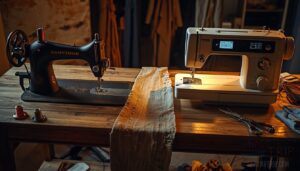
Before you choose a machine, it helps to understand what actually separates the two types. The differences go deeper than just looks — they shape how you sew every single time you sit down.
Even small choices — like how you load a bobbin into your machine — vary between systems and quietly affect your whole sewing rhythm.
Here’s what sets them apart at the most basic level.
Manual Dials, Levers, and Knobs
Every dial, lever, and knob on a mechanical sewing machine puts you directly in control. You feel the Tactile Click Feedback at each detent, confirming your setting without glancing away. The Ergonomic Knob Design and Knob Grip Texture make fast adjustments feel natural, even with busy hands.
| Control | Function | Feedback Type |
|---|---|---|
| Stitch Length Dial | Sets mm per stitch | Audible click |
| Tension Dial | Balances thread spring | Numbered notches |
| Presser Foot Lever | Raises/lowers foot | Physical resistance |
| Reverse Stitch Lever | Secures seam ends | Spring return |
| Feed Dog Lever | Controls fabric movement | Detent position |
Safety Stop Mechanisms prevent accidental needle strikes during adjustments — a small detail that matters more than you’d think.
Digital Buttons, LCDs, and Touchscreens
Flip from physical knobs to digital controls, and the whole experience changes.
Capacitive vs Resistive buttons each register your press differently — one by touch proximity, one by pressure.
Backlit Displays and LCD display panels show your settings at a glance, while Sealed Control Panels block lint from creeping in.
Haptic Confirmation and Multi-Touch Gestures make digital interface navigation feel responsive and precise.
Recent research shows that physical buttons in cars reduce driver distraction compared to touch screens.
| Feature | LCD Display | Touchscreen |
|---|---|---|
| Input Method | Digital buttons | Capacitive touch |
| Feedback Type | Haptic Confirmation | Multi-Touch Gestures |
| Visibility | Backlit Displays | Surface-hardened screen |
How Each Machine Sets Stitches
Once your interface is set, the machine still needs to know how to form each stitch.
Mechanical machines use Cam Timing Mechanics — physical cams rotate to move the needle into position. You turn manual dials, and the machine responds directly.
Computerized machines rely on Digital Stitch Mapping and Thread Path Programming, with automatic stitch selection handling Feed Dog Synchronization and Needle Position Encoding instantly.
| Setting | Mechanical | Computerized |
|---|---|---|
| Stitch Selection | Manual dials | Digital controls |
| Tension Adjustment | Physical knob | Auto or numeric |
| Stitch Length | Lever rotation | Button entry |
| Feed Timing | Cam-driven | Software-synced |
Stitch Control and Customization
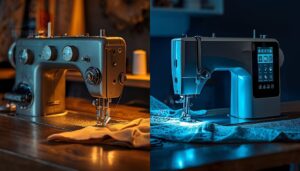
Stitch control is where these two machines start to feel truly different in your hands. The gap between turning a dial and tapping a screen isn’t just cosmetic — it changes what you can make and how fast you can make it.
Here’s what sets them apart across three key areas.
Stitch Length and Width Adjustments
Mechanical machines use manual dials for stitch length adjustment, usually ranging 0.5–4.0 mm, where each turn delivers tactile Dial Increment Precision — you feel the change happen.
Computerized models offer Digital Length Granularity down to 0.1 mm increments via a Feedback Display, giving you exact numeric control.
The Width Lock Mechanism on both types keeps settings stable, but digital controls make Fabric Calibration for precision stitching far faster.
Preset Stitch Memory and Recall
Think of stitch memory like saving your work before closing a tab — except here, what you save is your entire stitch setup.
It’s especially useful on computerized machines, where complex settings can vary widely — much like the range of differences covered in this mechanical vs. computerized sewing machine breakdown.
Computerized machines store complete bundles per Memory Slot Capacity:
- Stitch type, length, width, and tension saved together
- User Profile Storage lets multiple sewists keep personal settings
- Digital Recall Errors trigger alerts when settings conflict with fabric type
- Firmware Update Impact can expand or occasionally reset stored presets
- Stitch Library access pairs with Programmable Settings for fast project switching
Mechanical Cam Alignment does the same job physically — you return dials to their saved settings. No Digital Controls, no Automatic Stitch Selection. Just muscle memory.
One-step Buttonholes and Specialty Stitches
Want a buttonhole that practically makes itself?
On computerized machines, automatic buttonhole stitching manages length via Sensor Length Control, adjusts tension to your fabric, and finishes cleanly — no guesswork.
Mechanical machines skip all that.
| Feature | Computerized vs Mechanical Sewing Machine |
|---|---|
| Automatic buttonhole | One-step; sensor-driven |
| Stabilizer Placement | Guided by digital controls |
| Edge Reinforcement | Auto bar-tack on knits |
| Memory Stitch Mapping | Saves specialty stitch combos |
| Blade Calibration | Periodic; keeps cuts clean |
Beginner Learning Curve
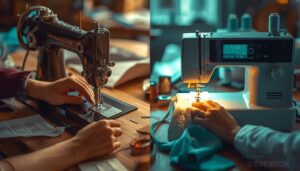
Learning to sew is one thing — learning your machine is another. Whether you go mechanical or computerized, shapes how quickly you find your footing.
Here’s what the beginner experience actually looks like for each.
Setup Simplicity and First Use
Your first setup shapes everything.
Computerized machines win on Interface Clarity — their LCD panels and Power On Sequence walk you through each step, making them genuinely beginner-friendly. The automatic needle threader alone saves real frustration.
Mechanical machines skip the learning curve differently: fewer menus, just a Threading Assistance diagram and physical dials. Both include a Quick Start Guide, but your comfort with manual vs automatic adjustments matters most.
Tension Adjustments and Troubleshooting
Tension problems trip up beginners fast — but knowing what to look for changes everything.
On mechanical machines, you adjust tension control manually by turning a dial, so top thread loops and bobbin tension balance issues require your eyes and patience.
Computerized machines send error alerts and guide you through thread path checks automatically.
Either way, needle size matching and fabric weight influence every result.
Confidence Building for New Sewists
Every beginner needs small wins to stay motivated. Start with Mini Project Wins — a scrunchie, a tote bag — and finish them in one afternoon.
Daily Warm‑ups like threading and bobbin winding build muscle memory fast.
Keep a Progress Journaling habit to track adjustments, and don’t skip Celebration Rituals when you nail a clean hem.
A Visible Workspace keeps you focused and coming back.
Price and Overall Value
Price is often the first thing that stops you mid-scroll when you’re shopping for a sewing machine. What you pay upfront isn’t always the whole story, though — long-term value matters just as much.
Here’s how mechanical and computerized machines stack up across three key cost considerations.
Lower Entry Cost of Mechanical Machines
If budget plays a big role in your decision, a mechanical sewing machine is hard to beat. Simple parts and low-cost materials keep the price down from day one.
Second-hand availability makes them even more budget-friendly — refurbished models often sell for 30–60% less than new. Minimal accessory expense and affordable price points make mechanical machines a smart, cost-conscious starting point.
Higher Upfront Cost of Computerized Models
Computerized machines cost more upfront — and there’s a real reason for that. Microcontroller Expenses, Display Panel Premium, and Servo Motor Markup all stack up during manufacturing. Licensing Fees and Firmware Development Costs add another layer.
- Embedded processors raise build costs 20–40%
- LCD panels and touch interfaces add 15–25% more
- Pattern libraries carry one-time licensing charges of $50–$150
Long-term Value for Frequent Use
higher upfront cost stings less when you spread it across years of use.
Mechanical machines win on durability and maintenance — fewer parts mean lower component wear rates, cheaper repairs, and stronger resale market strength.
Computerized models offer upgrade path flexibility and precision, but service network availability varies.
frequent sewists, long-term value really comes down to how hard you sew.
Durability and Maintenance
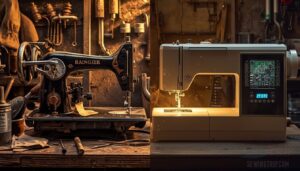
A sewing machine is only as good as how long it lasts — and how easy it is to keep running. Mechanical and computerized machines each come with their own maintenance realities, and knowing the difference can save you time, money, and frustration.
Here’s what sets them apart.
Fewer Electronic Parts in Mechanical Machines
Unlike a computerized sewing machine, a mechanical sewing machine runs on gears, cams, and levers — no microprocessors, no firmware. That means Reduced Failure Points and Minimal Firmware Dependency right out of the gate.
Simplified Diagnostics make troubleshooting straightforward — worn belts and misaligned parts are visible.
Metal components deliver Durable Component Longevity, and Environmental Resilience means dust, heat, and vibration won’t knock out sensitive electronics.
Oiling, Cleaning, and Repairs
Keeping a mechanical machine running well comes down to simple habits. Oil the moving shafts and needle bar every 6–12 sewing hours — that’s your Lubrication Frequency sweet spot.
For Bobbin Cleaning and Feed Dog Care, a quick brush-out after each project prevents lint buildup.
Always follow Power Disconnect Safety before any maintenance.
These low-cost steps keep repair cost considerations minimal and machine durability high.
Electronic Servicing and Firmware Concerns
When digital control system needs servicing, the stakes are higher than a simple oil change.
Computerized machines rely on a microcontroller sewing machine architecture that requires Secure Firmware Updates, Dual-Bank Flash storage, and Rollback Recovery to stay functional.
Power Stability Checks and Diagnostic Logging help catch failures early.
Software updates for sewing machines and software diagnostics add layers of maintenance and durability of sewing machines that mechanical models simply don’t face.
Fabric Handling Differences
Not every every machine processes every fabric the same way. The gap between mechanical and computerized really shows when you start working with different materials.
Here’s how each type performs across three common fabric challenges.
Heavy Fabrics Like Denim and Canvas
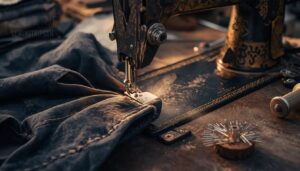
Mechanical machines are built for heavy fabrics like denim and canvas. Their direct-torque drive systems push through 10–14 oz fabric without straining. Pair your machine with a heavy-duty presser foot and needle size choice of 90/14 to 110/18, and thick seams become manageable.
Fabric prewash methods reduce shrinkage before you cut. Edge finishing techniques and reinforcement stitch options lock every seam tight.
Lightweight Fabrics Like Chiffon and Silk
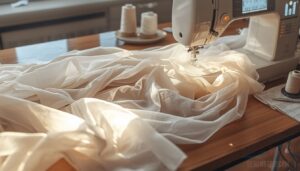
Chiffon and silk demand a different kind of respect. Computerized machines earn their keep here — digital controls and precise speed control keep delicate fibers from puckering or tearing.
needle size 60/8 to 70/10, employ smart stabilization options like tissue paper beneath your seam line, and finish edges cleanly for professional sheer layering.
Pressing technique matters too: low heat, always with a cloth.
Multi-layer Seams and Thick Hems
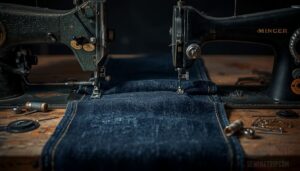
Stack three layers of denim and you’ll quickly learn which machine means business. Mechanical machines power through heavy fabrics with brute torque, while computerized models add stitch precision and automatic thread cutting for clean finishes.
- Use a heavy-duty needle choice (size 90/14–110/18) for bulk reduction methods
- A walking foot feeding system prevents layer shifting
- Double fold hem locks raw edges securely
- Seam reinforcement stitching locks stress points for durability
Speed, Precision, and Accuracy
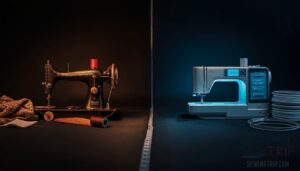
Speed and precision can make or break a project, especially when you’re working against a deadline or tackling something intricate. How a machine manages those moments — consistently, automatically, or with your hands guiding every adjustment — says a lot about which type suits your workflow.
mechanical and computerized machines compare where it counts most.
Consistent Stitch Quality
Stitch quality comes down to needle thread matching, feed system stability, and machine calibration.
Computerized machines handle stitch density consistency automatically — your thread quality control stays tight without constant manual checks.
Mechanical models demand more hands-on attention, but reward you with a deeper feel for precision and consistency.
Either way, proper calibration keeps your stitch accuracy reliable from seam to seam.
Automatic Settings Versus Manual Control
Think of it this way: automatic stitch selection and digital controls handle setup time difference in seconds, while manual controls ask more of you but sharpen your feedback sensitivity.
Computerized models win on customization flexibility and reliability of settings.
Mechanical machines reward adjustment granularity and hands-on mastery.
In any computerized vs mechanical sewing machine comparison, your comfort with control — digital or physical — shapes everything.
Error Handling and Stitching Consistency
Consistency is where the gap really shows. Computerized machines track thread tension feedback in real time, flag misalignment through stitch alignment tolerance monitoring, and apply retry policy logic automatically when something slips. Error code standardization means you know exactly what went wrong. Mechanical machines rely on your eyes and instinct.
Computerized machines catch errors in real time; mechanical machines rely on your eyes and instinct
- Feed system monitoring catches slippage mid-seam
- Error alerts guide tension resets instantly
- Stitch precision stays locked across layers
Best Features for Each Type
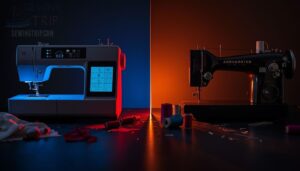
Both machine types have real strengths — and knowing what each one does best makes choosing a lot easier. Your final pick depends on which features actually match how you sew.
Here’s a clear breakdown of what each type brings to the table.
What Mechanical Machines Do Well
Regarding raw power and dependability, mechanical sewing machines are hard to beat. Sturdy gear trains and direct drive power push through heavy fabrics like denim and canvas without skipping a beat.
You get tactile stitch control at your fingertips — real dials, real feedback.
Manual speed regulation keeps you in charge, and low energy consumption means long sewing sessions won’t stress your machine — or your electricity bill.
What Computerized Machines Do Well
Where mechanical machines shine in brute strength, computerized models flip the script with precision and intelligence. Your digital controls, LCD display, and Color-Coded Display take the guesswork out of setup. Fabric Thickness Detection, Automatic Thread Cutting, and Adaptive Speed Adjustment do the thinking for you.
Here’s what computerized machines handle exceptionally well:
- Programmable settings and a rich stitch library recall exact configurations instantly
- On-screen Tutorials walk you through new techniques step by step
- Automatic needle threader saves time and reduces eye strain
- Adaptive Speed Adjustment keeps stitches even across different fabric types
- Color-Coded Display previews designs before your needle touches fabric
Feature Trade-offs to Expect
Every machine asks you to give something up. With computerized models, you gain stitch variety and customization options, digital controls, and automation features — but you’re trading simplicity for interface complexity.
Mechanical vs computerized sewing machines really come down to memory vs simplicity, portability vs stability, and noise levels under load.
Pick the strengths that match how you actually sew.
Best Choice by Sewing Goals
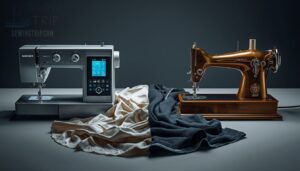
The right machine really comes down to what you actually make — and how often you sit down to make it. Your sewing goals tell you more than any spec sheet ever could.
Here’s how each type stacks up across the most common scenarios.
Simple Repairs and Basic Garments
For simple repairs — button replacement, seam reinforcement, hem adjustments — a mechanical machine operates everything without fuss. Reattaching a button, closing a fabric tear, or reinforcing a patch takes only basic straight and zigzag stitches.
Zipper maintenance and fabric patching don’t demand digital menus.
If you’re managing common sewing machine problems on a tight budget, mechanical is your most practical, dependable starting point.
Quilting, Embroidery, and Decorative Projects
Quilting, embroidery, and decorative stitching demand a computerized machine. Digital sewing unlocks stitch variety and customization options that mechanical machines simply can’t match — think 200-plus built-in designs for design motif planning and layered appliqué techniques.
You’ll also need precise hoop size selection, the right stabilizer types, and smart thread blend choices.
Computerized control keeps every detail consistent across complex, multi-layer decorative projects.
Occasional Use Versus Frequent Sewing
How often you sew changes everything. For occasional use — a hem here, a quick repair there — a mechanical machine fits your budget and your project frequency without demanding much time commitment or a strict maintenance schedule.
But if you sew regularly, a computerized model pays off fast. Lower cost per use, smarter fabric handling, and built-in automation and convenience make frequent sewing faster and less frustrating.
Choosing Your First Machine
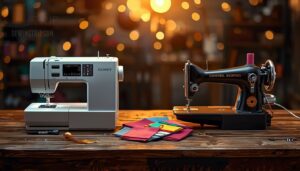
Picking your first sewing machine comes down to a few practical factors that are easy to overlook when you’re excited to start. Getting these right from the beginning saves you money, frustration, and a cramped craft space.
Here’s what to think through before you buy.
Budget and Skill Level
Your budget and skill level should drive this decision together.
Mechanical machines start around 150 euros — a cost-effective skill-building entry point where you learn tension and control hands‑on.
Computerized models begin near 300 euros, trading affordability for features.
But automation can slow your learning curve if you skip the fundamentals.
Match your skill-driven investment to where you actually are right now.
Space, Portability, and Storage
Space matters more than most beginners expect. Mechanical machines are workhorses — sturdy, but they don’t always fold away cleanly.
Computerized models often win here with a compact footprint, foldable design, and transport cases built for quick moves. Vertical storage and quick-release stands make home sewing practical in tight rooms.
Know your portability and space requirements before committing.
Comparing Starter Models Before Buying
Side-by-side comparisons reveal the real differences.
The Brother XM2701 keeps mechanical vs computerized sewing machines simple — low noise level, no firmware worries, and a forgiving learning curve for computerized sewing machines.
Choosing a sewing machine for beginners means weighing budget considerations for beginner sewing machines against accessory ecosystem depth, community tutorials, warranty coverage, energy efficiency, and the features and functions of mechanical sewing machines you’ll actually use.
Frequently Asked Questions (FAQs)
What are the disadvantages of a computerized sewing machine?
Computerized sewing machines cost more upfront, need stable power, and can frustrate beginners with complex menus.
Expensive repairs, software bugs, and a steep learning curve make them harder to maintain than simpler alternatives.
Is a computerized sewing machine better than a mechanical?
Neither is universally better.
A computerized sewing machine wins on features and precision, while a mechanical sewing machine wins on simplicity and durability.
Your best choice depends on your goals, budget, and sewing style.
What sewing machine has the least problems?
Mechanical machines have the least problems overall. Fewer electronic parts mean lower failure rates, simpler repairs, and better sewing machine durability.
User feedback consistently confirms they handle tension problems well and need only basic maintenance.
What is the advantage of a computerized sewing machine?
With a Stitch Library, LCD Display, and Digital Controls at your fingertips, you get Design Flexibility, Creative Freedom, Smart Stitch Adjustment, Instant Pattern Loading, Digital Embroidery Support, Automatic Thread Cutting, and Precision and Consistency — all in one machine.
Are computerized or mechanical sewing machines better?
Both have real strengths — it depends on your goals. If you want simplicity and durability, mechanical wins. If you need automation and convenience with digital controls, computerized takes it.
What are the benefits of a Computerised sewing machine?
A computerized sewing machine gives you precision and consistency at every seam.
With programmable settings, a digital interface, and automatic needle threader, you spend less time fixing mistakes and more time actually sewing.
Can a beginner use a computerized sewing machine?
Yes, a beginner can absolutely use a computerized sewing machine.
Features like an automatic needle threader, Beginner Mode, and Digital Stitch Preview flatten the learning curve quickly — making your first project far less intimidating.
How do foot controllers differ between computerized and mechanical machines?
Think of the foot pedal as your gas pedal — press harder, go faster.
On a mechanical sewing machine, it’s purely physical: a spring-loaded switch with power-free operation and zero digital interpretation.
Do computerized machines come with more included accessories?
Most computerized machines pack a generous accessory box — think built-in needle sets, spool pin kits, multiple presser feet, and even USB pattern libraries.
Some include a dust cover and brush for easy upkeep.
How does stitch quality compare for basic stitches?
Both machine types deliver solid basic stitches when set up correctly. Lockstitch Flatness, Stitch Density, and Needle Size Suitability matter more than the machine type for clean, reliable seam results.
Conclusion
A thousand sewists could debate the computerized vs mechanical sewing machine question, forever and still land in the same place: the right machine is the one that fits how you actually sew.
If you patch jeans twice a year, mechanical wins. If you’re quilting every weekend or chasing precision on complex patterns, computerized earns its price tag.
Stop waiting for the perfect answer. Pick the machine that matches your work, then get back to sewing.