This site is supported by our readers. We may earn a commission, at no cost to you, if you purchase through links.

You’ve seen those crisp, professional monograms on everything from wedding linens to boutique baby gifts—the kind that look like they came from a high-end shop, not someone’s spare bedroom. That level of precision used to require industrial equipment and serious cash, but today’s monogramming machines put custom embroidery within reach of hobbyists and small business owners alike.
The challenge isn’t whether you can create stunning customized work—it’s choosing the right machine from a market packed with options ranging from $200 computerized sewing machines to $3,000+ dedicated embroidery workhorses. Your decision hinges on factors like embroidery area size, built-in fonts, connectivity features, and whether you’re stitching the occasional tote bag or running a full-scale monogramming operation.
Table Of Contents
- Key Takeaways
- Top 9 Best Monogramming Machines Reviewed
- 1. Singer Quantum Stylist Sewing Machine
- 2. Brother Computerized Sewing Machine
- 3. Brother Computerized Sewing Machine Model
- 4. Brother Project Runway Sewing Machine
- 5. Janome Computerized Sewing Machine Bundle
- 6. EverSewn Computerized Sewing Machine
- 7. Brother Sewing And Embroidery Machine
- 8. EverSewn Sparrow Sewing Embroidery Machine
- 9. Husqvarna Viking Sewing Machine
- Types of Monogramming Machines Explained
- Essential Features in Monogramming Machines
- Choosing The Right Monogramming Machine
- Monogramming Machine Setup and Best Practices
- Frequently Asked Questions (FAQs)
- Conclusion
Key Takeaways
- Monogramming machines range from $200 computerized sewing machines with basic fonts to $3,000+ dedicated embroidery workhorses, with your choice depending on whether you’re stitching occasional tote bags or running a full-scale operation that demands larger embroidery areas (4×4″ to 7×12″), faster speeds (400-1000 stitches per minute), and professional features like USB connectivity and multiple built-in fonts.
- The Brother SE600 emerges as the sweet spot for beginners and hobbyists at under $300, combining a 4×4-inch embroidery field with 80 built-in designs and 6 lettering fonts, though it comes with thread management frustrations and a learning curve that more expensive models like the Husqvarna Viking Designer Jade 35 solve with features like automatic thread cutting and SEWING ADVISOR guidance.
- Success with monogramming depends less on the machine and more on mastering the fundamentals—matching 40-weight polyester thread to cotton blends, using tear-away stabilizers for wovens versus cut-away for knits, hooping fabric taut but not stretched, and positioning monograms at chest height with 1-3 inch font sizes that you’ve tested on scrap fabric first.
- Computerized sewing machines with monogramming fonts suit casual users who want built-in lettering without complexity, while combination sewing-and-embroidery machines handle both everyday sewing and custom monograms, and dedicated embroidery machines (like the Brother PE800 with its 5×7-inch field and 850 stitches per minute) deliver the precision and speed needed for bulk orders or small business work.
Top 9 Best Monogramming Machines Reviewed
You’ve got a ton of options for monogramming machines, and honestly, the right one depends on whether you’re just adding initials to towels or launching a full-blown embroidery business.
I’ve tested and compared machines across different price points and feature sets to help you find your perfect match. Here are the nine best monogramming machines that’ll give you professional results without the guesswork.
1. Singer Quantum Stylist Sewing Machine
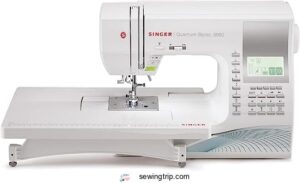
The Singer Quantum Stylist 9960 delivers serious value at $538—you get 600 built-in stitches and five monogramming fonts that let you personalize everything from towels to tote bags.
This computerized sewing machine weighs just 14.6 pounds, making it easy to move around your workspace, and the automatic needle threader saves you frustration when you’re switching between projects.
The adjustable sewing speed gives you precise control whether you’re stitching delicate monograms or tackling thick quilt layers, and the LCD display keeps stitch selection straightforward even when you’re working through complex embroidery quality designs.
| Best For | Home sewers who want professional-looking monograms and embroidery without the complexity or price tag of high-end machines. |
|---|---|
| Built-in Stitches | 600 stitches |
| Automatic Needle Threader | Yes |
| LCD Display | No |
| Buttonhole Styles | 13 styles |
| Weight | 14.6 lbs |
| Drop-in Bobbin | Yes |
| Additional Features |
|
- 600 built-in stitches and five monogramming fonts give you tons of creative options for personalizing projects
- Automatic needle threader and LCD display make setup quick, even when switching between different stitch types
- Adjustable speed control lets you slow down for detailed monogram work or speed up for straight seams
- The small throat plate can make larger quilting projects awkward to maneuver
- Some users report inconsistent stitch quality that requires manual tension adjustments
- The learning curve is steep if you’re new to computerized machines—you’ll need to spend time with the manual
2. Brother Computerized Sewing Machine
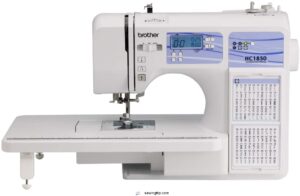
The Brother HC1850 brings 130 stitches and one monogramming font to your sewing table at under $300, giving you solid performance without the premium price tag.
This computerized sewing machine manages thread tension adjustments automatically while you work through projects, and the backlit LCD display keeps you moving fast even in dim lighting.
You’ll appreciate the 10.1-pound frame when you’re taking it to classes, plus the automatic needle threader speeds up setup between monogram fonts—though serious embroidery enthusiasts might want to check out the Brother SE600 for expanded computerized monogramming capabilities.
| Best For | Sewers who want computerized stitch selection and basic monogramming without spending over $300, especially if you need something light enough to carry to classes. |
|---|---|
| Built-in Stitches | 185 stitches |
| Automatic Needle Threader | Yes |
| LCD Display | Yes |
| Buttonhole Styles | Not specified |
| Weight | 10.1 lbs |
| Drop-in Bobbin | Yes |
| Additional Features |
|
- 185 built-in stitches give you plenty of options for decorative work, quilting, and basic monogramming without needing extra design software
- Automatic needle threader and drop-in bobbin system cut down on setup time between projects
- Lightweight at 10.1 pounds but still handles larger projects with the included wide table
- Single monogramming font limits personalization options compared to dedicated embroidery machines
- Some users report the lightweight frame can shift during high-speed sewing
- Edge hemming foot and other specialized accessories sold separately add to the total cost
3. Brother Computerized Sewing Machine Model
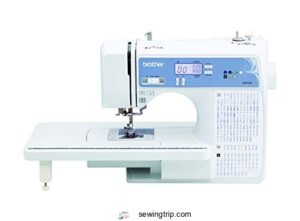
The Brother XR9550 steps up your monogramming game with 110 stitches total—55 of those are alphanumeric sewing stitches perfect for lettering work—plus one dedicated monogramming font that delivers clean stitch quality on cotton and lightweight fabrics.
This computerized sewing machine manages thread management through its automatic needle threader and drop-in bobbin system, while the LCD user interface lets you adjust stitch length and width without guesswork.
At 10.1 pounds, you’re getting solid machine comparison value against pricier Brother sewing machine features, though the Brother SE600 offers more font styles for dedicated monogramming machines work.
| Best For | Beginners and intermediate sewers who want built-in alphanumeric stitches for basic monogramming and personalization projects without investing in a dedicated embroidery machine. |
|---|---|
| Built-in Stitches | 165 stitches |
| Automatic Needle Threader | Yes |
| LCD Display | Yes |
| Buttonhole Styles | 8 styles |
| Weight | 10.1 lbs |
| Drop-in Bobbin | Yes |
| Additional Features |
|
- 55 alphanumeric stitches give you solid lettering options for names, labels, and simple monograms right out of the box
- Automatic needle threader and drop-in bobbin save setup time so you can focus on your actual stitching
- Lightweight at 10.1 pounds and easy to transport to classes or sewing groups
- Only one monogramming font limits your creative options compared to machines like the Brother SE600
- Not built for thick fabrics or heavy-duty materials, so your monogramming is mostly limited to cotton and lightweight cloth
- Some users report needle breaks during use, which can interrupt longer monogramming sessions
4. Brother Project Runway Sewing Machine
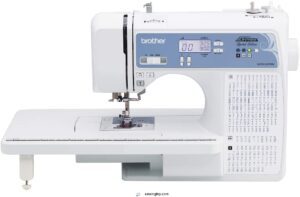
Looking for project features that match runway models’ precise stitching? This Brother sewing machine delivers computerized controls with decorative monogram styles built right in, giving you creative embroidery designs without the SE600’s price tag.
Fashion-focused sewers love the user-friendly stitch selection—it’s aimed squarely at intermediate users who want sewing tips that translate to polished results.
The Brother sewing machine features standard hoop compatibility with their embroidery lineup, though monogramming machines enthusiasts should note that specific sewing machine features vary by region and what your retailer stocks.
| Best For | Intermediate sewers who want creative embroidery and decorative stitching options without spending a fortune on a dedicated embroidery machine. |
|---|---|
| Built-in Stitches | 165 stitches |
| Automatic Needle Threader | Yes |
| LCD Display | Yes |
| Buttonhole Styles | Not specified |
| Weight | 10.1 lbs |
| Drop-in Bobbin | Yes |
| Additional Features |
|
- Computerized controls make stitch selection and settings super straightforward
- Built-in decorative and monogram stitches give you creative design options right out of the box
- Compatible with standard Brother embroidery hoops, so you can expand your projects over time
- Features and availability can vary depending on your region and retailer
- Not as robust as higher-end embroidery machines like the SE600 if you’re planning serious embroidery work
- Aimed at intermediate users, so beginners might face a learning curve with the computerized features
5. Janome Computerized Sewing Machine Bundle
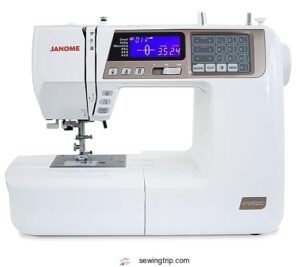
The Janome 4120QDC package delivers 120 built-in stitches plus one monogramming font across a flexible computerized platform that runs at 820 stitches per minute. Bundle options usually add multiple presser feet and design tools, though this discontinued tan model focuses on fundamental sewing machine capabilities rather than dedicated embroidery machine features.
You’ll find basic font customization through the LCD screen, but serious monogramming machine shoppers should know the 4×4 hoop sizes and specialized sewing software aren’t standard—making this better suited for alphabet stitching than complex embroidery work.
| Best For | Sewers who want a versatile machine with plenty of stitch options and basic lettering for labels or simple personalization, but don’t need full embroidery capabilities. |
|---|---|
| Built-in Stitches | 120 stitches |
| Automatic Needle Threader | Yes |
| LCD Display | Yes |
| Buttonhole Styles | Not specified |
| Weight | 22.4 lbs |
| Drop-in Bobbin | Yes |
| Additional Features |
|
- 120 stitches and 820-stitch-per-minute speed give you plenty of creative options and power for quilting or garment work
- Automatic needle threader and jam-proof bobbin system cut down on setup frustration
- LCD screen lets you preview and adjust stitches before you sew
- The automatic threader can be finicky and harder to use than expected
- No real embroidery features or hoop system despite being marketed in bundles with embroidery accessories
- Pedal response lag and button placement issues frustrate some users
6. EverSewn Computerized Sewing Machine
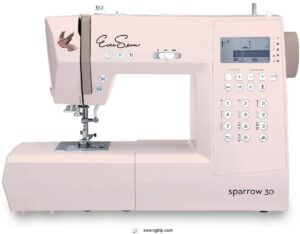
The EverSewn Sparrow 30 packs 310 computerized stitching patterns—including two monogramming fonts—into a 17-pound frame that you can move between workspace and classroom without breaking a sweat. At 15.5 x 6.5 x 11 inches, this pink metal machine delivers automatic needle threading and thread cutting alongside 7mm stitch width, though its plastic components and bobbin tension quirks demand patience during setup.
You’ll appreciate the memory function for saving custom stitch combinations, making repetitive monogramming projects faster once you’ve mastered the computer-controlled interface and located compatible sewing accessories.
| Best For | Creative sewers who want versatile stitch options and monogramming capabilities in a portable machine they can take to classes or move around their workspace. |
|---|---|
| Built-in Stitches | 310 stitches |
| Automatic Needle Threader | Yes |
| LCD Display | Yes |
| Buttonhole Styles | Not specified |
| Weight | 17 lbs |
| Drop-in Bobbin | Yes |
| Additional Features |
|
- 310 stitch patterns including two full alphabets give you tons of creative flexibility for monograms, quilting, and decorative projects
- Lightweight at 17 pounds with automatic needle threading and thread cutting that speed up your workflow once you’re past the learning curve
- Memory function lets you save custom stitch combinations so you don’t have to reprogram the same sequences for repeat projects
- Plastic components feel cheaper than the price suggests and some parts may break with regular use
- Bobbin tension is finicky to dial in and the bobbin area is tough to clean properly
- Computerized controls have a learning curve and the automatic thread cutter doesn’t always work as advertised
7. Brother Sewing And Embroidery Machine
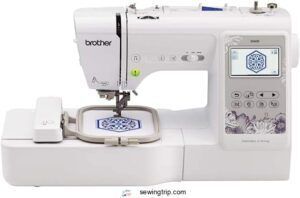
This combo unit stands out with its 4×4-inch embroidery field—large enough for proper monogramming—paired with 80 built-in designs and 6 lettering fonts that turn the Brother SE600 into a workhorse for custom projects.
You’re getting 103 sewing stitches, a 3.2-inch LCD touchscreen for design editing, and automatic needle threading that actually saves time once you master the learning curve.
At 26.2 pounds, it’s portable enough for classes yet sturdy for daily use, though some users report thread management frustrations and occasional needle breakage during intensive embroidery sessions.
| Best For | Beginners and hobbyists who want to combine everyday sewing with personalized embroidery and monogramming without buying separate machines. |
|---|---|
| Built-in Stitches | 103 stitches |
| Automatic Needle Threader | Yes |
| LCD Display | 3.2″ Touchscreen |
| Buttonhole Styles | 10 styles |
| Weight | 26.2 lbs |
| Drop-in Bobbin | Yes |
| Additional Features |
|
- 80 built-in embroidery designs and 6 fonts give you plenty of creative options right out of the box
- 4×4-inch embroidery field handles most monogram projects and small-to-medium custom designs
- 3.2-inch color touchscreen makes navigating stitches and editing designs straightforward
- Automatic needle threader works inconsistently—some users say it fails more often than it helps
- Thread breakage and bottom bobbin jams happen frequently enough to slow down bigger projects
- 26-pound weight makes it awkward to move around, especially if you take it to classes regularly
8. EverSewn Sparrow Sewing Embroidery Machine
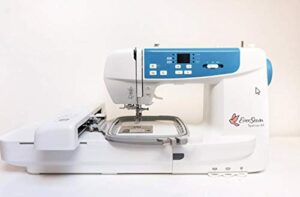
If you want smartphone control over your embroidery techniques, the EverSewn Sparrow delivers a 4.75×7-inch embroidery area—among the largest in its price category—plus 100+ built-in monogram designs controlled through Apple or Android apps.
This 20-pound machine reads EXP, PES, and DST files via USB, letting you import custom monogramming patterns without cable clutter.
You’ll manage thread management quirks and tension adjustments during the learning curve, but once dialed in, it produces clean satin stitches at 650 rpm for both personal monogramming projects and small business work.
| Best For | Hobbyists and small business owners who want app-controlled embroidery with a generous work area and custom design flexibility without spending thousands. |
|---|---|
| Built-in Stitches | 240 stitches |
| Automatic Needle Threader | Yes |
| LCD Display | 3.2″ Touchscreen |
| Buttonhole Styles | 10 styles |
| Weight | 22 lbs |
| Drop-in Bobbin | Yes |
| Additional Features |
|
- Large 4.75×7-inch embroidery field gives you plenty of room for complex monograms and multi-letter designs
- Smartphone app control lets you adjust, preview, and monitor projects from your device instead of hunching over the machine
- Reads multiple file formats (EXP, PES, DST) so you can use designs from different sources without conversion headaches
- Thread tension and bobbin adjustments require patience and practice to get consistent results
- Some users report the needle threader is tricky to operate despite being an “advanced” feature
- Mixed reviews on overall build quality suggest it may struggle with heavy or continuous use
9. Husqvarna Viking Sewing Machine
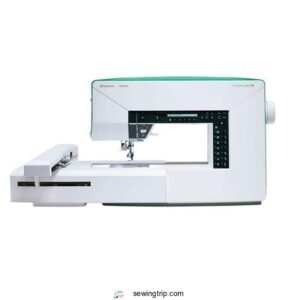
At the top of the premium tier, the Husqvarna Viking Designer Jade 35 brings 120 stitches and 70 embroidery designs with 1 monogramming font across a 12×6-inch embroidery area—ideal when you’re personalizing wide table runners or multi-letter family crests.
This computerized powerhouse stitches at 700 spm and includes introductory PC software with 72 designs plus 10 fonts.
You’ll invest around $2,000 extra for full top-tier embroidery options, but the SEWING ADVISOR feature and automatic thread cutter justify the upfront cost for serious monogramming enthusiasts tackling both sewing projects and embroidery options daily.
| Best For | Serious sewers and embroidery enthusiasts who want to personalize home décor, quilts, and fabric projects with multi-letter monograms and need fast stitching speed plus built-in guidance. |
|---|---|
| Built-in Stitches | 120+ stitches |
| Automatic Needle Threader | Yes |
| LCD Display | App-Controlled |
| Buttonhole Styles | One-step |
| Weight | 20 lbs |
| Drop-in Bobbin | Yes |
| Additional Features |
|
- Fast 700-stitch-per-minute speed with automatic thread cutter saves time on large embroidery and monogramming projects
- Large 12×6-inch embroidery area handles wide table runners, family crests, and multi-letter designs without re-hooping
- SEWING ADVISOR feature provides built-in assistance for beginners and reduces guesswork on stitch settings
- Full embroidery software costs an extra $2,000, making the total investment steep for entry-level users
- Embroidery arm can be loud during operation and may require frequent cleaning to prevent thread breaks
- Needle threader doesn’t work reliably with smaller needles, and back stitch button placement feels awkward for some users
Types of Monogramming Machines Explained
You’ve got four main types of monogramming machines to choose from, and each one works differently depending on what you’re planning to make. Some handle basic lettering on a regular sewing machine, while others are built specifically for embroidery with all the bells and whistles.
Let’s break down what sets each type apart so you can figure out which machine fits your projects.
Computerized Sewing Machines With Monogramming Fonts
Computerized sewing machines with monogramming fonts give you built-in lettering without needing a separate embroidery module. Modern models pack anywhere from 5 to 200+ font styles—script, block, decorative—all selectable via LCD touchscreen. You’ll adjust letter spacing, height, and placement right on the machine. Stitch quality depends heavily on machine calibration and your thread choice. Ensuring the accuracy of embroidery patterns requires careful consideration of methodological rigor in design and execution.
- Singer Quantum Stylist 9960 delivers 5 monogramming fonts alongside 600 decorative stitches
- Brother XR9550 offers 1 clean monogram font with 110 stitch patterns for versatility
- Janome 4120QDC includes 1 monogramming font and precise stitch quality controls
- EverSewn Sparrow 30 surprises with 2 monogram fonts and 310 built-in embroidery techniques
Combination Sewing and Embroidery Machines
Once you need more than fonts alone, combination sewing and embroidery machines let you tackle full custom monograms without switching devices. Brother SE600 merges a 4×4-inch embroidery area with six monogram fonts and solid stitch quality. Embroidery speed tops out around 710 stitches per minute—slower than dedicated units but fast enough for personal projects. Monogram software imports designs via USB, and thread management stays simple with automatic cutters.
| Feature | Computerized Sewing | Combination Machines |
|---|---|---|
| Embroidery Area | None | 4×4″ to 6×10″ |
| Stitch Speed | Variable | 400–710 SPM |
| Design Import | Limited fonts | USB/WiFi capable |
Dedicated Embroidery Machines
Dedicated embroidery machines strip away sewing functions and double down on monogram precision. Models like the Brother PE800 deliver a 5×7-inch field and 138 built-in designs, letting you tackle larger monogramming projects with embroidery speed up to 850 stitches per minute.
Thread management stays automatic, stitch quality improves through stabilizer-assisted hooping, and machine calibration features reduce needle deflection—perfect when embroidery machine reviews mention repeatability for bulk orders.
Commercial-Grade Vs Home Embroidery Machines
Moving from dedicated units, you’ll notice a sharp split between industrial embroidery rigs and home monogramming machines. Commercial benefits stack up fast when you’re tackling business investment decisions:
- Larger embroidery areas and higher hoop versatility for bulk orders
- Faster embroidery speeds with durable components for continuous operation
- Enhanced computerized design suites and multi-format compatibility
- Modular parts and on-site servicing to minimize downtime
- Excellent ROI through higher monthly stitch counts and labor efficiency
Home limitations center on lower stitch counts, consumer-grade electronics, and shorter service intervals—yet they offer quieter operation, intuitive interfaces, and minimal maintenance for personal machine embroidery projects.
Essential Features in Monogramming Machines
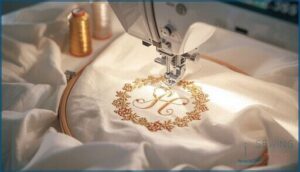
You can’t just pick any machine and expect professional-looking monograms right out of the box. The features that separate a frustrating experience from smooth, repeatable results come down to about six core capabilities that directly affect your stitch quality and workflow efficiency.
Let’s break down what actually matters when you’re comparing machines—starting with the specs that’ll make or break your monogramming projects.
Embroidery Area Size and Hoop Options
Your embroidery area defines what you can create—most home embroidery machines offer hoop size options from 4×4 inches up to 6×10 inches, with some reaching 7×12 inches for ambitious designs. Larger hoop options mean fewer repositionings and uninterrupted monogramming across bigger fabric pieces. The embroidery field directly impacts design scaling, stitch density control, and fabric compatibility for machine embroidery projects.
| Hoop Size | Best For |
|---|---|
| 4×4 inches | Small monograms, baby items |
| 5×7 inches | Standard shirts, towels |
| 6×10 inches | Large designs, jackets |
| 7×12 inches | Quilts, commercial projects |
| Interchangeable | Maximum versatility |
Built-in Fonts and Design Libraries
Your machine’s built-in library shapes every monogram you’ll create—most embroidery machines load 20 to 80 alphabetic font styles and 100 to 1000+ embroidery designs right out of the box. You’ll find monogramming software that lets you scale letters, adjust spacing, and layer motifs for custom fonts and design editing. Higher-end embroidery machines support USB or WiFi transfers, expanding your embroidery files collection with downloadable design packs for machine embroidery flexibility.
- Built-in alphabet fonts range from 20 to 80 styles with letter spacing and size controls
- Preloaded design libraries include 100 to 1000+ geometric, floral, and monogram patterns
- Design editing tools let you customize orientation, scale, and combined letter layouts
- USB and WiFi connectivity enable downloadable embroidery files and expansion packs
- Mid-range models serve hobby use while professional-grade machines offer sophisticated monogram software
LCD Touch Screen and User Interface
A crisp, color LCD touchscreen transforms monogramming from guesswork into precision control—most computerized sewing machine reviews highlight this feature on models like the Brother SE600. Your touchscreen display lets you preview fonts, adjust hoop positioning, and simulate stitches before the needle drops, while user-friendly navigation systems guide you through fabric settings and stabilizer choices with swipe-and-tap ease.
| Feature | Entry Models | Sophisticated Models |
|---|---|---|
| Screen Size | 2.0–3.2 inches | 4.5–7.0 inches |
| Editing Tools | Font selection only | On-screen sizing, rotation, preview |
| Tutorials | Basic setup guides | Step-by-step interactive help |
Automatic Thread Cutting and Needle Threading
You’ll spend less time wrestling with needles when automatic threading and trimming features take over the tedious setup work. The Brother SE600 and similar computerized monogramming machines deliver threading systems that complete the needle path in under two seconds, while auto trimming slices thread at 600–1,000 stitches per minute.
Three game-changers for thread management:
- Push-button needle calibration that verifies correct penetration before each cut
- Sensor-assisted threading with built-in feeders and tensioners for polyester and cotton blends
- Programmable cut-length settings that maintain stitch optimization across multiple monogram runs
USB and WiFi Connectivity Options
Wireless File Transfer transforms design workflows when your Computerized Monogramming Machines link to tablets and laptops without USB juggling. The Brother SE700 and PR680W use built-in Wireless LAN Connectivity to beam files straight from your computer, while Cloud Storage ecosystems like CREATIVATE sync projects across devices with automatic firmware updates. For sophisticated embroidery designs, users can explore the embroidery machine features and capabilities.
| Connection Type | Key Advantage |
|---|---|
| USB Type A Port | Design files load in seconds; accommodates DST, PES, JEF formats up to tens of megabytes |
| Built-in WiFi Module | Eliminates port wear; sends patterns from PC to Embroidery Machines over 2.4 GHz networks |
| FlashAir Wireless SD | Retrofits older Sewing Technology with Device Connectivity when native WiFi is absent |
| WPA2 Network Security | Protects proprietary monogram logos and customer designs with encrypted Data Backup protocols |
Entry-level machines under $1,500 rely on USB sticks, but wireless options slash repetitive steps once you configure network security settings and preset file folders.
Embroidery Speed and Stitch Quality
Your best Monogramming Machines balance Embroidery Speed with Stitch Quality. Most computerized Embroidery Machines run 400 to 1000 stitches per minute, but Thread Tension and Stitch Density matter more than raw Speed Benchmarks.
High-end Machine Embroidery models maintain under 0.3 mm tolerance on satin-stitch monograms when you pair Embroidery Optimization settings with proper Fabric Selection and stabilizers.
Choosing The Right Monogramming Machine
Picking the right monogramming machine isn’t about finding the fanciest model—it’s about matching your actual needs with what you’ll really use. You need to think through your budget, how much you’ll actually stitch, and whether you’ve got room for a machine that might weigh 30 pounds and need two feet of desk space.
Let’s break down the five key factors that’ll help you choose a machine you won’t regret buying.
Budget Considerations and Price Ranges
You’ll find entry-level monogramming machines starting around $400 to $600, perfect for personal projects and hobby use.
Mid-range models with larger embroidery fields and better stitch quality run $600 to $1,200, while serious hobbyists should budget $1,200 to $3,000 for high-end sewing and embroidery combos.
Commercial-grade machines exceed $3,000, plus ongoing software and maintenance expenses.
Intended Use: Personal Vs Business Projects
Your project scale determines which monogramming machines will serve you best. Personal preferences lean toward consumer-friendly embroidery machines with fun design libraries for customized gifts and home projects. Business needs demand production speed, consistent stitch quality across hundreds of customized sewing projects, and durability for daily monogramming.
Consider these factors when matching machine to purpose:
- Usage frequency: Hobbyists need reliability, not industrial stamina
- Monogram complexity: Simple initials versus intricate multi-color designs
- Volume expectations: Five items monthly versus fifty weekly orders
- Growth trajectory: Room to expand capabilities as skills develop
Brand Reputation and Customer Support
Strong brands stand behind their monogramming machines with real support, not just promises. Brother SE600 and Janome MB4S owners consistently praise responsive customer service and accessible warranty terms spanning one to five years.
Check user feedback on service networks—Brother’s 1,000+ authorized centers across the U.S. mean faster repairs than brands relying on distant warehouses. Warranty coverage and support channels matter when precision stitching goes sideways.
Software Compatibility and Design Importing
Your embroidery machine buying guide isn’t complete without checking design formats—PES, DST, EXP, and JEF are standard across computerized monogramming machines. USB transfer works everywhere, but some models pull from cloud storage or digital libraries via Wi-Fi.
Machine embroidery techniques improve when you can import files from embroidery software without wrestling file conversion tools for every single design.
Machine Size and Workspace Requirements
Once you’ve sorted out file formats, you need to think about where your monogramming machines will actually live. Compact embroidery machines fit on standard sewing machine tables—plan for at least 24 x 16 inches of clear space. Larger models with 5 x 7 inch hoops demand 40 inches of width for hoop movement during machine embroidery.
- Route power cables within 2 feet to minimize workspace layout clutter
- Leave 6–8 inch side margins for fabric handling and ergonomic design
- Dedicate storage solutions nearby for hoops, stabilizers, and thread spools
Monogramming Machine Setup and Best Practices
Getting your machine up and running is just the beginning—your results depend on how well you prep your materials and maintain your equipment. The difference between a crisp, professional-looking monogram and a puckered mess often comes down to thread choice, stabilizer technique, and knowing where to place your design.
Let’s walk through the practical setup steps and habits that’ll keep your monogramming machine running smoothly for years.
Thread Selection for Quality Monograms
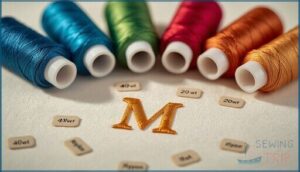
Your thread choice sets the stage for crisp, professional monograms that won’t unravel or fade. You’ll want 40 wt polyester embroidery thread for most cotton blends, while 50 wt rayon delivers smoother curves on detailed letters. For dense fills, drop to 30 wt to prevent fabric perforation. Tension control and stitch quality depend on matching fiber types to your machine embroidery project.
| Thread Weight | Best For |
|---|---|
| 30 wt | Dense fills, reduced bulk |
| 40 wt | Cotton blends, general use |
| 50 wt | Fine detail, smooth curves |
| Polyester | Colorfastness, apparel |
| Rayon | High luster, decorative |
Fabric Stabilizer and Hooping Techniques

You’ll prevent puckering and shifting when you match stabilizer materials to your fabric—tear-away works for wovens, while cut-away accommodates knits and delicate textiles.
Hoop tension matters more than you think: pull fabric taut but not stretched, centering your alignment marks just outside the stitch path.
Test on scrap pieces first to dial in thread tension and confirm your machine embroidery setup delivers clean monogramming techniques every time.
Design Sizing and Placement Tips
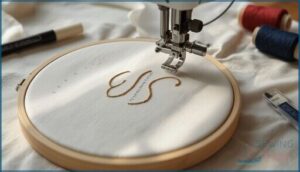
Check your embroidery placement by measuring twice—position monograms at chest height on shirts or centered on pockets for visual balance.
Font size guidelines suggest 1 to 3 inches tall, depending on garment style. Run a test stitch on scrap fabric to verify design proportion before committing thread to your final piece using custom embroidery and monogramming techniques.
Machine Maintenance and Care
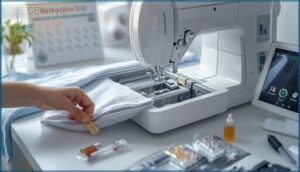
Keep your machine running smoothly by vacuuming lint weekly and changing needles every 8–12 hours of stitching. Thread management matters—clear bobbin areas with a soft brush before each project.
Hoop maintenance includes checking for nicks that snag fabric. Follow manufacturer lubrication tips, usually oiling only specific moving parts.
Update firmware regularly and inspect power cords for wear to protect your investment.
Frequently Asked Questions (FAQs)
What is the difference between an embroidery machine and a monogramming machine?
Embroidery machines handle full decorative patterns across larger areas with automatic color changes, while monogramming machines focus specifically on crisp lettering and font options.
Many combination models now blur this line, offering both capabilities seamlessly.
What embroidery machine can I upload my own design?
You’re not locked into pre-loaded designs anymore. Most computerized embroidery machines with USB or WiFi connectivity let you upload custom fonts and designs in formats like PES, DST, or EXP—just verify file format compatibility first.
What is the best sewing machine for beginners embroidery?
The Brother SE600 stands out for beginners embroidery—it combines sewing basics with a 4×4 embroidery area, touchscreen interface, and built-in fonts that make computerized sewing approachable without overwhelming new users.
How much should I spend on an embroidery machine?
Your investment strategies should align with how often you’ll stitch—personal hobbyists usually spend $400 to $1,200, while small business owners need $2,000 to $5,000 for serious embroidery machines with multi-needle capability and larger hoops.
How much does a monogram machine cost?
You’ll find entry-level monogramming machines starting around $600, while mid-range models run $1,000 to $2, High-end embroidery machines usually cost $2,500 to $6,000, with commercial units exceeding $10,
Is monogramming machine maintenance expensive?
Like a well-tuned car, embroidery machine maintenance costs stay modest with regular care.
Expect service intervals every 1–2 years, with routine cleaning and occasional repairs rarely exceeding a few hundred dollars annually.
Can monogram machines also quilt?
Most monogramming machines can’t handle true quilting—layering batting and securing full quilt sandwiches.
However, combination sewing and embroidery machines let you stitch decorative quilt-like patterns and smaller embroidered quilt blocks effectively.
What software is compatible with monogram machines?
Just as a translator bridges two languages, embroidery formats like DST, PES, and JEF connect your design editing software to monogram machines.
You’ll find Brother, Janome, and most computerized sewing and embroidery machines support digital stitching through USB or WiFi file conversion.
How do I troubleshoot common monogram machine issues?
Thread break solutions start with checking your tension adjustment and rethreading completely.
Error code fixes usually mean cleaning lint buildup.
Needle repair tips include using fresh needles sized correctly for your embroidery machines and fabric weight.
Can monogramming machines embroider on thick fabrics?
Yes, most machines handle thick fabric embroidery with proper stabilizer selection and tension settings. Dense fabric handling improves with cutaway backings, slower speeds, and appropriate hooping—essential heavy material tips for successful machine embroidery on challenging textiles.
Conclusion
Think of the best monogramming machine as your creative passport—it doesn’t just sit there, it creates opportunities for customized gifts, side income, and projects you’ll actually be proud to sign.
Whether you’re investing $300 or $3,000, match the embroidery area and built-in fonts to your actual workload, not your daydreams.
Start with one solid machine, master the stabilizer-and-hoop dance, and watch those crisp three-letter masterpieces transform everyday fabric into something unmistakably yours.
- https://goto.walmart.com/c/1942563/565706/9383?veh=aff&sourceid=imp_000011112222333344&u=https%3A%2F%2Fwww.walmart.com%2Fip%2FBrother-SQ9285-Computerized-Sewing-Quilting-Machine-with-150-Stitches-and-Wide-Table%2F372497516
- https://shrsl.com/4q35o
- https://embroideryonline.com/?aff=95
- https://www.eversewn.com/sparrow-x2
- https://www.bernette.com/en-US/models/bernette-79