This site is supported by our readers. We may earn a commission, at no cost to you, if you purchase through links.
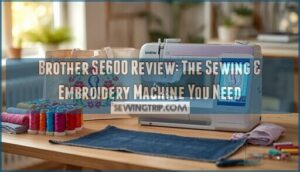
Most sewists hit a wall somewhere between I want to embroider and I need a second machine for that. The Brother SE600 tears that wall down.
It processes 103 built-in stitches for everyday sewing while doubling as a capable embroidery machine with 80 designs and a 3.2 color touchscreen that lets you customize without guesswork. Whether you’re hemming jeans or monogramming a tote bag, you’re not switching machines or compromising results.
For anyone ready to stop working around their equipment and start working with it, the SE600 makes a strong case.
The Brother Computerized Sewing Embroidery Machine puts serious creative control in your hands — 280 embroidery designs, 6 lettering fonts, and a 3.2-inch color touchscreen that actually makes sense to navigate. The drag-and-drop design positioning is genuinely useful; you can resize, rotate, mirror, and move embellishments without digging through confusing menus. The 4×4 embroidery field covers most standard projects, and connecting a flash drive to load your own designs keeps things flexible.
That said, don’t expect a completely smooth ride out of the box. The learning curve is real, especially if you’re new to computerized machines. Some buyers have reported missing accessories or damaged packaging on arrival, and the customer support experience can be hit or miss. You may also find yourself buying the Q embroidery foot separately, which feels like an oversight at this price point. But once you get past the setup friction, this machine delivers solid, consistent results.
Best For: Intermediate sewists ready to move beyond basic stitching and start personalizing projects with embroidery without investing in a professional-grade machine.
- 280 embroidery designs (80 built-in, 200 on CD) give you a strong starting library without needing outside software right away.
- The drag-and-drop editing lets you resize, rotate, and mirror designs directly on the touchscreen — no guesswork involved.
- Flash drive compatibility makes importing custom designs straightforward and fast.
- Some units arrive damaged or missing components, so inspect your package carefully before discarding any packaging.
- Beginners may find the setup and threading process more complex than expected without hands-on guidance.
- The Q embroidery foot isn’t always included, adding an unexpected extra cost to get fully started.
Table Of Contents
Key Takeaways
- The Brother SE600 combines 103 sewing stitches and 80 embroidery designs into one machine, eliminating the need to buy two separate units.
- A 3.2″ color touchscreen lets you edit designs, swap thread colors, and preview layouts before committing a single stitch.
- USB import support means your design library isn’t capped at what’s built in — just save as PES, plug in, and go.
- Backed by a 25-year limited warranty and a dedicated support hotline, it’s a long-term investment rather than a short-term fix.
Brother SE600 Overview
The Brother SE600 doesn’t ask you to choose between sewing and embroidery — it hands you both. It’s built for people who want real creative control without juggling multiple machines.
If space is a priority, this guide to embroidery machines for small spaces shows exactly why compact dual-function machines like the SE600 have become a go-to choice.
The Brother SE600 hands you both sewing and embroidery — no compromises, no extra machines
Here’s what makes it worth your attention.
2. in-1 Sewing and Embroidery Functionality
The Brother SE600 isn’t just a machine — it’s your creative command center. This combo machine eliminates the need for two separate units, giving you a unified workflow that moves from construction to decoration without missing a beat.
- Smooth mode switching between sewing and embroidery
- Integrated touchscreen controls for combined projects
- Space-saving design built for real-world makers
For those needing more details on shipping, support, and purchase requirements, check out the official page’s.
One machine. Total control.
Design and Build Quality
Built to mean business, the Brother SE600 doesn’t cut corners on structural integrity. A metal internal frame keeps the sewing machine rock-solid at 710 stitches per minute, while the smooth plastic shell stays clean and snag-free.
You can find details about financing options and features directly on the product’s official page.
| Feature | Detail |
|---|---|
| Material Selection | Metal frame, rigid plastic shell |
| Build Stability | 26.2 lbs, stays planted |
| Aesthetic Design | Rounded edges, flush front panel |
| Color Touchscreen | 3.2″ Sew Smart LCD display |
Who Should Consider The SE600?
That solid build means nothing if the machine doesn’t fit your life. The Brother SE600 hits the sweet spot for Sewing Beginners, Budget Buyers, and Home Crafters who want one sewing machine and embroidery machine without paying for two.
Hobby Embroiderers exploring new designs, and Small Businesses personalizing gifts or totes, will find its 80 Embroidery Designs and Home Sewing versatility more than capable.
Key Features and Specifications
The SE600 doesn’t just look good on a table — it backs up the hype with real specs.
Here’s what’s actually packed into this machine. These are the key features worth knowing before you commit.
3.2 Color Touchscreen Display
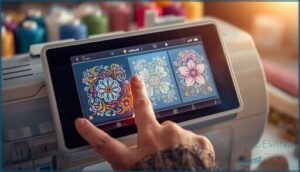
Your command center is right there on the front panel — a 3.7-inch color touchscreen that puts full control at your fingertips. The Brother SE600’s touchscreen navigation reacts to light taps, no pressure needed.
If you’re curious how it stacks up against larger professional setups, multi-needle embroidery machines often feature even bigger displays to match their expanded capabilities.
Display settings, editing controls, color accuracy in design previews — it’s all on one screen. This sewing machine and embroidery machine combo keeps you moving without guesswork.
103 Built-in Sewing Stitches
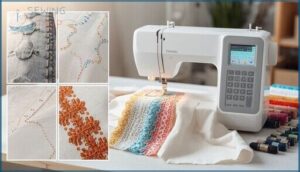
103 sewing stitches — that’s not a number to gloss over. The Brother SE600 gives you utility, heirloom, and decorative options all in one computerized sewing machine.
Adjust stitch length up to 5mm or width up to 7mm for true stitch customization. Fabric compatibility spans cotton to knits, and with 710 stitches per minute, your sewing speed never holds you back.
80 Embroidery Designs and 6 Fonts
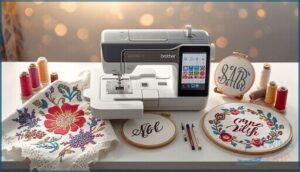
The Brother SE600 comes loaded with eighty embroidery designs and six font styles — no extra software needed to start personalizing.
The design editing tools let you arc text, adjust spacing, and combine custom lettering with digital embroidery motifs right on screen.
Monogram options cover names, phrases, and borders, making this sewing and embroidery machine a genuine creative toolkit from day one.
4 X 4 Embroidery Area
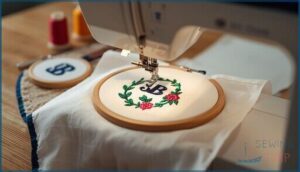
The Brother SE600 keeps it real with a 4×4 embroidery field — compact, but capable. Know your embroidery limits before you start:
- Monograms, patches, and chest logos fit perfectly
- Baby bibs and onesies hoop without a fight
- Design scaling matters — anything over 4×4 won’t launch
- Stitch density affects thread performance in tight spaces
- Fabric choices and stabilizer weight impact hoop grip
Own that 4×4 embroidery space.
USB Design Import Capability
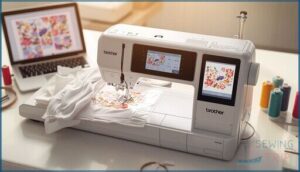
Your embroidery library isn’t limited to what’s built in. The SE600’s USB port lets you pull in fresh designs straight from your computer — no extra hardware needed.
Stick to PES file management: save your PES files to a FAT32-formatted drive, eject safely, and tap the USB icon on the Sew Smart touchscreen. File format support starts and ends with PES, so convert before you transfer.
Sewing Capabilities and Performance
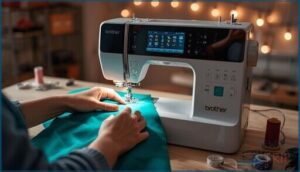
The SE600 doesn’t just sew — it gives you real control over how you work. From stitch selection to speed, every setting is built around letting you decide what your project needs.
Here’s what actually makes it perform.
Stitch Variety and Customization
With 103 sewing stitches across stitch categories like utility, decorative, and heirloom, you’re never boxed in. The touchscreen makes stitch selection instant — tap, preview, sew.
You can even build decorative combinations, layering sewing patterns into repeating borders. Ten buttonhole styles handle any garment need.
No embroidery software required for customization — adjust width, length, and density right on screen.
Automatic Needle Threader and Drop-in Bobbin
Threading a needle shouldn’t slow you down. The Brother SE600’s Automatic Needle Threader uses a lever-driven hook to pull thread through the eye in seconds — real Threader Benefits for anyone tired of squinting.
For smooth Bobbin Setup, the Drop-in Bobbin system drops straight in, no guesswork. Threader Troubleshooting tip: always raise the needle fully first, or the hook won’t align.
Free Arm and Variable Speed Control
Once threading is handled, it’s time to take control of how you sew. The SE600’s Free Arm Sewing setup removes the flatbed to expose a narrow arm — built for sleeves, cuffs, and hems.
The Speed Slider gives you Precision Control at every stage:
- Slide low for tight curves
- Cap speed on slippery fabrics
- Use the Start/Stop button without a foot pedal
- Ramp up for long straight seams
That’s real Variable Speed freedom.
Sewing Speed and Stitch Quality
Speed Control on the SE600 tops out at 710 stitches per minute — fast enough to power through quilts and long seams without dragging.
Dial it back on delicate fabrics, and your Stitch Length, Fabric Tension, and Thread Quality all stay balanced. Pair that with smart Needle Selection, and this Sewing Machine delivers clean, even Sewing Stitches across cotton, denim, and beyond.
Embroidery Features and Tools
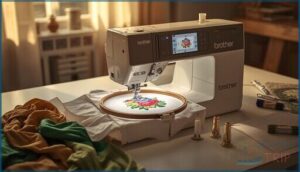
The SE600 doesn’t just let you embroider well — it gives you real tools to do it well.
From editing designs on screen to snapping in the right attachments, everything is built to keep you in control.
Here’s what you’re actually working with.
Built-in Designs and Editing Functions
Dive straight into the 80 built-in designs, and you’ll see this machine means business. With solid color options, clean hoop alignment tools, and real design editing functions on-screen, you stay in control.
Thread management is visual and step-by-step, so nothing catches you off guard. These embroidery machine features and editing functions put creative decisions in your hands — exactly where they belong.
On-screen Embroidery Customization
The 3.2″ color touchscreen puts full design editing right at your fingertips. You control thread colors, adjust layout tools, and preview your embroidery designs before a single stitch drops.
Here’s what you can do on-screen:
- Resize or rotate embroidery designs in real time
- Swap thread colors and see an instant embroidery preview
- Move designs across the 4×4 hoop layout
- Type and curve text using custom fonts
- Track thread order to stay ahead of color changes
Embroidery Hoop, Arm, and Foot Included
The Brother SE600 ships with everything you need to start stitching embroidery designs right away. The included 4×4 hoop locks fabric drum-tight, while the detachable embroidery arm moves with precise X/Y computer control — no guesswork, just clean results.
The embroidery foot snaps on using the same low-shank attachment as your sewing feet, keeping setup fast. Embroidery field limits max out at 4×4 inches.
Lettering Fonts and Monogram Options
Six built-in fonts give you real monogramming power right out of the box. The Brother SE600’s font styles range from clean block to flowing script — perfect for towels, bags, or wedding gifts.
- Monogram Editing: Resize, rotate, and reposition text on-screen
- Text Effects: Arc or curve lettering into decorative layouts
- Embroidery Layout: Combine built-in fonts with embroidery designs
- Custom Fonts: Import.PES files via USB for unlimited styles
Included Accessories and Support
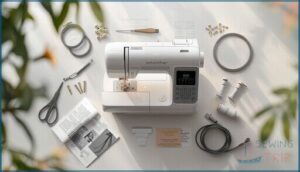
The SE600 doesn’t just show up and leave you guessing — it comes loaded with everything you need to hit the ground running. From the feet on your presser bar to the support behind your purchase, Brother thought this one through.
Here’s what’s actually in the box and what backs you up after you buy.
Seven Sewing Feet and Embroidery Attachments
Seven presser feet ship in the box — no extras to hunt down. The Brother SE600 gives you full control right away.
| Sewing Foot Types | Purpose |
|---|---|
| Buttonhole & Zipper | Precise closures |
| Overcasting & Blind Stitch | Clean edges, invisible hems |
| Monogramming Tools Foot | Dense embroidery designs |
The embroidery attachments — arm, hoop, and foot — connect without extra hardware, so your embroidery hoops and sewing stitches stay ready.
Customer Support and Warranty
A 25-year limited warranty backs the SE600’s chassis — that’s real confidence in the machine.
For Warranty Claims, call the Support Hotline at 1-877-BROTHER, where Technical Assistance runs Monday through Friday, 9 AM to 9 PM ET.
Authorized Service Centers handle Repair Options for both in- and out-of-warranty machines. Brother Canada’s Customer Care and online resources keep you covered every step of the way.
Buying Guide and Availability
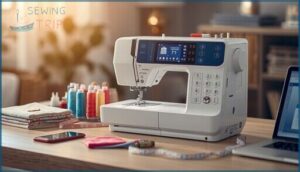
You’ve done the research, now it’s time to actually get your hands on the SE600. Knowing where to buy, what shipping limits apply, and who to call with questions makes the whole process smoother.
Here’s what you need to know before you order.
Where to Purchase The Brother SE600
Finding the Brother SE600 doesn’t have to be a hunt. Online Retailers like Amazon and Walmart make it easy to compare prices — some listings dip as low as $310 during sales.
Want verified service coverage? Authorized Dealers like AllBrands offer warranty support and financing. Prefer savings? Refurbished Options like Brother’s RSE600 start around $475.
Always confirm your shipping address before completing any online purchase.
Delivery Restrictions by Region
Before you hit “buy,” know this: regional shipping rules can stop your order cold. The SE600 ships freely across most of the US, but delivery exclusions apply to Nunavut, Northwest Territories, and Yukon.
International buyers face geographic restrictions, import fees, customs duties, and voltage constraints — the machine runs on 120V/60Hz. These ecommerce limitations and online shopping restrictions make regional availability a real factor worth checking first.
Tips for Choosing The Right Retailer
Once you’ve sorted out geographic restrictions, choosing the right retailer is your next power move. Use Brother’s retailer locator to find authorized dealers — they back the SE600 with a 25-year mechanical warranty and real customer support.
Do your homework: compare prices, read customer reviews, and check return policies before committing. A vague return policy or suspiciously low price is a red flag worth heeding.
Contacting Customer Care for Assistance
Got a question after you buy? Brother’s customer care has you covered across multiple channels:
- Phone Support at 1-877-BROTHER (Mon–Fri, 9 AM–9 PM ET) for Technical Issues and Warranty Claims
- Live Chat on Brother’s site for quick Service Centers referrals and troubleshooting
- Brother Canada resources for Service à la clientèle and Customer Navigation Options
Real Customer Support and Resources — always within reach.
Frequently Asked Questions (FAQs)
Is the Brother SE600 good for beginners?
Like riding a bike with training wheels built in, the Brother SE600 keeps the learning curve short.
Its easy-to-use interface, automatic needle threader, and guided sewing modes make beginner sewing genuinely stress-free.
Can a Brother SE600 sew denim?
Yes, the Brother SE600 can sew denim — but keep it light to medium-weight. Use a 90/14 jeans needle, slow your sewing speed control down, and avoid bulky seam intersections.
What is the price of Brother SE 600?
Budget-friendly doesn’t mean low quality. The Brother SE600 usually runs $400–$600 new, though historical fluctuations show Amazon prices dipping to around $300 during sales.
Can Brother SE600 do custom embroidery?
Absolutely. Save your artwork as a PES file, load it onto a USB stick, and the SE600 takes care of the rest — importing, positioning, and stitching custom embroidery designs with ease.
Is the Brother PE800 discontinued?
The Brother PE800 carries discontinued status as of
It is practically proven and phased out.
Replacement models like the PE900 now lead the market, though support availability remains solid for existing owners considering purchase considerations today.
Is the brother se600 a good sewing machine?
The Brother SE600 delivers solid Brother SE600 Performance for beginners and hobbyists.
Its Computerized Sewing system, Automatic Needle Threader, and 103 stitches make Beginner Friendliness and Project Versatility real strengths across everyday Fabric Handling tasks.
How to check for missing tabs on the back of Brother SE600?
Turn off and unplug your sewing machine first. Then remove the hoop and use a flashlight to inspect the Frame Guide Tabs and Carriage Holder Slots.
Look for cracks, uneven height, or a Loose Hoop during Visual Inspection.
What is the difference between a brother se600 and a se630?
The SE630 is basically a refresh of the SE600 — same hardware specs and embroidery features, but it adds around 400 downloadable designs and sports a blue faceplate.
Expect a slight price difference between the two.
How does a brother se600 work?
The SE600 is a computerized sewing machine that manages both stitch formation and embroidery modes through its touchscreen controls, automatic needle threader, and USB design import.
Switching between tasks is as straightforward as swapping the embroidery arm.
Can you use your own designs on a Brother SE600?
Yes, you can. Load your own custom design import via USB using PES or DST embroidery file formats.
Digitizing software converts your art, and on-screen editing lets you position it perfectly before stitching.
Conclusion
Back in the day, owning both a sewing machine and an embroidery setup meant doubling your budget and your headaches.
The Brother SE600 makes that tradeoff obsolete. With 103 stitches, 80 embroidery designs, USB import, and a touchscreen that actually makes sense, it hands you real control over every project.
You’re not settling for “good enough” across two machines—you’re getting precision in one. For sewists who want mastery without compromise, this is the machine that delivers.
- https://www.maggieframes.com/blogs/embroidery-blogs/brother-se600-mastery-guide-setup-features-creative-embroidery-techniques
- https://www.truedigitizing.com/blog/brother-se600-embroidery-machine
- https://www.nascoeducation.com/brother-se-600-computerized-sewing-embroidery-machine-wa35083.html
- https://www.poconosewandvac.com/products/brother/machines/se600?associated=quilting-accessories
- https://cucfablab.web.illinois.edu/lab-tool/brother-se600-sewing-embroidery-machine/