This site is supported by our readers. We may earn a commission, at no cost to you, if you purchase through links.
A sewing machine has around 30 individual parts—and most sewers couldn’t name half of them until something goes wrong. Thread bunches under the fabric, tension goes haywire, or the needle breaks mid-seam, and suddenly those unfamiliar components matter a lot. Knowing what each part does isn’t just trivia; it’s what separates someone who guesses at fixes from someone who diagnoses them in minutes.
Whether you’re threading your machine for the first time or troubleshooting a stitch that won’t cooperate, understanding the parts of a sewing machine gives you real control over every project you sit down to sew.
Table Of Contents
Key Takeaways
- Knowing what each part of your sewing machine actually does lets you diagnose problems in minutes instead of guessing for hours.
- The needle, presser foot, feed dogs, and bobbin work as a team — if one is off, your stitches will show it.
- Thread tension and bobbin setup cause most stitch problems, so mastering those two systems saves you more frustration than anything else.
- Nearly 8 out of 10 stitch issues come from incorrect machine setup, not broken parts — so learning your machine is the real fix.
Essential Sewing Machine Parts
Before you sew a single stitch, it helps to know what you’re actually working with. A sewing machine has several main structural parts that hold everything together and give you room to work.
Once you’ve got the machine down, projects like sewing your own shorts are a great way to put those parts to real use.
Here’s a look at the core sections you’ll find on most machines.
Arm
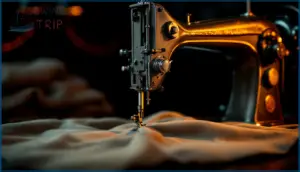
The arm is the backbone of your machine’s upper parts — that horizontal section stretching over the needle area. Its arm structural design houses the needle-bar, keeping it steady so every stitch lands exactly where it should.
Think of arm-to-bed alignment as your machine’s spine: when it’s solid, everything works in harmony. Balanced support from the arm works hand in hand with the tension and threading system to keep your stitches uniform and smooth. Arm-mounted controls sit right on its surface for easy reach.
Throat
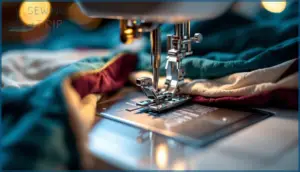
Just past the arm, you’ll notice that open gap between the needle and the machine’s body — that’s the throat, and it matters more than most beginners realize. Throat space anatomy defines how much fabric can move freely under the needle at once.
- Throat space ergonomics affect comfort during long projects
- Throat size categories range from 7–8 inches (domestic) up to 30+ inches (long arm)
- Quilting throat capacity determines whether large quilts need constant repositioning
- Throat clearance limits how thick or bulky your layers can be
- The throat plate, also called the needle plate, sits right at the throat’s base, supporting fabric over the feed dogs
To understand how this component also stabilizes fabric, aligns needle motion, and enhances stitch accuracy, you can explore more about throat plate fabric stability.
Free Arm
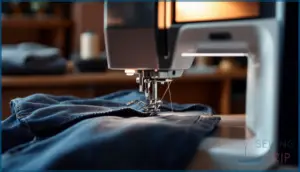
That narrow throat space sets the stage for one of the handiest features on your machine — the free arm. Slide off the accessory tray from the right side, and you’ll expose a slim cylindrical platform underneath.
Free Arm Function shines when hemming sleeves or pant cuffs: just slip the tube right over it. Most arms measure 6–8 inches long, fitting everyday tubular sewing uses perfectly.
Bed
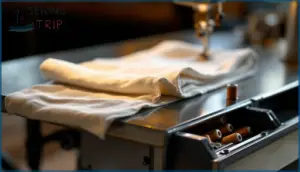
Beneath the free arm sits the bed — the flat, table-like base that everything else rests on. Think of it as your fabric’s stage. It’s usually cast aluminum or iron, finished smooth so material glides without snagging.
Many beds include a built-in storage compartment for bobbins and presser feet. The bed workspace area directly upholds your sewing machine’s lower parts and overall flat bed structure.
Needle and Stitching Components
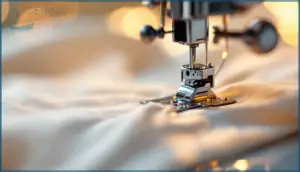
The needle and stitching components are where the real action happens — this is the heart of every stitch your machine makes. Each part plays a specific role in guiding fabric, forming loops, and locking thread into place.
Here’s a closer look at the six key components you need to know.
Needle
Think of the needle as the heart of every stitch. It has a flat shank that locks into the needle bar, a grooved shaft that shelters your thread, and a scarf that lets the bobbin hook catch each loop cleanly.
Needle anatomy basics matter because needle types, points, materials, and coatings all affect how well your needle matches your thread and fabric.
Needle Clamp Screw
The needle clamp screw is a small but mighty detail — it’s what locks your needle firmly onto the needle bar so it moves cleanly without wobbling. Cheap or stripped screws cause skipped stitches fast. Here’s what to know:
Pairing a secure needle clamp with the right bobbin setup — like knowing how to wind a bobbin correctly — keeps your whole stitch cycle running smoothly from top to bottom.
- Function and Role: Holds the needle at the exact height for proper hook alignment
- Design and Materials: Most are steel with chrome coating for durability
- Compatibility and Types: Sized differently for low-shank versus high-shank machines
- Adjustment Technique: Tighten firmly, never over-tighten — that strips threads or cracks the clamp
- Maintenance and Replacement: Check regularly; replace if the needle clamp won’t hold securely
Always turn your machine off before touching it.
Presser Foot
The presser foot is your fabric’s best anchor. It presses material flat against the feed dogs so every stitch forms cleanly without shifting. Presser Foot Function comes down to one thing: consistent Fabric Feeding Support.
The presser foot anchors your fabric flat, ensuring every stitch forms cleanly without shifting
You’ll find Snap-On Foot Systems on most modern machines, making swaps seamless. Specialty Foot Types handle zippers, quilting, and edges. Foot Pressure Adjustment lets you match pressure to your fabric — lighter for silk, firmer for layers.
Presser Foot Lever
That small lever behind the needle does more than you’d think. Lever Mechanics are simple — raise it, slide your fabric in, lower it to lock everything down. This Height Adjustment lifts the presser foot 5–7 mm, giving you just enough clearance.
Good Operation Workflow means using it every seam. For Safety Handling, always raise it before changing feet. Regular Maintenance Practices keep it moving smoothly.
Needle Plate (Throat Plate)
The needle plate, also called the throat plate, is your fabric’s support surface role in action. That flat metal platform keeps your material steady while the needle passes through its needle hole options: a wide oval for zigzag work or a tight round hole for straight stitching.
Those etched seam guide markings along the surface? They’re your built-in ruler. Plate materials durability matters too — steel resists warping under pressure.
Lift it off regularly for cleaning and maintenance; lint hides underneath.
Feed Dogs
Those tiny toothed bars beneath your presser foot — the feed dogs — are what actually move your fabric forward stitch by stitch. Mastering Feed Dog Basics, Motion, and Controls transforms your fabric handling techniques completely.
- Feed dogs rise, grip, and pull fabric back after each stitch
- The feed dog position lever disengages them for free-motion work
- Regular Feed Dog Maintenance prevents uneven feeding and skipped stitches
Thread Handling and Tension Systems
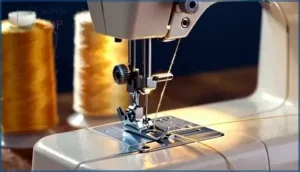
Thread handling might seem like a background job, but it’s actually what keeps every stitch clean and consistent. Get this system wrong, and you’ll see loops, tangles, or uneven tension before long.
Here are the key parts that manage your thread from spool to needle.
Spool Pin
Your spool pin is the small post that holds your thread spool in place — and picking the right type matters more than you’d think. Horizontal spool pins suit cross-wound spools like Aurifil, while vertical pins work better with stacked spools.
Keep it clean, lightly oiled, and check for wobble regularly. A loose or lint-clogged pin causes uneven thread pull and tension headaches fast.
Thread Guides
Thread guides are the unsung helpers that keep your thread on the right path from spool to needle. Upper Thread Guides direct thread from the spool pin toward the tension discs, while Tension Guide Hooks add just enough friction before the thread reaches them.
Post Take-Up Guides stabilize the path near the needle, and Needle Clamp Guides align the final thread entry.
Bobbin Winder Guides keep bobbin filling neat and even. Good thread management starts here.
Thread Take-Up Lever
Once the thread guides have set your thread on course, the take-up lever keeps it moving right. This metal arm rises and falls with every stitch, managing lever motion timing so stitch loop formation happens cleanly.
Thread path routing through its eye is non-negotiable — skip it, and you’ll get tangles fast. For lever care maintenance and high-speed performance, keep the pivot clean and lint-free.
Tension Control Dial
After the take-up lever does its job, the tension control dial decides how tightly your upper thread gets gripped. Think of it as a pressure knob between two tension discs — dial position basics matter more than most beginners realize.
- Number scale guide: Standard dials run 0–9; start at 4 for most fabrics
- Fabric tension settings: Chiffon needs 3–3.5; denim needs 5–6
- Tension troubleshooting tips: Loops on top mean your tension’s too tight
- Tension regulator habit: Adjust one number at a time, then test
- Dial cleaning maintenance: Lint trapped in the discs throws off stitch tension fast
Bobbin Winder
The bobbin winder is your machine’s quiet workhorse. Its Bobbin Winder Function is simple: transfer thread from your spool onto the bobbin quickly and evenly.
Its Engagement Mechanism shifts drive power away from the needle bar through a Power Transfer Link, spinning the bobbin fast. The Automatic Stop System senses when the bobbin is full and halts winding.
For Maintenance and Troubleshooting, check the bobbin winder thread guide and bobbin winder stopper for wear regularly.
Bobbin Winder Tension Disk
That little tension disk does more than you’d think. It’s the part that controls winding tension as thread travels from your spool through the thread path setup and onto the bobbin. Without it, you’d see classic loose bobbin symptoms — sloppy, uneven coils that cause skipped stitches later.
For tension disk adjustment, wrap the thread fully around it. Regular tension disk maintenance keeps lint from killing its spring action.
Bobbin Mechanism and Lower Thread Parts
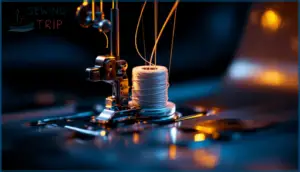
The bobbin system is what keeps your stitches locked in from underneath — and it’s simpler than it looks.
A few small parts work together to hold, tension, and deliver that lower thread with every stitch you make.
Here’s what each one does.
Bobbin
Every stitch you sew depends on this small but mighty part. The bobbin holds your lower thread and works with the top thread to form a lockstitch beneath the fabric.
Machines use different bobbin types and sizes — Class 15 and Class L are most common — in either plastic or metal designs.
Keep the bobbin area clean, and always wind it evenly for smooth, balanced stitches.
Bobbin Case
Think of the bobbin case as the bobbin’s cradle — it holds everything steady so your lower thread feeds smoothly and locks with the top thread on every stitch.
Keep it lint-free for consistent stitches.
- Bobbin Case Function: Guides lower thread tension using a flat spring you can adjust with a small screw.
- Bobbin Case Types: Front-loading, side-loading, or drop-in top-loading — each suits different machines.
- Bobbin Case Materials: Metal cases resist wear; plastic cases keep things lightweight.
Bobbin Cover Plate
That small piece sitting over your bobbin area does more than you’d think. The bobbin cover plate protects the bobbin case and hook mechanism from lint, loose threads, and wandering fingers — a quiet but essential protective safety role.
Many machines use a clear cover for easy bobbin thread visibility. Keep alignment and fit snug, clean lint every few bobbins, and replace cracked covers promptly.
Control, Power, and Speed Features
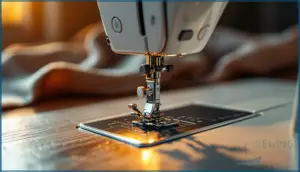
Every sewing machine has a set of controls that put you in charge of how it runs. These parts handle everything from turning the machine on to managing your stitching speed and direction.
Here’s a closer look at each one and what it does.
Power Switch/Button
The power switch is your machine’s first handshake — flip it on, and everything wakes up: the motor, the light, and the control board. Most machines place it on the right side for easy reach. You’ll notice it’s usually a rocker or toggle switch marked I/O.
Always turn it off before changing needles, and unplug after your session. Good shutdown habits protect both you and your machine.
Hand Wheel
Right next to the power switch sits the hand wheel — also called the balance wheel or handwheel. Handwheel location matters: it’s on the right side, easy to reach. Always turn it toward you (counterclockwise) for safe manual stitching control.
It’s also key for threading support — one turn raises the bobbin thread loop.
For handwheel maintenance:
- Wipe lint from the rim regularly.
- Oil the shaft while rotating slowly.
- Check for smooth, resistance-free spin.
Foot Controller/Pedal
Where the hand wheel gives manual control, the foot controller hands that control back to your feet. Press lightly for detail work, press firmly for long straight seams — that’s analog pressure response in action.
This foot pedal uses electrical speed control to modulate motor speed smoothly. Always place it flat on the floor, and replace it immediately if the cord frays.
Sewing Speed Controller
Think of the sewing speed controller as a cap on your foot pedal’s power. While the foot pedal still controls your pace, this dial sets the ceiling — so even full pressure won’t send your machine racing.
For beginner speed training, dial it down and build confidence gradually.
Electronic speed regulation also improves precision quilting control, keeping stitches uniform on detailed work.
Reverse Stitch Button/Lever
Once your speed is dialed in, the reverse stitch button or lever becomes your seam’s safety net. Hold it for 3–4 stitches at the start and end of each seam, and those threads won’t budge.
On most machines, it sits right near the presser foot for one‑handed use. Skip it on delicate fabrics — you’ll risk puckering.
Stitch Selection and Adjustment Dials
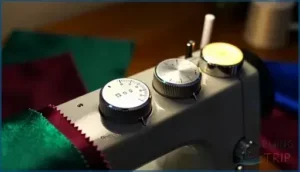
Once you know how to thread your machine and control your speed, the next step is learning how to shape your stitches.
Your machine gives you several dials and buttons to do exactly that — choosing stitch types, adjusting length, and controlling width.
Here are the key parts that put you in charge of every stitch.
Stitch Selection Button
The stitch selection button is your gateway to every built-in pattern on your machine. On computerized models, you press plus or minus buttons to step through stitch numbers — the LCD confirms your choice with a small graphic for easy visual matching.
Ergonomic placement and tactile feedback let you switch stitches confidently without losing control of your fabric.
Always adjust stitch length and width separately after selecting.
Pattern Selector Dial
The pattern selector dial is your stitch selector in physical form — a simple turn unlocks straight, zigzag, and decorative options. Dial placement varies by brand, but it’s always within easy reach.
Turn it only with the needle raised (a key safety protocol). Visual markings like numbers and symbols guide your choice.
Clean it regularly as part of good maintenance practices.
Stitch Length Dial
One small knob does a big job. The stitch length dial — sometimes called a stitch length selector or stitch regulator — controls how far your feed dogs move fabric between needle strikes. Dial Calibration matters here: most machines run 0–4mm, with Indicator Markings between numbers.
Key settings to know:
- 2.4–2.5mm – everyday woven fabrics
- 2.0mm – tight quilting seams
- 4–5mm – Basting Length for temporary stitching
- Stretch Stitch Settings – slightly longer to reduce puckering
Use the Stitch Density Formula (25.4 ÷ mm = stitches per inch) to dial in precision.
Stitch Width Dial
The stitch width dial controls how far the needle swings side to side — from a clean straight line at 0 mm all the way to 6 mm for bold zigzags. It’s your go‑to for Decorative Patterns, finishing edges, and sewing elastic. Always check Twin Needle Safety limits before widening your setting.
| Width Range | Best Use | Fabric Compatibility |
|---|---|---|
| 0 mm | Straight stitch | All fabrics |
| 2–3 mm | Basic zigzag | Knits, stretch |
| 5–6 mm | Edge finishing | Fleece, raw edges |
Frequently Asked Questions (FAQs)
How often should I get my sewing machine serviced?
A stitch in time saves nine.
Service intervals depend on how often you sew. Regular home sewers need a professional tune‑up every 12 to 18 months to keep wear‑and‑tear checks on track.
What sewing machine accessories are must-haves for beginners?
Start with a bobbin case, seam ripper, and extra needles — those three will rescue most beginner mistakes.
A thread cutter, extension table, and spare presser foot round out your essential sewing machine accessories nicely.
How do I clean my sewing machine and prevent lint buildup?
Remove the bobbin case and brush out lint after every few sewing sessions.
Clear the needle plate, feed dogs, and tension discs regularly.
A consistent cleaning schedule keeps your machine running smoothly and prevents frustrating skipped stitches.
What’s the difference between mechanical and computerized sewing machines?
manual car versus an automatic — same destination, different experience.
Mechanical machines use dials; computerized ones use buttons and screens, offering more Stitch Variety, Automation Features, and fewer User Workload demands.
How do I choose the right type of needle for my sewing project?
Match your needle to your fabric weight, thread, and project type. Test on a scrap first.
Fine fabrics need smaller needle sizes; heavy materials need larger ones for clean, even stitches.
How often should a sewing machine be serviced?
Funny how a machine that creates things can quietly fall apart without you noticing. Service it every 12–18 months — or sooner if you’re sewing heavy fabrics regularly.
What accessories work with different presser foot types?
Each presser foot pairs with specific accessories.
Zigzag foot accessories, walking foot addons, zipper foot tools, free motion attachments, and quarter‑inch guides all expand what your machine can do depending on the presser foot types you use.
Can sewing machines handle leather or heavy denim?
Yes — but it depends on the machine.
Heavy denim needs a stronger motor, the right needle, and proper presser foot pressure. Light leather is manageable. Thick hides? That’s industrial sewing territory.
How do you fix a sewing machine skipping stitches?
Start with the needle — a dull or bent one causes most skips. Check thread tension dial settings, clean feed dogs, inspect the bobbin case, and reseat your thread completely.
What thread types work best for different fabrics?
Match your thread to your fabric.
Cotton thread selection suits natural wovens; polyester for synthetics manages stretch and heat.
Silk delicate threads on fine fabrics, heavy‑duty denim thread on thick materials, and stretch knit thread for activewear.
Conclusion
Studies show nearly 8 out of 10 stitch issues trace back to how the machine is set up, not to faulty parts. When you know the parts of a sewing machine and what each one does, those “mystery jams” turn into clear, simple fixes.
You spot problems faster, protect your machine, and sew with more confidence. Each new project becomes practice, not guesswork, and your machine feels less like a puzzle and like a trusted partner.
- https://sewing.com/sewing-machine-parts/
- https://sewguide.com/parts-of-a-sewing-machine/
- https://www.marthastewart.com/7846161/sewing-machine-parts-explained
- https://www.bytinymite.com/blog-sewing-for-beginners/master-your-sewing-machine-a-part-by-part-breakdown
- https://www.sailrite.com/sewing-machine-part-names